LegacyVoiceChat
# LegacyVoiceChat
**LegacyVoiceChat** adds proximity voice chat to legacy — including **Ornithe**, **StationAPI**, **Better than Adventure!**, **Project Poseidon**, **Risugami Modloader** and **More!**.
## ⚠️ WARNING
> **LegacyVoiceChat is currently a WIP mod.**
> Expect bugs, UI changes, and protocol changes at any time.
## Features
### Proximity Voice Chat
– 3D positional audio
– Directional sound based on player orientation
– Dynamic volume fading with distance
### Audio Device Management
– Choose custom **input** and **output** devices
– **Push-to-Talk** or **Voice Activation** modes
– Adjustable mic sensitivity
### Groups / Parties
– Create or join voice groups
– Talk privately with teammates (ignores distance)
### Mute & Deafen
– Mute specific players or yourself
– Deafen to silence all incoming voice
Looking for the raw jar file for MultiMc or Prism Launcher? Click Here
### Server Notes
Make sure to port forward “`25566 UDP“` or change the port in the server config
Legacy OptiFabric
**for mcsr**: use mods.tildejustin.dev
If you’re looking for OptiFabric for 1.14 to 1.15.2 for regular Fabric instead of Ornithe, check out OptiFabric Origins
## Legacy OptiFabric
OptiFabric for Legacy Fabric (1.3.1-1.13.2) and Ornithe (b1.7.3-1.14.4)
– Legacy Fabric installer and official MultiMC instances: https://legacyfabric.net/downloads.html
– Ornithe installer (can generate MultiMC instances): https://ornithemc.net
– Legal speedrunning MultiMC instances for Ornithe and Legacy Fabric (vanilla LWJGL, no extra libraries or mods): Minecraft-Java-Edition-Speedrunning/legacy-fabric-instance-generator/releases
based on the work of RedLime’s OptiFabric-Pre1.14, a fork of hYdos’s OptiFabric 1.8.9 which
in turn is a derivative of modmuss’ original OptiFabric
## installing
this mod requires an optifine jar in the mods folder alongside optifabric. for 1.7.2 and onwards this can be sourced
from OptiFine’s official website, and older versions these can be retrieved either
from SpeedyCube64’s Pre-1.9 Optifine Archive or on
the OptiFine history thread.
## how it works
this mod uses Minecraft-Java-Edition-Speedrunning/fabric-asm, a minor derivative
of Cat Core’s Fabric-ASM/no-guava which itself is an updated version
of Chocohead’s fabric-asm. fabric asm allows more extreme asm modification and the fork used has no dependency on guava or apache
commons, which older minecraft versions don’t provide.
### steps
1. the mod looks for an optifine installer or mod jar or zip in the current mods folder
2. if it finds an installer jar it runs the extract task in its own throwaway classloader
3. the optifine mod jar is a set of classes that need to replace the ones that minecraft provides
4. optifine’s replacement classes change the name of some lambda methods, so it take a good guess at the old name (using the original minecraft jar)
5. remap optifine to intermediary
6. move the patched classes out as they won’t do much good on the classpath twice
7. add optifine to the classpath
8. register the patching tweaker for every class that needs replacing
9. replace the target class with the class that was extracted, also do some more fixes to it, and make it public (due to access issues)
10. hope it works
## notes
– this mod does not really work in dev or named environments. In Legacy Fabric’s case the yarn builds are corrupted in some versions so this cannot work atm, feather is better but still has issues.
– the accessWideners are created based on the output of tiny remapper’s checkPackageAccess option, but they are unlikely to ever be 100% complete. if you have a crash that has to do with and invalid access, report it and it may be able to be fixed.
## class excluder
this is a kind of hidden feature that is occasionally useful to remove files when remapping the jar. to do this, it reads the `optifabric-excluded-classes.json` file
in `.minecraft/config/` if it exists, and expects the file to contain a mapping of versions (field names) to an array of removable classes (or textures or anything else, it’s just
a filename).
an example file contents to revert the removal of the profiler for 1.3.2 light is provided below. if the optifine version you are trying to make an excluder extry for has already
been loaded before in your instance, delete its folder in the `.optifine` folder in `.minecraft` to force a recache.
“`json
{
“OptiFine_1.3.2_L_B2”: [
“ik.class”
]
}
“`
Kit Tunes
If you love music, you will love this mod too!
# Features in all versions
– Toast notifications whenever a song starts playing
– Show you how long music will play for, and let you pause/play it at will!
– Show the time left until the next song will play
– Log the music that plays, both locally, to Last.FM, and ListenBrainz
# Per-version features
Some additional features are even added in older Minecraft versions to give them music parity with modern Minecraft.
## Minecraft Beta 1.7.3
– Play music from all Minecraft versions
– Play special music in the menu, and in the nether
## But why scrobble with Kit Tunes?
Scrobbling is a way of logging your music history on the internet on a public profile! It’s great because you can share your history with others and even see what songs you were listening to yesterday, or a year ago!
# Installation Instructions
### Minecraft Beta 1.7.3
– OSL is required
– Use Mod Menu to configure the mod & view playing music
### Minecraft 1.17.0 – 1.18.1
– Fabric API is required
– Use Mod Menu to configure the mod & view playing music
### Minecraft 1.18.2+
– QSL (Quilt Standard Libraries) is required
– Use Mod Menu to configure the mod & view playing music
Jappaified
Jappaified backports new Jappa-styled textures to every single version of Minecraft before 1.14 except for snapshots and April Fools updates, and I mean it. EVERY. SINGLE. VERSION. (There’s also a Classicube version)
This pack aims to port the modern textures as accurately as possible. This includes having correct ore textures, new cloud textures, and new changes when new updates drop if possible.

## Installation (pre a1.2.2)
### Prism Launcher / MultiMC
In the instance menu (click “Edit Instance” to get there), go to the Version section and click “Add to Minecraft.jar”. Once your file explorer of choice opens up, find the version you downloaded and select it. After that, it should be installed and you can launch the game with it.

I’d also recommend using LegacyFix to get those old versions running idealy.
### Optifine and MCPatcher for old versions
Optifine and MCPatcher can be used to get the water and lava working properly in versions between a1.1.2_01 and r1.4.7. You can get the version you want here and then you can add them by doing the same thing you do when using pre a1.2.2 versions of this pack to add MCPatcher.
## Version Numbering Scheme
game1(-game2).bigpatch.smallpatch.bugfix
game1 is the earliest Minecraft version a version of this pack supports
game2 is the latest Minecraft version a version of this pack supports
bigpatch is if I add or change something to every single version of the pack. Whenever this happens, I will make a downloadable .zip file with every version of the pack (it saves me a LOT of time)
smallpatch is if I want to add or change something in certain versions of the pack
bugfix is if I need to fix something in certain versions of the pack
The current version of a pack right now would be game1(-game2)(-OP).2.X.X
## Also Check Out
Tunes: Backport: A pack that adds new songs to r1.6 and later. It works great alongside this pack.
MC New Textures: Sound Pack: A pack that backports the new sounds to r1.7 and later. It’s meant to go with MC New Textures, but it should work with this pack too.
Modernity: Climate Mapped Water: There are water climate resource packs that truly add the new water colors to r1.6 to r1.12.2. Though, you’ll have to copy the stuff from this to my pack if you are using r1.6 specifically.
Modernity Adjunct: A pack that added Jappa-like textures to old mods on old versions. It’s meant to go with Modernity, a pack similar to this one, but I think mine should work as well if you want to give it a shot.
Backport Everything: A pack with a very similar goal as this one, that was made around the same time by pure coincidence! If there are changes in this pack you like more, use it instead of my pack. Also, this pack works with the StationAPI port of The Aether mod on b1.7.3 if you like that and Jappa textures.
Iron Chest (StAPI)
# Iron Chests (StationAPI)
Basic port of Iron Chests for b1.7.3 with Fabric, StationAPI and Terminal
## Features
* Iron, Gold and Diamond Chest
* Chest upgrades (Wood to Iron, Iron to Gold, Gold to Diamond, Obsidian)
## Credits
* Based on IronChest by cpw, released under GPLv3.
* Special thanks to ralf2oo2, from whose Nether Storage I unashamedly stole code
Invisible Armor for Old Minecraft
Invisible armor for old Minecraft! Just drop into your texture pack folder and enjoy!
InventoryTweaks StationAPI
# InventoryTweaks StationAPI Edition for Minecraft Beta 1.7.3
A StationAPI mod for Minecraft Beta 1.7.3 that adds some inventory tweaks and ports some of the tweaks from the MouseTweaks mod.
# Inventory Tweaks
This mod is incompatible with the regular version of MojangFix. If you would like to use that mod you will need the compatibility version of the mod for InventoryTweaks found here: https://modrinth.com/mod/mojangfix-stationapi-edition
**This version of the mod now supports multiplayer!**
* Features on multiplayer are slightly simplified to accommodate what vanilla servers are capable of.
## List of Changes:
* Note that all changes can be enabled/disabled in the config menu if you have ModMenu and GlassConfigAPI installed. (Optional) Install SmoothBeta to improve performance.
### Crafting Result Changes
* Adds `Ctrl-Click` crafting mechanic for quickly crafting a single stack of items into your inventory
* Adds `Right-Click` crafting mechanic for quickly crafting a single stack of items into your cursor
* Adds `Shift-Click` crafting mechanic for quickly crafting all resources in crafting grid into inventory
* Adds ability to stop `Shift-Click` crafting when crafting result changes (default: true)
### Modern Minecraft Changes
* Adds modern double `Left-Click` to fill empty cursor with picked up item (searches open inventory screen for the item to fill the cursor).
* Adds `Shift + Click` to move armor onto player armor slots when in player inventory.
* Adds `Shift + Click` to move items into and out of dispensers when in dispenser inventories.
* Mod must be installed on both the server and the client and the config must be enabled on the server for this setting to work in multiplayer.
* Adds `Shift + Click` to move smeltable/fuel items into furnaces when furnace screen is open (same behavior as modern, logs will go into smelt slot rather than fuel slot).
* Adds `Left-Click + Drag` mechanic to evenly distribute held items over empty slots/slots with the same item as in modern Minecraft.
* Adds `Right-Click + Drag` mechanic to distribute one item from held items over empty slots/slots with the same item as in modern Minecraft.
* `LCtrl + DROP_KEY` to drop a whole stack of items.
* Move items from player inventory to the hotbar by pressing the number key corresponding to the desired hotbar slot while hovering the cursor over the item to move.
### MouseTweaks Changes
* MouseTweaks `Right-Click + Drag`
* Very similar to the standard RMB dragging mechanic, with one difference: if you drag over a slot multiple times, an item will be put there multiple times. Replaces the standard mechanic if enabled.
* MouseTweaks `Left-Click + Drag` (with item)
* Lets you quickly pick up or move items of the same type.
* Move items to another inventory if holding `Shift`
* MouseTweaks `Left-Click + Drag + Shift` (without item)
* Quickly move items into another inventory.
* Original take on the scroll wheel
* Scroll to move items between the cursor and the hovered slot
* Note: MouseTweaks scroll will eventually be added as well if I can figure it out
## Installation using Prism Launcher
1. Download an instance of Babric for Prism Launcher: https://github.com/Glass-Series/babric-prism-instance
2. Install Java 17 and set the instance to use it: https://adoptium.net/temurin/releases/
3. Add GlassConfigAPI 3.0.2+ to the mod folder for the instance: https://modrinth.com/mod/glass-config-api
4. Add Glass Networking to the mod folder for the instance: https://modrinth.com/mod/glass-networking
5. (Optional) Add StationAPI to the mod folder for the instance: https://modrinth.com/mod/stationapi
6. (Optional) Add Mod Menu to the mod folder for the instance: https://modrinth.com/mod/modmenu-beta
7. Add this mod to the mod folder for the instance: https://github.com/telvarost/BetaTweaks-StationAPI/releases
8. Run and enjoy! 👍
## FAQ
* Q. Why is minecraft so small and part of my screen white?
* A. You probably have screen scaling on or are using a high DPI screen. There are 5 possible ways to fix this:
* The best option is to install Gambac: https://modrinth.com/mod/gambac
* You could also pass the following string in as a java argument in the settings tab
* `-Dsun.java2d.uiScale=1.0`
* You could also install ClientsideEssentials mod or UniTweaks and use their screen scaling fix from GCAPI config options (fix may produce small artifacts with this option)
* You could also change the DPI settings for Prism Launcher to system
* Or, you could change your screen scaling to 100%
## Feedback
Got any suggestions on what should be added next? Feel free to share it by creating an issue. Know how to code and want to do it yourself? Then look below on how to get started.
## Contributing
Thanks for considering contributing! To get started fork this repository, make your changes, and create a PR.
If you are new to StationAPI consider watching the following videos on Babric/StationAPI Minecraft modding: https://www.youtube.com/watch?v=9-sVGjnGJ5s&list=PLa2JWzyvH63wGcj5-i0P12VkJG7PDyo9T
Inventory Pause (Cursed)
# Inventory Pause (Legacy Fabric Cursed Edition)

—
## Pause your single player game when you open your inventory.
| Forge |
GitHub |
Modrinth |
CurseForge |
| Fabric (by umollu) |
GitHub |
Modrinth |
CurseForge |
| Fabric Legacy |
GitHub |
Modrinth |

This is a port of umollu’s inventory-pause mod to fabric-cursed-legacy and fabric-legacy.
It supports pausing on opening the inventory, opening furnaces, crafting tables and other vanilla screens.
This mod is __client-side only__ and won’t be active in LAN worlds or on servers.
## Releases
The mod is licensed under the [MIT License](LICENSE.md)
## Dependencies
As of v0.8 it is completely dependency-free!
~~The b1.7.3 version of this mod depends on Cursed Legacy API~~
Instabuild
A kind of creative mode, but for beta.
### Why “Instabuild”?
This is the name Minecraft uses for the ability to not run out of blocks while placing them.
### How does it work?
Enabling **/instabuild** will prevent you from running out of resources (that also means unbreakable tools), grants you invulnerable and stops mobs from targeting you. While active, you can also use a compass to teleport to the top of any block within 32 blocks.
## Commands
| Command | Description | Permission | Aliases |
|:—————————–|:————————————————————–:|—————:|:————–:|
| `instabuild` | Toggles instabuild mode | instabuild.use | `ib` |
| `instabuild list` | Lists players using instabuild | instabuild.use | `ib` |
| `instabuild getid` | Gets the ID of the item you’re holding/block you’re looking at | instabuild.use | `ib` |
| `instabuild listids` | Lists all avaliable Materials & IDs (without data) | instabuild.use | `ib` |
| `igive [amount]` | Gives an item with custom data | instabuild.use | `ibg` `ibgive` |
| `igive [amount]` | Gives an item with custom data | instabuild.use | `ibg` `ibgive` |
| `pickblock` | Gets a full stack of the block you’re looking at | instabuild.use | |
Infdev+ Paintings Port BTA
This mod is only for BTA! fabric. It is not compatible with Legacy+ or b1.7.3.
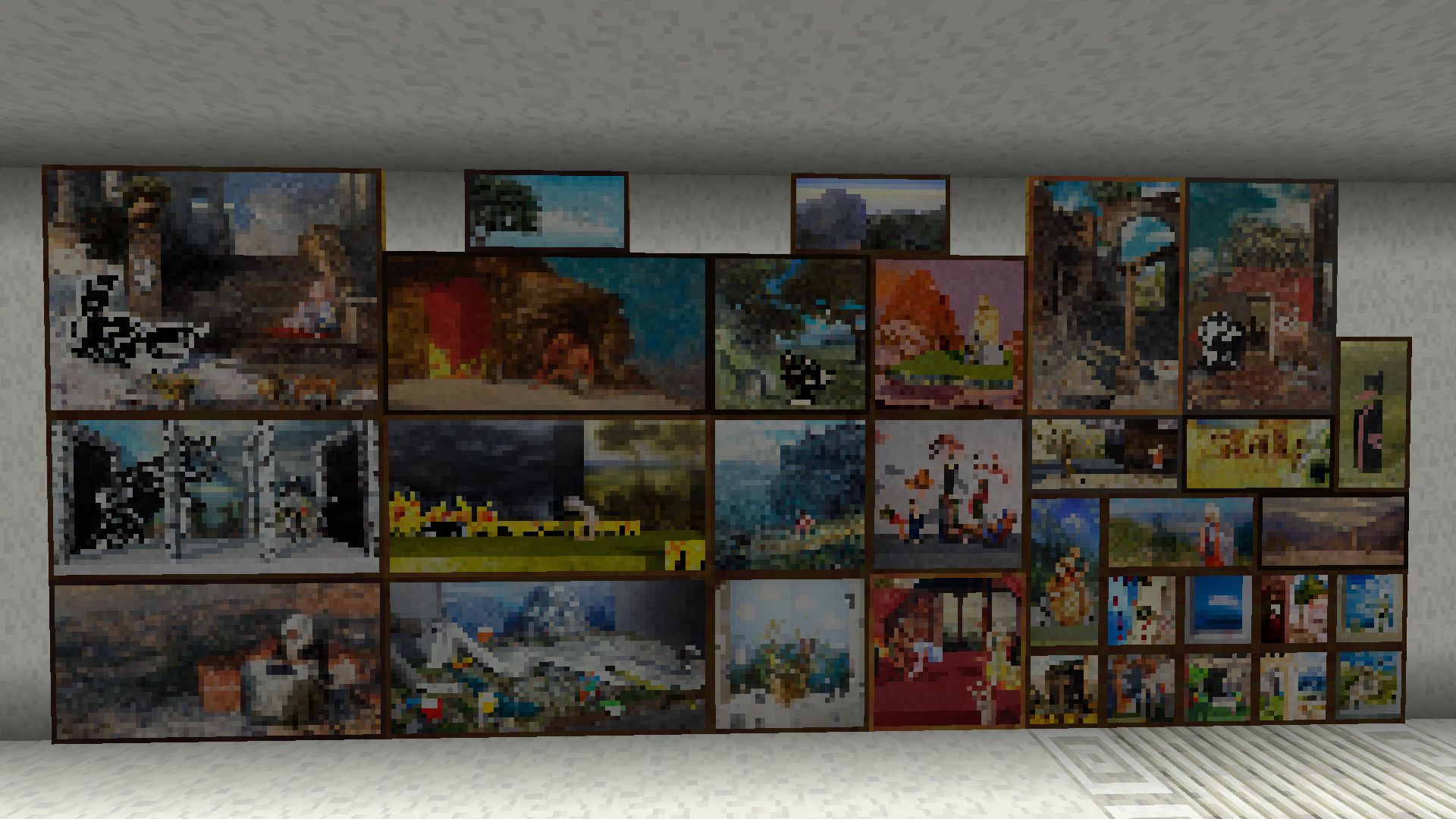
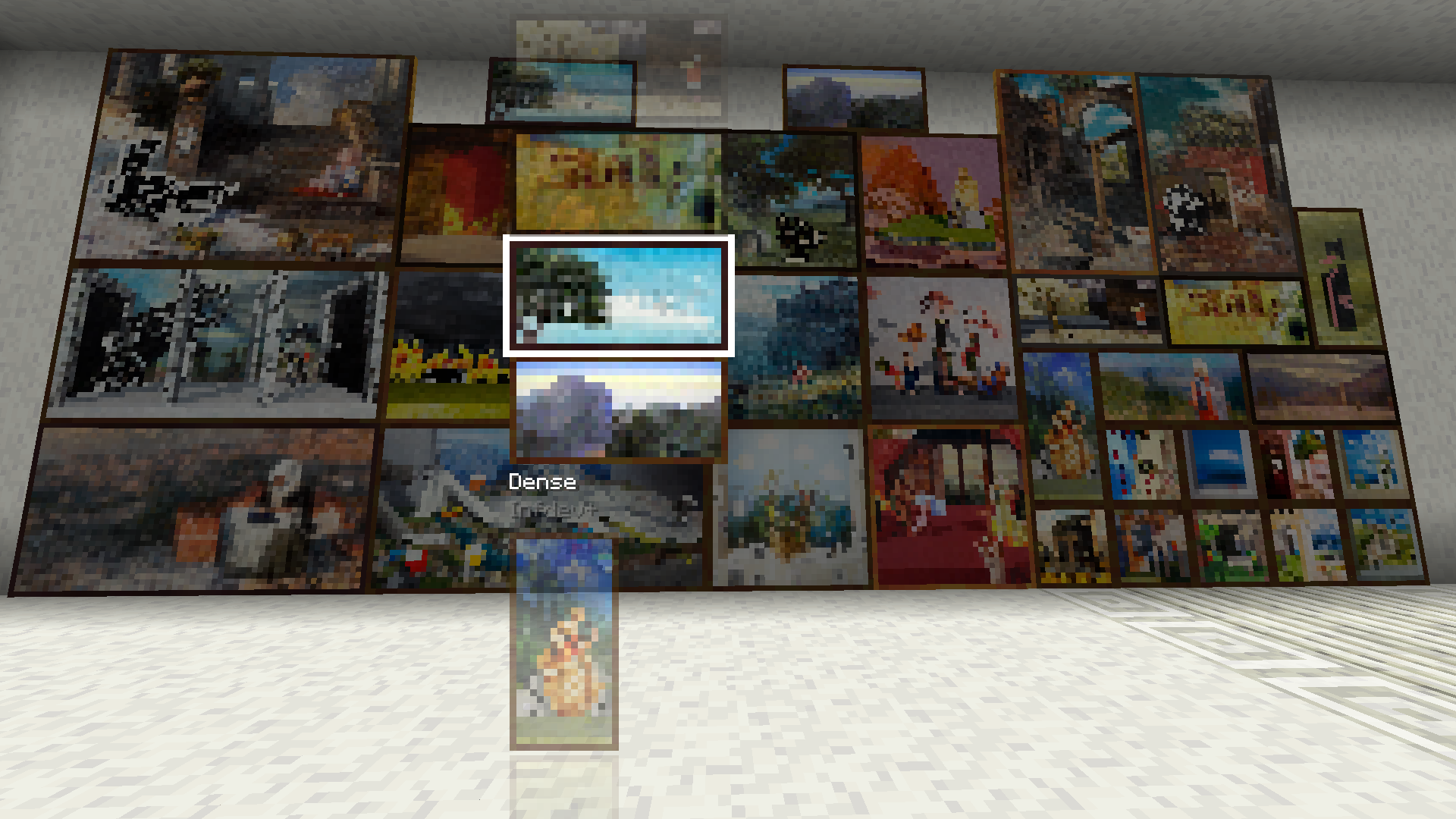
Adds paintings from Infdev+ to BTA!
Paintings can be accessed just like normal through the in game menu.
Names and assets are taken directly from Infdev+