Nether Storage StationAPI
# Nether Storage
Nether Storage is a mod that adds Nether Chests and Bags that work similar to the Ender chests/ pouches from the Ender Storage mod in more recent versions of Minecraft.
This version is the StationAPI port, it has an overhauled channel system and multiplayer support. Older versions can be found here (Modloader only)
## Features
– Nether Chests that share inventories between channels
– Colored channels that can be changed with dye
– Nether Bags that can be linked to the channel of a nether chest
– Protected channels
– Multiplayer support
## Requirements
StationAPI
## Screenshots


Natrium
_This mod uses a modified version of Fabric (Babric) and is designed only for Better than Adventure, a heavily modified version of Minecraft b1.7.3!
For more information, join the discord server provided on this projects page._
This mod greatly increases FPS by using OpenGL’s MultiDraw to render all chunks at once.
Before 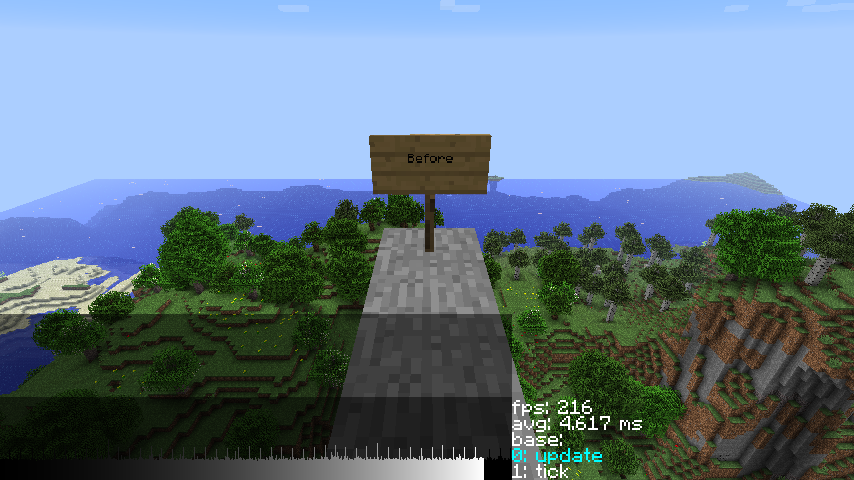
After 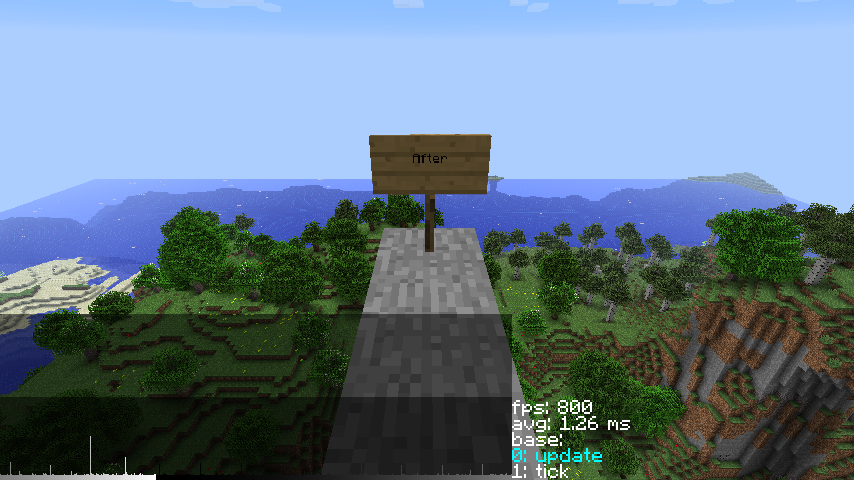
Compatible with Babric and ASMLoader
Natos Atlas

A world map mod for **Minecraft Beta 1.7.3**, currently available for **StAPI**, **ModLoader**, and **BTA**.
## Features
– World map viewer
– Slime chunk viewer
– Waypoint system (with an option to support REI’s Minimap mod)
## Planned features
– A minimap system
– Better cave rendering
– Official multiplayer support
## Preview
### Map Modes


### Waypoints


### Map Controls


### Map Overlays
My Plugin
# My Plugin
A custom plugin for canyon, a craftbukkit fork for minecraft beta 1.7.3, adding various useful utilities to the server.
## Features
– a `/players` / `/list` command for non-op players.
– a **block logger! (also handles stealing items from chests)** – inspection available under `/blocklog` **<- INCOMPLETE! Some block-altering actions like pistons or explosions aren't handled yet!**
- a configurable `/info` / `/rules` command.
- configurable "hello" and "btw" messages.
- `/myplugin-reload` for reloading the config while the server is running.
### CANYON THE BUKKIT FORK FOR BETA 1.7.3 ON GITHUB!
### WARNING: Remember to never use `/reload` with this plugin, since it is known to create problems.
## Documentation
### The configuration file
It's stored in `plugins/my-plugin/config.yml`.
### The block logger
It will log blocks being placed or destroyed and items being taken from or put into containers.
The command's name is `blocklog`, and it uses the following aliases: `blocklogger`, `inspect`.
When used without arguments, it will toggle the inspection status of the player who ran it, and if at least a single argument is provided, the player specified in the first argument will get their inspection status toggled instead.
When the inspection status is enabled, you can left-click blocks to check their history, or right-click them to see the history of the block next to them (on the block face you clicked at). You won't be able to destroy or place blocks, or interact with e.g. doors or trapdoors.
When checking double-chests for items being taken or put in, make sure that you check both blocks since the plugin will save the interactions at only one.
The block log history will be saved in `plugins/my-plugin/block-log-book.txt`.
You should also check out the `storeInMemory` option in the config.
### The player list command
All players can use it under `/players` or `/list`. It will print the amount of online players and their nicknames.
### Reloading
You can safely use `/myplugin-reload` or `/reload-myplugin` to reload the configuration file while the server is running.
### The info command and hello/btw messages
Intuitive concepts, already well-documented within the config file.
### Permissions
- `/blocklog` - `myplugin.blocklog.inspect` (default: op)
- `/players` - `myplugin.playerlist` (default: true)
- `/myplugin-reload` - `myplugin.reload` (default: op)
- `/info` - `myplugin.info` (default: true)
Multiproto
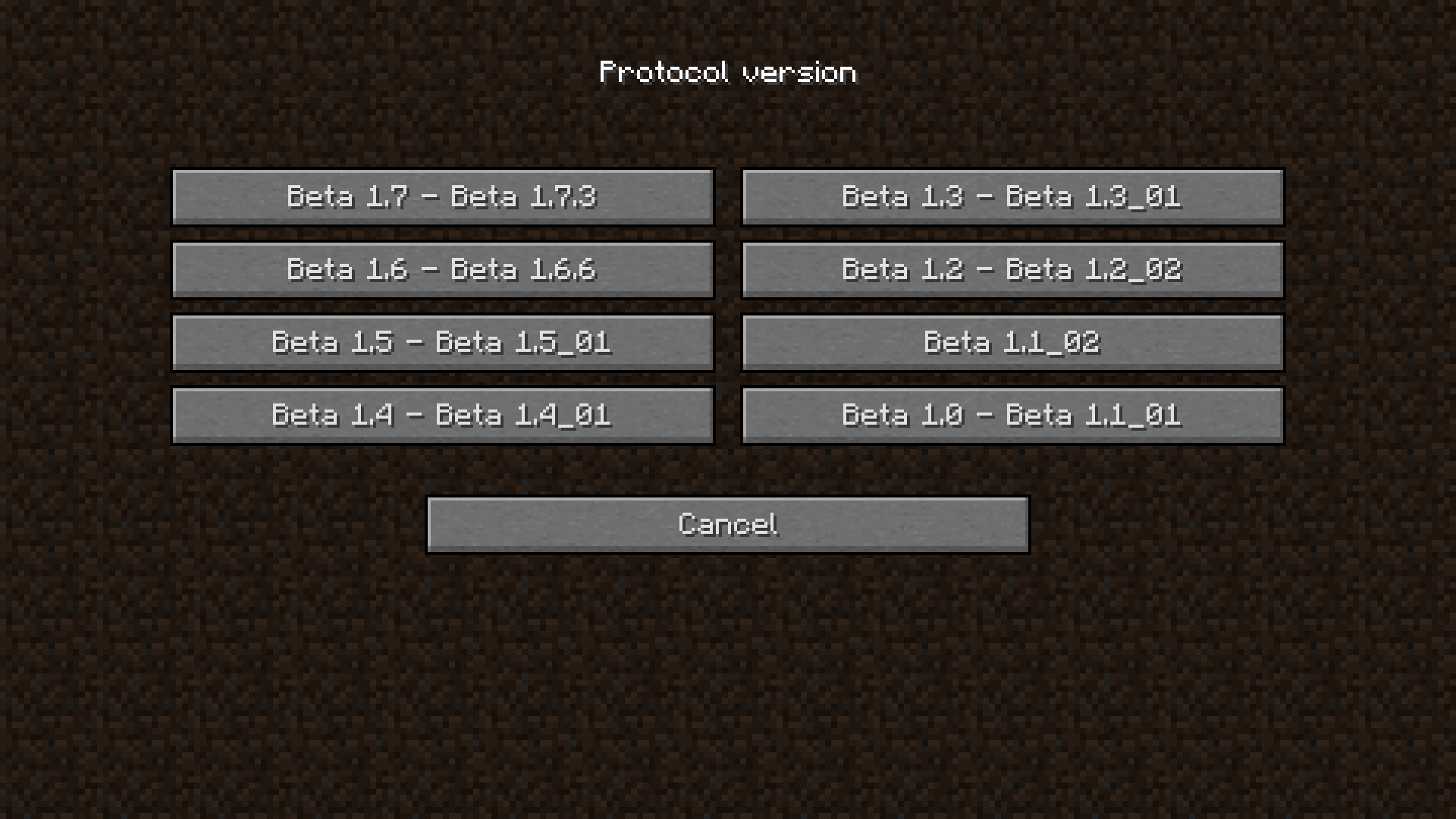
Protocol translation mod for Babric and StationAPI allowing Minecraft Beta 1.7.3 clients to connect to earlier Beta server versions.
## Requirements
– Babric
– StationAPI
– Glass Config API
– ModMenu Beta (Required for in-game config)
– MojangFixStationAPI (Optional)
– HowManyItems Fabric (Optional)
## Features
#### Join previous Beta versions from a Beta 1.7.3 client
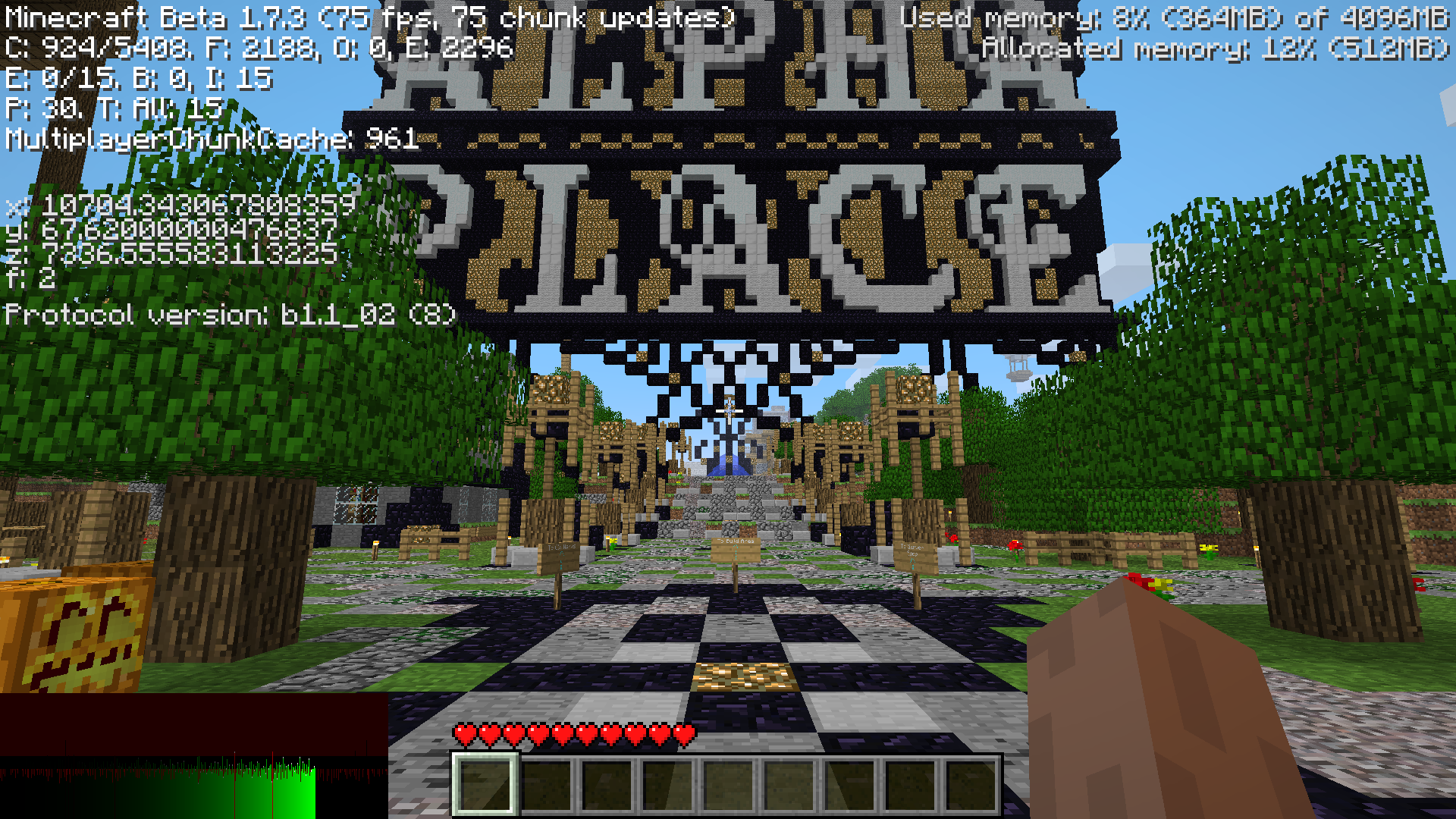
#### Visual parity
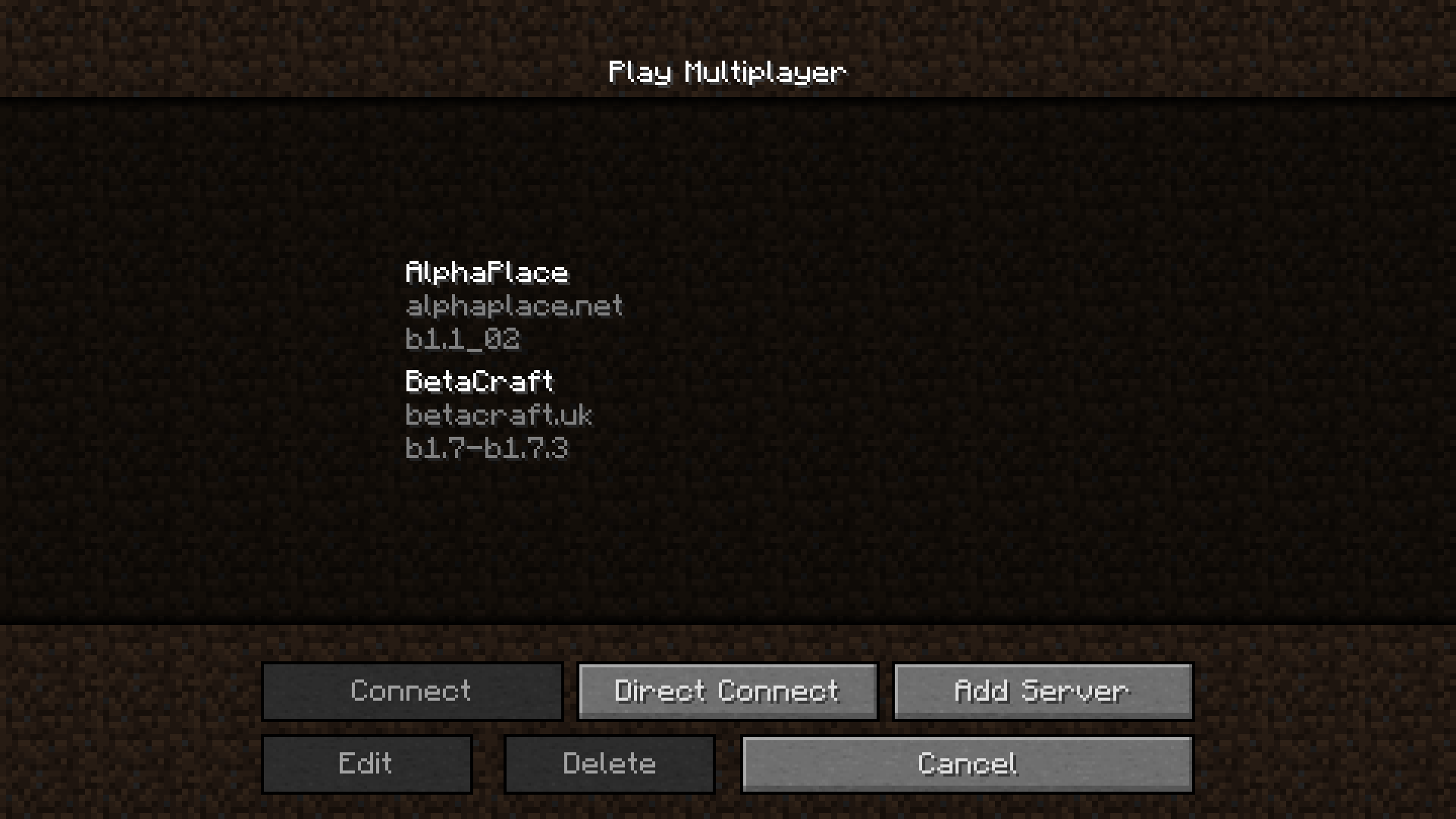
#### MojangFixStationAPI integration
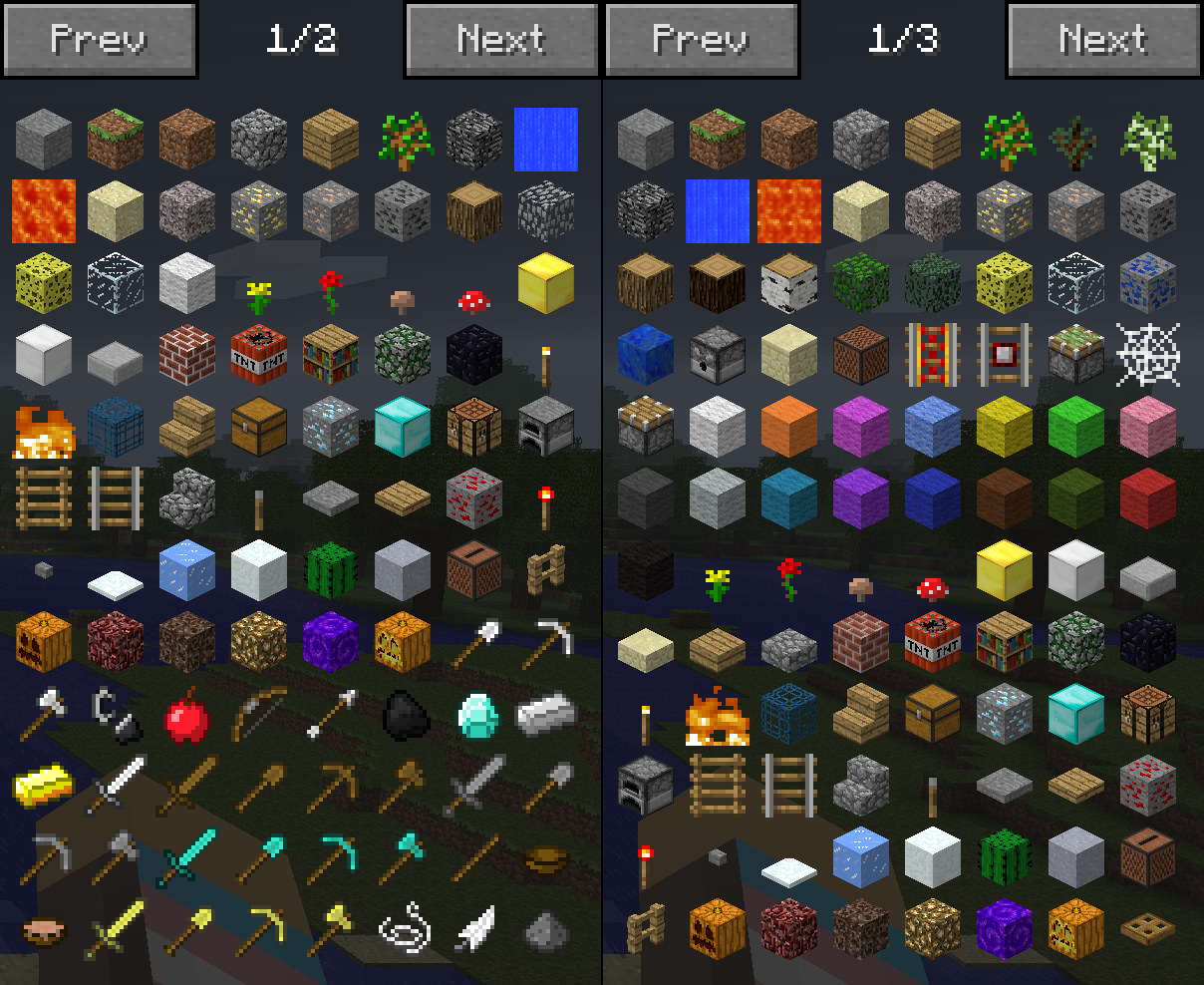
#### HowManyItems Fabric integration
More Features
This mod uses a modified version of Fabric (Babric) and is designed only for Better than Adventure, a heavily modified version of Minecraft b1.7.3! For more information, join the discord server provided on this projects page.
More Features is a mod that adds some random stuff to your BTA world.
List of stuff:
– Colored glowstone blocks
Work the same, but now in different colors! (have NoName Dyes support)
– Colored paperwall blocks
Have different texture for every dye. Texture can be changed in config to have either flowers, full color or special texture for every block. (have NoName Dyes support)
– Colored glass blocks
THe same as normal glass blocks, but now with different colors! (Have NoName Dyes support)
– Gilding table
Allows you to convert your quiver or bomb bag into their golden variations!
– Rainbow flower
Can’t be crafted into a dye, but used to multiply other dyes! 1 flower + 1 of any dye = 3 that dye.
– Flower crowns
Can be crafted from dandelion, rose, cherry flowering leaves. Gives no protection, purely visual…Don’t craft a adead bush crown
– Material crowns
One craft for every armor set, including armor from this mod. The same stats as helmet.
– Bedrock armor
Has a lot of durability and has 100/100 points of protection from every damage source in BTA
– Plate armor
Copy of plate armor from old versions. Can’t be crafted, only found in dungeons. Can be repaired with iron.
– Studded armor
A combination of chain and leather armor both in stats and visual. Can be repaired with chainlinks.
– Stone armor
Can be crafted using any type of stone. Sligtly worse version of iron armor.
– Olivine armor
Can be crafted using olivine. Makes player move faster.
– Quartz armor
Just weak armor that is easily renevable.
– Bomb quiver and golden bomb quiver
Both used as quiver alternative for hand cannon. Normal bomb quiver can be crafted and can hold up to 48 explosive charges. Golden one can’t be crafted but have infinite amount of explosive charges.
– Workbench on a stick
Can be right clicked to open crafting gui anywhere you need.
– Mob soul
Drops when you kill a mob with golden sword. Is used to change mob in spawner.
– More dungeons
Now dungeon for every stone type, not only classic stone (granite, basalt, limestone). Dungeon have a chance to be made with bricks. Dungeons in desert will have a chance to have a scorpio spawner. Dungeons in swamp will be made with logs and mud and have a chance to have a creeeper spawner.
AND MUCH MORE!
MoonMoonMoon
## About
MoonMoonMoon is a mod that adds a cosmic new material to BTA called Moonsteel. Moonsteel is a magical material which grants tools the ability of fortune and looting, and weight reduction armor. It also adds fallen stars which will drop down from the sky at night and can be used to craft all of the new items and blocks found in MoonMoonMoon.
## Features
– Fortune on Moonsteel tools
– Looting on Moonsteel swords
– Moonsteel tools have the same mining speed as steel, and durability of diamond
– Moonsteel armor has the durabilty of diamond, with protection stats of [65, 45, 100, 45] when wearing the full set
– Each piece of Moonsteel armor reduces your gravity slightly, wear a full set for maxiumum gravity reduction
– Fallen Stars rain on your world at night, pick them up fast before they despawn at day
– Connected stars can be used on a Stellar Rewinder to set the location for the Connected to teleport you to
– Stardust Backpack (if better with backpacks installed) acts like an enderchest, all star dust backpacks share they same inventory linked to each individual player
– Star Zombies, if an Armored Zombie spawns while stars are falling it will spawn as a Star Zombie
– Stardust Torches, even brighter than normal torches with custom particles
– Fallen stars can be used a furnace and blast furnace fuel to smelt 48 items
## Languages
– English – en_US
– Russian – ru_RU
## Installation
### Requires:
– BTA
– Babric (https://github.com/Turnip-Labs/babric-instance-repo/releases)
– HalpLibe (https://modrinth.com/mod/halplibe)
### Recommends:
– BetterWithBackpacks (https://github.com/UselessSolutions/bta-backpacks/releases)
## Credits
MoonMoonMoon is soley developed by Useless and is comissioned by @thesillydot
### Libraries used:
– Turnip Labs – halplibe
### BTA Developers:
– jonkadelic
– maggandgeez
– nebulabc
– bestsoft100
– sunsetsatellite (Martin)
– useless
### Babric (fork of Fabric for Beta Minecraft) Maintainers:
– calmilamsy
– 6pak
### Special thanks:
– Better than Adventure Discord Server (biggest fork of b1.7.3 with many cool features)
– BTA Modding Discord Server (community of modding pioneers of this fork, because it was possible and nobody stopped us)
MojangFix StationAPI Edition
# MojangFixStationAPI
A more compatible version of MojangFix for Minecraft b1.7.3 with GlassConfigAPI configs to increase the mod’s compatibility. Fixes skins, authentication, and more.
* For more InventoryTweaks (ex: `left-click + drag`) consider : https://modrinth.com/mod/inventorytweaks
* For better auth/skin fixes use RetroAuth: https://modrinth.com/mod/retroauth
## Features
Skin and cape fix (including 1.8+ outer layers)

– Added ability to raise slim skin shoulders with GlassConfigAPI
– Added ability to toggle rendering the player cape with GlassConfigAPI
Authentication fix

Allows the server to verify that the connecting player is logged in
Multiplayer server list

(server status not implemented yet)
Scrollable keybinds gui

Better text edition

Basic inventory tweaks
Previously unlisted changes
– (New) Disable stats checksum verification
– Allows mods to rearrange stats (for instance when converting a vanilla instance to a StationAPI one)
– Enable Bit Depth Fix
– Enable Command Keybinding
– Used to more quickly open up the chat window and type in a command
– Enable Death Screen Score Fix
– Enable Debug Graph Hidden By Default
– Use the new keybind (default: LCtrl) + F3 to open up debug screen with graph
– Optionally using GCAPI config switch keybind to toggle debug graph whenever pressed
– Enable Displaying World Seed In Debug Menu
– Enable MojangFix Version Text On Title Screen
– Enable Quit Button
– Change Resources Download URL
– This edition of MojangFix lets you change it yourself as well in the config settings
## Installation using Prism Launcher
1. Download an instance of Babric for Prism Launcher: https://github.com/Glass-Series/babric-prism-instance
2. Install Java 17 and set the instance to use it: https://adoptium.net/temurin/releases/
3. Add GlassConfigAPI 3.0.2+ to the mod folder for the instance: https://modrinth.com/mod/glass-config-api
4. Add Glass Networking to the mod folder for the instance: https://modrinth.com/mod/glass-networking
5. (Optional) Add StationAPI to the mod folder for the instance: https://modrinth.com/mod/stationapi
6. (Optional) Add Mod Menu to the mod folder for the instance: https://modrinth.com/mod/modmenu-beta
7. Add this mod to the mod folder for the instance: https://github.com/telvarost/BetaTweaks-StationAPI/releases
8. Run and enjoy! 👍
## FAQ
* Q. Why is minecraft so small and part of my screen white?
* A. You probably have screen scaling on or are using a high DPI screen. There are 5 possible ways to fix this:
* The best option is to install Gambac: https://modrinth.com/mod/gambac
* You could also pass the following string in as a java argument in the settings tab
* `-Dsun.java2d.uiScale=1.0`
* You could also install ClientsideEssentials mod or UniTweaks and use their screen scaling fix from GCAPI config options (fix may produce small artifacts with this option)
* You could also change the DPI settings for Prism Launcher to system
* Or, you could change your screen scaling to 100%
legacy-lwjgl3
# legacy-lwjgl3
A mod for Ornithe to run old versions of Minecraft with lwjgl3.
### Usage
#### Configuration
The mod offers optional configuration options via system properties or
environment variables.
A list of currently available options is provided below.
| Property Name | Environment variable name | Description |
|———————————————–|———————————————–|——————————————————|
| `legacy_lwjgl3.use_sdl` | `LEGACY_LWJGL3_USE_SDL` | Use SDL3 instead of GLFW for window & input handling |
### Unstable versions (CI)
Bleeding-Edge versions can be found in the Actions tab of the repository: https://github.com/moehreag/legacy-lwjgl3/actions.
### Building
This mod can be built using `./gradlew build`, jars can then be found at `build/libs/`.
### Dev
This mod is published to AxolotlClient’s maven, located at https://maven.axolotlclient.com.
“`kotlin
repositories {
maven(“https://maven.axolotlclient.com/releases”)
//maven(“https://maven.axolotlclient.com/snapshots”) // for unstable versions, optional
}
dependencies {
modImplementation(“io.github.moehreag:legacy-lwjgl3:“)
}
“`
### IME support for other mods
This mod provides IME preedit overlay functionality. If other mods provide independent text field implementations
they will not integrate with IME by default. legacy-lwjgl3 publishes a small API package which allows other mods
to integrate with IME input.
“`kotlin
repositories {
maven(“https://maven.axolotlclient.com/releases”)
//maven(“https://maven.axolotlclient.com/snapshots”) // for unstable versions, optional
}
dependencies {
modImplementation(“io.github.moehreag.legacy-lwjgl3:api:“)
}
“`
### Contributing
Contributions are welcome! Due to the project structure and its goal to support as many Minecraft versions
as possible working with the codebase is not trivial. If you are interested in contributing and need
assistance please join our Discord server
### Credits
This mod is forked from the version for legacyfabric authored by Zarzelcow: https://github.com/Zarzelcow/legacy-lwjgl3.
It is based on lwjgl2 and a forge mod by gudenau: https://github.com/gudenau/MC-LWJGL3.
Additional Credits to:
– The OrnitheMC Project: https://ornithemc.net
– Contributors to this mod, especially: Floweynt
Mod Menu Ornithe
Bringing Mod Menu to legacy Minecraft versions through Ornithe!
Requires Ornithe Standard Libraries.