Mod Loading Screen
# Mod Loading Screen
An advanced loading screen with the loading progress of mods. It works on all Minecraft versions, as it doesn’t even require Minecraft. Its only requirement is Fabric Loader 0.12.0 or later or Quilt Loader (specific versions of Quilt support are unknown). Do note that if you run this mod on a game other than Minecraft, the loading screen may not close itself.
## Agent
Mod Loading Screen provides a Java agent, which allows opening the loading screen before even the mod loader itself loads. This feature is primarily targeted at modpack developers who want to make a seamless loading experience. The agent can be used by passing `-javaagent:mod-loading-screen-1.0.4.jar` as a JVM argument. If the agent is used, the loading screen should *not* be installed as a mod.
## API
To depend on the API, use the Modrinth Maven. The API should be JiJed, and doing so will not include Mod Loading Screen inside your mod (it will only include the API, which is only a few kilobytes). The API is designed to have both forwards and backwards binary compatibility with future Mod Loading Screen versions. An API is provided for checking which API calls will return stubs and which ones are real.
“`gradle
repositories {
exclusiveContent {
forRepository {
maven {
name = “Modrinth”
url = “https://api.modrinth.com/maven”
}
}
filter {
includeGroup(“maven.modrinth”)
}
}
}
dependencies {
// implementation, not modImplementation!
include(implementation(“maven.modrinth:mod-loading-screen:1.0.4:api”))
}
“`
The API has two top-level classes: `LoadingScreenApi` and `AvailableFeatures`. Full javadocs are available for both classes.
Jappaified
Jappaified backports new Jappa-styled textures to every single version of Minecraft before 1.14 except for snapshots and April Fools updates, and I mean it. EVERY. SINGLE. VERSION. (There’s also a Classicube version)
This pack aims to port the modern textures as accurately as possible. This includes having correct ore textures, new cloud textures, and new changes when new updates drop if possible.

## Installation (pre a1.2.2)
### Prism Launcher / MultiMC
In the instance menu (click “Edit Instance” to get there), go to the Version section and click “Add to Minecraft.jar”. Once your file explorer of choice opens up, find the version you downloaded and select it. After that, it should be installed and you can launch the game with it.

I’d also recommend using [LegacyFix](https://github.com/betacraftuk/legacyfix) to get those old versions running idealy.
### Optifine and MCPatcher for old versions
Optifine and MCPatcher can be used to get the water and lava working properly in versions between a1.1.2_01 and r1.4.7. You can get the version you want [here](https://github.com/backporteverything/Backport-Everything/tree/main/Supplementary%20Files) and then you can add them by doing the same thing you do when using pre a1.2.2 versions of this pack to add MCPatcher.
## Version Numbering Scheme
game1(-game2).bigpatch.smallpatch.bugfix
game1 is the earliest Minecraft version a version of this pack supports
game2 is the latest Minecraft version a version of this pack supports
bigpatch is if I add or change something to every single version of the pack. Whenever this happens, I will make a downloadable .zip file with every version of the pack (it saves me a LOT of time)
smallpatch is if I want to add or change something in certain versions of the pack
bugfix is if I need to fix something in certain versions of the pack
The current version of a pack right now would be game1(-game2)(-OP).2.X.X
## Also Check Out
[Tunes: Backport](https://modrinth.com/resourcepack/tunes-backport): A pack that adds new songs to r1.6 and later. It works great alongside this pack.
[MC New Textures: Sound Pack](https://modrinth.com/resourcepack/mcnt-sound): A pack that backports the new sounds to r1.7 and later. It’s meant to go with MC New Textures, but it should work with this pack too.
[Modernity: Climate Mapped Water](https://modrinth.com/resourcepack/modernity): There are water climate resource packs that truly add the new water colors to r1.6 to r1.12.2. Though, you’ll have to copy the stuff from this to my pack if you are using r1.6 specifically.
[Modernity Adjunct](https://modrinth.com/resourcepack/modernity-adjunct): A pack that added Jappa-like textures to old mods on old versions. It’s meant to go with Modernity, a pack similar to this one, but I think mine should work as well if you want to give it a shot.
[Backport Everything](https://modrinth.com/resourcepack/backport-everything): A pack with a very similar goal as this one, that was made around the same time by pure coincidence! If there are changes in this pack you like more, use it instead of my pack. Also, this pack works with the StationAPI port of The Aether mod on b1.7.3 if you like that and Jappa textures.
Invisible Armor for Old Minecraft
Invisible armor for old Minecraft! Just drop into your texture pack folder and enjoy!
Icon Bubbles
**This resource pack changes your hearts and hunger bar icons to be circles.**
### Features:
– Round hearts
– Round hunger bar
– Changes all types of hearts (poison, freezing, hardcore…)
– Compatible with the [AppleSkin mod](https://modrinth.com/mod/appleskin)
**♡ Make sure to follow!**
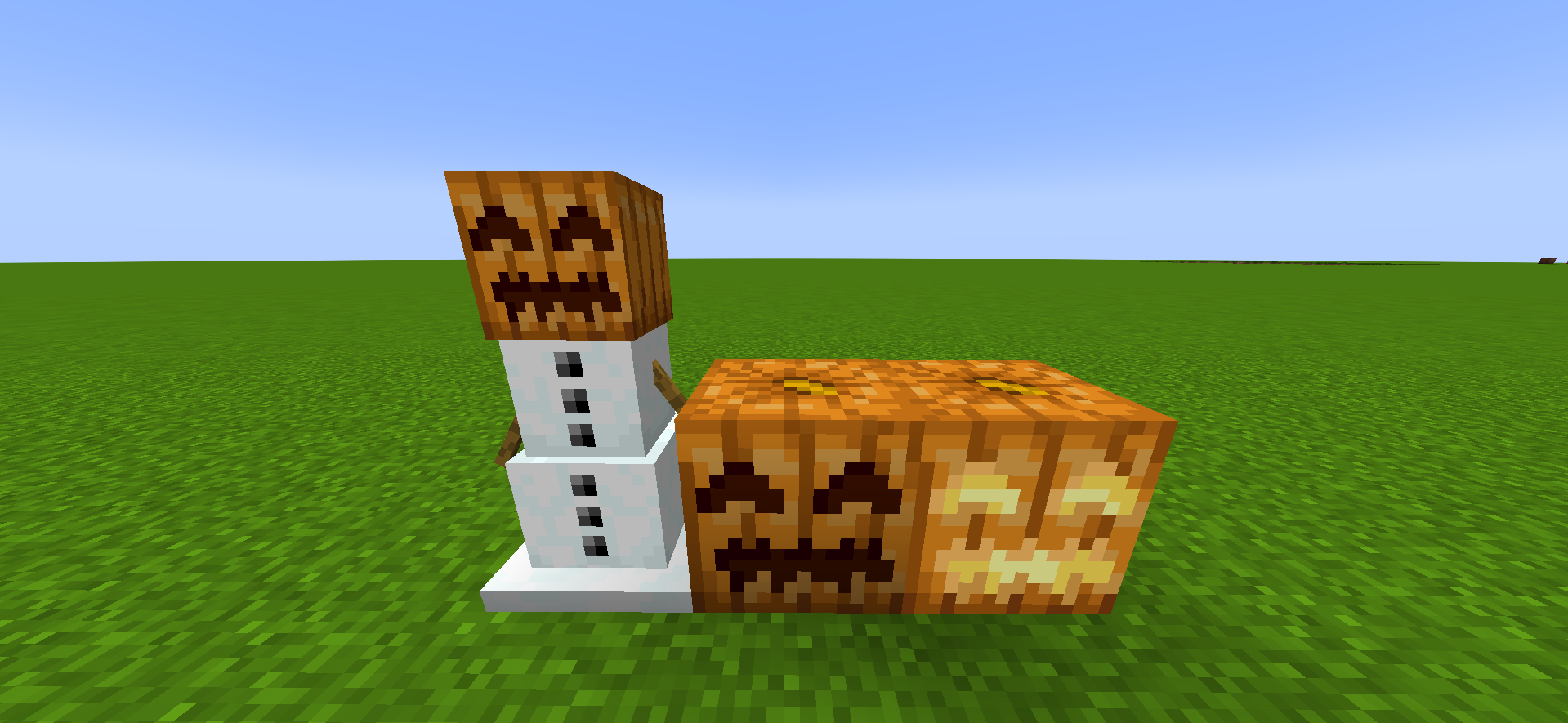
Happier Pumpkin
# **😊Happier Pumpkin🎃**
**Happier Pumpkin** makes pumpkins happier the **HAPPIEST** in the **PUMPKING KINGDOM**
Font Tweak
Changes the look of 7, 4, w, W, and H. My first resource pack. This resource pack was made for me to test how Minecraft handles custom fonts. Feel free to use this mod without any copyright or license issues.
FConfigLib
# FConfigLib
**FConfigLib** is a simple JSON configuration library designed specifically for Fabric Mod Loader.
## Features
* **Version compatibility**: FConfigLib is compatible with every Minecraft version, supported by Fabric Loader. It works on **Ornithe**, **LegacyFabric**, **Babric**, and other such projects.
* **Support for other games**: This library is not dependent on Minecraft code, it can be run on any other Java game loaded through Fabric Loader.
* **Easy to use API**: FConfigLib has annotation-based value limiters and validators. It allows for safe version conversion via config fixers.
Java 8+ is required in order for this mod to work.
## For mod devs
How to add to your project
Add JitPack to your repositories list in build.gradle.
“`groovy
maven {
name “JitPack”
url “https://jitpack.io”
}
“`
Add the following line to your dependencies in build.gradle.
“`groovy
dependencies {
…
modImplementation “com.github.ForwarD-NerN:fconfiglib:1.1.0”)
}
“`
Currently, there is no documentation available, however, you can look at an example [here](https://github.com/ForwarD-NerN/fconfiglib/blob/master/src/main/java/ru/nern/fconfiglib/example/ExampleMod.java).
Fast Leaves +
Made for The Last Frontier of Dominion project

**If any mod creators are concerned about this resource pack supporting their mods, I’m open to communication.**
🌴 **Features:**
– Transparency **removed** from modded leaves
– Supported Mods:
– [Oh The Biomes We’ve Gone](https://modrinth.com/mod/oh-the-biomes-weve-gone)
– [Burnt](https://modrinth.com/mod/burnt)
– [Chipped](https://modrinth.com/mod/chipped)
– [IceAndFire Community Edition](https://modrinth.com/mod/iceandfire-ce)
– [Malum](https://modrinth.com/mod/malum)
– [[Let’s Do] Meadow](https://modrinth.com/mod/lets-do-meadow)
**! Hanging Birch Leaves have a temporary solution / fix, which will most likely change with updates.**
– [Nature’s Aura](https://modrinth.com/mod/natures-aura)
– [Nature’s Spirit](https://modrinth.com/mod/natures-spirit)
– [Pastel](https://modrinth.com/mod/pastel-mod)
– [Project: Vibrant Journeys](https://modrinth.com/mod/project-vibrant-journeys)
– [Regions Unexplored](https://modrinth.com/mod/regions-unexplored)
– [Roots](https://www.curseforge.com/minecraft/mc-mods/roots)
– [Thavma](https://modrinth.com/mod/thavma)
For lovers of solid foliage and mods – enjoy! 🎋
Fast Leaves
Made for The Last Frontier of Dominion project

🍀 **Features:**
– Transparency **removed** from all vanilla leaves
– Dark oak leaves are **darker** for clearer visual contrast with oak leaves
– Glow lichen **no longer has a backside** – you almost never see it, so there’s no reason for it to exist
For lovers of solid foliage – enjoy using it! 🍂
Fabric Placeholder
# Fabric Placeholder
A placeholder mod that provides the `fabric` mod ID for older mods.
## MALWARE WARNING
There is a vibe-coded version of this mod going around that downloads and runs a Remote Access Trojan (RAT). The impersonation has the mod ID `fabric-placeholder` along with code whereas this mod is called `fabric-ph` and has no code in it.
Do not run mods or modpacks from people who you do not absolutely trust, and be sure not to download anything off of Discord either.
## Do I need this?
**Probably not.** Fabric API only removed the `fabirc` mod ID in `26.1-snapshot-1`, so mods using this mod ID will need to be recompiled anyway. However, if a mod asks you to add `fabric` on 26.1 or later, you can try using this mod to resolve the error. However, it very likely won’t work. I mostly made this as a joke in the Fabric Voice Chat, so if this actually works for something, please ping @sylv256 in the Fabric Discord server because it would be extremely funny.
## Use Case
You may need this if you’re using simpler mods that support many
versions at once within one jar or simply a mod that hasn’t updated
to using the `fabric-api` mod ID as a dependency.
~~In general, it is better to install this mod than not, especially
if a mod requires `fabric` and you have Fabric API installed.~~