WI Freecam

# WI Freecam (Wurst-Imperium Freecam)
WI Freecam allows you to detach your camera and move it around freely while your character stays in place. It’s the photo mode that Mojang never added. Spectator mode except it doesn’t move your character and works on any server. The literal perspective shift you need to become a better builder.
Have you ever built a giant dirt tower just to get a better view of your village? Ever wasted half a stack of rockets trying to take a screenshot of your skyscraper from the perfect angle? Ever dug up all your hidden redstone because you forgot how it works? These are common signs that you need a Freecam.
## Why choose WI Freecam
### Movement controls that don’t suck
You shouldn’t have to fight your tools to position a camera.
– WASD is for horizontal movement only. Pressing W won’t send you diagonally downward just because your crosshair isn’t perfectly level. You have space and shift for that.
– Your camera stops moving the moment you release the button. No sliding past your target as if you’re on ice.
– Scroll to change speed, but with precision. You can quickly adjust your speed, but you can also scroll it to an exact value. The on-screen indicator displays your current speed so that there’s no guessing (unlike vanilla spectator mode).
– Vertical speed that actually makes sense. WI Freecam stores your preferred _ratio_ between horizontal and vertical speed, not an absolute value that you then have to re-adjust every time. Set it to 50% once and it will always be half as fast as your horizontal speed.
– Precise input mode. CTRL-click on any slider and type in the exact number you want, instead of fiddling with the mouse for 20 minutes because you’re one pixel off.
### Always up to date
I’m tired of mods that take forever to update when a new Minecraft version comes out. You should be too. “Long term modding version” is a made-up concept by modders who either can’t escape dependency hell or stopped playing Minecraft years ago.
WI Freecam provides day one support for every new Minecraft version, usually within **30 minutes** of release. That’s right, minutes, not weeks! Snapshots are supported too, though those can take a bit longer if they break something.
How is this possible?
First, through lots of automation. As soon as a new Minecraft version is released, a robot compiles the mod against that version, runs it, and goes through a big testing routine where it does everything you could possibly do in the mod at a ridiculously fast speed ([it’s quite fun to watch](https://www.youtube.com/watch?v=fKRFiPcDbfw)). If all tests pass, it then also releases the mod automatically. But if even one pixel looks different, it instead tells me what went wrong so I can get straight to fixing it.
Second, because I built WI Freecam using my own custom settings engine instead of relying on an off-the-shelf config library. You can have the best snapshot automation in the world, but that won’t help you at all if you’re stuck waiting for Cloth Config to update (as I found out the hard way in my last mod).
### A proper modern Freecam
Most Freecam mods are built on decade-old workarounds. Some freeze your movement packets, others spawn a fake camera entity. Both methods mess up the game’s physics, which then requires dozens of messy patches to deal with the side effects.
WI Freecam does something radically simpler: **it just moves the camera**. No fake entities. No frozen packets. No physics workarounds. The camera is just a coordinate: no hitbox, no collision, no name tag, no problems. This wasn’t possible in older Minecraft versions, but clinging to outdated fakery today is unnecessary. WI Freecam is what Freecam should have always been.
## Feature List
– Free camera movement
– Full player physics while in Freecam
– No fake entities or movement packet shenanigans
– On-the-fly switching between camera control and character control (keybindable too)
– Separate horizontal and vertical speed sliders (ratio-based)
– Scroll to change speed (optional)
– On-screen speed indicator (optional)
– Adjustable initial camera position (inside, in front, on top)
– Optional tracer line to help you find your character
– Hide hand for clean screenshots (optional)
– Disable on damage for safety (optional)
– Works on snapshots, updates instantly to new releases
– No third-party dependencies other than Fabric API
– Automated testing to ensure it works reliably
**Disclosure:** This mod collects anonymous statistics to help me decide which versions and environments are still worth supporting. It reports the mod/Minecraft/Fabric version, versions of Mod Menu, Sodium, and Sinytra Connector (if installed), game language, and basic OS info on startup, when you open the mod’s settings, and when you enter a world. When entering a world, it also reports the world type (singleplayer, multiplayer, LAN, or Realms). No personal data such as usernames or IPs is ever collected. You can opt out at any time in the settings menu.
## Installation
> ⚠ Always make sure that your modloader and all of your mods are made for the same Minecraft version. Your game will crash if you mix different versions.
### Installation using Fabric
1. Install Fabric Loader.
2. Add Fabric API to your mods folder.
3. Add WI Freecam to your mods folder.
(NeoForge is not yet supported.)
## Chat Commands
– `/freecam`: Opens the settings menu
## Keybinds
– Toggle Freecam (default: `U`)
– Switch Camera/Player Control (default: not bound)
– Open Settings (default: `Right CTRL`)
## Supported languages
– English (US)
– German (Germany)
Pull requests welcome – [add your native language](https://github.com/Wurst-Imperium/WI-Freecam/tree/master/src/main/resources/assets/wi_freecam/translations)!
White World
This minecraft texture pack makes every single texture be white. This also keep alpha (transparency) values, meaning that blocks like leaves and water will still work, and you can still see through them like normally, they are now just tinted white.
—
### 🌍 Want Your Own Minecraft Server?
Running an **SMP**, playing with friends, or testing mods and plugins?
**ByteBuilders Hosting** delivers fast, reliable Minecraft servers at affordable prices.
🚀 **Features include:**
– ⚡ High-performance nodes
– 💾 **Unlimited storage***
– 🔄 **Unlimited backups***
– 🛠️ Simple control panel
– 🤝 Helpful support
🎁 **Get 20% OFF your server** using this affiliate link:
👉 **[Click here to get 20% off at ByteBuilders Hosting](https://billing.bytebuilders.co.za/aff/BF20)**
—
White & Black Gui
A resource pack that reworks the Minecraft interface into contrasting black and white colors, with a minimalist twist.
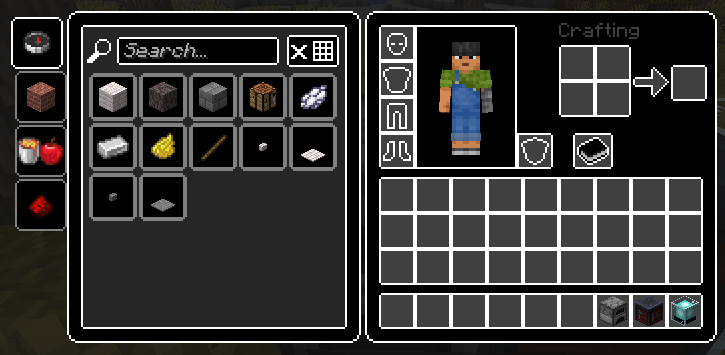
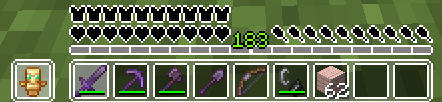
**[Old versions of the resource pack (Click)](https://drive.google.com/drive/folders/1WnI1NgbZCrKnUXxAzHfb-8zjoqD1hLI4?usp=sharing)**
White Anime Girl Totem
A clean and stylish Totem of Undying texture pack featuring a white-haired anime girl. This pack replaces the default Minecraft totem with a cute high-quality anime design while keeping the vanilla style smooth and lightweight. Perfect for PvP, survival, and aesthetic gameplay
White and Black World
This is a minecraft texture pack that makes all textures white and black, basically, gray scale. This also keeps the alpha values (transperency) of textures, so textures like water and leaves, you will still be able to see though like normally.
—
### 🌍 Want Your Own Minecraft Server?
Running an **SMP**, playing with friends, or testing mods and plugins?
**ByteBuilders Hosting** delivers fast, reliable Minecraft servers at affordable prices.
🚀 **Features include:**
– ⚡ High-performance nodes
– 💾 **Unlimited storage***
– 🔄 **Unlimited backups***
– 🛠️ Simple control panel
– 🤝 Helpful support
🎁 **Get 20% OFF your server** using this affiliate link:
👉 **[Click here to get 20% off at ByteBuilders Hosting](https://billing.bytebuilders.co.za/aff/BF20)**
—
Weird and powerful weapons – Texture pack
**This ressource pack add custom textures on the items of the datapack [Weird and powerful weapons](https://modrinth.com/project/Jr3nq9JV)**
## Totem of protection
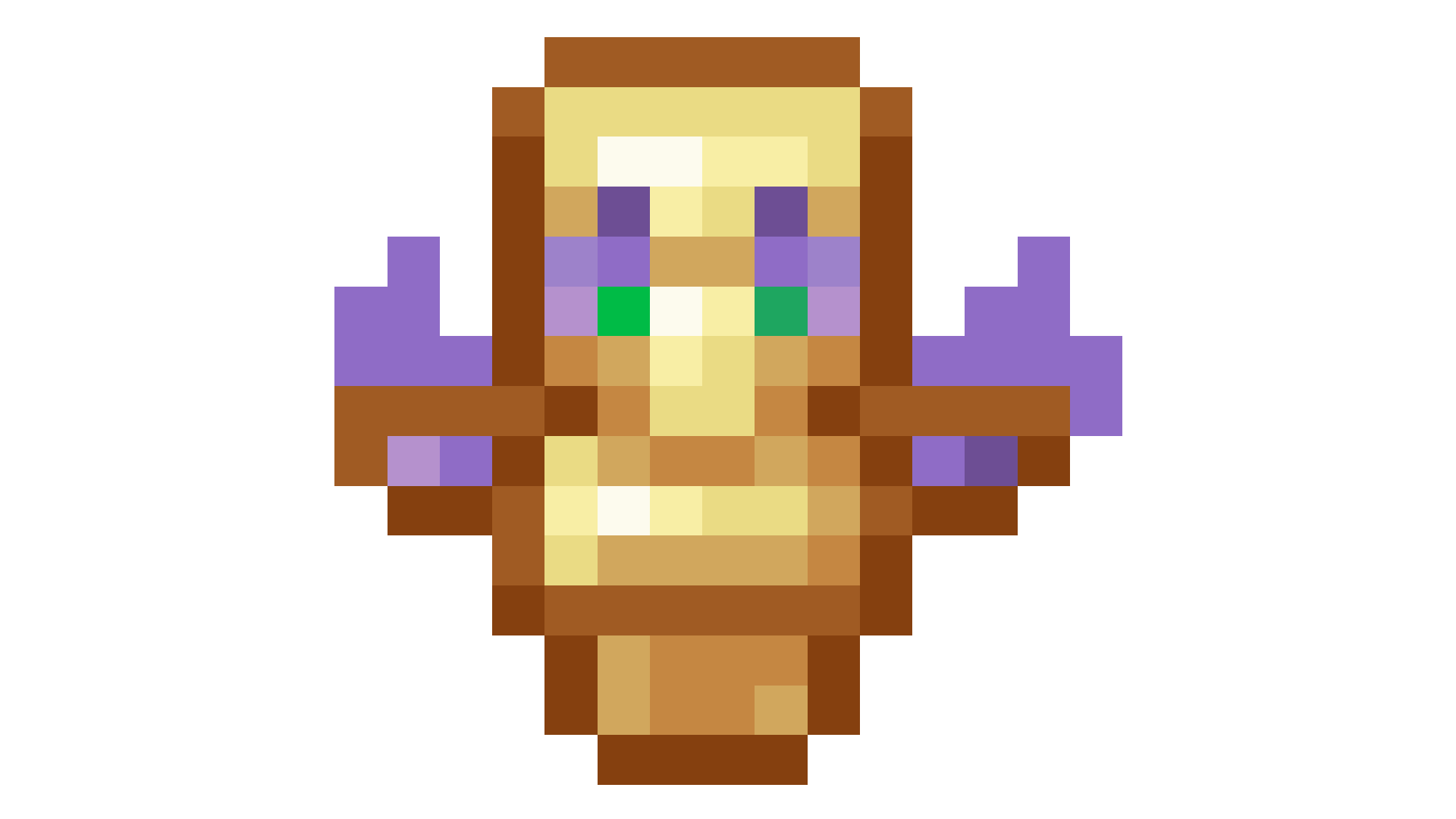
Weird and powerful weapons
# Weird and powerful weapons
**Today Weird and powerful weapons have just 1 item but I want to add more items**
To give you an item do
“`
/function totem/give/
“`
To have the custom textures you can download this [RESSOURCES PACK](https://modrinth.com/project/1p4AiChX)
## Totem of protection
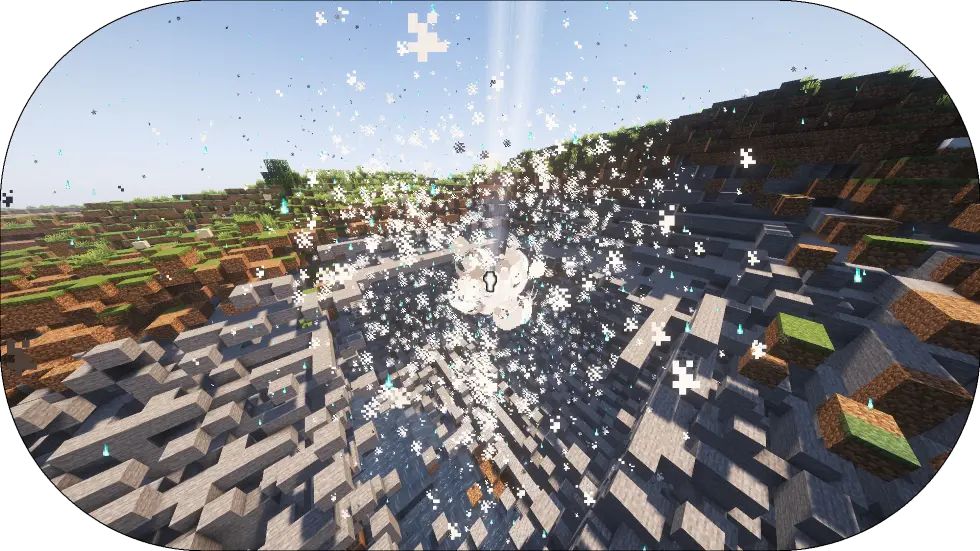
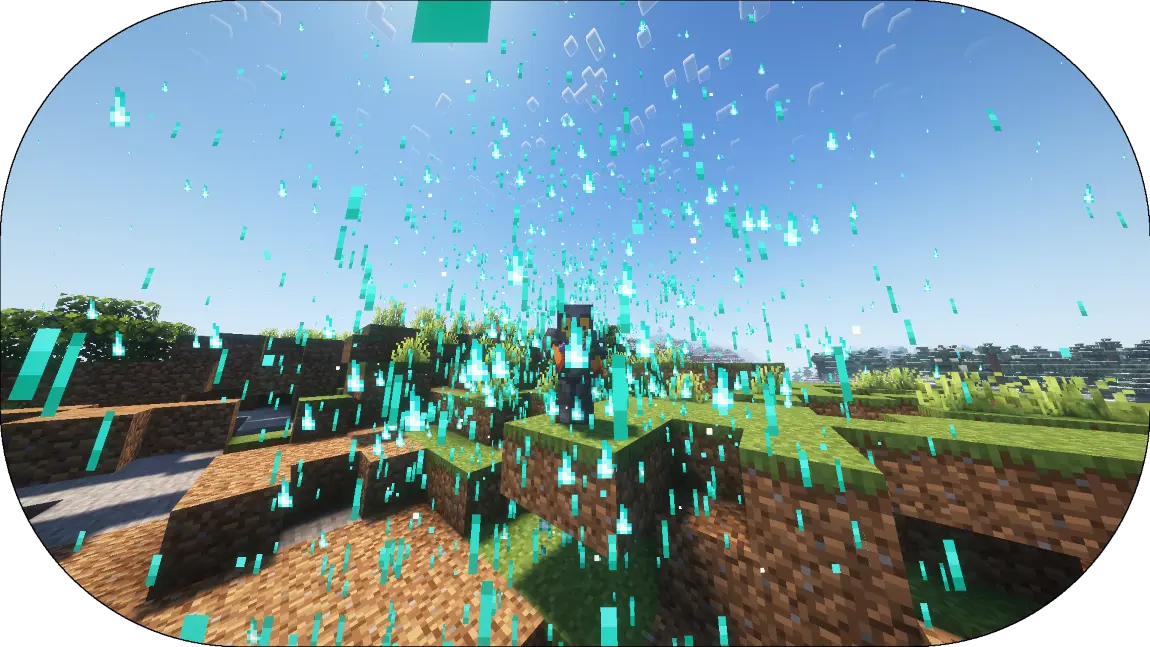
Add a new Totem of undying that explose when the player hold his right-click
——————————————————————
Totem of protection have a loading time before he start to Explose
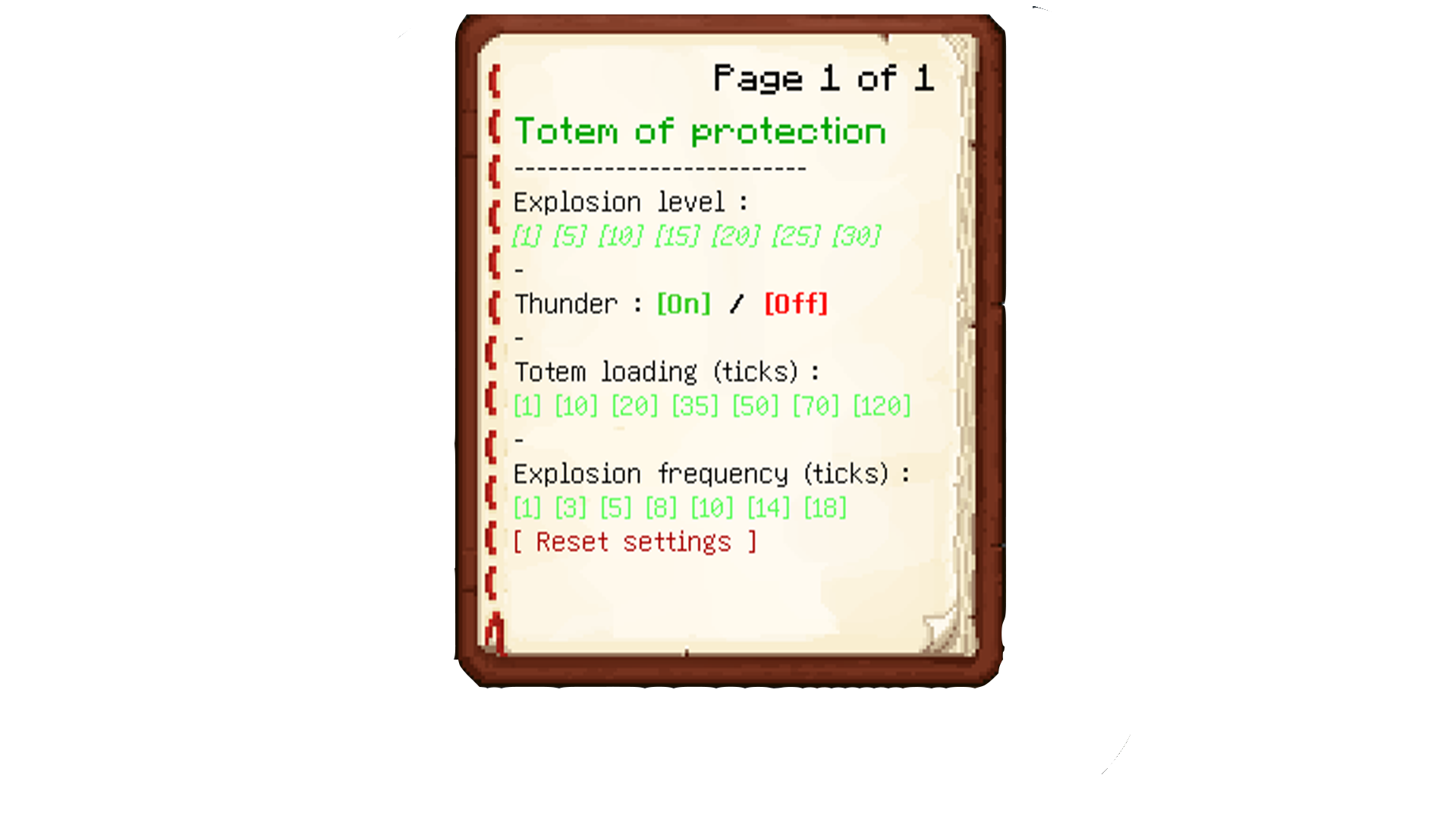
## Config menu
To config the datapack do
“`
/function totem:config_book
“`
Water World (Only Ocean)
## This data pack removes all land above sea level leaving only water and ocean biomes.
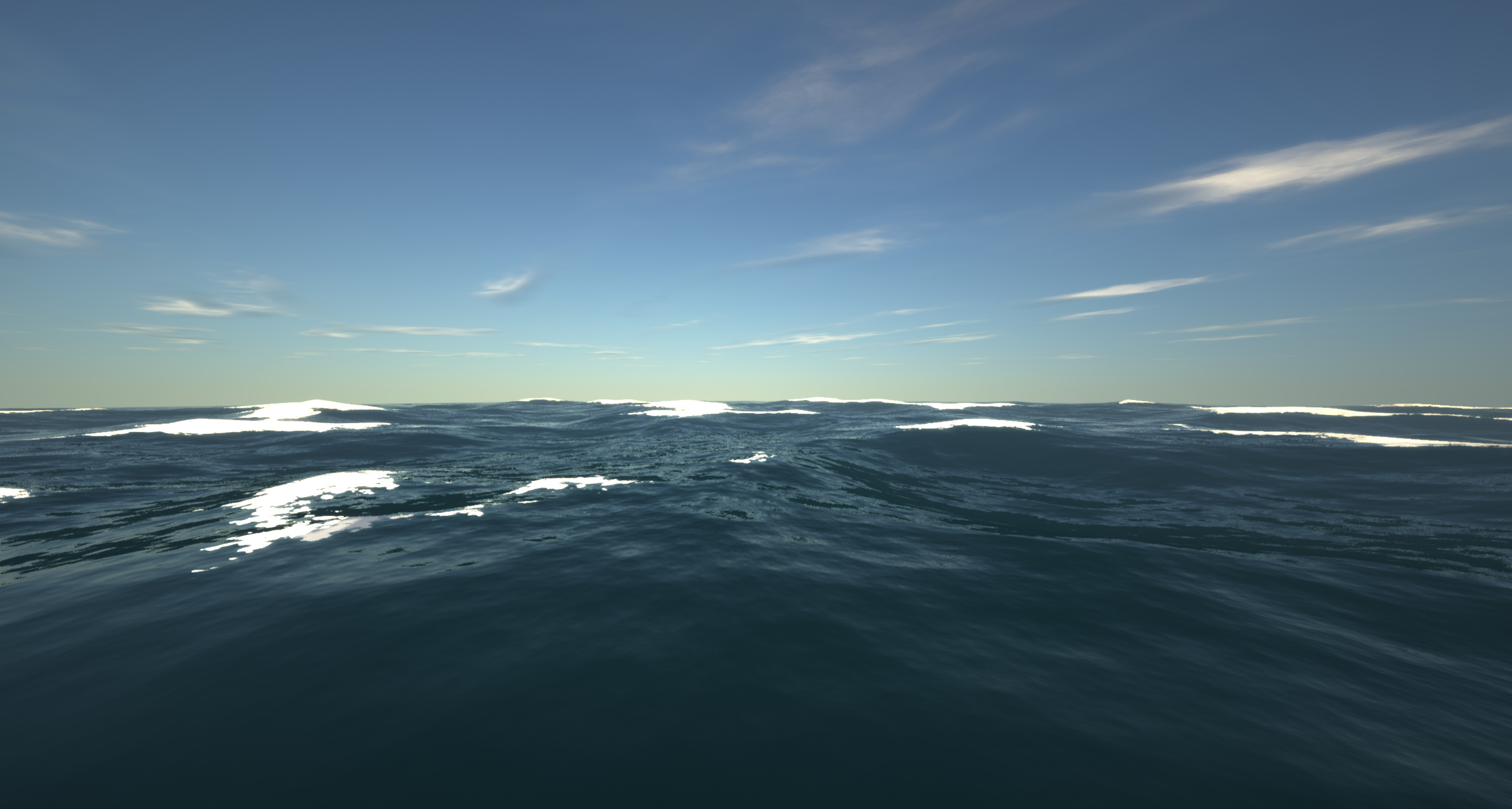
– It achieves this by setting the continentalness to -0.5.
– This is the only data pack/mod i’ve seen that turns the world into an ocean for all versions from 1.18.2 to 26.1.2
Originally from The Water World modpack!
VoxelMap-Updated
# VoxelMap
## Description
The VoxelMap is a MiniMap and WorldMap that allows you to view the entire explored world and your current environment.
The VoxelMap offers useful features like creating waypoints per dimension and teleporting to them, a mob radar, a clear Nether map and a biome overlay.
## Legal
The upload of this mod has been approved by Modrinth. If mamiyaotaru does not want the mod to be available on Modrinth, he can let us know on Discord or contact Modrinth Support.
All rights remain with mamiyaotaru, we only update the VoxelMap so that this great mod does not die out. We only offer updates and support for the versions we create.
## Donation
If you would like to donate, we ask that all donations go to mamiyaotaru. You can find his Patreon here.
Voidblock: Mod/Portable Version
### Voidblock – Portable Version
[](https://crowdin.com/project/skyblock-classic-edition)

_Skyblock is one of the most famous maps in Minecraft. the original has been updated and now supports all future versions of Minecraft._
# Lore:
_Steve, Alex, Noor, Sunny, Ari, Zuri, Makena, Kai and Efe, they woke up on an unknown island, inside a chest it says…_
# Feature:
– The classic islands have been updated and are now more modern,
– Added new islands (Large, Normal, Small, Very Small),
– Added recipes to renewable resources (check the recipes book in the inventory),
– Added the datapack/mod jar, so that the map can be updated,
– The world is endless (including The Nether and ~~The End~~),
– ~~Now you can visit the end and finish the game~~,
– The map includes a part of the unofficial Slamacow trailer (a mini loreline),
– Also contains the hardcore mode version,
– It also contains an version where you can add the datapack to your worlds. Try it out the portable version,
– Compatible with multiplayer,
– Supports localizations: help me translate into your native language. The languages must be faithful to the English language, respect the punctuation and the capitalization. Click here to translate into your language in Crowdin: https://crowdin.com/project/skyblock-classic-edition/,
# [FAQ](https://loweredgames.github.io./faq.html)
# [Troubleshooting and Help Requests](https://loweredgames.github.io./help.html)
_Thanks to the original Skyblock team for creating the most popular Minecraft map._
READ THE LICENZE BEFORE DOWNLOADING THE DATAPACK:
https://loweredgames.github.io/license.html
NOT APPROVED BY OR ASSOCIATED WITH MOJANG STUDIO, READING THE COPYRIGHT (C):
https://www.minecraft.net/en-us/terms