No More Ender Chest
# No More Ender Chest
Free and open-source datapack for Minecraft 1.21 and higher that removes the craft of the ender chest.
## Features
This datapack removes the enderchest craft, the only way to obtain it is to find it in one of the end cities.
No Dialog Warning
Do you think the custom dialog warning button is obnoxious? Well, here’s a mod that gets rid of it! No configs, just drop it in and go.
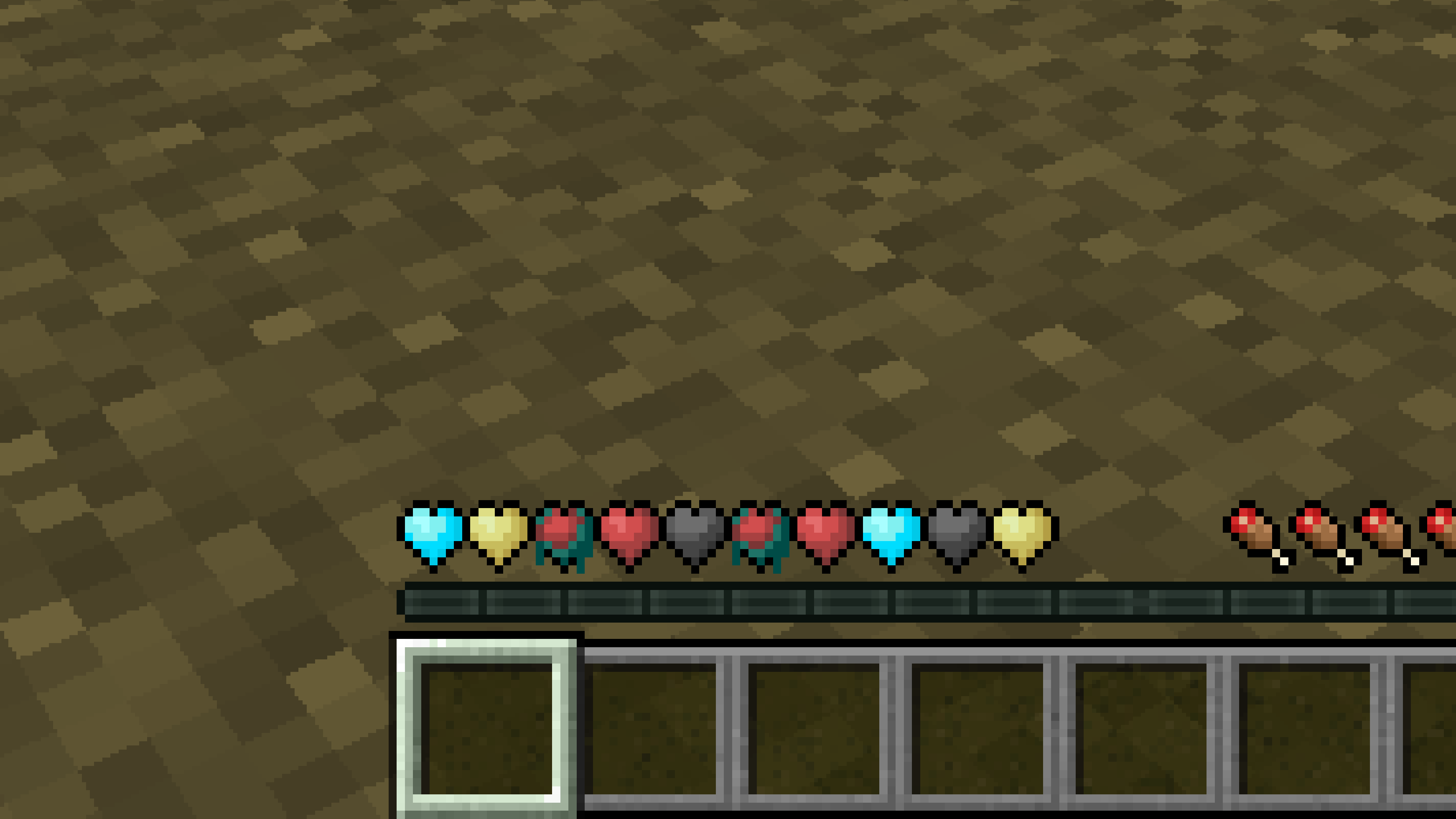
New Hearts, classic colors
# **New Hearts, classic colors**
**Not a fan of the pastel hearts in the New Hearts texture pack?**
**This texture pack is for you.**
—
—
New Hearts
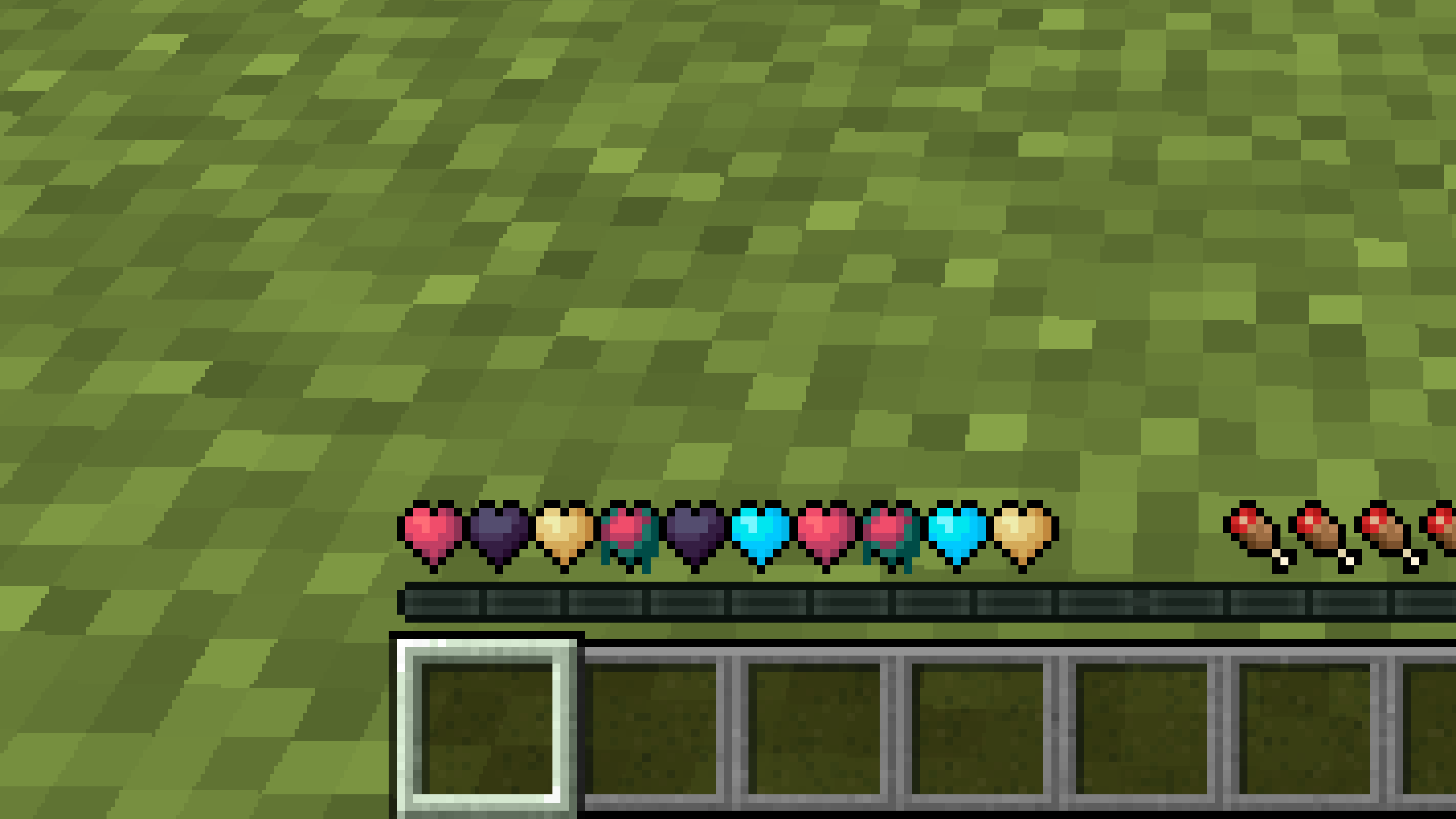
# **New Hearts**
**Don’t like the bright colors of the hearts?**
**This texture pack is for you.**
—
—
## **Description**
**Pastel-colored hearts with softer color transitions.**
—
**Texture pack in classic colors: New Hearts, classic colors**
New Glowing Ores x Blue Netherite
This resourcepack fixes the compatibility beetween the New Glowing Ores resourcepack and Blue Netherite because for some reasons New Glowing Ores adds the Ancient Debris texture for no reasons.
# WARNING
This resourcepack is just a fork of the 2 resourcepacks mentionned erlier. I didn’t make any of the textures myself.
New end stone
# **New end stone**
**Like pink and pastel colors?**
**This texture pack is for you.**
—

—
## **Description**
**This pack slightly modifies end stone, giving it a softer, pastel pink tone.**
Nether Wart on Soul Soil
Frustrated builder trying to spice up their nether build? Too much spare soul soil in the storage and nothing to do with it? Tired of putting up with soul sand under your feet in your nether wart farm? Well, thanks to the great advancements of modern datapacks, here’s a datapack that lets you put Nether Wart on Soul Soil! That’s all.
NeoFullbright
# NeoFullbright
**NeoFullbright** is a **lightweight, 100% vanilla resource pack** that applies a **permanent fullbright effect** — no commands, no mods required, and without breaking text or the UI.
—
## ✨ Features
– Clear vision as if it’s daytime, even in caves or at night
– Interface and text remain **fully visible** (no broken fonts)
– Custom pack icon included
– **OptiFine compatible** (includes lightmaps)
– Ultra-light pack with **zero performance impact**
—
—

—
## 📥 Installation
1. Download the `.zip` file
2. Place it in your:
“`
.minecraft/resourcepacks
“`
3. Launch Minecraft → **Options → Resource Packs**
4. Enable **NeoFullbright** and move it to the top of the list
—
## 📥 Installation (via NeoFullbright Installer)
The easiest way to install the NeoFullbright resource pack is by using the **NeoFullbright Installer** — a small Java application that handles everything automatically.
1. Download has to wait 30 seconds and run the **NeoFullbright Installer** (`.jar` file)
2. Select your Minecraft version and confirm the default folder:
“`
.minecraft/resourcepacks
“`
3. Click **Install** — the latest compatible NeoFullbright version will be downloaded and activated automatically
4. Launch Minecraft → **Options → Resource Packs**
5. Confirm that **NeoFullbright** is enabled and placed at the top of the list
—
## 🔧 Compatibility
– ✅ **Minecraft 1.21.11**
– ✅ Works in **vanilla** (no mods required)
– ✅ Compatible with **OptiFine/Fabric/Iris**
– ⚠️ Not compatible with external shaders (they will override the effect)
—
## ⚠️ Note
If you use an external shader (BSL, Complementary, etc.), the NeoFullbright effect will be overridden.

Navy Blue Shield
# Navy Blue Shield
This resource pack replaces the default shield with a custom 3D model.
The design uses a navy blue theme.
No OptiFine required. Vanilla compatible.
## More Shield Themes
– Black
– Blue
– Creeper
– Dark Red
– Mirror
– Rabbit
– Red
Music Moods
# Music Moods
Configure how music & sound are handled.
Useful for cases where resource packs and mods replace the music immediately instead of just letting it play for any
reason.
## How to Use
Music Moods requires Minecraft 1.16.5+, along with Fabric API.
For Forge 1.17 and older, you must install [ObsidianUI] and [Architectury API] as well.
On Fabric, Mod Menu may be installed to easily access the configuration screen that way as well.
Install Minecraft 1.16.5+, Fabric or Quilt, any mods that like to replace the currently playing track
and stick with the default of fading between tracks or modify the config to not let the current track be replaced.
## Mod Support
Designed around the BetterNether and BetterEnd mods’ built in resource packs,
you can play with any mod or resource pack that has per-biome music that replaces the current track to have it smoothly transition.
Limited support has been added for [The Immersive Music Mod].
## Configuration
You can edit the config in game when Mod Menu is installed by navigating to `Mods`, `Music Moods`, then hitting the
`Configure…` button.
Alternatively, there’s the new Music & Sound options screen.
Screenshots of the configuration screens.
### The new redesigned Music & Sounds Screen

### The configuration for situational music.

### Music
#### Situational Music
*Includes the title screen, various biomes, being underwater and battles.*
– `Replacing current track` – Allows replacing the current music with a more fitting track. `Allow` by default. Can also be `Never` and `Always`.
– `Always play on replace` – Plays the new situational music immediately, fading in while the old one fades out. On by default.
– `Always play music`/`Music Frequency` – Whether to keep music playing at all times or not. Good if you dislike silence. `Off` or `Default` by default.
– `Fade in/out time in ticks` – The time measured in 20 TPS ticks to fade between tracks. 30 seconds (600 ticks) by default.
– `Seamless Transitions` – Allows tracks to continue playing regardless of dimension changes or entering/leaving a world.
[ObsidianUI]: https://modrinth.com/mod/obsidianui
[Architectury API]: https://modrinth.com/mod/architectury-api
[The Immersive Music Mod]: https://modrinth.com/mod/immersivemusicmod