Rebalanced Bartering
# Rebalanced Bartering
Free and open-source datapack for Minecraft 1.21 and higher that adds new trades with piglins.
## Features
This reinstates the magma cream and glowstone dust trades that had been removed in the 1.16.2 snapshots, with the same drop rate as before.
– Magma Cream – Weight: 20 – Quantity: 2-6
– Glowstone Dust – Weight: 20 – Quantity: 5-12
Random Item Speedrun
## Random Item Speedrun
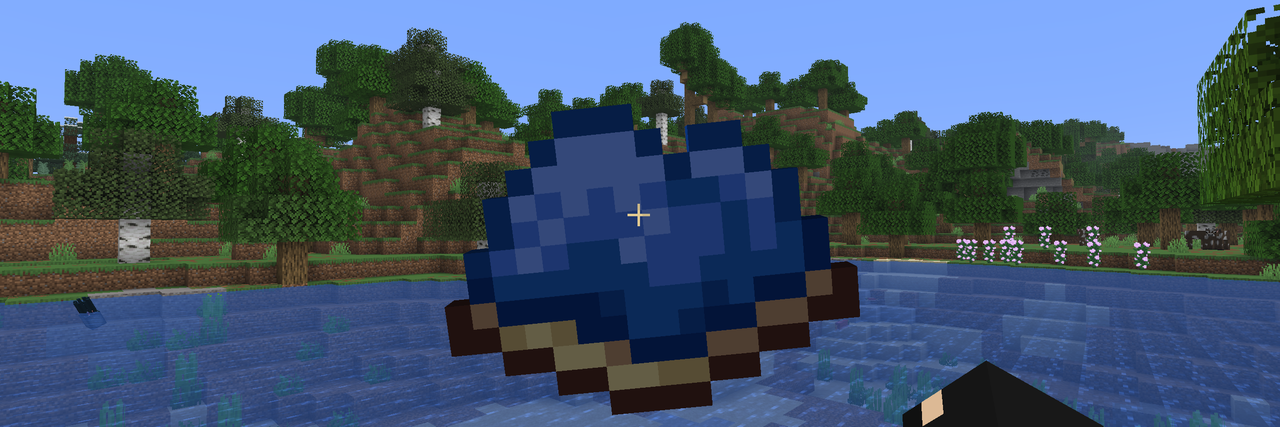
This mod tests the player’s gear by forcing them to collect one randomly selected item
## Usage
After installing the mod, press the Y key (default) to open the run start screen. This screen displays a list of speedruns and additional information about each run by tapping on the desired run. To start a speedrun, press the corresponding button, and the item you need to collect will appear on the screen. For more accurate run information, the item name and elapsed time will be displayed in the corner of the screen.
The mod has settings where you can change the HUD parameters (more customization options are planned for the future).

Since version 2.0, the mod has been running on the server. This means all players can participate in the same run simultaneously. The name of the player who finds the item will also be saved in the run list.
You can specify the difficulty of drop items in the mod settings:
* **Easy** – items that don’t require entering the Nether,
* **Normal** – items that don’t require entering the End,
* **Hard** – all items except those that take too long to obtain,
* **Hardcore** – all items.
To start/stop the game without entering the mod screen, you can assign a key in the binding settings. Pressing the key will then instantly change the game status.
## Settings
Click to open

## 🤝 Support

Rainbow Diamond Sword eo
Rainbow Diamond Sword
A simple and vibrant resource pack that transforms the diamond sword into a glowing rainbow (RGB) weapon.
This pack replaces the default diamond sword texture with a smooth animated rainbow gradient, making your combat look more colorful and stylish in-game.
Rabbit Shield
# Rabbit Shield
This resource pack replaces the default shield with a custom 3D model.
The design uses a rabbit theme.
No OptiFine required. Vanilla compatible.
## More Shield Themes
– Black
– Blue
– Creeper
– Dark Red
– Mirror
– Navy Blue
– Red
Quieter armadillos
Makes armadillos 80% quieter for armadillo exp farms, so that when they’re on a campfire in your base they don’t drive you insane
Que Pro Meme Bricks
Check collection with all memes + streamers Totems
Resource Pack adds many redraw default bricks with the custom image Que Pro Face Meme from 2020, roblox face meme or man face (New Blocks, stairs, slabs, items (nether variant and default) and Flower Pots)
PvP Essentials [Overlay]
#### IGNORE “PACK IS NOT COMPATIBLE” ITS A BUG
##### everything will work perfectly fine its just mcmeta bug!
**Hey!** If you’re into Survival, SMP / PvP, this pack is made for you. It keeps everything clean, simple, and smooth and honestly, once you try PvP Essentials [Overlay], you’ll probably never want to play without it again.
It’s mainly an overlay, but you can use it alone too. Just drop it on top of any pack you like nothing gets changed except bow, crossbow, and a few more textures. This is the official PvP Essentials [Overlay], and you won’t find it anywhere else.
# Preview
#### Heads up! : The pack updates frequently depending on the newest update some visuals might be different.
## Features
– Bordered Ores
– Cleaner GUI
– Clearer Water
– Colored Bow Charge
– Colored Crossbow Charge
– Crop Growth Indicator
– Glass Bottom Boat
– Lower Shield
– Low Fire
– Less Obvious Bedrock
– No Bobber
– No Eating Particles
– No Explosion Particles
– No Fire Smoke
– No Nausea Overlay
– No Pumpkin Blur
– No Vignette
– Quieter Explosions
– Quieter Fire Tick
– Quieter Weather
– Redstone Tweaks
– Smaller Totems + Particles
– Smaller Utilities
– Seamless Glass
And More…
#
### Legal:
Textures by sz_co (1szco1). CC BY-SA. Use for personal projects only. Give credit and link to the original. Do not share without credit!
#
license
PvP Essentials [Overlay] © 2025 by sz_co is licensed under CC BY-SA 4.0


Issues?
Hit me up on Discord if something’s broken: **sz_co**
PVP Arena
## Description
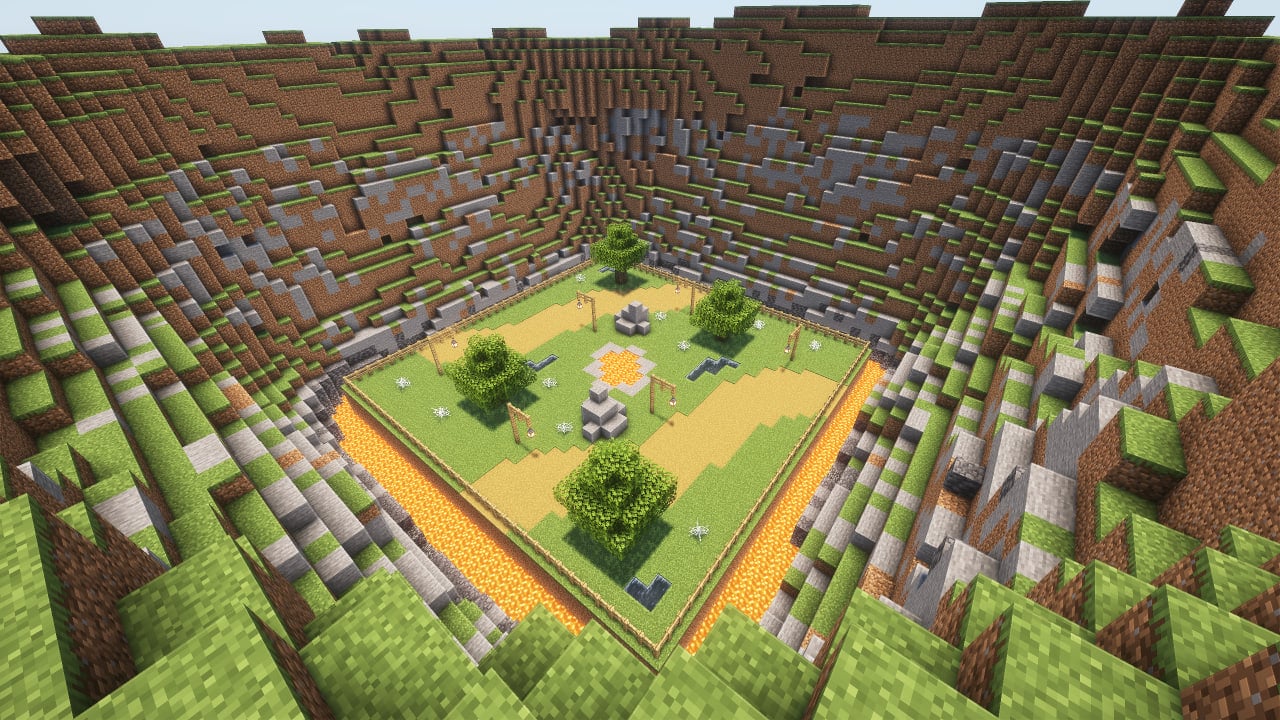
An arena that will help you hone your PvP skills with a large number of settings that will help simulate real battles. Train with friends and become better!
## How to use
It is advisable to create a new world first, because the arena can damage the current world. Do this at your own risk. If you are going to use the mod in an existing world, you must re-enter the world before using it.
The game is designed for 2, 3 or 4 players.
To place the arena in the world, you need to enter the command below and place the frame where you want to place the arena. After that, particles will show where the arena will be located and the settings screen. To confirm, you need to place the frame inside the frame you placed earlier.
“` /trigger bizcub.pvp_arena.give “`
On the settings screen, you can select the arena, sets of weapons, armor, food, additional equipment and potions. After choosing, click the “Start” button.
After that, the players will be taken to the capsules and have a few seconds to prepare for battle. When the timer runs out, the players will be on the battlefield and will fight until the time runs out. The one who deals more damage wins.
After the game ends, the players will be teleported to the beginning and can start the game over.
## Additional rules
Those who did not survive until the end of the battle will watch the game from the platform above the arena, and after the game ends, they will be teleported along with everyone else to the settings menu.
The space between the arena and the decorations deals damage if a player flies out of the arena and gets into this area.
## Arenas
Each arena has its own unique feature.
* Plains: obstacles in the arena in the form of lava, water and cobwebs.
* Ice: ice and loose snow, which can easily be confused with ordinary snow.
* Fire: once a minute, fire appears from the ground for a while.
* Honey: In this arena, in addition to honey blocks that slow down the player, angry bees will appear, which will also hinder players.
* Water: water that slows down movement.
* Poison: slime blocks that slow down players, and also help to fly higher, and poison potions that are dropped on players from above.
* Skulk: the battle in the arena will take place in complete darkness, in which you need to navigate by sound.
## Dependencies
– Fabric loader requires Fabric API
Puddles & Floods
**Puddles & Floods** adds a detailed puddle block that can appear during rain or after various fluid interactions.
Requires **Fabric API** (or forgified fabric api on neoforge).
For **config**, use command `/puddleflood` or your loader’s mod list menu.

Puddles will appear:
– on the ground during rain
– below dripping blocks
– after water flows over a block
– when a splash potion hits a block
– after a filled cauldron is broken
– when snow melts
Puddles from block interactions (broken cauldrons, flowing water, melting snow) will only appear if the mod is installed on the server. The other features will function on your client even if you’re playing on a server that doesn’t have the mod.
Puddles are non-destructive and will **not** wash away redstone or break blocks.
Stepping in a puddle will make a small splash sound.
In low-lying areas like rivers, valleys, and coasts, puddles can combine to create floods.

## Config
Access the in-game config menu with the command `/puddleflood` or through your loader’s mod list menu.
You can:
– Enable or disable each feature of the mod
– set puddle coverage amount for rain and during storms
– set the range puddles spawn in around the player
– set speed at which puddles collect and evaporate
– toggle the usage of shader pack water on puddles

## Mod Compatibility Q&A
### Shader pack support
Only Iris/Oculus is supported. The recommended shader pack is Complementary.
### How to fix puddles waving into the ground with some shader packs
Depending on the shader pack there are two ways to work around this:
– **Option 1:** Go into your shader settings and disable water waving.
– **Or option 2:** Make sure `LabPBR` support is enabled in your shader pack and disable `use shaderpack water` in the mod’s config.
### How to fix random puddles appearing during raids
This is caused by the villager sweating effect from Subtle Effects.
– **Option 1:** Disable sweating effects in the options menu for Subtle Effects
– **Or option 2:** Disable drip puddles in the options menu for Puddles & Floods
### How to edit puddle placement with resource packs
In addition to the block models, the placement of the puddle blocks during rain can be changed by resource packs by editing the texture at `assets/puddleflood/textures/puddles.png`.
Pride GUI
# PrideGUI
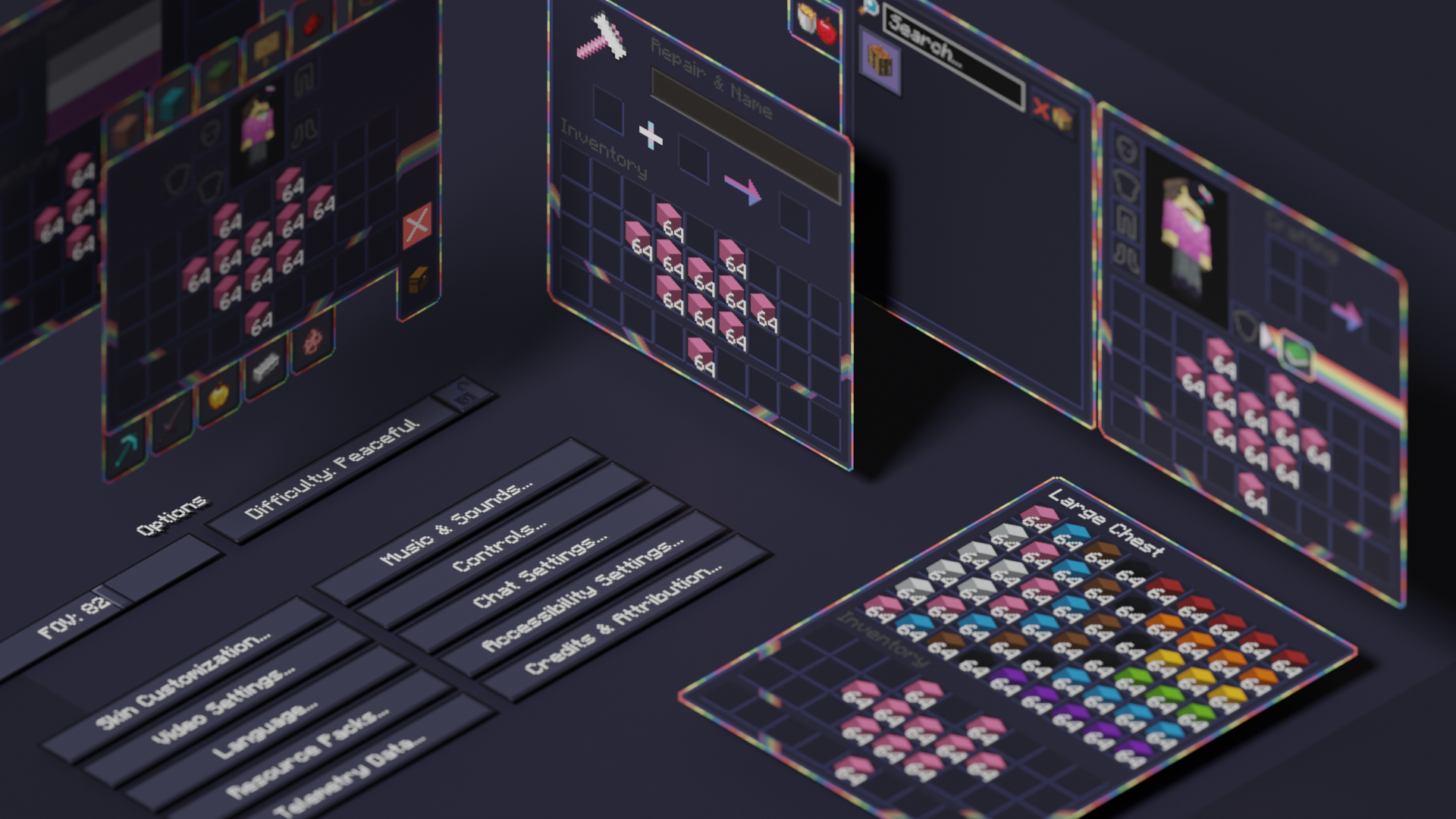
This is an official addon to PridePack that changes the Minecraft GUI to have a dark theme, with LGBT details.
It is available for many versions, starting from beta 1.7.3. You can get PrideGUI Legacy here, which has versions of the back for all versions between b1.7.3 and 1.20.1.
## Donate
You can support the developers of Pridecraft Studios by donating on Patreon

## Who
Pridecraft Studios is a collective modding group that creates resource packs, tooling, and our flagship mod, Joy. Our team of volunteers strive to create prideful content for the diverse Minecraft community <3. We target both Java and Bedrock editions, hoping to create memorable experiences for you.
## Other Downloads
**Dark Mode**
 
**Dark Mode (Legacy)**
 
**Light Mode**
 
**Light Mode (Legacy)**
 
## Socials


