Low Fire, Shield & More

| | |
|:—:|:—:|
| |  |
# For versions 1.21.4 and newer there is eating animation on every food
—
### Examples items affected:
– Fire
– Shields
– Food (with added eating animation)
– Totems
– Fire charges
– Rockets
– Potions
– Compasses
– Clocks
– Ender Pearls
– AND MORE..
—
### If you’re using this, you might also like Lower Grass
### Tested on versions:
#### 1.20.1, 1.21.5, 1.21.10 and 1.21.11
### Contact
Questions, suggestions or any issues? You can reach me on Discord.
### Credits:
Food animations from Eating animation RP with the permission of the creator
**Feel free to use this Resource Pack in modpacks**
Let Me Despawn


LET ME DESPAWN
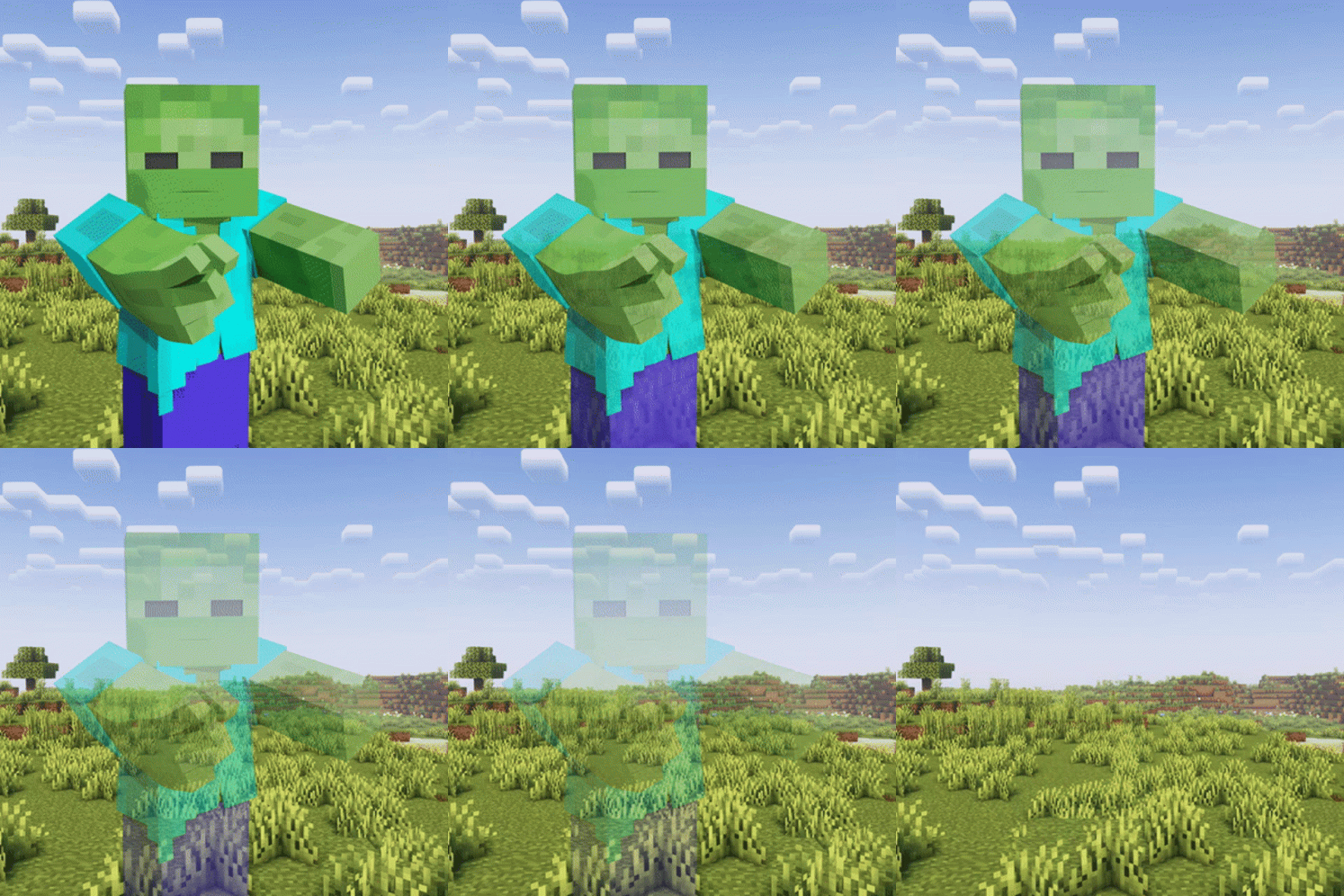
**Let Me Despawn** (LMD) is a Minecraft mod designed to address entity lag issues by modifying the despawn mechanics for mobs that have picked up or equipped items.
### Key Features
– Allows mobs with equipped items to despawn naturally
– Preserves dropped items when mobs despawn
– Configurable mob exclusion list
– Server-side functionality (not required on client)
—
## Functionality
In vanilla Minecraft, mobs that pick up or equip items become persistent and do not despawn naturally. This behavior can significantly contribute to entity lag, especially in modded environments with increased mob variety and spawn rates.
LMD modifies the despawn check to allow these mobs to despawn naturally, like any other mob. To prevent item loss, any picked up or equipped items are dropped when the entity despawns.
> **Note**: Mobs named with a name tag will still be prevented from despawning naturally.
—
## Configuration (Version 1.2.1 and later)
### Config File
– Location: `config/letmedespawn.json`
– Reload command: `/almanac reload`
### Commands
| Command | Description |
|———|————-|
| `/letmedespawn add ` | Add mobs to the config |
| `/letmedespawn remove ` | Remove mobs from the config |
Mobs added to the config will retain their vanilla behavior and not despawn after picking up items. All commands update the mob list in real-time, eliminating the need for game restarts or manual reloads.
—
## Installation
This is a server-side mod and is not required on the client.
—
LinuxSSH
# LinuxSSH
A powerful tool that allows you to manage your Linux PC via SSH in Minecraft as a terminal.
## Requirements
* Fabric Loader
* Fabric API
* Fabric Language Kotlin
## How to Use?
1. Drag the release JAR file into your mods folder.
2. Launch Minecraft using your preferred launcher (Official, MultiMC, etc.).
3. Load a world and enjoy!
## Command Usage
We provide a command `/ssh` to interact with this mod.
1. Connect to a host
“`text
/ssh connect
“`
For example:
“`text
/ssh connect [email protected]
“`
2. Confirm the host’s fingerprint
If you connect to the host for the first time, you may need to confirm a fingerprint from the Linux host. Type `/ssh confirm ` to accept or reject the fingerprint.
3. Enter the password
Then, type `/ssh password` to proceed. We do not store your password locally or transmit it over the Internet.
4. Type the Linux command
You can type `/ssh command [command]` to interact with the Linux PC.
For example:
“`text
/ssh command apt install xfce4 xfce4-goodies fonts-wqy* fastfetch -qq -y
“`
5. Disconnect
You can type `/ssh disconnect` to disconnect from the Linux PC.
6. Import the public/private key (Under Construction)
We will add the public/private key functionality in the future. You can type `/ssh import [Path]` to import it.
## License and Source Code
© Moerain Software Developments and NuanRMxi Lazy Team 2025
This mod is licensed under GNU GPLv3.
Source code can be found at GitHub
Lined Redstone
This pack replaces the default redstone dust texture with a **straight-line** design. Redstone is no dusty anymore =)
When using this resource pack:

And I think it may be useful for some Minecraft constructions.
**Let’s play checkers**

Limited Enchantments
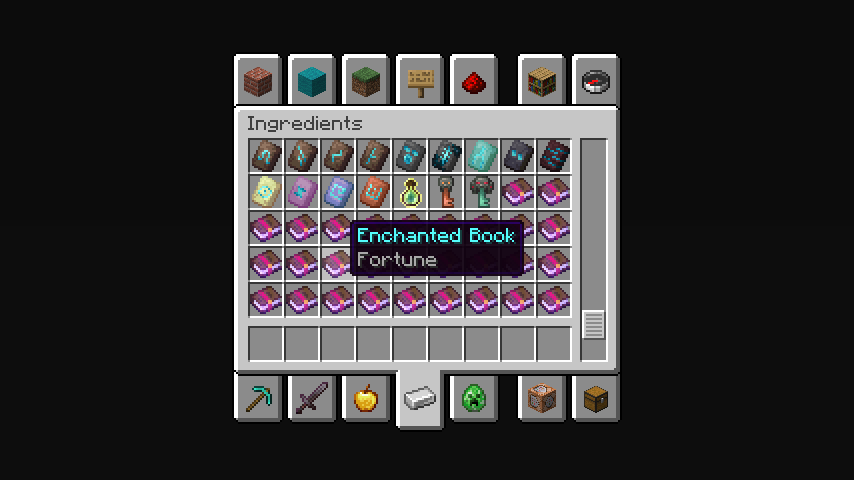
## Only 1 level enchantment!
The data pack/mod sets a level limit for all enchantments. Have you ever wanted to enchant a pickaxe with level 1 efficiency? But you have to!
The Creative Mode Ingredients tab will display Level 1 enchantments. To take a certain book with the first enchantment level, you need to write the name of the enchantment on the search tab, and only one enchantment level will be indicated there.
Life Series Dev








# This mod contains developer versions of the Life Series mod.
———-
## Current Changelog since the latest full release:
Click here to open the current changelog
Life Series


# Life Series Mod
This mod is a one-to-one recreation of Grian’s Life Series in Minecraft Fabric.
It adds everything from the original series, along with an incredible amount of quality of life features, and endless customizability.
—–
### Wiki
All documentation about this mod is available on the Life Series Mod Wiki
### Discord
Have questions, suggestions or bug fixes? Join the Life Series Mod Discord server to give feedback and connect with others!
—–
## Feature Complete
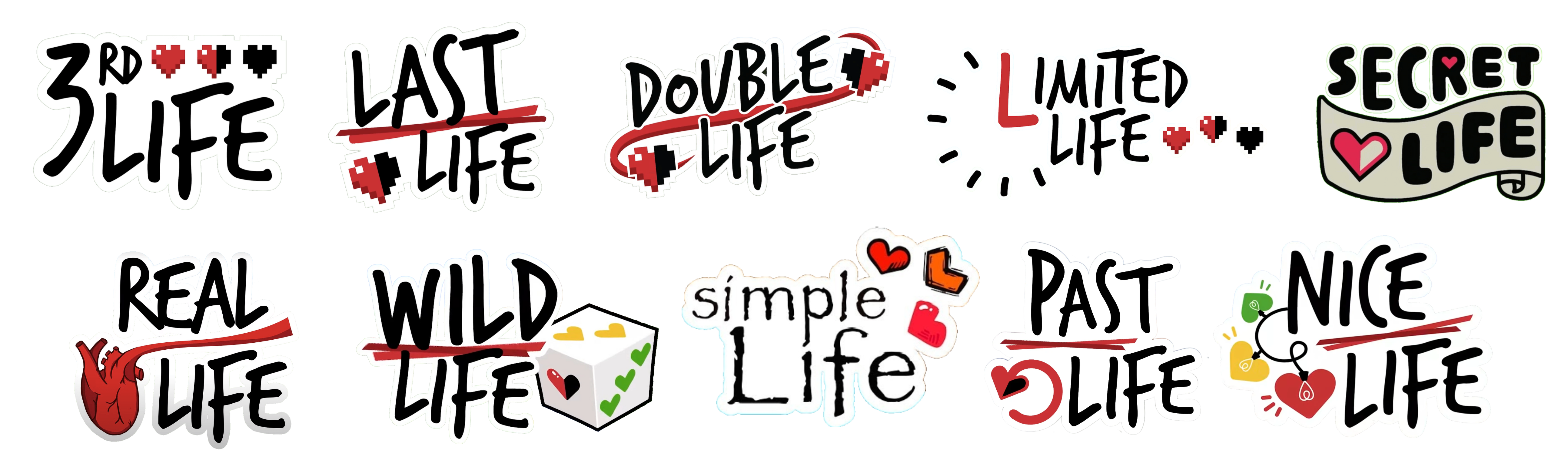
This mod faithfully recreates all the seasons of the Life Series – everything works exactly as in the originals.
| Third Life | Last Life | Double Life | Limited Life | Secret Life | **Wild Life** | Past Life | **Nice Life** |
|————|———–|————-|————–|————-|—————|———–|—————|
| Completed | Completed | Completed | Completed | Completed | Completed | Completed | Completed |
All in a single mod. No more shady, unmaintained, buggy datapacks.
## Customizable
A big part of this mod that it is very customizable.
There are over 100 customizable features, including default lives, boogeyman in any season, custom item blacklists, players subbing in, and much more.
## Requirements
Fabric API is required to run this mod, there are no other mod dependencies – although Simple Voice Chat is recommended.
The mod is server-side required and optional client-side.
#### Client-side features
While having the mod client-side is not required, having it adds a lot of cool features, such as:
– Colored hearts based on lives.
– Integrated session timer.
– Custom GUIs for managing the config.
Debrand
Convinces Minecraft it is unmodded.
This is most useful for QoL setups, where there is no need to change the brand of the game.
### Notes on hiding mods from servers
This mod is most useful against passive detections (since by default, the Minecraft client volunteers its brand to the server) and cursory glances (that don’t notice modified behavior).
However, know that it does **not** protect against:
– **Behavioral observation:** If a mod allows you to take actions that a vanilla client would not, this is obvious and will be visible (such as to anticheat).
**Examples:** Proximity chat; swing through grass; any changes to player movement or reach; etc. Note that not all of these can be detected with 100% accuracy, but they can raise suspicion or create evidence.
– **Active detection:** If the server probes for a specific behavior that differs with a mod installed, such as using the translated sign exploit in versions that had it, that difference will be detectable.
**Examples:** Any mod whose translation keys are known; any mod that communicates with the server using custom packets; any mod that creates packets or responses that differ from vanilla; etc. Any of these will create certainty that your client is modded.
– **Chatty mods:** If you have mods installed that reveal their presence to the server, that will be detectable.
**Examples:** Fabric API / Fabric Registry Sync; proximity chat / other mods that send data from the client; etc. Any of these will also create certainty that your client is modded.
– **Screen sharing:** If you have mods installed that change anything on-screen, anyone looking at the screen will be able to tell it’s not vanilla.
**Examples:** Minimaps; waypoints; indicators; menus of any kind; etc.
As a result, this mod is most useful for players that **develop their own modifications** with raw Mixin and without depending on Fabric API. It does **not** insulate between a detectable mod and the detection; all it does is prevent the client from admitting **up front** that it is Fabric.
### Notes on hiding mods from clients
Many of the same rules apply, though clients are likely to be less of a risk to a server than the other way around. Still, hiding the fact that a server is modded may still be desirable in some cases.
Lava Source
✨ Features
🔥 Main description
This feature introduces renewable lava sources, similar to how water behaves in Minecraft.
By placing lava in specific configurations, players can generate infinite lava over time.
This system transforms lava from a limited resource into a sustainable one, opening new possibilities for automation and large-scale builds.
⚙️ Use and benefits
This mechanic provides a reliable way to farm lava without constant exploration.
It enables efficient fuel generation, automated smelting systems, and advanced resource management.
Players can create scalable lava farms, reducing dependency on natural lava pools.
🧩 Gameplay integration
Designed to feel natural within Minecraft, this feature builds upon familiar fluid mechanics.
It integrates smoothly into survival gameplay while enhancing technical and automation playstyles.
Whether used for energy, traps, or industry, lava becomes a core renewable resource.
Wiki
📥 Installation
📁 Datapack
Drop the .zip file into your world’s datapacks folder.
Reload the world or use /reload.
Enjoy your enchanted adventure!
⚙️ Mod
Drop the .jar file into the mods folder of your instance.
Restart your game.
Have fun!
Lava Can
# Lava Can
A small inventory utility mod for Minecraft. A **Lava Bucket** in your hotbar or cursor acts as an instant item destructor — toss unwanted items onto it to burn them away. Fire-resistant items and anything on the configurable exclusion list are always protected from accidental deletion.
—
## How it works
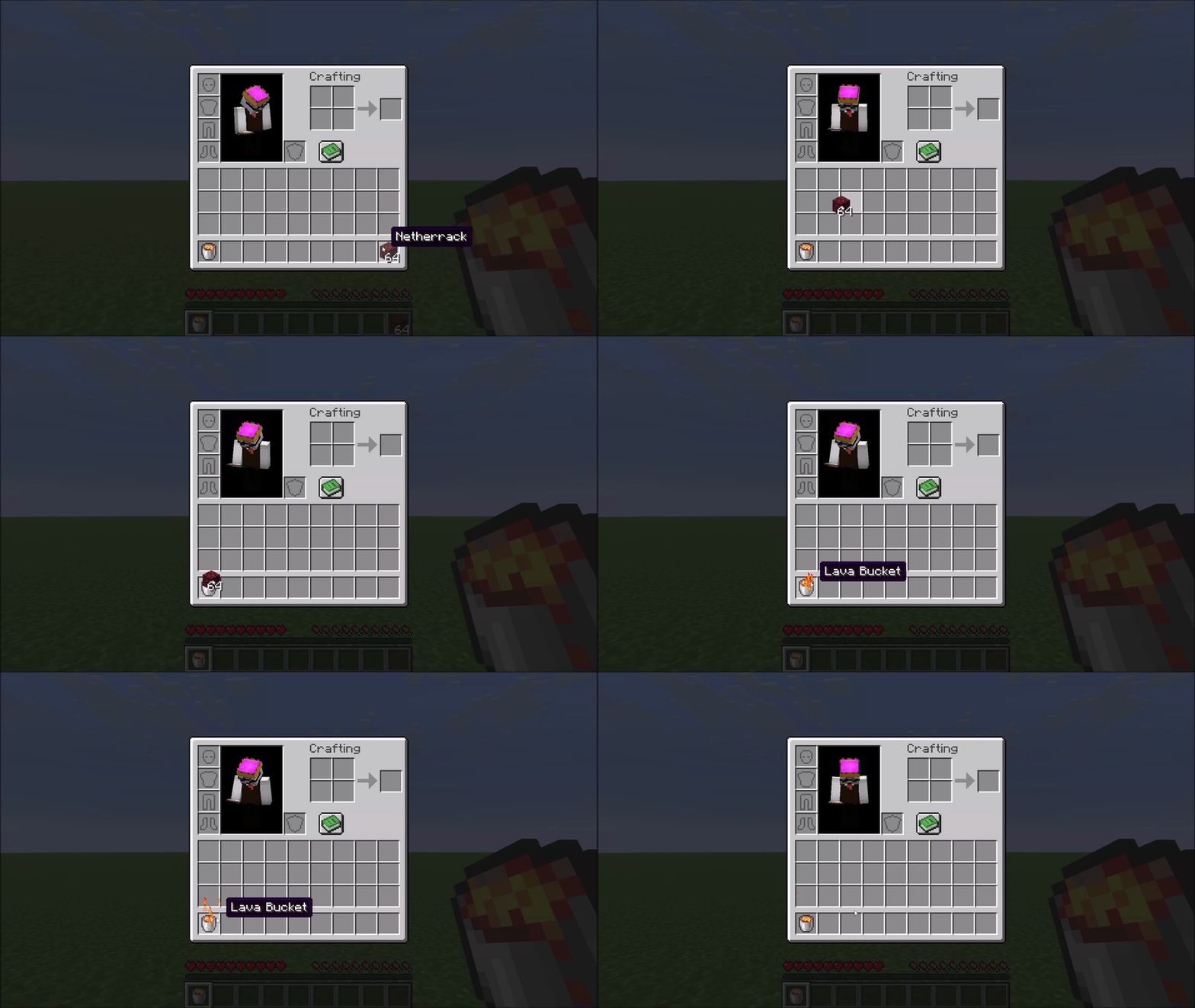
### Right-click to destroy
Carry any item in your cursor, then right-click it onto a **Lava Bucket** in your inventory. The item is destroyed instantly in a burst of flame particles.
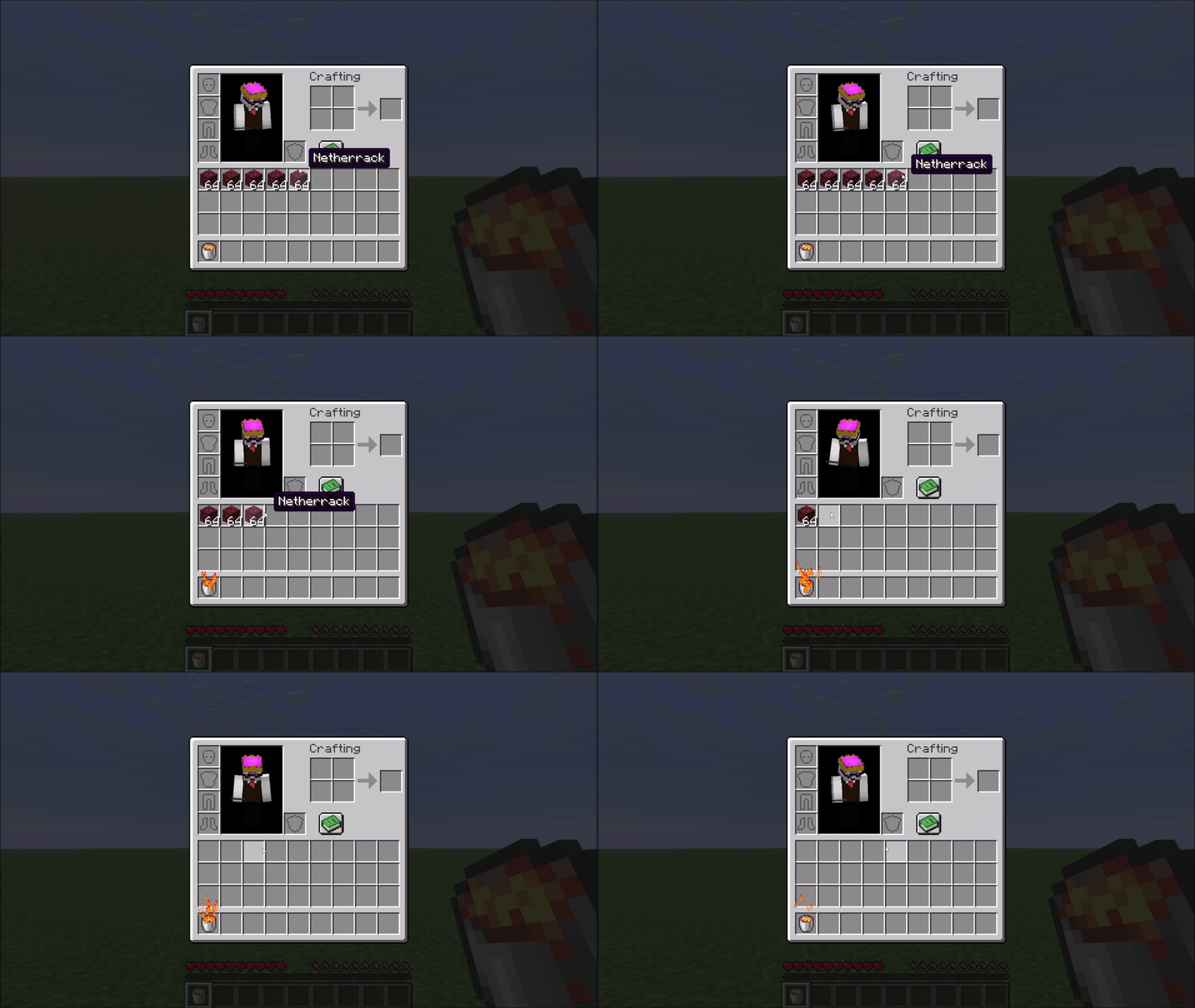
### Hotbar shortcut
If your Lava Bucket sits in hotbar slot **N**, pressing **N** while hovering over an item in any inventory screen sends that item straight to the void — no picking it up first.
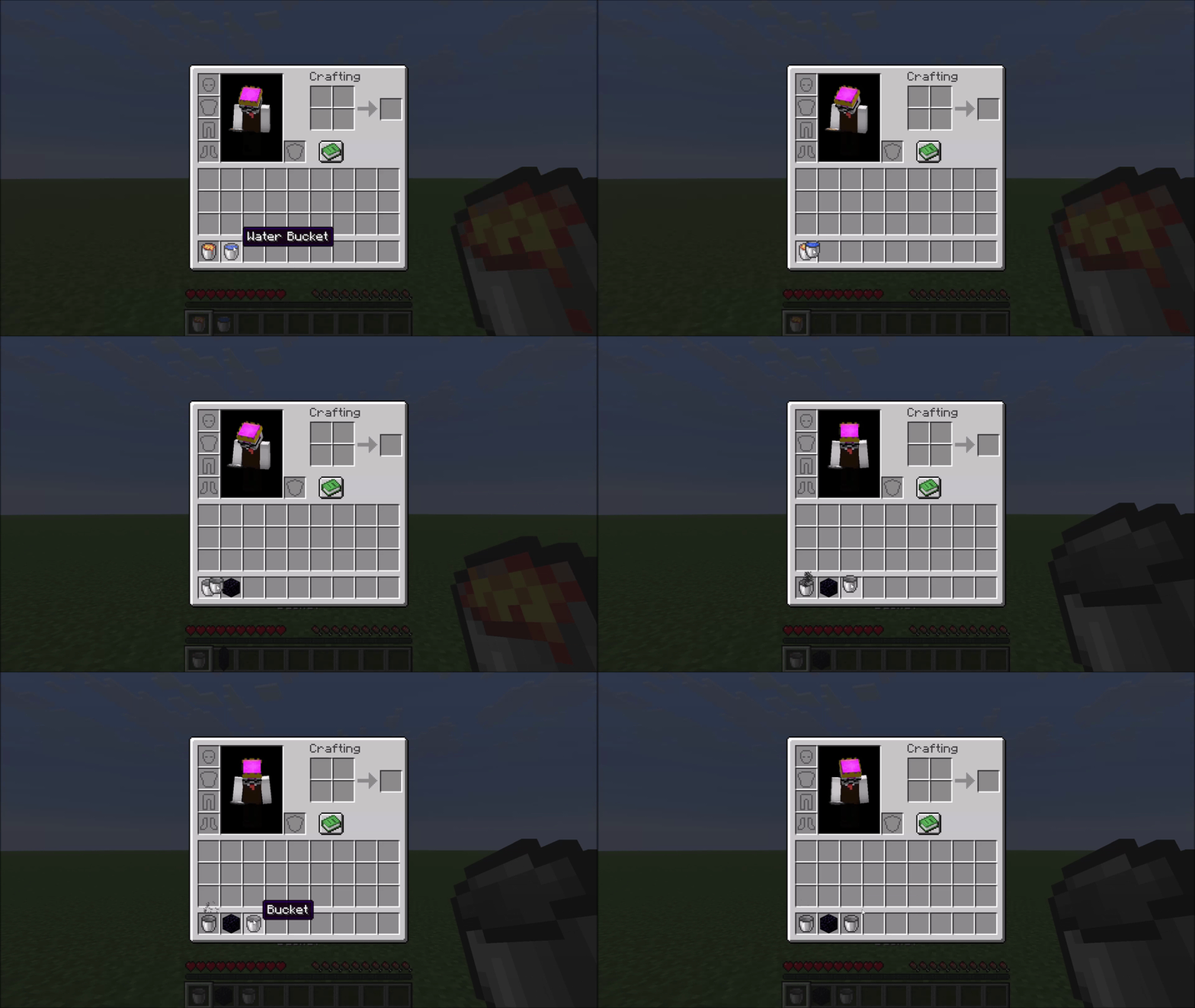
### Obsidian crafting
Right-click a **Water Bucket** onto a **Lava Bucket** to combine them. Both buckets become empty buckets and you receive one **Obsidian**, marked by a small smoke animation.
—
## Protected items
**Fire-resistant items are never deleted.** The mod uses Minecraft’s own damage-resistance system, so Netherite gear, Ancient Debris, and any modded item that opts into fire resistance are all automatically protected — no hardcoded lists.
A **configurable exclusion list** protects additional valuable items from accidental deletion. By default this covers things like Elytra, Tridents, Shulker Boxes, Diamond gear, and other items you generally don’t want to lose. See the Configuration section below.
—
## Configuration
The config file is created automatically at `config/lavacan.json` on first launch:
“`json
{
“excluded”: [
“minecraft:elytra”,
“minecraft:trident”,
“minecraft:diamond_sword”,
“…”
]
}
“`
– **Remove** an entry to allow that item to be deleted by the Lava Can.
– **Add** any `namespace:item_id` to protect a custom or modded item.
Changes take effect after restarting the game (or the world on a dedicated server).
**Note:** Mod Menu support is planned. Until then, changes to the config file require a game restart to take effect.
—
## Compatibility
The mod hooks into `AbstractContainerMenu.doClick` via a Mixin — a common and stable injection point. Conflicts with other mods targeting the same method are possible but unlikely in practice.




