MyLuckyBlock
# Overview
Add a lucky block to Minecraft 1.21+ that players can break to trigger random events.
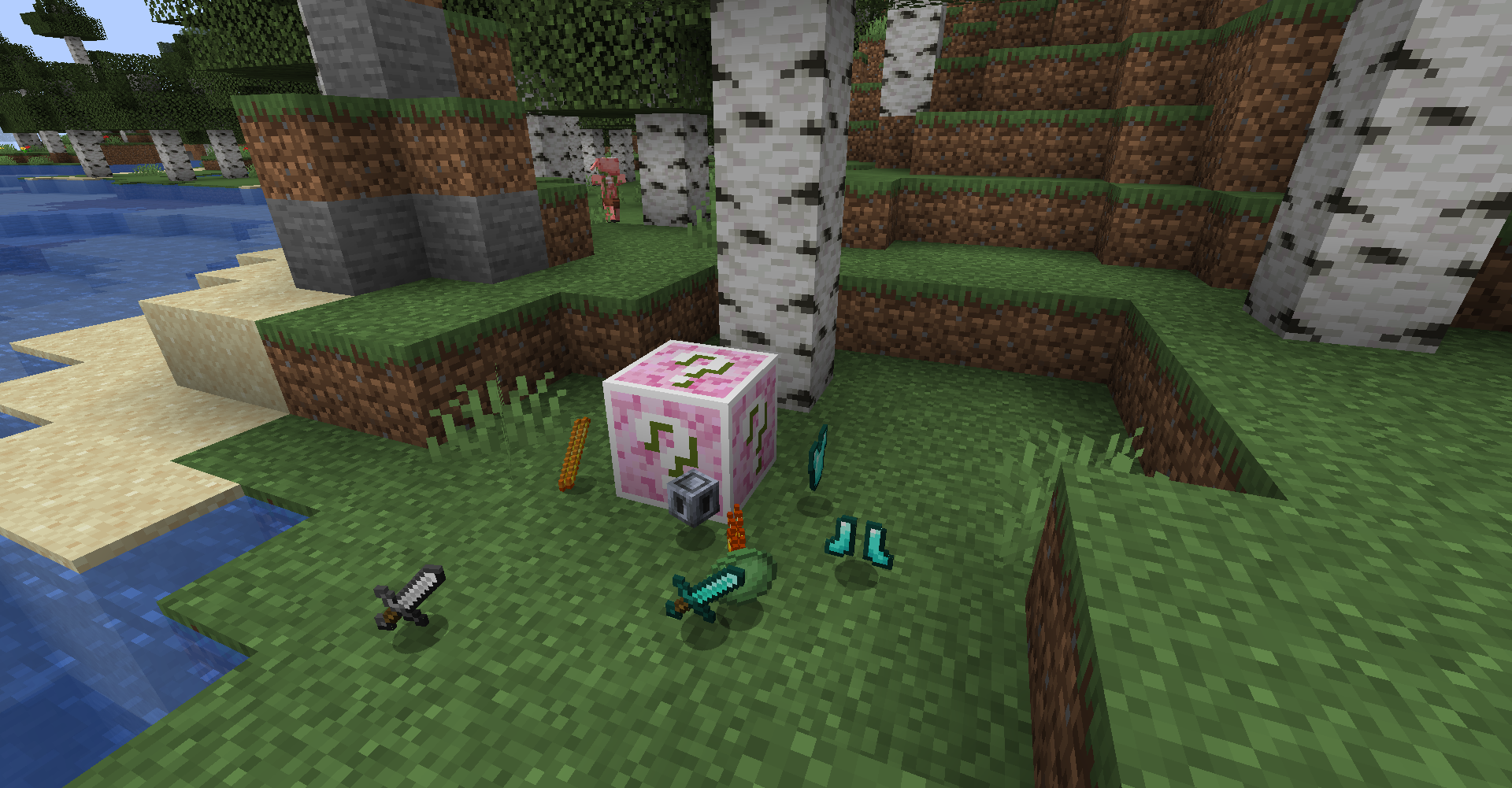
>Note: It’s easy to make addons by using datapack. (Wiki coming soon~)
# How to play
## World Gen
Lucky Block will be generated in vanilla biomes.
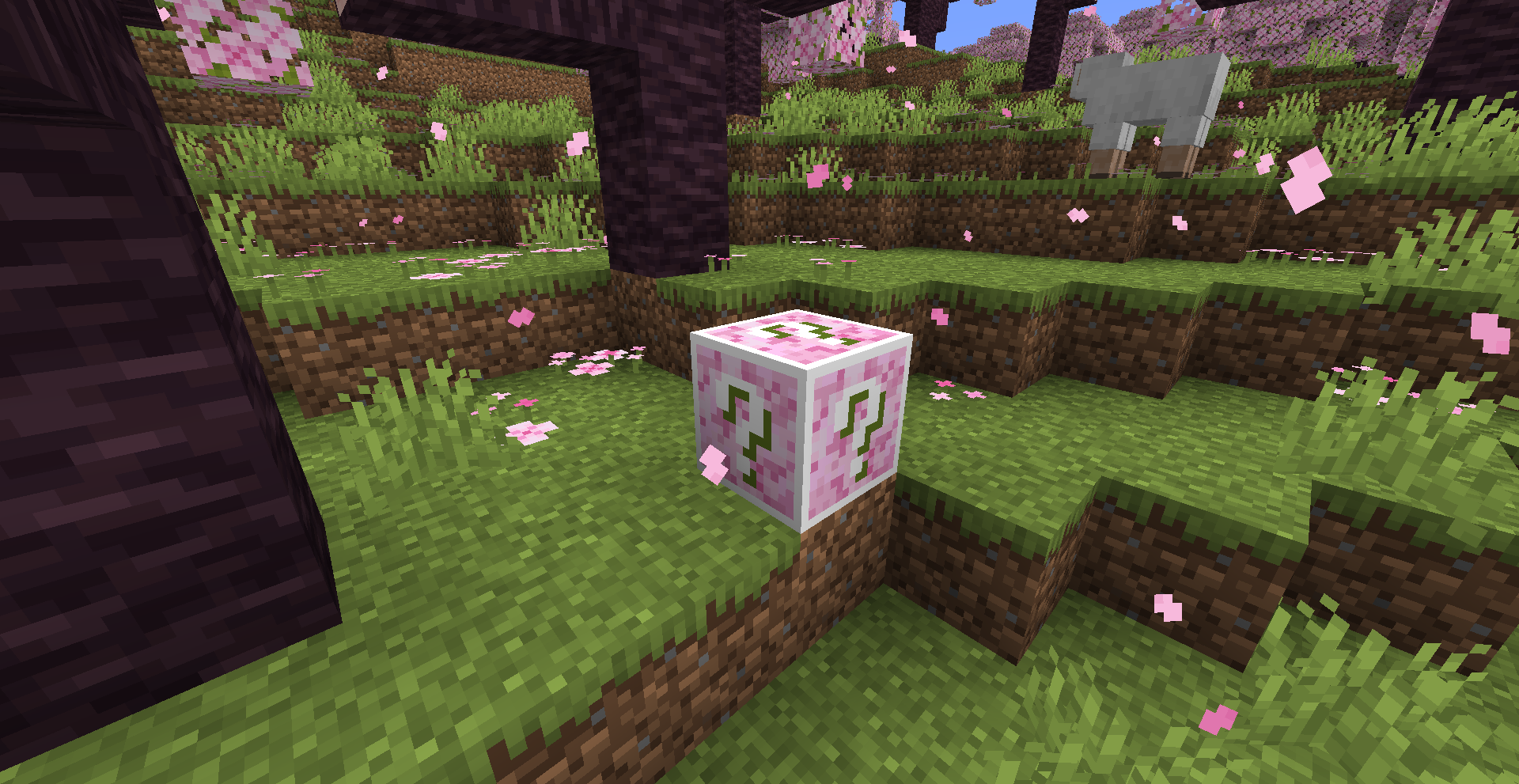
## Crafting
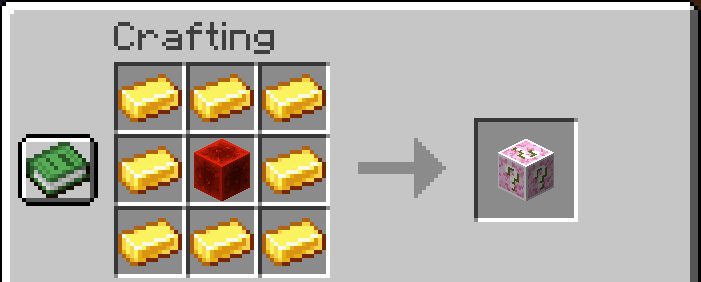
Lucky Block can be crafted with 8 gold ingots and 1 redstone block.
# Features
> Still Developing
– Drop Items
– Spawn Mobs
– Place Blocks
– Fall Blocks
– Place Chests
– Create Explosions
– Create Particles
– Send Messages
– Display Messages
# Attention
– May not English friendly?
– Memes from bilibili or somewhere
– Use SILK_TOUCH to avoid triggle events and drop itself
# Why
– Learn Minecraft Modding
– Have fun with my friends
– The original Lucky Block mod doesn’t update to minecraft 1.21+
Mod Menu
# Mod Menu
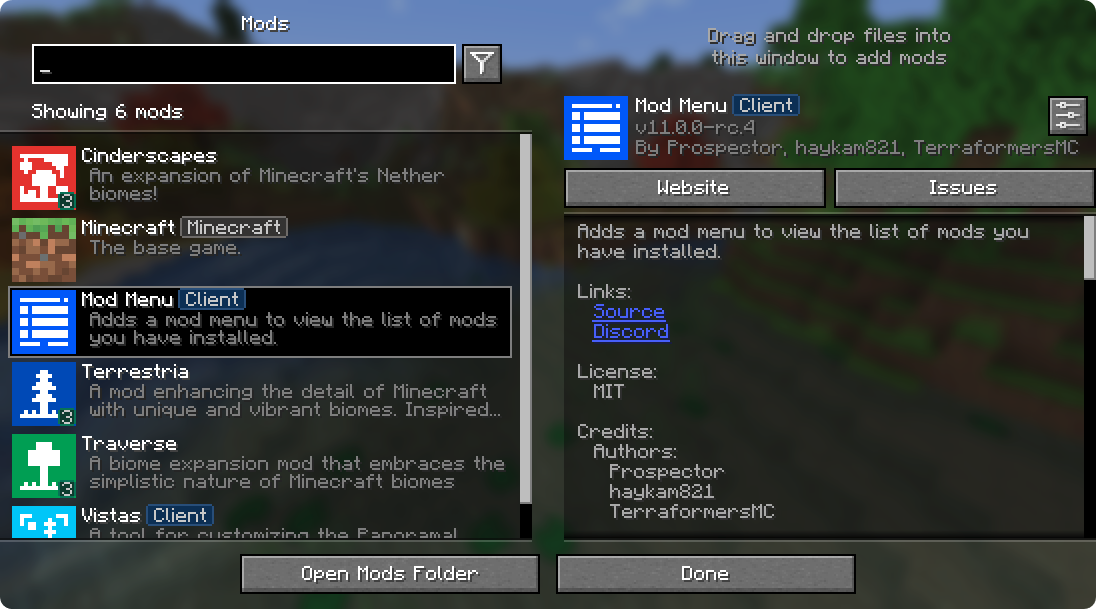
Mod Menu lets you view the mods you have installed and, if supported by the mod, enables quick and easy access to the mod’s config screens.
Mod Menu also supports some more advanced features, such as translatable mod names and descriptions, support for QuickText formatting in mod descriptions thanks to Patbox’s Text Placeholder API, filters library mods out from regular mods, a mod update checker for mods hosted on Modrinth or that provide their own update sources, and deep configuration for all the features we provide.
### Supported Platforms
Mod Menu is currently available for Fabric or Quilt on Minecraft: Java Edition 1.14 or newer.
## Developers
Mod Menu includes a number of APIs for developers to improve how their mod appears in Mod Menu. These come in the form of language keys, JSON metadata, and even a Java API.
### Translation API
You can translate your mod’s name, summary, and description all without touching any Java code. Simply add translation keys in the supported format to any language you’d like.
Translation API Documentation
Here’s an example of Mod Menu’s translations into Pirate Speak. To create your own, simply replace `modmenu` at the end (***NOT*** the one in the beginning) of the translation key with your own mod ID, for example `modmenu.descriptionTranslation.traverse`.
`en_pt.json`
“`json
“modmenu.nameTranslation.modmenu”: “Menu o’ mods!”,
“modmenu.descriptionTranslation.modmenu”: “Menu o’ mods ye installed matey!”,
“modmenu.summaryTranslation.modmenu”: “Menu o’ mods ye installed matey!”
“`
> The summary translation is redundant here and does not need to be included because it’s the same as the description, but it was included to show that you may translate the summary (a short, one-sentence description of the mod) separately from the description, even in English!
### Fabric Metadata API
There’s a number of things you can add just with metadata in your `fabric.mod.json`.
All of these are added to a custom block in your `fabric.mod.json` for Mod Menu’s metadata. Here’s an example usage of many of the features this API provides:
`fabric.mod.json`
“`json5
{
…
“custom”: {
“modmenu”: {
“links”: {
“modmenu.discord”: “https://discord.gg/jEGF5fb”
},
“badges”: [ “library”, “deprecated” ],
“parent”: {
“id”: “example-api”,
“name”: “Example API”,
“description”: “Modular example library”,
“icon”: “assets/example-api-module-v1/parent_icon.png”,
“badges”: [ “library” ]
},
“update_checker”: true
}
}
}
“`
Fabric Metadata API Documentation
#### Badges (`”badges”: [ ]`)
While the `Client` badge is added automatically to mods set as client-side only (set `”environment”: “client”` in `fabric.mod.json` to do this.), other badges such as the `Library` and `Deprecated` badges require definition here.
Supported values:
– `library` – should be assigned to mods that are purely dependencies for other mods that should not be shown to the user by default unless they toggle them on.
– `deprecated` – should be assigned to mods that exist purely for legacy reasons, such as an old API module or such.
Any others will be ignored, and Mod Menu does not support adding your own badges. You may open an issue here if you have a compelling use case for a new badge.
#### Links (`”links”: { }`)
The `links` object allows mod authors to add custom hyperlinks to the end of their description. If you specify a `sources` contact in the official `fabric.mod.json` metadata, it will also be included in the links section.
Any key in the `links` object will be included in the links section, with the key being used as a translation key. For example, this:
`fabric.mod.json`
“`json
“custom”: {
“modmenu”: {
“links”: {
“modmenu.discord”: “https://discord.gg/jEGF5fb”
}
}
}
“`
will show as a link with the text “Discord”, since “Discord” is the English translation of “modmenu.discord” provided by Mod Menu.
Mod Menu provides several default translations that can be used for links. A full list can be seen in Mod Menu’s language file here. All default link translation keys take the form `modmenu.`.
You can also provide your own translations if you would like to add custom links. Make sure to use ***your own namespace*** (as opposed to `modmenu`) for any custom keys.
#### Parents (`”parent”: “mod_id” or { }`)

Parents are used to display a mod as a child of another one. This is meant to be used for mods divided into different modules. The following element in a `fabric.mod.json` will define the mod as a child of the mod ‘flamingo’:
`fabric.mod.json`
“`json
“custom”: {
“modmenu”: {
“parent”: “flamingo”
}
}
“`
However, if you want to group mods under a parent, but the parent isn’t an actual mod, you can do that too. In the example below, a mod is defining metadata for a parent. Make sure that this metadata is included in all of the children that use the fake/dummy parent. This can also be used as a fallback for an optional parent, it will be replace by the mod’s real metadata if present.
`fabric.mod.json`
“`json
“custom”: {
“modmenu”: {
“parent”: {
“id”: “this-mod-isnt-real”,
“name”: “Fake Mod”,
“description”: “Do cool stuff with this fake mod”,
“icon”: “assets/real-mod/fake-mod-icon.png”,
“badges”: [ “library” ]
}
}
}
“`
Dummy parent mods only support the following metadata:
– `id` (String)
– `name` (String)
– `description` (String)
– `icon` (String)
– `badges` (Array of Strings)
#### Disable update checker (`”update_checker”: false`)
By default, Mod Menu’s update checker will use the hash of your mod’s jar to lookup the latest version on Modrinth. If it finds a matching project, it will check for the latest version that supports your mod loader and Minecraft version, and if it has a different hash from your existing file, it will prompt the user that there is an update available.
You can disable the update checker by setting `update_checker` to false in your Mod Menu metadata like so:
`fabric.mod.json`
“`json
“custom”: {
“modmenu”: {
“update_checker”: false
}
}
“`
### Quilt Metadata API
Since Mod Menu supports Quilt as well, the same APIs in the Fabric Metadata API section are also available for Quilt mods, but the format for custom metadata is slightly different.
Instead of a `”modmenu”` block inside of a `”custom”` block, you put the `”modmenu”` block as an element in the root object. So it should look like:
`quilt.mod.json`
“`json5
{
…
“modmenu”: {
// Here’s where your links, badges, etc. stuff goes
}
}
“`
### Java API
To use the Java API, you’ll need to add Mod Menu as a compile-time dependency in your gradle project. This won’t make your mod require Mod Menu, but it’ll be present in your environment for you to test with.
`build.gradle`
“`gradle
// Add the Terraformers maven repo to your repositories block
repositories {
maven {
name = “Terraformers”
url = “https://maven.terraformersmc.com/”
}
}
// Add Mod Menu as a dependency in your environment
dependencies {
// Prior to Minecraft 26.x, use “modImplementation” instead
implementation(“com.terraformersmc:modmenu:${project.modmenu_version}”)
}
“`
Then, define the version of Mod Menu you’re using in your `gradle.properties`. You can get the latest version number here, but you may need a different version if you’re not using the latest Minecraft version. See the versions page for a full list of versions.
`gradle.properties`
“`properties
modmenu_version=VERSION_NUMBER_HERE
“`
> If you don’t want it in your environment for testing but still want to compile against Mod Menu for using the Java API, you can use `modCompileOnly` instead of `modImplementation` (this will work even if Mod Menu is not updated to the version of Minecraft you’re running).
Java API Documentation
### Getting Started
To use the API, implement the ModMenuApi interface on a class and add that as an entry point of type “modmenu” in your `fabric.mod.json` like this:
`fabric.mod.json`
“`json
“entrypoints”: {
“modmenu”: [ “com.example.mod.ExampleModMenuApiImpl” ]
}
“`
### Mod Config Screens
Mods can provide a Screen factory to provide a custom config screen to open with the config button. Implement the `getModConfigScreenFactory` method in your API implementation to do this.
The intended use case for this is for mods to provide their own config screens. The mod id of the config screen is automagically determined by the source mod container that the entrypoint originated from.
### Provided Config Screens
Mods can provide Screen factories to provide a custom config screens to open with the config buttons for other mods as well. Implement the `getProvidedConfigScreenFactories` method in your API implementation for this.
The intended use case for this is for a mod like Cloth Config to provide config screens for mods that use its API.
### Modpack Badges
Mods can give other mods the `Modpack` badge by implementing the `attachModpackBadges` method, such as through the following:
“`java
@Override
public void attachModpackBadges(Consumer consumer) {
consumer.accept(“modmenu”); // Indicates that ‘modmenu’ is part of the modpack
}
“`
Note that ‘internal’ mods such as Minecraft itself and the mod loader cannot be given the modpack badge, as they are not distributed within a typical modpack.
### Static Helper Methods
`ModMenuApi` also offers a few helper methods for mods that want to work with Mod Menu better, like making their own Mods buttons.
#### Creating a Mods screen instance
You can call this method to get an instance of the Mods screen:
“`java
Screen createModsScreen(Screen previous)
“`
#### Creating a Mods button `Text`
You can call this method to get the Text that would be displayed on a Mod Menu Mods button:
“`java
Text createModsButtonText()
“`
Modern Mizuno’s

## Modern Mizuno’s
The Mizuno’s 16x texture pack has played a big part in why I’ve stuck around with Minecraft for so long, the cartoony and cozy vibes will forever have a place in my heart.
Unfortunately, official updates for the latest content added to Minecraft Java Edition seem to have stopped.
I hope to keep Mizuno’s alive in the modern era with this add-on acting as an unofficial update to our beloved 16x texture pack that has spawned its own vibrant community.
Want to help keep Mizuno’s alive and provide your suggestions for this pack? Join our Discord server, where we’re always looking for your feedback!
### Features
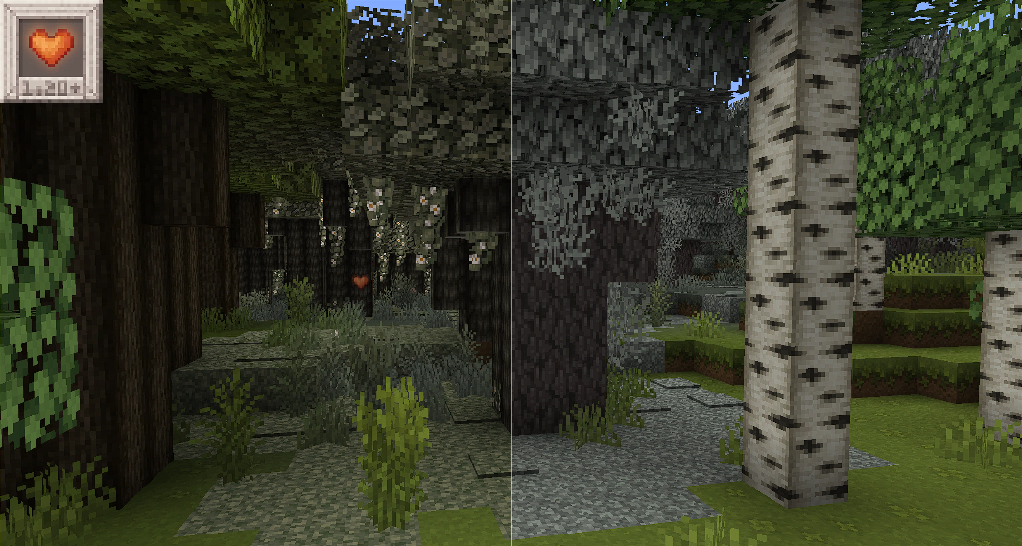
Currently, the pack supports most of the blocks from the Pale Garden drop update (1.21.4), and I plan to keep working on this until every new asset is in line with the classic Mizuno’s style.
Check out the **Slider Showcase Album to see what’s added in this pack!**
### Installation
This pack is an add-on that contains none of Mizuno’s own textures, you still need to download the original pack from its official Mediafire link, but keep this pack on top of your list!
*Download the builds used in our showcases!*
*Requires Mizuno’s 16x JE*
*Check out Overgrown Flowery GUI, its used in the showcase images!*
*Check out Astralex Shaders, it’s used in the Banner image!*
*Some assets derived from Abyssal Decor.*
*Some assets derived from Pixel Perfection Legacy*
*Find more Mizunos Resource Packs and addons*
*This pack utilizes Everybody Loves: Bees.*


⚔️MOB Items⚔️
Makes that mobs wield custom-designed items and weapons, bringing a fresh new visual to your gameplay.

**Blood’n Bones**
– Bone Bow for Skeletons
– Frost Bow for Strays
– Mossy Bow for Bogged
– Rusty n Bloody Sword/Shovel for Zombies and Husks
– Mossy Fishing Rod & Nautilus Shell for Drowned
**Illager Arsenal:**
– Pillager Crossbows
– Vindicator Axes
– Patrol Helmet (for raid leaders instead of a banner in their head)
– Vex Sword (pixel consistent and translucent)
**Inferno Weaponry:**
– Golden Wrath Axe for Piglin Brute/Zombie Piglin
– Golden Spiked Sword for Piglin/Zombie Piglin
– Golden Crimson Crossbow for Piglin/Zombie Piglin
– Golden Crimson Rod for Zombie Piglin
– Ashen Blade for Wither Skeleton
– Withered Bow for Wither Skeleton
**Friendly Gang:**
– Pandas holding/eating Bamboo has a 3d model
– Pandas holding/eating Cake has a 3d model
– Foxes also eats 3d cakes and bamboos, they were jealous
**EXTRA:**
– Players hold 3d cake and bamboo as well (needs the ADD-ON)
Check my other Packs:
– **Amoozing COWS**
– **Cluckin’ CHICKS**
– **Better BATS**
– **MOB Items**
– **ENCHANTRAX**
– **Better Keys**
– **Iridescent Star**
– **Golem Toys**
#### • Resourcepack made by itsMarkiS • @Markis_ArtS


