Reader

### [Join the discord to interact with me and others about Minecraft](https://discord.gg/QZUJtsbkcY)
##  OVERVIEW 
This datapack is inspired by the [WAILA](https://www.curseforge.com/minecraft/mc-mods/waila) series. It is compatible with mods and has support for custom blocks from datapacks.
Notes:
Requires:
– [Data API](https://modrinth.com/project/ZS3lIxKu)
##  FEATURES 
– *Visit the [wiki](https://github.com/GenMode/Minecraft/wiki/Reader) for more information*
Custom Delevopment Support
– Add the tag `data.block` to an entity so that its name can be displayed as a block
Gameplay
– The names of `blocks/entities` are displayed on your `actionbar` when looking at them
##  ALSO CHECK OUT 
| Datapacks |
| :-: |
| [](https://modrinth.com/project/W9qgAZfz) [](https://modrinth.com/project/FMLlwNZj) [](https://modrinth.com/project/RWf9UJdD) [](https://modrinth.com/project/L45eoNGD) |
—
| Projects | Social | Support |
| :-: | :-: | :-: |
| [](https://legacy.curseforge.com/members/genmodetwitch/projects) [](https://modrinth.com/user/GenMode) [](https://www.planetminecraft.com/member/gen/) [](https://smithed.net/GenMode) | [](https://discord.gg/QZUJtsbkcY) [](https://twitter.com/DatapackGen) | [](https://ko-fi.com/genart_) [](https://www.patreon.com/GenMedia) |
Rainbow Diamond Sword eo
Rainbow Diamond Sword
A simple and vibrant resource pack that transforms the diamond sword into a glowing rainbow (RGB) weapon.
This pack replaces the default diamond sword texture with a smooth animated rainbow gradient, making your combat look more colorful and stylish in-game.
Rabbit Shield
# Rabbit Shield
This resource pack replaces the default shield with a custom 3D model.
The design uses a rabbit theme.
No OptiFine required. Vanilla compatible.
## More Shield Themes
– [Black](https://modrinth.com/project/noire-shield)
– [Blue](https://modrinth.com/project/blue-shield)
– [Creeper](https://modrinth.com/project/creeper-shield)
– [Dark Red](https://modrinth.com/project/dark-red-shield)
– [Mirror](https://modrinth.com/project/mirror-shield)
– [Navy Blue](https://modrinth.com/project/navy-blue-shield)
– [Red](https://modrinth.com/project/red-shield)
Quieter Pistons
Reduces the noise produced by Pistons and Sticky Pistons, without affecting other sounds.
Version **1.9 and above** supports changing sounds using json files, decreasing file sizes and increasing performance.
Versions **below 1.9** use the only way to do this, a quieter sound replacement and might require a game restart.

Click here or on the image above for the Mute version
**You might also want to use:**
|[](https://modrinth.com/resourcepack/quieter-dispensers-and-droppers)|[](https://modrinth.com/resourcepack/mute-dispensers-and-droppers)|[](https://modrinth.com/resourcepack/old-water)|[](https://modrinth.com/resourcepack/old-bedrock)|[](https://modrinth.com/resourcepack/new-bedrock)|[](https://modrinth.com/resourcepack/vanilla-hearts)|[](https://modrinth.com/resourcepack/vanilla-hunger)
|:-:|:-:|:-:|:-:|:-:|:-:|:-:|
|[Quieter Dispensers and Droppers](https://modrinth.com/resourcepack/quieter-dispensers-and-droppers)|[Mute Dispensers and Droppers](https://modrinth.com/resourcepack/mute-dispensers-and-droppers)|[Old Water](https://modrinth.com/resourcepack/old-water)|[Old Bedrock](https://modrinth.com/resourcepack/old-bedrock)|[New Bedrock](https://modrinth.com/resourcepack/new-bedrock)|[Vanilla Hearts HUD](https://modrinth.com/resourcepack/vanilla-hearts)|[Vanilla Hunger HUD](https://modrinth.com/resourcepack/vanilla-hunger)
Quieter Dispensers and Droppers
Reduces the noise produced by Dispensers and Droppers, without affecting other sounds.
Version 1.9 and above supports changing sounds using json files, decreasing file sizes and increasing performance.
Versions below 1.9 use the only way to do this, a quieter sound replacement and might require a game restart.

Click here or on the image above for the Mute version
**You might also want to use:**
|[](https://modrinth.com/resourcepack/mute-pistons)|[](https://modrinth.com/resourcepack/quieter-pistons)|[](https://modrinth.com/resourcepack/old-water)|[](https://modrinth.com/resourcepack/old-bedrock)|[](https://modrinth.com/resourcepack/new-bedrock)|[](https://modrinth.com/resourcepack/vanilla-hearts)|[](https://modrinth.com/resourcepack/vanilla-hunger)
|:-:|:-:|:-:|:-:|:-:|:-:|:-:|
|[Mute Pistons](https://modrinth.com/resourcepack/mute-pistons)|[Quieter Pistons](https://modrinth.com/resourcepack/quieter-pistons)|[Old Water](https://modrinth.com/resourcepack/old-water)|[Old Bedrock](https://modrinth.com/resourcepack/old-bedrock)|[New Bedrock](https://modrinth.com/resourcepack/new-bedrock)|[Vanilla Hearts HUD](https://modrinth.com/resourcepack/vanilla-hearts)|[Vanilla Hunger HUD](https://modrinth.com/resourcepack/vanilla-hunger)
Que Pro Meme Bricks
[Check collection with all memes + streamers Totems ](https://modrinth.com/collection/sfDcDGAi)
Resource Pack adds many redraw default bricks with the custom image Que Pro Face Meme from 2020, roblox face meme or man face (New Blocks, stairs, slabs, items (nether variant and default) and Flower Pots)
Qube Pack
This resource pack gives some blocks more volume, while maintaining the original texture of the block.
Prefer OpenGL
# Prefer OpenGL
This project includes loader-specific entrypoints for:
– Fabric
– Quilt (in development)
– Forge
– NeoForge (in development)
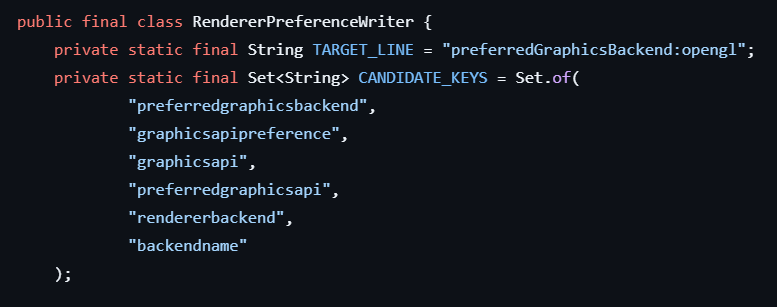
All variants call the same shared logic to force an OpenGL renderer preference by editing `options.txt`.
**Shared behavior**
On client startup, each loader entrypoint ensures one of these keys is set to OpenGL:
– `graphicsApiPreference:prefer_opengl`
– `graphicsApi:prefer_opengl` (legacy fallback)
If neither exists, it appends `graphicsApiPreference:prefer_opengl`.
Important note!
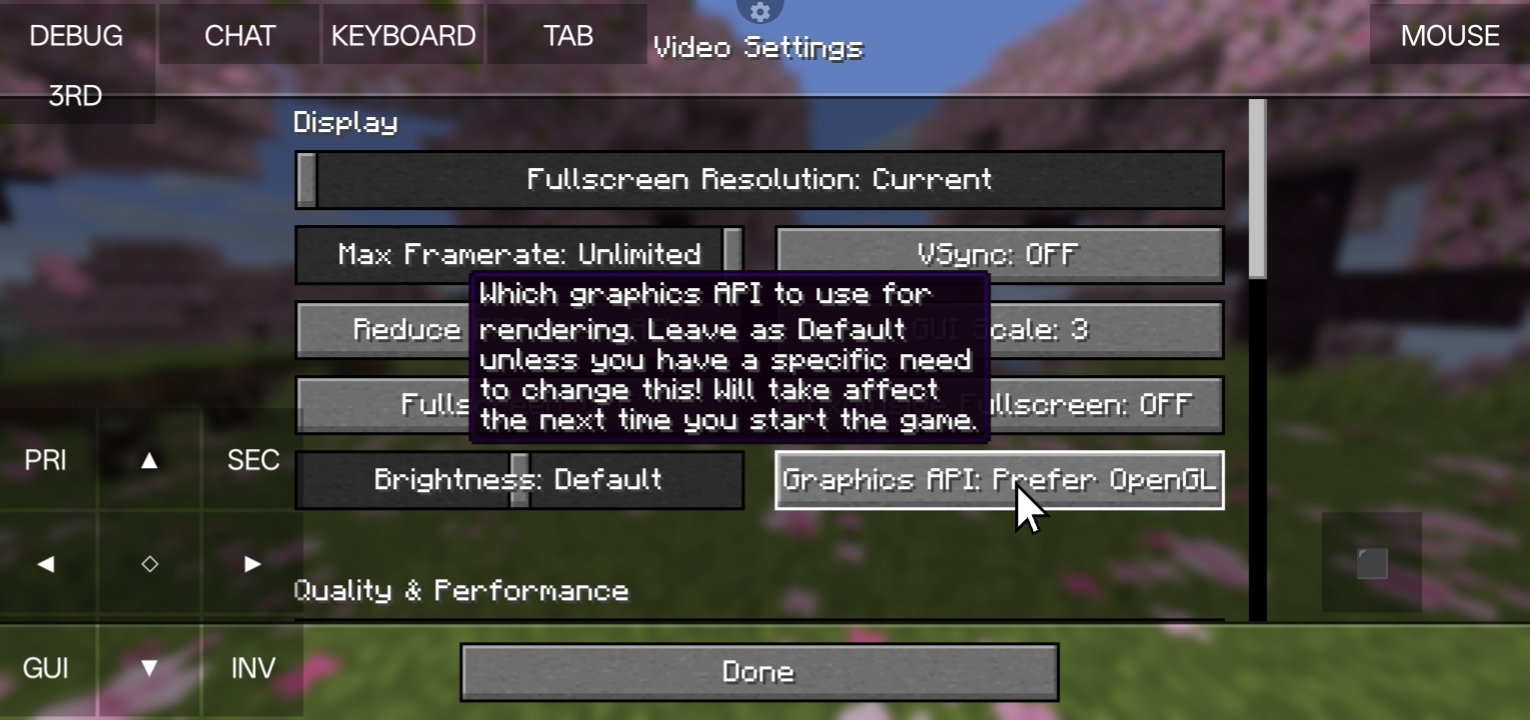
This mod fixes crash on Amethyst Launcher (and other mobile java launchers) which does have vulkan but doesn’t have some librarys. So, Minecraft switchs to Vulkan API and crashes. More ever what this mod does is it forces OpenGL as the renderer API. And if you’re device supports Vulkan API please don’t use this mod first try if Vulkan works or not.
Powder Snow Alerts
# Powder Snow Alerts
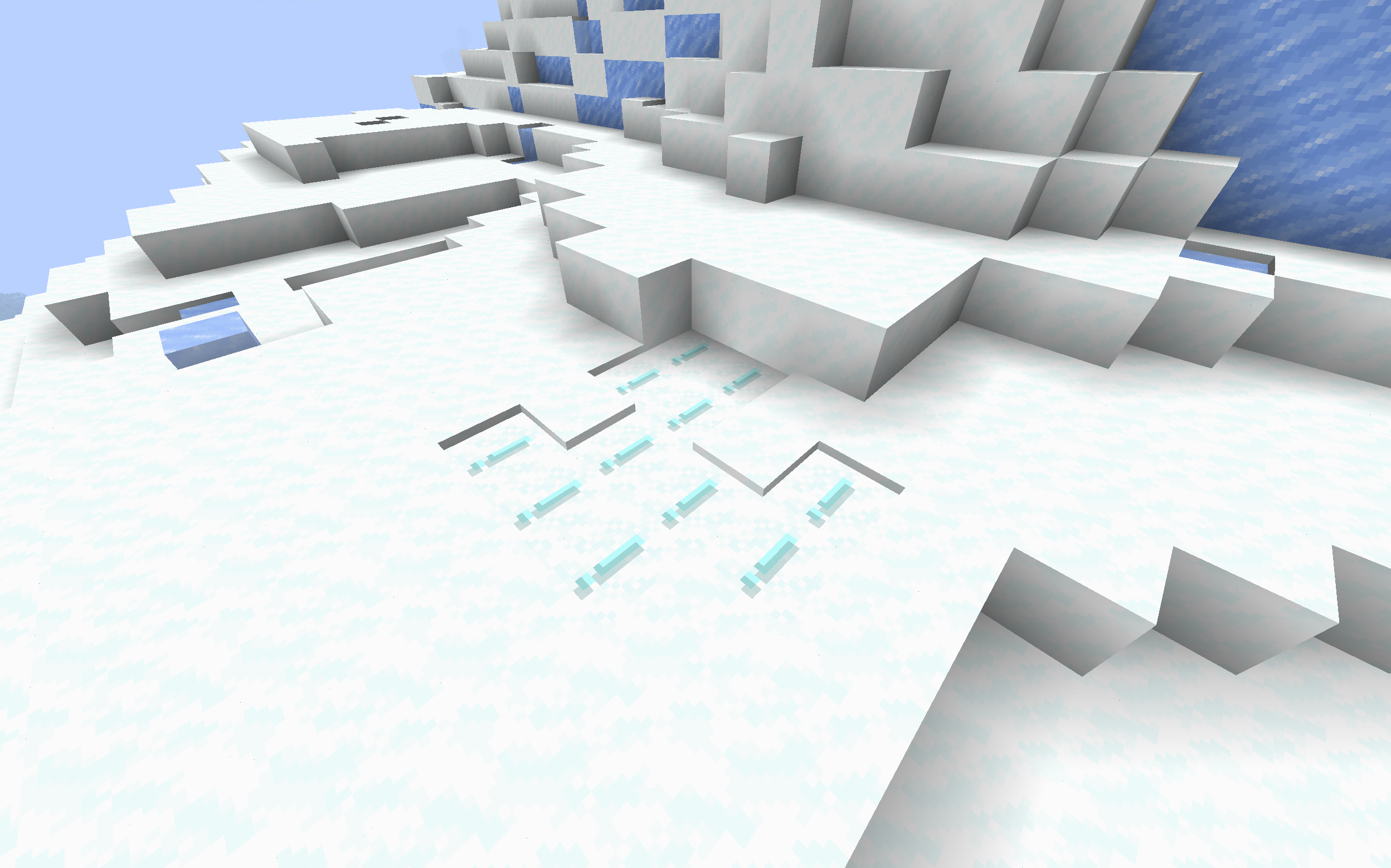
Makes powdered snow have an exclamation mark.
Thats it.
### Example
## FAQ
### Not Updated to version x:
The pack should work on all versions of the game, but if not, open an issue
### Usage in projects/modpacks:
I dont care if you use it in a project, however please credit me.
Potent Sulfur Rework
✨ Features
🔥 Main description
This feature allows players to uncraft one sulfur into nine smaller sulfur pieces.
It introduces a simple and efficient way to break down sulfur for more flexible usage.
⚙️ Use and benefits
With this process, players can easily manage their sulfur resources and adapt quantities to their needs.
It improves crafting precision and avoids wasting materials during recipes.
🧩 Gameplay integration
This system fits naturally into existing crafting mechanics.
It encourages better resource management while expanding possibilities for sulfur-based crafting.
🧪 Recipes

📥 Installation
📁 Datapack
Drop the .zip file into your world’s datapacks folder.
Reload the world or use /reload.
Enjoy your enchanted adventure!
⚙️ Mod
Drop the .jar file into the mods folder of your instance.
Restart your game.
Have fun!




