Optifine的文言文翻译
# ~~一个没啥用的介绍~~
大家都知道,Minecraft在**1.17.1-pre2**的时候支持了对**文言文**的支持,~~这让从古代穿越过来的古人流程游玩Minecraft的可能性大大增强~~
**但是**,根据调查,发现只有**一部分模组**支持了文言文,而**大众模组Optifine却没有支持文言文**,于是,_Optifine-Lzh_应然而生,我们使用了AI将Optifine的语言进行~~翻译~~,确保它能在大部分的版本下运行.所以,理论上来讲,Optifine-Lzh是支持**1.17.1-pre2以上所有Optifine版本的**.
介绍视频(Bilibili)
Old Ore Textures
This resource pack brings back the old ore textures from versions before 1.17.
It replaces the new ore textures with the classic ones that were used in older versions of Minecraft.
Works with modern Minecraft versions and keeps the original vanilla style.
Old Clouds
# About
This Resource pack brings back the old clouds from pre 25w21a and that is basicly it
Ohmygod (Омайгад) Mellstroy Totem of Undying
– RU: «Омайгад» — это мем, связанный с стримером Меллстроем. В его основе — реакция Меллстроя на стриме, когда он производит эмоциональную жестикуляцию и произносит: «О май гад. Них.., красавчик».
Фраза вместе с выражением лица стали частью Меллстрой-мем-вселенной. Например, появился персонаж Омайгадность в сезоне «Село Молочное»
– EN: “Omaygad” is a meme associated with the streamer Mellstroy. It is based on Mellstroy’s reaction on the stream, when he makes emotional gestures and says, “Oh my god. Nikh.., handsome.”
The phrase, along with the facial expression, has become part of the Mellstroy meme universe. For example, the character Omaygadnost appeared in the “Molochnoye Village” season.
– Тотем я уже красный со звуком-totem-of-undying)
– Тотем Меллстрой
– ПОЛНАЯ КОЛЛЕКЦИЯ РЕСУРСПАКОВ – МЕМЫ + СТРИМЕРЫ
Oaks Better Beds
## Disclaimer
This Resource Pack will only work for version 26.2 snapshot 3 and above
## Description
Upgrade your Minecraft beds with a redesigned custom bed model that adds detail, and personality to your builds. This resource pack enhances the classic be, while still preserving the familiar vanilla style.
## Changelog
### v1.0
– Full Release
### v1.1
– Fixed Minor Z-Fighting issue with beds against walls.
### v1.2
– Fixed Z-Fighting issue when beds where side by side
– Replaced bed_down texture with oaks_planks inside the json for better resource pack compat
o7 7TV Totem of Undying
– ENG: **O7** is an emoji that represents giving a salute. O represents a person’s head, and 7 represents a raised hand with a bent elbow
– RU: **O7** это эмодзи, который означает отдание чести. О символизирует голову человека, а 7 — поднятую руку с согнутым локтем
– Тотем Я уже Красный-totem-of-undying)
– Тотем Меллстрой
– Colored Bricks
– MACAN Music Discs
– MACAN Totem of Undying
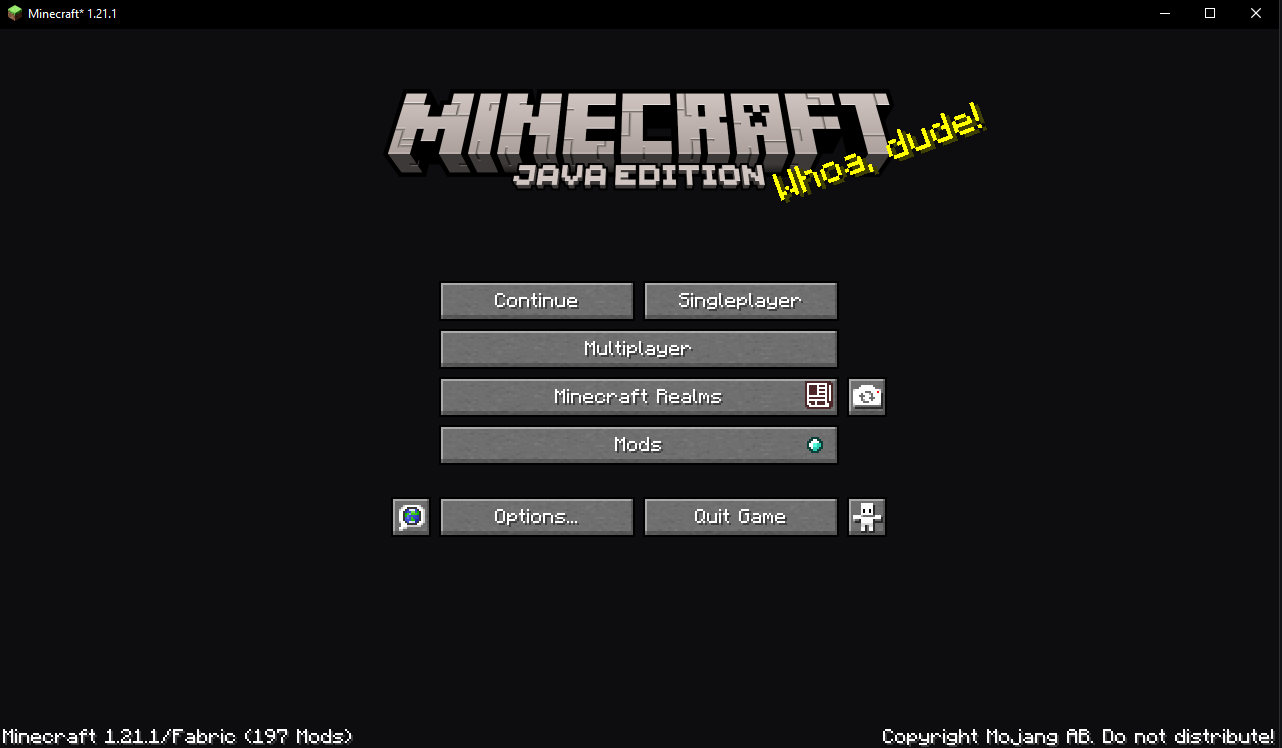
NoPanorama
The game’s main menu changes to a minimalistic gray and blue
No More Pumpkin Blur
**🎃 No more Pumpkin Blur**
**✨ Say goodbye to the pumpkin blur!**
Tired of the annoying blurry overlay when wearing a carved pumpkin?
This pack removes the blur effect so you can finally see clearly while staying safe from Endermen 👀💥
**🔧 What it does:**
– ✅ Removes the carved pumpkin overlay
– ✅ Keeps everything else vanilla-friendly
– ✅ Perfect for survival, PvP, or just looking cool!
**🧩 Works with:**
Minecraft Java Edition
Compatible with Vanilla, OptiFine, Sodium, and more
Plug-and-play — no setup needed!
**📦 Installation:**
Download the pack
Drop it into your resourcepacks folder
Enable it in-game
Done! 🎉
💬 Feedback welcome! Enjoy a clearer Minecraft experience!
Black Shield
# Black Shield
This resource pack replaces the default shield with a custom 3D model.
The design uses a black theme.
No OptiFine required. Vanilla compatible.
## More Shield Themes
– Blue
– Creeper
– Dark Red
– Mirror
– Navy Blue
– Rabbit
– Red
no.
# no.
This resource pack removes all miecraft textures: buttons, fonts, menus, icons, and most of the UI. The game becomes nearly impossible to navigate because nothing is displayed anymore. This pack is not designed for gameplay — it is simply a minimal, empty, and fully stripped‑down experience.
—
## ⚠️ Warning
This pack also removes **all** UI elements, including:
– Buttons
– Fonts
– Click sounds
Because of this, you may not be able to access settings, menus, or even disable the pack normally (unless you’re lucky to disable it).
To deactivate it, you must **rename the pack’s folder** so Minecraft cannot load it, or **delete the pack** from your resourcepacks directory.
Use with caution.