Netherite Lava
**Mod also works with all of the Latest Snapshots!**
A Very Self-Explanatory Mod that gives you Fire Resistance when wearing Full Netherite Armor.
A slight downside is losing 1 Durability on each piece of Armor every 5 Seconds whilst burning!
If this Mod gets 50+ Downloads I will add a Config for the Mod that allows you to change or remove the Durability loss and do a NeoForge Version.
Nether Wart on Soul Soil
Frustrated builder trying to spice up their nether build? Too much spare soul soil in the storage and nothing to do with it? Tired of putting up with soul sand under your feet in your nether wart farm? Well, thanks to the great advancements of modern datapacks, here’s a datapack that lets you put Nether Wart on Soul Soil! That’s all.
NeoFullbright
# NeoFullbright
**NeoFullbright** is a **lightweight, 100% vanilla resource pack** that applies a **permanent fullbright effect** — no commands, no mods required, and without breaking text or the UI.
—
## ✨ Features
– Clear vision as if it’s daytime, even in caves or at night
– Interface and text remain **fully visible** (no broken fonts)
– Custom pack icon included
– **OptiFine compatible** (includes lightmaps)
– Ultra-light pack with **zero performance impact**
—
—

—
## 📥 Installation
1. Download the `.zip` file
2. Place it in your:
“`
.minecraft/resourcepacks
“`
3. Launch Minecraft → **Options → Resource Packs**
4. Enable **NeoFullbright** and move it to the top of the list
—
## 📥 Installation (via NeoFullbright Installer)
The easiest way to install the NeoFullbright resource pack is by using the **NeoFullbright Installer** — a small Java application that handles everything automatically.
1. Download has to wait 30 seconds and run the **NeoFullbright Installer** (`.jar` file)
2. Select your Minecraft version and confirm the default folder:
“`
.minecraft/resourcepacks
“`
3. Click **Install** — the latest compatible NeoFullbright version will be downloaded and activated automatically
4. Launch Minecraft → **Options → Resource Packs**
5. Confirm that **NeoFullbright** is enabled and placed at the top of the list
—
## 🔧 Compatibility
– ✅ **Minecraft 1.21.11**
– ✅ Works in **vanilla** (no mods required)
– ✅ Compatible with **OptiFine/Fabric/Iris**
– ⚠️ Not compatible with external shaders (they will override the effect)
—
## ⚠️ Note
If you use an external shader (BSL, Complementary, etc.), the NeoFullbright effect will be overridden.

Navy Blue Shield
# Navy Blue Shield
This resource pack replaces the default shield with a custom 3D model.
The design uses a navy blue theme.
No OptiFine required. Vanilla compatible.
## More Shield Themes
– Black
– Blue
– Creeper
– Dark Red
– Mirror
– Rabbit
– Red
MyLuckyBlock
# Overview
Add a lucky block to Minecraft 1.21+ that players can break to trigger random events.
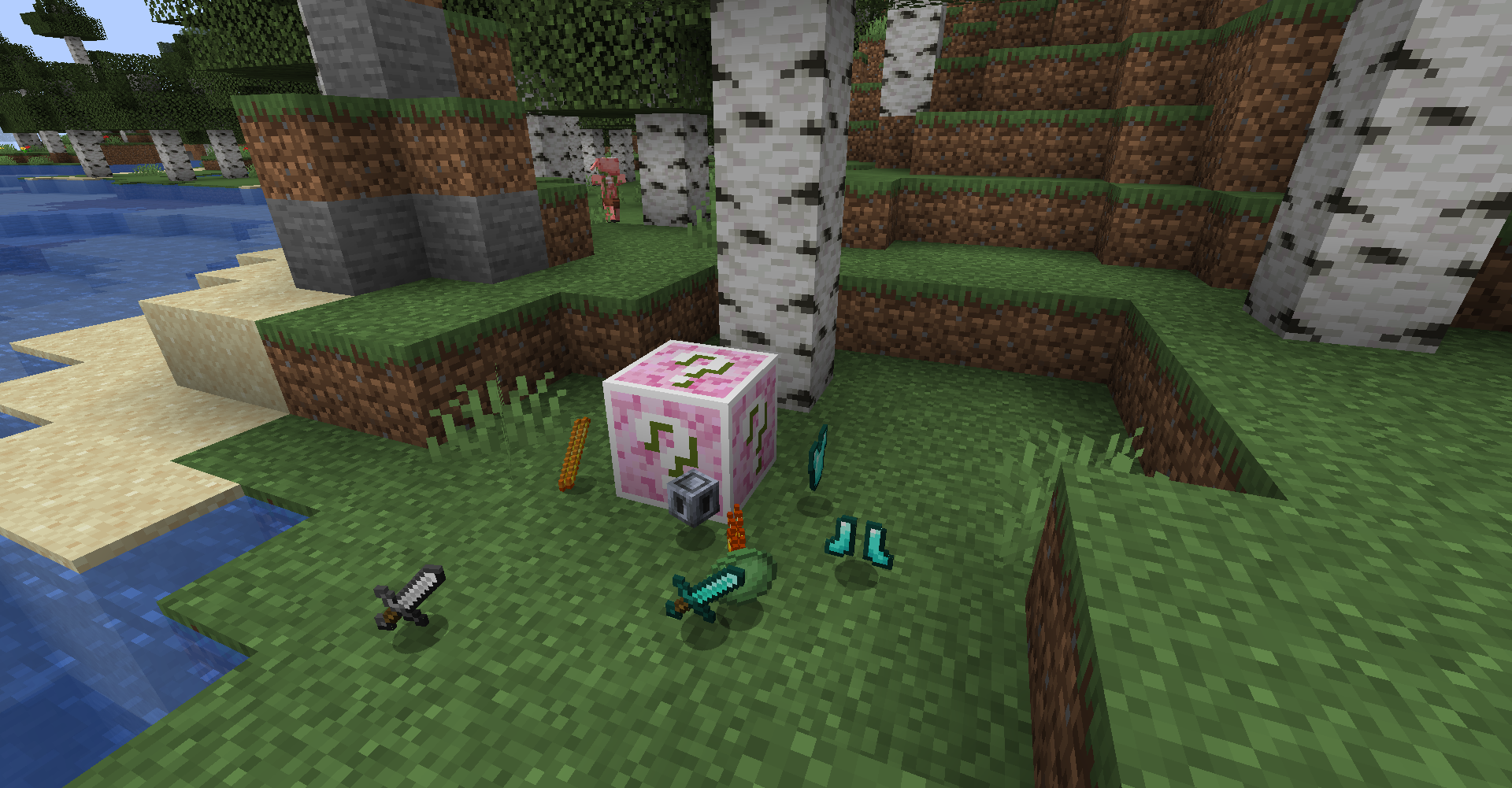
>Note: It’s easy to make addons by using datapack. (Wiki coming soon~)
# How to play
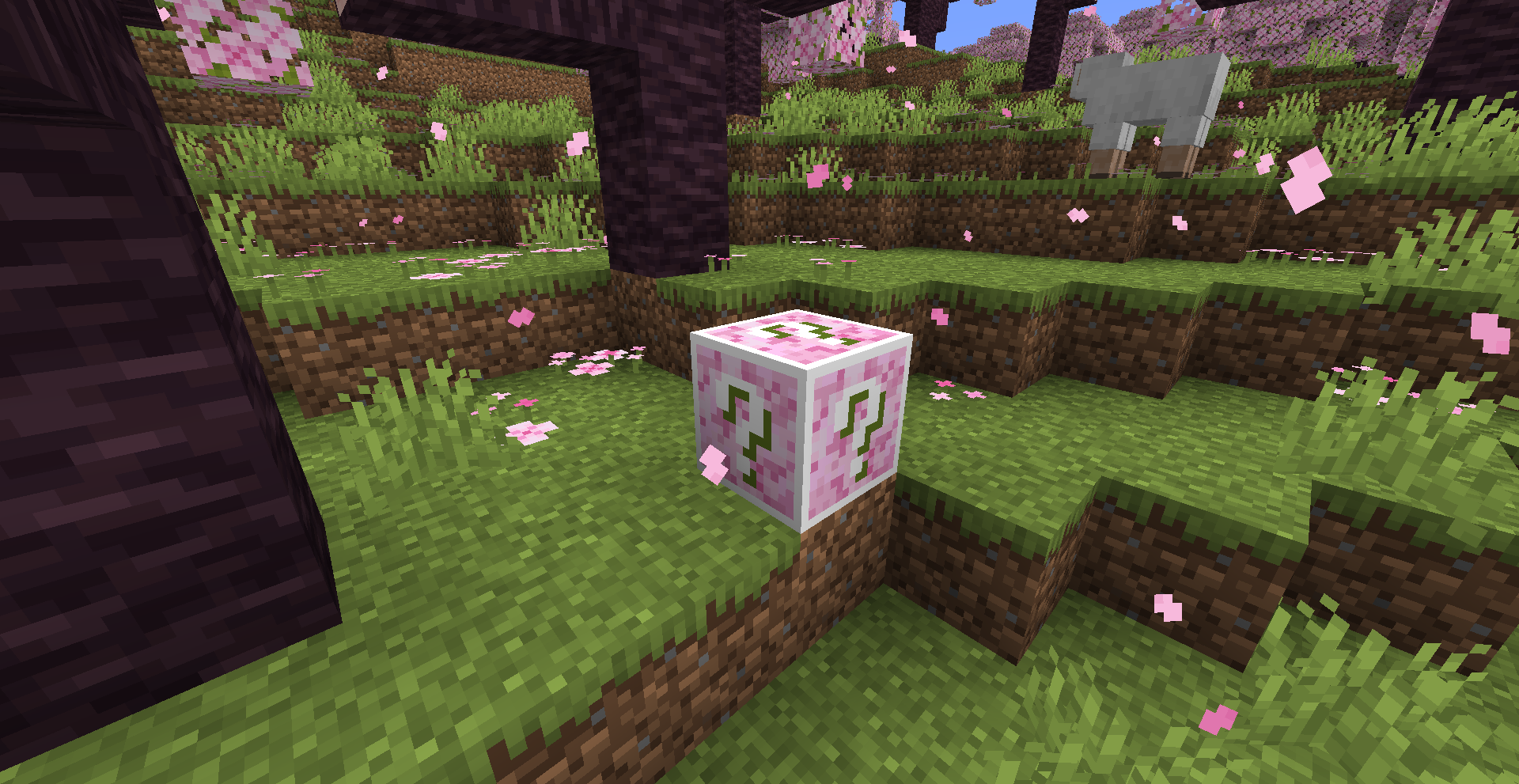
## World Gen
Lucky Block will be generated in vanilla biomes.
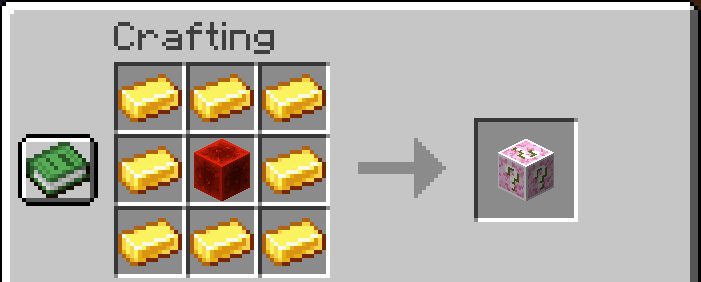
## Crafting
Lucky Block can be crafted with 8 gold ingots and 1 redstone block.
# Features
> Still Developing
– Drop Items
– Spawn Mobs
– Place Blocks
– Fall Blocks
– Place Chests
– Create Explosions
– Create Particles
– Send Messages
– Display Messages
# Attention
– May not English friendly?
– Memes from bilibili or somewhere
– Use SILK_TOUCH to avoid triggle events and drop itself
# Why
– Learn Minecraft Modding
– Have fun with my friends
– The original Lucky Block mod doesn’t update to minecraft 1.21+
Mute Pistons
Mutes the sounds produced by Pistons and Sticky Pistons, without affecting other sounds.
Version **1.9 and above** supports changing sounds using json files, decreasing file sizes and increasing performance.
Versions **below 1.9** use the only way to do this, a 0 seconds mute sound replacement and might require a game restart.

Click here or on the image above for the Quieter version
**You might also want to use:**
|||||||
|:-:|:-:|:-:|:-:|:-:|:-:|:-:|
|Quieter Dispensers and Droppers|Mute Dispensers and Droppers|Old Water|Old Bedrock|New Bedrock|Vanilla Hearts HUD|Vanilla Hunger HUD
Mute Dispensers and Droppers
Mutes the sounds produced by Dispensers and Droppers, without affecting other sounds.
Version 1.9 and above supports changing sounds using json files, decreasing file sizes and increasing performance.
Versions below 1.9 use the only way to do this, a 0 seconds mute sound replacement and might require a game restart.

Click here or on the image above for the Quieter version
**You might also want to use:**
|||||||
|:-:|:-:|:-:|:-:|:-:|:-:|:-:|
|Mute Pistons|Quieter Pistons|Old Water|Old Bedrock|New Bedrock|Vanilla Hearts HUD|Vanilla Hunger HUD
MS Painted
  
Due to the limited palette, the colourmap has been disabled. I recommend connected textures mods like OptiFine or Continuity to enable biome colours!

This pack was created in Microsoft Paint with a mouse (other programs were used for adding transparency to textures). Oh, and I only used Microsoft Paint’s default colour palette of 20 different colours (aside from hard-coded colours, but even they have been changed using OptiFine.). This started as a joke, but has grown into a fully developed and compete resource pack 😛
## Gallery


© 2026 Stridey. All rights reserved.
Motifity’s GUI (Simple GUI)

– Thanks for 100 downloads (~ ̄▽ ̄)~
Simple Minecraft GUI resource pack 1.21.x and 1.20.2-1.20.6 (Weighs 3MB)
# About resource pack
My first resource pack :3
This resource pack adds: Dark theme, new UI, improves the GUI a bit.
# What is it for?
If you want to make your UI simpler, that resource pack is perfect for it!
# Screenshot

# How to install?
Go to the folder Minecraft, find “resourcepacks” and upload my resource pack there.
# Plans
– Import this Resource pack for 1.21.11 (Completed!)
– Import this Resource pack for 1.20-1.20.1 (Impossible)
# Supported mod list
– Simple Voice Chat https://modrinth.com/plugin/simple-voice-chat/versions
– Mod menu https://modrinth.com/mod/modmenu/versions
– Sodium https://modrinth.com/mod/sodium/versions
# Creator
Motifity
More Sulfur
# More Sulfer
This Mod/Datapack allows the sulfer cube to absorb any block you could dream of and some have functions. Currently there is dynamic lighting for full light blocks. There is a lot more but have FUN
Absorbable Blocks With Functions
– Cactus
– Most Full Light Blocks