PvP Essentials+
⚔️ PVP ESSENTIALS ⚔️
—
### 🚀 Core Features
– Low fire
– small items
– small swords
– small blocks
– small totem and shield
– small block fire
– no fire smoke
– animated crossbow
– animated bow
– bright ores
– clear water and lava
– no pumkin blur
– smaller Totem Pop
– smaller totem particles
– no explosion particles
– No Vignette
– No Eating Particles
—
𝖯𝖵𝖯 𝖤𝖲𝖲𝖤𝖭𝖳𝖨𝖠𝖫𝖲 𝗂𝗌𝗇’𝗍 𝗃𝗎𝗌𝗍 𝖺 𝗍𝖾𝗑𝗍𝗎𝗋𝖾 𝗉𝖺𝖼𝗄; 𝗂𝗍’𝗌 𝖺 𝖼𝗈𝗆𝗉𝖾𝗍𝗂𝗍𝗂𝗏𝖾 𝖺𝖽𝗏𝖺𝗇𝗍𝖺𝗀𝖾. 𝖣𝖾𝗌𝗂𝗀𝗇𝖾𝖽 𝖿𝗈𝗋 𝗍𝗁𝖾 𝗆𝗈𝖽𝖾𝗋𝗇 𝖯𝗏𝖯𝖾𝗋, 𝗍𝗁𝗂𝗌 𝗉𝖺𝖼𝗄 𝗌𝗍𝗋𝗂𝗉𝗌 𝖺𝗐𝖺𝗒 𝗍𝗁𝖾 𝖼𝗅𝗎𝗍𝗍𝖾𝗋 𝗈𝖿 𝗏𝖺𝗇𝗂𝗅𝗅𝖺 𝖬𝗂𝗇𝖾𝖼𝗋𝖺𝖿𝗍 𝖺𝗇𝖽 𝗋𝖾𝗉𝗅𝖺𝖼𝖾𝗌 𝗂𝗍 𝗐𝗂𝗍𝗁 𝗁𝗂𝗀𝗁-𝗏𝗂𝗌𝗂𝖻𝗂𝗅𝗂𝗍𝗒 𝗈𝗏𝖾𝗋𝗅𝖺𝗒𝗌, 𝗎𝗍𝗂𝗅𝗂𝗍𝗂𝖾𝗌 𝖺𝗇𝖽 𝗈𝗉𝗍𝗂𝗆𝗂𝗓𝖾𝖽 𝗏𝗂𝗌𝗎𝖺𝗅𝗌 𝗍𝗈 𝖾𝗇𝗌𝗎𝗋𝖾 𝗒𝗈𝗎 𝗇𝖾𝗏𝖾𝗋 𝗆𝗂𝗌𝗌 𝖺 𝗁𝗂𝗍.
T2X2 Totem of Undying
– **T2X2** is a popular Twitch streamer known for his memes and TikToks, streaming and playing games like Tropico. RP replaces the totem of immortality with a meme photo of himself (from the meme).
– **T2X2** это популярный твич стример который известен за счет мемов и тиктоков с ним, стримит и играет в игры, к примеру Tropico. РП заменяет тотем бессмертия на его мемное фото (из мема)
[ALL RESOURCEPACKS COLLECTION: MEMES + STREAMERS](https://modrinth.com/collection/sfDcDGAi)
Sword Blocking
# What this datapack/mod adds
This datapack/mod will let you block with swords like it was in 1.8 but with all the other 1.9 features. You can explore the world and say hello by waggling your sword at people.
# Note
once added to world it cannot be reversed
# Report bugs here
[My Discord Server](https://discord.gg/bDhK6ZK6Mc)
Swapped textures
Randomly shuffled item and block textures, only maching sizes to each other making sure they all should “work”. Even with it random it is all technically playable even though things like a elytra looks like bread, and the top of grass blocks being Chorus Flowers. Note that these textures are differently swapped for different versions of the game. So everytime you update, it will be different lol.
This texturepack is just meant to be for fun and to see what I can do in texturepacks.
—
### 🌍 Want Your Own Minecraft Server?
Running an **SMP**, playing with friends, or testing mods and plugins?
**ByteBuilders Hosting** delivers fast, reliable Minecraft servers at affordable prices.
🚀 **Features include:**
– ⚡ High-performance nodes
– 💾 **Unlimited storage***
– 🔄 **Unlimited backups***
– 🛠️ Simple control panel
– 🤝 Helpful support
🎁 **Get 20% OFF your server** using this affiliate link:
👉 **[Click here to get 20% off at ByteBuilders Hosting](https://billing.bytebuilders.co.za/aff/BF20)**
—
SwapColumn
# SwapColumn
A Minecraft Fabric mod that lets you swap items between your hotbar and the inventory slots directly above it — without opening your inventory.
## How It Works
SwapColumn adds a **vertical swap column** above any hotbar slot. When triggered, a small menu appears showing the items stacked above your selected slot. Choose one and it swaps instantly into your hotbar.
### Opening the Menu
**Mode 1 — Number Key:**
Press the number key of the hotbar slot you are *already on*.
Example: you are on slot 3, press `3` — the SwapColumn opens above slot 3.
**Mode 2 — Keybind:**
Press your configured SwapColumn key (unbound by default).
Set it under **Options → Controls → SwapColumn**.

### Selecting an Item
**Click mode:**
– Mode 1: press `1`–`4` to select a row (`1` = current hotbar item, cancels the swap)
– Mode 2: press `1`–`3` to select a row, press the SwapColumn key again to cancel
**Scroll mode:**
Hold the opening key and scroll to highlight a row, then release to confirm.
—
## Configuration
The config file is located at `.minecraft/config/swapcolumn.json` and is created automatically on first launch.
“`json
{
“enableCycling”: false,
“enableSlotTexture”: true
}
“`
| Option | Default | Description |
|—|—|—|
| `enableCycling` | `false` | When scrolling, wrap around from top to bottom and vice versa. Note: scrolling down on the first action always wraps regardless of this setting. |
| `enableSlotTexture` | `true` | Render slot backgrounds using the vanilla hotbar texture. Disable if your texture pack causes visual issues. |
**Note:** Mod Menu support is planned. Until then, changes to the config file require a game restart to take effect.
—
Svrve’s Dragon Egg
[
](https://www.planetminecraft.com/member/nickshoof/) | [](https://www.curseforge.com/members/nickshoof/projects) | [](https://modrinth.com/user/NickShoof) | [](https://discord.com/)
[
](https://ko-fi.com/nickshoof)
You can buy monthy subscription to get faster updates on KO-FI
****
#
**About**
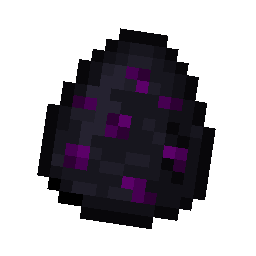
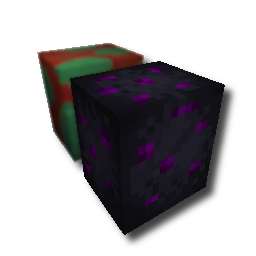
With this pack i modeled the dragon egg becouse why it its so old looking and different than sniffer’s.
.
#
**FAQ**
> **How to install resourcepacks?**
– There are a lot of tutorial out there on youtube, that will explain this better than me, but just download something from trusted sites like modrinth or curseforge, then drag this file to folder that will pop out if you click “Open Pack Folder” in Minecraft.
> **Can i use some textures from Svrve’s Dragon Egg in my pack**
– As long as its not distributed, yes you can. If you want to publish it, just ask me before doing it.
Immersive Torches
[
](https://www.planetminecraft.com/member/svrve/) | [](https://www.curseforge.com/members/svrve/projects) | [](https://modrinth.com/user/Svrve) | [](https://discord.com/)
[
](https://ko-fi.com/svrve)
You can buy monthy subscription to get faster updates on KO-FI
****
#
**About**
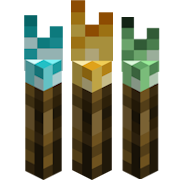
This pack is all about torches, make them an item texture, animate it, change model, also animate it. Thats all.
.
#
**FAQ**
> **How to install resourcepacks?**
There are a lot of tutorial out there on youtube, that will explain this better than me, but just download something from trusted sites like modrinth or curseforge, then drag this file to folder that will pop out if you click “Open Pack Folder” in Minecraft.
> **Can i use some resources from it in my pack?**
After installing it, open the file you downloaded (.zip). Here you will find licence. Read it.
Sun & Moon Paw
Another paw pack: [PawCookie](https://modrinth.com/resourcepack/pawcookie)
The Sun and Moon Paw resource pack replaces the sun and moon phases with a cute paw, giving your world a unique, playful, and charming atmosphere.

Sulfur To Brimstone
This resource pack renames all Sulfur Items to Brimstone, as requested in [Mogswamp’s video](https://www.youtube.com/shorts/-YguEYsl-A8).
Supports: All English languages in Minecraft: Canadian English, British English, American English, etc.
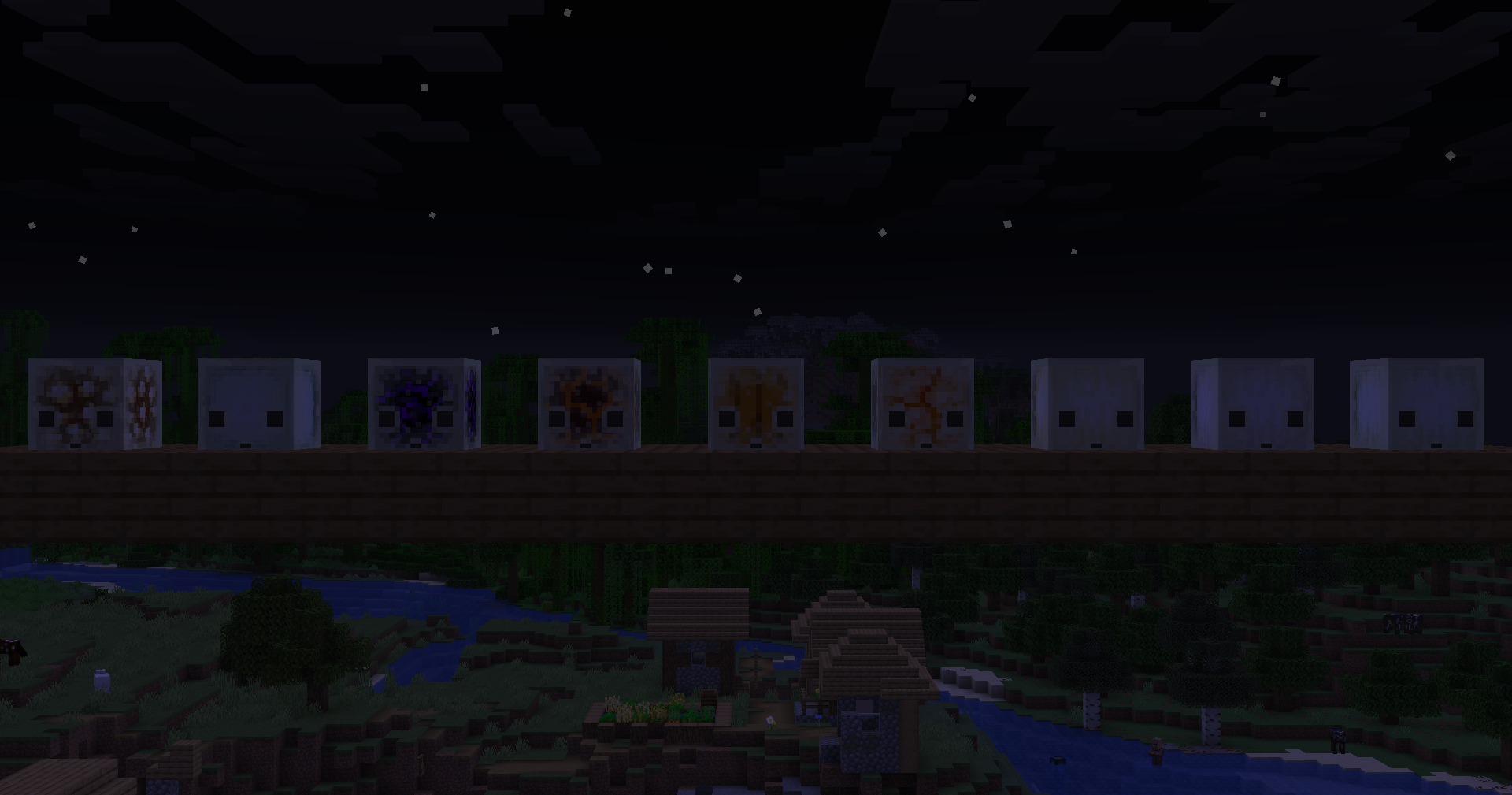
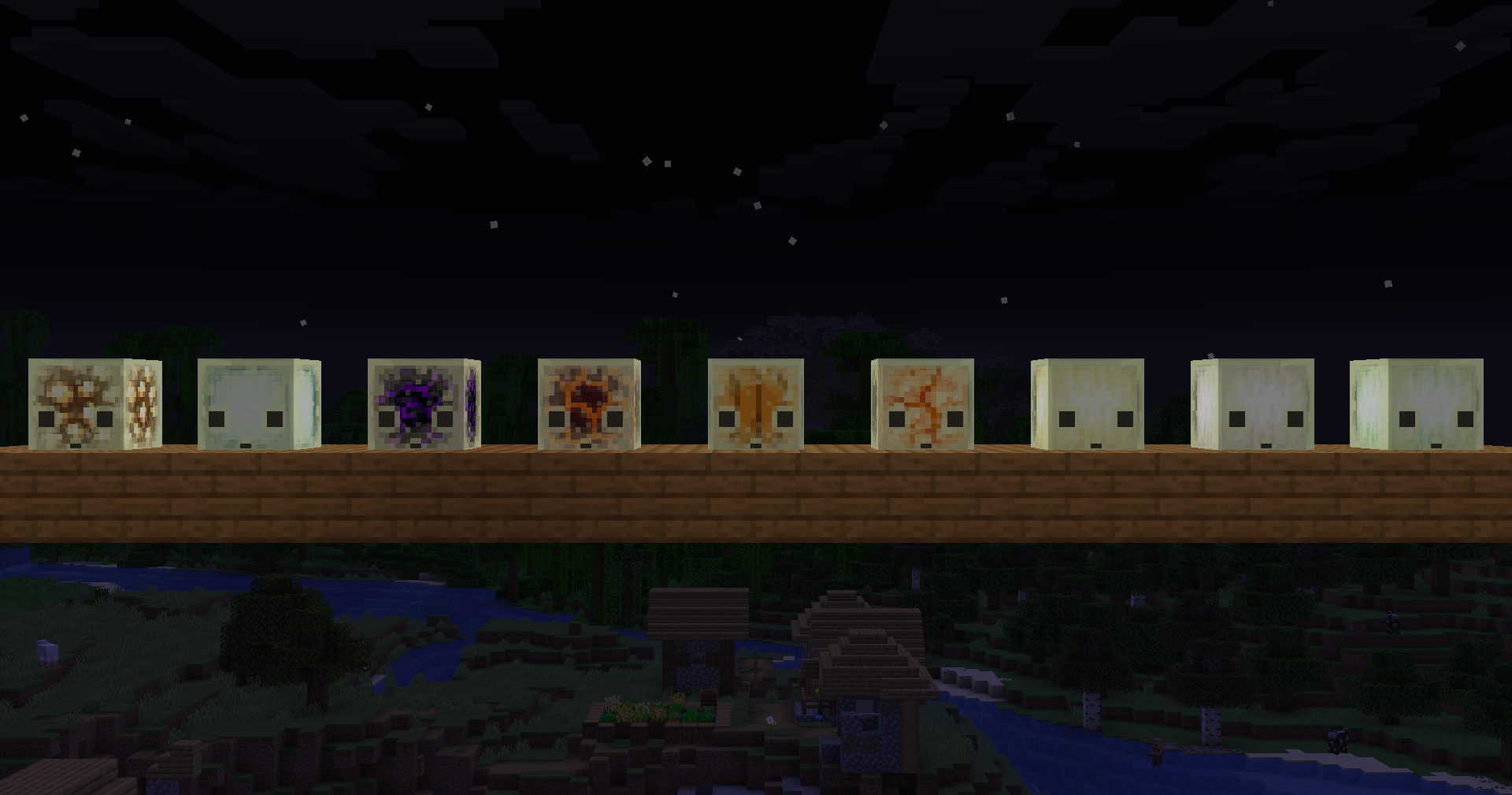
SulfurCubes+




Supported Versions:

## Features
### TNT Cubes
As of 26.2 snapshot 5, **Mojang added TNT support for sulfur cubes it to the game themselves**. Good job Mojang! 🎉
The original feature for this mod was inspired by [u/TheJoeFly](https://www.reddit.com/user/TheJoeFly/) ([original post](https://www.reddit.com/r/PhoenixSC/comments/1s03lww/now_the_important_question_will_we_be_able_to/))
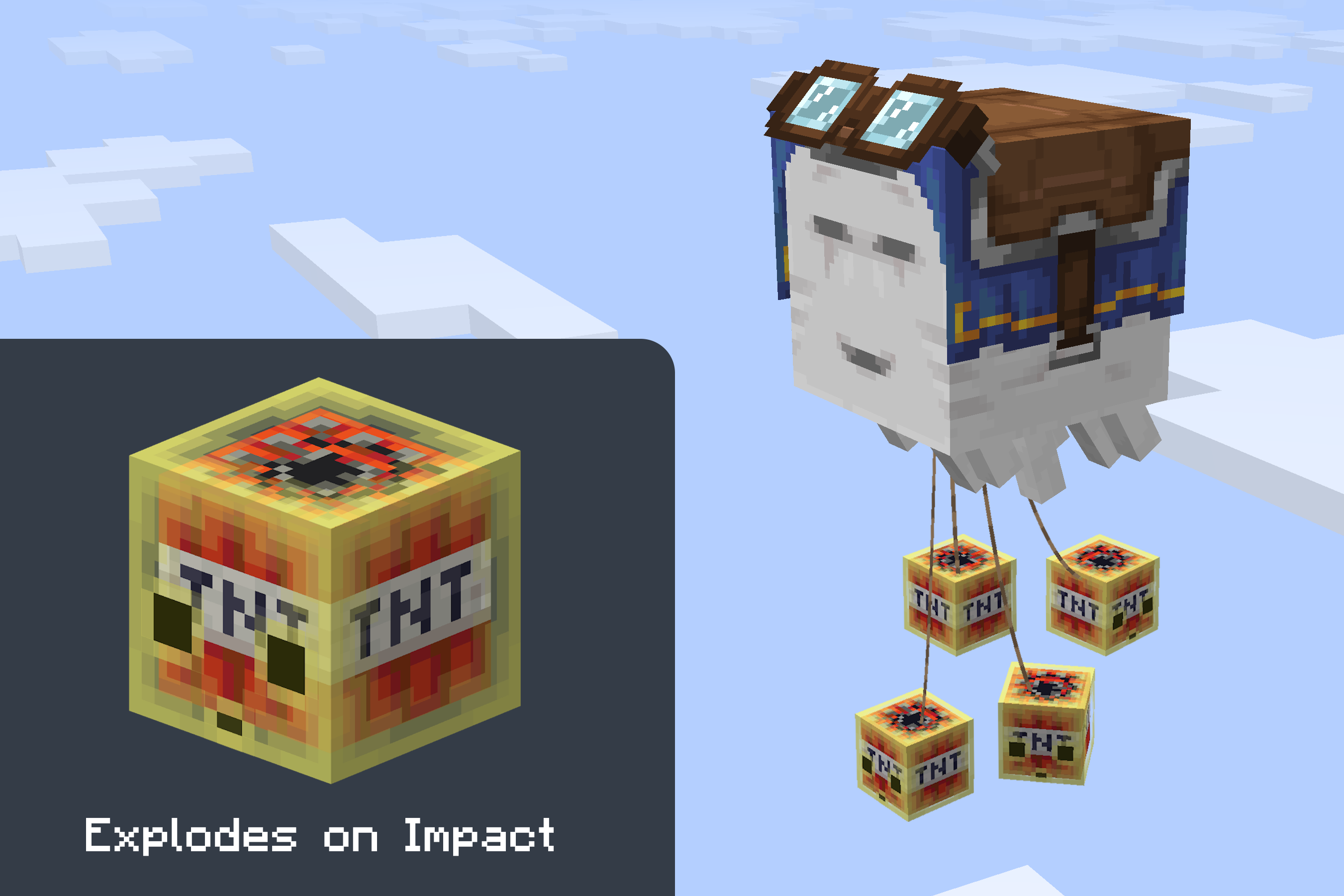
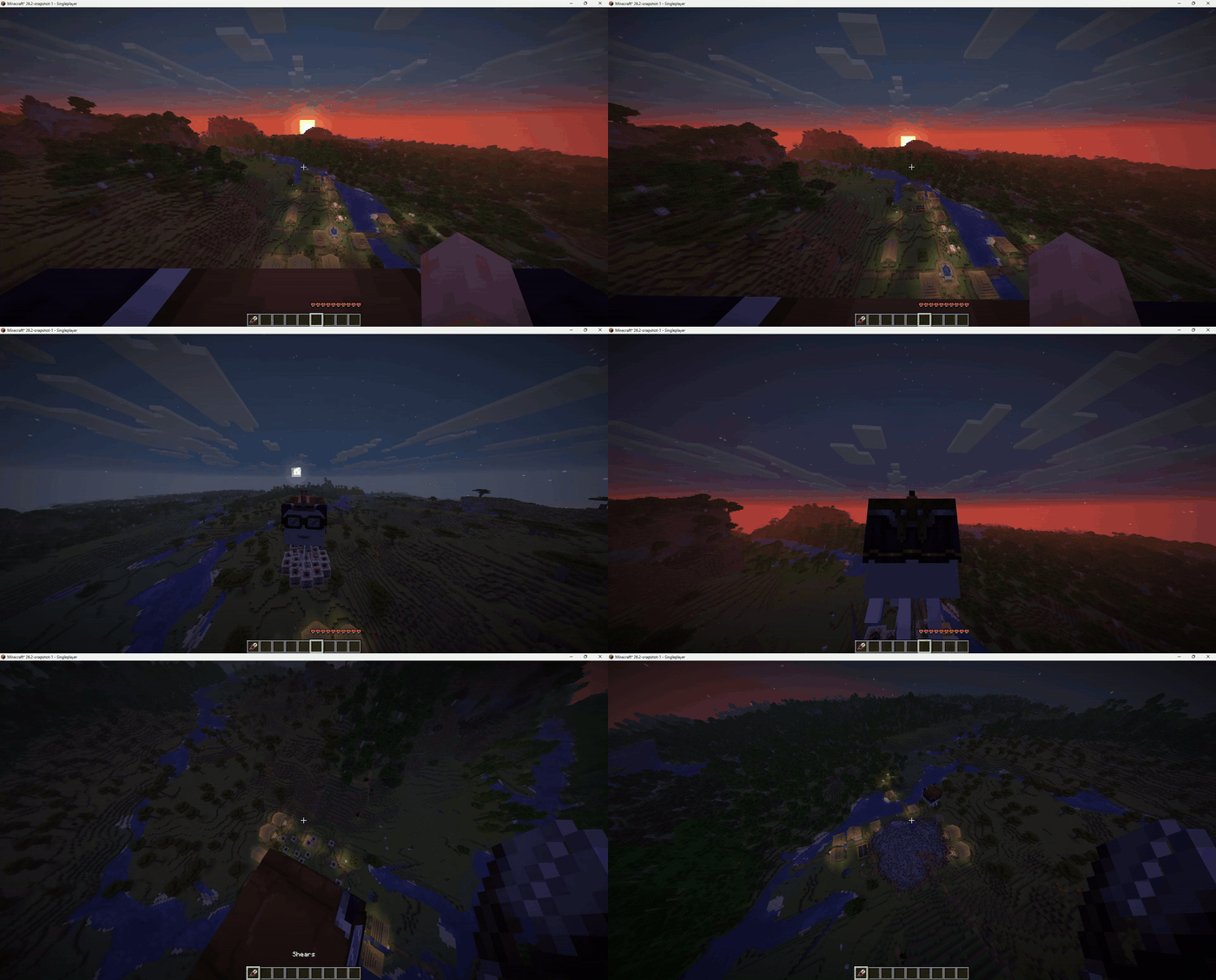
From v0.7.0 onward this mod uses the vanilla implementation. The only additions on top are: the fuse triggers on any direct hit, and the bigger the cube, the bigger the boom. A Sulfur Nuke is now possible. But how would you even get a cube that big?
—
### Light Cubes
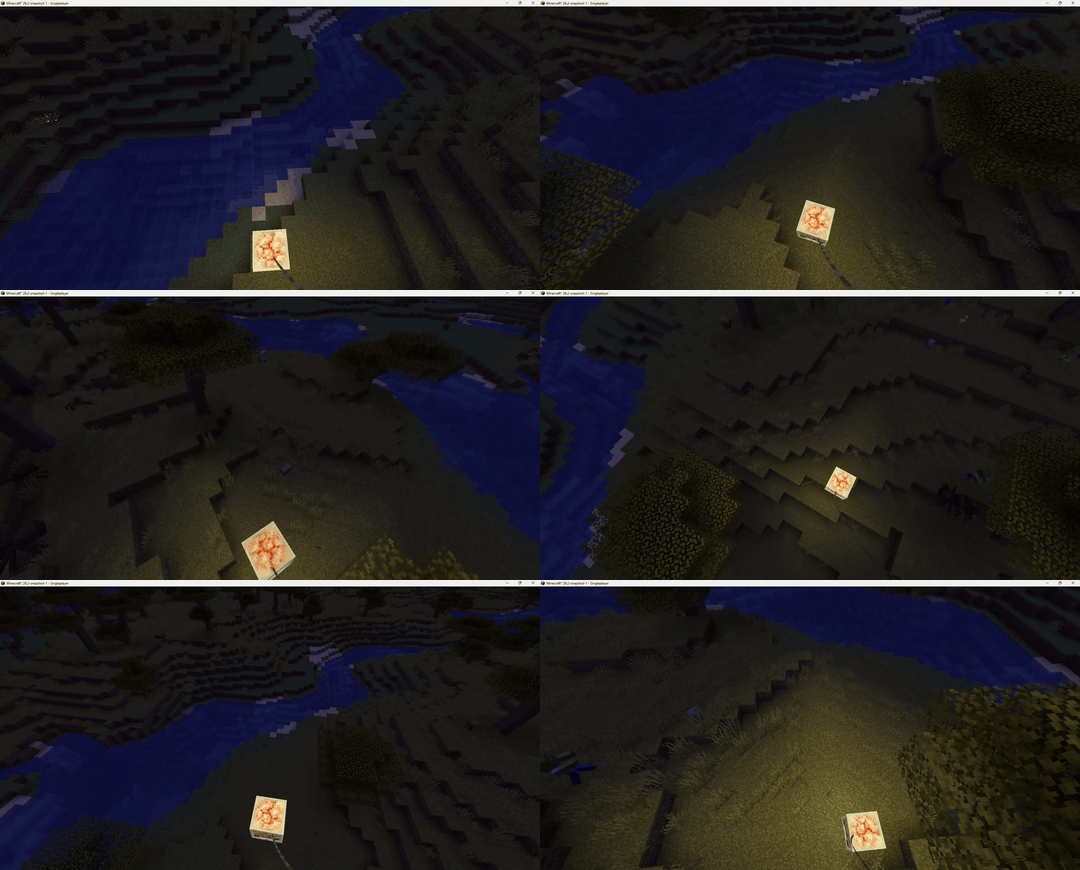
Sulfur cubes that have absorbed a light-emitting block will now emit real light into the world like in Bedrock edition.
**Compatible blocks:** Glowstone · Sea Lantern · Crying Obsidian · Magma Block · Shroomlight · Jack o’Lantern · Ochre
Froglight · Pearlescent Froglight · Verdant Froglight
—
### Cactus Cubes
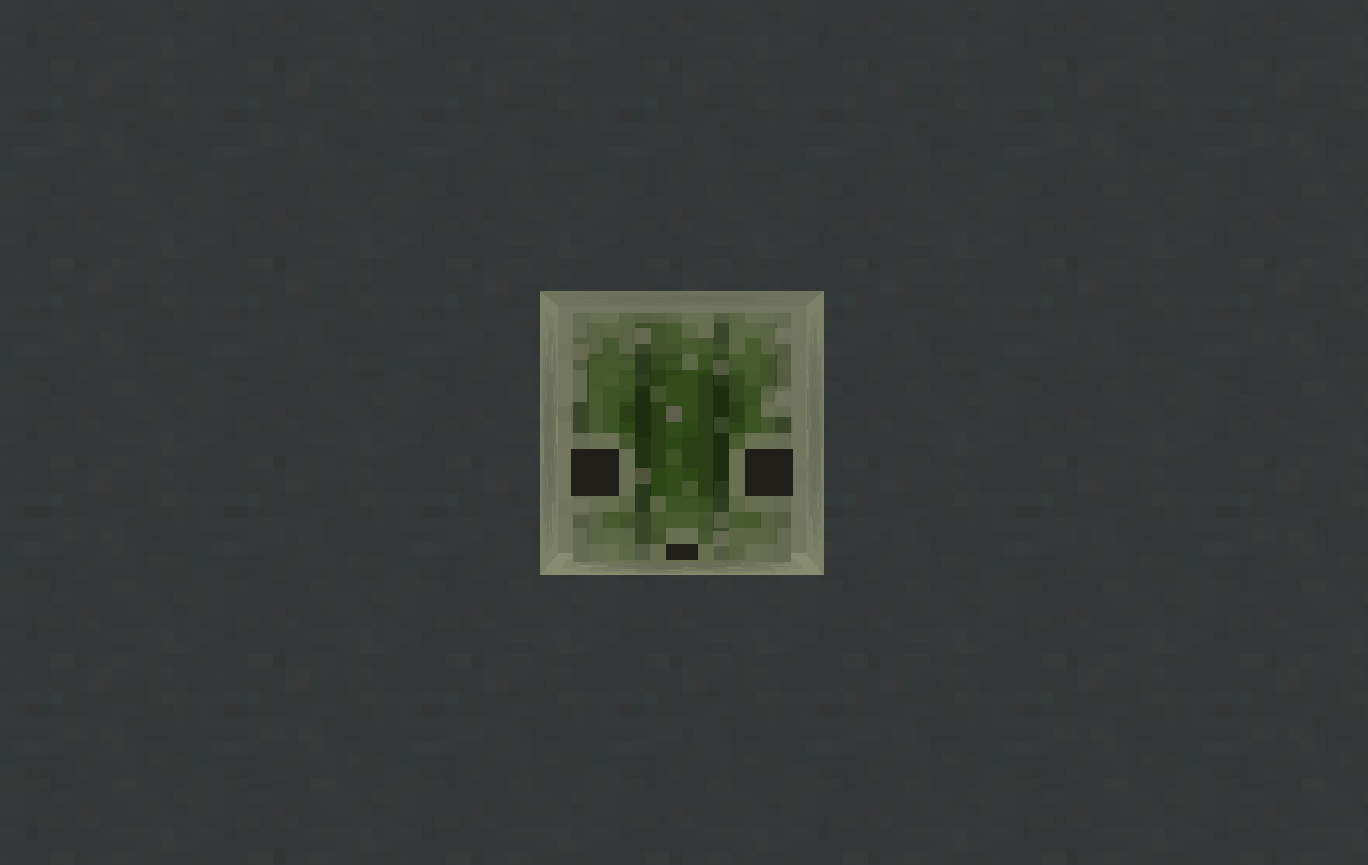
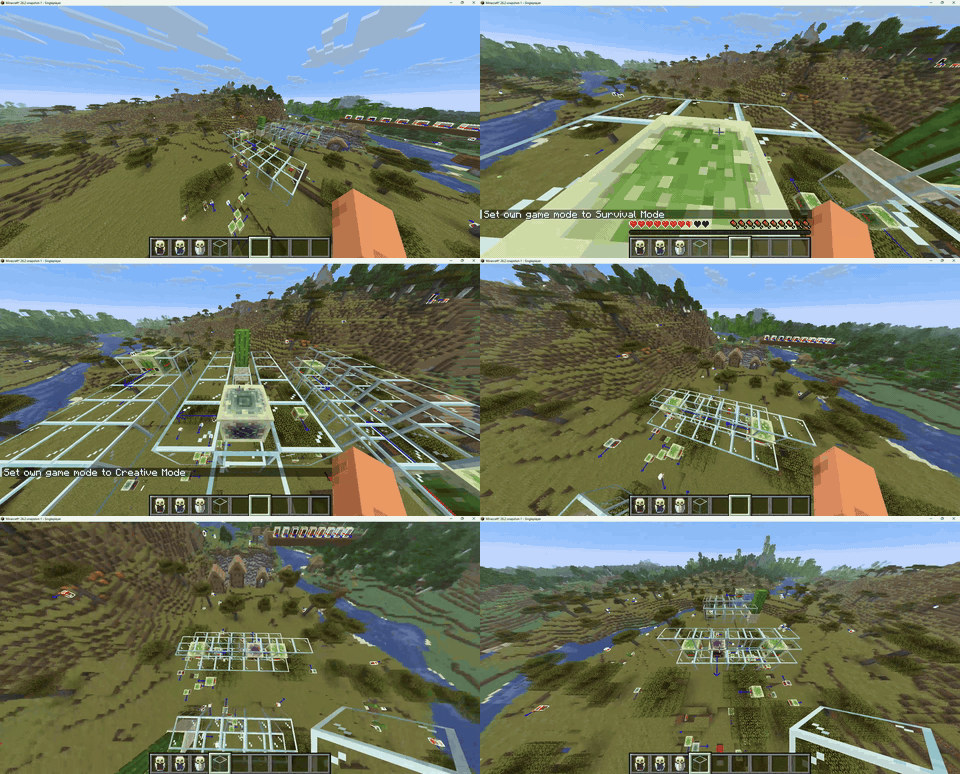
Sulfur cubes can now absorb a cactus. A cactus cube damages any entity that touches it, just like walking into a placed
cactus block. When hit, the attacker also takes cactus damage — as if they punched a real cactus. Other sulfur cubes
that touch a cactus cube or a cactus block now get pushed away.
—
### Workstation Cubes
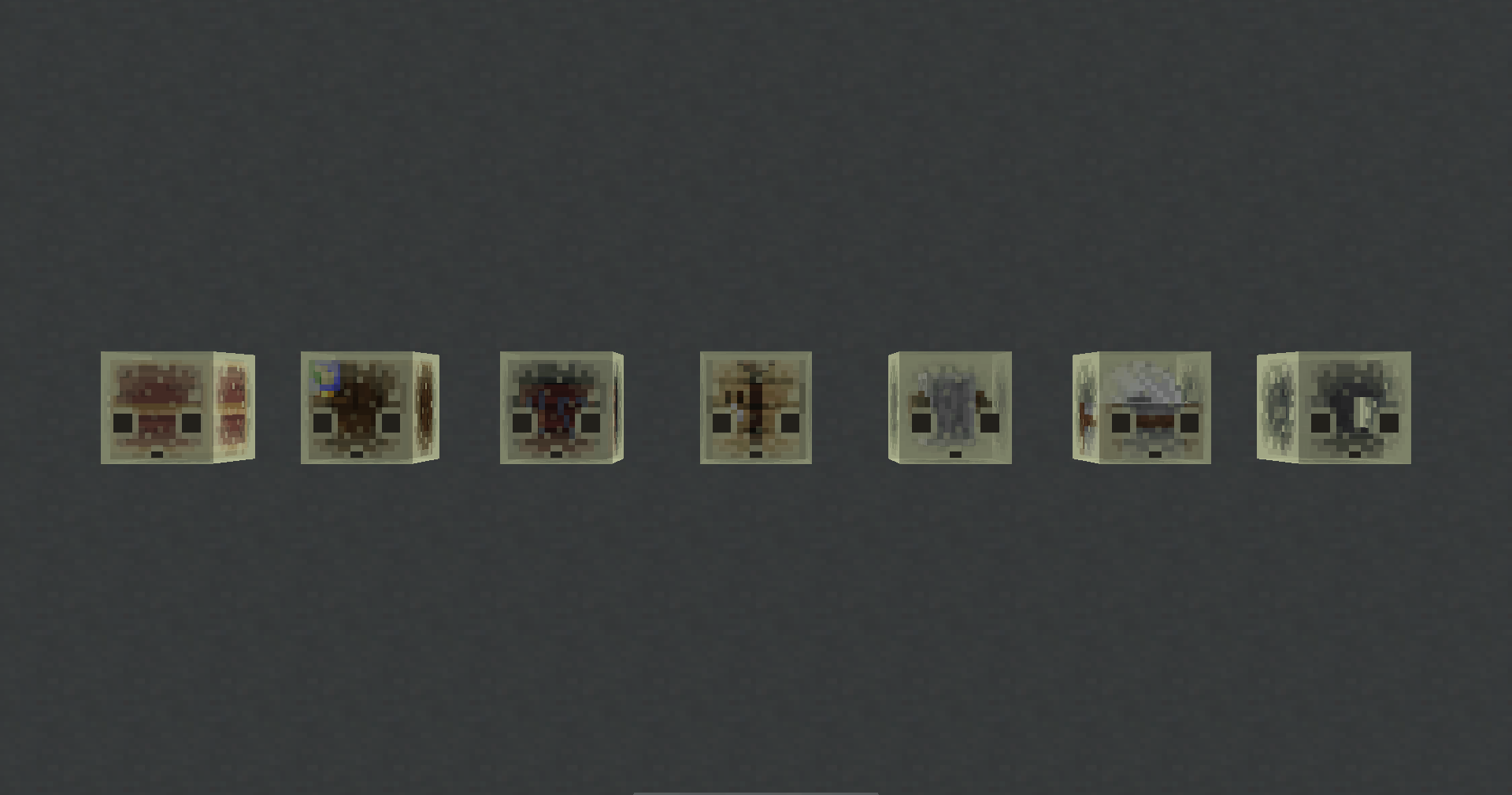
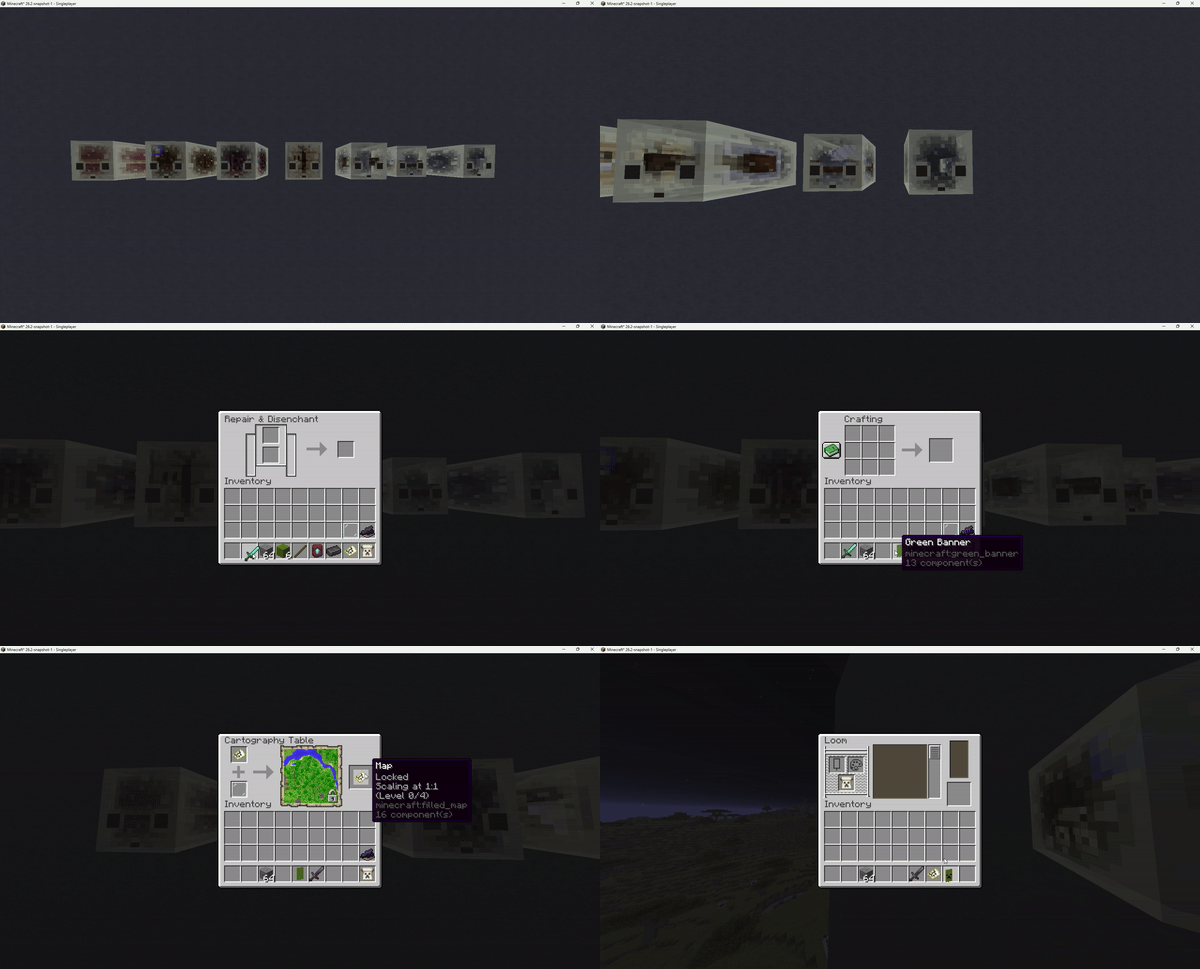
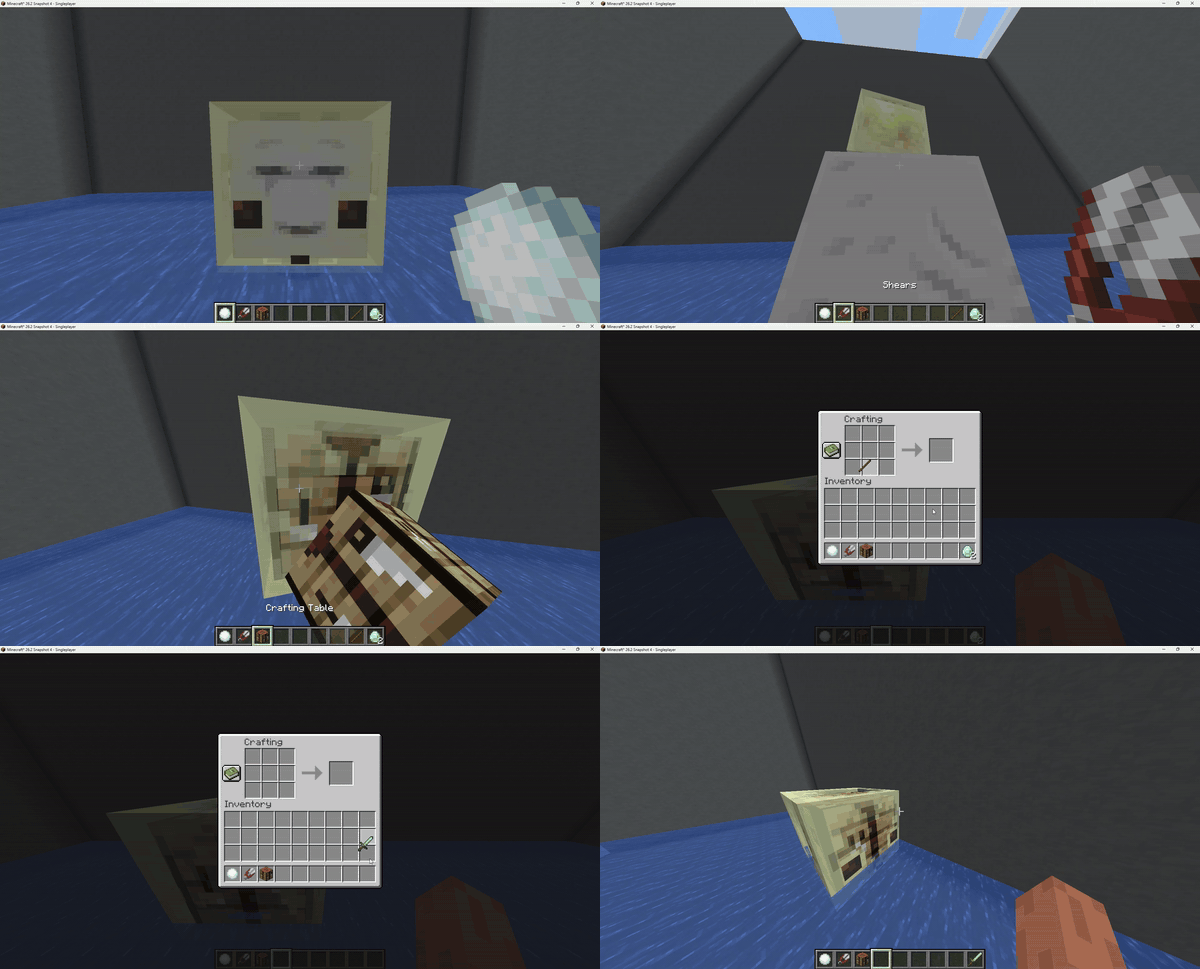
Sulfur cubes can now absorb crafting workstations. Right-clicking opens the corresponding UI, for picking up the cube
press shift + right-click.
**Compatible blocks:** Crafting Table · Stonecutter · Grindstone · Smithing Table · Loom · Cartography Table · Anvil
—
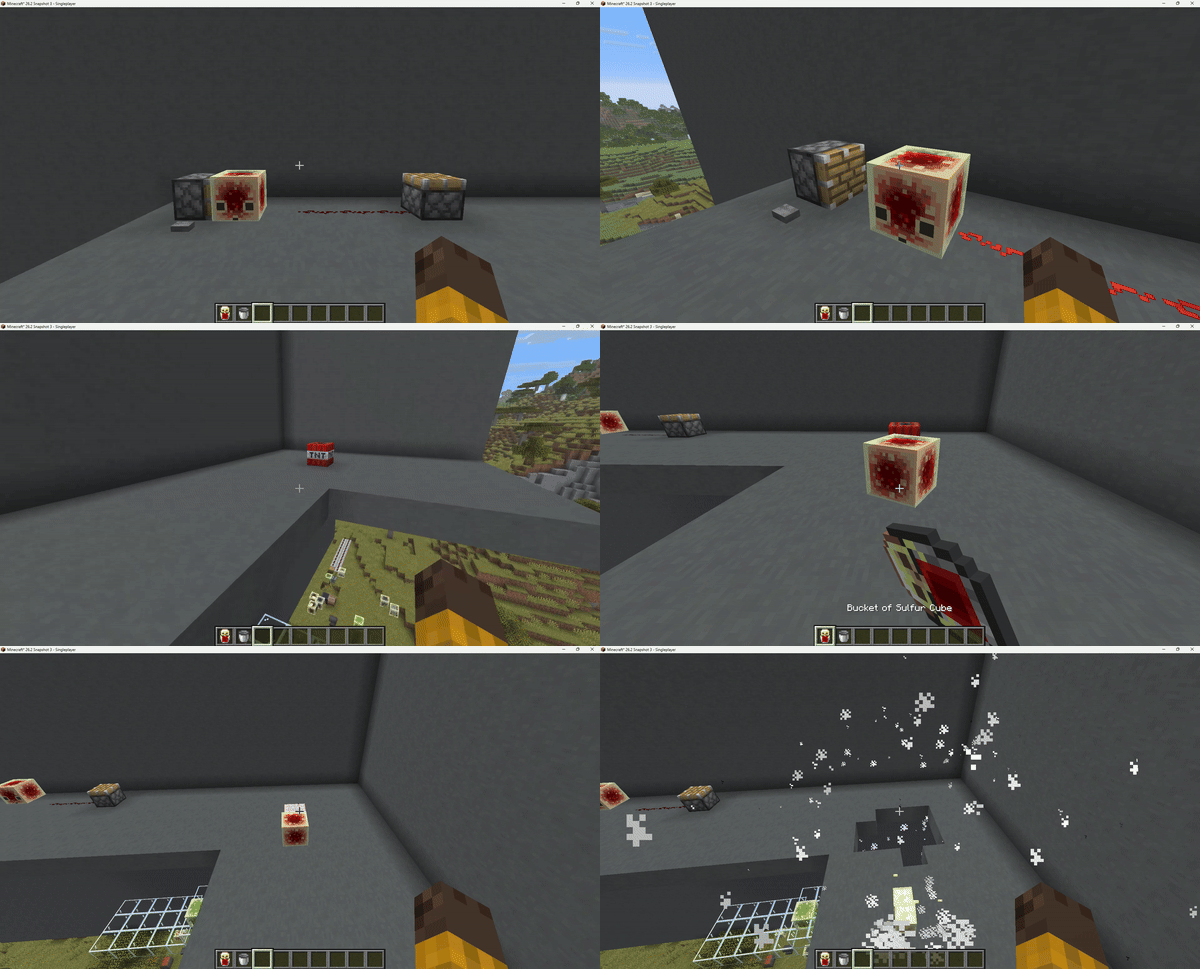
### Redstone Cubes
Sulfur cubes can now absorb a Redstone Block. The cube acts as a live redstone signal source,
powering adjacent redstone components in all six directions, like a placed Redstone
Block.
—
### Ghast Cubes
Inspired by [u/Jakeroni5](https://www.reddit.com/user/Jakeroni5/) ([original post](https://www.reddit.com/r/PhoenixSC/comments/1sml267/an_iq_too_high/))
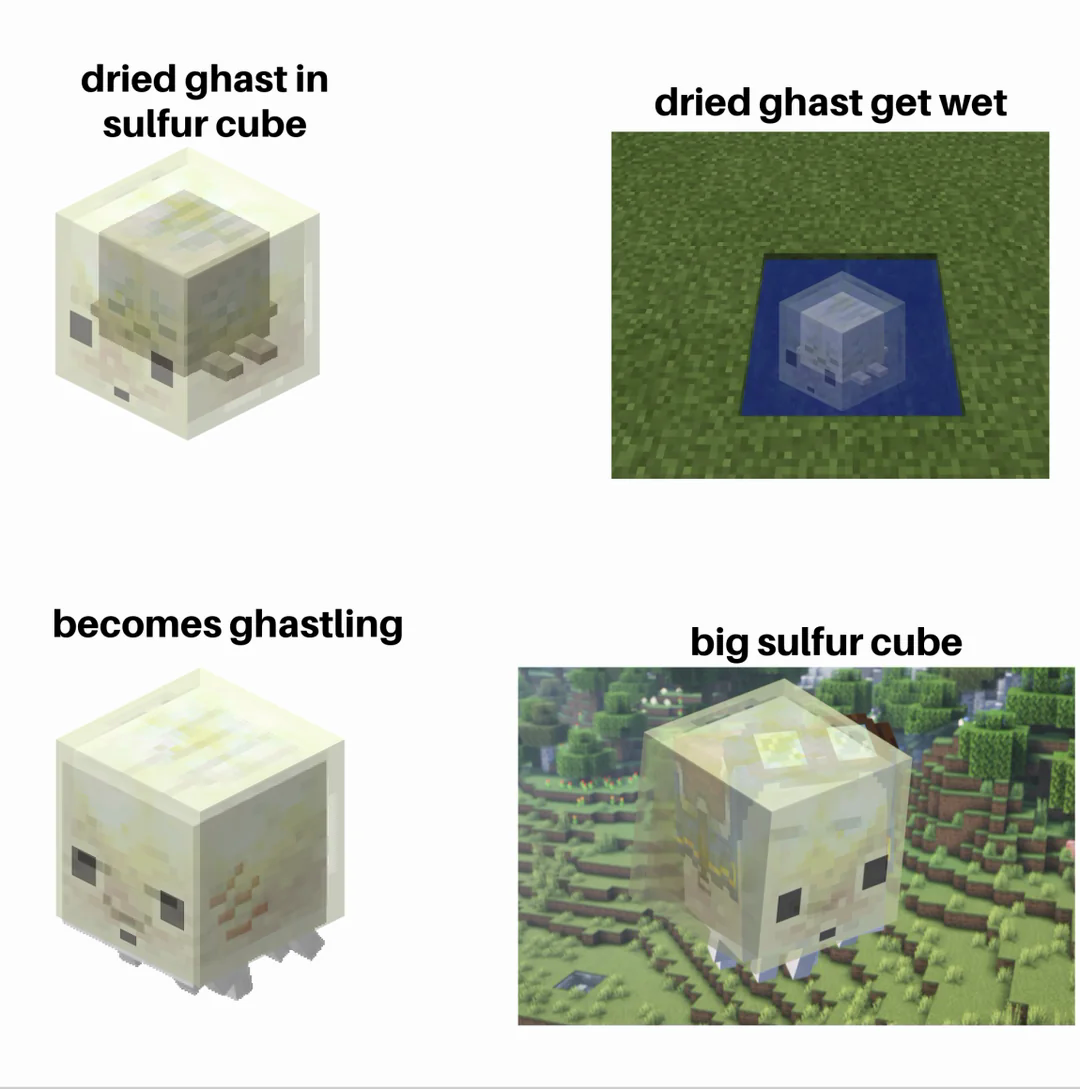
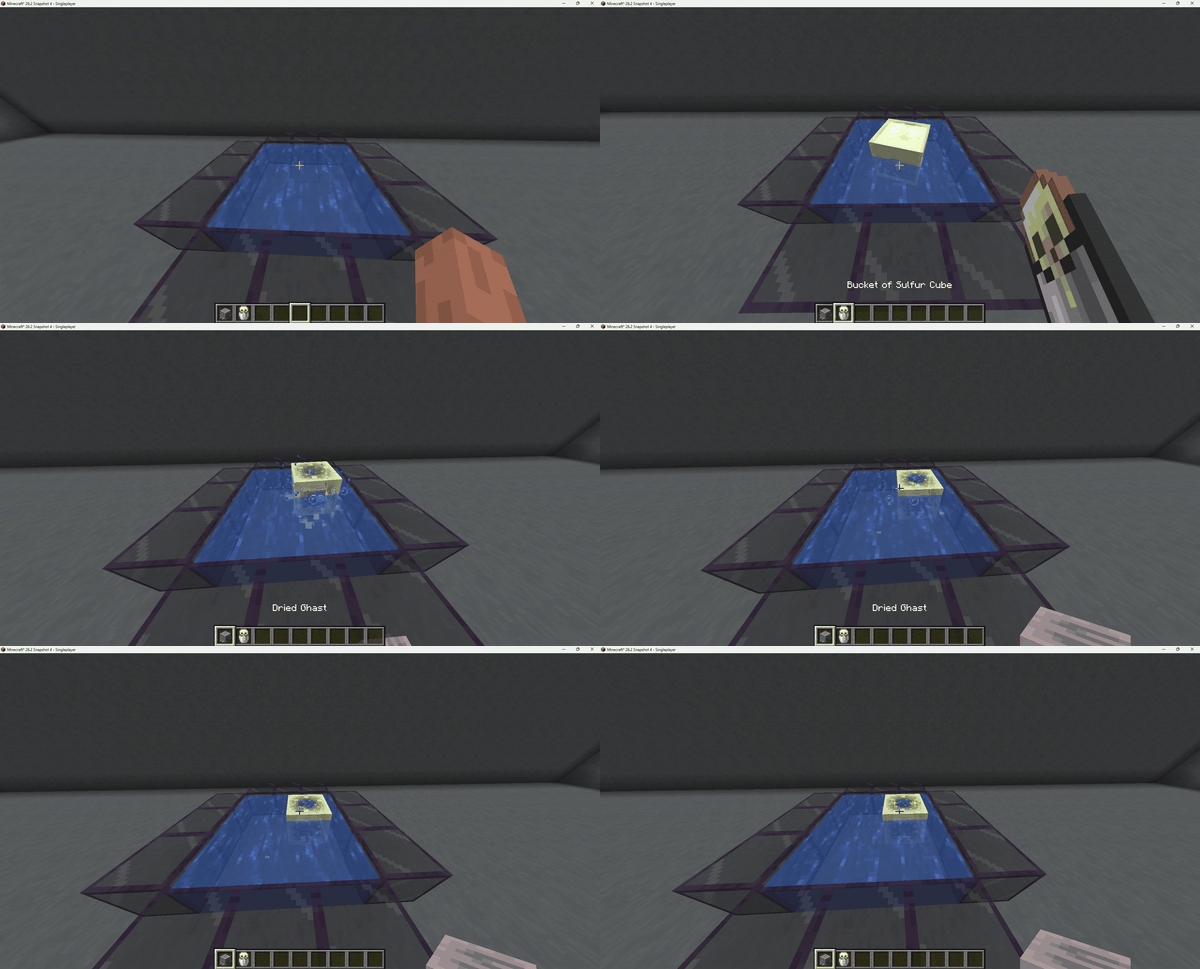
Sulfur cubes can now absorb a **Dried Ghast**. Submerge the cube in water to hydrate it.
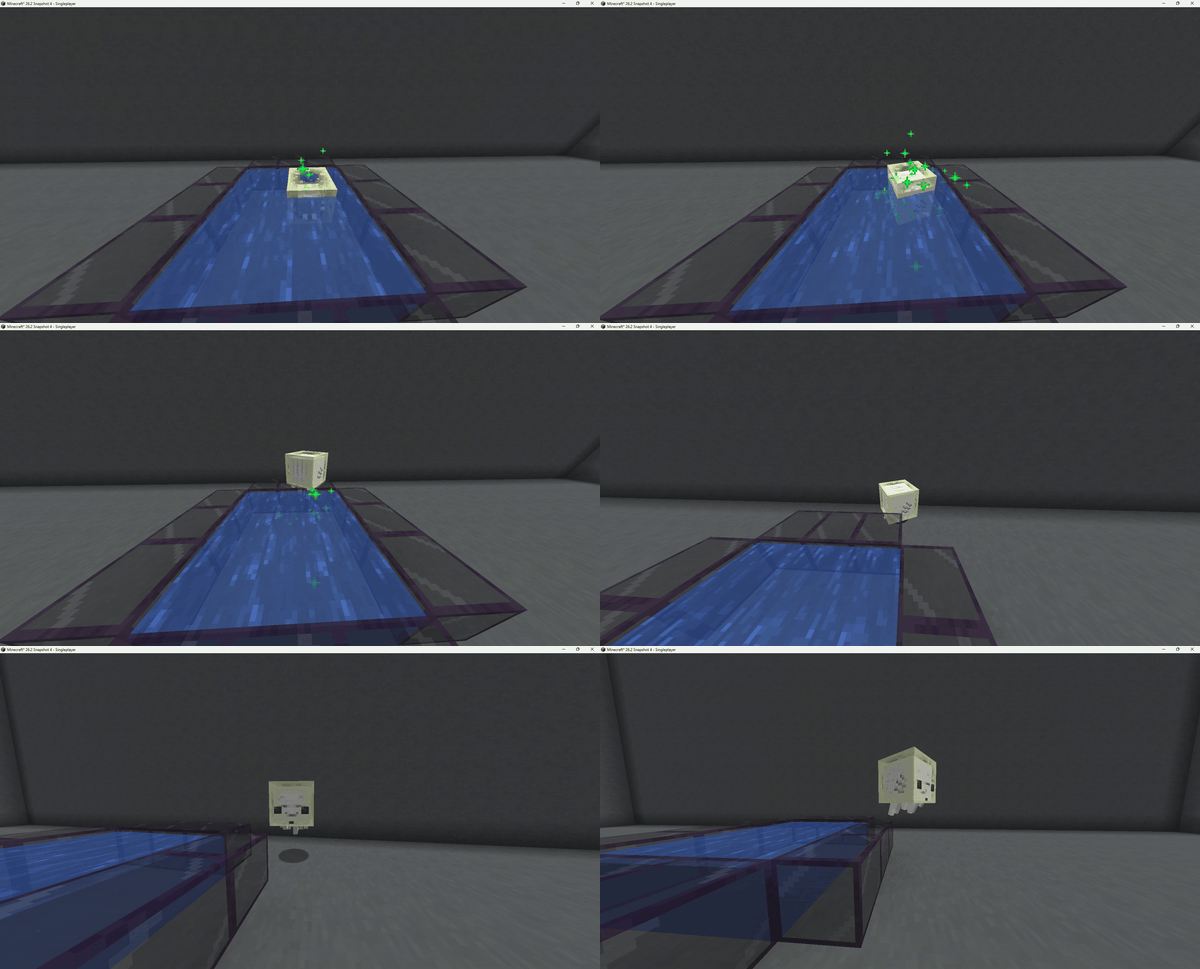
Once fully hydrated, the Dried Ghast comes to life: a baby **Happy Ghast** spawns and the cube enters
**Ghast Soul Mode**, wrapping around the ghastling as a translucent soul shell. The cube grows with
the ghast as it matures into an adult.
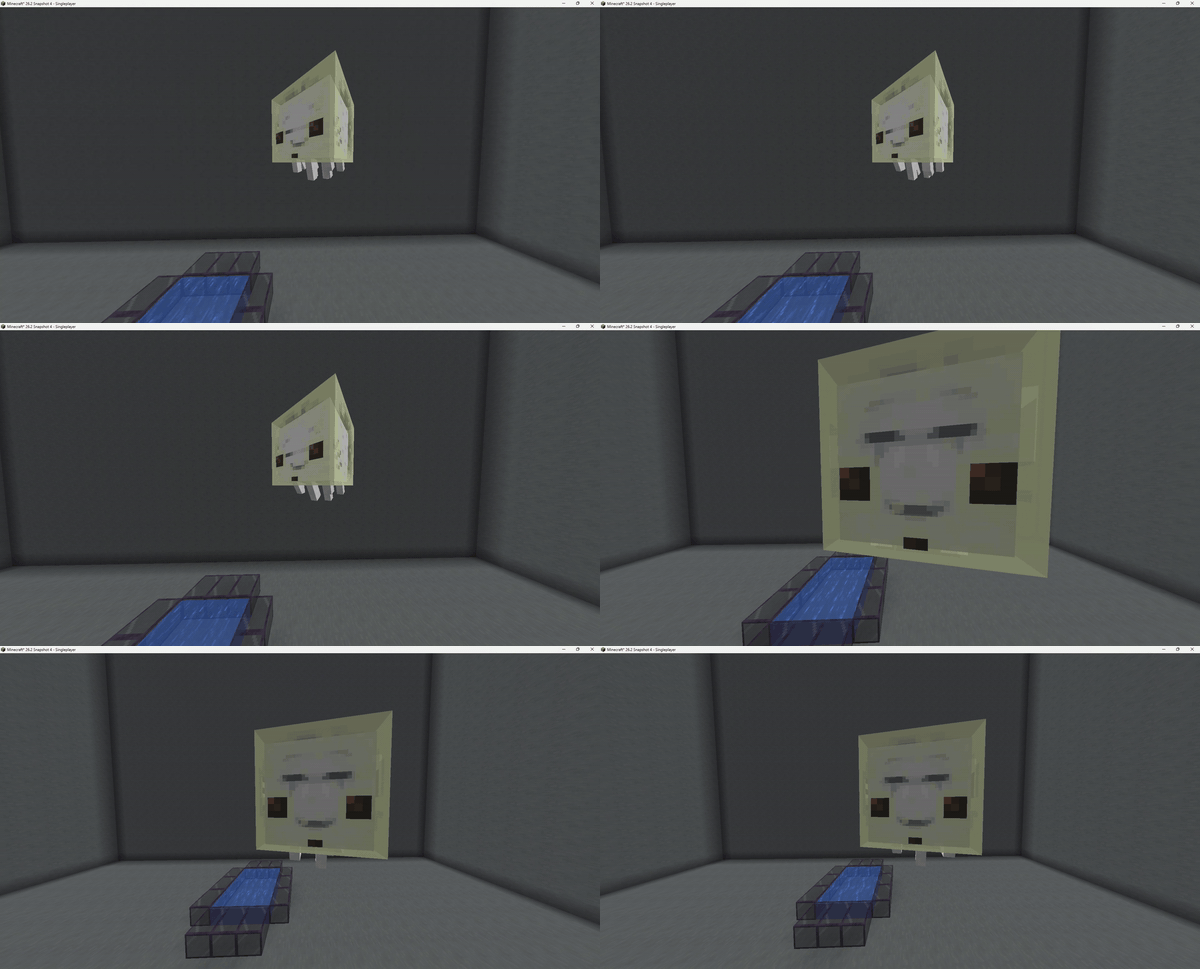
Use **Shears** on the cube to free the ghast at any time. This way you can obtain a tier 4 sized sulfur cube.
A cube that has already completed a soul cycle cannot re-hydrate.
—
Support for more blocks coming in the future