Bad Apple Shaders
# Bad Apple Shaders
  
This is an Iris/OptiFine shader which changes rendering to look like [【東方】Bad Apple!! PV【影絵】](https://youtu.be/FtutLA63Cp8)
 
## Screenshots

## FAQ
Q: Does this work on OptiFine?
A: Yes. **This does come with an epilepsy warning if you are on an m-series mac.**
Q: Does this work on Iris/Oculus?
A: Yes.
Q: Does this work on 1.8?
A: The Legacy version should work with 1.8.
## Pridepack
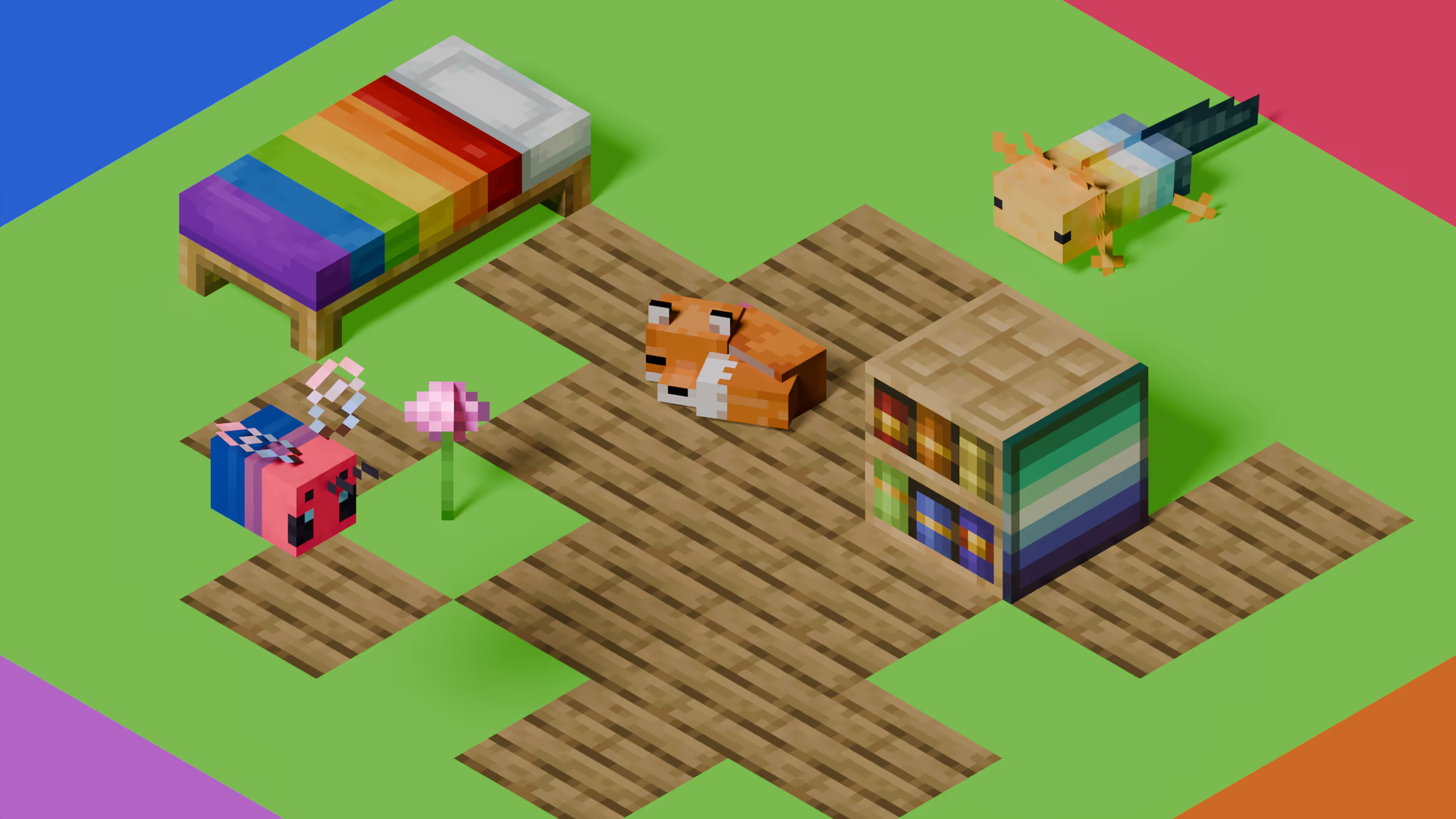
[Pridepack](https://pridecraft.gay/pridepack) is a Resource Pack made by [Pridecraft Studios](https://pridecraft.gay). It comes with many LGBT Pride additions, such as paintings, beds, mobs and Main Menu changes. If you’re interested in gaying your game, you should check it out!
Stringer Things
Based on a concept in a video by PhoenixSC, Stringer Things aims to properly bring string tools to minecraft! Finally, now I don’t have to raid an armour boss on an ender-wither-guardian to get that silk touch pick!
The Items
==================
This mod adds 5 new tools to the game:
1. String pickaxe
2. String axe
3. String shovel
4. String hoe
5. String sword
6. String Mace
and 1 new armour item:
7. String boots
When equipped, allows the player to wal through cobwebs unhindered
All of these items come with built-in silk touch (because it’s string, of course) and can be used to harvest the respective blocks they work on. They also work as regular tools, but they’re not very sturdy. They are still made out of string after all.
This is a version one of the mod, based on a concept I probably shouldn’t be this excited for. Will I expand on it in the future? …Maybe. Maybe. If this mod gains traction, who knows. Some new stringy ideas might find their way out of my head and into the code of this silly mod.
So! Why not try it? And join us all in asking

Stop Unloading My Resourcepacks [SUMR]
# Stop Unloading My Resourcepacks
Prevents the game from disabling all resourcepacks if a shader-related error occurs. Instead, errors will be displayed in-game, can be configured to show errors in chat, a box in the top left, or both
This mod also adds a few QOL features for developing shaders, read more below
## Things this mod prevents from disabling resourcepacks
The following things in vanilla will forcibly disable all resourcepacks, with this mod installed these will use a fallback and show any errors in-game and the output log:
– Shader program compilation errors
– Missing shader programs
– Shader linking errors
– Invalid or missing post_effect jsons
– post_effects that reference invalid targets
For minecrafts builtin shaders, the mod will attempt to load the default ones as a fallback if an error occurs. For modded shaders, a dummy shader will be used as a fallback which will make any objects using that shader invisible
## Additional features
– Shader hot-reload keybind (F3 + R) which just reloads shaders, much quicker than a full resource reload
– Works in the title screen, not just when in a world!
– Adds better errors for some things. For example, when importing a non-existent include shader the gane will produce a proper error rather than throwing a null pointer exception
– Added an option to disable shader linker info logs
– Off by default but can be enabled if it causes a ton of log spam (like it does on my machine)
## License
Stop Unloading My Resourcepacks by ioblackshaw (a.k.a. Enchanted_Games) is licensed under CC BY-NC 4.0


Video content creators may monetise videos including this work provided the license is followed.
Stoner Dark red
Welcome to the vibrant Red Edition of the Stoner Dark project! In this version (v1.14.6), we have redesigned the GUI to provide a sleek, dark aesthetic accented with bold red highlights for a unique visual experience.
Key Features in this Version:
Selected Colored Buttons: Key interface buttons, such as Minecraft Realms, have been customized with a striking red color to provide a strong visual contrast.
UI Enhancements: Updated textures for AppleSkin, Mod Menu buttons, and improved inventory management layouts.
Special Update Support: Full compatibility for the “Potato” April Fools’ update and modern versions like 1.21.x and 26.x.
Custom Icons: Unique icons next to the Options and Quit Game buttons to enhance the pack’s visual identity.
Compatibility
This pack is designed to work seamlessly on:
Minecraft 1.21.x and newer.
Recent Snapshots including 26.1.2.
Support for the Craftmine version and 25w14 updates.
Why Choose Stoner Dark?
This project is part of a growing series with 5 projects and over 90 downloads. We focus on delivering a GUI that is simple, easy on the eyes, and professionally designed for technical players.
Tip: Look for the color-coded filename in your resource pack menu: §e§ Stoner!_Dark v1.14.6 §c§ red.zip.
Developed by: Oidal
Follow the project on Modrinth for upcoming color variants including Green, Orange, and Purple!
Stoner Dark green
Welcome to the fresh Green Edition of the Stoner Dark project! In this version (v1.14.6), we have redesigned the GUI to provide a sleek, dark aesthetic accented with vibrant lime green highlights for a refreshing visual experience.
Key Features in this Version:
Selected Colored Buttons: Key interface buttons, such as Minecraft Realms, have been customized with a striking lime green color to provide a strong visual contrast.
UI Enhancements: Updated textures for AppleSkin, Mod Menu buttons, and improved inventory management layouts.
Special Update Support: Full compatibility for the “Potato” April Fools’ update and modern versions like 1.21.x and 26.x.
Custom Icons: Unique icons next to the Options and Quit Game buttons to enhance the pack’s visual identity.
Compatibility
This pack is designed to work seamlessly on:
Minecraft 1.21.x and newer.
Recent Snapshots including 26.1.2.
Support for the Craftmine version and 25w14 updates.
Why Choose Stoner Dark?
This project is part of a growing series with 5 projects and over 90 downloads. We focus on delivering a GUI that is simple, easy on the eyes, and professionally designed for technical players.
Tip: Look for the color-coded filename in your resource pack menu: §e§ Stoner!_Dark v1.14.6 §a§ green.zip.
Developed by: Oidal
Follow the project on Modrinth for upcoming color variants including Orange and Purple!
Stoner Dark
Stoner is a sleek, modern, and high-contrast Dark UI resource pack designed to provide a clean and eye-straining-free experience for Minecraft players. Heavily inspired by the “Bare Bones” and “Default Dark Mode” aesthetics, Stoner focuses on simplifying the interface while maintaining a bold, professional look. For More professional look is (font) [Here](https://modrinth.com/resourcepack/stonerfont)
📁 Versions History
v1.0: First stable release.
v1.12: Added Bare Bones style elements.
v1.13.5:
🗑️ Removed Bare Bones blocks and items to keep the pack focused on UI.
🍞 Added custom Toasts (pop-up notifications).
🖼️ Replaced the classic Minecraft icon with the official Stoner icon.
v1.13.8:
⏸️ Added the Stoner Pause Menu icon (Available in the “Icons” resource pack).
v1.14.1:🖱️Aded Castom Cursor.
v1.14.6:🖼️Replaced Apple Skin Hanger Textures and Mod Menu buttons and inventory management
v1.14.8:📙Aded Book and Quill GUI
v1.14.9:Replaced Stoner Logo to Minecraft Style
😎 Pro tip: the Light version of Stoner is [Available Now](https://modrinth.com/resourcepack/stoner-light)
Stone Rooms
My social networks

—
## Description👀
**This datapack/mod adds 2 underground structures to your world, the first structure is for the upper parts of the caves (where the stone is), and the second structure is for the lower parts of the caves (where the deepslate is)**
**You can see screenshots of the rooms by going to the Gallery section**
—
## Useful Сommands🔧
– **Use /locate structure elysianfields:stone_rooms for see dungeon coordinates**
– **Use /place structure elysianfields:stone_rooms for spawn dungeon**
—
– **Use /locate structure elysianfields:stone_rooms_deepslate for see dungeon coordinates**
– **Use /place structure elysianfields:stone_rooms_deepslate for spawn dungeon**
—
Update Log⚒️
### Update V1.2:
* **Bug fix**
* **Balancing Enchantment**
* **Slightly reduced the chance of dungeon spawning**
—
Steak of Undying
Super simple texture pack that changes your Totem of Undying texture to a steak! For the time being, this works in any version of 1.21, and generally, this should work in any version from 1.14 to 1.21 (because in 1.14 they changed the item textures, and I’m not really sure if this the steak texture matches the one before 1.14). This pack is actually heavily inspired by Beppo’s Totem of Undying texture, so I decided to make that into an accessible for everyone pack! The translations for it are currently available in 30 of the most popular/common Minecraft languages.
Squared Shadow
This is a Texture Pack, originally designed for “[Better Than Adventure!](https://www.betterthanadventure.net/)”, and consequentially Beta 1.7.3 (although it will work with ANY version of Minecraft that has a Shadow, since the location and filename has never changed, despite the outdated Resource Pack version warning), that gives the Entities a squared Shadow, instead of a circular one. Consistency, my beloved.
# CREDITS
– Shadow texture and “pack.png” made by AndreWharn.
– Do not use the assets without permission, please!
# Thanks for using this pack! 😀
Square Entity Shadows
Makes the Shadows under Entities Squares. How they should’ve been from the start!

VS Vanilla:
