Tool Trims Mod
# Tool Trims Mod

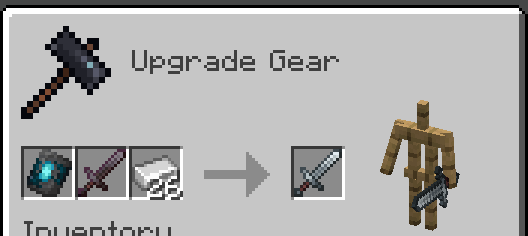
A fabric port of JoeFly’s Tool Trims datapack. Check the project page for more details.
Making it a mod allows a few improvements:
– Recipes are now done through the vanilla smithing table and crafting recipe, so the toolsmithing table no longer exists.
– The trim templates show up in the creative inventory and recipe viewers like EMI or REI
– Loot tables are injected into instead of overwritten
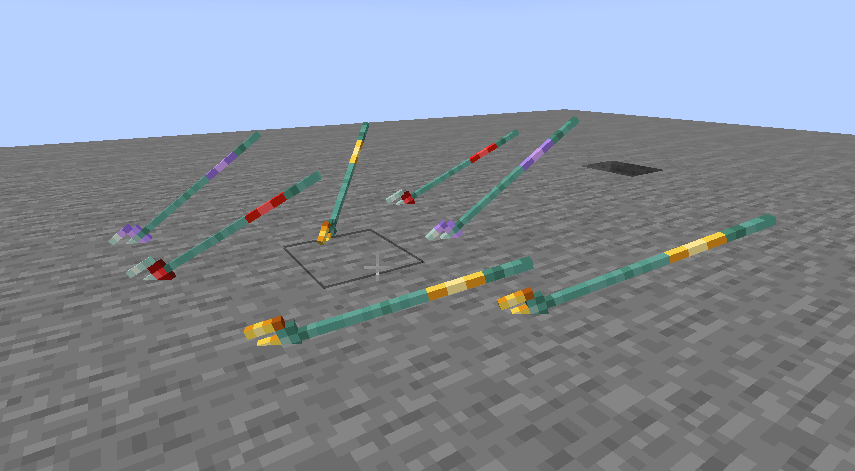
– Trident trims display on thrown tridents

Migrating from the Datapack
The mod contains backwards compatability mechanics for the datapack.
First, you should remove the datapack, as the mod and datapack are not intended to be used in tandem (It doesn’t matter if you remove the datapack before or after installing the mod).
If it detects the datapack was previously used, it will enable the `tooltrims_deleteToolsmithingTable` gamerule, which destroys smithing tables within 6 blocks of players and drops its ingredients (2 copper and 4 planks). This can be reversed using `/gamerule tooltrims_deleteToolsmithingTable false`. You can also enable the legacy resource pack, which makes templates and toolsmithing tables look right before they are upgraded or deleted.
You can use the command `/tooltrims migrate` to migrate the tool or template you are holding so it uses the modded trim system instead of the datapack trim system. Templates from the datapack cannot be used in the smithing table until you upgrade them. For tools, the difference is only noticeable if you look at the NBT/component data or if you try to re-trim the tool, in which case both the old and new trims will show up in the tooltip.
Demigrating from the mod
If you want to revert back to using the datapack, install the datapack at the same time as the mod (ignoring the warning message), enable the legacy resource pack, and use the command `/tooltrims demigrate` to demigrate your tool or template. Once you have demigrated all your items, uninstall the mod and install the normal tool trims resourcepack.
## Compatability
Compatible with EMI (trimming recipes show up) and Enchancement (crossbow texture works correctly). Currently incompatible with Trimmable Tools.
## Credits
The Enchancement compat textures were created by doctor4t and cybercat5555 for the mod Enchancement, and were edited and used with permission.
All other textures were created or otherwise owned by JoeFly and used with permission.
## Support
For now I support the latest version of Minecraft (currently 26.1.2) and its corresponding hotfix versions (26.1, 26.1.1). All other versions are unsupported. All issues pertaining to unsupported versions will not be addressed.
It is *possible*, although **not promised**, that in the future there will be trims for modded tools.
—
Please report issues on my repository and not to JoeFly.
Tool Trim TP
# Tool Trim TP
Free and open-source resourcepack for Minecraft 1.21 and higher that works with Tool Trim datapack.
## Features
This resourcepack adds models for tool items.
This resource pack is currently only supported in 16x format.
Tool Trim DP
# More Tool Trim DP
Free and open-source datapack for Minecraft 1.21 and higher that adds tool customisation as with armor trim.
## Features
All types of swords, pickaxes, shovels, axes and hoes can be trimmed.
Bow, crossbow, trident and mace will be supported in a future version.
This datapack requires the installation of the Tool Trim resourcepack.
Tool Switcher
# Tool Switcher


Tool Switcher is a simple utility mod that enables you to automatically switch tools depending on what block you are trying to break.
### Features
– Automatically selects the optimal tool for mining, taking into account factors such as efficiency.
– Switches to tools outside the hotbar by temporarily swapping them into your current slot.
– Disables itself while you are sneaking, if enabled.
– Optionally prevents switching if the current tool has Silk Touch or Fortune.
– Fully customizable list of disabled blocks and tools.
### Config
All configuration options can be edited in the config file at `config/tool-switcher.toml` or through **Mod Menu & McQoy** (recommended).
#### General Settings
| Option | Type | Default | Description |
|———————|————|———|—————————————————————————|
| `enabled` | true/false | `true` | Enable/disable the mod. Can be toggled with a keybind (default: Period). |
| `showMessage` | true/false | `true` | Whether to show a message on the screen when keybind is pressed. |
#### Behavior Settings
| Option | Type | Default | Description |
|———————-|————|———|—————————————————————————|
| `sneaking` | true/false | `true` | Whether Tool Switcher turns off while sneaking. |
| `goBack` | true/false | `true` | Whether to restore the previous tool/slot after releasing the attack key. |
| `respectSilkFortune` | true/false | `true` | Whether to not switch tools if you are holding a silk touch/fortune tool. |
#### Filter Settings
| Option | Type | Default | Description |
|——————–|————–|———|————————————————|
| `disabledTools` | String Array | `[]` | Tools that don’t get switched to. |
| `disabledBlocks` | String Array | `[]` | Blocks that don’t trigger tool switching. |
How to Configure Filters
Tools and blocks must be specified using Minecraft’s resource location format in the TOML array syntax.
**Example config file (`config/tool-switcher.toml`):**
“`toml
# Enable or disable the mod. Can be toggled with a keybind.
enabled = true
# Whether Tool Switcher turns off while sneaking
sneaking = true
# Whether to show a message on the screen when keybind is pressed
showMessage = true
# Whether to restore the previous tool/slot after releasing the attack key
goBack = true
# Whether to not switch tools if you are holding a Silk Touch or Fortune Tool
respectSilkFortune = true
# Tools that don’t get switched to
disabledTools = [
“minecraft:wooden_pickaxe”,
“minecraft:wooden_shovel”,
“minecraft:golden_pickaxe”
]
# Blocks that don’t trigger tool switcher
disabledBlocks = [
“minecraft:diamond_block”,
“minecraft:emerald_ore”,
“minecraft:ancient_debris”
]
“`
**Format:**
– Each entry must be in quotes
– Entries are separated by commas
– Use Minecraft’s resource location format: `”namespace:id”`
– Works with modded items: `”create:wrench”`, `”botania:mana_tablet”`
**Common Tool IDs:**
– `minecraft:wooden_pickaxe`, `minecraft:stone_pickaxe`, `minecraft:iron_pickaxe`
– `minecraft:wooden_shovel`, `minecraft:stone_shovel`, `minecraft:iron_shovel`
– `minecraft:wooden_axe`, `minecraft:stone_axe`, `minecraft:iron_axe`
– `minecraft:golden_pickaxe`, `minecraft:golden_shovel`, `minecraft:golden_axe`
**Common Block IDs:**
– `minecraft:diamond_ore`, `minecraft:deepslate_diamond_ore`
– `minecraft:ancient_debris`, `minecraft:gilded_blackstone`
– `minecraft:spawner`, `minecraft:end_portal_frame`
### How It Works
**Hotbar Tools:** If the best tool is in your hotbar, Tool Switcher selects that slot.
**Inventory Tools:** If the best tool is outside your hotbar, Tool Switcher temporarily swaps it into your current slot. When you release the attack key (or finish mining), it swaps back automatically (if `goBack` is enabled).
Tom’s New Painting Textures
# New Textures (Paintings)
This texture pack **replaces** the latent **Minecraft paintings** with new ones **or simply increases the resolution of the existing** paintings. If the modpack is not available in one version, try the next or previous version; perhaps they are compatible.
# Important:
If you want to use the texture pack for your modpacks, feel free to do so, but please write the following in the description below:
**Important: _Contains the resource pack [Tom’s New Painting Textures] by [GuSchu Gaming], licensed under CC BY 4.0._**
Tommy’s Custom music
This is to add my own custom music to minecraft, if you know coding, you can edit the resurce pack too! added music that fits a calm theme, took some music that i have no idea of they are copyrighted, if so, please dm me on my discord server!
Timer for Speedrun
## Description
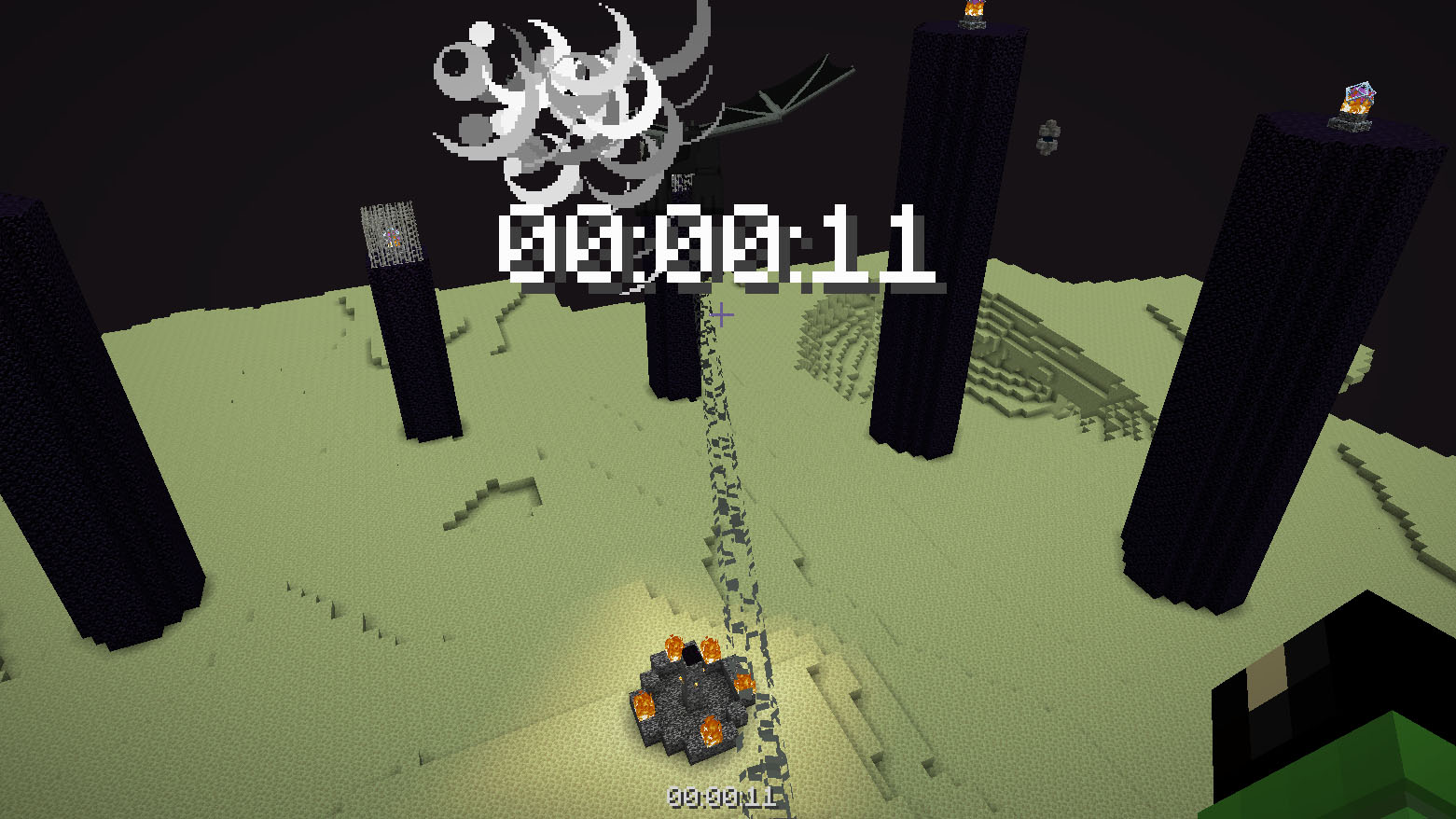
Datapack or mod adds an automatic timer for speedrunning.
## How to use
The timer is activated automatically when you enter the world. The timer stops when you enter the end portal.
## Dependencies
– Fabric loader requires Fabric API
Thigh Highs
# Thigh Highs
This is a resource pack that adds thigh-highs in black, blue, pink, red, and yellow instead of armor.
—

Theburntpeanut Totem of Undying
EN: **Theburntpeanut** is a popular Twitch streamer who gained popularity due to his comical pea appearance, which earned him the Streamer Awards 2025 for Best Twitch Streamer. This resource pack replaces the immortality totem with his meme photo
RU: **Theburntpeanut** это популярный твич стример витубер, который обрел популярность за счет своей несуразной внешности арахиса, за счет чего и отлечился и витуб-сообществе своей мемностью и даже выиграл награду The Streamer Awards 2025 как лучший витубер. Данный ресурспак заменяет тотем бесмертия на его мемное фото
Check collection with all memes + streamers Totems
theBestHeight
这个数据包可以让你的世界高度范围变得更大,对于建筑与服务器很实用,特别是生电玩家,更高的高度能让你造出更大型的机器。我准备后续让世界生成范围也变得更大。欢迎下载我的数据包!
This data pack allows you to expand the height limit of your world, making it highly practical for building projects and servers. It is especially useful for technical players, as a greater height range enables the construction of larger-scale machines. I plan to further extend the world generation boundary in future updates. Feel free to download my data pack!
注意:使用此数据包时,须使用实验性设置!如果数据包没有效果,请尝试重启存档。
Note: When using this data pack, you must enable experimental settings!If the data pack doesn’t work, try restarting the save file.