Bisexual Pride Flag Tooltip (Tricolor)
#
Bisexual Pride Flag Tooltip (Tricolor)

Replaces the default Minecraft Tooltip with a **Bisexual Pride Flag Tooltip (Tricolor)**.
Looking for different colors/flags or styles? Check out the Pride Tooltips Organization Page!
Looking for packs with the same color(s)/flag but with different styles?
Can’t find a color, flag, or style you are looking for?
Feel free to open an issue on GitHub or join the Pridecraft Discord and ping `@rotgruengelb`!
Color Palette
The following colors where used to create this pack:
* #d60270
* #9b4f96
* #0038a8
Style
Tricolor = A simple tricolor flag with three colors.
Additional Information
* build_time: `2026-02-26T18:57:29+01:00`
* build_user: `rotgruengelb`
## Installation
Download and place into your `resourcepacks` folder. (Only works in versions **after 1.21.1**)
## About Pride Tooltips
A collection of resource packs that change tooltips to be colorful and/or pride themed.
### Rotgruengelb (Developer & Artist):


### Pridecraft Studios:
If you also want other bits of your UI to be themed with pride:

You can chat with us and check out the source of our projects here:


### Additional Credit
* Cursor texture, used in the banner, from the Minecraft Cursor Mod by fishstiz.
* The Pridecraft team for all their support and help.
Baby Pink Tooltip (Frame-only Alt-BG Monochrome)
#
Baby Pink Tooltip (Frame-only Alt-BG Monochrome)

Replaces the default Minecraft Tooltip with a **Baby Pink Tooltip (Frame-only Alt-BG Monochrome)**.
Looking for different colors/flags or styles? Check out the Pride Tooltips Organization Page!
Looking for packs with the same color(s)/flag but with different styles?
Can’t find a color, flag, or style you are looking for?
Feel free to open an issue on GitHub or join the Pridecraft Discord and ping `@rotgruengelb`!
Color Palette
The following colors where used to create this pack:
* #ffd7fc
Style
Frame-only Alt-BG Monochrome = A simple monochrome style with one color. This style only applies the color to the frame, leaving the background as the default Minecraft texture.
Additional Information
* build_time: `2026-02-26T18:59:08+01:00`
* build_user: `rotgruengelb`
## Installation
Download and place into your `resourcepacks` folder. (Only works in versions **after 1.21.1**)
## About Pride Tooltips
A collection of resource packs that change tooltips to be colorful and/or pride themed.
### Rotgruengelb (Developer & Artist):


### Pridecraft Studios:
If you also want other bits of your UI to be themed with pride:

You can chat with us and check out the source of our projects here:


### Additional Credit
* Cursor texture, used in the banner, from the Minecraft Cursor Mod by fishstiz.
* The Pridecraft team for all their support and help.
Tool Trim TP
# Tool Trim TP
Free and open-source resourcepack for Minecraft 1.21 and higher that works with Tool Trim datapack.
## Features
This resourcepack adds models for tool items.
This resource pack is currently only supported in 16x format.
Tool Trim DP
# More Tool Trim DP
Free and open-source datapack for Minecraft 1.21 and higher that adds tool customisation as with armor trim.
## Features
All types of swords, pickaxes, shovels, axes and hoes can be trimmed.
Bow, crossbow, trident and mace will be supported in a future version.
This datapack requires the installation of the Tool Trim resourcepack.
Tom’s New Painting Textures
# New Textures (Paintings)
This texture pack **replaces** the latent **Minecraft paintings** with new ones **or simply increases the resolution of the existing** paintings. If the modpack is not available in one version, try the next or previous version; perhaps they are compatible.
# Important:
If you want to use the texture pack for your modpacks, feel free to do so, but please write the following in the description below:
**Important: _Contains the resource pack [Tom’s New Painting Textures] by [GuSchu Gaming], licensed under CC BY 4.0._**
Tommy’s Custom music
This is to add my own custom music to minecraft, if you know coding, you can edit the resurce pack too! added music that fits a calm theme, took some music that i have no idea of they are copyrighted, if so, please dm me on my discord server!
Toil and Trouble



This mod empowers Cauldrons with additional functionality, including the ability to brew Potions.
## Installation
Toil and Trouble is a client and server mod for Fabric and NeoForge 1.21.1 and Fabric 1.21.11. Its dependencies are listed below.
#### Dependencies
– Fabric API is required on Fabric Loader.
– McQoy is recommended to configure the mod.
– RRV is recommended to see data-driven cauldron recipes.
## Features
– Cauldrons can now be used for brewing! Fill a cauldron up with water and insert a Nether Wart to brew it into an Awkward Potion, and then add a reagent like Blaze Powder to brew a Potion (Fire Resistance, in the case of Blaze Powder).
– Unlike Brewing Stands, Cauldrons do not require fuel. This is intentional, but a config option can be changed to make them require heating, or to allow heating to speed up the brewing process.
– Potions can be retrieved with Bottles, and Arrows can be dipped into Potion Cauldrons in order to turn them into Tipped Arrows. You can even throw items directly into the Cauldron to automate the brewing process.
– Cauldron Brewing recipes are also data-driven. Cauldrons prefer their own data-driven recipes, but will use recipes meant for the brewing stand if present. You can also disable this behaviour to solely have Cauldrons use their own recipes.
## Mod Compatibility
– Modded brewing recipes will work out of the box, as this mod allows cauldrons to craft anything a Brewing Stand can.
– Jade and WTHIT shows the contents of Potion Cauldrons.
– JEI, EMI, and RRV show data-driven Cauldron Brewing recipes.
– If you are using this mod alongside Amendments, it’s recommended to disable its Improved Cauldron functionality, as its changes to the cauldron intersect with this mod’s.
– Chorus Honey can be crafted via this mod.
## FAQ
– Will this mod be ported to other versions/loaders?
– The mod actively supports the latest version of Minecraft (currently 26.1). There is no plan to backport to older versions or any other loaders, as the mod relies extensively on 1.21+ features.
## License

Toil and Trouble is available under the open source MIT License. Note that this means you are required to attribute the mod if you use any content from it in your own projects.
## Credits
Designed alongside feedback from the ModFest and Raspberry Flavoured Discord servers, special thanks in particular to Bagels and Sisby folk.
Timer for Speedrun
## Description
Datapack or mod adds an automatic timer for speedrunning.
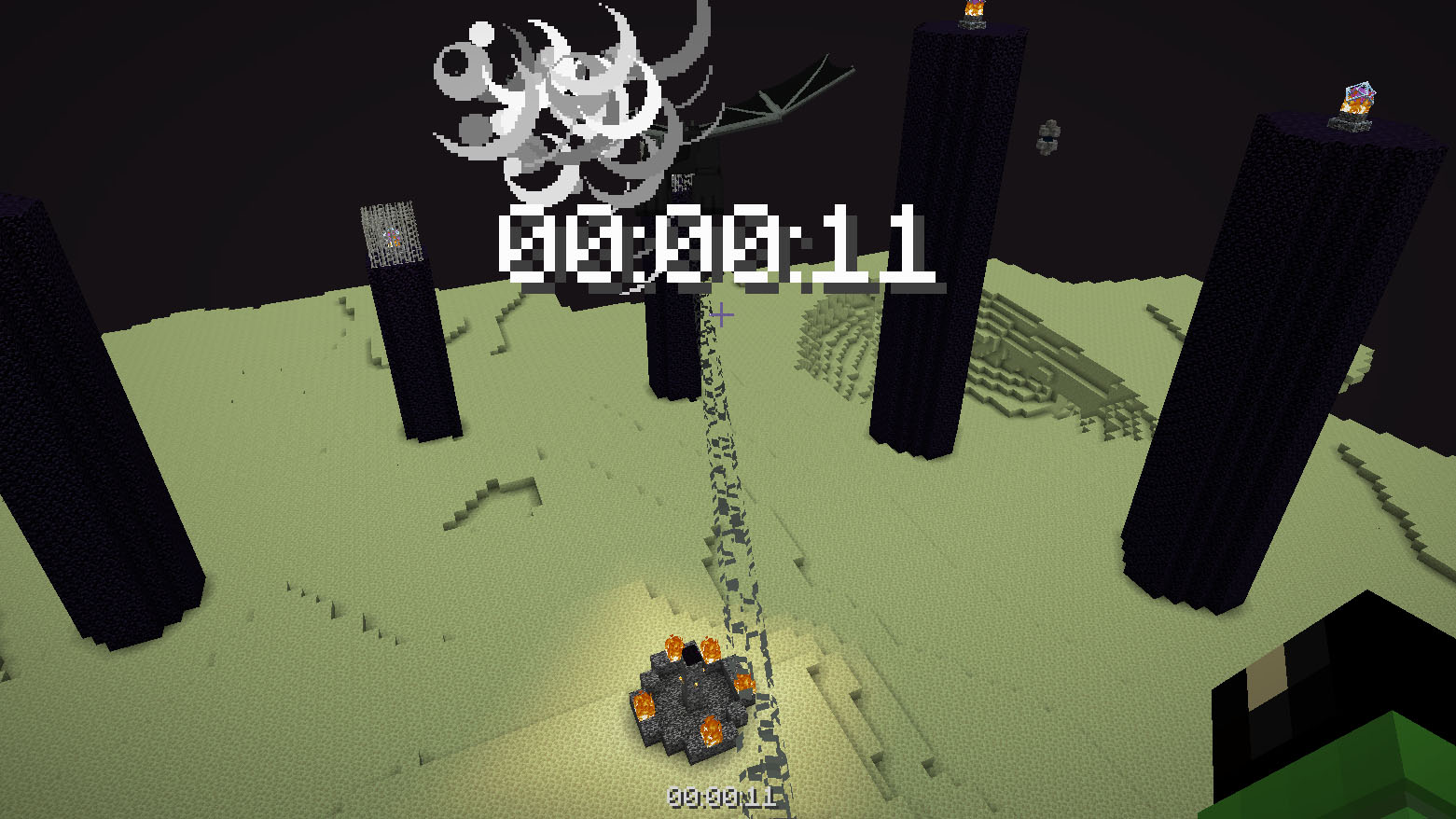
## How to use
The timer is activated automatically when you enter the world. The timer stops when you enter the end portal.
## Dependencies
– Fabric loader requires Fabric API
Third Person Control
# speclib/thirdpersoncontrol!
– This datapack allows players to control entities in THIRD PERSON via WASD, Jump and Sneak INPUTS!
– This datapack only works in **1.21.4 and above**!
### Modules:
– Camera Interpolate
# How to Use:
### Third Person Control:
The Third Person Control is a part/main module of the datapack which allows players to control entities with WASD. It takes player input via the new Player Input predicates and calculates and applies Motion Vector into the Motion NBT of the entity. The datapack also allows players to spectate entities (in third person). The camera positions are initialized in `tpc:gb/load`. All entities seen in that function file are controllable with WASD, jump and sneak. Some entities have special controls, like the entities which can fly can gain altitude with holding down jump.
– Spawn Entity and Control In Third Person: `/function tpc:summon {entity:”armor_stand”}`
– Spectate an Entity with a Specific Tag: `/function tpc:spectate {tag:”temp_tag”}`
– Spectate a Random Entity with a Specific Tag: `/function tpc:spectate_random {sub_tag:”temp_tag”}`
– Unspectate Entities: `/function tpc:remove`
### Camera Interpolate (Module):
The Camera Interpolate Module allows users to interpolate to a specific ‘X’ and ‘Y’ rotation, with a particular ‘SPEED’ value. When the command is ran, the player camera will find the shortest path to the given rotation coordinates and interpolate and the provided speed. The Module also allows players to switch from Controlling the Entity to Spectating It. When Spectating the Entity, their Camera will randomly interpolate to a random direction every 10 seconds.
– Interpolate Camera: `/function camera:interpolate {“x”:10,”y”:30,”speed”:200} // Greater the Speed Value, Slower the Interpolation.`
– Interpolate to a Random Direction: `/function camera:interpolate_random`
– Toggle from Entity Controller → Entity Spectator (and vice versa): `/function camera:toggle_control`
Thigh Highs
# Thigh Highs
This is a resource pack that adds thigh-highs in black, blue, pink, red, and yellow instead of armor.
—
