Solid concrets
The Solid Concrete texture in Minecraft is known for its smooth, clean, and uniform appearance, without any visible patterns or pixel details. Available in 16 different colors, it matches the dye options in the game. This texture is popular for modern builds, pixel art, and designs that require a solid, vibrant look. Its minimalistic style makes it ideal for clean and colorful creations.
👤 So No Head? – Hide Helmets Stay Protected


**So No Head?** is a minimalist resource pack that **hides only the helmet model**, allowing player faces and hairstyles to be fully visible while still keeping helmets equipped. Perfect for **skin showcases**, **roleplay**, or **immersive storytelling** without sacrificing protection!
### Features
– **Helmet-only removal** – All other armor remains visible.
– **Unobstructed faces** – Great for creators, social servers, or cinematic use.
– **Lightweight and simple** – Purely visual.
### Compatibility Note
Due to how **armor textures are handled in Minecraft**, this pack will **not work correctly alongside other resource packs that modify armor models or textures**.
### Mod Support
Want support for a specific mod or armor set? Drop a suggestion on **GitHub** or reach out directly!
### Want full invisibility?
Download **🛡️ Hide Armor** to remove all armor visuals, not just helmets.

### Looking for more customization?
Check out **Show Me Your Skin! by enjarai** for advanced personalization options.
This mod allows you to customize individual armor pieces and player appearances, with full server-side support.

License
👤 So No Head? is © NotToBlame. You are permitted to:
– ✅ Use in modpacks **if downloaded from official sources** (Modrinth, CurseForge)
– ✅ Create and publish **addon packs** (as long as no original files are included)
– ✅ Make **personal edits** (not for redistribution)
You may **not**:
– ❌ Reupload or redistribute this pack or its assets
– ❌ Include original files in your own uploads or forks
– ❌ Use the pack commercially without explicit permission
Read the full license →
Snowball Recipe
❄️ Snowball Recipe Datapack
Craft throwable chill—no shovel spam required!
This datapack introduces a custom recipe for Snowballs, letting players convert Snow Blocks into projectile-ready ammo or decorative snow piles.
✨ Features
✅ Shapeless recipe using 1 Snow Block
🧩 Lore-friendly integration with snow biome mechanics and redstone snowball launchers
🔁 Modular JSON structure for easy editing and expansion
🛠️ Compatible with Minecraft 1.13+
SnifferBeGONE – Remove the sniffer sound
A resource pack that removes every sniffer sound, except for it’s death.
### Version support
– Every version after 1.20 is supported. As the sniffer was released that version.
**If you have any issues, please contact me through Discord.**
@zemewtf
SnapshotXBR
# SnapshotXBR
Automatic upscales of the latest textures using xBRZ, designed for use under VanillaXBR.
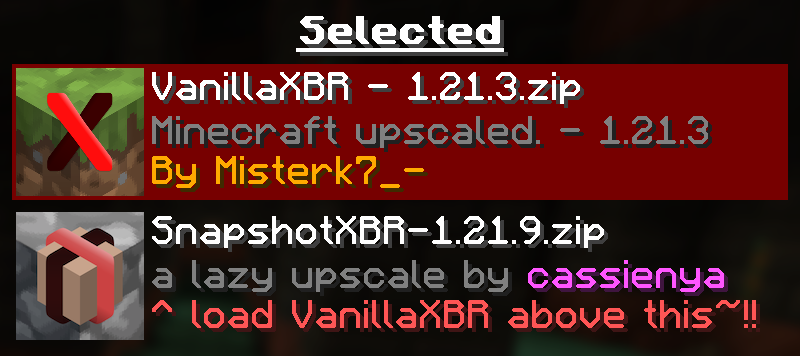
Ensure VanillaXBR is loaded above SnapshotXBR for the best experience
## Why?
Misterk7_- is busy and VanillaXBR doesnt get updates very quickly, so this is designed to be a sort of bleeding edge build that people can use day 1 as a fallback for textures not yet given Misterk7_-‘s touch
### You will notice…
– Gaps in-between block models (ex. missing corners of torches)
– Unnatural pixel blending (ex. the eyes of mobs may morph into the rest of the body)
– Clipped textures in the user interface (ex. the dimming is broken in the world menu)
These are issues that come with a ‘lazy upscale’ of the Minecraft textures, and so will not be fixed as a part of this pack. To fix them, read the recommended usage guidelines below.
### Recommended usage
– Use the latest version of VanillaXBR.
– Enable VanillaXBR above SnapshotXBR in the resource pack menu (as seen above).
– Create and/or improve automatically scaled versions of the textures yourself
## What if I want xBR versions of textures from [insert mod or resource pack]
PackXBR is the easiest way to make your own textures fit with VanillaXBR.

Snapshot Pack

—
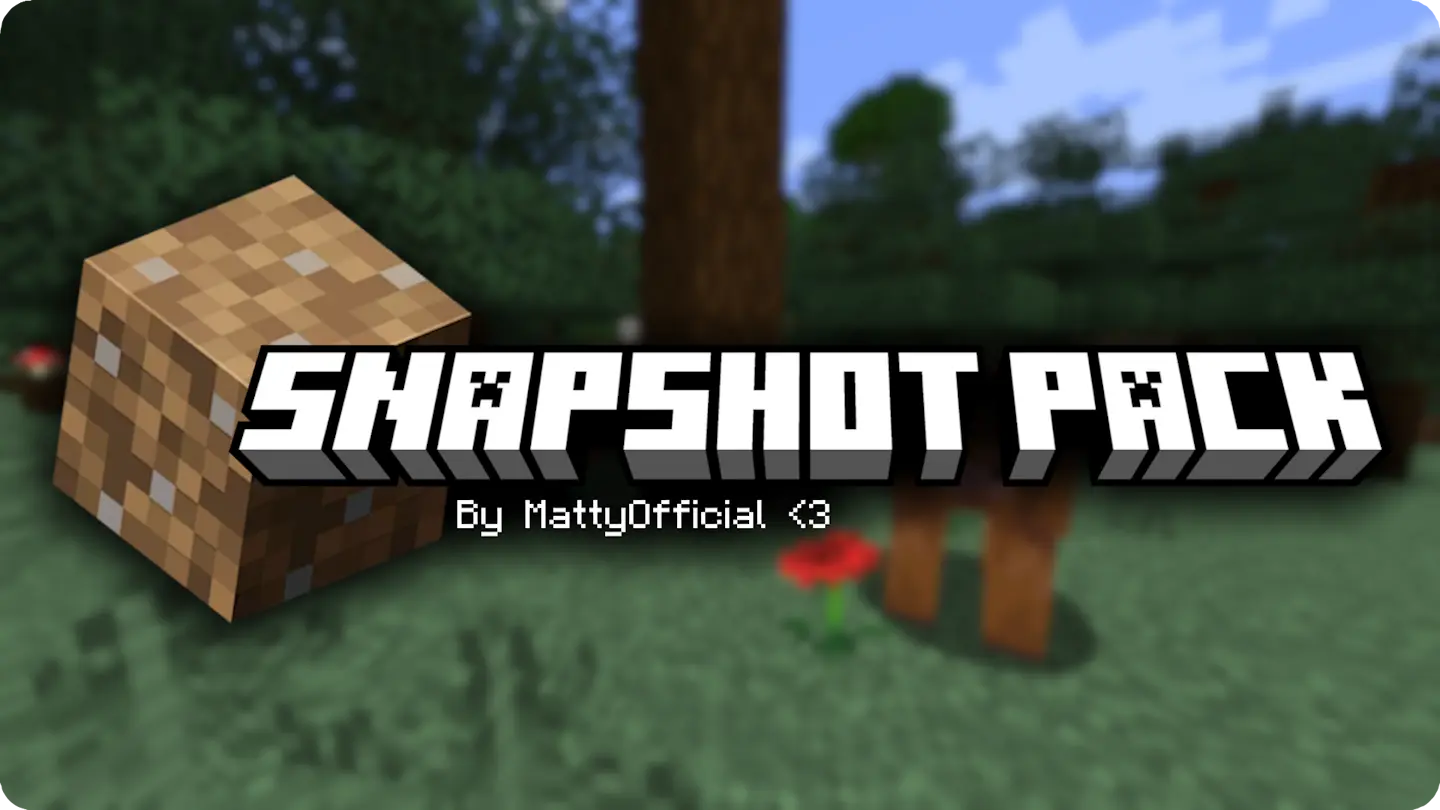
Snapshot pack is a modpack cointaining **client-side only** mods to add **performance** and **quality of life** to every minecraft snapshot. Its small as it only uses mods that have shown to update every snapshot, but hopefully the pack will grow in the future.

—
The pack will get **as soon as a new snapshot comes out**, maybe a couple hours after at most (very rarely even a day, usually on the first snapshot of the new drop).
This means that the latest version of the pack will display the **wrong** version, this is cause modrinth’s API only updates a couple of days later. But don’t worry, **EVERY** update lines up with a new snapshot, so just keep the latest version and you won’t be left behind.
Ultimate Smooth FPS Booster
# ⚔️ Smooth PvP Pack
Enhance your PvP experience with smoother visuals and clearer gameplay.
Smooth PvP Pack is a lightweight texture pack designed to improve visibility and reduce visual clutter during combat. It helps players focus better in fights by simplifying effects and keeping the screen clean.
## ✨ Features
– 👁️ Clear and simple visuals for better PvP focus
– ⚡ Reduced unnecessary particles
– 🎯 Improved visibility in combat situations
– 📱 Lightweight and performance-friendly
– 🎮 Smooth gameplay experience
## 🎯 Why use this pack?
This pack is ideal for players who want a cleaner PvP experience without changing the core look of the game. It helps you react faster and play more consistently in battles.
—
🎨 Brand: Own Studio
🛠️ All textures are originally created or modified by Own Studio
—
## ⚡ ZEYRON CLOUD
Premium Game Hosting for Minecraft & Servers
## LINKS
**🌐 Website:**
https://zeyroncloud.com
**💬 DISCORD Server:**
https://discord.gg/QPSJzttKwn
Use code **OWNVERSE10** and get **10% OFF** on your **first month** of hosting!
Smooth Entity Shadows
Makes the Shadows under Entities Smooth. The closest you can get without shaders and optifine!

VS Vanilla:

smooth biome moss
add biome blending to moss block, donesnt work with moss carpet unfortunatly.
/! NEEDS either continuity OR optifine to work as it use theyre CTM feature /!
smoothing also need continuity or optiphine as it was not intentional at firs, i will have to remake the texture in the plain for everyone one day but for now, everything in this pack need continuity or optifine
Smaller Crosshair
Did you ever think: “_Why is the Crosshair so big_” ?. If yes, this Texturepack is the right choice!
It makes the Crosshair 1 pixel smaller and is good if you want to change the size of the crosshair, without changing the GUI Scale.
(works with the Crosshair Indicator Mod)
