VeinMiner
# **VeinMiner**

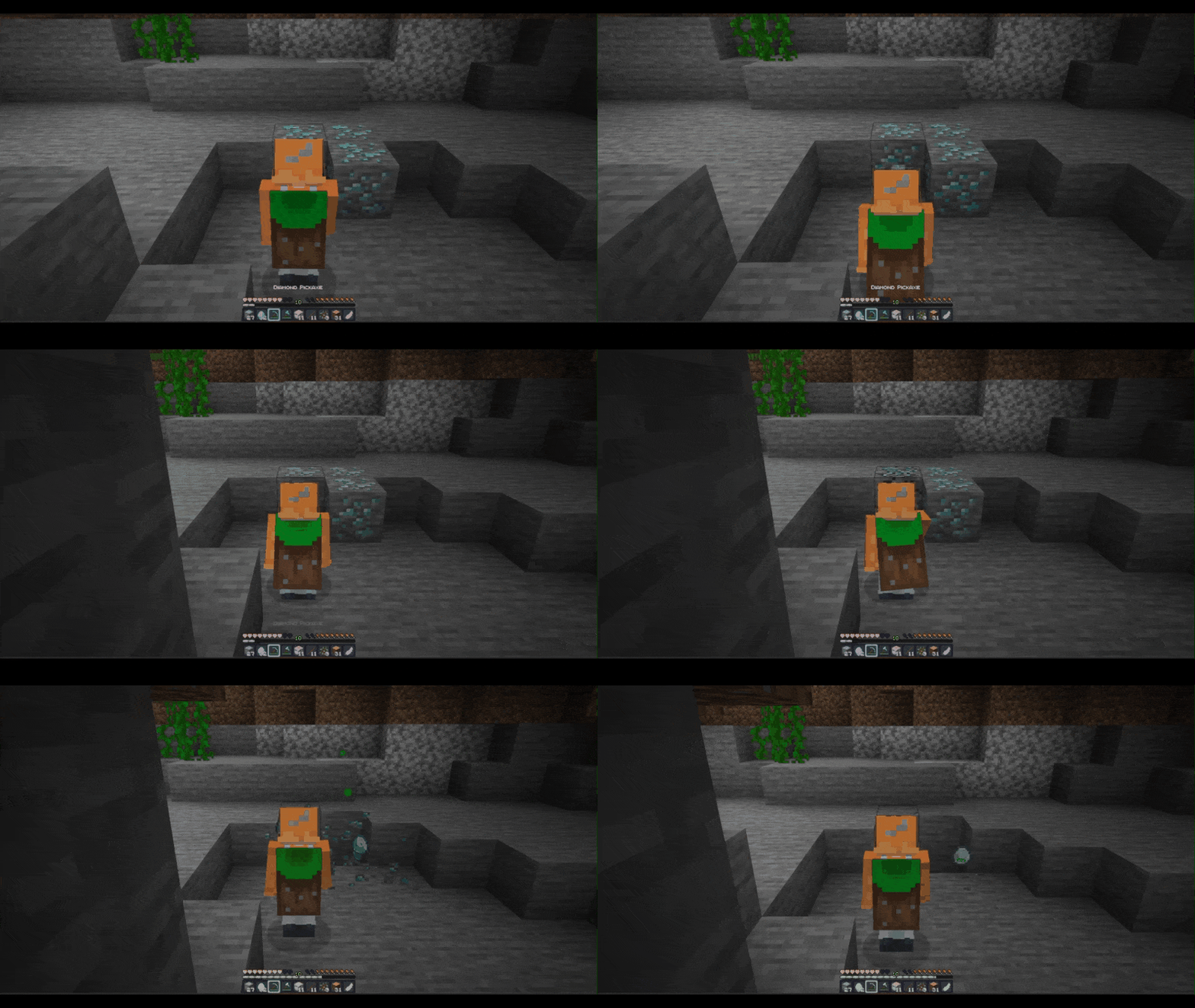
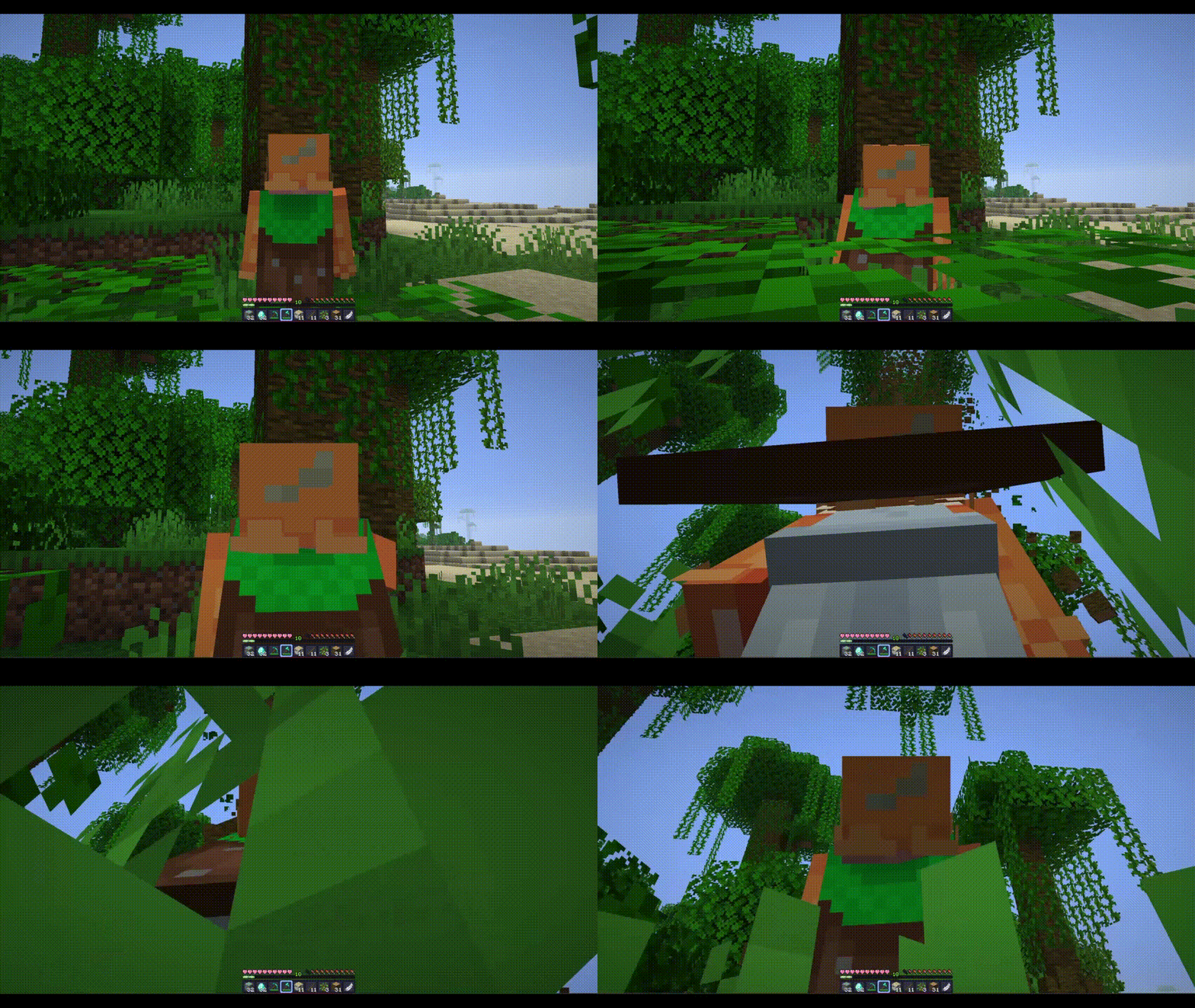
When vein mining, both trees and ores can be targeted however, ores require a pickaxe for the process, while trees can be mined without any specific tools.
crouch and break to activate veinmine
Variety
Im also active here!
[
](https://www.planetminecraft.com/member/nickshoof/) [](https://www.curseforge.com/members/svrve/projects) [](https://modrinth.com/user/Svrve) [](https://discord.com/) [](https://https://ko-fi.com/svrve)
##

**Pack that will randomize blocks and entities textures in your world to make it more unique and pleasing to the eye. Textures that are randomized or have variants by default ~~(blocks: stone, grass; mobs: chicken, cow)~~ stays without a change. You can see the difference at pictures in gallery. If you have an idea contact me.**
Here is a [quick guide to how to install texture packs](https://www.youtube.com/watch?v=I8BmnjowFrE) by _GuideRealm._
No mods required.
##

Now available on CURSEFORGE!
You can contact me on my PMC page!
Get EARLY ACCES to all of my packs [HERE](https://ko-fi.com/svrve).
All rights reserved.
#
**10% of the texturepack completed.**
List of Textures
– Birch Log
– Cobblestone+
– Cobbled Deepslate+
– Gravel
– Oak Log
– Granite+
– Andesite+
– Diorite+
– Mossy Cobblestone+
– Tuff
(“+” means cutouts)
Variants-CIT
# Variants-CIT
An alternative CIT format designed to handle large amounts of variants.
This mod excels in scenarios where one item has many variants all based on the same pieces of data. It yields better performances when extreme amounts of CITs are available, and uses a resource format that is less redundant, requiring only one short file to configure all possible variants of an item at once.
Assigning models on a case-by-case basis (similar to how Optifine-CIT handles it) is still possible, but does not boast the same performances.
## Resource Pack Format
This is a quick showcase. Refer to [**The Wiki**](https://github.com/Estecka/mc-Variants-CIT/wiki) for a complete guide.
The format revolves around item variants being automatically associated to models or textures with matching names.
Instead of defining separate conditions for every variants, you define a single rule that governs all variants in a collection, (so-called **modules**). This module defines what item is affected, how to figure out its variants, and where the variant models are located.
### Fully automatic variants-to-model association
Here’s a simple module that would change the texture of enchanted books :
“`jsonc
{
“items”: “enchanted_book”, // The affected item type(s)
“modelPrefix”: “book_cit/”, // The folder containing the possible models/textures.
“assetGen”: “item_model/generated”, // Auto-generate models from textures (if missing)
“type”: “stored_entchantment”, // How to compute the item’s “variant ID”
“parameters”: { // Extra options specific to the module’s type
“levelSeparator”: “_lvl_” // Include enchantment level in the variant ID
}
}
“`
Here, a book with the enchantment `minecraft:unbreaking` at level 2 will have the variant ID `minecraft:unbreaking_lvl_2`, and thus use the texture stored at `/assets/minecraft/textures/item/book_cit/unbreaking_lvl_2.png`.
This single module will work for every possible enchantment, vanilla or modded, so long as a corresponding texture exists.
### Automatic variants based on custom data
The module above has a purpose-made type for enchanted books. If no type exists for a specific use-case, you can still use more generic modules to get a variant from any component:
“`jsonc
{
“items”: “minecraft:suspicious_stew”,
“modelPrefix”: “item/suspicious_stew_cit/”,
“assetGen”: “item_model/generated”,
“type”: “component_data”,
“parameters”: {
“componentType”: “suspicious_stew_effects”, // The component containing the variant ID
“nbtPath”: “[0].id” // The location of the variant ID in the component.
}
}
“`
#### Processing data that can’t be used as-is:
“`jsonc
{
“items”: “diamond_sword”,
“modelPrefix”: “item/named_swords/”,
“assetGen”: “item_model/handheld”,
“type”: “component_data”,
“parameters”:
{
“componentType”: “custom_name”,
“transform”: [
{
“function”: “regex”,
// Pattern matching,..
“regex”: “(?i)(.*’s )?(Great |Grand )?(?.*(sword|dagger))( of doom)?”,
// … and preserve only a portion of the name.
“substitution”: “$var”
// (E.g: “steev18’s great Steel Sword” => “Steel Sword”)
}
{
// Turns any text into a valid identifier
“function”: “sanitize”
// (E.g: “Steel Sword” => “minecraft:steel_sword”)
}
]
}
}
“`
#### Combining multiple pieces of data from different sources:
“`jsonc
{
“items”: “minecraft:diamond_sword”,
“modelPrefix”: “item/trimmed_diamond_sword/”,
“assetGen”: “item_model/handheld”,
“type”: “component_format”,
“parameters”:
{
// How to combine various pieces of data into a variant ID
// (E.g: sentry_diamond)
“format”: “${pattern}_${material}”,
// Where to find those pieces of data.
“variables”: {
“pattern”: {
“componentType”: “trim”,
“nbtPath”: “.pattern”
},
“material”: {
“componentType”: “trim”,
“nbtPath”: “.material”,
“transform”: “discard_namespace”
}
}
}
}
“`
### Case-by-case variants
For systems that don’t really follow any rules, (or if you have too few variants to care about automatism), you can use a format closer to Optifine-CIT’s paradigms:
“`jsonc
{
“items”: “trident”,
“modelPrefix”: “item/godly_tridents/”,
“assetGen”: “item_model/trident”,
“type”: “predicates”,
“parameters”: {
“predicates”:
[
{
“variantId”: “zeus_smite”,
“precondition”: {
“enchantments.channeling”: { “greater_or_equals”: 1 }
}
},
{
“variantId”: “jupiter_syphon”,
“precondition”: {
“enchantments.riptide”: { “greater_or_equals”: 1 }
}
}
// etc
]
}
}
“`
Variants cakes
# **Variants cakes**
**The texture pack adds 26 cake variants. Cake textures can be swapped using OptiFine or CIT Resewn.**
**Contents:**
Spoiler
1. 6 cakes with sweet berries on a milk glaze
1. 6 cakes with glow berries on a milk glaze
1. 6 cakes with sweet berries on a chocolate glaze
1. 6 cakes with glow berries on a chocolate glaze
1. 1 cake with milk glaze and no berries
1. 1 cake with chocolate glaze and no berries
**Renamings:**
Spoiler
1. Cake 2
1. Cake 3
1. Cake 4
1. Cake 5
1. Cake no berries
1. Cake with glow berries 1
1. Cake with glow berries 2
1. Cake with glow berries 3
1. Cake with glow berries 4
1. Cake with glow berries 5
1. Cake with one glow berry
1. Cake with one sweet berry
1. Choco cake 1
1. Choco cake 2
1. Choco cake 3
1. Choco cake 4
1. Choco cake 5
1. Choco cake no berries
1. Choco cake with glow berries 1
1. Choco cake with glow berries 2
1. Choco cake with glow berries 3
1. Choco cake with glow berries 4
1. Choco cake with glow berries 5
1. Choco cake with one glow berry
1. Choco cake with one sweet berry
Vanilla Enhanced
[](https://discord.gg/XgH4EpyPD2)
***Bored of plain Minecraft? This will change everything.*** **[Support the project on Patreon →](https://patreon.com/lamapi)**

**Vanilla Enhanced — Minecraft, but better.**
Vanilla Enhanced is a **lightweight shaderpack** made to elevate the way Minecraft feels — not to remake it.
Cleaner light, richer color, and subtle motion make your world more immersive while keeping the classic look you love.
**What you’ll notice right away**
– **More presence:** Light and shadow add depth so environments feel tangible.
– **Natural movement:** Leaves, water, and reflections react smoothly to motion.
– **Focused polish:** Small details (grass, stones, torchlight) gain subtle realism.
– **No compromise:** Optimized to run well on modest systems.
### Highlights in action
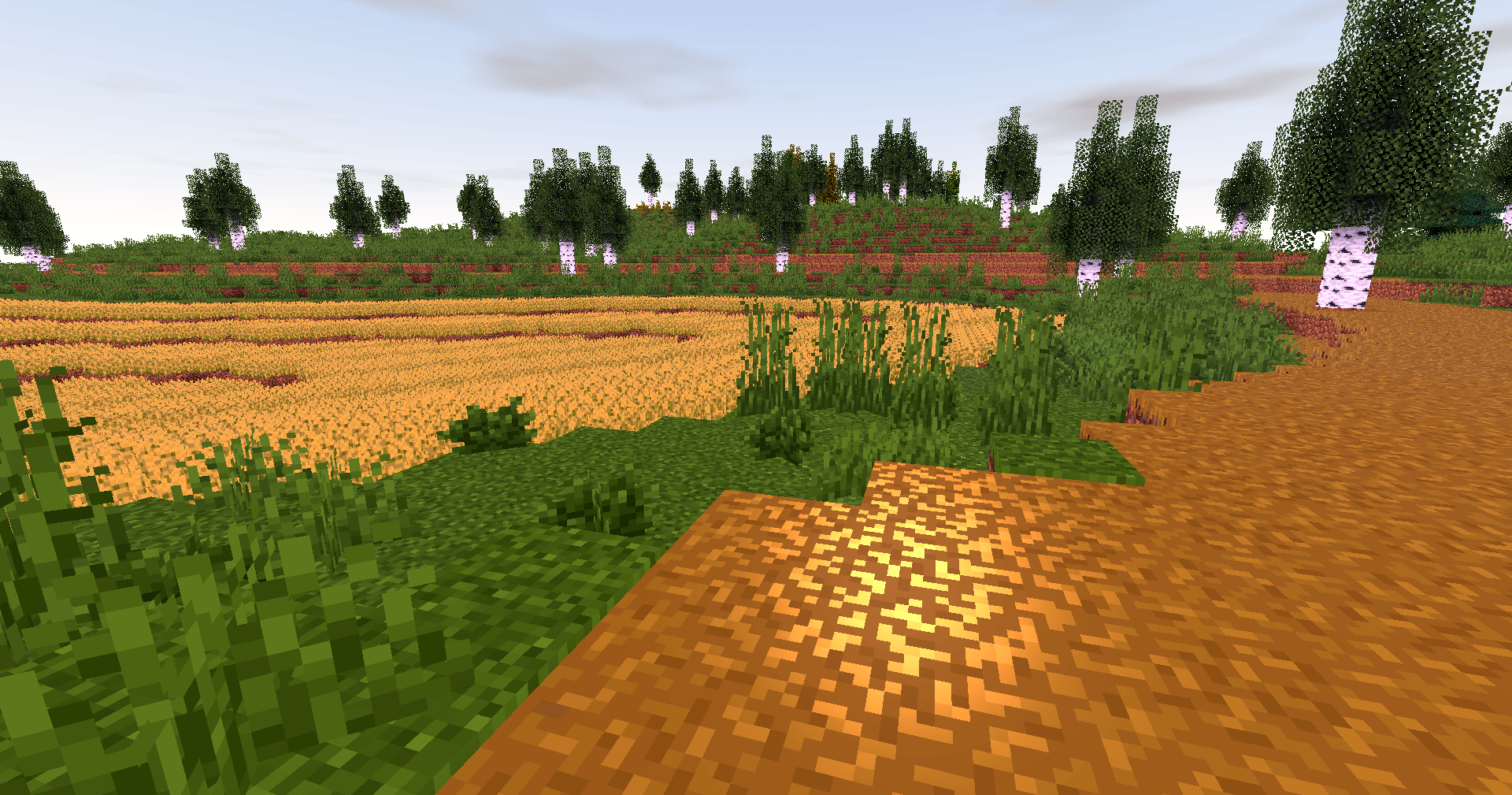
**Golden skies that sell the scene.**
Sunsets become a moment worth pausing for — gentle gradients, richer highlights, memorable horizons.
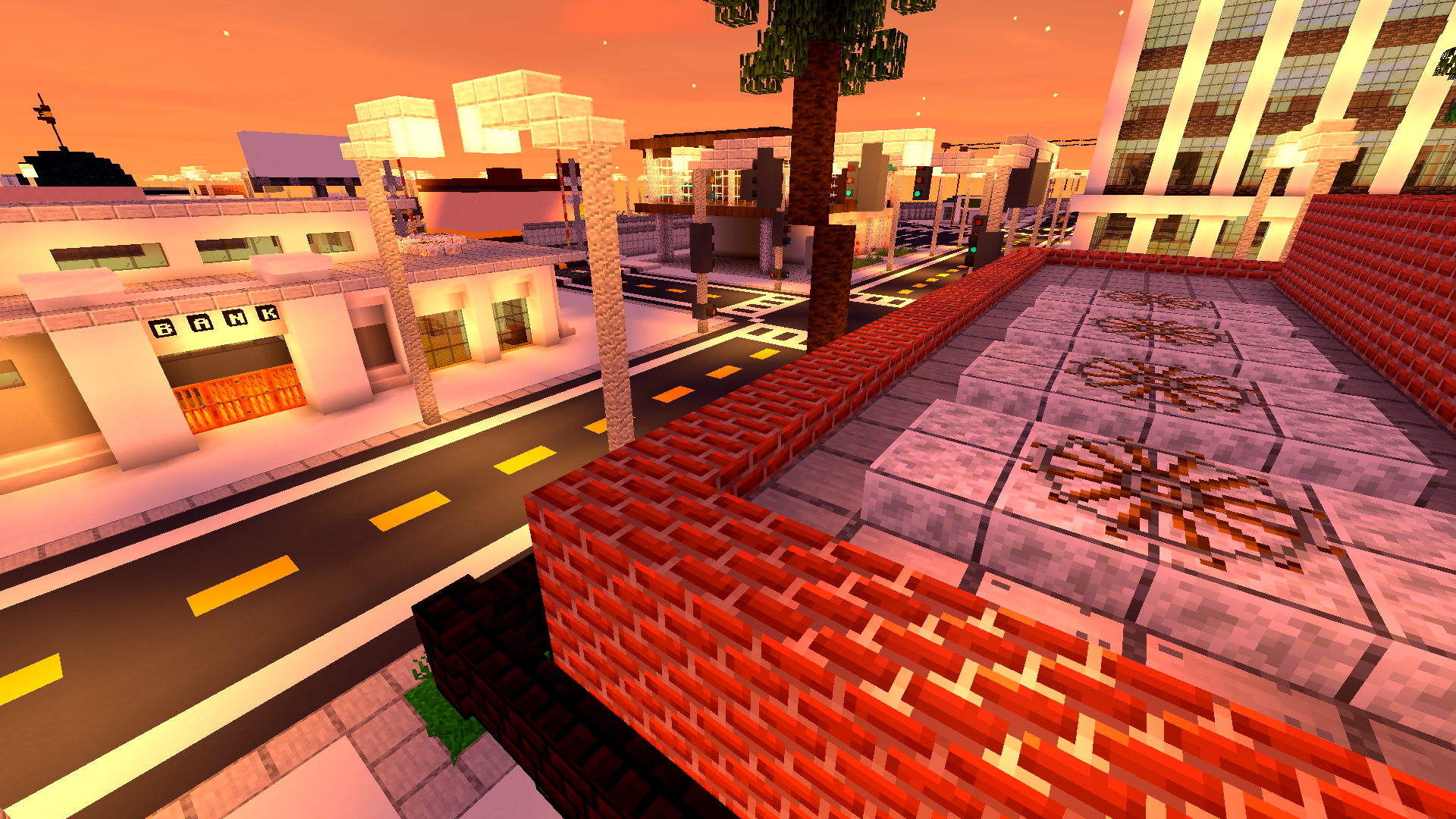
**Biomes with personality.**
Color grading and contrast are tuned so forests, mountains and plains feel distinct and cohesive.


**Caves that invite you in.**
Subtle glows and realistic shadowing turn spelunking into an atmospheric experience.

**Light that moves with you.**
Shadows soften and shift; reflections follow your motion — the world reacts, not just sits pretty.
—
### Why players love it
– **Feels faithful:** Keeps Minecraft’s identity intact while upgrading visuals.
– **Builds shine:** Your creations get natural highlights and better depth.
– **Exploration rewarded:** Every walk, dive or mine feels more cinematic.
– **Low overhead:** Designed to be light on performance so more players can enjoy it.


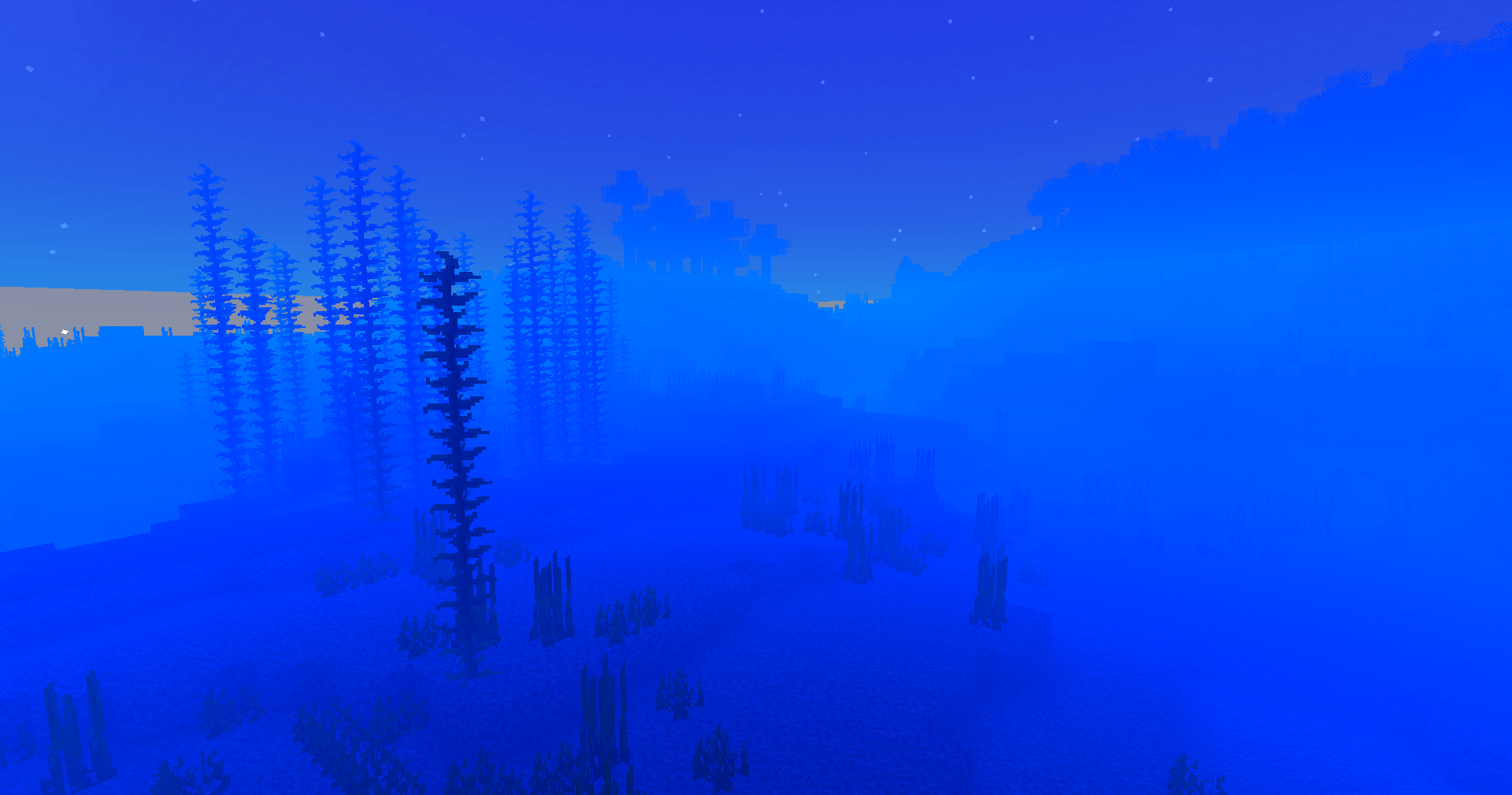
**Underwater wonder.**
Light refracts, caustics ripple, and water gains believable motion — diving finally looks the part.

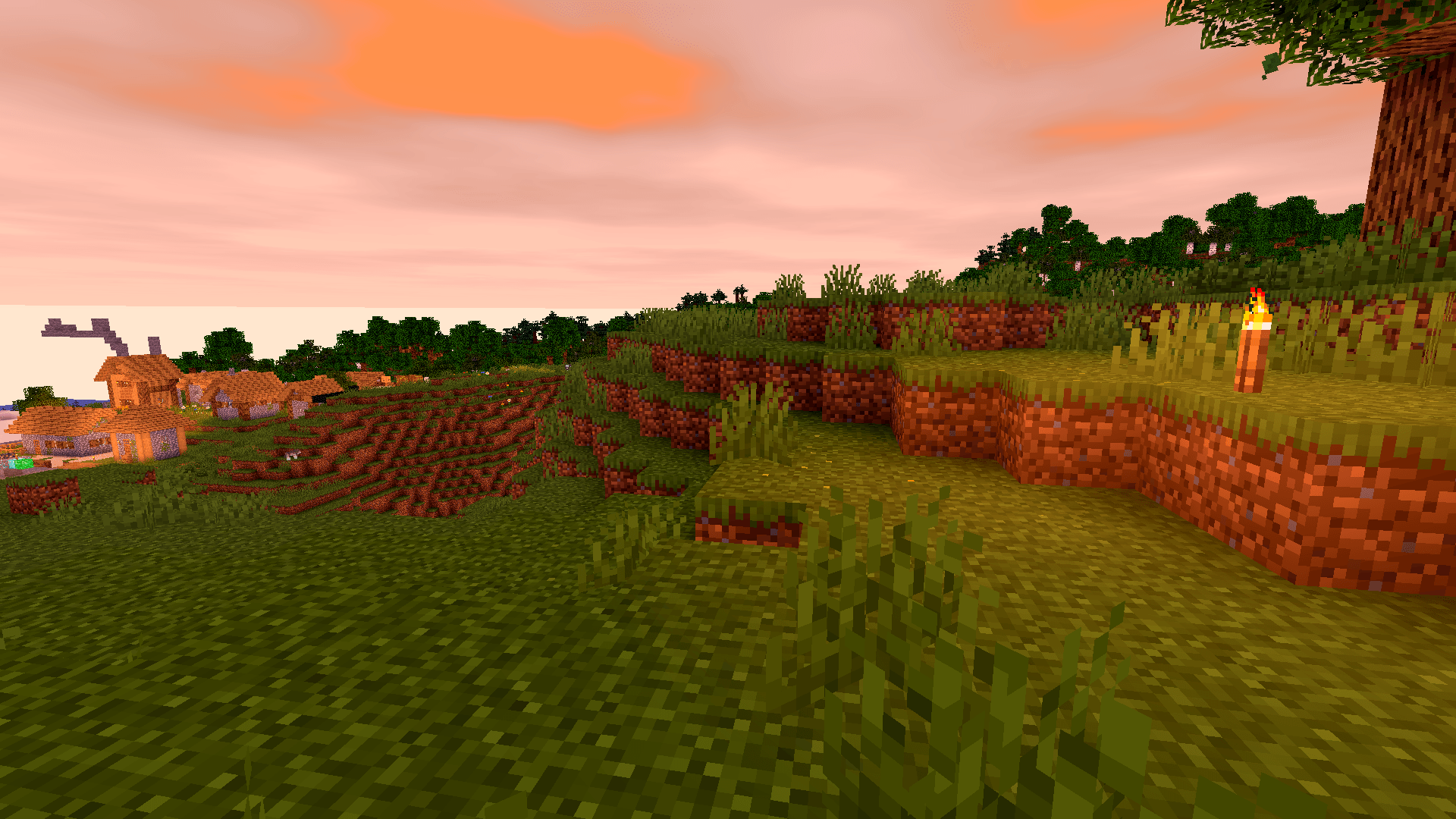
**A unified aesthetic.**
Everything from deserts to snow peaks shares a consistent, polished tone — your world looks like it belongs together.

**Ready to upgrade your game?**
**Download Vanilla Enhanced** and see Minecraft in a new light — subtle, smooth, and surprisingly magical.


**🧠 Lamapi: Open Source AI Company**
Pushing the boundaries of accessible intelligence. Whether you need lightweight efficiency or industrial-grade reasoning, the **Next Series** delivers.
**Why build with Lamapi?**
– ⚡ **High Efficiency:** From compact 1B models to powerful 70B reasoning engines.
– 🌍 **Multilingual Mastery:** Optimized for superior performance in English & Turkish.
– 🛠️ **Ready to Deploy:** State-of-the-art open weights available immediately.
**Explore our models and start building:**
🔗 https://huggingface.co/Lamapi

**🚀 KCB Hosting: Power Meets Reliability**
Looking for a host that takes your gaming experience as seriously as you do? We provide robust infrastructure ensuring smooth gameplay and enterprise-grade uptime.
**Why switch to us?**
– 💎 **7-Day Free Trial:** Experience the quality risk-free (No commitment).
– 🛡️ **99.9% Uptime SLA:** Your server stays online, guaranteed.
– ⏰ **24/7 Support:** Expert help whenever you need it.
🔥 Experience the difference with 25% off your first month,
Use code **XSORAS**
**Deploy your server now:**
🌐 [https://kcbhosting.com](https://kcbhosting.com/aff/xsoras)
💬 https://discord.gg/kcbhosting
[](https://kcbhosting.com/aff/xsoras)
VO: Better Dogs




# 🐕 Better Dogs
**No Backports:** This mod targets **Minecraft 26.1+**. Older versions are unsupported.
> **Make Wolves Worthy Companions. Smarter, Safer, Livelier.**
Every Minecraft player knows the pain: you spend hours finding a wolf, tame it, and five minutes later it jumps into lava or walks off a cliff. **Better Dogs** overhauls wolf AI to make them effective partners. Powered by a high-performance **Event-Driven AI Scheduler**, they act efficiently without sacrificing performance.
Part of the **Vanilla Outsider Collection** — mods that refine the vanilla experience with modern standards.
—
## ✨ Features
### 🧠 Personality Intelligence
When tamed, wolves develop one of three permanent personalities, visible via custom particles:


– 💢 **Aggressive**: The Guardian. Proactively attacks hostile mobs and scouts ahead.
– ❤️ **Pacifist**: The Healer. Avoids combat unless you are hurt. High health, low damage.
– ✨ **Normal**: The Classic. Balanced stats and standard vanilla-plus behavior.
### 🤝 Advanced Social AI
– **Social Bonding (Affinity)**: Dogs form relationships within their pack. Socializing builds trust and reduces accidental infighting.
– **Adult Correction**: Aggressive adults discipline misbehaving puppies, preventing death loops.
– **Pack Genetics**: Puppies inherit personality traits and stats from their parents.
### 🛡️ Smart Survival AI
– **Cliff Safety**: Wolves detect fatal drops and airborne targets, stopping dangerous chases.
– **Hazard Awareness**: Improved pathfinding around lava, fire, and drowning hazards.
– **Creeper Awareness**: Wolves flee from hissing Creepers!
### 📡 Behavioral Specialization
– **Scouting**: Aggressive dogs proactively range ahead to clear your path.
– **Silent Alarm**: Pacifist dogs emit a high-pitched whine when they detect nearby monsters.
– **Gift System**: Loyal dogs bring you treasures based on their personality.
– **Debug Tools**: Use `/betterdogs debug territory` to test pack interactions.
### 🏰 Wild Wolf Territoriality
Wild wolf packs are now dynamic, territorial entities led by a dominant leader:
– **Territorial Disputes (The Handshake)**: When rival packs meet, leaders negotiate. If both want war, they engage in a **Territorial War**. If only one wants war, the other may **Yield & Merge** immediately or retreat based on a configurable chance.
– **1v1 Leader Duels**: During a war, rival leaders engage in a cinematic 1v1 duel to settle dominance, while pack members participate in a secondary brawl.
– **Yield & Merge**: Defeated packs are not lost; they yield and **merge** with the winning pack, allowing for the natural formation of massive wolf colonies.
– **Wild Personality AI (New Default)**: Out of the box, wild pack members exhibit unique behaviors (like Aggressive hunting or Pack Retreats) while anchored to their leader.
– **Performance Hardened**: All AI logic is performance-optimized using **DasikLibrary 1.7.0**, ensuring zero console spam and smooth server TPS even with massive packs.
—
## ⚙️ Configuration (Native Game Rules)
No messy config files. Better Dogs uses the **Native Minecraft Game Rules** system. All 40+ mod parameters are grouped into a dedicated **”Better Dogs”** category in the official UI.

—
## ☕ Support
If you enjoy the **Vanilla Outsider** collection, consider fueling the next update!
[](https://ko-fi.com/dasikigaijin/tip)
[](https://sociabuzz.com/dasikigaijin/tribe)
[](https://saweria.co/DasikIgaijinn)
> [!NOTE]
> **Indonesian Users:** SocioBuzz and Saweria support local payment methods (Gopay, OVO, Dana, etc.) if you want to support me without using PayPal/Ko-fi!
—
## 📜 Credits
| Role | Author |
| :— | :— |
| **Creator** | **Rifaditya** (Dasik) |
| **Collection** | Vanilla Outsider |
| **License** | GPLv3 |
—
**Made with ❤️ for the Minecraft community**
*Part of the Vanilla Outsider Collection*
Vanilla Food Hunger Bar HUD Hotbar
Reverts the HUD Food/Hunger Icons to the default, vanilla ones when put above other Resourcepacks. Useful for overriding the textures when using other resource packs that might make them look worse.
Now with [Appleskin](https://modrinth.com/mod/appleskin/versions) and [Farmer’s Delight](https://modrinth.com/mod/farmers-delight) COMPATS!

I mainly made this to revert these food/hunger textures from [Unique Dark](https://modrinth.com/resourcepack/unique-dark):


Click here or on the image above for the Health/Hearts version
**You might also want to use:**
|[](https://modrinth.com/resourcepack/old-water)|[](https://modrinth.com/resourcepack/old-bedrock)|[](https://modrinth.com/resourcepack/new-bedrock)|[](https://modrinth.com/resourcepack/mute-pistons)|[](https://modrinth.com/resourcepack/quieter-pistons)|[](https://modrinth.com/resourcepack/mute-dispensers-and-droppers)|[](https://modrinth.com/resourcepack/quieter-dispensers-and-droppers)
|:-:|:-:|:-:|:-:|:-:|:-:|:-:|
|[Old Water](https://modrinth.com/resourcepack/old-water)|[Old Bedrock](https://modrinth.com/resourcepack/old-bedrock)|[New Bedrock](https://modrinth.com/resourcepack/new-bedrock)|[Mute Pistons](https://modrinth.com/resourcepack/mute-pistons)|[Quieter Pistons](https://modrinth.com/resourcepack/quieter-pistons)|[Mute Dispensers and Droppers](https://modrinth.com/resourcepack/mute-dispensers-and-droppers)|[Quieter Dispensers and Droppers](https://modrinth.com/resourcepack/quieter-dispensers-and-droppers)
Vanilla Hearts Health Bar HUD Hotbar
Reverts the HUD Hearts/Health Icons to the default, vanilla ones when put above other Resourcepacks. Useful for overriding the textures when using other resource packs that might make them look worse.


Click here or on the image above for the Food/Hunger version
**You might also want to use:**
|[](https://modrinth.com/resourcepack/old-water)|[](https://modrinth.com/resourcepack/old-bedrock)|[](https://modrinth.com/resourcepack/new-bedrock)|[](https://modrinth.com/resourcepack/mute-pistons)|[](https://modrinth.com/resourcepack/quieter-pistons)|[](https://modrinth.com/resourcepack/mute-dispensers-and-droppers)|[](https://modrinth.com/resourcepack/quieter-dispensers-and-droppers)
|:-:|:-:|:-:|:-:|:-:|:-:|:-:|
|[Old Water](https://modrinth.com/resourcepack/old-water)|[Old Bedrock](https://modrinth.com/resourcepack/old-bedrock)|[New Bedrock](https://modrinth.com/resourcepack/new-bedrock)|[Mute Pistons](https://modrinth.com/resourcepack/mute-pistons)|[Quieter Pistons](https://modrinth.com/resourcepack/quieter-pistons)|[Mute Dispensers and Droppers](https://modrinth.com/resourcepack/mute-dispensers-and-droppers)|[Quieter Dispensers and Droppers](https://modrinth.com/resourcepack/quieter-dispensers-and-droppers)
uwulangpack
UwUifies your minecraft (makes it cuter)(i hate what i made)!
## What does it do?
– Replaces “l” and “r” with “w”
– Adds random stutters to words
– Replaces some words to a more UwUified version
– Adds emoticons at the end of strings
## How was it made?
I spent a bit of my life to write a python script that does it all automagically.
# How to use
1. Install this resource pack.
2. Enable it.
3. Select “Engwish~ :3 (Furry)” language.
4. Profit.
—
[github](https://github.com/potatsu314/uwulangpack)
user flags
> **communicating with non-friends in 26.2**
>
> first, open the game at least once to generate the config. then open `config/user-flags.properties` and put `false` next to the line reading `chat_friends_only=`.
>
> this will also allow you to see your own messages. an upcoming update will make this the default option.
# user flags
unblock chat, disable telemetry, and more. configure your safety settings!
by default, this mod simply prevents chat from being disabled by account settings. see below for more configuration information!
this mod works on all versions from 1.18 to 26.1!
## how it works
when starting up the game, minecraft gets [some information about what privileges your account has](https://minecraft.wiki/w/Mojang_API#Query_player_attributes), known internally as user flags. this is what controls various account features such as whether you can see chat. this mod simply changes those values to whatever you want!
## configuration
this mod creates a `config/user-flags.properties` file which can be used to make local changes to your account’s safety settings. simply put true/false next to the values you want to change.
users may want to configure these settings:
– chat allowed — bypasses account chat restrictions
– telemetry enabled — disable all minecraft telemetry
developers may want to use these settings for debugging:
– servers allowed — can be disabled (cannot bypass bans)
– profanity filter enabled — enables use of `text-filtering-config`
for more information about what all the flags do, check out [this document](https://codeberg.org/orifu/user-flags#readme)!
default config:
“`properties
#use true/false to override
chat_allowed=true
telemetry_enabled=
optional_telemetry_available=
servers_allowed=
realms_allowed=
profanity_filter_enabled=
“`
