Time Adjustment
Time Adjustment


A simple mod/datapack that allows the player to change how long the Minecraft daylight cycle lasts.
It supports daylight cycle lengths 1 minute and longer.
🕹 Installation
Time Adjustment can be installed multiple ways. The simplest is through Modrinth, while Github can offer experimental versions.
Modrinth
Datapack
- Download the correct version of the datapack
- Follow this guide to complete installation
Mod
- Download the correct version of the mod
- If using the Modrinth app, you’re done. Otherwise, move the mod into your mods folder
Github
Releases
- Navigate to Github Releases
- Find the version of Time Adjustment you want
- In Assets, find and click the zip that has the version of Minecraft you’re playing on
- Follow this guide to complete installation
Continuous Updates
- Install Git
- Open a terminal in your datapacks folder (follow step 4 in Releases if you need help)
- In the terminal, enter
git clone https://github.com/Team-NPM/Time-Adjustment.git
- In the terminal, enter
git checkout $(VERSION), replacing $(VERSION) with the datapack version you want (run git branch -l to see all branches)
- If the datapack ever updates, open a terminal in your datapacks folder and run
git pull to update it quickly!
🎛 Running
When the datapack is installed, a message will appear in chat informing all users of the successful installation.
To begin using it, run /function config:timeadjust or /function timeadjust:.config to open the configuration menu.

- Day Length
- The length of the day shown in hours and minutes
- Daylight Cycle
- Easily enable or disable the daylight cycle (do not use
/gamerule doDaylightCycle or /gamerule advance_time in version below 26.1)
- Presets
- A set of preset daylight cycle lengths
- Manual Adjust
- A set of buttons to quickly adjust the time to the users liking. Clicking on the text in the middle allows the user to enter exact values
- Update Datapack
- A button to quickly run the update functionality for the pack and list update notes
- Uninstall Datapack
- A button that removes all datapack data from the world and gives instructions on how to finish cleanup
🖫 Updating
To update the datapack, simply enter the config and click the update option. It’ll automatically prepare the datapack for updating and will provide a set of instructions on how to finish updating. NOTE: Updating the datapack without running this option may cause problems during large update jumps.
🗑 Uninstalling
To uninstall the datapack, either enter the config and click the uninstall button, run /function uninstall:timeadjust, or run /function timeadjust:uninstall. Doing any of these options will remove all data from the world and give instructions on how to finish uninstallation.
🖇 Compatibility
For Minecraft 1.21.11 and below, most datapacks that rely on the default daylight cycle may not work as this datapack requires it to not run. If there are any problems with running other datapacks alongside this one, please follow the Reporting Issues section below.
🖂 Reporting Issues
Have a problem? Report it! There are 2 ways to report issues.
Github Issues
Head to https://github.com/Team-NPM/Time-Adjustment/issues and create an issue. You can also make suggestions there as well!
Discord
Join the Discord and make a bug report in the correct channel. Once it’s seen, a Github Issue will be created and linked.




team with effect
# English
**This datapack is a very large datapack**, allowing you to create factions or guilds, or even other features such as creating your own LG UHC game mode with wolves and their effects. This datapack works with Minecraft’s /team command, so as an admin you can manage the teams yourself.
_**Please note that due to technical limitations, if you wish to change the names, effects and colours of the teams, you will need to access the datapack settings (under ‘Effects’); however, you can of course send an email to the following address: ‘[email protected]’ to request a customised version with your effects, attributes or team names if you do not have the skills to change them yourself**_
**Please note that this data pack also works in solo or LAN mode. You just need to activate the commands in your world.**
### don’t forget to do /function minecraft:start_datapack
## How to use it?
You have two options: either you use command blocks with the command /team join @p (team name). I recommend placing a sign above it with the team name (as the default names are only visible with the /team join command) and a lever or button for players to choose their team. Alternatively, as an admin, you can choose which team players join using the command “/team join (player) (team name)
_By default, teams are numbered according to colour_
The effects according to the team names are as follows:
Spoiler
Team Aqua: strength 3 but with slowness 1
Team Black: speed 3 but with weakness 1
Team Blue: Jump boost 3 and block interaction range increased but with mining fatigue 1
Team Dark Aqua: Regeneration 2 and life increased to 12 hearts but with glowing
Team Dark Blue: Night vision and speed and automatically increases blocks by 2 in height but with glowing
Team Dark Grey: Resistance 2 and 4 base armour points but slowness 2
Team dark_green: haste 2 and attack speed increased but weakness 1
Team dark_purple: saturation and regeneration but with a weaker gravity effect (0.009) and reduced fall damage (otherwise you wouldn’t be able to jump) and glowing
team dark_red: size halved but camera and gameplay modified (the most fun faction)
team gold: invisibility but mining fatigue
team gray: fire resistance and strength 1 but slowness
team green: jump boost 3 and lighter gravity and slow fall 1 but with slowness 2
Team light_purple: aquatic breathing and dolphin grace but with increased height (1.5)
Team red: strength 3 and increased damage but slowness 1 and glowing
Team white: village hero
Team yellow: warning! this team is very cheat: dolphin grace, fire resistance, haste 3, 22 hearts,invisible, night vision, regeneration 3, resistance 3, saturation 3, fall cushioning 10, speed 5, strength 3, aquatic respiration BUT it is 2.5 times larger than normal and has extreme gravity (so it cannot jump well) (gravity: 2) and darkening and nausea 2
# Français
**Ce pack de données est très volumineux** ; il vous permet de créer des factions ou des guildes, ou encore d’accéder à d’autres fonctionnalités telles que la création de votre propre mode de jeu LG UHC avec des loups et leurs effets. Ce pack de données fonctionne avec la commande /team de Minecraft ; en tant qu’administrateur, vous pouvez donc gérer les équipes vous-même.
_**Veuillez noter qu’en raison de limitations techniques, si vous souhaitez modifier les noms, les effets et les couleurs des équipes, vous devrez accéder aux paramètres du pack de données (sous « Effets ») ; cependant, vous pouvez bien sûr envoyer un e-mail à l’adresse suivante : « [email protected] » pour demander une version personnalisée avec vos effets, attributs ou noms d’équipe si vous ne disposez pas des compétences nécessaires pour les modifier vous-même**_
**Veuillez noter que ce pack de données fonctionne également en mode solo ou LAN. Il vous suffit d’activer les commandes dans votre monde.**
### N’oubliez pas d’exécuter /function minecraft:start_datapack
## Comment l’utiliser ?
Vous avez deux options : soit vous utilisez des blocs de commande avec la commande /team join @p (nom de l’équipe). Je recommande de placer un panneau au-dessus avec le nom de l’équipe (car les noms par défaut ne sont visibles qu’avec la commande /team join) et un levier ou un bouton pour que les joueurs choisissent leur équipe. Sinon, en tant qu’administrateur, vous pouvez choisir l’équipe à laquelle les joueurs rejoignent à l’aide de la commande « /team join (joueur) (nom de l’équipe)
_Par défaut, les équipes sont numérotées en fonction de leur couleur_
Les effets associés aux noms d’équipe sont les suivants :
Spoiler
Équipe Aqua : force 3 mais avec ralentissement 1
Équipe Black : vitesse 3 mais avec faiblesse 1
Équipe Blue : boost de saut 3 et portée d’interaction avec les blocs augmentée mais avec fatigue minière 1
Équipe Aqua foncé : régénération 2 et vie augmentée à 12 cœurs, mais avec un effet lumineux
Équipe Bleu foncé : vision nocturne et vitesse, et augmente automatiquement la hauteur des blocs de 2, mais avec un effet lumineux
Équipe Gris foncé : résistance 2 et 4 points d’armure de base, mais lenteur 2
Équipe vert_foncé : hâte 2 et vitesse d’attaque augmentée, mais faiblesse 1
Équipe violet foncé : saturation et régénération, mais avec un effet de gravité plus faible (0,009) et des dégâts de chute réduits (sinon vous ne pourriez pas sauter) et lueur
Équipe rouge foncé : taille réduite de moitié, mais caméra et gameplay modifiés (la faction la plus amusante)
Équipe or : invisibilité, mais fatigue minière
Équipe grise : résistance au feu et force 1, mais lenteur
Équipe verte : boost de saut 3, gravité allégée et chute lente 1, mais avec une lenteur de 2
Équipe violet_clair : respiration aquatique et grâce du dauphin, mais avec une taille accrue (1,5)
Équipe rouge : force 3 et dégâts accrus, mais lenteur 1 et lueur
Équipe blanche : héros du village
Équipe jaune : attention ! Cette équipe triche beaucoup : grâce du dauphin, résistance au feu, hâte 3, 22 cœurs, invisibilité, vision nocturne, régénération 3, résistance 3, saturation 3, amortissement de chute 10, vitesse 5, force 3, respiration aquatique, MAIS elle est 2,5 fois plus grande que la normale et a une gravité extrême (elle ne peut donc pas bien sauter) (gravité : 2) ainsi qu’assombrissement et nausée 2
SuperFancyClouds: Refabricated
### Refabricated / Rearchitected / Reneoforged
This is an unofficial continuation of **[SuperFancyClouds](https://modrinth.com/mod/superfancyclouds)** original by [ami-wishes](https://modrinth.com/user/ami-wishes).
– This mod is a fabric port of SuperFancyClouds in the beginning, so named “refabricated”.
– Since 1.7.4 we support multiloader powered by Arch-Api, this mod is rename to “rearchitected”.
– Since x.9.1 we support neoforge but without arch, this mod is rename to “reneoforged”.
# SuperFancyClouds
A client/server side mod makes your Minecraft sky full of more stereoscopic and dynamic clouds.
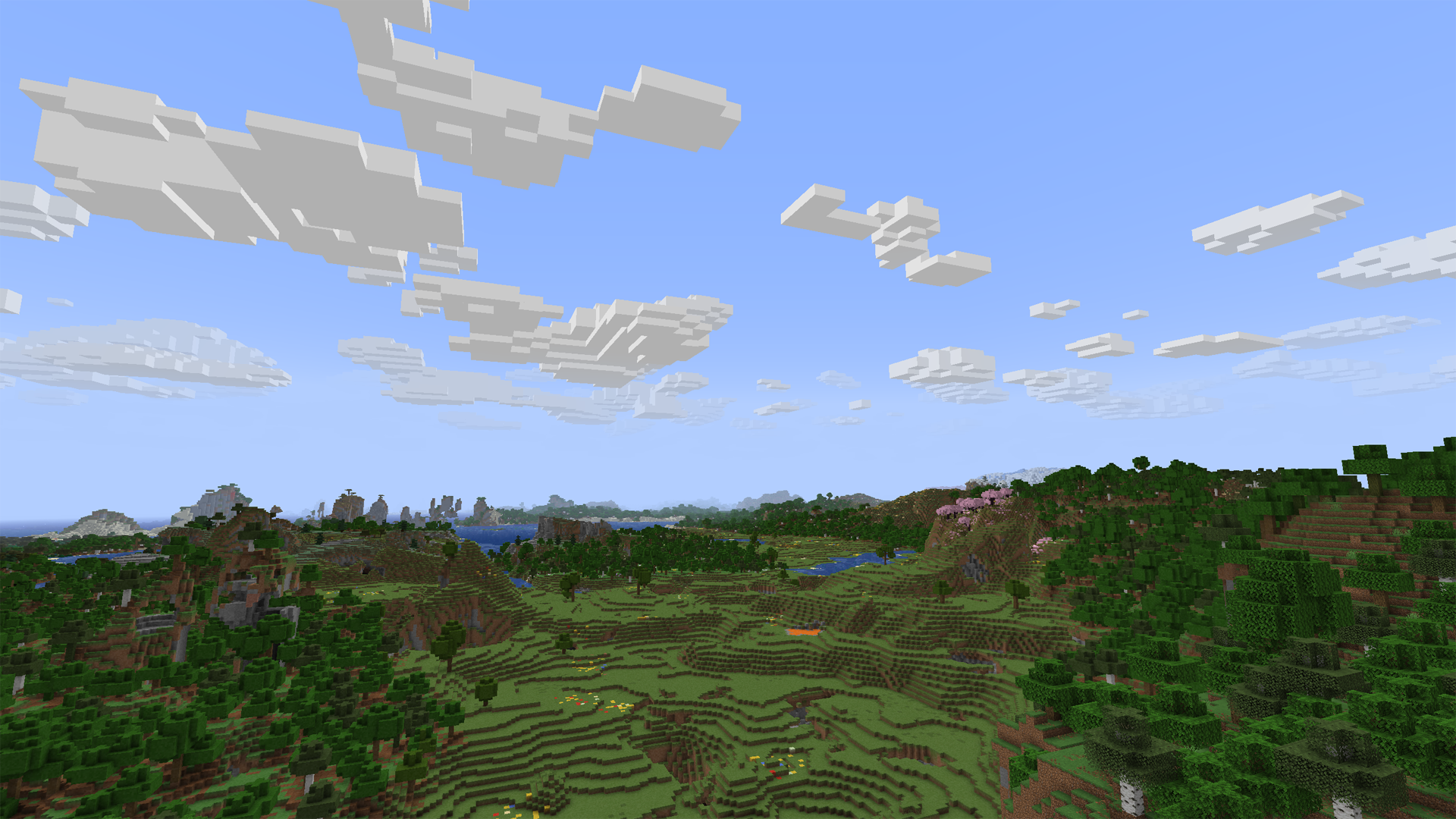
Tap the `Images` on navigator bar for more preview.
## Beyond the Original
– Cloud height / density / width / thickness and other contents is **highly configurable**.
– Cloud can detect current **weather** and **biome** to change its density.
– Cloud will get blush at dawn or dusk.
– Cloud bottom will get darker when its thickness is high.
– Cloud will **dodge** from higher mountains or tall building. (>1.7.0, inspired by [RealisticClouds](https://www.curseforge.com/minecraft/mc-mods/realisticclouds))
– Cloud can detect biome chunk-by-chunk for more accurate and rational placing. (>1.7.0, personal revival from RealisticClouds, it’s a nice mod 🙂
– Rain can only appear where is cloud above.
– Dimension divide config supported.
– And more…
### Fix
– Cloud will not be culled in view boundary.
– Cloud will not refresh when playing for too long.
– Improved flicker issue when player across chunk border.
## Mod relationship
### Dependence
#### For all platform:
– **Architectury API** is required (for multiplatform version).
– **Cloth Config** is optional to build config screen on client.
#### Fabric extra:
– **Fabric API** is required.
– **Mod Menu** is optional to access config screen on client.
### Compatibility
– [Distant Horizons](https://modrinth.com/mod/distanthorizons) ‘s LOD chunk no longer covered by SFCR (manually enable required).
– [Particle Rain](https://modrinth.com/mod/particle-rain) ‘s rain particle no generated where is no clouds (manually enable required).
– [SereneSeasons](https://modrinth.com/mod/sereneseasons) & [Fabric Seasons](https://modrinth.com/mod/fabric-seasons) can changing SFCR cloud density by different seasons.
### Incompatibility
Obviously incompatible with most mod who modified cloud render system. Include **Cull Clouds**, **Extended Clouds** and the others. If you put SFCR with it together, they will throw some issue even crash.
– If you encounter a crash with **Sodium**,try disable its cloud mixin by add `mixin.features.render.world.clouds=false` to _.minecraft/config/sodium-mixins.properties_
– **Iris** or other shadermod break SFCR when shader is enable on v2.0.
– Can be ignored if you installed **Distant Horizons** and enable DHCompat in SFCR config at same time.
## Q&A
### Few cloud?
It’s maybe normal due to cloud noise sampler and dynamic density feature. You can decrease `sample steps`, `biome affect`, and increase `common density` in config screen to let the sampler generating more clouds. (The density curve is not straight but like a stair. You may need to move larger range on density slider to make it effect.)
Fog may also cover the clouds. You can disable it to check the clouds amounts.
If you set a high value of biome affect and play in desert or savanna, there may not be a cloud in the sky. Its based on biome downfall value and times with cloud density.
### Client or Server?
Client side only is OK. But if it have both side installed and enable server function in config, SFCR can make every player have same shape of clouds.
On dedicated server, there is a command list for its administrators to control SFCR feature & config remotely. Simply type in “_/sfcr help_” then enter in chat bar you’ll see it.
### Version supports?
Latest Minecraft version will get newest maintenance.
Stable mod version may backport to older Minecraft version in someday.
### Modpacks?
Free to use under [MIT License](https://github.com/Rivmun/SuperFancyCloudsRefabricated/blob/1.19.2/LICENSE).
## Link
You can submit your suggestion or issue on [Github](https://github.com/Rivmun/SuperFancyCloudsRefabricated/issues).
Or, also [](https://www.curseforge.com/minecraft/mc-mods/superfancyclouds-refabricated)