zHomes







zHomes is a modern, fast and fully-configurable homes plugin for Spigot/Paper/Purpur/PufferFish servers. It focuses on simplicity, speed and customization so server owners can give players a familiar — but powerful — teleportation experience.
Some features:
– Create, delete and list homes
– Admin tools for managing and converting homes
– PlaceholderAPI support for message placeholders
– MiniPlaceholders support for minimessage placeholders
– Vault support for economy/command-costs
– GriefPrevention and WorldGuard integration for region checks
– Teleport warmup and safe-teleport checks
– Configurable commands, messages and permissions
– 100% configurable menus
– Uses SQL (H2/SQLite/MariaDB/MySQL) for storage (no local data/ directory)
Maintained by [yL3oft](https://github.com/yL3oft). This project is free and open-source.
—

Requirements
– Java 17+ (check release notes for exact JDK requirement)
– Paper, Spigot or a compatible fork
Installation
1. Download the latest JAR from Releases / Modrinth / Hangar / Spigot.
2. Place the JAR in your server’s `plugins/` folder.
3. Start the server once to generate config files (src/main/resources/config.yml defaults).
4. You’re done!
Quick test
– As a player: `/sethome home1` then `/home home1`
– As an admin: `/zhomes reload`
—

Admin
– `/zhomes info` — Shows plugin info and stats.
– `/zhomes reload` — Reloads plugin configuration and messages.
– `/zhomes version ` — Checks the plugin version and updates if `` is specified.
– `/zhomes nearhomes [radius] <-u -h >` — Check for homes near a location (your location by default). Admins can specify a user and home to check near that home.
– `/zhomes parse ` – Parse a string with Plugin Placeholders & PlaceholderAPI placeholders for a specific player.
– `/zhomes export` — Export all homes to a .json.gz file in the plugin folder.
– `/zhomes import ` — Import homes from a .json.gz file exported by `/zhomes export`.
– `/zhomes converter ` — Inline converter tool to import homes from other plugins (example: `/zhomes converter ultimatehomes`). See detailed converter docs: https://docs.yleoft.me/zhomes/commands-and-permissions/zhomes-converter-less-than-type-greater-than
Player / Home commands
– `/sethome [name]` — Create a home (default name if omitted).
– `/delhome [name]` — Delete a home. Admins can use `/delhome `.
– `/home [name]` — Teleport to a home. Admins can use `/home `.
– `/homes [player]` — List homes. Admins can use `/homes `.
– `/home rename [oldName] [newName]` — Rename a home
Notes
– Command costs and vault integration require Vault to be installed.
– Some commands have admin-only variants (see Permissions below).
Full command list and usage: https://docs.yleoft.me/zhomes/commands-and-permissions
—

Below are the permission nodes and their default intent as defined in the plugin configuration (zHomes/config.yml). Use your permissions plugin to grant or deny these.
Command permissions
– zhomes.command.main — Main command (True by default)
– zhomes.command.main.help — Help SubCommand (Only OP by default)
– zhomes.command.main.version — Version SubCommand (True by default)
– zhomes.command.main.info — Info SubCommand (Only OP by default)
– zhomes.command.main.reload — Reload SubCommand (Only OP by default)
– zhomes.command.main.nearhomes – Nearhomes SubCommand (Only OP by default)
– zhomes.command.main.parse — Parse SubCommand (Only OP by default)
– zhomes.command.main.converter — Converter SubCommand (Only OP by default)
– zhomes.command.main.importexport — Import & Export SubCommand (Only OP by default)
– zhomes.command.sethome — `/sethome` (True by default)
– zhomes.command.delhome — `/delhome` (True by default)
– zhomes.command.delhome.others — `/delhome ` (Only OP by default)
– zhomes.command.homes — `/homes` (True by default)
– zhomes.command.homes.others — `/homes ` (Only OP by default)
– zhomes.command.home — `/home` (True by default)
– zhomes.command.home.others — `/home ` (Only OP by default)
– zhomes.command.home.rename — `/home rename` (True by default)
Bypass / misc permissions (as defined in config.yml)
– zhomes.bypass.limit — Bypass home limits (Only OP by default)
– zhomes.bypass.dimensionalteleportation — Bypass dimension restriction (Only OP by default)
– zhomes.bypass.safeteleport — Bypass safe-teleport checking (False by default)
– zhomes.bypass.warmup — Bypass teleport warmup (Only OP by default)
– %command_permission%.bypass.command-cost — Bypass command-cost (Only OP by default). Command-specific bypass permission is generated from the command permission string (see config.yml)
– %command_permission%.bypass.command-cooldown — Bypass commands cooldown (Only OP by default). Command-specific bypass permission is generated from the command permission string (see config.yml)
If you want to see the authoritative defaults and change them, open src/main/resources/config.yml in the repo or check the live docs: https://docs.yleoft.me/zhomes/commands-and-permissions
—

zHomes contains an inline converter to import homes from well-known plugins. The converter runs in-chat (not a GUI). See full converter details here: https://docs.yleoft.me/zhomes/commands-and-permissions/zhomes-converter-less-than-type-greater-than
—

Supported integrations:
– PlaceholderAPI — Message placeholders supported & custom [placeholders provided by zHomes](https://docs.yleoft.me/zhomes/hooks/placeholderapi).
– MiniPlaceholders – MiniMessage placeholders supported for advanced message formatting & custom [placeholders provided by zHomes](https://docs.yleoft.me/zhomes/hooks/miniplaceholders).
– Vault — for economy-based command-costs.
– GriefPrevention — region checks integration.
– WorldGuard — region and flag checks.
– MiniMessage — advanced message formatting.
– bStats — anonymous metrics (configurable).
Enable or disable integrations from config and ensure the third-party plugins are installed on the server when you expect integration behavior.
—

If you find zHomes helpful or need assistance:
– Discord: https://discord.gg/yCdhVDgn4K
– Issues: https://github.com/yL3oft/zHomes/issues
– Docs: https://docs.yleoft.me/zhomes
Support the project by starring the repo and joining the Discord!
—
Fast Noise
[Keep Android Open | Contact Regulators to stop Google’s lockdown of Android](https://keepandroidopen.org/)
Fast Noise is a modern optimization mod to improve world generation times. I regularly update the mod to latest minecraft versions, bring improvements to the mod, and provide stable releases.
**Does the mod change world generation?** The mod maintains **vanilla parity**, including with any datapacks. Do keep in mind, [Vanilla non-determinism](https://bugs.mojang.com/browse/MC-55596).
**Can I use custom worldgen mods with this?** Yes, I try my best to maintain mod compatibility, and only modify safe code. Specific optimizations that may affect mod compatibility are disabled by default.
**Forge / Neoforge?** Versions for minecraft 1.19.x – 1.21.8 are compatible with sinytra connector.
[](https://codeberg.org/ZenXArch/FastNoise) [](https://www.curseforge.com/minecraft/mc-mods/zfastnoise) [](https://modrinth.com/mod/zfastnoise) [](https://ko-fi.com/I2I31KW58I)
## How does this mod work?
Fast noise optimizes storing block and biome data into chunks for the duration of worldgen.
Technical Details
Fast noise replaces populateNoise,populateBiomes in NoiseChunkGenerator and surfaceBuilder in SurfaceBuilder.
Fast noise optimizes world generation by making several strong assumptions about how world generation works. By replacing vanilla’s generic and debug code for world storage with faster, more packed calculations, fast noise achieves faster throughput.
Some key methods used to achieve that are, **reducing allocations**, **avoiding palette resizing**, **delaying/packing block counting**, **precalculating data**,
**caching block state information** and more.
## How fast is it?
About 10-18% improvement to overall worldgen in overworld in 1.21.11 on latest versions.
Much higher improvement in nether, end
Here is a [Jmh Benchmark Software](https://codeberg.org/ZenXArch/FastNoise/src/branch/performance/perf/src/main/java/org/codeberg/zenxarch/fastnoise/PerfTest.java).
Chunky benchmark
12 threads w/ mod
“`
[12:39:32] [Server thread/INFO]: [Chunky] Task finished for minecraft:overworld. Processed: 16641 chunks (100.00%), Total time: 0:01:37
“`
W/o mod
“`
[12:43:08] [Server thread/INFO]: [Chunky] Task finished for minecraft:overworld. Processed: 16641 chunks (100.00%), Total time: 0:01:47
“`
4 threads w/ mod
“`
[12:56:23] [Server thread/INFO]: [Chunky] Task finished for minecraft:overworld. Processed: 9409 chunks (100.00%), Total time: 0:01:10
“`
W/o mod
“`
[13:01:11] [Server thread/INFO]: [Chunky] Task finished for minecraft:overworld. Processed: 9409 chunks (100.00%), Total time: 0:01:23
“`
With higher distance
W/o mod
“`
[13:11:01] [Server thread/INFO]: [Chunky] Task finished for minecraft:overworld. Processed: 19881 chunks (100.00%), Total time: 0:02:43
“`
W/ mod
“`
[13:16:03] [Server thread/INFO]: [Chunky] Task finished for minecraft:overworld. Processed: 19881 chunks (100.00%), Total time: 0:02:21
“`
Jmh Benchmark
“`
Mods used: Fast Noise 1.0.15+26.1 on 26.1 snapshot-6
ChunkPos: -16,-16 -> 16,16
End ChunkPos: 112,112 -> 144,144
Chunks: 1089
Mods used: (c2me)
With mod:
Benchmark (worldName) Mode Cnt Score Error Units
BiomesBenchmark.biomegen end avgt 5 11.786 ± 0.168 ms/op
BiomesBenchmark.biomegen nether avgt 5 174.833 ± 1.166 ms/op
BiomesBenchmark.biomegen overworld avgt 5 2401.797 ± 31.629 ms/op
NoiseBenchmark.noisegen end avgt 5 3052.242 ± 12.358 ms/op
NoiseBenchmark.noisegen nether avgt 5 1039.086 ± 6.467 ms/op
NoiseBenchmark.noisegen overworld avgt 5 8441.811 ± 41.396 ms/op
With only c2me:
Benchmark (worldName) Mode Cnt Score Error Units
BiomesBenchmark.biomegen end avgt 5 26.058 ± 0.245 ms/op
BiomesBenchmark.biomegen nether avgt 5 185.957 ± 2.203 ms/op
BiomesBenchmark.biomegen overworld avgt 5 2464.937 ± 29.007 ms/op
NoiseBenchmark.noisegen end avgt 5 3925.059 ± 14.292 ms/op
NoiseBenchmark.noisegen nether avgt 5 1920.705 ± 9.864 ms/op
NoiseBenchmark.noisegen overworld avgt 5 11552.674 ± 54.112 ms/op
Vanilla:
Benchmark (worldName) Mode Cnt Score Error Units
BiomesBenchmark.biomegen end avgt 5 27.051 ± 0.118 ms/op
BiomesBenchmark.biomegen nether avgt 5 239.634 ± 1.702 ms/op
BiomesBenchmark.biomegen overworld avgt 5 4589.322 ± 80.331 ms/op
NoiseBenchmark.noisegen end avgt 5 4477.113 ± 36.133 ms/op
NoiseBenchmark.noisegen nether avgt 5 1951.438 ± 5.748 ms/op
NoiseBenchmark.noisegen overworld avgt 5 14249.612 ± 57.388 ms/op
Vanilla:
Benchmark (worldName) Mode Cnt Score Error Units
SurfaceBenchmark.surface overworld avgt 5 5982.828 ± 17.992 ms/op
SurfaceBenchmark.surface nether avgt 5 2677.115 ± 9.293 ms/op
SurfaceBenchmark.surface end avgt 5 924.604 ± 5.376 ms/op
With Mod:
Benchmark (worldName) Mode Cnt Score Error Units
SurfaceBenchmark.surface overworld avgt 5 4820.672 ± 24.669 ms/op
SurfaceBenchmark.surface nether avgt 5 1914.289 ± 644.099 ms/op
SurfaceBenchmark.surface end avgt 5 0.014 ± 0.003 ms/op
Speedup
Overworld: Biome: 1.026x Noise: 1.368x Surface: 1.241x
Nether: Biome: 1.063x Noise: 1.847x Surface: 1.398x
End: Biome: 2.21x Noise: 1.285x Surface: 66357x
“`
The benchmarks may have some inaccuracies.
## Socials
[](https://discord.gg/RFSmd7debX) [](https://mastodon.social/@ZenXArch) [](https://matrix.to/#/#zenxarchs-modding-server:gitter.im)
## FAQ and Help
Q- What Minecraft versions will the mod be supporting?
A- I’ll try to support the latest minecraft version.
Q- Are backports planned?
A- No backports are planned, current backports were a one time thing.
Q- What other mods/dependencies do I need?
A- No dependencies are required.
Q- Will there be a neoforge version?
A- Yes, a NeoForge variant is planned post 26.1.
Versions for 1.19.x,1.20.x,1.21 – 1.21.8 works with sinytra connector

Q- XYZ mod crashes, or generates incorrectly with Fast Noise?
A- Report the issue on codeberg or my socials.
## Incompatible mods
Moonrise is incompatible, as It changes minecraft internals drastically
Noisium is incompatible, as Fast Noise is intended as a replacement for noisium.
Anti-Xray is incompatible for now, as it needs to put extra data in minecraft block storage, which breaks fastnoise
## Credits
– Stevenplays, for developing noisium mod, I started developing fast noise while trying to port noisium to latest minecraft.
– Ishland, for helping with mod, and modern-yarn and neo-loom
ZeroXFog
Zero Fog removes distance and dimensional fog for a clearer and sharper experience. Enjoy improved visibility in the Nether, End, and caves without altering the core aesthetic. Designed to stay lightweight and simple, this pack enhances exploration, building, and PvP by eliminating visual haze while keeping performance and compatibility in mind.
ZeroTwo Totem
# ABOUT
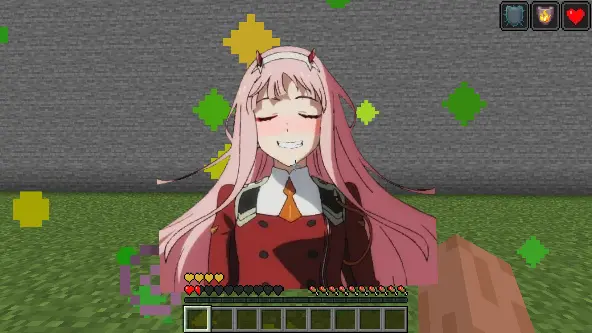
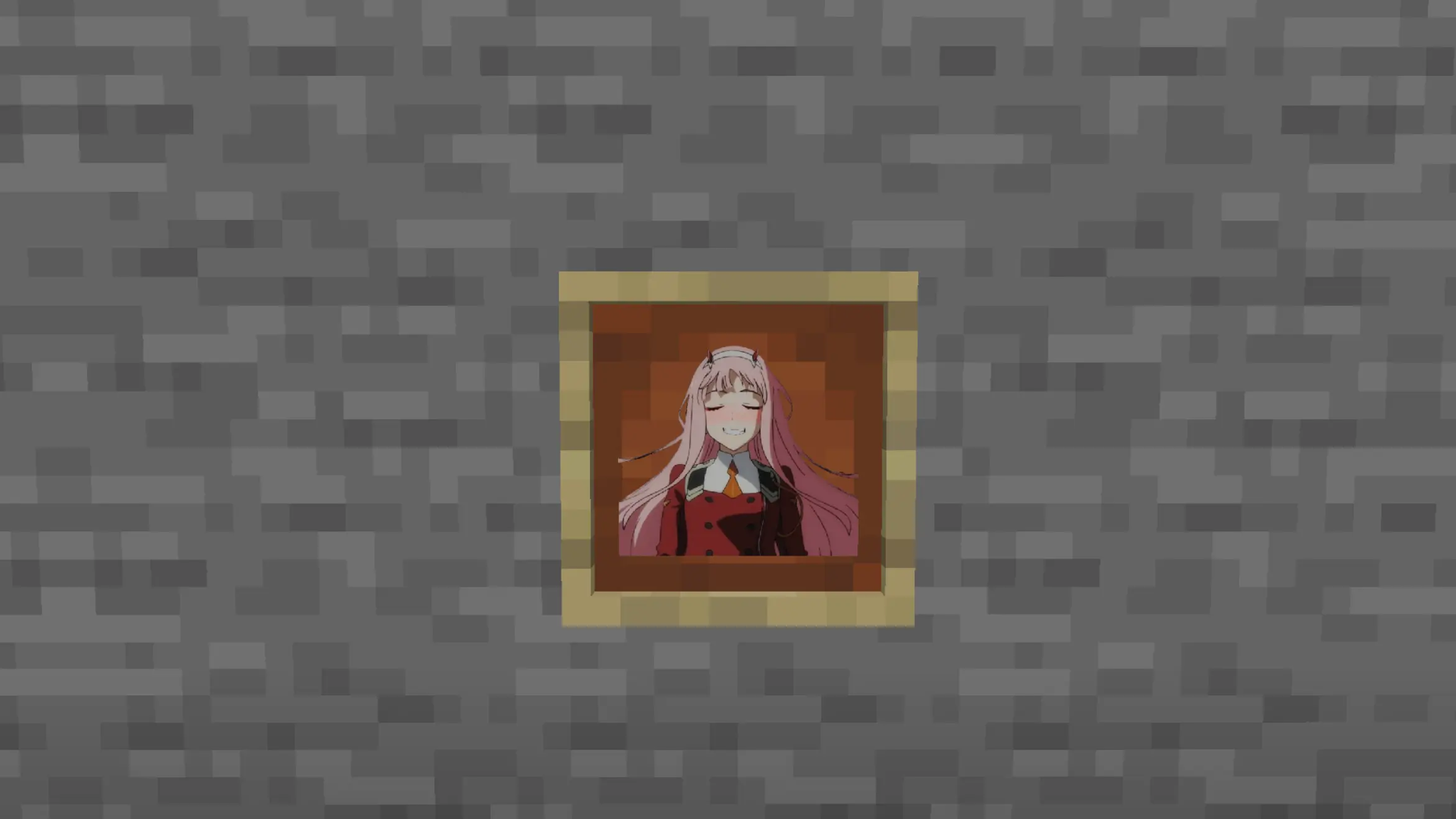
**This texture pack replaces the totem with the character Zero Two from the anime Darling in the Franxx. The sound when using the totem has also been replaced with the phrase “Dar-ling.” If you liked the texture pack, add it to your favorites! Enjoy the game!**
# IMPORTANT
– ### **Is there a port on the Bedrock Edition?**
This texture pack is designed exclusively for Java Edition. We do not plan to release a version for Bedrock Edition.
– ### **Want to use it on Bedrock Edition?**
You can port the texture pack yourself, as long as you comply with all license terms.
– ### **Pack version warning ?**
There is a high chance that resource packs will work with different versions of Minecraft without the need to change the version of the pack, unless there is a major update that breaks resource packs.
Zero Two Totem
Overview:
A resource pack that replaces the Totem of Undying with a Zero Two Totem from Darling in the Franxx.
Credit: Made by McPaintingsKing
Zero Particles
This time I present you “Zero Particles” Pack.
its is a simple particles texture pack
which reduces particles in Minecraft.
modified and recreate the particles.
Changes in particles are
materials are:-
1]No Blocks Particles
2]Readable Enchantments
3]Minecraft Font
4]Generic Particles
5]All Particles
This pack is supported both single player world and multiplayer servers.
version supported
form- 1.16 TO Latest version
make sure you check the file version before downloading the pack
all versions have separate files
Enjoy the “Zero Particles” Pack.
THANKS FOR DOWNLOADING.
Zero Inventory Problems – ZIP Backpacks
# Zero Inventory Problems – ZIP Backpacks
Zero Inventory Problems is a plugin for Spigot based Minecraft Servers that adds backpacks to store there overfully inventorys.
### Features
* Plug & Play
* Highly configurable config
* Support for Spigot based servers 1.19.* (only tested on spigot)
### Requirements
– Java 17 or higher
– Spigot and (probably) any other fork of Spigot (1.19.* or higher)
### Installation
2. Download [Zero Inventory Problems](https://www.curseforge.com/minecraft/bukkit-plugins/zero-inventory-problems/files)
3. Put both in your *plugins* directory
4. Start your server and [configure](https://github.com/Imprex-Development/zero-inventory-problems/wiki/Config) Zero Inventory Problems to your liking
Still having trouble getting Zero Inventory Problems to run check out our [common issues](https://github.com/Imprex-Development/zero-inventory-problems/wiki/Common-Issues).
Zero Inmunity
# Zero Immunity MOD
**Zero Immunity** was born from a desire to make Minecraft combat a bit more realistic. This mod removes the immunity ticks (i-frames) from both players and mobs, making hordes significantly more dangerous and multi-shot attacks far more devastating.
**Use it at your own risk.**
## Important Notes
* **Attack Speed:** This mod **does not** modify the attack speed of weapons or entities.
* **Environment:** You may still experience immunity frames from certain environmental damage sources to prevent instant death from world hazards.
## License
This project is licensed under the **MIT License**
Zero Fog Lightweight
# Zero Fog Lightweight Pack by Ownix
🌫️ **Zero Fog Lightweight Pack** is a sleek Minecraft **texture pack** designed to remove fog and enhance visibility while keeping your game smooth and lightweight.
⚡ Optimized for performance, giving you a clear and crisp view of your world.
🌄 Perfect for builders, explorers, and PvP players who want unobstructed sightlines.
🎮 Minimal impact on FPS, making it ideal for low-end and high-end systems alike.
## Features
– 🌟 Removes fog for clear, crisp visuals
– 👀 Improves long-distance visibility
– ⚡ Lightweight and performance-friendly
—
**🎨 Design & Branding:**
Designed by **Ownix Studio**
Zero Explosion Particles
> ## About
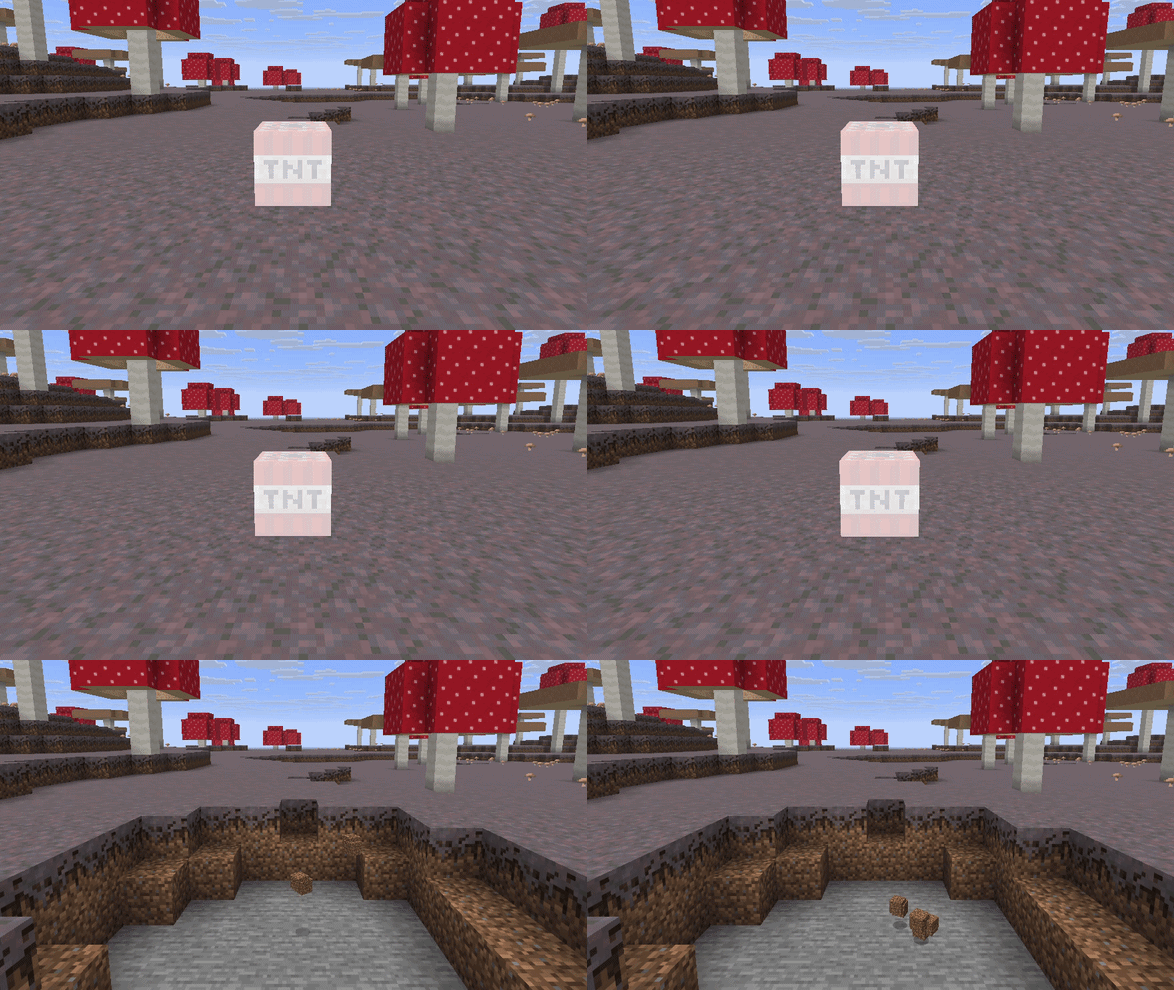
> A texture pack that removes explosion particles from objects like end crystals, respawn anchors, and TNT.
> ## Why
> This texture pack removes visual clutter to improve focus and reduce visual distortion. It can also help with netherite mining using TNT, making it easier to spot ancient debris as the TNT explodes.
> ## TNT Example
> 
> ## Contact
> To share suggestions or ideas for this texture pack or others, contact me on Discord: @999otp.