World Border is a minimalistic configurable mod which allows the creation of a configurable world border, limiting the world size. This can prevent infinitely large file sizes or keep a community of players closer together. You can also loop around the world when hitting a world border, configurable in the config. This will teleport you to the negative coordinate if you hit the positive border and vice versa. Makes for infinitely looping worlds while still limiting the size.
Configurable:( how do I configure? ) enableCustomOverworldBorder (default = true): When enabled, uses the overworldBorderCoords to set the border. enableCustomNetherBorder (default = false): When enabled, uses the netherBorderCoords to set the border. enableCustomEndBorder (default = true): When enabled, uses the endBorderCoords to set the border.
shouldLoopToOppositeBorder (default = true): When enabled, instead of teleporting the player inside near where they were, teleports them from the positive to the negative x/z coord and vice versa. distanceTeleportedBack (default = 10, min 0, max 1000): The amount of blocks the player is teleported inside after hitting the border.
nearBorderMessage (default = “You’re getting close to the world border!”): The message which will be sent to the player when they are within ‘distanceTeleportedBack’ to the world border. hitBorderMessage (default = “You’ve hit the world border, and were teleported inside!”): The message which will be sent to the player when they hit the world border. loopBorderMessage (default = “You’ve hit the world border, and have looped around the world!”): The message sent to the player when they hit the border and ‘shouldLoopToOppositeBorder’ is enabled.
overworldBorderPositiveX (default = 5000, min 0, max 100000): The overworld border located at the positive x coordinate. overworldBorderNegativeX (default = -5000, min -100000, max 0): The overworld border located at the negative x coordinate. overworldBorderPositiveZ (default = 5000, min 0, max 100000): The overworld border located at the positive z coordinate. overworldBorderNegativeZ (default = -5000, min -100000, max 0): The overworld border located at the negative z coordinate.
netherBorderPositiveX (default = 625, min 0, max 100000): The nether border located at the positive x coordinate. netherBorderNegativeX (default = -625, min -100000, max 0): The nether border located at the negative x coordinate. netherBorderPositiveZ (default = 625, min 0, max 100000): The nether border located at the positive z coordinate. netherBorderNegativeZ (default = -625, min -100000, max 0): The nether border located at the negative z coordinate.
endBorderPositiveX (default = 5000, min 0, max 100000): The end border located at the positive x coordinate. endBorderNegativeX (default = -5000, min -100000, max 0): The end nether border located at the negative x coordinate. endBorderPositiveZ (default = 5000, min 0, max 100000): The end nether border located at the positive z coordinate. endBorderNegativeZ (default = -5000, min -100000, max 0): The end nether border located at the negative z coordinate.
When getting close to the border, players will receive the following message:
The message when hitting the world border and enableLoop enabled. On hitting the border with enableLoop disabled, players will receive a message and be teleported 10 blocks inside the border.
Looping works like this: Looping in the nether uses clever code to not end up in lava or on the nether roof.
——————
You may freely use this mod in any modpack, as long as the download remains hosted within the Modrinth ecosystem.
Serilum.com contains an overview and more information on all mods available.
Comments are disabled as I’m unable to keep track of all the separate pages on each mod. For issues, ideas, suggestions or anything else there is the Github repo. Thanks!
Workshop for handsome adventurer
## Introduction
This mod doesn’t add new stuff. It’s a weird way to start a description but it’s unnatural to the author so he had to say it. This mod re-adds blocks that authors lived with in past versions of minecraft and misses now. If you tried Bibliocraft, you miss it without doubt. Tinker’s construct is still around but maybe you don’t want overpowered tools just because you liked the crafting table. etc.
## Features
– **Crafting tables** – you know what they do…
…except maybe you like them to keep remaining contents after closing the crafting screen;
…or, you want to access nearby chests and barrels from the crafting screen?
And once you try our dual table you will never go back. Two crafting grids don’t sound that amazing but when you get used to it, you’ll know.
– **Toolracks** – right-click to hang your tool onto it, right-click to take it back.
It’s not glorious, we won’t pretend that it is.
But just make one and put it on a tree near your farm – never again forget where your shears are; never again craft a stone hoe to tile a single block.
Oh and craft another one and put it in your kitchen – knives and pans easy to reach.
– **Potion shelves** and **disc shelves** – right-click to place bottles, right-click to pick them up.
Similar to toolracks except single shelf slot accepts multiple bottles even if an inventory slot accepts just one.
– **Book shelves** – single click access to your books.
Again, nothing glorious but you shouldn’t dredge through chests to find instruction books. Will not be dropped in 1.20 onward because chiselled bookshelves aren’t as good as we have hoped.
– **Task lists** (todo lists) – keep track of plans and tasks.
Either keep the item with you or attach it to a wall.
## Third-party mods to use together with this one
As of mod version 1.14, this mod provides its blocks in all the wood types offered by your mods that you use.
The support is magical and mostly automatic (you may need to add some weird wood to a config file, see wiki, which makes old addons that I listed here obsolete.
The only dependency is Dynamic asset generator and even that one is optional. There is a backup subsystem that does the same, but DAG is still recommended for some rare cases that the backup system dismisses. Editions for 1.18 and 1.19 don’t use DAG, only editions for 1.20.1 (game version) and onward.
Working Full Bright
# World Full Brightness
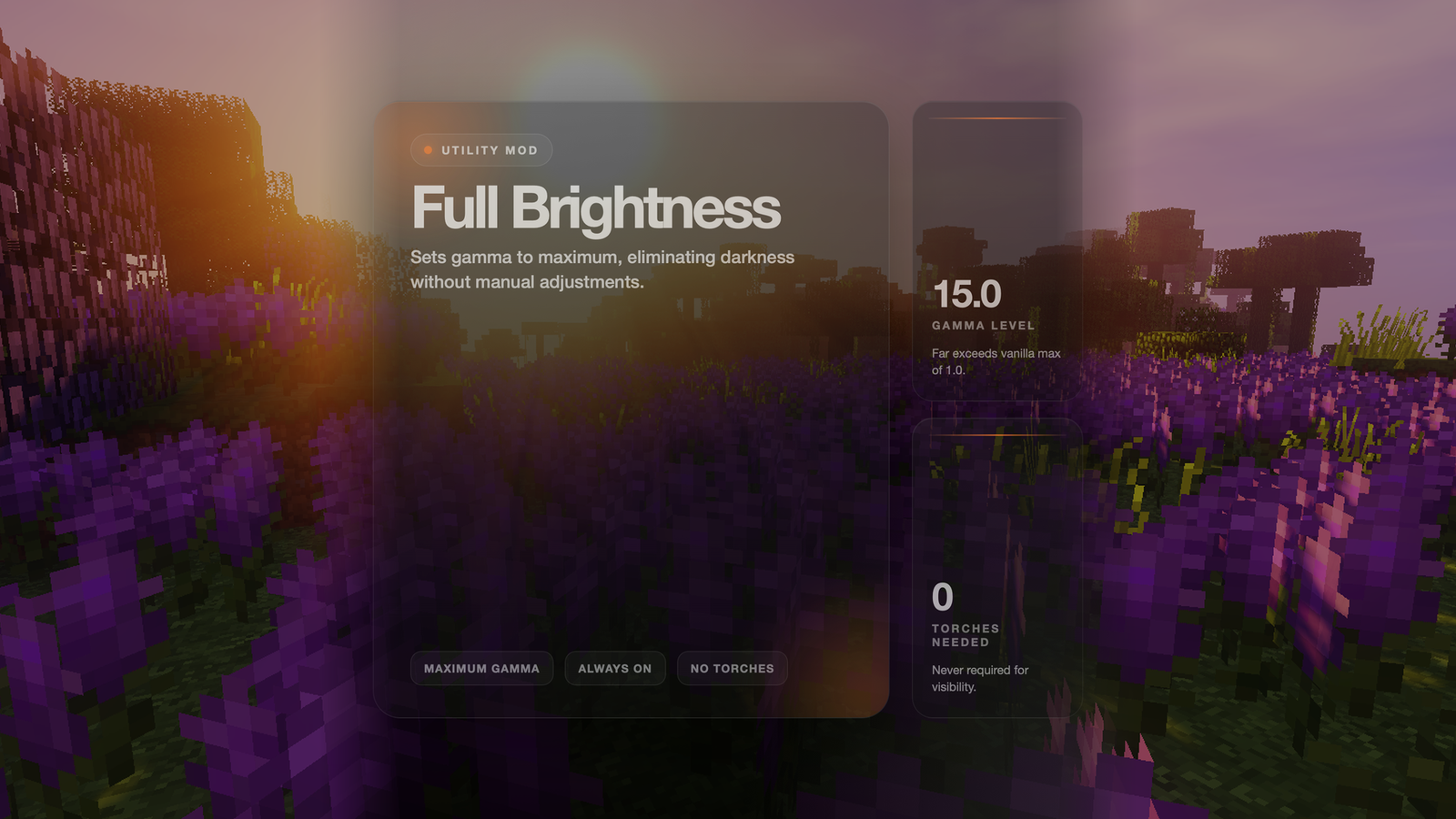
Never struggle to see in dark caves or at night again! This mod sets your game to maximum brightness at all times.
## Features
– ✅ **Maximum Brightness** – Sets gamma to 15.0 (way beyond normal max of 1.0)
– ✅ **Always Active** – No need to adjust brightness settings manually
– ✅ **No Darkness** – See clearly in caves, at night, and underwater
– ✅ **Lightweight** – Minimal performance impact
## How It Works
The mod automatically sets your gamma (brightness) setting to maximum when you load the game. This makes everything visible without needing torches or other light sources.
## Benefits
– **Cave Exploration** – See every block clearly without placing torches everywhere
– **Night Time** – No more waiting for day or sleeping through the night
– **Underwater** – See clearly in ocean depths
– **Building** – Work on projects at any time without lighting concerns
– **PvP** – Spot enemies in dark areas
Wooly Animals
**Cold Cows** and **Cold Pigs** drop **Brown Wool** upon death. This is inspired by the Brown Wool drop from Wooly Cows in Minecraft Earth.
This pack is **compatible** with Earth Animals, making Wooly Cows drop Brown Wool and Umbra Cows drop Black Wool (since v1.1.0).


# Woolcutter
Version: 3.1
Minecraft: 1.21.2 – 1.21.11 – 21.1.x
——————————————–
# English
## Stonecutter
#### Banners
– Black banner <-> Black wool
– Blue banner <-> Blue wool
– Brown banner <-> Brown wool
– Cyan banner <-> Cyan wool
– Gray banner <-> Gray wool
– Green banner <-> Green wool
– Light blue banner <-> Light blue wool
– Light gray banner <-> Light gray wool
– Lime banner <-> Lime wool
– Magenta banner <-> Magenta wool
– Orange banner <-> Orange wool
– Pink banner <-> Pink wool
– Purple banner <-> Purple wool
– Red banner <-> Red wool
– White banner <-> White wool
– Yellow banner <-> Yellow wool
#### Bed
– Colored Bed <-> Associated Colored Wool
– Colored Bed <-> Another colored bed
This mod is part of The Vanilla Experience modpack and Serilum’s Quality of Life Bundle mod. Wool Tweaks makes various changes to the dyeing of wool, beds and carpets. Any colour can be dyed in the crafting grid, not just the white variant. It’s also possible to right-click the placed blocks with a dye in hand and it will change the colour. A recipe to convert any colour wool to 4 string is included.
Convert any wool block in the world by right-clicking it with a dye in hand:
Show Spoiler
Convert any bed block in the world by right-clicking it with a dye in hand:
Show Spoiler
Convert any carpet block in the world by right-clicking it with a dye in hand:
Show Spoiler
Craft any wool block to 4 string:
Dye any wool block colour:
Dye any bed colour:
Dye any carpets:
——————
You may freely use this mod in any modpack, as long as the download remains hosted within the Modrinth ecosystem.
Serilum.com contains an overview and more information on all mods available.
Comments are disabled as I’m unable to keep track of all the separate pages on each mod. For issues, ideas, suggestions or anything else there is the Github repo. Thanks!
Wool Buttons
### Functionality
Wool buttons! They’re like normal buttons but made of wool and come in all 16 vanilla colors. When placed, pressed, unpressed, or broken they do not trigger sculk sensors. They also do not make a sound when un-/pressed. Both of these features can be toggled in the server config.

### Recipe
The recipe is the same as for other buttons, just one wool block. Any color wool works.

If you like Wool Buttons, why not check out Wool Pressure Plates?
You are allowed to use this mod in any modpack.
woodwalkers

# Woodwalkers
*Woodwalkers* is a mod lore-wise based on the book Woodwalkers, and technically-based on Identity.
## Download
CurseForge
Modrinth
—
**Woodwalkers Requires CraftedCore**
CraftedCore (CurseForge)
CraftedCore (Modrinth)
—
**Become your favourite mob!**
This mod allows you to choose a second shape, you can transform into at any time you want by just pressing a key!
Walk over lava as a strider, discovery the caves as a bat or let your foes base explode as a ghast!
**Nearly every mob has some nice abilities!**
Even your hearts and your size will be changed to the one of the mob and your nametag will stop rendering, so no one could tell which one is the mob and which one is the player! Trick your friends!
Search for your favourite mob in your world/on your server. Once you found it, press the UNLOCK_KEY (by default ‘U’), while looking directly at it. While doing, you should notice the message “You feel it tingle” or something. In case you don’t see it, reinstall the modpack your check your config. After pressing the key for 100 ticks (5 seconds), you will transform into a mob of the same type. Your Unlock progress is complete! ;D
In case you want to change it again, change the config “unlockOveridesCurrentShape” to true, so you’ll be able to override it at any time.
You can switch your shape by pressing the TRANSFORM_KEY (by default ‘G’). Choose carefully! This choice is forever! Once chosen, you can’t change it again! (But still, there’s an OP-command and a config-option to reset your second shape after death…)
### German Tutorial
—
If you’d like to support me and the development of my mods, I recommend trying out BisectHosting. Use the code “woodwalkers” to get 25% off your first month of a gaming server for new customers. They offer 24/7 support and lightning-fast response times, ensuring you’re in great hands and providing exceptional assistance for all your gaming needs.

—
### License
Woodwalkers is licensed under MIT.
Wooden Shears
# Wooden Shears
This is a Minecraft mod which adds Wooden Shears to the game. (Forge, NeoForge, Fabric, Quilt) So it is possible to craft shears out of Planks.
There is also a wiki where you can read all details about the mod.
## Sponsors

You need a server? Save 25% on Bisect Hosting with the promo code “cech12”!
## FAQ
### Can I use this mod in my mod pack?
Yes, you are allowed to use this mod in your mod packs.
### Port to another Minecraft version? Which versions are supported?
Sorry, but I do not backport any mod to an older version. Here is a list of all supported and planned versions: Minecraft mod versions of cech12
### Is there a Fabric version?
Yes, since 1.20.4 Fabric and Quilt are officially supported. There is no plan to backport Fabric support to earlier Minecraft versions.
### Where is the config file?
There is a defaultconfig directory, where you can find it. If you change something there it has only an effect on new savegames. For existing savegames you need to go to the serverconfig directory of the savegame.
### I found a bug or I have a good idea to enhance this mod!
Very good! Open an issue at Github or contact me on Discord.
Wooden Hopper
# Wooden Hopper
This is a Minecraft mod which adds a Wooden Hopper to the game. (Forge, NeoForge, Fabric, Quilt)
It acts like a vanilla hopper but is only half as fast as a vanilla hopper. (16 ticks instead of 8 – configurable) and has only one slot.
There is also a wiki where you can read all details about the mod.
## Dependencies
The Fabric / Quilt version needs the following mods:
– Fabric API (Github, Curseforge, Modrinth)
– Cloth Config API (Github, Curseforge, Modrinth)
## Compatibility
This mod is highly compatible with all chests and other containers of multiple mods. If you encounter any compatibility issue, please let me know on Github or on Discrod.
### Hopper+
This mod is not compatible with Hopper+, because it is not open source and I cannot go through the code to find the issue.
## Sponsors

You need a server? Save 25% on Bisect Hosting with the promo code “cech12”!
## FAQ
### Can I use this mod in my mod pack?
Yes, you are allowed to use this mod in your mod packs.
### Port to another Minecraft version? Which versions are supported?
Sorry, but I do not backport any mod to an older version. Here is a list of all supported and planned versions: Minecraft mod versions of cech12
### Is there a Fabric version?
Yes, since 1.20.4 Fabric and Quilt are officially supported. There is no plan to backport Fabric support to earlier Minecraft versions.
### Where is the config file?
There is a defaultconfig directory, where you can find it. If you change something there it has only an effect on new savegames. For existing savegames you need to go to the serverconfig directory of the savegame.
### I found a bug or I have a good idea to enhance this mod!
Very good! Open an issue at Github or contact me on Discord.


