ZeroXFog
Zero Fog removes distance and dimensional fog for a clearer and sharper experience. Enjoy improved visibility in the Nether, End, and caves without altering the core aesthetic. Designed to stay lightweight and simple, this pack enhances exploration, building, and PvP by eliminating visual haze while keeping performance and compatibility in mind.
ZeroTwo Totem
# ABOUT
**This texture pack replaces the totem with the character Zero Two from the anime Darling in the Franxx. The sound when using the totem has also been replaced with the phrase “Dar-ling.” If you liked the texture pack, add it to your favorites! Enjoy the game!**
# IMPORTANT
– ### **Is there a port on the Bedrock Edition?**
This texture pack is designed exclusively for Java Edition. We do not plan to release a version for Bedrock Edition.
– ### **Want to use it on Bedrock Edition?**
You can port the texture pack yourself, as long as you comply with all license terms.
– ### **Pack version warning ?**
There is a high chance that resource packs will work with different versions of Minecraft without the need to change the version of the pack, unless there is a major update that breaks resource packs.
Zero Two Totem
Overview:
A resource pack that replaces the Totem of Undying with a Zero Two Totem from Darling in the Franxx.
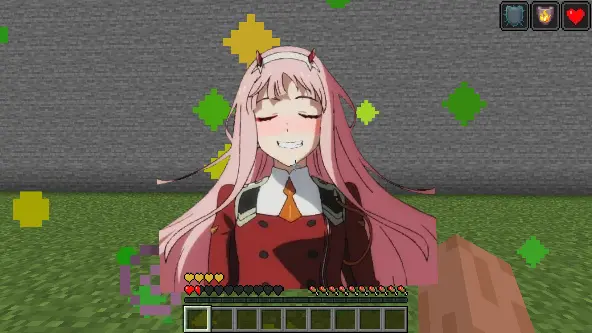
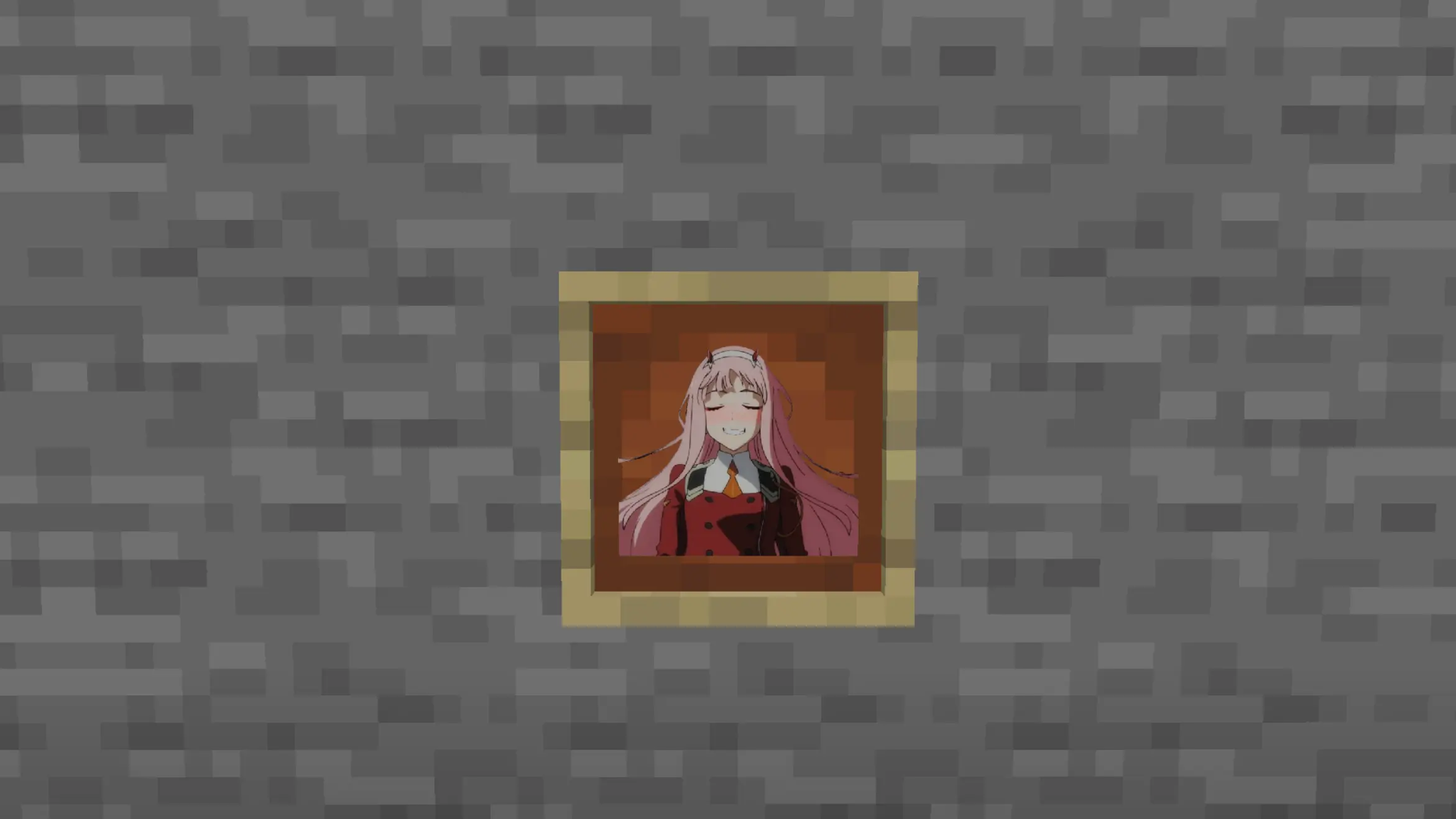
Credit: Made by McPaintingsKing
Zero Particles
This time I present you “Zero Particles” Pack.
its is a simple particles texture pack
which reduces particles in Minecraft.
modified and recreate the particles.
Changes in particles are
materials are:-
1]No Blocks Particles
2]Readable Enchantments
3]Minecraft Font
4]Generic Particles
5]All Particles
This pack is supported both single player world and multiplayer servers.
version supported
form- 1.16 TO Latest version
make sure you check the file version before downloading the pack
all versions have separate files
Enjoy the “Zero Particles” Pack.
THANKS FOR DOWNLOADING.
Zero Inventory Problems – ZIP Backpacks
# Zero Inventory Problems – ZIP Backpacks
Zero Inventory Problems is a plugin for Spigot based Minecraft Servers that adds backpacks to store there overfully inventorys.
### Features
* Plug & Play
* Highly configurable config
* Support for Spigot based servers 1.19.* (only tested on spigot)
### Requirements
– Java 17 or higher
– Spigot and (probably) any other fork of Spigot (1.19.* or higher)
### Installation
2. Download [Zero Inventory Problems](https://www.curseforge.com/minecraft/bukkit-plugins/zero-inventory-problems/files)
3. Put both in your *plugins* directory
4. Start your server and [configure](https://github.com/Imprex-Development/zero-inventory-problems/wiki/Config) Zero Inventory Problems to your liking
Still having trouble getting Zero Inventory Problems to run check out our [common issues](https://github.com/Imprex-Development/zero-inventory-problems/wiki/Common-Issues).
Zero Fog Lightweight
# Zero Fog Lightweight Pack by Ownix
🌫️ **Zero Fog Lightweight Pack** is a sleek Minecraft **texture pack** designed to remove fog and enhance visibility while keeping your game smooth and lightweight.
⚡ Optimized for performance, giving you a clear and crisp view of your world.
🌄 Perfect for builders, explorers, and PvP players who want unobstructed sightlines.
🎮 Minimal impact on FPS, making it ideal for low-end and high-end systems alike.
## Features
– 🌟 Removes fog for clear, crisp visuals
– 👀 Improves long-distance visibility
– ⚡ Lightweight and performance-friendly
—
**🎨 Design & Branding:**
Designed by **Ownix Studio**
Zero Explosion Particles
> ## About
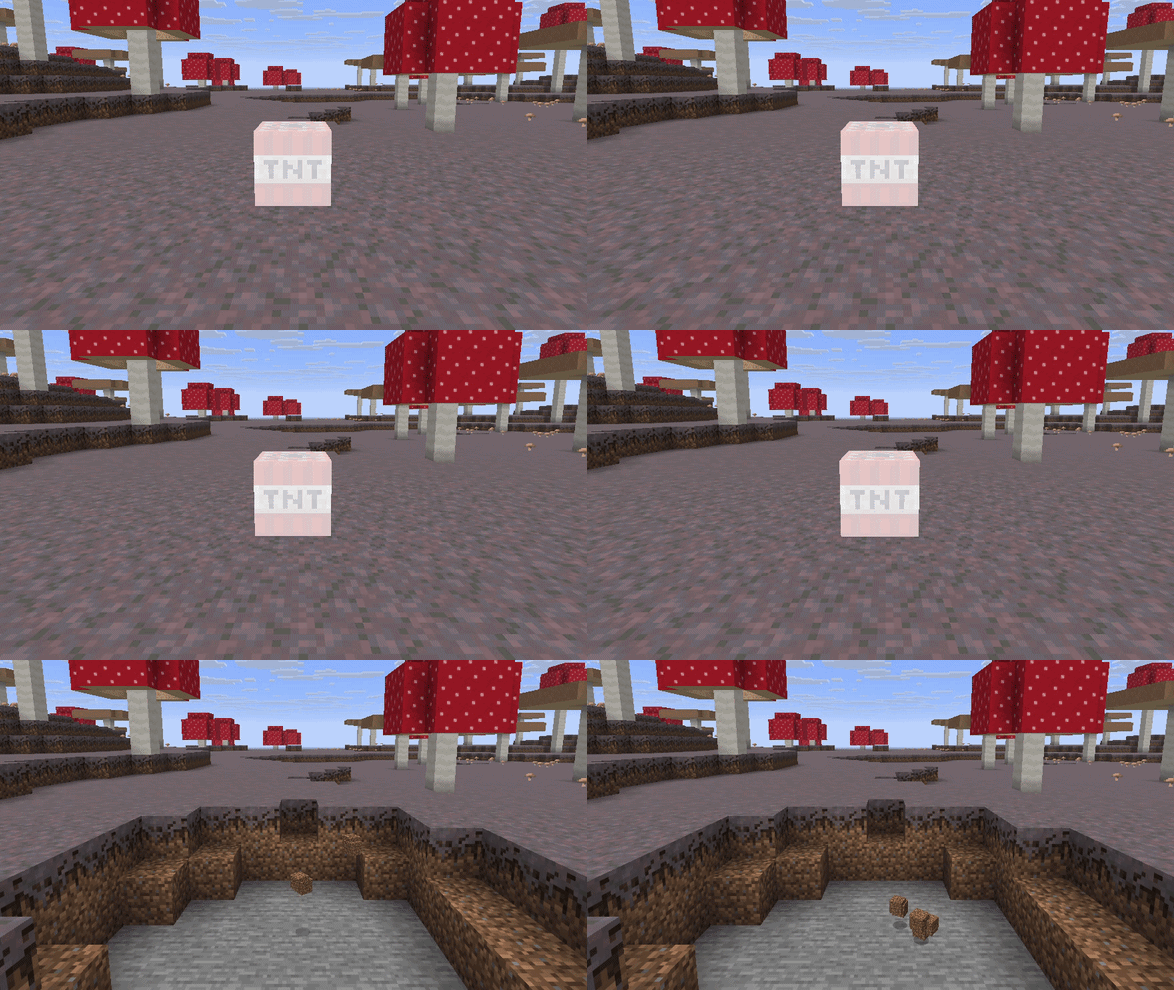
> A texture pack that removes explosion particles from objects like end crystals, respawn anchors, and TNT.
> ## Why
> This texture pack removes visual clutter to improve focus and reduce visual distortion. It can also help with netherite mining using TNT, making it easier to spot ancient debris as the TNT explodes.
> ## TNT Example
> 
> ## Contact
> To share suggestions or ideas for this texture pack or others, contact me on Discord: @999otp.
AntiXRay
# 🛡️ zepAntiXRay — Hide Ores from X-Ray Cheaters
**Anti XRay** protects your server from players using X-Ray resource packs or hacked clients to locate ores. Ores are hidden **server-side** and only revealed when a player is close enough or has direct line of sight.
—
## ✨ Features
– **Hides ores server-side** — Diamond, Emerald, Gold, Iron, Redstone, Lapis, Ancient Debris and more
– **No client mod required** — works completely server-side
– **Lightweight** — minimal performance impact on your server
– **Simple & focused** — does exactly one thing, and does it well
—
## ⚙️ How it works
Ore blocks are **replaced with stone** in the chunk data before being sent to the client. They are only revealed when a player is **close enough**, preventing any X-Ray cheater from spotting them at a distance.
—
## 📋 Requirements
| | |
|—|—|
| **Minecraft** | 1.7.x-1.21.x |
| **Server Software** | Paper, Purpur, Folia, Bukkit, Spigot |
| **Java** | 21+ |
| **ProtocolLib** | Please use the Newst Version |
—
## ⚠️ Limitations
> This plugin is focused **solely on hiding ores**. It does not include any additional anti-cheat features beyond X-Ray protection.
ZenGUI
ZenGUI is a custom red-themed GUI texture pack made to give Minecraft a cleaner and more modern feel. Every menu, button, and interface element is designed with a smooth red style that looks great while still feeling simple and comfortable to use.
This pack is perfect for players who like minimal yet stylish visuals for PvP, survival, or everyday gameplay. The dark and red color combination gives Minecraft a fresh look without changing the original vibe too much.
Made with attention to detail by Zensiyoo.
Zelda Door Mechanics
## Features of the door
– No resource pack required
– Has sounds
– Has collision when closed
– Get open when getting close
– Will be placed facing north/south by default, you can rotate to 90°
– Possibility to lock door and to get a key
– Peebles animation on the ground when the door is closing
– Model for locked door
– Once a locked door is unlocked, the key from the player inventory get deleted
– Animation inspired from Zelda: Twilight Princess when a locked door is unlocked
**If you don’t want to read all this, just do /function door:help in-game and read the step-by-step documentation in-game!**
### How to place & remove a door
**To place a door (you need OP), follow those 2 easy steps carefully:**
– Go where you wanna place the door, and check for your position (X,Y,Z). Then, go in spectator mode and do /teleport [your coordinates, but **add** .5 after each number] (example: if your coordinates are x 12, y 64 and z -100, run /teleport 12.5 64.5 -99.5
– Run /function door:_/create
– **It’s done!**
– To remove a door, stand on it and run /function door:remove_current_door
### How to lock & unlock a door
**To lock a door:**
– Go where you wanna place the door, and check for your position (X,Y,Z). Then, go in spectator mode and do /teleport [your coordinates, but **add** .5 after each number] (example: if your coordinates are x 12, y 64 and z -100, run /teleport 12.5 64.5 -99.5 do the teleport
– Run /function door:lock_door whilst standing on the door
– To unlock it, get a key with /function door:give_key
### How to rotate a door
**To rotate a door:**
– Stand at the door position and check for the coordinates, then run /gamemode spectator and /teleport x.5 y.5 z.5 as for the other steps
– If you want to rotate a locked door, lock it before the next step (see above)
– Run /function door:rotate_door_90
**For in-game help and additional commands, run /function door:help**
**This datapack has a known issue:**
– Collisions don’t work for rotated locked door (currently, it’s better to only locks doors facing north/south, but you can create non-locked doors facing east/west if you want)