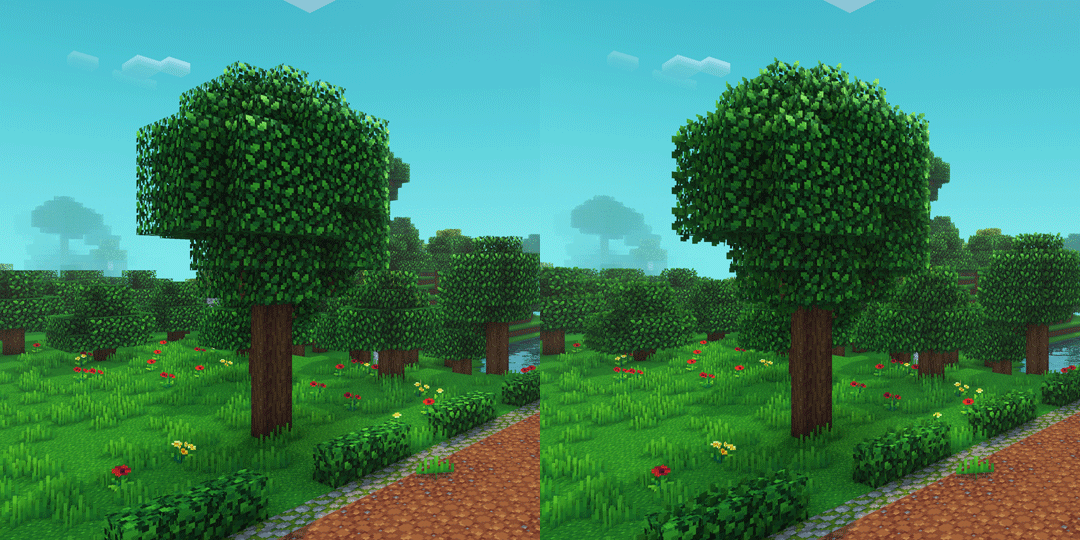
Whimscape Leaves
A subtle bushy leaves add-on for Whimscape.
I guess you could also use it as a replacement for default, or any other pack’s leaves. There’s a bit of baked-in saturation in the textures though, so it might not match quite as well.
> **NOTE**: For Complementary Shaders, **Performance Settings → Real-Time Shadows** needs to be set to **High** or above, or **OFF**.
Whimscape

Whimscape is a crisp 16×16 pixel art look with a sprinkle of extra vibrance. It keeps things recognizable and for the most part close to Default in color.
## Features
– Completely retextured
– Custom models for many blocks and items
– Random texture variants for many blocks
– Textures for item variants:
– Axolotl Buckets
– Enchanted Books (single enchantments)
– A custom font
– A clean GUI with less blindingly bright panels
– Quality of life improvements:
– Less obstructive idle shield position in first person view
– Less obstructive fire effect in first person view
– Hoppers show their direction from above
– Infested blocks have a red outline in item form
– Waxed blocks and items have a glint animation in inventory
**OptiFine or alternatives required:**
– Emissive textures
– Custom entity models
– Custom colors for birch, underwater, sky, fog
– Portal and glass connected textures
**Other supported mods** (for latest release, may vary in older versions):
– AppleSkin
– Dungeons and Taverns
– EMI
– Farmer’s Delight
– Just Enough Items (JEI)
– Mod Menu
– oωo
– Roughly Enough Items (REI)
– TrashSlot
– Visuality
– Waystones
**Add-on packs:**


## Shader pack settings
I recommend these shader settings for compatibility.
#### Complementary Shaders (_Reimagined/Unbound_):
– RP Support: **Integrated PBR+**
– Performance Settings → Real-Time Shadows: **High** or above or **OFF** (if using the Whimscape Leaves add-on)
– Atmosphere → Rain / Weather → Weather Texture Opacity: **900**
– Materials → IntegratedPBR+ Materials → Other IPBR+ Features → IPBR+ Emissive Mode: **labPBR > IPBR+**
– Materials → IntegratedPBR+ Materials → Other IPBR+ Features → IPBR+ Compatibility Mode: **On**
## Frequently Asked Questions
#### Can I use Whimscape on my server?
> Yes.
#### Can I use Whimscape in my videos/streams?
> Yes.
#### Can I put Whimscape in my modpack?
> Yes.
#### Can I create and share my own mod support add-ons for Whimscape?
> Yes.
#### Can you add support for [mod]?
> For any mod with more than a few assets: I _probably_ won’t be able to get to it. The list of mods I’d like to support is ever-growing.
>
> For a popular mod with very few assets, or a mod that causes loading errors, open an issue on the tracker.
#### Can I port Whimscape to Bedrock/another game?
> No.
#### Do you take commissions?
> No.
## Issues?
Please report bugs on the Whimscape issue tracker on GitHub. In other places I’m likely to miss reports or see them much later.
Where Is It (Unofficial Port)
# Where Is It (Unofficial port)
—
## **Unofficial port** for new versions Minecraft, as the original author hasn’t updated the mod for a long time. Original Mod.
—
 
Minecraft mod to locate items in nearby inventories. Press Y over an item to search.

## Requirements
– Fabric API
– YACL
Also embeds JackFredLib and MixinExtras.
Features
– Not required – vanilla clients can join without restricting mod users.
– Detailed searching – search by item ID, name, item tag, fluid contents, enchantment, potions, and more, and any combination of the previous.
– Server-side functionality – clients without the mod can use the command /whereis (default, changeable) to use the mod.
– Support for recipe viewers, including the vanilla Recipe Book, and for JEI, REI, EMI:
– Ability to search for items containing specific fluids, and tags for recipes.
– Custom searches (search for enchantments using enchanted books, and potion effects using potions).
– Smart favourite handling – add a named Shulker Box in your favourites, and search for it regardless of the contents.
## Usage
Press **Y** (by default) to search by item ID.
### Inventory
Hold shift to also search for NBT data.
### Recipes (Recipe Book / JEI / REI / EMI)
Will search for tags in the recipe if applicable. If hovered over a fluid, will search for items containing said fluid.
### Item Overlays (JEI / REI / EMI)
Normally matches the inventory, however certain items contain different behavior:
– Enchanted books will search for any items with that enchantment. Holding shift will specify the level as well.
– Potions will search for the potion effect on any item. Holding shift will match the specific item.
### Item Favourites/Bookmarks (JEI / REI / EMI)
Will try to look for the specific item by looking at name, enchantments or potion effects.
Where Did I Die?


Requires the library mod Collective.
Where Did I Die makes keeping track of death coordinates very easy. It is fully client-side, with an extra option to send the coordinates in a server chat so others can help you find your items. Fully compatible with other mods such as those that add graves.
A screenshot is automatically taken to prevent losing the coordinates in between game sessions. This can be toggled in the config.
Configurable: ( how do I configure? )
showCoordinatesInChat (default = true): If the death coordinates should be sent in the chat. This is visible for you only, the client.
broadcastCoordinatesToServer (default = false): If the death coordinates should be broadcasted to the server. The message sent is as if you’ve typed it yourself.
screenshotDeathCoordinates (default = true): If a screenshot should be taken when the coordinates are visible to save them across instances.
After a player death, the coordinates are sent in the client chat:

While the mod is fully client-side, it can automatically send the coordinates to the server chat:

To prevent losing the coordinates, a screenshot can automatically be taken:

——————
You may freely use this mod in any modpack, as long as the download remains hosted within the Modrinth ecosystem.
Serilum.com contains an overview and more information on all mods available.
Comments are disabled as I’m unable to keep track of all the separate pages on each mod.
For issues, ideas, suggestions or anything else there is the Github repo. Thanks!
Where Are You?
# WhereAreYou
WhereAreYou is a simple location sharing mod for survival co-op.
It shows where other players are through a small HUD list, name labels, and edge markers, so you can find your friends without opening a map or typing commands.
The display is kept lightweight and close to vanilla. It is useful when you need it, but it does not try to take over the screen.
## Features
– Compact player location HUD
– Player name and distance labels
– Edge markers for players outside your view
– Per-player visibility settings
– Toggle your own location sharing on or off
– Optional coordinate, distance, and dimension display
– Dimension-colored coordinate text
– Configurable HUD position, scale, sorting, and player limit
– Mod Menu / Cloth Config support
– Keybind to temporarily hide or show the HUD and labels
—
## 日本語
WhereAreYou は、サバイバルの協力プレイ向けの位置共有MODです。
小さなHUD一覧、プレイヤー名と距離のラベル、画面端のマーカーを使って、マップやコマンドなしで仲間の位置を確認できます。
表示はできるだけ軽く、バニラの雰囲気に馴染むようにしています。必要な時は見つけやすく、普段は画面の邪魔になりにくい見た目です。
## 機能
– プレイヤーの位置をコンパクトなHUDに表示
– プレイヤー名と距離のラベル表示
– 画面外のプレイヤーを画面端マーカーで表示
– プレイヤーごとの表示設定
– 自分の位置共有をON/OFF
– 座標、距離、ディメンション表示の切り替え
– ディメンションごとに色分けされた座標表示
– HUDの位置、サイズ、並び順、最大表示人数を設定可能
– Mod Menu / Cloth Config 対応
– キー操作でHUDとラベルを一時的に表示/非表示
What’s Vanilla PVP Pack
This is a solid PVP resource pack that enhances your combat experience while staying true to the vanilla style.And it has many fantastic features:
– Low fire overlay
– No fire smoke
– Small totem pop below crosshair
– Less pop particles
– No explosion particle
– Better crystal
– Better anchor
– New background
– Brighter glint
– Low shield and smaller shield block
– No pumpkin blur
– Outlined ores and other blocks
– Shorter swords
– “Countable” cobweb
What The Bucket
This mod fixes an old bug in Minecraft that causes certain bucket items to be destroyed when using them as ingredients. For example a bucket of water will normally convert into an empty bucket when used as a crafting ingredient however newer buckets such as the bucket of powdered snow will be completely consumed. With this mod installed all affected vanilla buckets will convert into an empty bucket as expected.
## Affected Buckets
– Bucket of Pufferfish
– Bucket of Salmon
– Bucket of Cod
– Bucket of Tropical Fish
– Bucket of Axolotl
– Powder Snow Bucket
– Bucket of Tadpole
## FaQ
### How does this work with servers?
When this mod is installed on a server the bug will be fixed for all connecting players while on the server even if they do not have the mod installed. If the mod is only installed on the client the bug will only be fixed for single player worlds. It is recommended that client and server install the mod for consistency.
### Will this fix buckets added by mods?
No. The issue fixed by this mod only impacts vanilla buckets. If a bucket added by a mod has this issue the author of that mod is responsible for fixing their own bucket code and you should report the issue to them. In rare cases I may consider fixing the bug if the modder is no longer around or the mod is unmaintained however this should only be seen as a last resort.
Credits & Contact
Like the mod and want to support me?
- Follow me on Twitter
- Join my Discord
- Check out my website

**This project is sponsored by Nodecraft. Use code DARKHAX for 30% off your first month of service!**
Logo by Delapouite and licensed under CC By 3.0.
What Durability?
Requires the library mod Collective.
What Durability? removes all durability from items, allowing players to use them infinitely. This is similar to other games such as Terraria and Stardew Valley. You probably wouldn’t use this in a general playthrough, but it can be used for RPG modpacks where the main goal isn’t to gather resources, but to accomplish a certain objective. Works for all modded items.
You can use any tool infinitely:
Show Spoiler

——————
You may freely use this mod in any modpack, as long as the download remains hosted within the Modrinth ecosystem.
Serilum.com contains an overview and more information on all mods available.
Comments are disabled as I’m unable to keep track of all the separate pages on each mod.
For issues, ideas, suggestions or anything else there is the Github repo. Thanks!
Whafful’s Darker Dark Oak
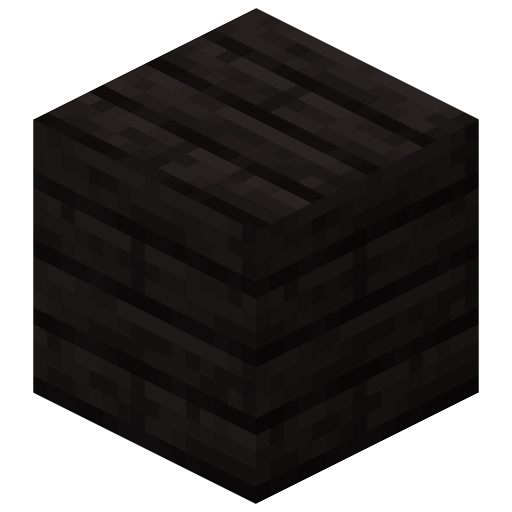
This resource pack retextures the dark oak wood set to be black, taking inspiration from ebony and African blackwood. Everything dark oak related is changed other than the bark of the logs and the cartography table.
Plank Render
Whafful’s Brown Bears
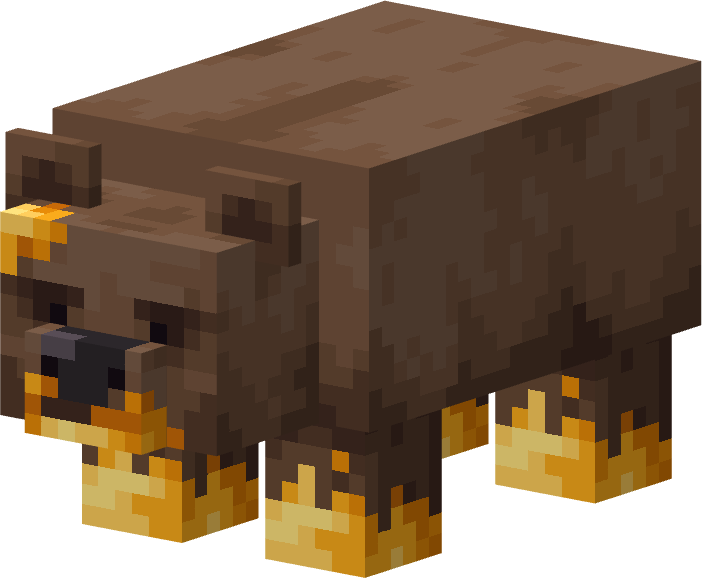
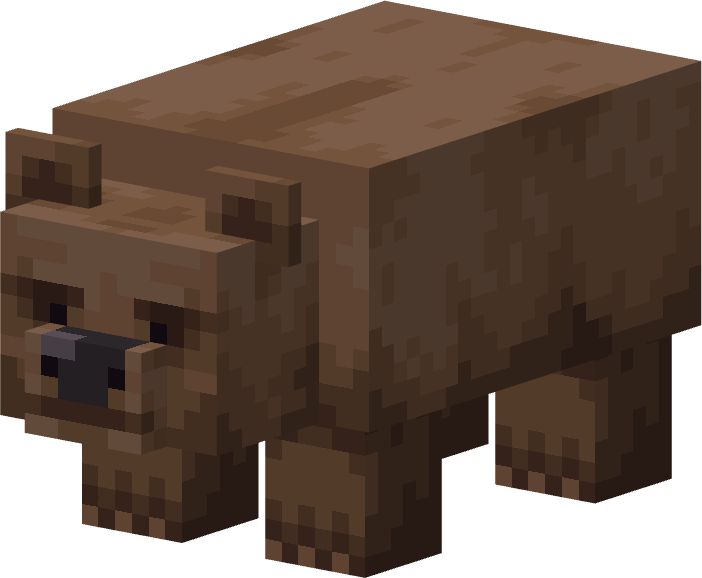
This resource pack retextures pandas to resemble brown bears. Aggressive pandas are turned into regular brown bears, while lazy pandas become honey-covered brown bears that look like they’ve been raiding beehives.
The pack sticks to vanilla-style textures to stay as immersive as possible, blending seemlessly into the base game.
Aggressive panda -> Brown bear
Lazy panda -> Honey covered brown bear