Wilder Terralith
# Overview
This datapack utilizes a few methods of changing biomes in Terralith (https://modrinth.com/mod/terralith) to add the Wilder Wild (https://modrinth.com/mod/wilder-wild) features. Many of them are existing tags from Wilder Wild, placed/configured features from Wilder Wild, changes to Terralith placed/configured features, and a few are custom placed/configured features using Wilder Wild blocks. As such, if you would like to delve into the pack and find out how I did things, you may need to check a few places.
With just Wilder Wild and Terralith (+ dependencies), Wilder Wild biomes do not spawn. I created this pack with the intention to not need the biomes from Wilder Wild, but not miss out on features. However, using TerraBlender (https://modrinth.com/mod/terrablender), you can get the Wilder Wild biomes to spawn. Feel free to configure as you please.
# Changes
## Surface Biomes
– Alpine Grove
– Fallen Spruce Trees
– Patches of frozen grasses
– Amethyst Canyon & Rainforest
– Hibiscus
– Butterflies (Duskwing and Marbled)
– Ancient Sands
– Scorched Sands (both Red and Normal)
– Tumbleweeds
– Arid Highlands
– Shrubs
– Packed Mud Paths
– Ashen Savanna
– Zombie Ostriches
– Packed Mud Paths
– Dead Baobabs (new feature!)
– Birch Taiga
– Shelf fungi on trees
– Fallen Birches
– Datura
– Blooming Plateau & Valley
– Carnations
– Marigolds
– Pollen
– Butterflies (every variant except Duskwing)
– Mooblooms
– Brushland
– Milkweed
– Monarch butterflies
– Bryce Canyon
– Milkweed
– Phlox
– Caldera
– Gabbro Paths (new feature!)
– Geysers
– Plankton
– Cloud Forest
– Changed leaf litter to match leaves
– Shelf fungi on trees
– Fallen logs
– Seeding Dandelions
– Datura
– Cold Shrubland
– Shelf fungi on trees
– Shrubs
– Deep Warm Ocean
– Hydrothermal Vents
– Sponge buds
– Tubeworms
– Sea anemone
– Nematocysts
– Mesoglea
– Crabs
– Jellyfish
– Desert Canyon
– Prickly pears
– Tumbleweed
– Scorched sand
– Desert Oasis
– Changed palm trees to use palm logs and fronds
– Flowering Lilypads
– Desert Spires
– Changed palm trees to use palm logs and fronds
– Forested Highlands
– Changed maple trees to use maple logs and leaves
– Shelf fungi on trees
– Auburn moss patches
– Datura
– Fractured Savanna
– Shelf fungi on trees
– Changed leaf litter to match leaves
– Shrubs
– Packed Mud Paths
– Ostriches
– Frozen Cliffs
– Fragile Ice
– Icicles
– Penguin
– Glacial Chasm
– Fragile Ice
– Icicles
– Haze Mountain
– Shelf fungi on trees
– Clovers
– Cattails
– Auburn Moss
– Fallen Spruce
– Foggier Fog (not Wilder Wild feature; just a change I made; easy enough to change)
– Highlands
– Phlox
– Shrubs
– Hot Shrubland
– Shrubs
– Shelf fungi on trees
– Packed Mud Paths
– Ice Marsh
– Cattails
– Shelf fungi on trees
– Fallen Mangrove
– Changed leaf litter to match trees
– Flowering Lilypad
– Jungle Mountains
– Hibiscus
– Clovers
– Huge Mushrooms
– Fallen Jungle trees
– Lavender Valley & Forest
– Changed leaf litter to match trees
– Shelf fungi on trees
– Milkweed
– Fallen Birches
– Pollen
– Butterflies (Marbled & Morpho Blue)
– Moobloom
– Lush Desert
– Palms
– Flowering Lilypad
– Lush Valley
– Shelf fungi on trees
– Shelf fungi on trees
– Changed leaf litter to match trees
– Fallen Spruce, Oaks, and Birches
– Seeding dandelions
– Forest rocks
– Moss Carpets
– Stone Paths
– Coarse dirt paths
– Mesoglea
– Carnations
– Jellyfish (Pearlescent & Blue)
– Moonlight Grove & Valley
– Fallen trees
– Changed leaf litter to match trees
– Pollen
– Butterfly (Morpho Blue)
– Orchid Swamp
– Added Cypress trees
– Algae
– Cattails
– Clovers
– Milkweed
– Flowering Lilypad
– Fireflies
– Red Oasis
– Notably no palm tree change
– Prickly pears
– Flowering Lilypads
– Rocky Jungle
– Hibiscus
– Shrubs
– Lantanas
– Fallen Jungle trees
– Sakura Grove
– Fallen Cherry trees
– Pollen
– Sandstone Valley
– Changed trees to palms
– Savanna Badlands & Slopes
– Shrubs
– Packed Mud Paths
– Ostriches
– Zombie Ostriches
– Shield
– Fallen trees
– Shelf fungi on trees
– Auburn Moss
– Datura
– Shrubland
– Shrubs
– Fallen Oaks
– Pasqueflowers
– Siberian Grove & Taiga
– Fallen trees
– Shelf fungi on trees
– Frozen grasses
– Tundra flowers
– Marigolds
– Snowy Cherry Grove
– Fallen Cherry trees
– Snowy Maple Forest
– Changed maple trees to maple logs and leaves
– Fallen Maples
– Frozen grasses
– Snowy Shield
– Fallen trees
– Shelf fungi on trees
– Frozen grasses
– Steppe
– Pasqueflowers
– Wildflowers
– Phlox
– Temperate Highlands
– Shelf fungi on trees
– Milkweed
– Butterflies (Clouded Yellow, Gren Hairstreak, and Monarch)
– Tropical Jungle
– Hibiscus
– Palms
– Lantanas
– Scorched replaces Spider
– Valley Clearing
– Marigolds
– Volcanic Crater & Peaks
– Gabbro Paths
– Geysers
– Scorched replaces Spider
– Warped Mesa
– Tumbleweed
– White Cliffs
– Fallen Birches
– Carnations
– Windswept Spires
– Seeding dandelions
– Wintry Forest & Lowlands
– Shelf fungi on trees
– Fallen trees
– Yellowstone
– Shelf fungi on trees
– Yosemite Cliffs
– Wildflowers
– Phlox
– Yosemite Lowlands
– Shelf fungi on trees
– Changed leaf litter to match trees
– Fallen Birches and Spruce
– Seeding dandelions
## Caves
– Frostfire Caves
– Icicles
– Fragile Ice
– Fungal Caves
– Shelf fungi
– Thermal Caves
– Scorched replaces Spiders
– Geysers
– Mantle Caves
– Gabbro
– Geysers
– Scorched replaces Spiders
– Underground Jungle
– Shelf fungi
If you encounter issues or have suggestions, please ask!
Wilder Flowers





## Overview
This mod adds a host of new foliage to vanilla world generation through the addition of wildflowers. These blooms can be made into flower garland decor, which can be both worn and placed. Wilder Flowers adds clover patches to various biomes as well.
## FAQ
– Will this mod be ported to other versions/loaders?
– DavigJ actively supports the Forge versions of the mod, and cassiancc maintains the Fabric and NeoForge versions. There is no plan to port to any older versions of Minecraft or support Forge past 1.20.1, ports to latest will happen when they are ready.
– **Note**: Fabric support on versions older than 1.21.1 is discontinued. Users on Fabric 1.20.1 can use Kilt.
## License

Wilder Flowers is available under the open source MIT License. Note that this means you are required to attribute the mod if you use any content from it in your own projects.
## Credits
Feel free to direct any suggestions towards the issue tracker!
This mod’s features were originally implemented in Raspberry Core as an original feature for Raspberry Flavoured. It was iterated on there before being extracted into its own mod.
Flower implementation was done by Kobber and cassiancc, textures were made by ProbablyEkho.
The port to a standalone Forge 1.19.2/1.20.1 mod was done by DavigJ, and the port beyond to multiloader 1.21.x was done by cassiancc.
Wild Warden Panorama
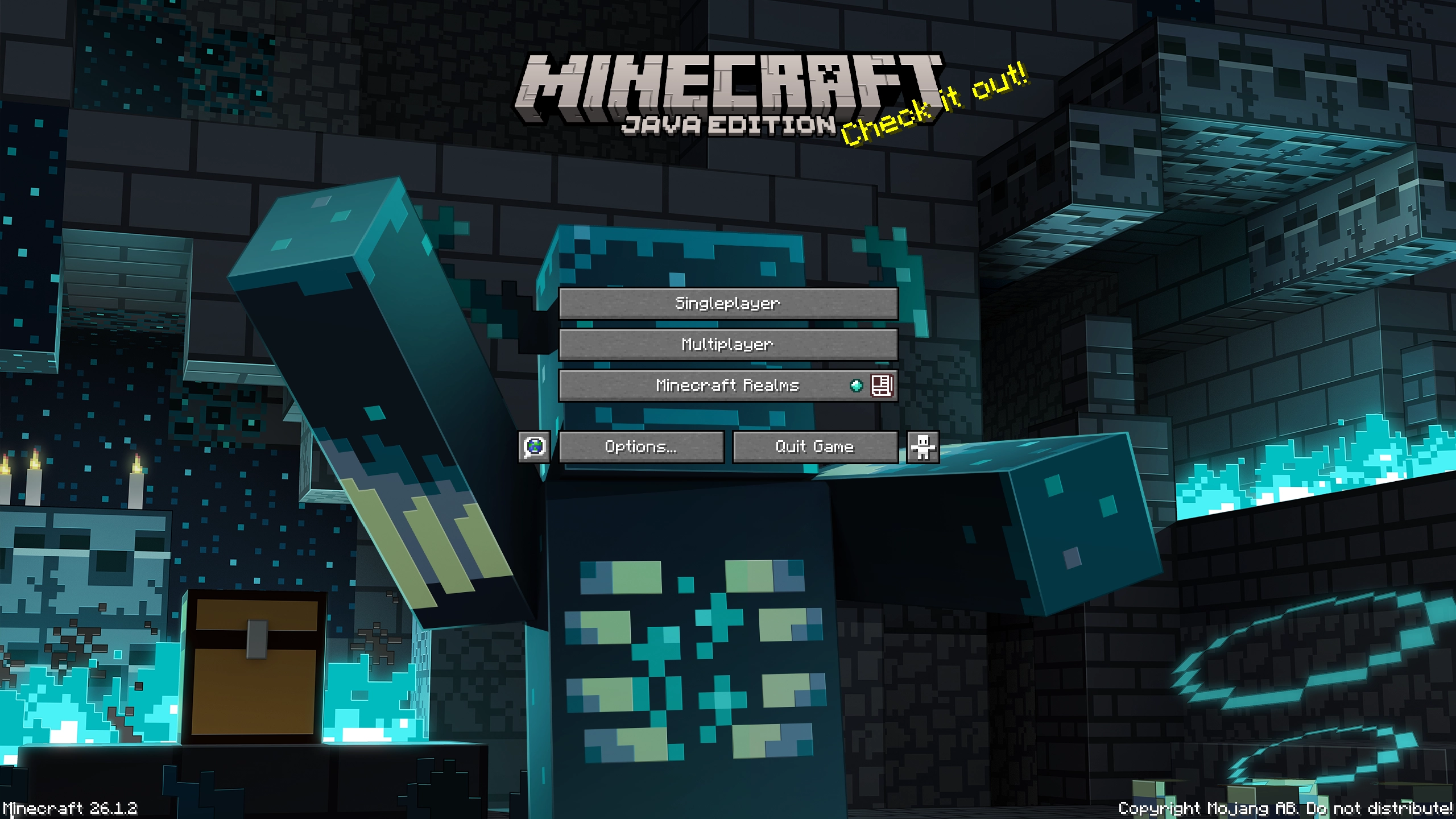
# Warden is Wilding!
Ancient cities are dangerous. Few return after delving too deep, too greedily for their treasures…
Why? Wardens, the ancient horrors of the deep wait for all adventurers unlucky enough to meet them.
But this one is harmless. And he will decorate your main menu. Pinky promise. He won’t bite.
# Features
– Single prerendered panorama of the warden in an ancient city scene for your main menu
# Not your cup of tea?
Feel free to check out other panoramas that I made for you!
Wild Update Panorama
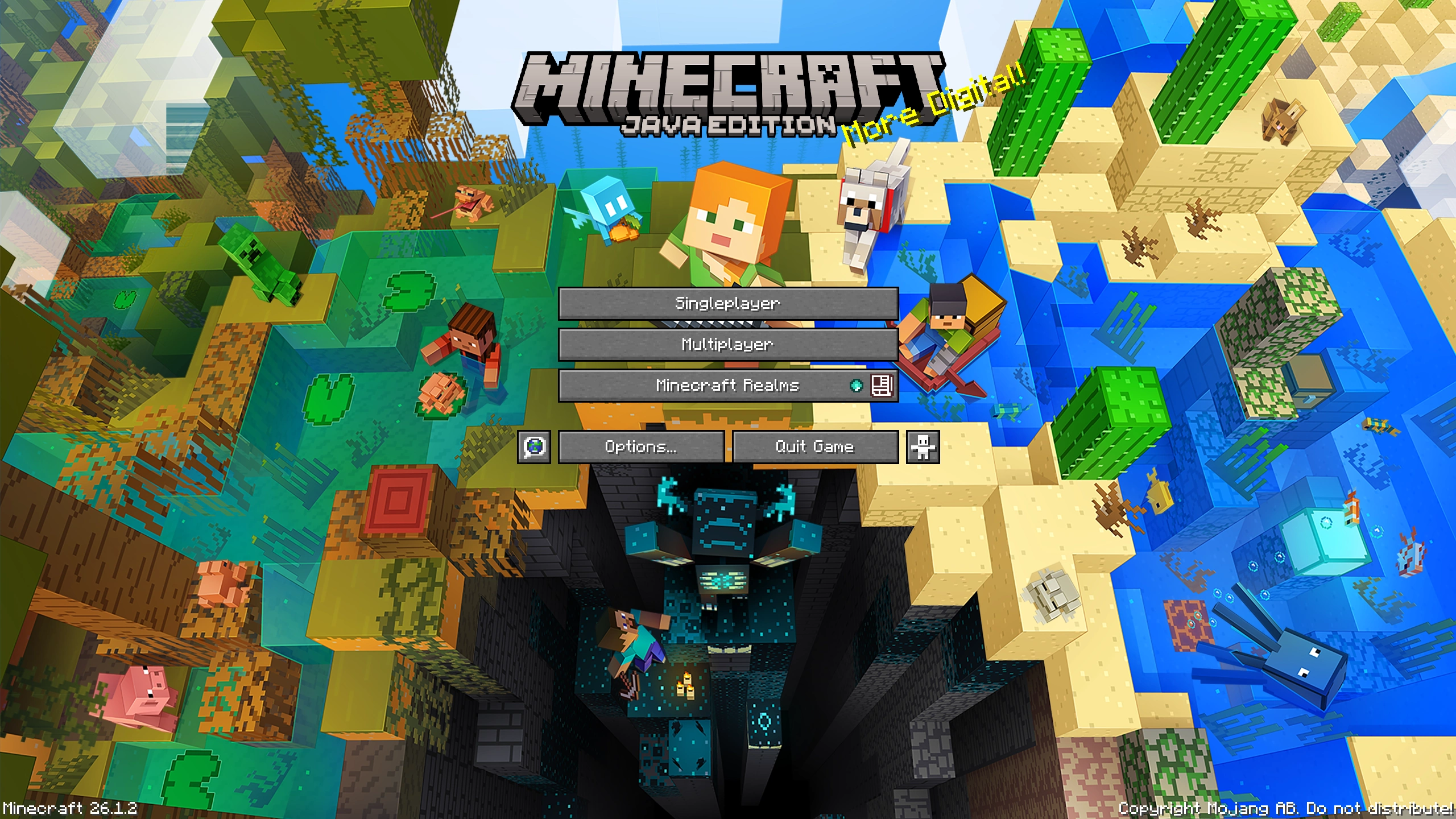
# Wild Wardens… Wild World… Wilding You!
The Wild Update brought both the joy of exploration as well as sense of dread back from Minecraft Beta.
Nothing is the same after the Wardens came to the game. Caves are scary again. Wardens give us no quarter.
Luckily we tamed a single one. And we captured its majesty. Just for you & your main menu.
# Features
– Single prerendered panorama of a warden encounter scene for your main menu
# Not your cup of tea?
Feel free to check out other panoramas that I made for you!
Wild Mangroves Panorama
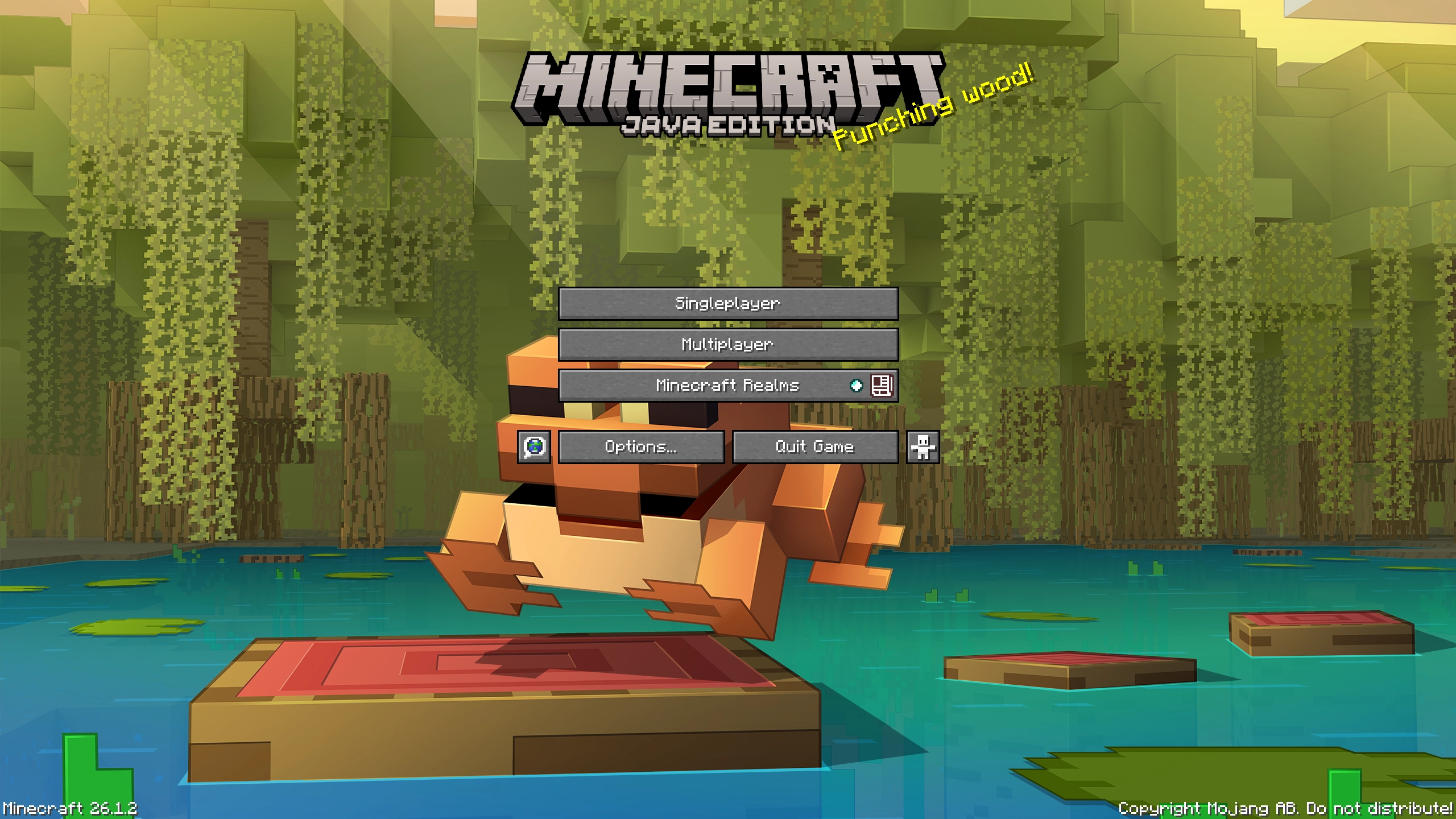
# Groove in the Mangrove!
Not all trees need dirt to survive. The mangrove laughs at it and grooves in mud and water.
Will you join it? Bonus for accepting is a frog… one very eager to photobomb this shot.
# Features
– Single prerendered panorama of the mangrove forest scene for your main menu
# Not your cup of tea?
Feel free to check out other panoramas that I made for you!
Wild Animals
# Wild Animals
_**This datapack is mostly designed for server usage.**_
No resource pack required, **fully server side**.
All the new animals are **spawning naturally** in their respective biomes, and are **animated**.
This datapack can be used in singleplayer, but it may lag a lot. Manually use **/function animals:kill** if it lags too much!
## List of animals
– Elephant (**savanna, jungle**)
– Jellyfish (**ocean, deep ocean, warm ocean, cold ocean, deep warm ocean, deep cold ocean**)
– Shark (**deep warm ocean, deep cold ocean**)
– Crab (**beach**)
## Performance impact
– **Player/Client** (rendering the textures of the animals)
– Elephant —> Very Low
– Jellyfish —> High
– Shark —> Very Low
– Crab —> Very Low
– **Server** (functions, spawn rate and so on)
– Elephant —> Low
– Jellyfish —> Very Low
– Shark —> Very Low
– Crab —> Very Low
## Uninstalling
Run **/function animals:kill** before uninstalling!
Wild Adventure Panorama
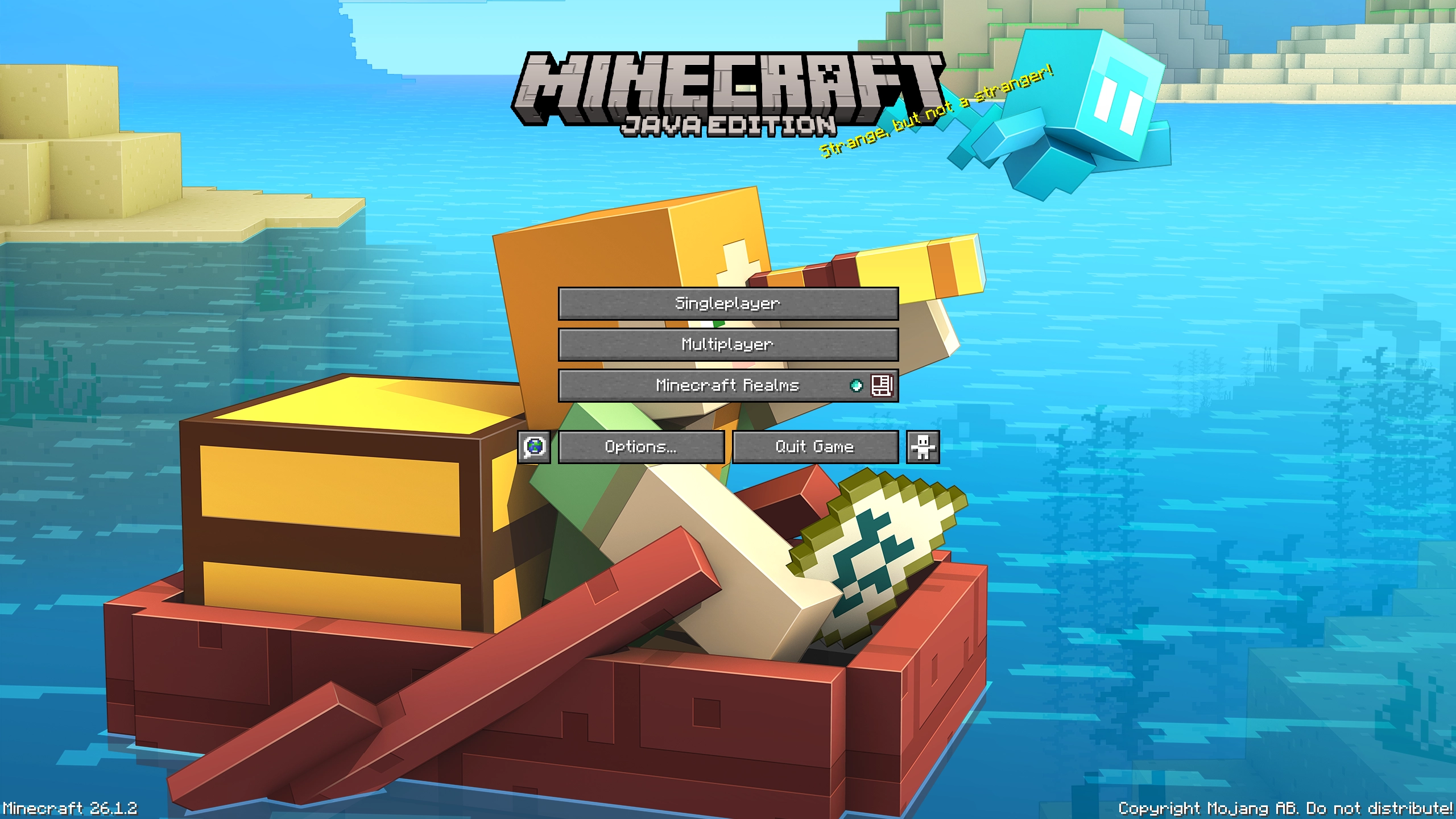
# Allay Adventu- err, Ahoy Adventure!
I allayed- I meant allowed myself to capture one of my favorite mobs in the game – The Allay.
It flies. It glows. It’s cute. And now?
You can grab it with you! Both on your adventures & in the main menu.
# Features
– Single prerendered panorama of a player & allay adventuring for your main menu
# Not your cup of tea?
Feel free to check out other panoramas that I made for you!
Widgets
# Widgets
**Adds customizable in-game widgets to your game.**
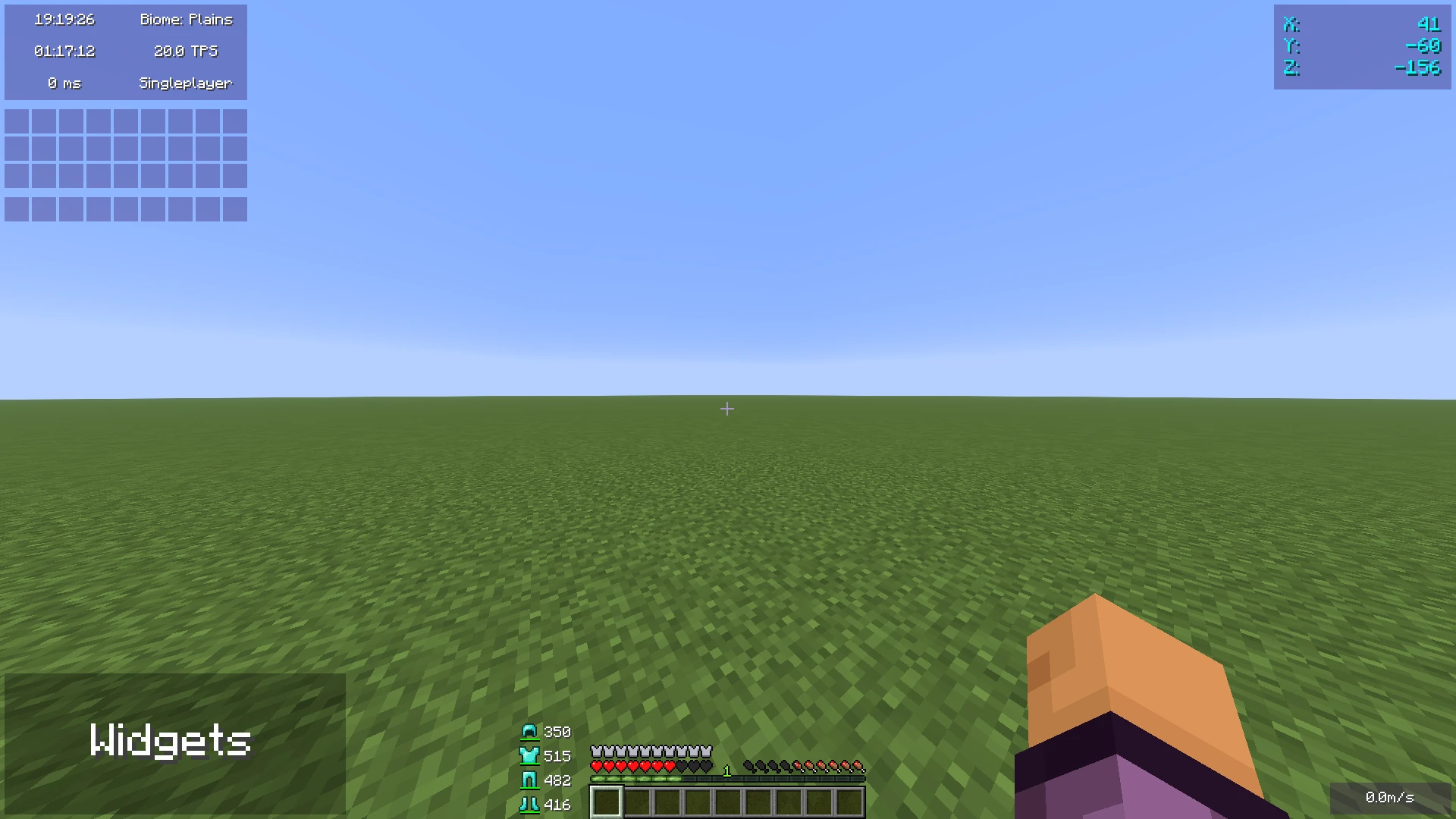
This Minecraft mod adds customizable widgets that you may know from other Minecraft clients.
This mod was specifically made for people who just use Fabric or Quilt (and no specific client).
It also has some benefits over using clients:
1. Performance:
– We’ve tried to optimize the mod as much as possible to make sure the game runs as smoothly as possible.
– Disabled widgets don’t use any performance
2. No additional features
– The mod focuses on **widgets only**. It does not contain any other features such as performance improvements or mods.
3. Easy to use
– We’ve tried to make the mod as easy to use as possible, for example, there are three ways to open the config menu instead of only a keybind.
## Widget settings
There are three ways to open the widget settings:
1. Press the key bind (bound to right shift by default)
2. Enter the command “/widgetsmod”
3. Open the config menu through Mod Menu
Once you’ve opened the settings, you will see the widget overview menu:
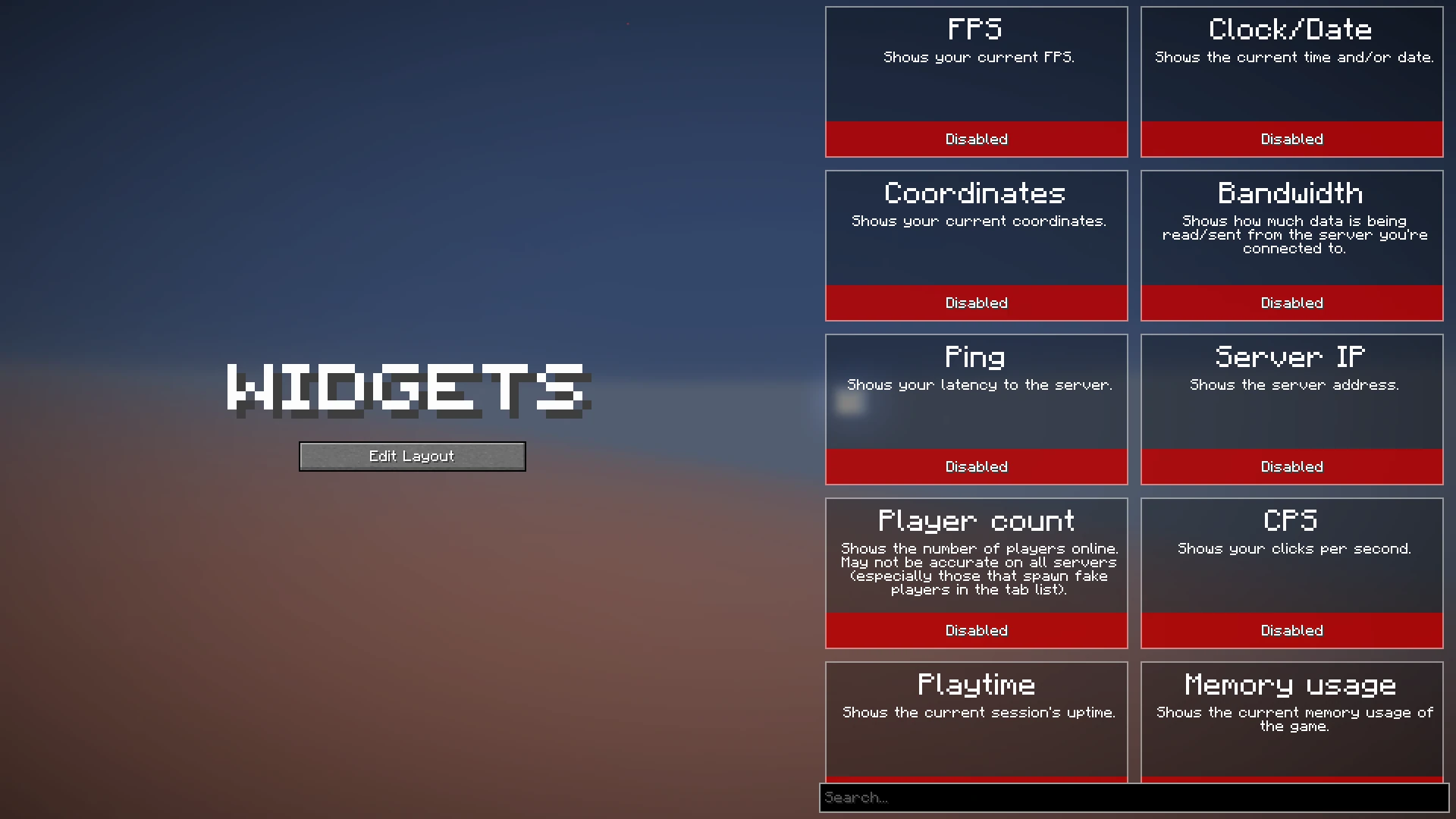
You can now enable the widgets you want to enable, or click on them to view their additional settings, as you can see here:
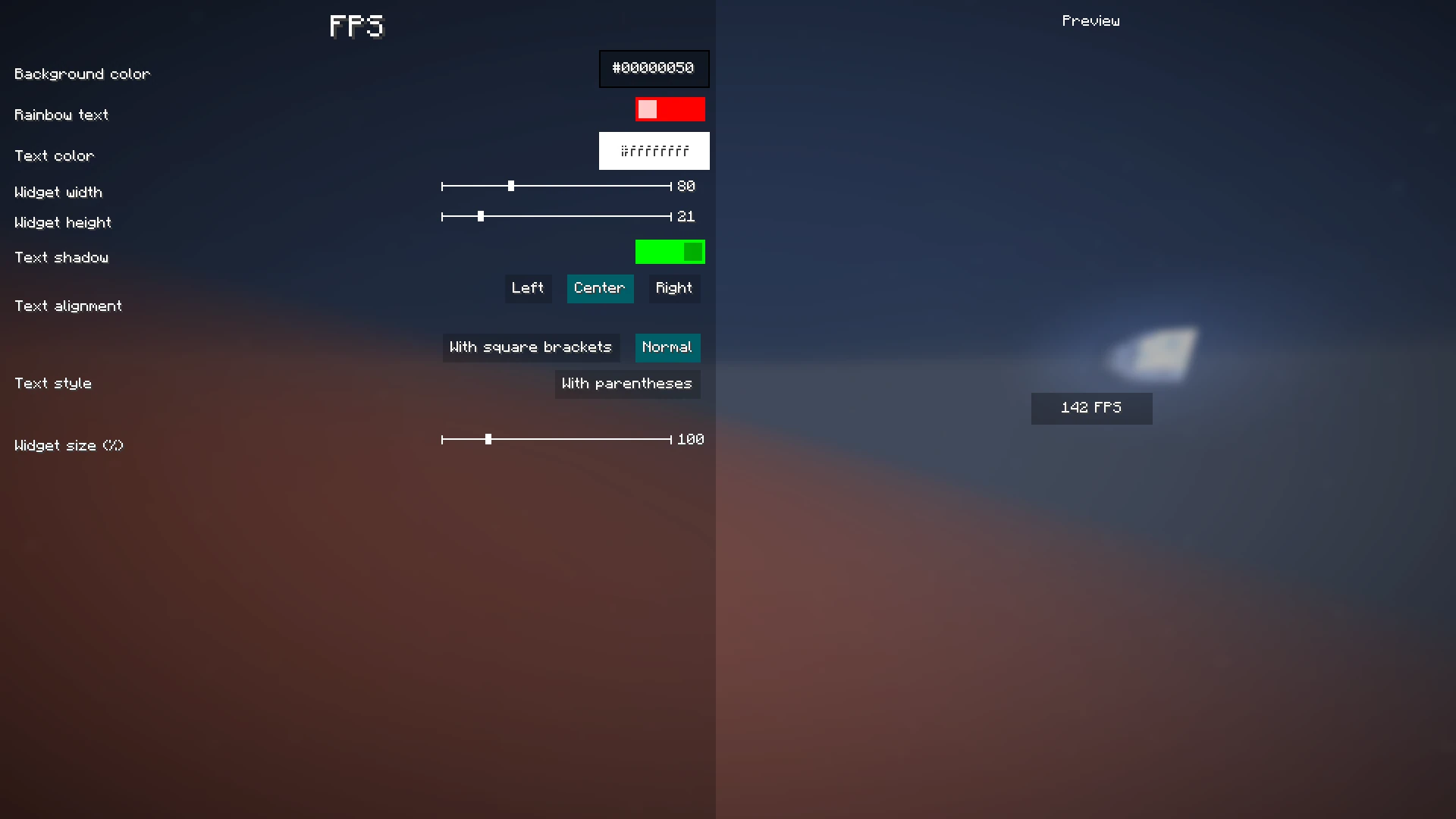
When you’re done with configuring which widgets you want to enable and their settings, click the “Edit Layout” button on the left side of the mod configuration screen.
This will take you to a screen where you can freely move around your enabled widgets.

Right-clicking on this screen will bring up a useful context menu with additional options, like enabling/disabling widgets or changing their settings.
When you’re done, just press Escape until you return to the game.
Now, everything is done. Your widgets automatically save for the next time you play.
## Color editor
Newer mod versions (2.3.0+) include a **color editor** which provides full customization for your widgets’ background and text colors:
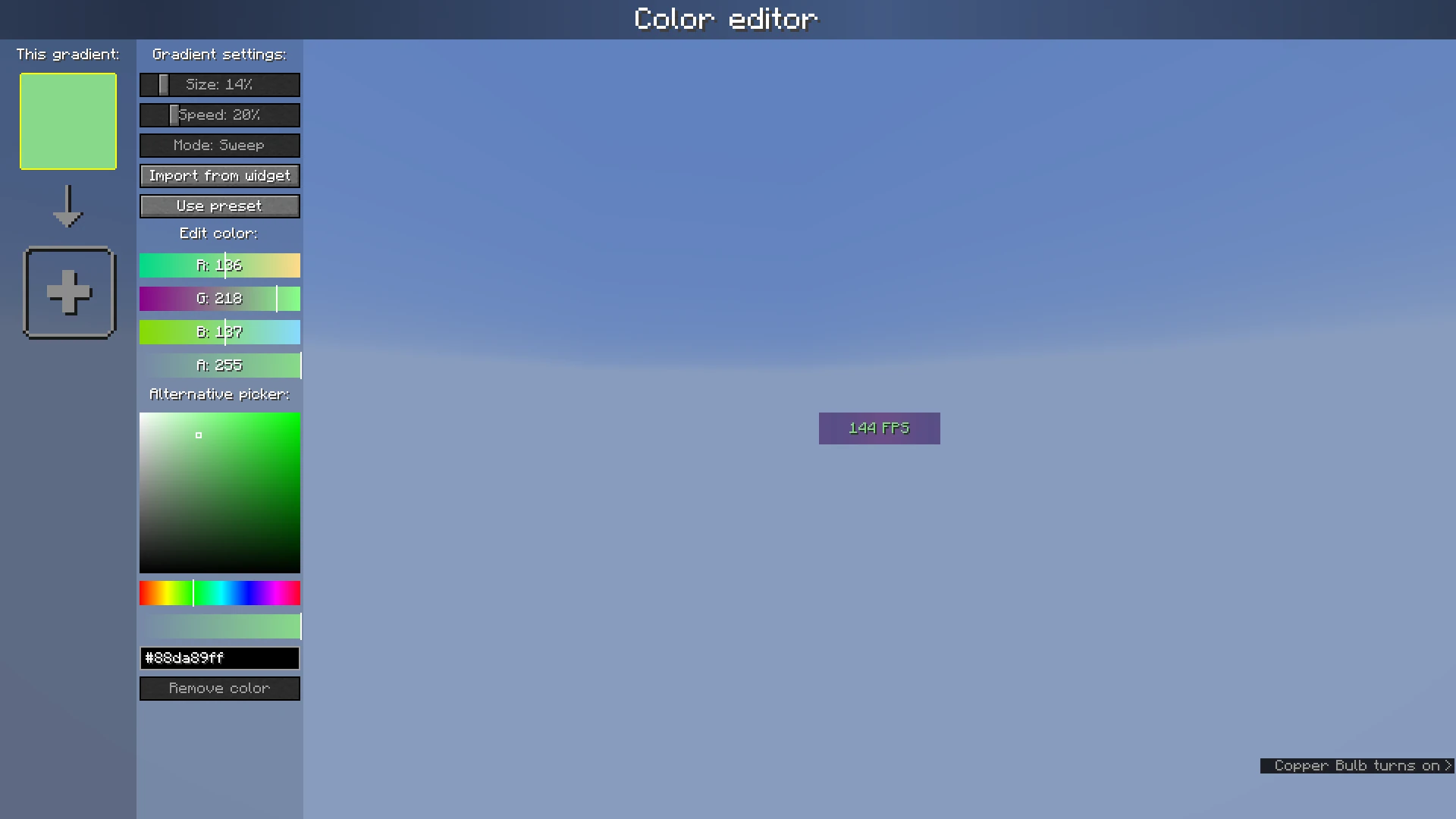
The color list on the left shows the colors which are currently configured; if you add more than one, it becomes a gradient. Clicking on the colors will select them.
The settings bar on the right of the color list can be used to customize gradient settings, import from other widgets, or use presets.
Below that, the color which is currently selected can be changed or deleted.
Wider Tab
# Wider Tab
### What is this mod?
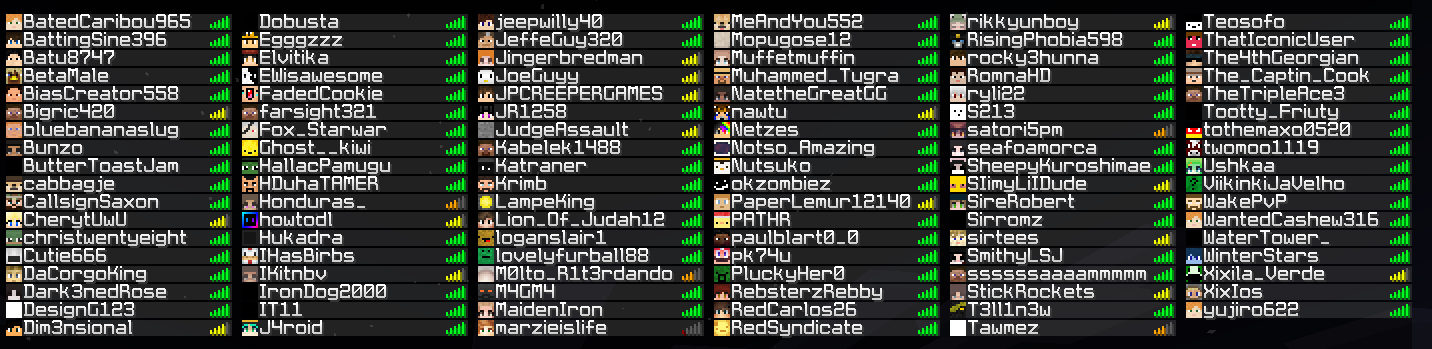
A mod that extends the multiplayer player list (tablist) to fit more players.
### How does it work?
This mod essentially removes the vanilla limit for players shown in a server’s player list, to easily see everyone online at once.
Wider Ender Chests

Say goodbye to space problems!
Now, with Wider Ender Chests, you can increase storage space in a fun way, in your favorite versions of Minecraft, and available for Forge, NeoForge and Fabric.
### Do you need a server to play with your friends?

For exceptional server hosting services, look no further than **BisectHosting**. Of course, you can install all the mods or modpacks you want, and their support team is always available to help you.
**With the code “Lupin” you will get a 25% discount! Click here!**

The functioning is very simple, 8 new Ender chests have been incorporated, each one consisting of a mineral, and adding the following additional space slots.
– Iron (+1 row)
– Copper (+1 row)
– Gold (+2 row)
– Lapis Lazuli (+2 row)
– Redstone (+2 row)
– Diamond (+3 rows)
– Emerald (+4 rows)
– Netherite (+5 rows)
To get the Ender Iron or Copper chests, you will need an Ender chest and surround it with the same mineral. The same with the rest of the chests, for example, to get the Ender Gold chest, you will need a copper or iron Ender chest, and surround it with gold.

### Does it work on servers?
###
Sure! Remember that the best way to play with mods and friends is with BisectHosting, and by **clicking on this link you can get a 25% discount.**
### Can this mod be used in modpacks?
###
Of course! As long as it is published only on Modrinth or CurseForge. Uploading it to any other platform would be violating our rights and is not allowed at all.
However, we are really grateful if you consider adding it to your Modrinth or CurseForge modpack. If you need any small changes or have any questions, contact us!



