WorldComment
## World Comment (Sub*note*ica)
Post comments associated with locations from your in-game world. An idea similar to Danmaku in videos, or Subnautica’s well-received feedback system.
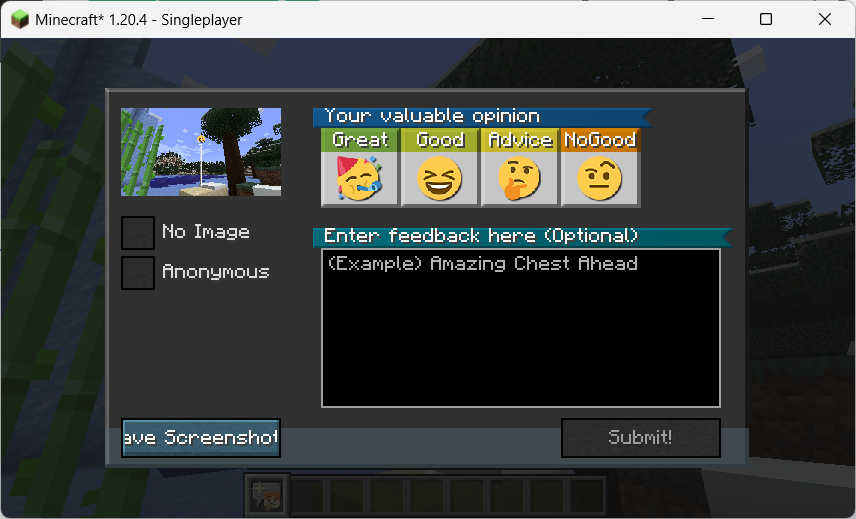
**It takes some additional configuration to be able to attach screenshots to comments – See Instructions on Configuration**.
This mod is inspired by the feedback tool in *Subnautica*. Players can take a screenshot and leave a comment to send feedback to the production team, the feedback will be sent in association with location information and the production team can see a map of the location with an overall rating. Also, the visual style of the comment “posts” is inspired by *Death Stranding*.
And it also got me thinking about the idea of Danmaku; they have the advantage over normal comments in that they relate to the content of the video at a given time, enhancing the viewing experience for the viewer. In this way, something similar could be done for Danmaku in the game world of Minecraft.
In addition, in order to ensure the normal operation under the multi-server cluster configuration of Teacon 2023, a Redis-based synchronization function has been added, so that the comments in each sub-server can be synchronized with each other and saved in a persistent manner.
—–
## 随处随笔
本模组参加了 Teacon 2023。
在游戏世界中发送评论,这些评论可以附上截图,且与特定的位置相关联。
本模组的灵感来源于《Subnautica》(《深海迷航》或《美丽水世界》)中的反馈工具。玩家可以截图留言给制作组发送反馈,反馈将关联位置信息发送,制作组可以看到一张位置与总体评价的地图。我在 YouTube 上看到了一篇介绍这一系统的影片,提到它对 Subnautica 制作组了解设计效果很有帮助。
而且这也让我想到了弹幕的概念;弹幕比起评论优点就在于它关联视频某一时间的内容,提升观者的观看体验。这样来说,类似的东西也可以作为 Minecraft 游戏世界里的弹幕。
此外,为保证随处随笔在 TeaCon 的多服务器集群配置下正常运作,增加了基于 Redis 的同步功能,使得各分服务器中的随笔可以互相同步及持久化保存。
World Colors
ENG
To add to the server you need: 1.Download zip archive 2.Open the server folder /world/datapacks 3. Drop the downloaded zip archive into the open folder and restart the server or write `/reload` to the console, if you do not have a paper or spigot server core, then write `/reload confirm`
To start using it, just turn it on and it will configure itself, 3 scoreboards will be automatically created, 1 for each world and they will tune in themselves, if you want, for example, in the ordinary world, write `scoreboard modifity overworld` and write what you want to change
Changes the color of your nickname in the tab depending on the world. For example, if one of the players is in the general world, then the nickname in the tab will be green, if it is in the lower world, then red, and if in the end, then purple. This can be seen in the screenshot: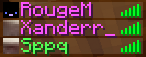
It shows that the first 2 people are in the end and the third in the ordinary world.
РУС
Что бы добавить на сервер нужно:
1.Скачать zip архив
2.Открыть папку сервера /world/datapacks
3.Перекиньте скачанный zip архив в открытую папку и перезапустите сервер или напишите в консоль `/reload` если у вас не ядро сервера paper или spigot то пишите `/reload confirm`
Что бы начать его использовать просто включите его и он сам настроится, автоматически создастся 3 таблицы счёта (scoreboard) по 1 на каждый мир и сами настроятся если вы хотите что бы например в обычном мире напишите `scoreboard modifity overworld` и пишите что вхотите изменить
Изменяет цвет вашего ника во вкладке в зависимости от мира. Например если кто-то из игроков будет в обычном мире то го никнейм в табе будет зелёным цветом , если будет в нижнем мире то красным а если в энде то пурпурным. Это видно на скриншоте:
На нём видно что первые 2 человека находятся в эндер мире а третий в обычном мире
World Border


Requires the library mod Collective.
World Border is a minimalistic configurable mod which allows the creation of a configurable world border, limiting the world size. This can prevent infinitely large file sizes or keep a community of players closer together. You can also loop around the world when hitting a world border, configurable in the config. This will teleport you to the negative coordinate if you hit the positive border and vice versa. Makes for infinitely looping worlds while still limiting the size.
Configurable: ( how do I configure? )
enableCustomOverworldBorder (default = true): When enabled, uses the overworldBorderCoords to set the border.
enableCustomNetherBorder (default = false): When enabled, uses the netherBorderCoords to set the border.
enableCustomEndBorder (default = true): When enabled, uses the endBorderCoords to set the border.
shouldLoopToOppositeBorder (default = true): When enabled, instead of teleporting the player inside near where they were, teleports them from the positive to the negative x/z coord and vice versa.
distanceTeleportedBack (default = 10, min 0, max 1000): The amount of blocks the player is teleported inside after hitting the border.
nearBorderMessage (default = “You’re getting close to the world border!”): The message which will be sent to the player when they are within ‘distanceTeleportedBack’ to the world border.
hitBorderMessage (default = “You’ve hit the world border, and were teleported inside!”): The message which will be sent to the player when they hit the world border.
loopBorderMessage (default = “You’ve hit the world border, and have looped around the world!”): The message sent to the player when they hit the border and ‘shouldLoopToOppositeBorder’ is enabled.
overworldBorderPositiveX (default = 5000, min 0, max 100000): The overworld border located at the positive x coordinate.
overworldBorderNegativeX (default = -5000, min -100000, max 0): The overworld border located at the negative x coordinate.
overworldBorderPositiveZ (default = 5000, min 0, max 100000): The overworld border located at the positive z coordinate.
overworldBorderNegativeZ (default = -5000, min -100000, max 0): The overworld border located at the negative z coordinate.
netherBorderPositiveX (default = 625, min 0, max 100000): The nether border located at the positive x coordinate.
netherBorderNegativeX (default = -625, min -100000, max 0): The nether border located at the negative x coordinate.
netherBorderPositiveZ (default = 625, min 0, max 100000): The nether border located at the positive z coordinate.
netherBorderNegativeZ (default = -625, min -100000, max 0): The nether border located at the negative z coordinate.
endBorderPositiveX (default = 5000, min 0, max 100000): The end border located at the positive x coordinate.
endBorderNegativeX (default = -5000, min -100000, max 0): The end nether border located at the negative x coordinate.
endBorderPositiveZ (default = 5000, min 0, max 100000): The end nether border located at the positive z coordinate.
endBorderNegativeZ (default = -5000, min -100000, max 0): The end nether border located at the negative z coordinate.
When getting close to the border, players will receive the following message:

The message when hitting the world border and enableLoop enabled.

On hitting the border with enableLoop disabled, players will receive a message and be teleported 10 blocks inside the border.

Looping works like this:

Looping in the nether uses clever code to not end up in lava or on the nether roof.
——————
You may freely use this mod in any modpack, as long as the download remains hosted within the Modrinth ecosystem.
Serilum.com contains an overview and more information on all mods available.
Comments are disabled as I’m unable to keep track of all the separate pages on each mod.
For issues, ideas, suggestions or anything else there is the Github repo. Thanks!
Workshop for handsome adventurer
## Introduction
This mod doesn’t add new stuff. It’s a weird way to start a description but it’s unnatural to the author so he had to say it. This mod re-adds blocks that authors lived with in past versions of minecraft and misses now. If you tried Bibliocraft, you miss it without doubt. Tinker’s construct is still around but maybe you don’t want overpowered tools just because you liked the crafting table. etc.
## Features
– **Crafting tables** – you know what they do…
…except maybe you like them to keep remaining contents after closing the crafting screen;
…or, you want to access nearby chests and barrels from the crafting screen?
And once you try our dual table you will never go back. Two crafting grids don’t sound that amazing but when you get used to it, you’ll know.
– **Toolracks** – right-click to hang your tool onto it, right-click to take it back.
It’s not glorious, we won’t pretend that it is.
But just make one and put it on a tree near your farm – never again forget where your shears are; never again craft a stone hoe to tile a single block.
Oh and craft another one and put it in your kitchen – knives and pans easy to reach.
– **Potion shelves** and **disc shelves** – right-click to place bottles, right-click to pick them up.
Similar to toolracks except single shelf slot accepts multiple bottles even if an inventory slot accepts just one.
– **Book shelves** – single click access to your books.
Again, nothing glorious but you shouldn’t dredge through chests to find instruction books. Will not be dropped in 1.20 onward because chiselled bookshelves aren’t as good as we have hoped.
– **Task lists** (todo lists) – keep track of plans and tasks.
Either keep the item with you or attach it to a wall.
## Third-party mods to use together with this one
As of mod version 1.14, this mod provides its blocks in all the wood types offered by your mods that you use.
The support is magical and mostly automatic (you may need to add some weird wood to a config file, see wiki, which makes old addons that I listed here obsolete.
The only dependency is Dynamic asset generator and even that one is optional. There is a backup subsystem that does the same, but DAG is still recommended for some rare cases that the backup system dismisses. Editions for 1.18 and 1.19 don’t use DAG, only editions for 1.20.1 (game version) and onward.
Working Full Bright
# World Full Brightness
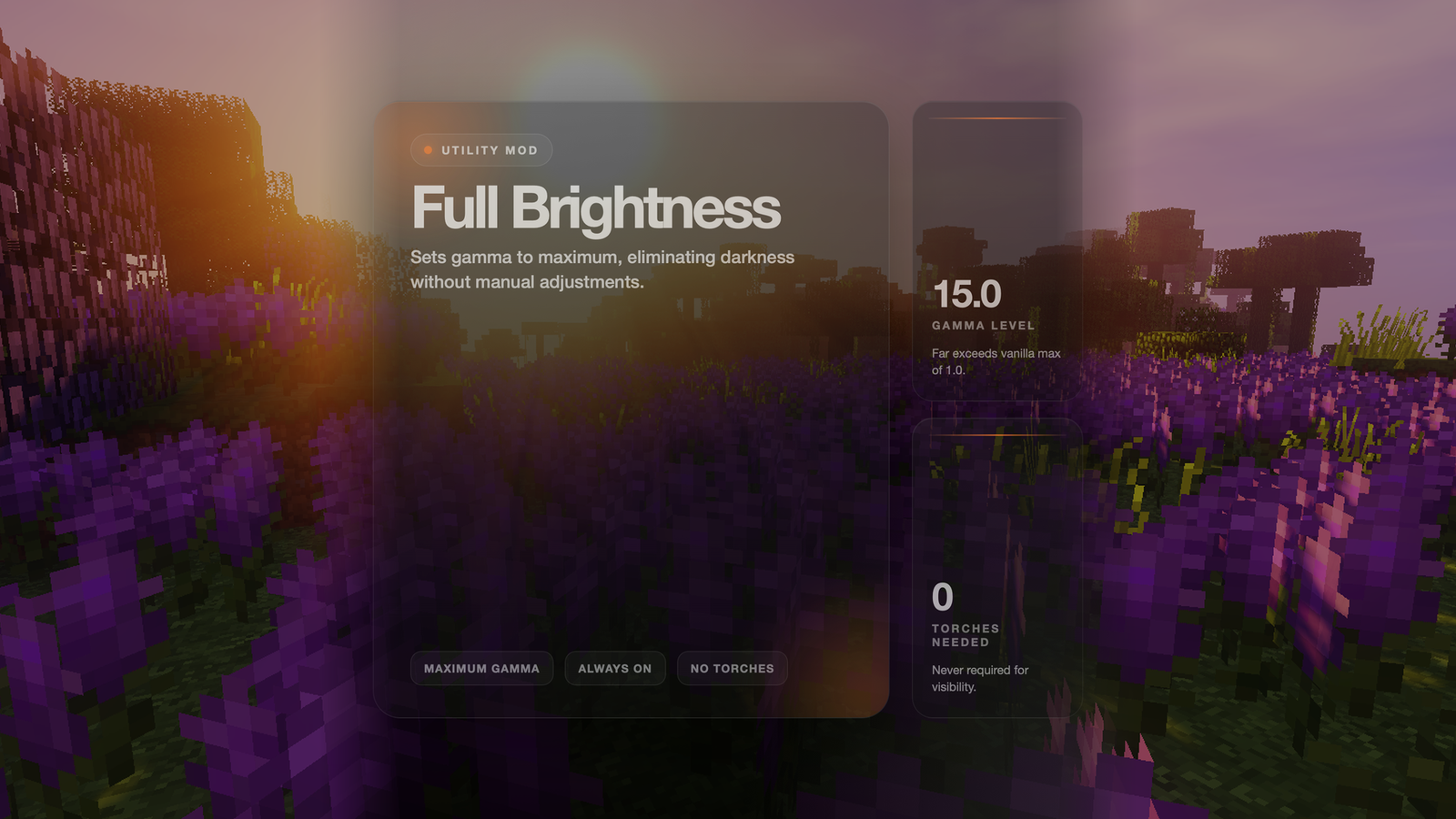
Never struggle to see in dark caves or at night again! This mod sets your game to maximum brightness at all times.
## Features
– ✅ **Maximum Brightness** – Sets gamma to 15.0 (way beyond normal max of 1.0)
– ✅ **Always Active** – No need to adjust brightness settings manually
– ✅ **No Darkness** – See clearly in caves, at night, and underwater
– ✅ **Lightweight** – Minimal performance impact
## How It Works
The mod automatically sets your gamma (brightness) setting to maximum when you load the game. This makes everything visible without needing torches or other light sources.
## Benefits
– **Cave Exploration** – See every block clearly without placing torches everywhere
– **Night Time** – No more waiting for day or sleeping through the night
– **Underwater** – See clearly in ocean depths
– **Building** – Work on projects at any time without lighting concerns
– **PvP** – Spot enemies in dark areas
WordleGame
# Welcome to Wordle!
a Minecraft Wordle clone plugin for your server
## How to play
to play just run:
“`
/wordle
“`
Don’t like that game?
“`
/wordle refresh
“`
## Game Mechanics
1. A dialog interface with a keyboard to type whatever word you desire: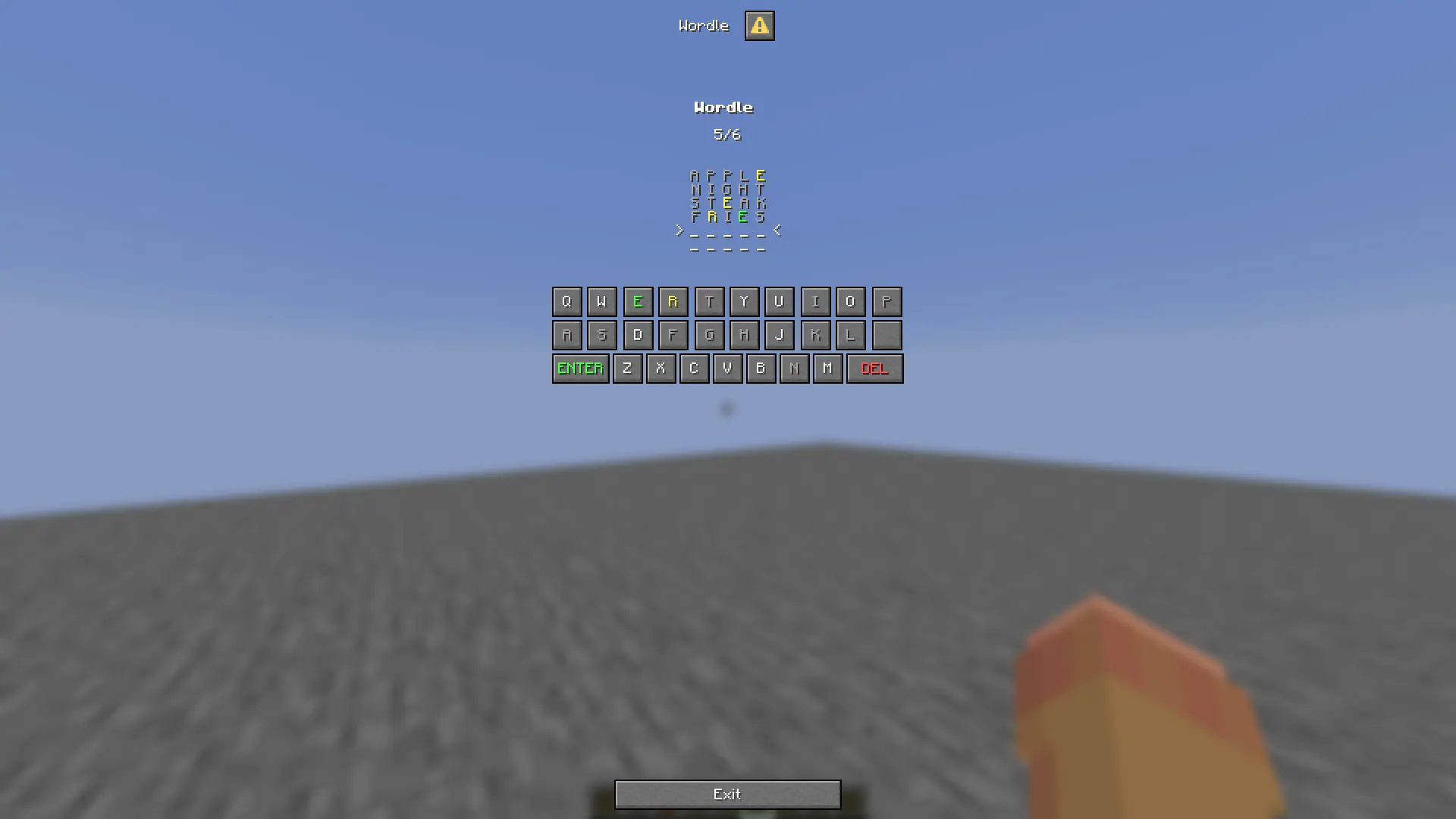
2. Well not every word, just valid ones: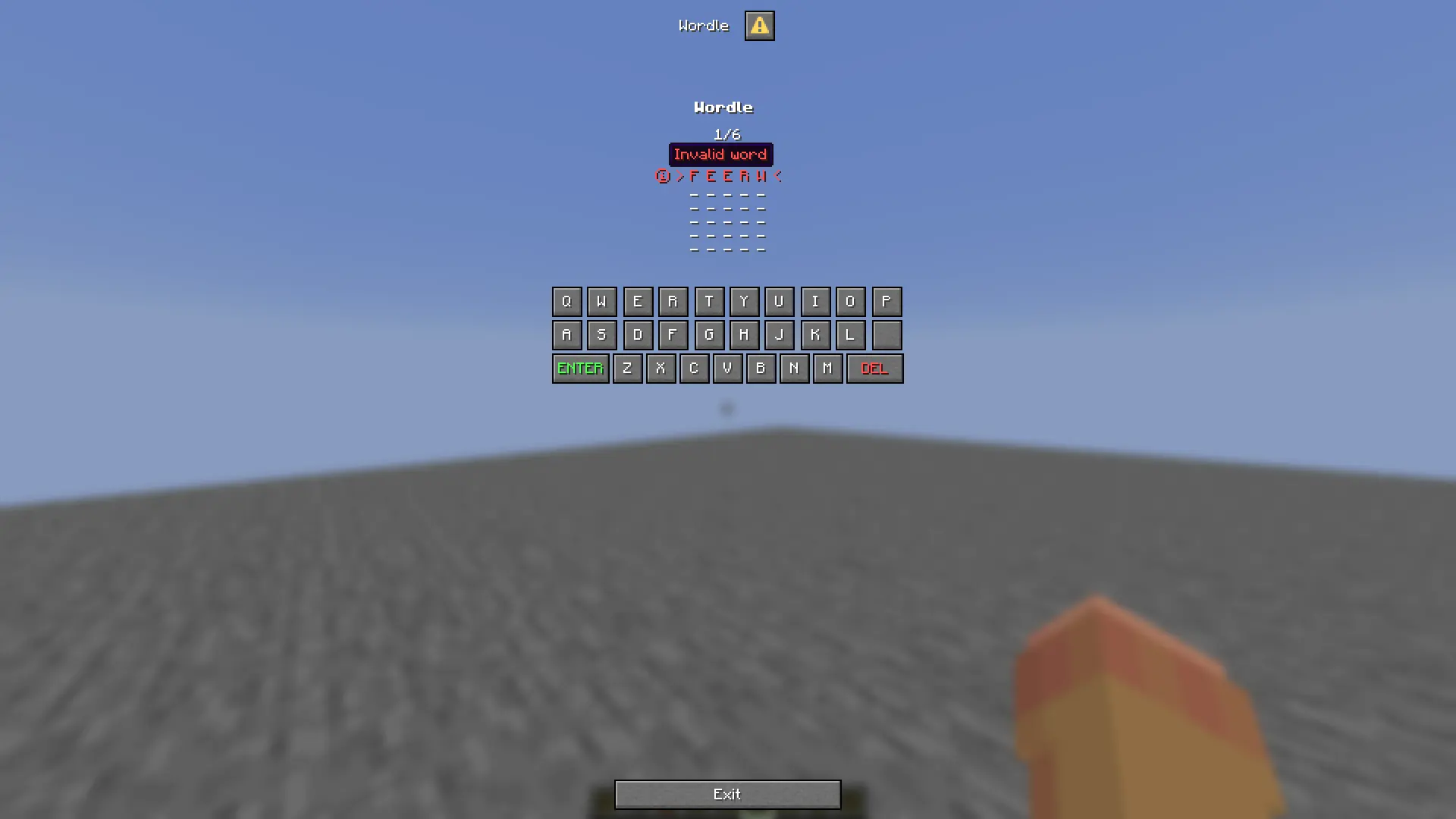
3. When you finish a grid of your game will be sent to you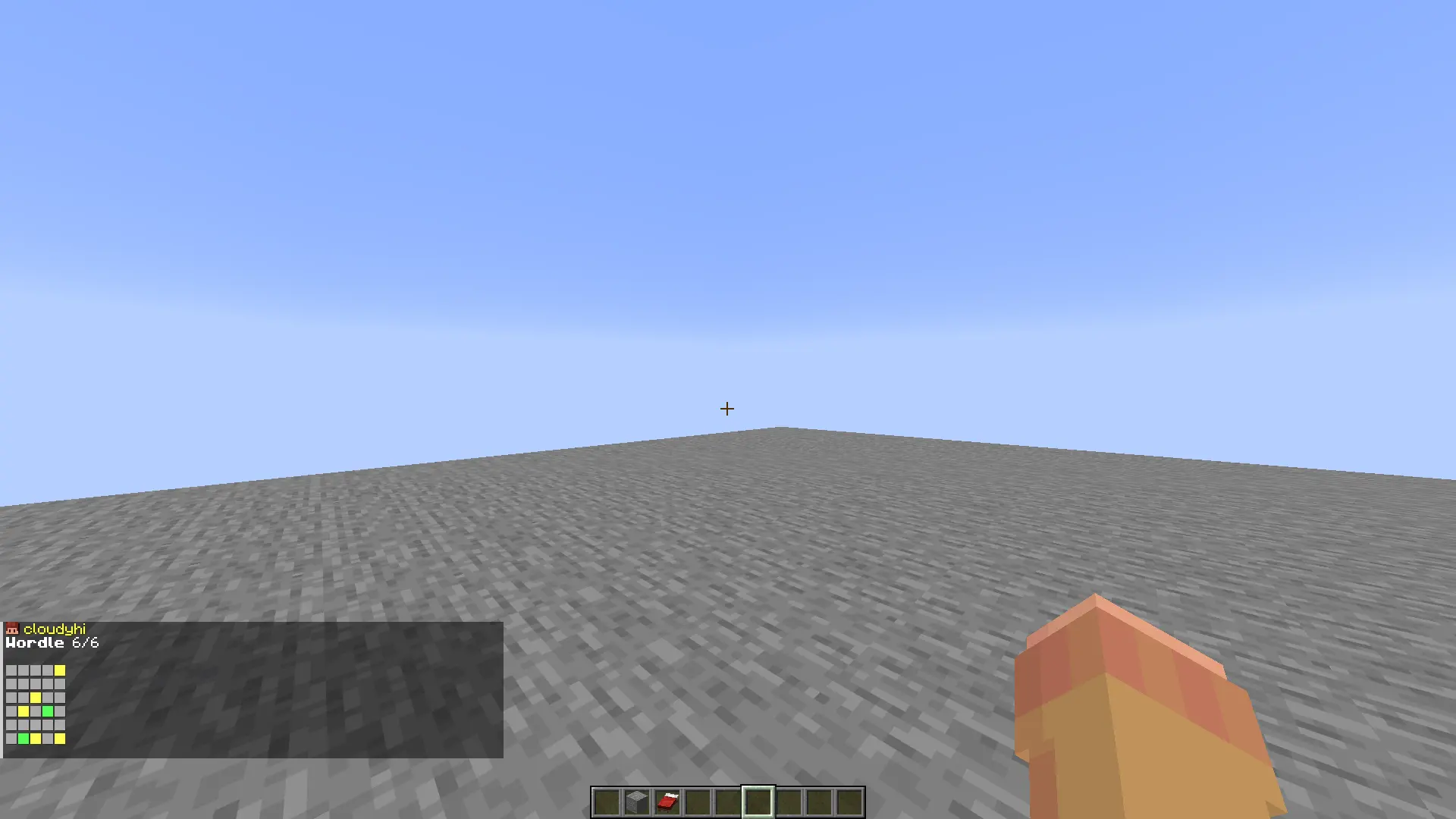
Wooly Animals
**Cold Cows** and **Cold Pigs** drop **Brown Wool** upon death. This is inspired by the Brown Wool drop from Wooly Cows in Minecraft Earth.
This pack is **compatible** with Earth Animals, making Wooly Cows drop Brown Wool and Umbra Cows drop Black Wool (since v1.1.0).
##
### MintRefresh:
YouTube | Planet Minecraft | Modrinth
TikTok | Twitter | Bluesky | Reddit
Join my Discord server here!
Woolstel
This pack simply recolors all of the wool blocks (and carpets!) to use a pastel palette. Removes those vibrant, kinda overwhelming vanilla colors to be softer and easier on the eyes 🙂
Enjoy it!
PS. Due to the way Minecraft deals with sheep colors, this pack does not change the sheep colors, only the wool blocks 🙁
All of my other pastel packs on Modrinth can be found in this collection!
  
Woolcutter


# Woolcutter
Version: 3.1
Minecraft: 1.21.2 – 1.21.11 – 21.1.x
——————————————–
# English
## Stonecutter
#### Banners
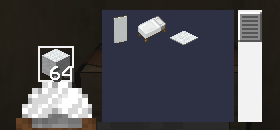
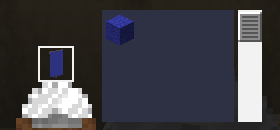
– Black banner <-> Black wool
– Blue banner <-> Blue wool
– Brown banner <-> Brown wool
– Cyan banner <-> Cyan wool
– Gray banner <-> Gray wool
– Green banner <-> Green wool
– Light blue banner <-> Light blue wool
– Light gray banner <-> Light gray wool
– Lime banner <-> Lime wool
– Magenta banner <-> Magenta wool
– Orange banner <-> Orange wool
– Pink banner <-> Pink wool
– Purple banner <-> Purple wool
– Red banner <-> Red wool
– White banner <-> White wool
– Yellow banner <-> Yellow wool
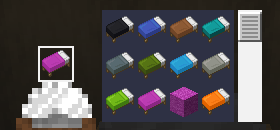
#### Bed
– Colored Bed <-> Associated Colored Wool
– Colored Bed <-> Another colored bed
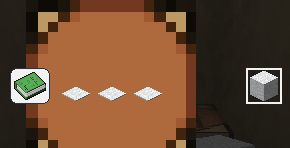
#### Carpet
– Colored Wool -> Associated Colored Carpet x3
## Crafting table
– Paper + Map -> Globe Banner Pattern
– Paper + Golden Apple -> Mojang Banner Pattern
– Paper + Gold Block -> Piglin Banner Pattern
– Paper + Skeleton Skull -> Skull Banner Pattern
– 3 Carpet -> 1 White Wool
——————————————–
# Français
## Tailleur de pierre
#### Bannière
– Bannière noire <-> Laine noire
– Bannière bleue <-> Laine bleue
– Bannière marron <-> Laine marron
– Bannière cyan <-> Laine cyan
– Bannière grise <-> Laine grise
– Bannière verte <-> Laine verte
– Bannière bleu clair <-> Laine bleu clair
– Bannière gris clair <-> Laine gris clair
– Bannière citron vert <-> Laine citron vert
– Bannière magenta <-> Laine magenta
– Bannière orange <-> Laine orange
– Bannière rose <-> Laine rose
– Bannière violette <-> Laine violette
– Bannière rouge <-> Laine rouge
– Bannière blanche <-> Laine blanche
– Bannière jaune <-> Laine jaune
#### Lit
– Lit coloré <-> Laine coloré associée
– Lit coloré <-> Un autre lit coloré
#### Tapis
– Laine coloré -> Tapis coloré associé x3
## Table d’artisanat
– Papier + Carte -> Motif de bannière Globe
– Papier + Pomme d’or -> Motif de bannière Mojang
– Papier + Bloc d’or -> Motif de bannière Piglin
– Papier + Crâne de squelette -> Motif de bannière Crâne
– 3 Tapis -> 1 Laine blanche
——————————————–
# Images
Woolcotta
This pack changes the colors of the wool blocks to match the terracotta blocks.
This results in very calming and modern colors, far from the vibrant and borderline neon colors of the regular colors.
I think these colors work very well in fancy-type builds and more modern works.
Enjoy!
PS. Due to how the game files work, carpets are also changed by this pack, not just the blocks 🙂
Thanks to thelastoflesbians for the idea!
  