This resourcepack recolors the **flowers on the iron golem** so that they have the **same red colors as poppies** do.
It is inspired by the **[Vanilla Tweaks](https://vanillatweaks.net/picker/resource-packs/)** resourcepack “Red Iron Golem Flowers”, although the flowers in this pack are **slightly darker**.
Works with [Fresh Animations](https://modrinth.com/resourcepack/fresh-animations).
Check out the
(https://modrinth.com/project/red-irongolem-flowers/gallery) to see what it looks like.
Red Creepers
Are you tired of not seeing a creeper in the middle of a grass field? Just use this pack for more contrast between the creeper and the blocks around it.
– This [version](https://modrinth.com/resourcepack/red-creepers/version/1.0.0) is for [Fresh Animations](https://modrinth.com/project/50dA9Sha) and is not suitable for Vanilla Minecraft.
– This [version](https://modrinth.com/resourcepack/red-creepers/version/1.0.1) is for Vanilla Minecraft and is not suitable for [Fresh Animations](https://modrinth.com/project/50dA9Sha).
Recycling
Recycling
✨ Features
♻️ Main description
This datapack adds a variety of simple and intuitive crafting recipes, with a key feature: recycling armor, tools, and items using a furnace or blast furnace. These can be smelted to recover the base material they are made from.
⚙️ Use and benefits
No more waste! Unused or damaged equipment can be turned back into valuable resources. This helps optimize materials, extend their usefulness, and make progression more efficient and satisfying.
🧩 Gameplay integration
The system integrates naturally with existing mechanics by using familiar in-game blocks. Easy to understand, it encourages smarter resource management while maintaining overall game balance.
Drop the .zip file into your world’s datapacks folder.
Reload the world or use /reload.
Enjoy your enchanted adventure!
⚙️ Mod
Drop the .jar file into the mods folder of your instance. Restart your game.
Have fun!
Rebalanced Music
# Rebalanced Music
Tweaked version of [Balanced Music](https://modrinth.com/resourcepack/balanced-music). Older tracks now have an equal chance of playing compared to newer tracks (where applicable).
Yeets the non-menu music from the menu, and evens out the weight of newer music. The new music is great, but it plays instead of the old tracks far too often. Seriously, why does Rubedo have a weight of 6?
### Important:
If you have other resource packs that change music or sounds, put them above this. This pack uses the `replace` option to remove music, and will remove any music added if placed above that pack.
Changes
Entries in **bold** are subject to change.
Entries in _italics_ are not applicable as of the latest Minecraft: Java Edition snapshot.
Entries in ~~strikethrough~~ are not applicable as of the latest stable Minecraft: Java Edition version.
Menu Music: Menu Music + Update Music -> Menu Music (1.18+)
The version name consists of the minimum supported stable Minecraft: Java Edition version followed by the iteration of the resource pack for that version of Minecraft: Java Edition. If there is no supported stable Minecraft: Java Edition version, then the minimum supported Minecraft: Java Edition version is used instead.
For example, version 1.16.2 v1 means that it is the first iteration of the resource pack to support at least Minecraft: Java Edition version 1.16.2. Meanwhile, version 21w39a v2 means that it is the second iteration of the resource pack to support at least Minecraft: Java Edition version 21w39a.
The maximum supported Minecraft: Java Edition version is specified in the changelog of the respective version of the resource pack.
Rebalanced Bartering
# Rebalanced Bartering
Free and open-source datapack for Minecraft 1.21 and higher that adds new trades with piglins.
## Features
This reinstates the magma cream and glowstone dust trades that had been removed in the 1.16.2 snapshots, with the same drop rate as before.
# Better Undead Camel Husk
### Sun-Bleached and Undead ☀️🌵
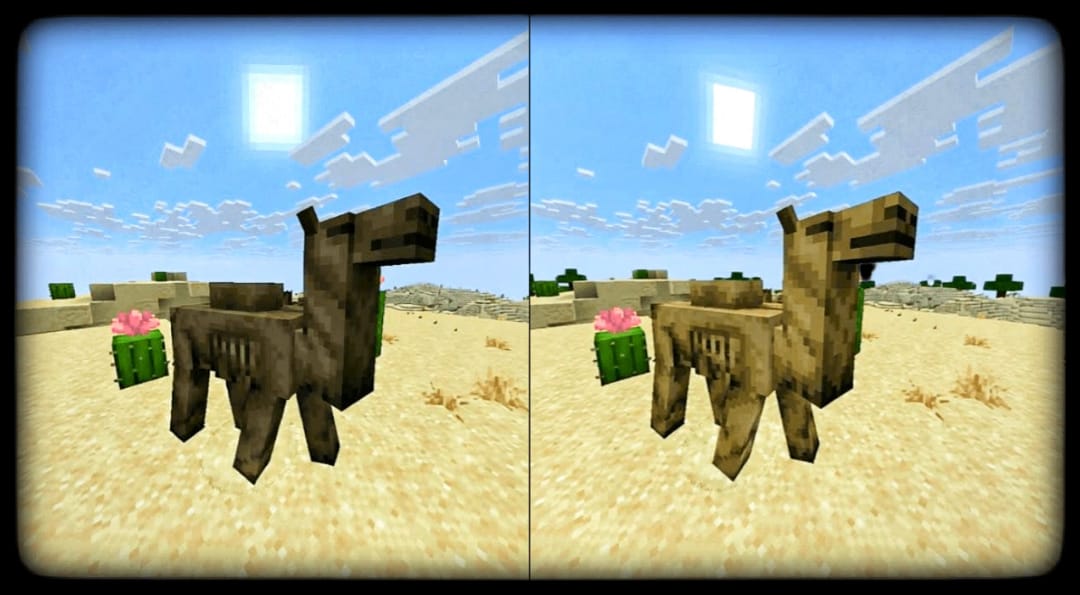
The Camel Husk deserves to look like it truly belongs in the desert. Ray’s Better Camel Husk refines the undead camel with a lighter, sand-worn tone and a more realistic, more-transparent ribcage — capturing that eerie, dried-out look of something long lost to the dunes.
🐪 Features
Lightened fur tone to blend naturally with desert mobs
Subtle texture refinements for a smoother, cohesive look
Faithful to vanilla style — just enhanced
🛠 Future ideas
Click to see what’s coming
Alternative texture variants with differing decay levels
Slight model tweaks for improved ribcage visibility
Optional darker “ancient husk” variant
Credits & License
By XrayWizz. All Rights Reserved (ARR)
— please credit if you use it in projects.
PS: Note this resource pack only applies to Minecraft Snapshot 25w44a, and future versions.
Raw Blocks | Smeltery and Blasting
# Description
“Raw Blocks | Smeltery and Blasting” or for short “Smeltery” is a light weight datapack with a simple goal, to make smelting raw iron in to iron a whole lot faster, with the edition of Raw Blocks Smelting!
Rarity Tooltips
# Rarity Tooltips
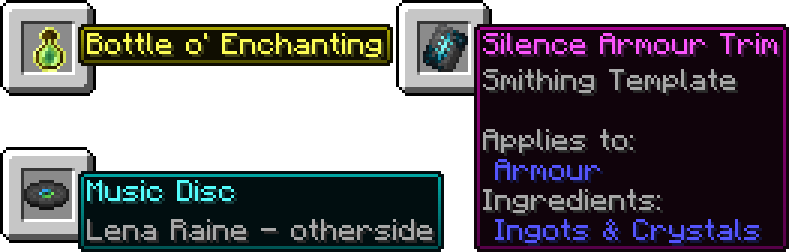
This datapack customises item tooltips to reflect their rarity. [Affected items](https://minecraft.wiki/w/Rarity#Tiers)
⚠️ **Will only work for 24w36a (1.21.2) and newer, resource pack is required.**
### Help
If you are using this on a server, paste the resource pack download link after “resource-pack=“ in the “server.properties“ file.
Most items will just work but for some you will need to drop them on the ground to change them, for example if you enchant/disenchant an item or items from before the pack was installed.
### Issues/Feature Requests
Please report issues and/or request features on the [GitHub Issues Page](https://github.com/SnuzzleWump/rarity-tooltips/issues), any help is greatly appreciated.
Rapiers
**Note: This does not work on versions before 1.21.11. No backports are planned due to this being a datapack and not a mod.**
Installation:
-Rapiers (Data).zip file goes into the **datapack** folder of your world.
-Rapiers (Resources).zip file goes into your **resource pack folder** and _must be enabled_ for this datapack to work!
**If you cannot find the required resource pack, it can be found by:**
1. [Clicking this link](https://modrinth.com/datapack/rapiers-datapack/version/1.3)
2. Download “Rapiers (Resources).zip” like normal
**Rapiers** are a new tiered weapon type that are functionally spear-sword hybrids.
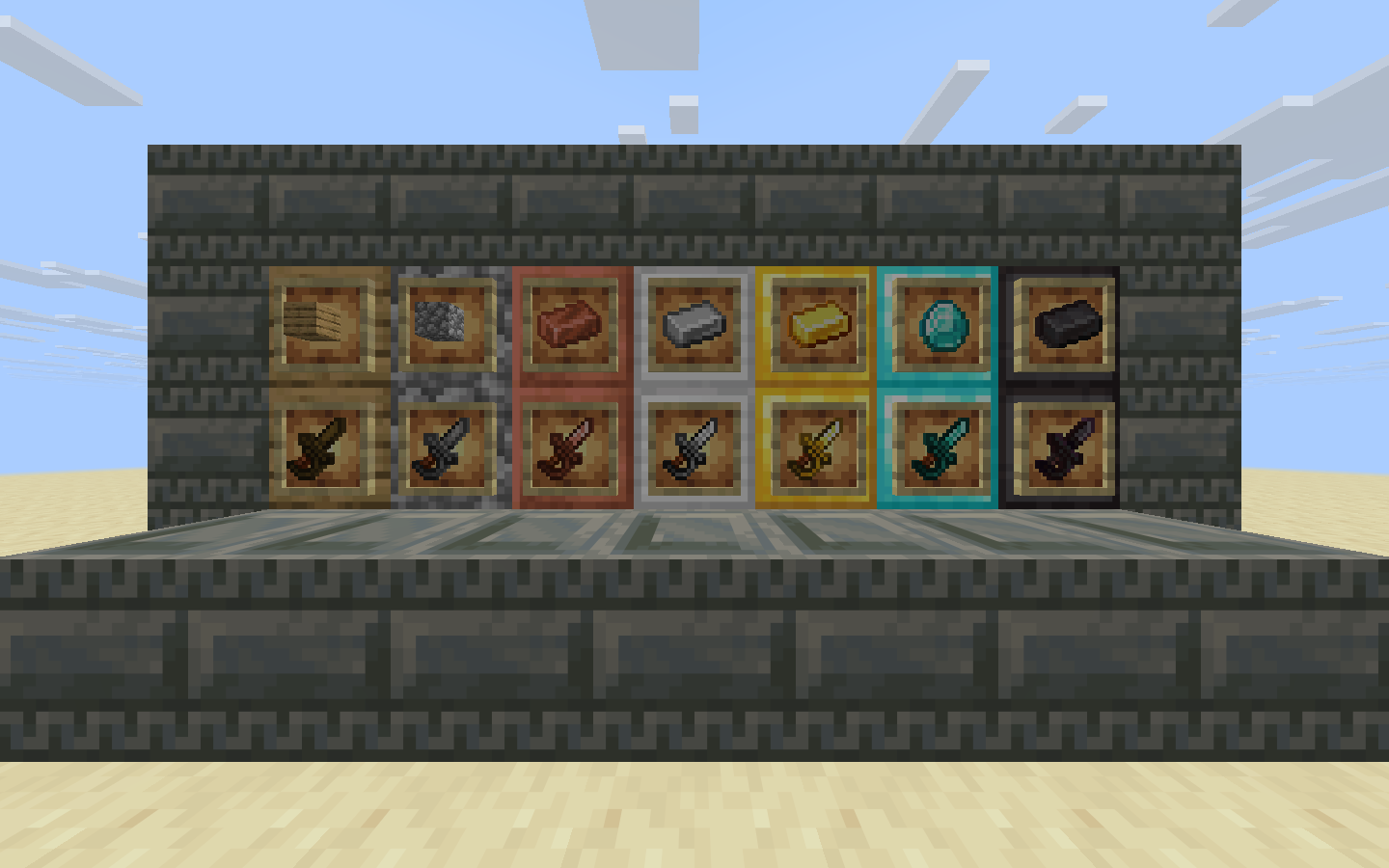
They are crafted by flipping sword recipes by 45 degrees.
Just like spears, they have a small icon in the inventory but are bigger when held.
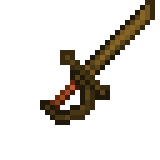 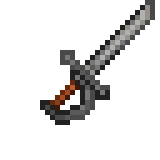 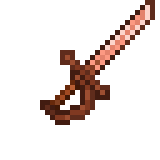  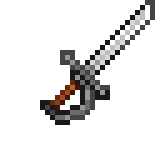 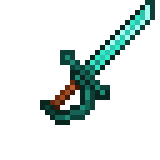 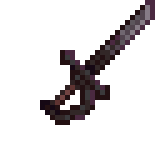
While moving, rapiers function like normal swords, being able to perform sweep attacks. While either sprinting or standing completely still, rapiers can stab forward like spears do.
Rapiers are also capable of guarding with right-click similarly to how swords used to work, but in turn, cannot be used with a shield. Do note that they can only block melee attacks.
Swords vs Rapiers:
Swords
+Can be used with shields or any ranged weapon in the off-hand.
+Can perform critical strikes by falling.
+Can perform knockback attacks by sprinting.
+Can attack faster because it can be swung even if the attack cooldown meter is not full.
-Cannot guard, needing a shield for blocking.
-Relies on sweeping edge to have good crowd control.
Rapiers
+Can guard, reducing melee damage taken by 50%.
+Better crowd control as it’s stab attack can pierce and as well as sweep like a normal sword.
+Farther attack reach, especially when standing still.
-Slower attack speed as the attack cooldown meter needs to be full in order to attack.
-Risky playstyle as standing still or running straight into enemies are needed to fully utilize its special ability.
-Cannot be used with shields or any ranged weapon in the off-hand.
-Cannot perform knockback attacks by sprinting as it is replaced by the stab attack.
-Critical strikes are harder to perform as you need to be moving sideways when falling.
Known bugs:
-There is a visual bug when crafting the netherite rapier, where its name appears as “diamond rapier” until you actually craft the item, which correctly gives it its name back.
# Random Mob Sizes
[](https://github.com/Stoupy51/RandomMobSizes/releases/latest)
[](https://smithed.net/packs/random-mob-sizes-dp)
[](https://modrinth.com/datapack/random-mob-sizes-dp)
[](https://www.planetminecraft.com/data-pack/random-mob-sizes-6264344/)
[](https://discord.gg/anxzu6rA9F)
[](https://stewbeet.paralya.fr/)
This datapack provides a funny game experience by randomizing every mob sizes in your world! 🎲 🎮
The default scale is 0.75-1.25 but can be configured as you want with the command `/function random_mob_sizes:config` ⚙️
The datapack is optimized, meaning it do not add any lag to your world/server! ⚡️
You can also configure per-mob behavior to fine‑tune size ranges and health scaling for specific entities. 🎯
## Configuration ⚙️
Run the helper command to configure the pack:
– ▶️ Execute `/function random_mob_sizes:config`
– 💬 This prints clickable messages in chat that prefill commands you can edit and send.
What you can configure (from the in-game helper):
– 📏 Value range for sizes: 0.0625 – 16.0
– 🌐 Default global range: min_size = 0.75, max_size = 1.25
– ❤️ Health scaling toggle: whether mob health scales with their size (enabled by default)
– 🏃 Speed scaling toggle: whether mob movement speed scales with their size (disabled by default)
– ⚔️ Damage scaling toggle: whether mob attack damage scales with their size (disabled by default)
Global settings examples 🛠️:
– ➖📏 Set minimum size
– `/data modify storage random_mob_sizes:config min_size set value 0.75`
– ➕📏 Set maximum size
– `/data modify storage random_mob_sizes:config max_size set value 1.25`
– 🔁❤️ Enable/disable health scaling
– `/data modify storage random_mob_sizes:config health_scale set value false`
– Use `true` to enable, `false` to disable.
– 🔁🏃 Enable/disable speed scaling
– `/data modify storage random_mob_sizes:config speed_scale set value true`
– Use `true` to enable, `false` to disable.
– 🔁⚔️ Enable/disable damage scaling
– `/data modify storage random_mob_sizes:config damage_scale set value true`
– Use `true` to enable, `false` to disable.
Per-mob overrides (optional) 🐾:
– 🧬 You can override the global settings for a specific mob type. Provide any subset of keys; omitted keys fall back to the global values.
– 🐔 Example for chickens:
– `/data modify storage random_mob_sizes:config mobs.”minecraft:chicken” set value {min_size:0.75,max_size:1.25,health_scale:true,speed_scale:false,damage_scale:false}`
– 🔁 Replace `minecraft:chicken` with the desired entity ID (e.g., `minecraft:zombie`).
💡 Tip: You can re-run `/function random_mob_sizes:config` at any time to show the clickable helpers again.
## Technical / Compatibility 🔧
Mobs concerned by the datapack are:
– mobs with a “Brain” NBT 🧠
– not players 👤
– not armor stands 🛡️
– not entities having the following Tags: `random_mob_sizes.checked`, `smithed.entity`, `smithed.strict`, `global.ignore` 🏷️
Meaning modded mobs can be concerned! 🎯
If you want to revert all loaded entities to their original size, you can type `/execute as @e run attribute @s scale base reset`.





 Furnace
 Blast Furnace