Player Head
# 🪓 Player Head (Datapack)
![Minecraft]()
—
## 📖 Description / Описание
### English
This datapack adds a **simple and customizable way to obtain player heads** in Minecraft.
When a player is killed, their **head will drop as an item**.
✨ Features:
– Compatible with multiplayer.
– Minimalistic and lightweight – does only one thing.
### Русский
Этот датапак добавляет **простой и удобный способ получать головы игроков** в Minecraft.
При смерти игрока его **голова выпадает в виде предмета**.
✨ Особенности:
– Поддержка мультиплеера.
– Минималистичный и лёгкий — делает только то, что нужно.
Player Corpses
This datapack/mod uses the new mannequin entity as a corpse for when the player dies! ✨
## Corpses 💀
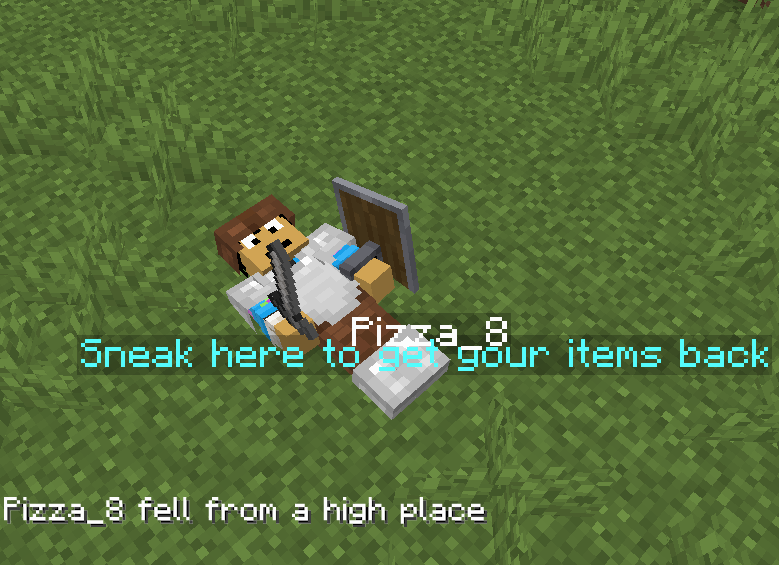
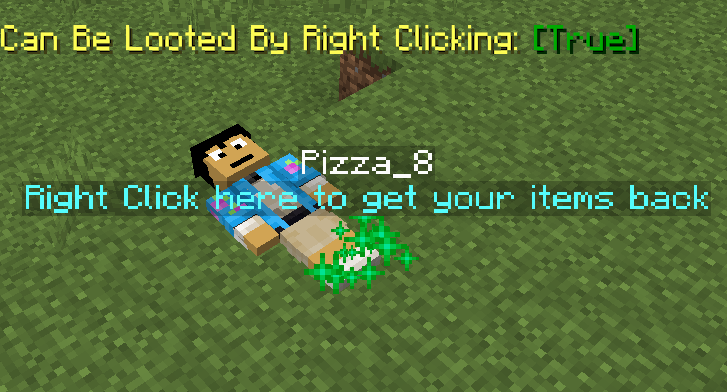
**It makes it so that instead of players dropping their items around randomly, they will now leave behind a corpse with their skin and name from which they can later retrieve their stuff.**
**To retreieve the items from the corpse they must first locate it at the place where they last died and sneak while being near it, the items should pop back in their inventory and the corpse should disappear.**
**There is no despawn timer unless added via the config screen**
## Coprse Finder ⚙️
**The Corpse Finder Screen allows the player to see all the currently loaded corpses and their coordinates**
**Can be accessed by typing: /trigger corpse_finder**

## Configeration Screen ⚙️
**The Config Screen offers many options for players to choose how they want the pack to work to match their playstyle.**
**Can be accessed by typing: /trigger config**
Config Options
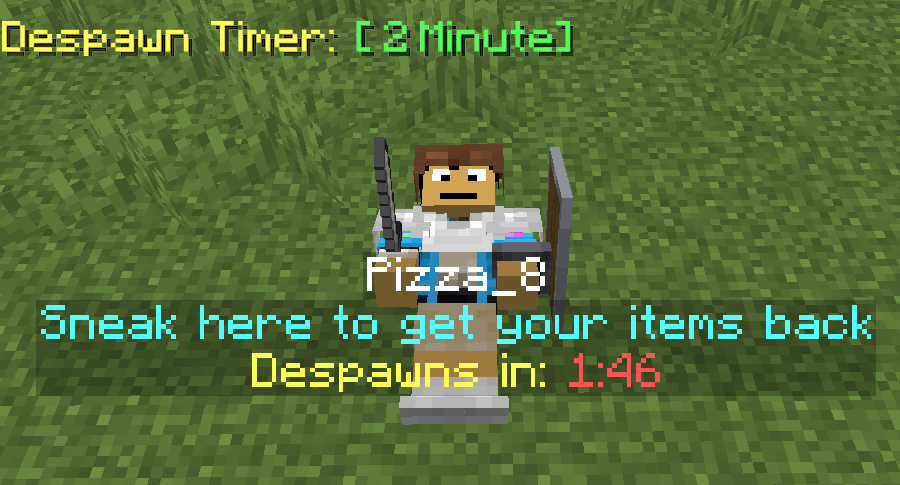
– **Despawn Timer:**
Corpses spawned when a player dies will despawn after that amount of time passes
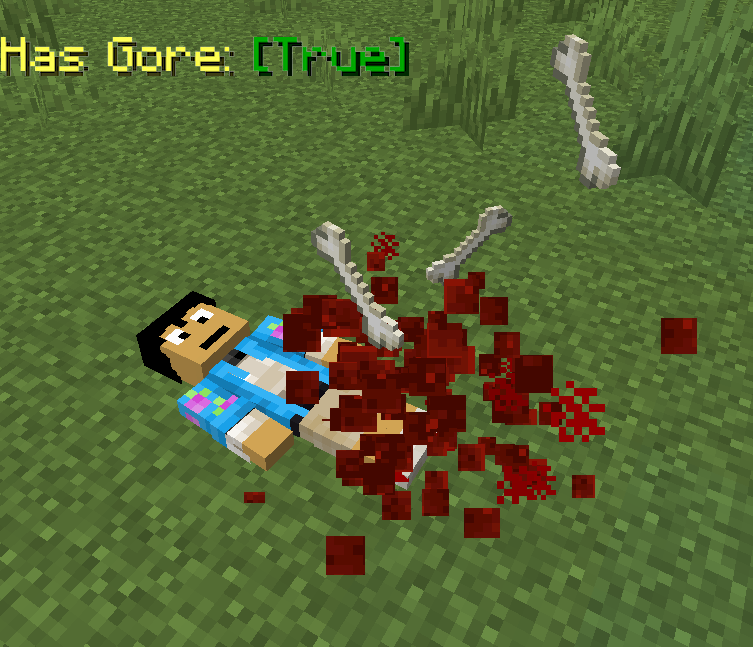
– **Has Gore:**
Corpses spawned when a player dies will have blood and bone particles and sounds
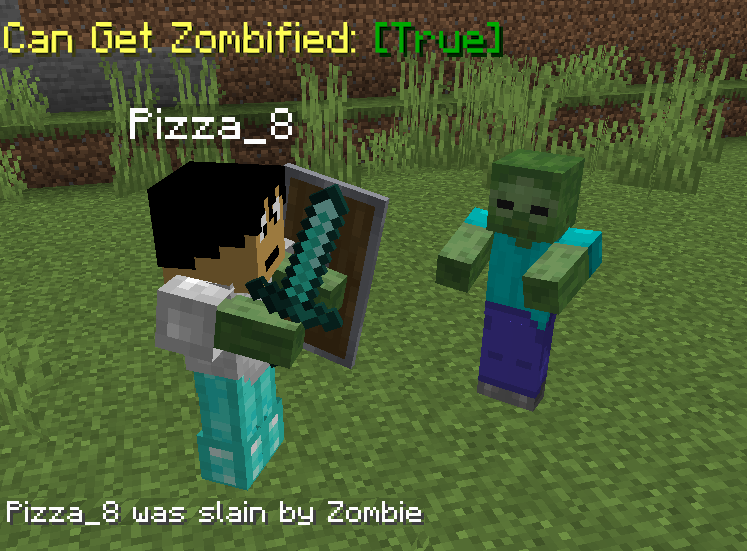
– **Can Get Zombified:**
When a player dies to a zombie a corpse wont spawn, instead a zombie with that player’s head will spawn with all of the player’s items, to get them back they must kill it
– **Gives Death Coords:**
Players will get a message with their death coordinates in chat after they die
– **Can Only be Looted by Owner:**
Corpses spawned when a player dies will only be able to be looted by that same player
– **Can be Looted by Right Clicking:**
Corpses will be able to be looted by right clicking on it rather than sneaking
– **Instant Looting:**
Corpses will be able to be looted instantly after sneaking near them
– **Stays After Being Looted:**
Corpses spawned when a player dies will stay forever, even after they have been looted by a player
– **Gives Player’s Head:**
Looting a player’s corpse will give that player’s head along with the rest of the items
– **Has Player’s Name:**
Corpses spawned when a player dies will have their name
– **Has Description:**
Corpses spawned when a player dies will have a description explaining how to loot them
– **Floats in Water:**
Corpses spawned when a player dies will float in water
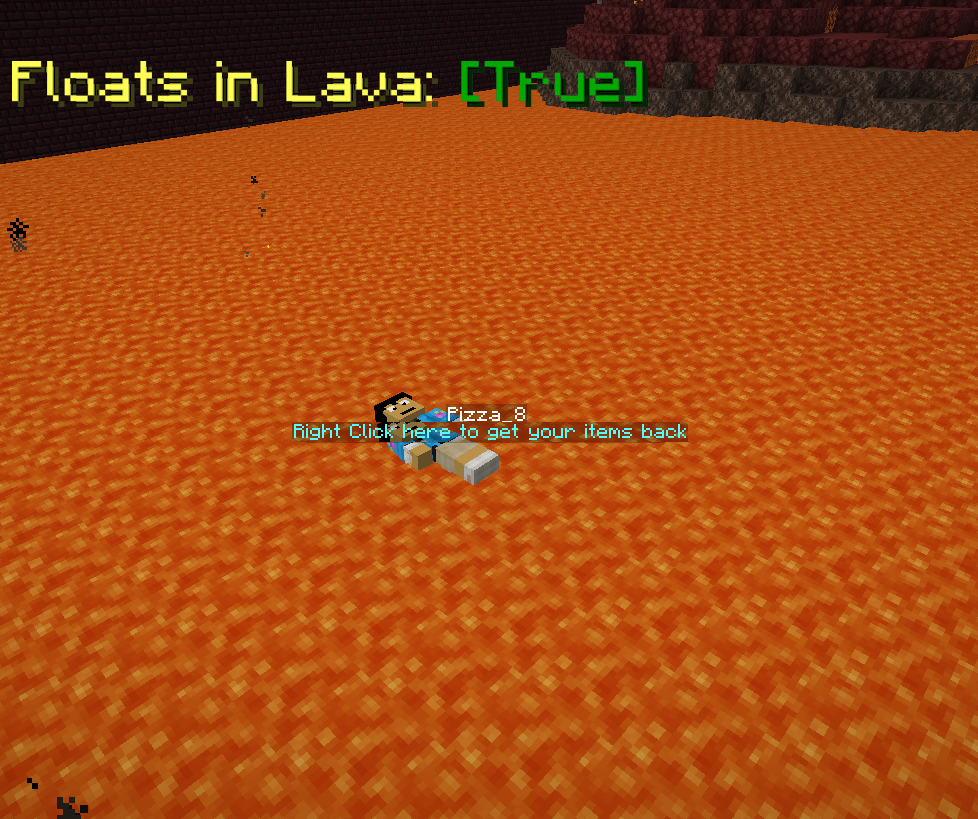
– **Floats in Lava:**
Corpses spawned when a player dies will float in lava
– **Can Burn:**
Corpses spawned when a player dies will burn when in lava or fire
– **Saves Items From Void:**
Corpses spawned when a player dies in the void will float before the damage zone, able to be looted
– **Remove Corpse Finder Screen Access:**
No one will be able to access the corpse finder screen, even after typing /trigger corpse_finder
– **Remove Config Screen Access:**
No one will be able to access this config screen, even after typing /trigger config

Patrix Background New
ENGLISH
## !!!ATTENTION!!!
### !!!There are no panoramas in “Addons”!!!
### Only titles for panoramas!
The author of Patrix Background is the author of Patrix Background New.
Patrix Background – not an official texture pack for Patrix changing the background, logo and loading screen!
РУССКИЙ
## !!!ВНИМАНИЕ!!!
### !!!В “Addons” нету панорам!!!
### Только титулы для панорам!
Автор Patrix Background является автором Patrix Background New.
Patrix Background – не официальный текстур пак для Patrix изменяющий фон, логотип и экран загрузки!
Version: **1.4**
For Minecraft:
1.1 – 1.19.4 rc3-1.20.2
**1.2-1.4 – 1.19.4 rc3-26.1 snapshot 7+**
Addons:
1. **Halloween**
2. **Christhmas**
3. **Realistic**
4. **Halloween Remake**
5. **Simple**
6. **Neon**
### PlanetMinecraft page (Full HD Gallery): https://www.planetminecraft.com/texture-pack/patrix-background/
### Old Modrinth page: https://modrinth.com/resourcepack/patrix-background-no-official
Pallux’s Outlined Wool

## Pallux’s Outlined Wool Pack
This pack is creating a perfect setting for Minecraft Bedwars or simply for aesthetics. The Outlined Wool Pack looks clean and does not break the vanilla feeling.
The pack can perfectly be used in Modpacks or together with other Minecraft resource packs, as it’s only overwriting vanilla Minecraft Wools, no other blocks.