TrustMeBro – Bundle
TrustMeBro – Bundle brings the funniest and most ridiculous features inspired by the r/shittymcsuggestions community straight to your Minecraft server. Enable or disable each challenge with simple commands and enjoy chaotic, meme-worthy gameplay with your friends. Perfect for streamers, community servers, or anyone looking to spice up their Minecraft experience with unexpected twists!
– Features / Commands:
– /extremebabyzombie on|off — Toggle if baby zombies are extreme
– /shearmobs on|off — Toggle if you can shear: Villagers, Endermen, Spiders, Striders
– /breadrename on|off — Toggle bread rename (to “Raw Toast”) and potatoes to “Raw Potatoes”
– /powderwater on|off — Toggle if powder dissolves in water
– /nearmobsbecomeinvis on|off — Toggle if near mobs become invisible
– /moss on|off — Toggle if moss duplicates in your inventory and if moss is edible
– /sunblind on|off — Toggle if you could be blinded by looking directly at the sun
– /trowabledragonegg on|off — Toggle if you can throw the dragon egg, like an normal egg, to spawn the ender dragon
– /hotsand on|off — Toggle whether you take damage while sneaking on sand.
– /throwingsnowballvillager on|off — Toggle if you become a really cool advancement if you throw a snowball against a villager.
CODE MADE BY ME!
Keywords:
minecraft, plugin, fun, meme, r/shittymcsuggestions, challenge, bundle, chaos, minigame, server, dumb ideas, community, gameplay, commands
No Armor Trims
**Remove Armor Trims** is texture pack designed to remove all armor trims from Minecraft.
## Before

## After

Trial Chamber Fix
# Trial Chamber Fix
Free and open-source datapack for Minecraft 1.21 and higher that corrects a chest that was not being generated correctly in trial chamber.
## Features
Fixed a problem with a chest not generating correctly in trials chambers.
Allows you to obtain an enchanted wind burst book at any level.
Tree Vein Miner




# Tree Miner
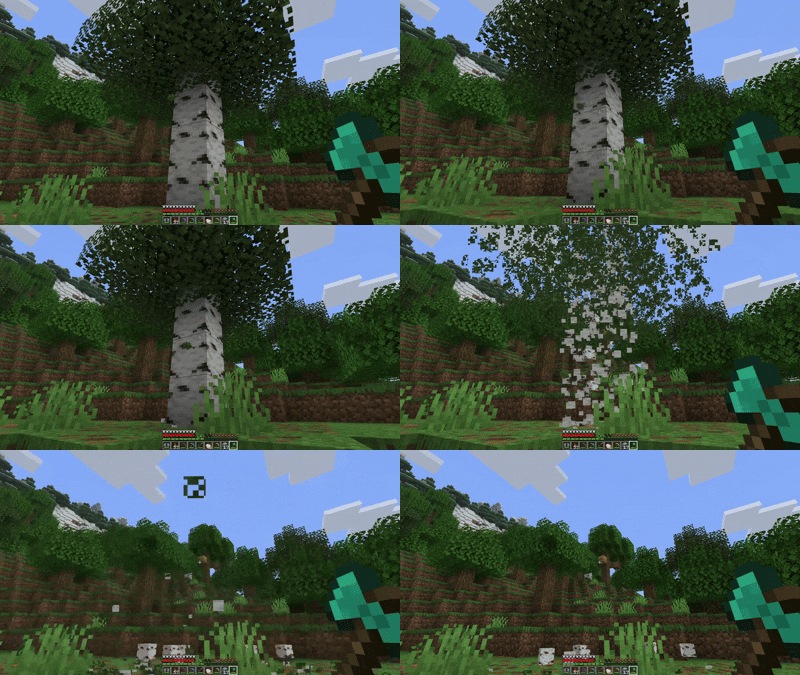
A Minecraft datapack that automatically chops down entire trees when you break a log while crouching.
## Notes
– The tree miner only activates when you’re crouching (sneaking)
– Break logs normally without crouching if you only want to break one block
– Leaves drop their normal items (saplings, sticks) just like breaking them manually
– There’s a small cooldown between uses to prevent performance issues
Transparent GUI
This texture pack makes **all GUIs transparent**, this allows for **better visibility** while in the inventory menu or in any GUI. as far as i know this **isn’t banned** in any major PVP servers or competitions. this is mainly made to help **competitive** players and for **convenience**.
and also compatible with Modmenu
Transparent Buttons
Simple **transparent buttons** in menus, compatible with **older AND newer versions** of the game. So yes, it works in **1.8**, just **ignore the red Incompatible marker** in the pack selection screen.
Have any specific mods you would like me to add support for? Join the [**discord**](https://discord.gg/cjBypn33tZ)!
Totem No Shading
—
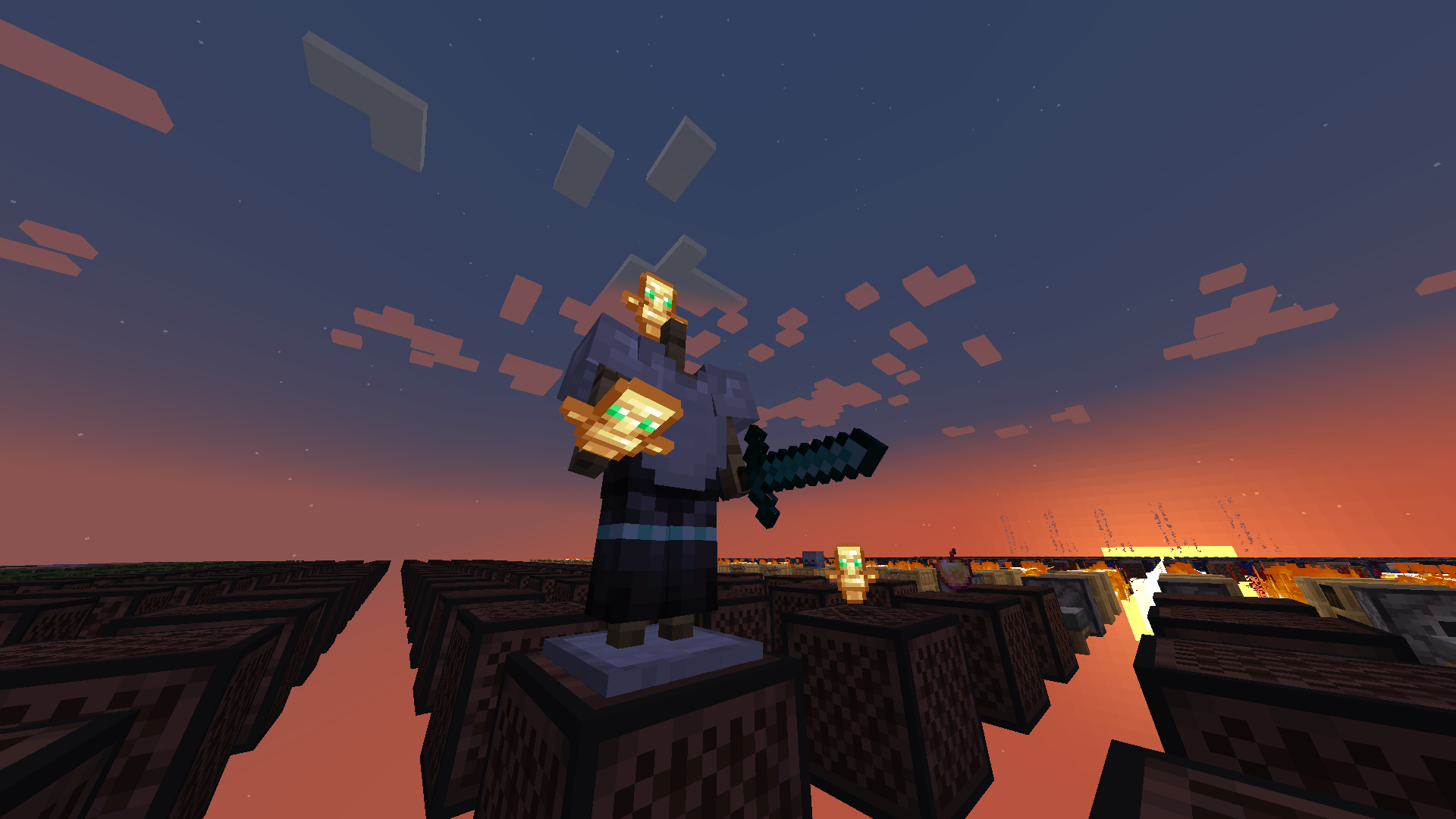
**Totem No Shading** is a simple Minecraft mod that removes [directional shading](https://en.wikipedia.org/wiki/Shading) and block and sky lighting effects to **[Totem of Undying](https://minecraft.wiki/w/Totem_of_Undying)** items. Holding totems in either hands, worn on head (through commands), or on the ground will render said items to **full brightness**.
Totem No Shading is a subset of [Simply No Shading](https://modrinth.com/mod/simply-no-shading) (SNS), concepts and technologies thereof aided in realizing this mod. The creation of [issue 119 for SNS at Github](https://github.com/StartsMercury/simply-no-shading/issues/119) requests supporting selective application, specifically the Totem of Undying item; at that time there was no clear way to implement this. After SNS‘ entity shading now exiting its experimental phase, the aforementioned issue was reconsidered and now released as its separate mod, **Totem No Shading**.
Torcherino(Unofficial)
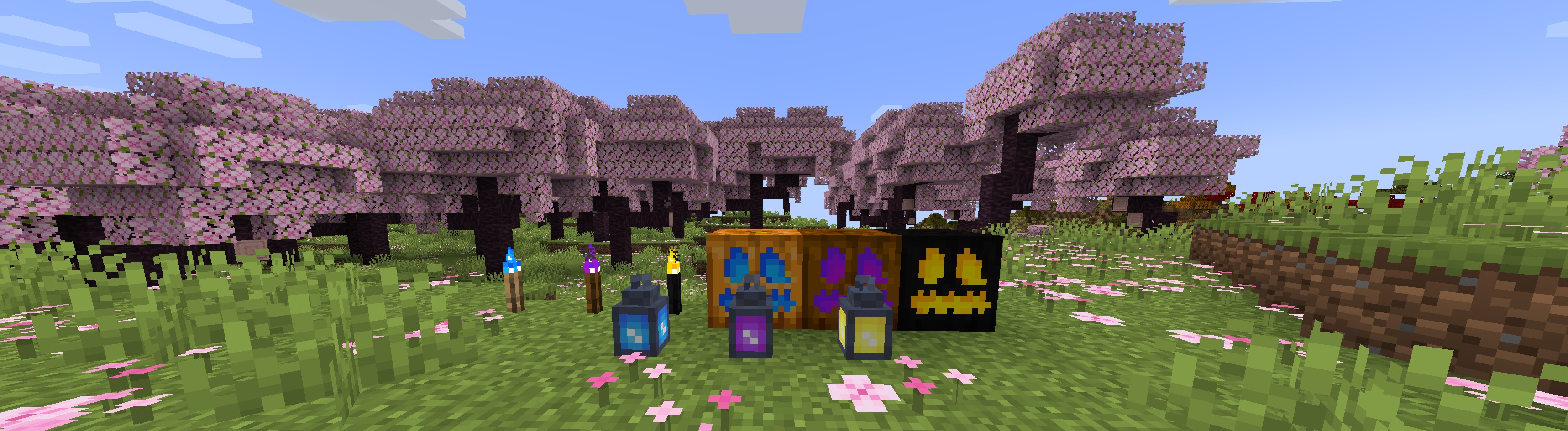
#### It is a unofficial torcherino publish,I will port torcherino to higher minecraft version before official update it to higher version.
#### This description was copied from [Torcherino](https://modrinth.com/mod/torcherino).
#### This is a small, simple mod that adds various torches that can be used to increase the tick rates of tile entities. To put that into English, they make machines run faster.
#### A few example uses:
Growing plants faster
Smelting ores faster
Increasing mob spawner speed
There is one main Torcherino, and then there are various upgrades that add onto them. Many of these things are configurable in the mod configuration file which is called Torcherino.cfg and is in the config/sci4me folder.
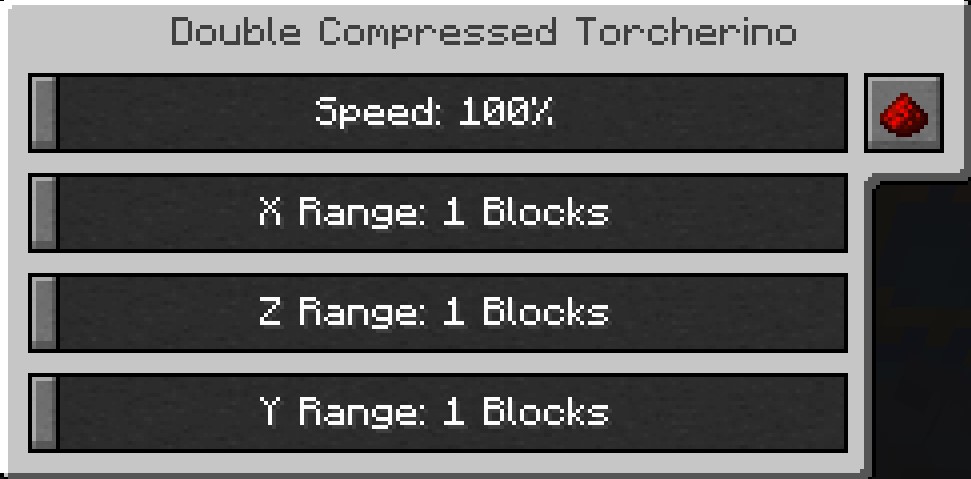
After placing a Torcherino, it will default to being deactivated. You must right click it and use the gui to adjust its settings to the range and speed amount you prefer.
Feel free to add Torcherino to modpacks! Of course, credits are appreciated!
#### Important Note: This mod was originally created by Moze_Intel. After he decided to stop maintaining it, I took over. So, LOTS of credit to him too! 🙂
#### Past Maintainers
#### Moze_Intel
#### sci4me
#### 3llemes
#### Now Maintainers
#### lukegrahamlandry
This Unofficial Maintainers
skniro
Yellow Tooltip (Monochrome)
#
Yellow Tooltip (Monochrome)

Replaces the default Minecraft Tooltip with a **Yellow Tooltip (Monochrome)**.
Looking for different colors/flags or styles? Check out the [Pride Tooltips Organization Page](https://modrinth.com/organization/pride-tooltips)!
Looking for packs with the same color(s)/flag but with different styles?
Can’t find a color, flag, or style you are looking for?
Feel free to [open an issue on GitHub](https://github.com/Pridecraft-Studios/pridetooltips/issues) or [join the Pridecraft Discord](https://discord.pridecraft.gay/) and ping `@rotgruengelb`!
Color Palette
The following colors where used to create this pack:
* #ffd800
Style
Monochrome = A simple monochrome style with one color.
Additional Information
* build_time: `2026-02-26T18:58:59+01:00`
* build_user: `rotgruengelb`
## Installation
Download and place into your `resourcepacks` folder. (Only works in versions **after 1.21.1**)
## About Pride Tooltips
A collection of resource packs that change tooltips to be colorful and/or pride themed.
### Rotgruengelb (Developer & Artist):
[](https://youtube.com/rotgruengelb)
[](https://github.com/rotgruengelb)
### Pridecraft Studios:
If you also want other bits of your UI to be themed with pride:
[](https://modrinth.com/project/pridegui)
You can chat with us and check out the source of our projects here:
[](https://discord.pridecraft.gay)
[](https://github.com/Pridecraft-Studios/pridetooltips?tab=readme-ov-file#pride-tooltips)
### Additional Credit
* Cursor texture, used in the banner, from the [Minecraft Cursor Mod by fishstiz](https://modrinth.com/mod/minecraft-cursor).
* The Pridecraft team for all their support and help.
White Tooltip (Frame-only Monochrome)
#
White Tooltip (Frame-only Monochrome)

Replaces the default Minecraft Tooltip with a **White Tooltip (Frame-only Monochrome)**.
Looking for different colors/flags or styles? Check out the [Pride Tooltips Organization Page](https://modrinth.com/organization/pride-tooltips)!
Looking for packs with the same color(s)/flag but with different styles?
Can’t find a color, flag, or style you are looking for?
Feel free to [open an issue on GitHub](https://github.com/Pridecraft-Studios/pridetooltips/issues) or [join the Pridecraft Discord](https://discord.pridecraft.gay/) and ping `@rotgruengelb`!
Color Palette
The following colors where used to create this pack:
* #ffffff
Style
Frame-only Monochrome = A simple monochrome style with one color. This style only applies the color to the frame, leaving the background black.
Additional Information
* build_time: `2026-02-26T18:59:01+01:00`
* build_user: `rotgruengelb`
## Installation
Download and place into your `resourcepacks` folder. (Only works in versions **after 1.21.1**)
## About Pride Tooltips
A collection of resource packs that change tooltips to be colorful and/or pride themed.
### Rotgruengelb (Developer & Artist):
[](https://youtube.com/rotgruengelb)
[](https://github.com/rotgruengelb)
### Pridecraft Studios:
If you also want other bits of your UI to be themed with pride:
[](https://modrinth.com/project/pridegui)
You can chat with us and check out the source of our projects here:
[](https://discord.pridecraft.gay)
[](https://github.com/Pridecraft-Studios/pridetooltips?tab=readme-ov-file#pride-tooltips)
### Additional Credit
* Cursor texture, used in the banner, from the [Minecraft Cursor Mod by fishstiz](https://modrinth.com/mod/minecraft-cursor).
* The Pridecraft team for all their support and help.