MinecraftStateMessages
# MinecraftStateMessages



A powerful Minecraft server plugin that sends real-time server status notifications to Discord via webhooks with customizable embeds.
[Features](#-features) • [Installation](#-installation) • [Configuration](#-configuration) • [Support](#-support)
—
## 📋 Features
– **🔔 Real-time Notifications** – Instant Discord notifications when your server starts or stops
– **🎨 Customizable Embeds** – Beautiful, fully customizable Discord embeds with color coding
– **🔧 Flexible Configuration** – Easy-to-use YAML configuration with sensible defaults
– **🎯 Lightweight** – Minimal performance impact on your server
## 📦 Installation
1. Download the latest `MinecraftStateMessages.jar` from the releases page
2. Place the JAR file in your server’s `plugins/` directory
3. Restart your server
4. Configure the plugin by editing `plugins/MinecraftStateMessages/config.yml`
5. Run `/reload` or restart the server to apply changes
## ⚙️ Configuration
After the first run, a `config.yml` file will be generated in `plugins/MinecraftStateMessages/`. Here’s a detailed breakdown of all configuration options:
### Basic Settings
“`yaml
# Message sent to Discord when the server starts
server-start-message: “Server has been started!”
# Message sent to Discord when the server stops
server-stop-message: “Server has been stopped!”
# Your Discord webhook URL – get this from Discord Server Settings > Integrations > Webhooks
discord-webhook-url: “https://discord.com/api/webhooks/your-webhook-url”
“`
### Embed Settings
“`yaml
# Enable or disable Discord embeds (if false, sends plain text messages)
embed-enabled: true
# Color for server start notifications
# Supported: green, red, blue, yellow, orange, purple, gray/grey, black, white
# Or use hex codes: “#2ECC71” or “2ECC71”
embed-start-color: “green”
# Color for server stop notifications
embed-stop-color: “red”
# Title displayed at the top of the embed
# Leave empty (“”) to hide the title completely
embed-title: “Minecraft Server”
“`
#### 🎨 Color Reference
| Color Name | Hex Code | Preview |
|————|———-|———|
| `green` | `#2ECC71` | 🟢 Perfect for start messages |
| `red` | `#E74C3C` | 🔴 Perfect for stop messages |
| `blue` | `#3498DB` | 🔵 General information |
| `yellow` | `#FFFF00` | 🟡 Warnings |
| `orange` | `#E67E22` | 🟠 Alerts |
| `purple` | `#9B59B6` | 🟣 Special events |
| `gray`/`grey` | `#95A5A6` | ⚪ Neutral |
| `black` | `#23272A` | ⚫ Discord dark theme |
| `white` | `#FFFFFF` | ⚪ Bright |
You can also use any custom hex color:
“`yaml
embed-start-color: “#FF6B6B” # Custom coral red
embed-stop-color: “4ECDC4” # Custom turquoise (# is optional)
“`
### Configuration Examples
#### Example 1: Minimal Setup (No Title)
“`yaml
server-start-message: “✅ Server Online”
server-stop-message: “❌ Server Offline”
discord-webhook-url: “https://discord.com/api/webhooks/123456789/abcdefg”
embed-enabled: true
embed-start-color: “green”
embed-stop-color: “red”
embed-title: “” # Empty = no title shown
“`
#### Example 2: Branded Server
“`yaml
server-start-message: “🎮 The server is now online and ready for players!”
server-stop-message: “🛑 The server is now offline for maintenance.”
discord-webhook-url: “https://discord.com/api/webhooks/123456789/abcdefg”
embed-enabled: true
embed-start-color: “#00FF00”
embed-stop-color: “#FF0000”
embed-title: “🌟 AwesomeCraft Network”
“`
#### Example 3: Simple Text Messages (No Embeds)
“`yaml
server-start-message: “[SERVER] Started successfully!”
server-stop-message: “[SERVER] Shutting down…”
discord-webhook-url: “https://discord.com/api/webhooks/123456789/abcdefg”
embed-enabled: false # Sends plain text instead of embeds
embed-start-color: “green”
embed-stop-color: “red”
embed-title: “”
“`
## 🔗 Setting Up Discord Webhook
1. Open your Discord server
2. Go to **Server Settings** → **Integrations** → **Webhooks**
3. Click **New Webhook** or **Create Webhook**
4. Customize the webhook name and channel
5. Click **Copy Webhook URL**
6. Paste the URL into `discord-webhook-url` in your config.yml
## 🛠️ Advanced Usage
### Title Visibility
The `embed-title` field has special behavior:
– **Set to any text**: Displays that text as the embed title
“`yaml
embed-title: “My Awesome Server”
“`
– **Set to empty string (`””`))**: No title will be shown
“`yaml
embed-title: “”
“`
– **Not specified/removed**: No title will be shown (same as empty)
### Multiple Webhooks (Advanced)
Want to send notifications to multiple Discord channels? You can modify the webhook URL dynamically or create multiple configurations. For advanced setups, consider forking this plugin and adding multi-webhook support.
## 🔍 Troubleshooting
### Webhook not sending
**Problem**: No messages appear in Discord
**Solutions**:
– ✅ Verify your webhook URL is correct
– ✅ Ensure `discord-webhook-url` is not set to the default placeholder
– ✅ Check server console for error messages
– ✅ Confirm the webhook hasn’t been deleted in Discord
– ✅ Test the webhook URL using a tool like webhook.site
### Colors not working
**Problem**: Embeds show wrong colors or no color
**Solutions**:
– ✅ Use supported color names (see [Color Reference](#-color-reference))
– ✅ If using hex codes, ensure format is correct: `”#FF0000″` or `”FF0000″`
– ✅ Reload the plugin after changing colors
### Title showing when it shouldn’t
**Problem**: Title appears even when set to empty
**Solutions**:
– ✅ Ensure `embed-title: “”` is exactly like this (empty quotes)
– ✅ Remove any spaces between quotes: ❌ `” “` → ✅ `””`
– ✅ Reload/restart server after config changes
## 🤝 Support & Links
### Get Help & Stay Connected


– **💬 Support Server**: dsc.gg/gglvxd – Get help, report bugs, or suggest features
– **👨💻 Developer**: gglvxd.net – Visit the developer’s website
– **🏢 Organization**: Fryde – Powered by Fryde
## 📝 Permissions
This plugin requires no special permissions. It only needs:
– File system access for config management
– Network access for webhook requests
## 📜 License
This project is licensed under the MIT License – see the [LICENSE](LICENSE) file for details.
## 🙏 Credits
Developed with ❤️ by gglvxd
—
**Made with 💜 by gglvxd | Powered by Fryde**
*If you like this plugin, consider giving it a ⭐ and joining our Discord!*
Cursors Extended
# Cursors Extended


Replaces the boring old default system cursors with Minecraft-themed cursors.
Previously known as Minecraft Cursor before 1.21.9 introduced many breaking changes for the mod.
## 📌 Requirements
– When on Fabric: Fabric API
## ✨ Features
– Customize cursor textures using resource packs.
– Give life to your cursor with custom animations.
– Includes extra cursor shapes fit for other contexts.
– Enhanced cursor logic to various GUI elements via **Legacy Mode**.
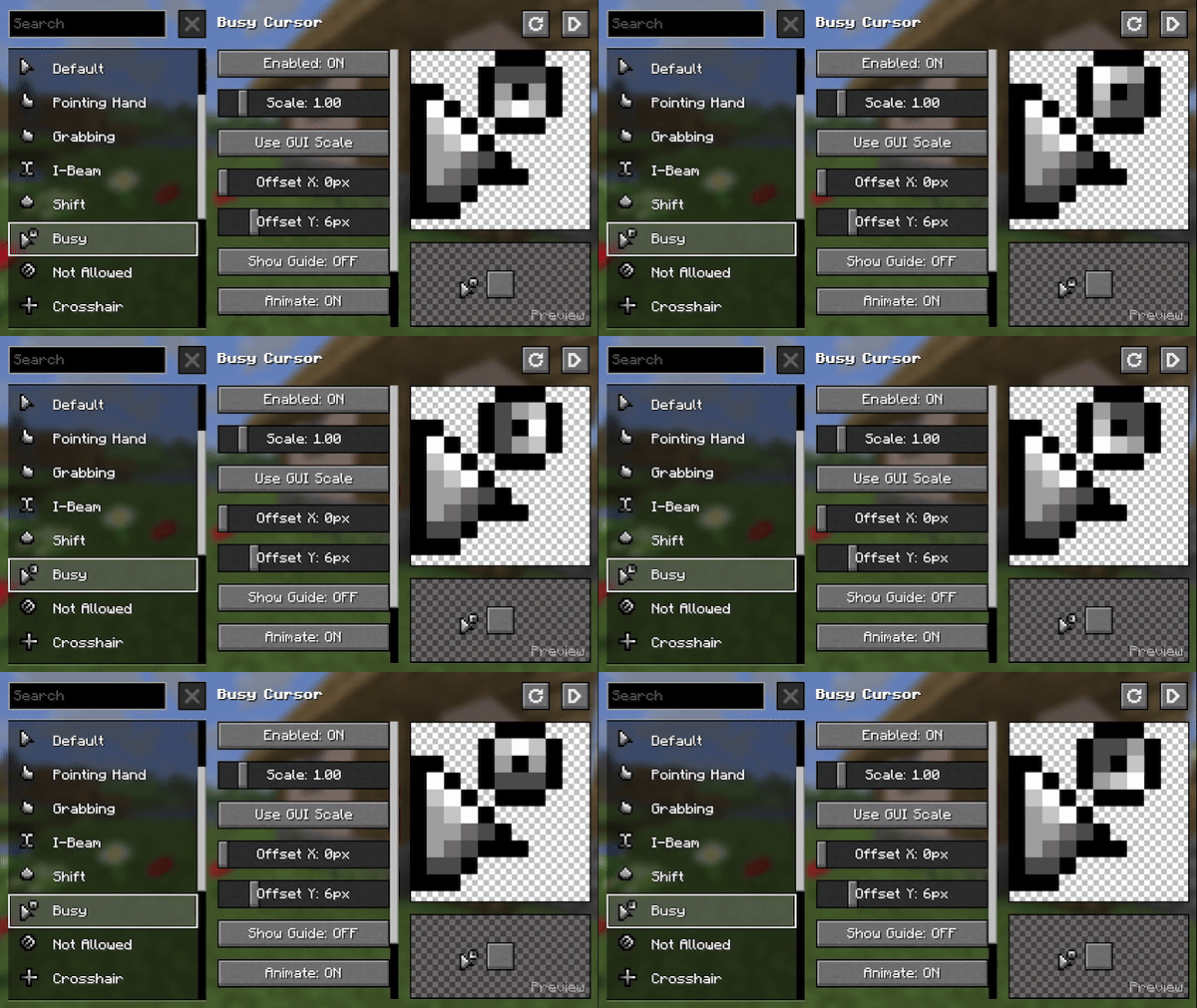
– Adjust various options to your liking. Navigate to the Mods screen or on Options › Controls › Mouse Settings › Cursor Settings.
## 🖌️ Create Resource Packs
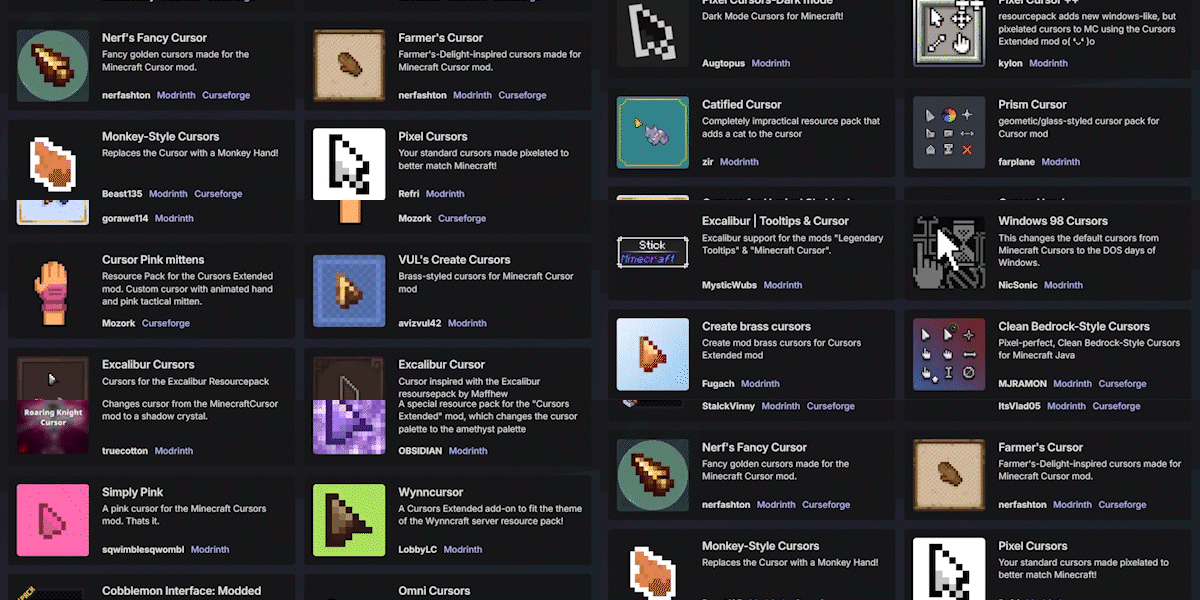
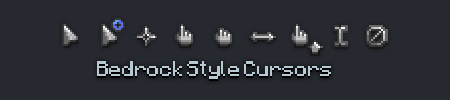
Make your own resource pack, share it on supported platforms, and get it showcased here!
—
Already made a Resource Pack for v3 of Minecraft Cursor? Convert it with the **V3 Converter**.
Get started here: https://fishstiz.github.io/cursors_extended-wiki/resource-pack/getting-started
MI-PBR
A minimal PBR resource pack for the Modern Industrialization mod. Requires a shader supporting “Lab” or “Old/seus” PBR.
This project is still an early work-in-progress so not all blocks are complete.
Message Display Time
## Message Display Time
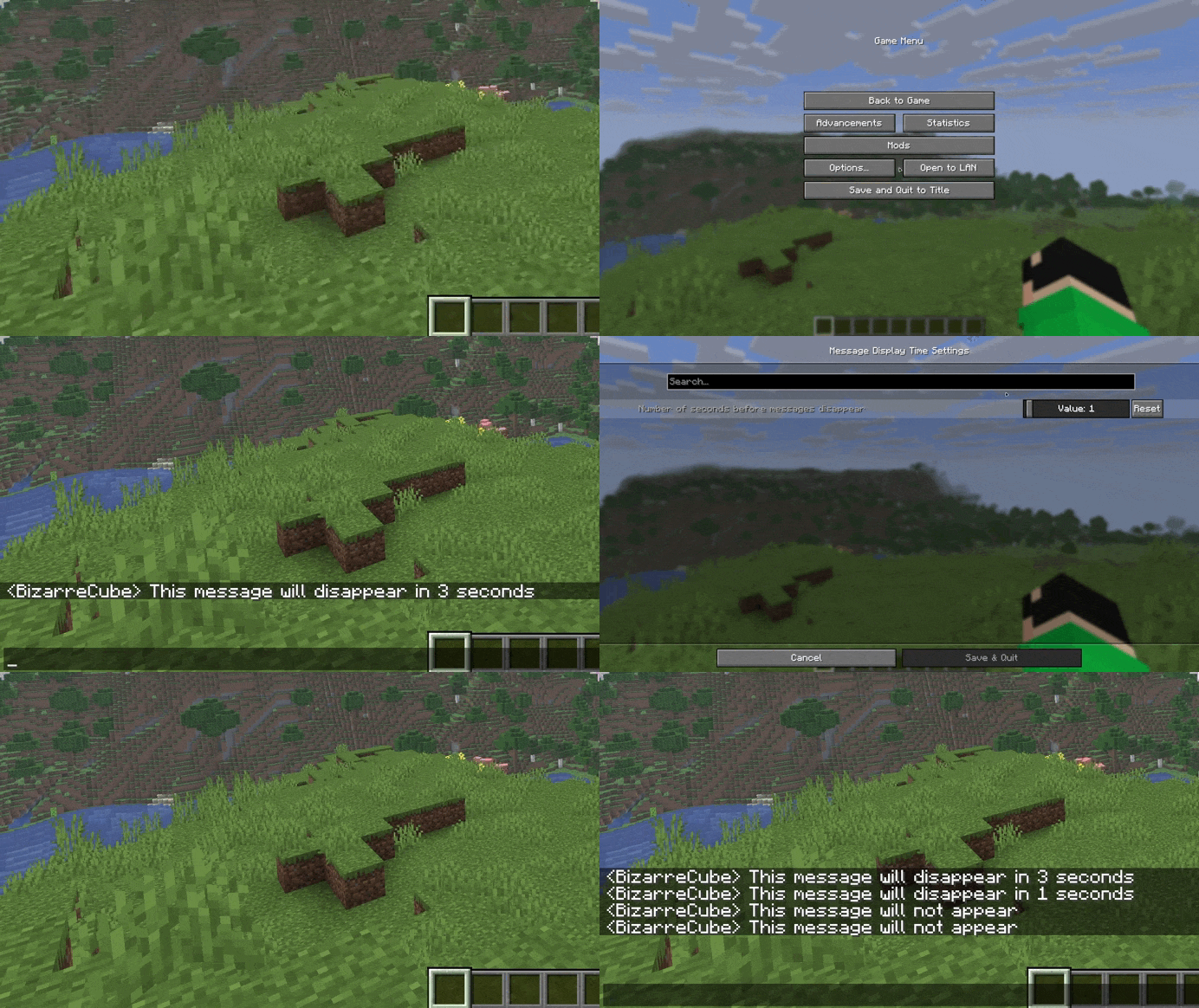
A mod that adds a setting for seconds before messages in chat disappear.
## Usage
By default, the mod changes the number of seconds before disappearance from 10 to 5, but the mod can be customized using the Cloth Config API mod.
## Support
If you like my mods, feel free to support their creator!

Meowl Totem of Undying
– EN: Meowl or “kotosova”, is an Internet meme that is a hybrid created using a photo editor that combines the head of a cat with the body of an owl.
– RU: Meowl (с англ. — «Меовл»), также известный как «мяовл», «мяул», «мяуль» или «котосова», это интернет-мем, представляющий собой созданный с помощью фоторедактора гибрид, который сочетает голову кошки с телом совы
Check collection with all memes + streamers Totems
Mellstroy (Я уже красный) Totem of Undying
**EN**: This resource pack replaces the original **Totem of Undying** with the Meme from Mellstroy **I’m already red, it won’t work out culturally** with sound. This meme has become very popular on TikTok over the past couple of years.
**RU**: Этот ресурспак заменяет оригинальный **Тотем бессмертия** на Мем от Меллстроя **Я уже красный, культурно не получится** со звуком, данный мем за последние пару лет стал очень популярным в Тик Ток
– Омайгадность Тотем
– Тотем Меллстрой
– ПОЛНАЯ КОЛЛЕКЦИЯ РЕСУРСПАКОВ – МЕМЫ + СТРИМЕРЫ

Meadow Grass Everywhere!
#
Meadow Grass Everywhere!
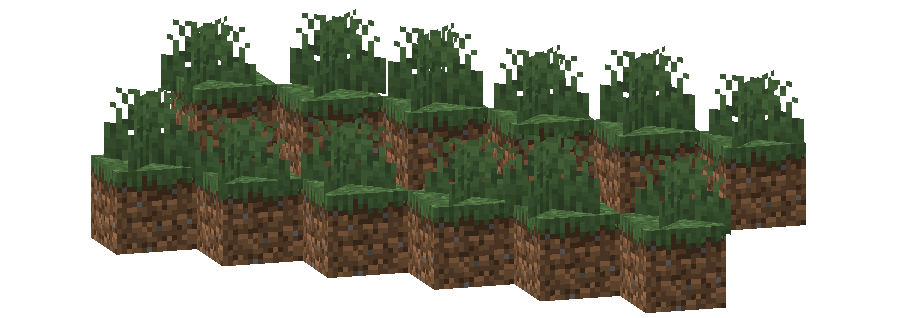
This pack changes the **Grass colormap** so that it always matches the color of the **Meadow biome(s)**.
The Meadow uses the color `#83BB6D` in vanilla Minecraft.
List of biomes that use this color in vanilla Minecraft
* Meadow
Additional Information
* build_time: `2025-10-06T02:13:39+02:00`
* build_user: `rotgruengelb`
## Limitations
Some biomes use hardcoded colors that cannot be overridden by resource packs.
This is a limitation of Minecraft itself, not of this pack.
## Installation
Download the pack and place it in your `resourcepacks` folder.
## About “Oh My Colormap!”
A collection of resource packs that change Minecraft’s colormaps.
### Rotgruengelb (Developer & Artist):


MCSM enchantment glint
**Enchantment glint in Minecraft story mode looks different than the one in minecraft**, so i decided to **make a texture pack** that **looks similar** to the one seen in Minecraft story mode, it **isnt the same** but its good enough. this texture pack **will be updated in the future** because it **isnt perfect**
Guard Villagers (Fabric) Fork
This is an unofficial fork and port of MrSterner’s GuardVillagers. Find the original Fabric port here) and the original Forge version here.
Note, if you are looking for a 1.21.1 version, please checkout https://modrinth.com/mod/guard-villagers-1.21.1 by **brgrgrl**. _Note_, I have not tested compatibility on migrating from this verion to any version I have forked. Will test soon and update my comment here!
—
Are you tired of your village dying off because its golem is too lazy?
Are you tired of essentially defending it all by yourself?
This mod adds Guards as a solution, as well as new villager-related AI changes.
—
# Guards
These spawn in villages in groups of six, equipped with either an iron sword or a crossbow. They’re prepared to fight any threat to the village (possibly including you!). To make new guards, shift + right click on a nitwit or unemployed villager with a sword or crossbow.
If you have hero of the village, they will gain the ability to follow and fight for you when you click the follow button, and right clicking them will open up the guard inventory, allowing you to give them armor, and swap out their weapons! For their offhand slot, you can either give them a shield, or some food. If they have a shield, they will use it to block attacks, crossbow guards with a shield won’t be able to kick enemies if they’re blocking. If they have food (or a potion), they will start eating or drinking if they are low on health. Clicking the patrol button will allow you to set patrol points for guards, melee guards will walk around the point while ranged guards will snipe enemies and stand still on their point.
You will only be able to gain access to their inventory if you have hero of the village.
—
# AI Changes
– Witches attack villagers. *true by default
– In raids, illagers kill any animal they see. *false by default
– Villagers and Illagers are scared of polar bears. *true by default
– Clerics heal low-health guards, villagers, and players with Hero of the Village using regeneration potions, and smiths repair iron golems with ingots.
Max Totem of Undying
– ENG: Max is a Russian cross-platform instant messaging service based on the digital system of the same name. It was founded in 2025 by the VK technology company. Resourcepack replaces the immortality totem with the logo
– RU: Max — российский кроссплатформенный сервис мгновенного обмена сообщениями на базе одноимённой цифровой системы. Основан в 2025 году технологической компанией VK. Ресурспак заменяет тотем бессмертия на логотип
Check collection with all memes + streamers Totems
– Тотем Я уже Красный-totem-of-undying)
– Тотем Меллстрой
– Colored Bricks
– MACAN Totem of Undying