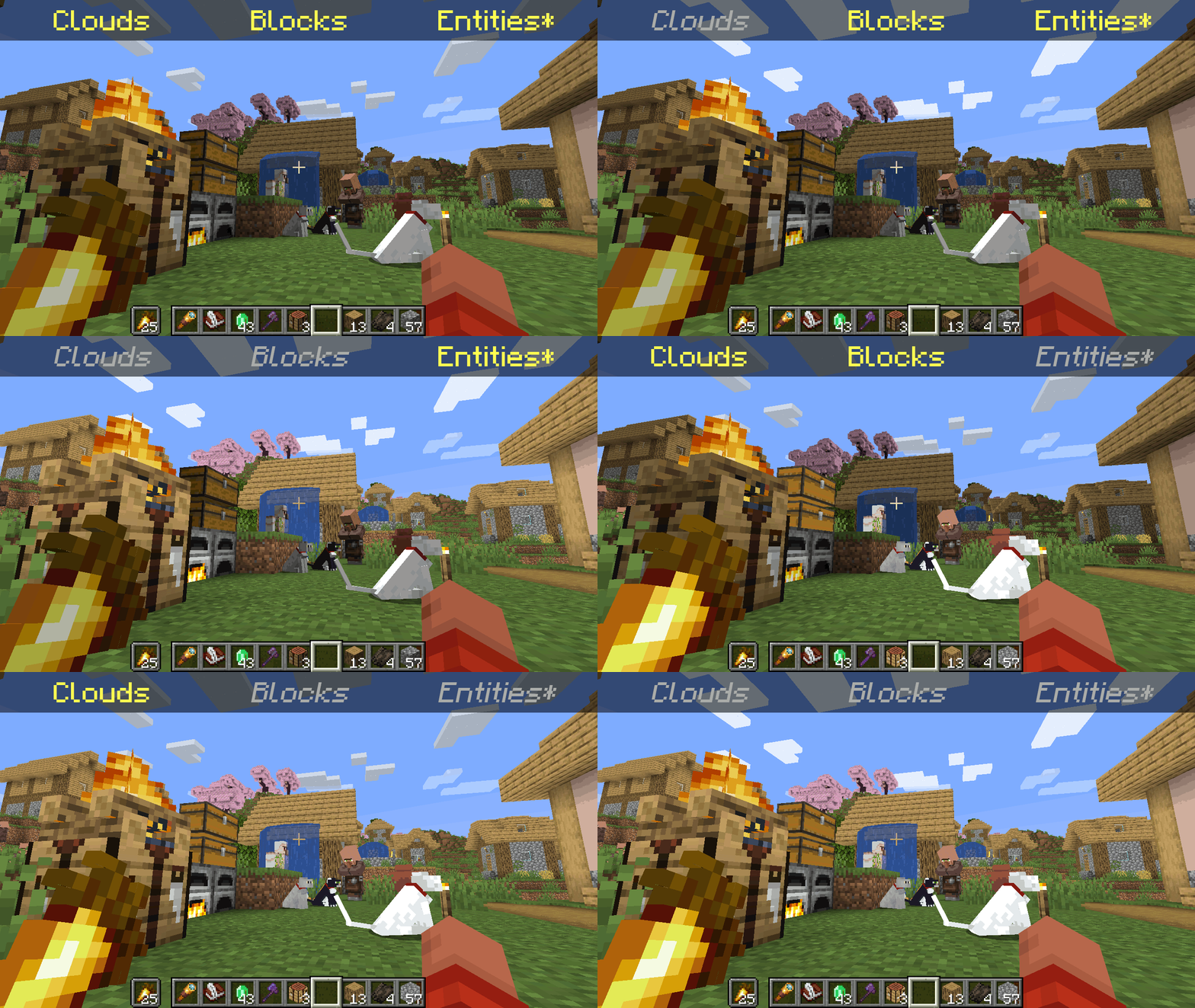
*Clarification that Entity shading is now stable and DOES NOT affect the inventory and in-game screens.
—
Simply No Shading is a [Fabric]-based [modification] (mod) for the [Minecraft] [client]. This mod removes the darkening on sides or faces (also known as [shading]) to in-game objects such as blocks, clouds, and entities as illustrated above.
[Fabric]: https://fabricmc.net
[modification]: https://minecraft.wiki/w/Mods
[Minecraft]: https://minecraft.net
[client]: https://minecraft.wiki/w/Mods#Client-based
[shading]: https://en.m.wikipedia.org/wiki/Shading
## Compatibility
Simply No Shading provides active compatibility for [BedrockIfy] and [Sodium]. Some mods that provide or replace stuff may work such as [Enhanced Block Entities] (EBE), where block entities act like blocks and are affected as such when toggling shading. Some mods that replace rendering are most likely incompatible; exceptions have active support such as Sodium, for example. One example of incompatibility is shaders, usually applied using [Iris], as they may not crash the game but would just render this mod ineffective when they are applied.
[BedrockIfy]: https://modrinth.com/mod/bedrockify
[Sodium]: https://modrinth.com/mod/sodium
[Enhanced Block Entities]: https://modrinth.com/mod/ebe
[Iris]: https://modrinth.com/mod/iris
## Similar Solutions
Simply No Shading is not the only effort to removing shading, there are other solutions such as:
– [Flat Lighting] is a simple Fabric mod that achieves the same results for blocks and supports Sodium.
– [internal-shaders](https://modrinth.com/shader/internal-shaders), though unlisted, is a simple Iris shader that removes shading on blocks and entities.
– [Lightingless] is a simple shader that removes shading on blocks and entities.
– [OptiFine]’s old lighting through the internal shader. Achieved by turning `Options > Video Settings > Shaders… > (internal) > Old Lighting` to `ON`.
– [New Lighting 1.18+ (Internal Shaders without Optifine)]. This resource pack achieves the similar results by setting the `shade` flag on block models to `false` (OFF).
[Flat Lighting]: https://modrinth.com/mod/flat-lighting
[Lightingless]: https://modrinth.com/shader/lightingless
[OptiFine]: https://optifine.net
[New Lighting 1.18+ (Internal Shaders without Optifine)]: https://www.planetminecraft.com/texture-pack/new-lighting-1-16/
## Features
Simply No Shading supports the following categories for toggling shading:
– Blocks — this includes blocks, liquids, and EBE‘s block entities
– Clouds — this includes clouds
– Entities ([`≥7.4.0`]) — this includes normal entities and block entities in the world
– ***Deprecated** Experimental Entities Built-in Resource Pack — this includes block entities, entities, and blocks, block entities, entities, and items in toasts (pop-ups, e.g. completing an [advancement]) and inventories and or Graphical User Interfaces (GUIs)*
[`≥7.4.0`]: https://modrinth.com/mod/simply-no-shading/version/7.4.0+mc1.21
[advancement]: https://minecraft.wiki/w/Advancement
## Configuration
Simply No Shading has a configuration screen and it’s accessible through:
– a key mapping. It’s unbound by default and can be bound at `Options > Controls > Keys > Simply No Shading > Open Config Screen`
– [Mod Menu]. `Mods > Simply No Shading > Configure…`
[Mod Menu]: https://modrinth.com/mod/modmenu
Simply No Shading stores its configuration as a formatted [JSON] file at `/config/simply-no-shading.json`.
[JSON]: https://en.m.wikipedia.org/wiki/JSON
[`1.2.0`]: https://modrinth.com/mod/flat-lighting/version/1.2.0
[core shaders]: https://minecraft.wiki/w/Shaders
[Fabric Loom]: https://github.com/FabricMC/fabric-loom
[MIT License]: https://github.com/simply-no-shading/blob/master/LICENSE
[Modrinth]: https://modrinth.com/mod/simply-no-shading/versions
[resource pack]: https://minecraft.wiki/w/Resource_Packs
## Versions
Simply No Shading follows semantic versioning. This mod aims to maintain the same feature across supported Minecraft versions. Given the version `X.Y.Z` where:
* `X` changes when breaking changes occur, such as with breaking config format changes.
* `Y` changes when features are added or changed (non-breaking).
* `Z` changes for bug and compatibility fixes and may not stay consistent across supported Minecraft versions.
Target versions is currently being reconsidered. Mod version `8.x` will likely only be maintained for the newest versions of the game. `7.x` will still remain maintained for bug-fixing and translations.
Simply No Shading aims to provide support for the latest minor updates to major releases along with some April Fool’s snapshots. All minor releases for the latest major version are supported. The latest snapshot versions also get temporary support before the next major release. Following are all those versions:
| # | Mod Version | Minecraft Version |
|—:|:———–:|:———————-:|
| 1 | `7.6.4` | `1.14.4` |
| 2 | `7.6.4` | `1.15.2` |
| 3 | `7.6.4` | `20w14infinite` |
| 4 | `7.6.4` | `1.16.5` |
| 5 | `7.6.4` | `1.17.1` |
| 6 | `7.6.4` | `1.18.2` |
| 7 | `7.6.4` | `22w13oneblockatatime` |
| 8 | `7.6.4` | `1.19.4` |
| 9 | `7.6.4` | `23w13a_or_b` |
| 10 | `7.6.4` | `1.20.1` |
| 11 | `7.6.4` | `24w14potato` |
| 12 | `7.6.4` | `1.20.6` |
| 13 | `7.6.4` | `1.21` |
| 14 | `7.6.4` | `1.21.1` |
| 15 | `7.6.4` | `1.21.2` |
| 16 | `7.6.4` | `1.21.3` |
| 17 | `7.6.4` | `1.21.4` |
| 18 | `7.6.4` | `25w14craftmine` |
| 19 | `7.6.4` | `1.21.5` |
| 20 | `7.6.4` | `1.21.6` |
| 21 | `7.6.4` | `1.21.7` |
| 22 | `7.6.4` | `1.21.8` |
| 23 | `7.6.6` | `1.21.9` |
| 24 |`8.0.0-alpha.1`| `1.21.10` |
| 25 |`8.0.0-alpha.3`| `1.21.11` |
| 26 |`8.0.0-alpha.3`| `26.1-snapshot-2` |
SimpleOres Fabric
# Simple Ores Fabric
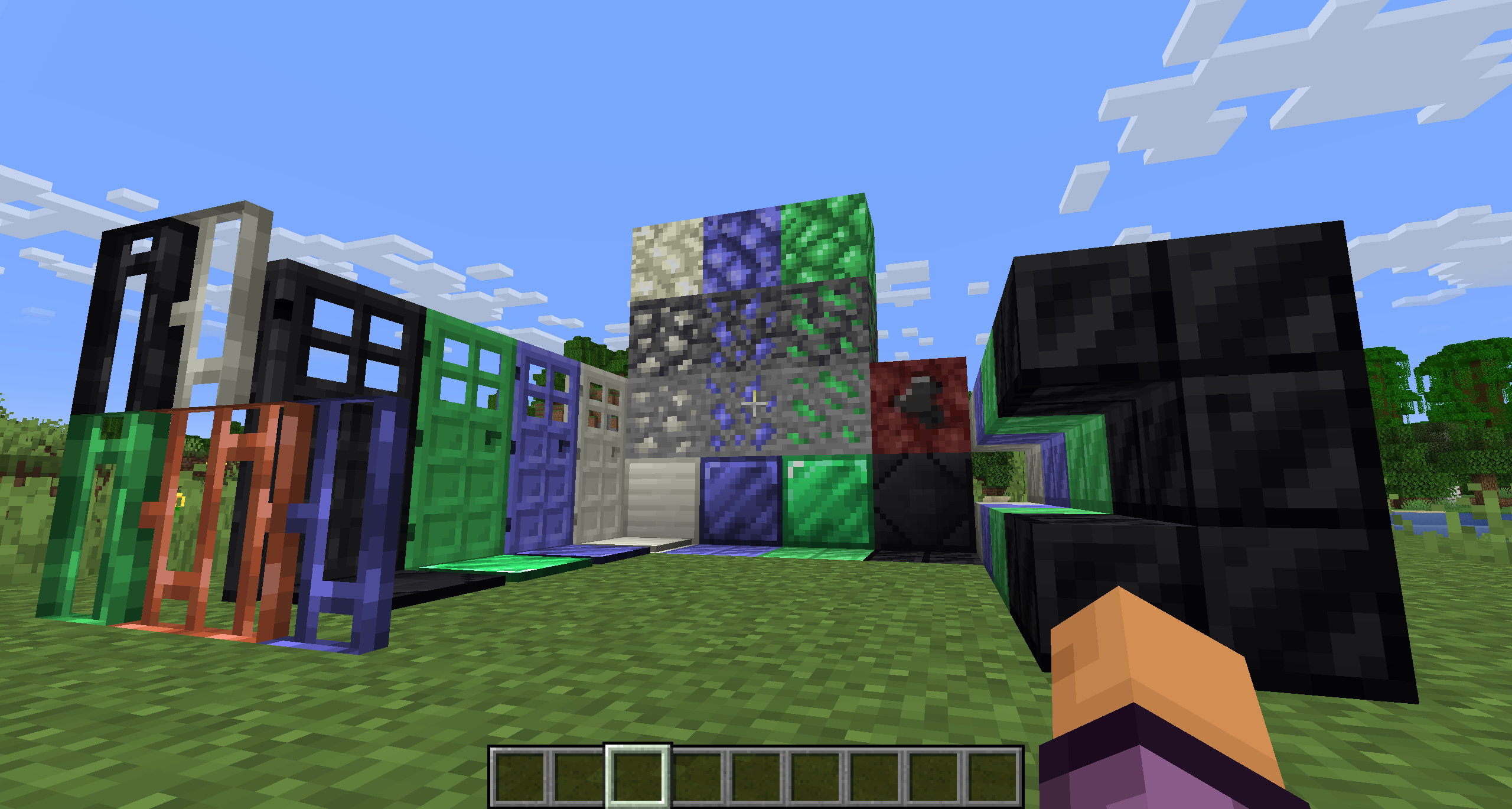
SimpleOres Fabric is an unofficial port of the original Forge mod by skrallexy to Fabric/Quilt that adds 4 new ores to the base game: Tin, Mythril, Adamantium and Onyx. All except Onyx can be found in the overworld, while Onyx can be found only in the Nether.
Each ore has its own unique properties, armor and tool sets, and more.
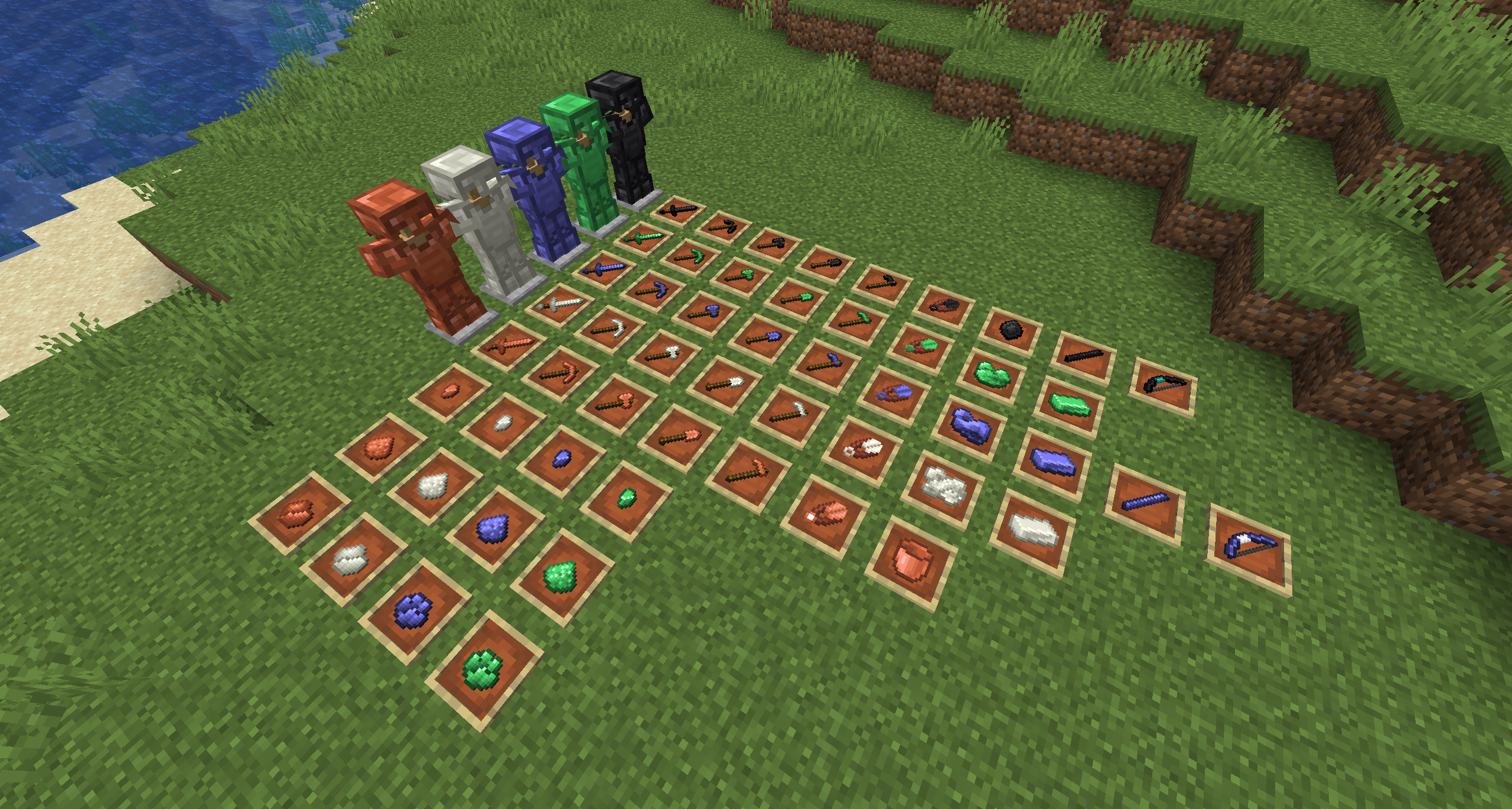

SimpleOres Fabric does not add copper ore or ingots to the game, as vanilla has added them. However, since vanilla did not add copper tools or armor, SimpleOres Fabric still has them (before 1.21.9). SimpleOres Fabric’s ores drop raw metal, like vanilla ores, except for onyx ore, which drops the gem, of course.
Copper doors (before 1.21), mythril, tin, adamantium and onyx bars, doors, bricks, and brick stairs are added too.
SimpleOres Fabric requires [Fabric API](https://modrinth.com/mod/fabric-api)
The textures are those from the [original mod](https://www.curseforge.com/minecraft/mc-mods/simpleores), you should take a look 😉
The original Minecraft Forum thread is [here](https://www.minecraftforum.net/forums/mapping-and-modding-java-edition/minecraft-mods/1279863-alexndrthegr8sts-mods-simplecore-api-simpleores). The original mod was by AleXndrTheGr8st, aka Skrallexy. Sinhika is the current off-and-on maintainer for Forge. The current code of this project is also licensed under LGPL 3.0, so go wild, modpack makers!
## Developers
If you want to add support of SimpleOres Fabric to your mod, crushed and powder versions of ores are available natively, Support of Energized Power has been added in 1.3.1 (and 1.3.2 for 1.20.1+) !

 ](https://www.buymeacoffee.com/NoEul)