Supernova (Original Music Pack)
an original album made as a tribute to C418 in his signature style, made into a custom music pack:
this pack features 6 tracks:
– 1 title track: jang
– 2 creative tracks: albeit, burning konkrete
– 3 survival tracks: rose field, cliff hanger, supernova
this resourcepack should be compatible with versions 1.7.2 and above. newer versions may complain about it being broken or incompatible, ignore that.
there are two versions of the pack: one that replaces the vanilla music and one that does not. the one that replaces the original soundtrack doesn’t seem to do so on 1.7.2, but the music should still be added to the pool.
you may use this music in your own resource/data/mod-packs only if it’s ENTIRELY FREE. this music may NOT be resold or used for COMMERICAL PURPOSES.
[https://aurigrave.org/audio/release/supernova](https://aurigrave.org/audio/release/supernova)
SuperFancyClouds: Refabricated
### Refabricated / Rearchitected / Reneoforged
This is an unofficial continuation of **[SuperFancyClouds](https://modrinth.com/mod/superfancyclouds)** original by [ami-wishes](https://modrinth.com/user/ami-wishes).
– This mod is a fabric port of SuperFancyClouds in the beginning, so named “refabricated”.
– Since 1.7.4 we support multiloader powered by Arch-Api, this mod is rename to “rearchitected”.
– Since x.9.1 we support neoforge but without arch, this mod is rename to “reneoforged”.
# SuperFancyClouds
A client/server side mod makes your Minecraft sky full of more stereoscopic and dynamic clouds.
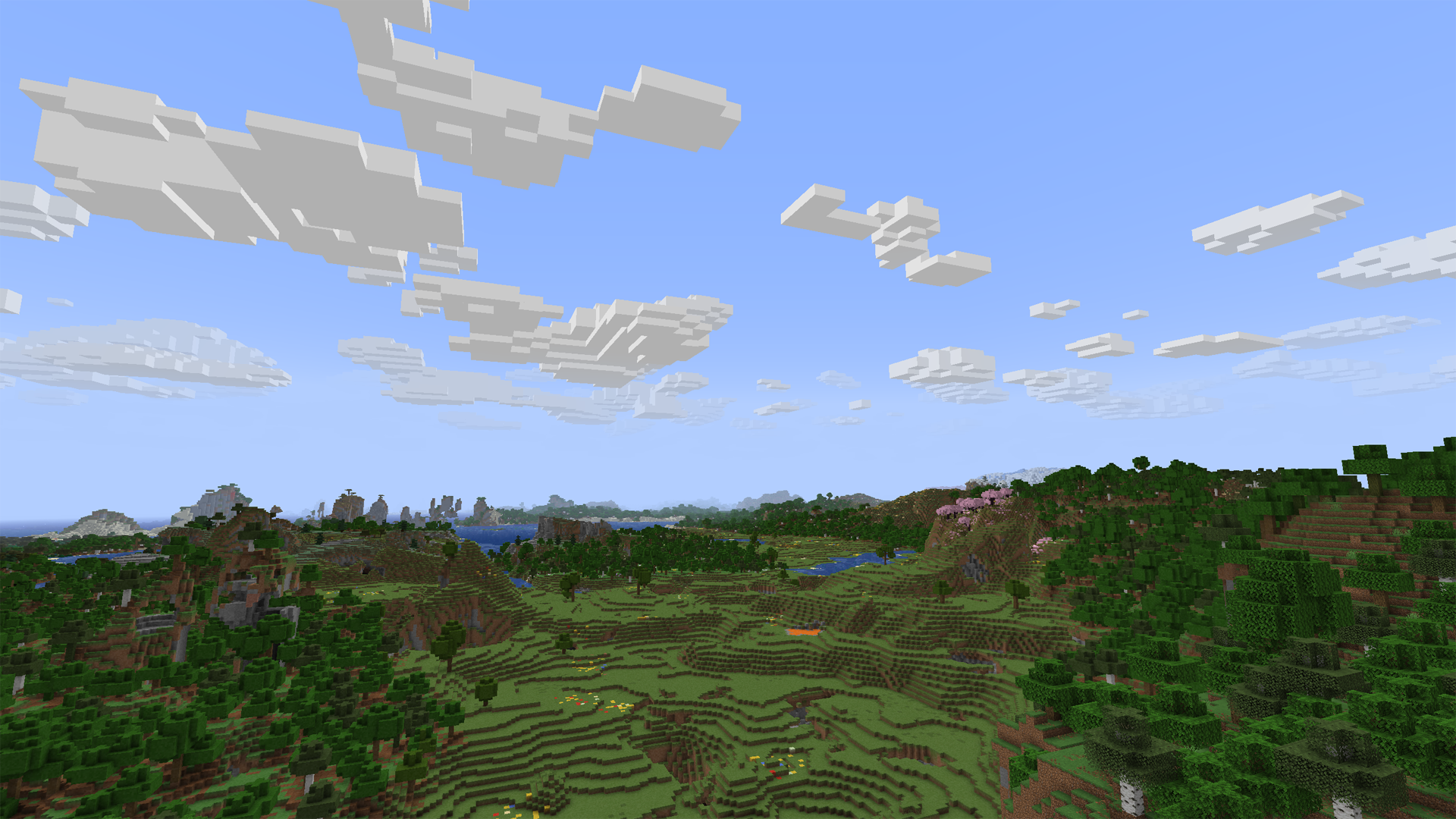
Tap the `Images` on navigator bar for more preview.
## Beyond the Original
– Cloud height / density / width / thickness and other contents is **highly configurable**.
– Cloud can detect current **weather** and **biome** to change its density.
– Cloud will get blush at dawn or dusk.
– Cloud bottom will get darker when its thickness is high.
– Cloud will **dodge** from higher mountains or tall building. (>1.7.0, inspired by [RealisticClouds](https://www.curseforge.com/minecraft/mc-mods/realisticclouds))
– Cloud can detect biome chunk-by-chunk for more accurate and rational placing. (>1.7.0, personal revival from RealisticClouds, it’s a nice mod 🙂
– Rain can only appear where is cloud above.
– Dimension divide config supported.
– And more…
### Fix
– Cloud will not be culled in view boundary.
– Cloud will not refresh when playing for too long.
– Improved flicker issue when player across chunk border.
## Mod relationship
### Dependence
#### For all platform:
– **Architectury API** is required (for multiplatform version).
– **Cloth Config** is optional to build config screen on client.
#### Fabric extra:
– **Fabric API** is required.
– **Mod Menu** is optional to access config screen on client.
### Compatibility
– [Distant Horizons](https://modrinth.com/mod/distanthorizons) ‘s LOD chunk no longer covered by SFCR (manually enable required).
– [Particle Rain](https://modrinth.com/mod/particle-rain) ‘s rain particle no generated where is no clouds (manually enable required).
– [SereneSeasons](https://modrinth.com/mod/sereneseasons) & [Fabric Seasons](https://modrinth.com/mod/fabric-seasons) can changing SFCR cloud density by different seasons.
### Incompatibility
Obviously incompatible with most mod who modified cloud render system. Include **Cull Clouds**, **Extended Clouds** and the others. If you put SFCR with it together, they will throw some issue even crash.
– If you encounter a crash with **Sodium**,try disable its cloud mixin by add `mixin.features.render.world.clouds=false` to _.minecraft/config/sodium-mixins.properties_
– **Iris** or other shadermod break SFCR when shader is enable on v2.0.
– Can be ignored if you installed **Distant Horizons** and enable DHCompat in SFCR config at same time.
## Q&A
### Few cloud?
It’s maybe normal due to cloud noise sampler and dynamic density feature. You can decrease `sample steps`, `biome affect`, and increase `common density` in config screen to let the sampler generating more clouds. (The density curve is not straight but like a stair. You may need to move larger range on density slider to make it effect.)
Fog may also cover the clouds. You can disable it to check the clouds amounts.
If you set a high value of biome affect and play in desert or savanna, there may not be a cloud in the sky. Its based on biome downfall value and times with cloud density.
### Client or Server?
Client side only is OK. But if it have both side installed and enable server function in config, SFCR can make every player have same shape of clouds.
On dedicated server, there is a command list for its administrators to control SFCR feature & config remotely. Simply type in “_/sfcr help_” then enter in chat bar you’ll see it.
### Version supports?
Latest Minecraft version will get newest maintenance.
Stable mod version may backport to older Minecraft version in someday.
### Modpacks?
Free to use under [MIT License](https://github.com/Rivmun/SuperFancyCloudsRefabricated/blob/1.19.2/LICENSE).
## Link
You can submit your suggestion or issue on [Github](https://github.com/Rivmun/SuperFancyCloudsRefabricated/issues).
Or, also [](https://www.curseforge.com/minecraft/mc-mods/superfancyclouds-refabricated)
Summit


> ### **THIS RESOURCE PACK REQUIRES THESE MODS TO FUNCTION:**
> 1. **[ETF](https://modrinth.com/mod/entitytexturefeatures)**
> 2. **[EMF](https://modrinth.com/mod/entity-model-features)**
> 3. **[Continuity](https://modrinth.com/mod/continuity)**
> 4. **[Polytone](https://modrinth.com/mod/polytone)**
# Summit: Minecraft At Its Peak
**Summit** is a realistic texture pack for Minecraft, designed to enhance your game with a touch of natural beauty. It’s subtle, refined, and compatible with a range of systems.
## Summit 64x is now free!


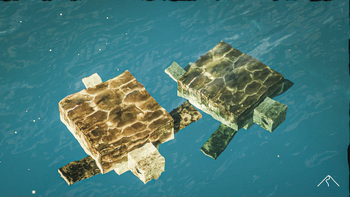


## Features:
– **Varied Resolutions:** Choose from 16x to 64x to match your system.
– **Balanced Realism:** Enhanced textures that feel right at home in Minecraft.
– **Optimized Performance:** Smooth and efficient gameplay experience.
**Rediscover Minecraft with Summit!**
[Patron]: https://patreon.com/Summitmc?utm_medium=clipboard_copy&utm_source=copyLink&utm_campaign=creatorshare_fan&utm_content=join_link
[1]: https://i.imgur.com/vZ1vIat.png
[2]: https://www.optifine.net/home “Redirect to Optifine”
[3]: https://i.imgur.com/a7UsCgN.png
[4]: https://irisshaders.dev/ “Redirect to Iris”
[5]: https://i.imgur.com/XCZiKxy.png
[6]: https://patreon.com/Summitmc?utm_medium=clipboard_copy&utm_source=copyLink&utm_campaign=creatorshare_fan&utm_content=join_link “Redirect to Patreon”
Stop Unloading My Resourcepacks [SUMR]
# Stop Unloading My Resourcepacks
Prevents the game from disabling all resourcepacks if a shader-related error occurs. Instead, errors will be displayed in-game, can be configured to show errors in chat, a box in the top left, or both
This mod also adds a few QOL features for developing shaders, read more below
## Things this mod prevents from disabling resourcepacks
The following things in vanilla will forcibly disable all resourcepacks, with this mod installed these will use a fallback and show any errors in-game and the output log:
– Shader program compilation errors
– Missing shader programs
– Shader linking errors
– Invalid or missing post_effect jsons
– post_effects that reference invalid targets
For minecrafts builtin shaders, the mod will attempt to load the default ones as a fallback if an error occurs. For modded shaders, a dummy shader will be used as a fallback which will make any objects using that shader invisible
## Additional features
– Shader hot-reload keybind (F3 + R) which just reloads shaders, much quicker than a full resource reload
– Works in the title screen, not just when in a world!
– Adds better errors for some things. For example, when importing a non-existent include shader the gane will produce a proper error rather than throwing a null pointer exception
– Added an option to disable shader linker info logs
– Off by default but can be enabled if it causes a ton of log spam (like it does on my machine)
## License
Stop Unloading My Resourcepacks by ioblackshaw (a.k.a. Enchanted_Games) is licensed under CC BY-NC 4.0


Video content creators may monetise videos including this work provided the license is followed.
Stony Peaks Foliage Everywhere!
#
Stony Peaks Foliage Everywhere!
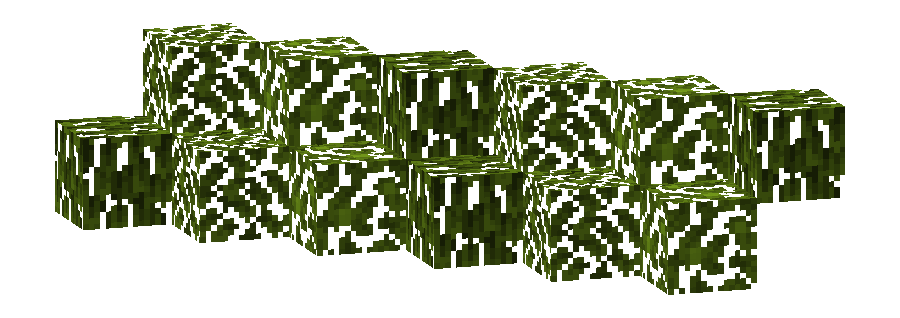
This pack changes the **Foliage colormap** so that it always matches the color of the **Stony Peaks biome(s)**.
The Stony Peaks uses the color `#82AC1E` in vanilla Minecraft.
List of biomes that use this color in vanilla Minecraft
* Stony Peaks
Additional Information
* build_time: `2025-10-06T02:13:35+02:00`
* build_user: `rotgruengelb`
## Limitations
Some biomes use hardcoded colors that cannot be overridden by resource packs.
This is a limitation of Minecraft itself, not of this pack.
## Installation
Download the pack and place it in your `resourcepacks` folder.
## About “Oh My Colormap!”
A collection of resource packs that change Minecraft’s colormaps.
### Rotgruengelb (Developer & Artist):
[](https://youtube.com/rotgruengelb)
[](https://github.com/rotgruengelb)
Stone Rooms
My social networks

—
## Description👀
**This datapack/mod adds 2 underground structures to your world, the first structure is for the upper parts of the caves (where the stone is), and the second structure is for the lower parts of the caves (where the deepslate is)**
**You can see screenshots of the rooms by going to the Gallery section**
—
## Useful Сommands🔧
– **Use /locate structure elysianfields:stone_rooms for see dungeon coordinates**
– **Use /place structure elysianfields:stone_rooms for spawn dungeon**
—
– **Use /locate structure elysianfields:stone_rooms_deepslate for see dungeon coordinates**
– **Use /place structure elysianfields:stone_rooms_deepslate for spawn dungeon**
—
Update Log⚒️
### Update V1.2:
* **Bug fix**
* **Balancing Enchantment**
* **Slightly reduced the chance of dungeon spawning**
—
Steak of Undying
Super simple texture pack that changes your Totem of Undying texture to a steak! For the time being, this works in any version of 1.21, and generally, this should work in any version from 1.14 to 1.21 (because in 1.14 they changed the item textures, and I’m not really sure if this the steak texture matches the one before 1.14). This pack is actually heavily inspired by Beppo’s Totem of Undying texture, so I decided to make that into an accessible for everyone pack! The translations for it are currently available in 30 of the most popular/common Minecraft languages.
StackDeobfuscator
# Stack Deobfuscator
> **WARNING**
> This mod is obsolete for all Minecraft versions newer than 1.21.11. It will still be maintained for older versions.
Discord: https://discord.gg/XSB7jn9
Web Version: https://stackdeobf.net/
See [wiki](https://github.com/booky10/StackDeobfuscator/wiki/Configuration) for configuration
## What does this mod do?
All errors displayed in the console and all crash reports will be remapped from unreadable production names (e.g.
`net.minecraft.class_310`) to readable mapped names (e.g. `net.minecraft.client.MinecraftClient`).
This allows mod developers to more easily identify issues in a non-development environment, as the errors are instantly
human-readable.
### Comparison
Before
“`
[23:13:08] [Render thread/ERROR]: Reported exception thrown!
net.minecraft.class_148: Manually triggered debug crash
at net.minecraft.class_309.method_1474(class_309.java:509) ~[client-intermediary.jar:?]
at net.minecraft.class_310.method_1574(class_310.java:1955) ~[client-intermediary.jar:?]
at net.minecraft.class_310.method_1523(class_310.java:1180) ~[client-intermediary.jar:?]
at net.minecraft.class_310.method_1514(class_310.java:801) ~[client-intermediary.jar:?]
at net.minecraft.client.main.Main.main(Main.java:237) ~[minecraft-1.19.4-client.jar:?]
at net.fabricmc.loader.impl.game.minecraft.MinecraftGameProvider.launch(MinecraftGameProvider.java:462) ~[fabric-loader-0.14.18.jar:?]
at net.fabricmc.loader.impl.launch.knot.Knot.launch(Knot.java:74) ~[fabric-loader-0.14.18.jar:?]
at net.fabricmc.loader.impl.launch.knot.KnotClient.main(KnotClient.java:23) ~[fabric-loader-0.14.18.jar:?]
at org.prismlauncher.launcher.impl.StandardLauncher.launch(StandardLauncher.java:88) ~[NewLaunch.jar:?]
at org.prismlauncher.EntryPoint.listen(EntryPoint.java:126) ~[NewLaunch.jar:?]
at org.prismlauncher.EntryPoint.main(EntryPoint.java:71) ~[NewLaunch.jar:?]
Caused by: java.lang.Throwable: Manually triggered debug crash
at net.minecraft.class_309.method_1474(class_309.java:506) ~[client-intermediary.jar:?]
… 10 more
“`
After (yarn/quilt mappings)
“`
[23:11:25] [Render thread/ERROR]: Reported exception thrown!
net.minecraft.util.crash.CrashException: Manually triggered debug crash
at net.minecraft.client.Keyboard.pollDebugCrash(Keyboard.java:509) ~[client-intermediary.jar:?]
at net.minecraft.client.MinecraftClient.tick(MinecraftClient.java:1955) ~[client-intermediary.jar:?]
at net.minecraft.client.MinecraftClient.render(MinecraftClient.java:1180) ~[client-intermediary.jar:?]
at net.minecraft.client.MinecraftClient.run(MinecraftClient.java:801) ~[client-intermediary.jar:?]
at net.minecraft.client.main.Main.main(Main.java:237) ~[minecraft-1.19.4-client.jar:?]
at net.fabricmc.loader.impl.game.minecraft.MinecraftGameProvider.launch(MinecraftGameProvider.java:462) ~[fabric-loader-0.14.18.jar:?]
at net.fabricmc.loader.impl.launch.knot.Knot.launch(Knot.java:74) ~[fabric-loader-0.14.18.jar:?]
at net.fabricmc.loader.impl.launch.knot.KnotClient.main(KnotClient.java:23) ~[fabric-loader-0.14.18.jar:?]
at org.prismlauncher.launcher.impl.StandardLauncher.launch(StandardLauncher.java:88) ~[NewLaunch.jar:?]
at org.prismlauncher.EntryPoint.listen(EntryPoint.java:126) ~[NewLaunch.jar:?]
at org.prismlauncher.EntryPoint.main(EntryPoint.java:71) ~[NewLaunch.jar:?]
Caused by: java.lang.Throwable: Manually triggered debug crash
at net.minecraft.client.Keyboard.pollDebugCrash(Keyboard.java:506) ~[client-intermediary.jar:?]
… 10 more
“`
After (mojang mappings)
“`
[23:04:12] [Render thread/ERROR]: Reported exception thrown!
net.minecraft.ReportedException: Manually triggered debug crash
at net.minecraft.client.KeyboardHandler.tick(KeyboardHandler.java:509) ~[client-intermediary.jar:?]
at net.minecraft.client.Minecraft.tick(Minecraft.java:1955) ~[client-intermediary.jar:?]
at net.minecraft.client.Minecraft.runTick(Minecraft.java:1180) ~[client-intermediary.jar:?]
at net.minecraft.client.Minecraft.run(Minecraft.java:801) ~[client-intermediary.jar:?]
at net.minecraft.client.main.Main.main(Main.java:237) ~[minecraft-1.19.4-client.jar:?]
at net.fabricmc.loader.impl.game.minecraft.MinecraftGameProvider.launch(MinecraftGameProvider.java:462) ~[fabric-loader-0.14.18.jar:?]
at net.fabricmc.loader.impl.launch.knot.Knot.launch(Knot.java:74) ~[fabric-loader-0.14.18.jar:?]
at net.fabricmc.loader.impl.launch.knot.KnotClient.main(KnotClient.java:23) ~[fabric-loader-0.14.18.jar:?]
at org.prismlauncher.launcher.impl.StandardLauncher.launch(StandardLauncher.java:88) ~[NewLaunch.jar:?]
at org.prismlauncher.EntryPoint.listen(EntryPoint.java:126) ~[NewLaunch.jar:?]
at org.prismlauncher.EntryPoint.main(EntryPoint.java:71) ~[NewLaunch.jar:?]
Caused by: java.lang.Throwable: Manually triggered debug crash
at net.minecraft.client.KeyboardHandler.tick(KeyboardHandler.java:506) ~[client-intermediary.jar:?]
… 10 more
“`
## Mappings Overview
Mappings are downloaded and parsed asynchronously. They are downloaded only once per version.
Yarn and Quilt refresh their version every 48 hours to check for updates.
| Mappings | Compatible Minecraft Versions | Download Size (zipped¹)² | Cached Size (gzipped)² |
|———-|———————————————|—————————————-|————————————-|
| Yarn | 18w49a (1.14 snapshot) or higher | `1.4 MiB` | `1.4 MiB` |
| Quilt | 1.18.2 or higher | `1.4 MiB` (+`1.1 MiB` below 1.19.2) | `1.4 MiB` (+`1.1 MiB` below 1.19.2) |
| Mojang | 1.14.4 and 19w36a (1.15 snapshot) or higher | `9.0 MiB` (uncompressed) + `559.1 KiB` | `1.3 MiB` + `558.6 KiB` |
¹: Mojang mappings are not compressed
²: Sizes as of 12th May 2024 (1.20.6 is latest)
Squared Shadow
This is a Texture Pack, originally designed for “[Better Than Adventure!](https://www.betterthanadventure.net/)”, and consequentially Beta 1.7.3 (although it will work with ANY version of Minecraft that has a Shadow, since the location and filename has never changed, despite the outdated Resource Pack version warning), that gives the Entities a squared Shadow, instead of a circular one. Consistency, my beloved.
# CREDITS
– Shadow texture and “pack.png” made by AndreWharn.
– Do not use the assets without permission, please!
# Thanks for using this pack! 😀
Square Entity Shadows
Makes the Shadows under Entities Squares. How they should’ve been from the start!

VS Vanilla:
