Plains Grass Everywhere!
#
Plains Grass Everywhere!
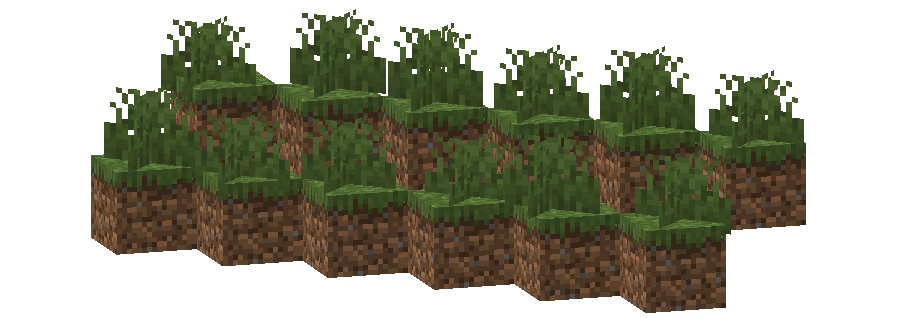
This pack changes the **Grass colormap** so that it always matches the color of the **Plains biome(s)**.
The Plains uses the color `#91BD59` in vanilla Minecraft.
List of biomes that use this color in vanilla Minecraft
* Plains
* Sunflower Plains
* Beach
* Dripstone Caves
* Deep Dark
Additional Information
* build_time: `2025-10-06T02:13:38+02:00`
* build_user: `rotgruengelb`
## Limitations
Some biomes use hardcoded colors that cannot be overridden by resource packs.
This is a limitation of Minecraft itself, not of this pack.
## Installation
Download the pack and place it in your `resourcepacks` folder.
## About “Oh My Colormap!”
A collection of resource packs that change Minecraft’s colormaps.
### Rotgruengelb (Developer & Artist):


Pixlli
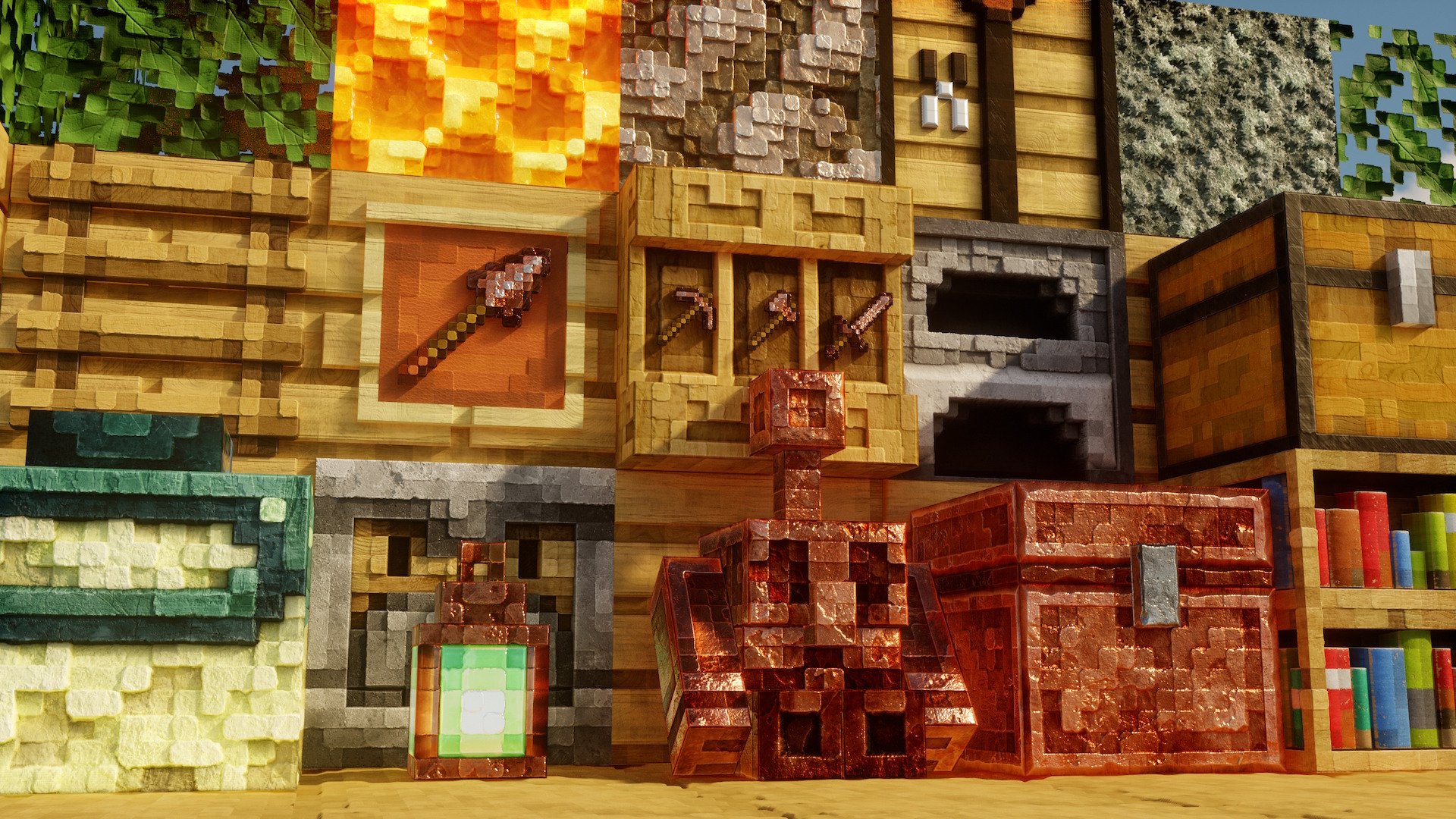
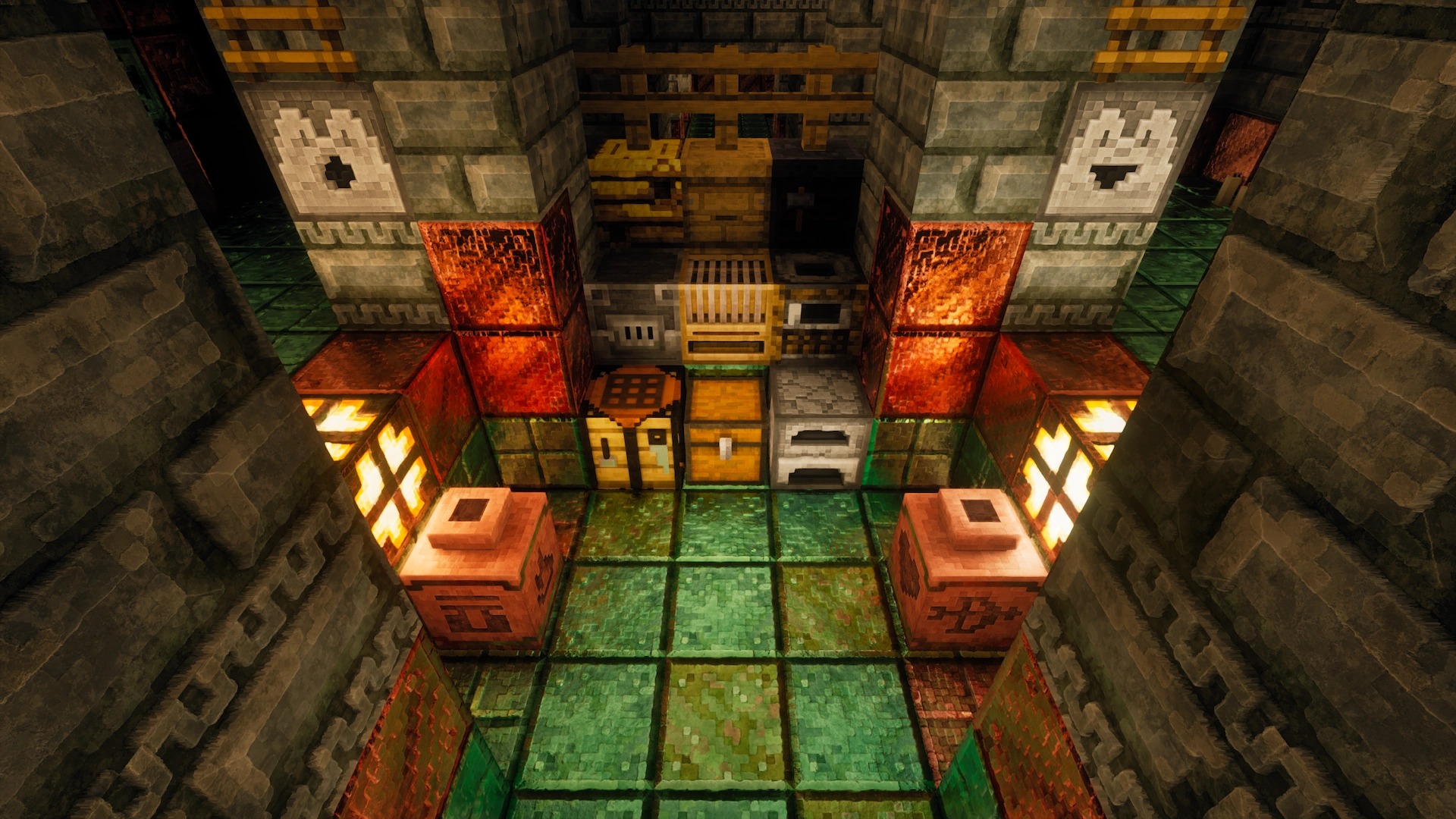
A new pbr/pom resource pack that will give you more detail, preserving the vanilla of your game and creating a feeling of your favorite pixelation.
## You can find 256-512x versions on Boosty or Patreon | Official site
**CTM and other Addons can be found here**
**Update every month, on the 2nd and 16th**
**Are there any problems with the resource pack? Check the FAQ**
**Join us in Discord!**
## 1.21.11 update is now available!
Pixelated Square Entity Shadows
Makes the Shadows under Entities Pixelated Squares.

VS Vanilla:

Pixelated Entity Shadows
Makes the shadows under Entities Pixelated. Retro Style!

VS Vanilla:

Peace Of Mind Music Disc
This texture pack replaces the music disc “13” and replaces it with the song “Purity” by A$AP Rocky ft. Frank Ocean. This makes it so that the name of the music disc is changed, and the music from that song is played. This music is from the album “Testing,” featuring many different artists, but for Purity, it features Frank Ocean.
Patrix Background New
ENGLISH
## !!!ATTENTION!!!
### !!!There are no panoramas in “Addons”!!!
### Only titles for panoramas!
The author of Patrix Background is the author of Patrix Background New.
Patrix Background – not an official texture pack for Patrix changing the background, logo and loading screen!
РУССКИЙ
## !!!ВНИМАНИЕ!!!
### !!!В “Addons” нету панорам!!!
### Только титулы для панорам!
Автор Patrix Background является автором Patrix Background New.
Patrix Background – не официальный текстур пак для Patrix изменяющий фон, логотип и экран загрузки!
Version: **1.4**
For Minecraft:
1.1 – 1.19.4 rc3-1.20.2
**1.2-1.4 – 1.19.4 rc3-26.1 snapshot 7+**
Addons:
1. **Halloween**
2. **Christhmas**
3. **Realistic**
4. **Halloween Remake**
5. **Simple**
6. **Neon**
### PlanetMinecraft page (Full HD Gallery): https://www.planetminecraft.com/texture-pack/patrix-background/
### Old Modrinth page: https://modrinth.com/resourcepack/patrix-background-no-official
Painting Table (Craft Player Heads)
# **Painting Table**
**Craft custom Players Heads!**
A crafting station that allows you to craft custom player heads.
A survival-friendly way to decorate your world with little blocks!
# 🪄Introduction
## What is Painting Table ?
Painting Table introduces a survival and multiplayer-friendly way to craft custom player heads, with any kind of textures. Players heads are appreciated to mimic custom small blocks, like small logs, small stones, food, animals, chests, pile of books, bags, etc.
## How to craft and use a painting table?
**Painting tables** can be crafted using:
– 2 **brushes**
– 2 **Planks** of any wood (oak, dark oak, spruce, bamboo, cherry, warped, etc.)
The recipe is the following:
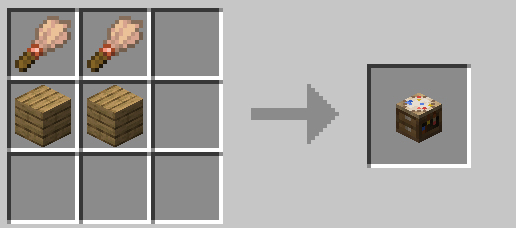
After you crafted it, you can simply place down your **painting table**.
The block has its own UI that shows its requirements.
In order to craft custom **players heads**, the painting table except **blue**, **red** and **yellow dyes**, along with **blocks of quartz** that will be consumed as soon as you take the output items.
The last item to put is a **book** (either a writable or a written one), that won’t be consumed.
In this same book, you need to paste the value of the desired player heads textures.
In this example below, I set a a cake player head texture in the writable book.
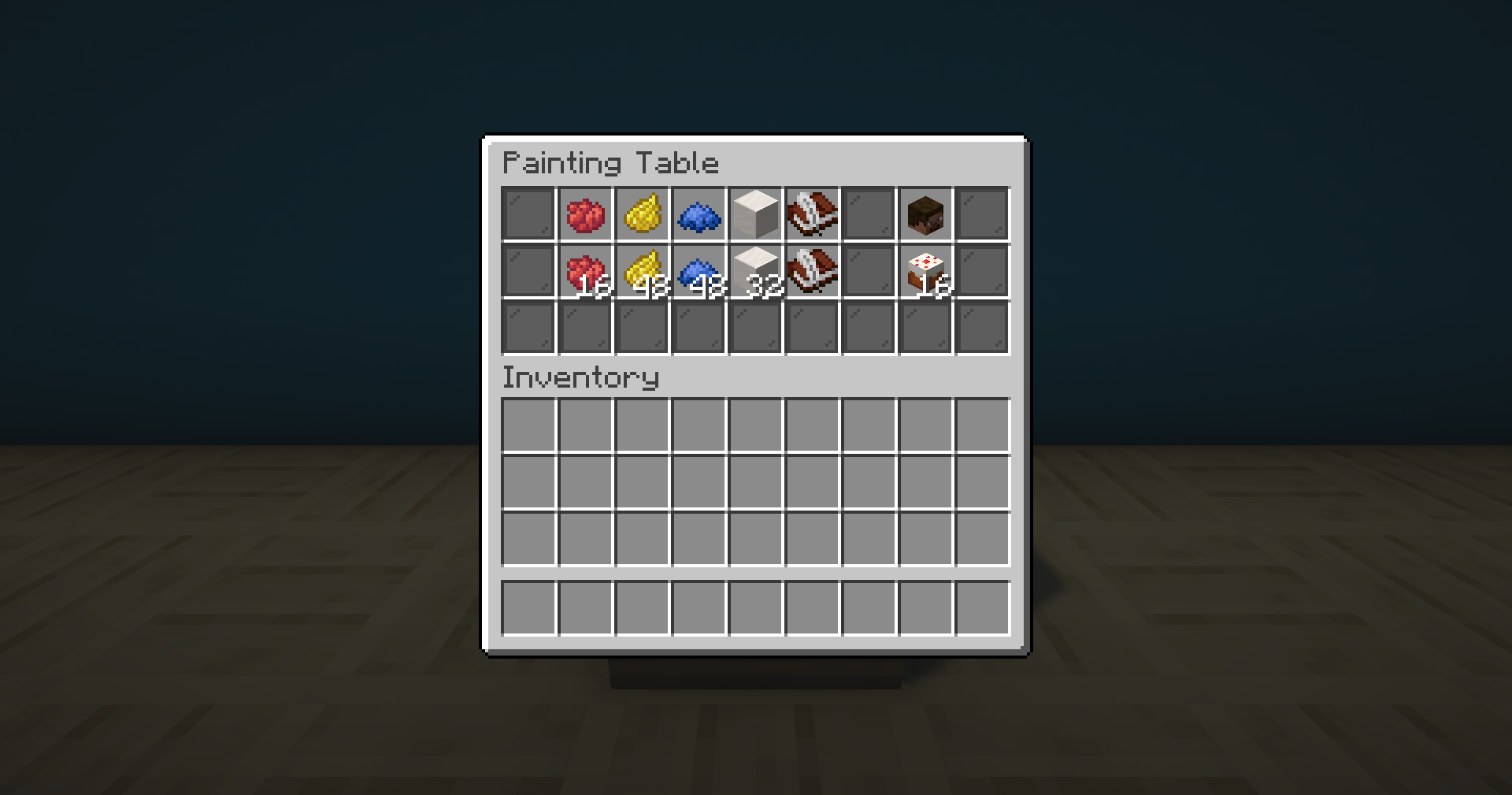
You can find many players heads textures on the minecraft-heads.com website. In the “Custom Heads” section, search for a head you like, and click on it to open its relative full page. Then, scroll to the `For developers` > `Value` field, and click the `Copy` button. Paste the result in your writable book in the game.
If you’re using Fabric, you may also be interested in the client-side Head Browser mod created by TheVoidBlock in order to get player heads value.
I recommend you to watch the tutorial for more direct explanation and examples. [Incoming]
## Misc. information about painting tables
– **Painting tables** can be oriented depending on the player’s facing direction. As the block uses display entities, I don’t recommend to spam it so much. But you can use a few of them as decoration if you wish.
– Like for other crafting station, painting tables return input items the player set in it when it closes it.
– For technical reasons, you can’t put a hopper, dropper, crafter adjenctly to a painting table, or a hopper minecart below it. These blocks will also be rotated automatically to not face it.
# ⚙️Settings
Tick GUI items clear (security for non-vanilla servers)
External versions such as Paper sometimes involve weird behavior with containers.
In order to avoid potential items dupe issues with them, you can tick the system that kill items entities players may have managed to drop from a painting table’s GUI using this setting.
You can **enable**, **disable** or **get** the current state of this setting using these following commands respectively:
“`
/function pk_pa_ta:settings/tick_clear_gui_items/true
/function pk_pa_ta:settings/tick_clear_gui_items/false
/function pk_pa_ta:settings/tick_clear_gui_items/get
“`
# 🧰 Other Commands
Give yourself a painting table
If you are an operator of your server or if cheats are enabled in your single-player world, you can give yourself a painting table using these following commands:
“`
/function pk_pa_ta:cmd/give/painting_table
“`
Troubleshooting: Recreate all painting tables from the database
If ever painting tables have been broken accidentally (using a `kill @e` command for example) you can run the following command to recreate all painting tables from the database:
“`
/function pk_pa_ta:cmd/recreate {feature:”painting_table”}
“`
The process will automatically remove all remaining entities and blocks of broken painting tables before placing fresh ones. All data (id, owner, type, items, variant…) will be preserved.
It may take some time for it to complete, so be sure to get the message telling the process ended successfully before interacting with or placing a painting table.
# 🔧 Update from V.2
The data pack provides a process to convert all existing racks from **V.2** to **V.3**.
In order to do so, follow the steps written below. _I would also advice you to create a backup of your world using V.2, in case another data pack / plugin / mod accidentally breaks the updating process._
1. Remove the Painting Table V.2 data pack from the `/datapacks/` folder of your world, **don’t** uninstall V.2 upstream with the uninstall function, as you should keep its database.
2. Upgrade your world to the desired version of Minecraft if needed, if it isn’t already done.
3. Install Painting Table V.3 by placing it in the `/datapacks/` forlder, then using `/reload` in game.
4. Use this following command: `/function pk_pa_ta:cmd/upgrade/from_v2` and wait for the updating process to end. If it managed to do so, you should get a message “Updated all painting tables from KawaMood’s Painting Table (V.2) successfully”.
**Note:** Old painting tables items from V.2 will automatically be replaced by their V.3 equivalent when you get them in your inventory. Expert mason will also lose their relative offer once you try to interact with them. The offer may still display in the available offers the first time you do it, but it is just a display issue from the game, you can’t buy it.
# 🧹 Uninstall
Painting Table comes with an automatic uninstallation process. Running it will:
– Remove all painting tables that have been placed in your world, in every dimensions
– Remove all scores and storage specific to the Painting Table data pack
– If there is no more KawaMood data packs installed, also remove all common scores and storages
The uninstalling process may take some seconds to complete. Be sure to wait for the message telling you that you can safely remove the data pack from your world’s folder before doing it.
The command to start the uninstalling process is the following one:
“`
/function pk_pa_ta:cmd/uninstall
“`
# ❓ F.A.Q
Do I need to install a resources pack?
No, this data pack doesn’t involve any resources pack.
The texture of the item shows regular player heads, how can I fix that?
You need to be connected to the internet the first time you craft and place a painting table. The textures of the player heads that are used to create their looks are indeed loaded and cached on the client-side, from (old or current) players skins that are stored on a Mojang server.
If you accidentally used a content that required to be online the first time you use it, and now see regular players heads instead of the expected texture, you can still go in the “.minecraft/assets/skins/” folder, then sort the sub-folders by date, and delete some recent folders. Once that is done, if your game was already started, you will need to restart it to update the cached content.
# 🪠 Report an issue
If you encountered an issue with this data pack, preferably join the Discord server, and open a post in the dedicated **#data-pack-issues** channel to describe your problem. Please, don’t forget to provide all necessary informations including:
– The Minecraft version you’re using.
– The version of the concerned data pack you’re using.
– If you’re using any modified version like Forge, Paper or Spigot.
– If you do, the plugins or mods you’re using that may alter the functioning of data packs.
– The list of other data packs you’re using, if you have others.
– A clear description of your issue, and a way to reproduce it.
– If necessary, a video or a screenshot of the issue in game.
Before doing that, please read the F.A.Q. section just above. The issue you’re facing may be a common one, and a way to fix it may already have been provided in it.
# 📌 Other links
Thank you for using Painting Table! It makes me happy to know people are enjoying it.
If you want to support its development and the development of other data packs, you can support me on my other social networks:
– Youtube
– Planet Minecraft
– Or if you’re in a generous mood, I accept donation on paypal or buy me a kawa (slang term for “coffee”)!
PackCENHeaderFix
# PackCENHeaderFix
There is no longer an error invalid CEN header (bad entry name or comment)
It solves this problem by replacing Java Zip implementation with Apache Commons Compress implementation.
## Example Story
You downloaded a ResourcePack from a RP author. You put it in your RP folder and tried to load it as usual, but you don’t see it in the RP selector.
Instead, Minecraft prints the following error in the log:
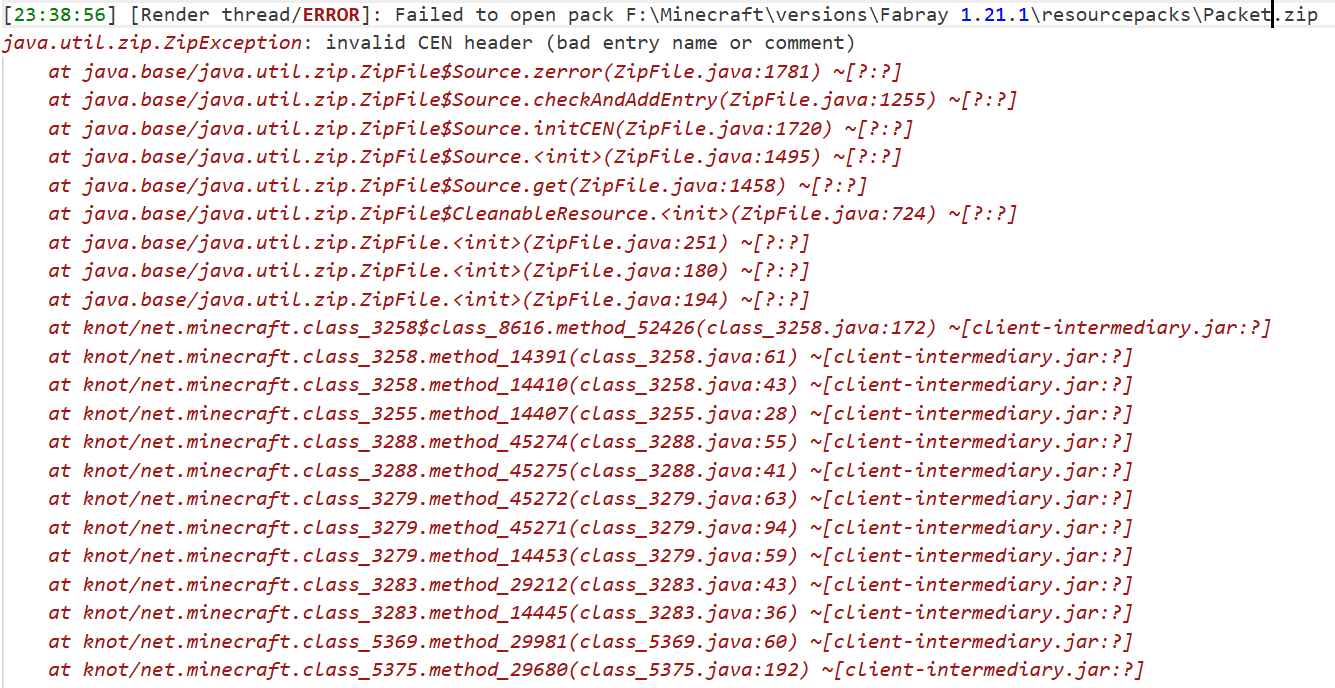
It doesn’t appear in Mojira, precisely because it’s a bug that only appears under very extreme conditions. I haven’t seen it in the past few years of the game, and only very, very few RP authors have accidentally allowed their RP to be contaminated by this bug.
The cause of this bug is unknown, but it only affects the Java Zip implementation. RPs that experience this bug can still be force-loaded (although you won’t be able to find them in the selector), but I think it’s better to try to fix it.
## About API
It’s intended for use with another mod of mine, which will rely on this one for additional functionality.
If you want to do something with it, my advice is don’t, I don’t want it to behave unexpectedly.
## How to build?
After the clone repository, be sure to use the `./gradlew clean build` command to build,
rather than executing any of them separately.
After the build is completed, a jars folder will be generated in the root directory,
where the final build results will be stored.
## For Modpack
If you comply with the license, you can use it freely for Modpack.
Modpacks that redistribute Minecraft game body (i.e. packages that package the entire Minecraft game including Mod files, Config, ShaderPacks, ResourcePacks, Library and launcher into a whole zip file) are not allowed to use this mod.
## License
This work has a restrictive license in addition to the original license to prevent some unexpected behavior, see 404Setup Public License
Oxidizing Copper Durability
A vanilla resource pack that modifies copper tools, brush, and armor items to oxidize as durability decreases.
All copper items oxidize through the four stages of Minecraft oxidation: Normal, Exposed, Weathered, and Oxidized.
**Fully vanilla!** Does **NOT** require Optifine / CIT Resewn!
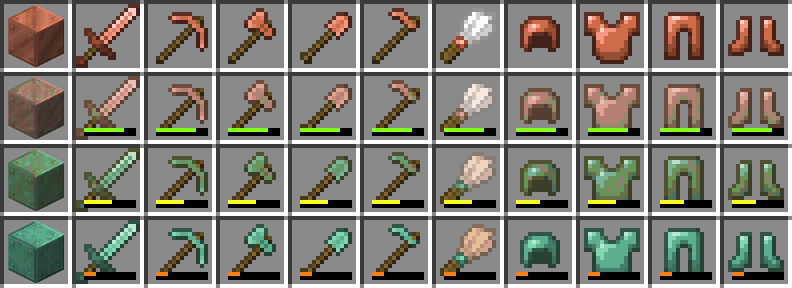
### List of Oxidizing Items:
– Copper Axe
– Copper Hoe
– Copper Pickaxe
– Copper Shovel
– Copper Sword
– Brush
– Copper Helmet*
– Copper Chestplate*
– Copper Leggings*
– Copper Boots*
*Only item textures oxidize (armor trims supported).
### Upcoming Pack Updates:
– Oxidizing Armor Models (will require a CIT mod)
– Diminishing Copper Tools (better visually distinguish oxidized copper from diamond tools)
### Contact for Issues/Suggestions:
Discord: bakebakepi
Oxidize Copper
# **Oxidize Copper**
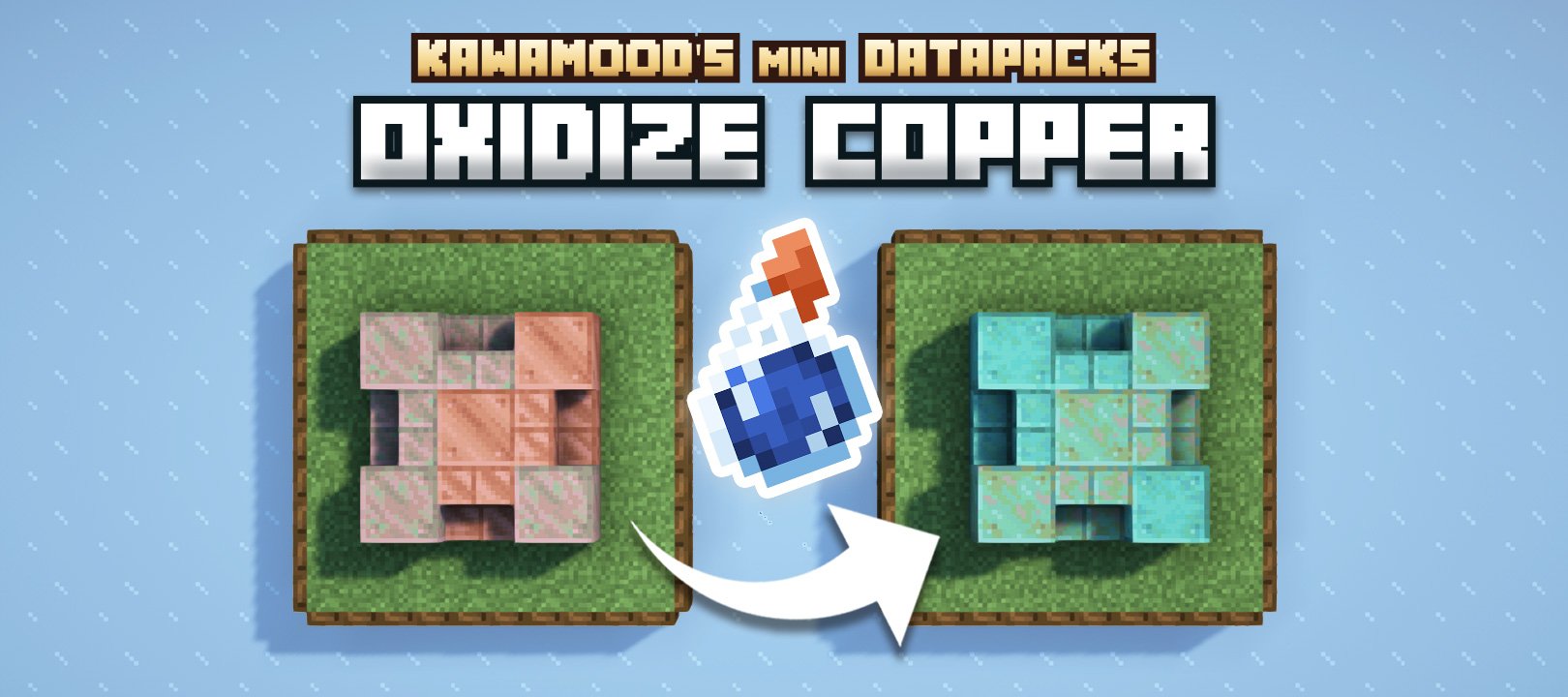
**Gradually oxidize copper blocks with thick potions!**
Quickly oxidize copper blocks using splash thick potions.
A great utility to facilitate your building.
# 🪄 How to use?
Just brew **splash thick potions**, and throw them on any kind of copper blocks.
_Note: Copper doors oxidation is only supported since V.3.1.0._
In order to brew **thick potion**, you’ll need to put a **glowstone dust** in a brewing station, settling in **water bottles**. Then you can add a **gunpowder** to get the final splash thick potion.
The splash potion will oxidize blocks in a 3x3x3 area from its impact. Copper blocks will be oxidized gradually depending on their current state (from exposed state to fully oxidized state). Waxed ones will be spared from this effect.
# 🧹 Uninstall
Oxidize Copper comes with an uninstallation process. Running it will:
– Remove all scores and storage specific to the Oxidize Copper data pack.
– If there is no more KawaMood data packs installed, also remove all common scores and storages.
The command to start the uninstalling process is the following ones.
Since V.3+:
“`
/function pk_ox_co:cmd/uninstall
“`
Before V.3:
“`
/function pk_oxidize_copper:cmd/uninstall
“`
# 🪠 Report an issue
If you encountered an issue with this data pack, preferably join the Discord server, and open a post in the dedicated **#data-pack-issues** channel to describe your problem. Please, don’t forget to provide all necessary informations including:
– The Minecraft version you’re using.
– The version of the concerned data pack you’re using.
– If you’re using any modified version like Forge, Paper or Spigot.
– If you do, the plugins or mods you’re using that may alter the functioning of data packs.
– The list of other data packs you’re using, if you have others.
– A clear description of your issue, and a way to reproduce it.
– If necessary, a video or a screenshot of the issue in game.
# 📌 Other links
Thank you for using Oxidize Copper! It makes me happy to know people are enjoying it.
If you want to support its development and the development of other data packs, you can support me on my other social networks:
– Youtube
– Planet Minecraft
– Or if you’re in a generous mood, I accept donation on paypal or buy me a kawa (slang term for “coffee”)!