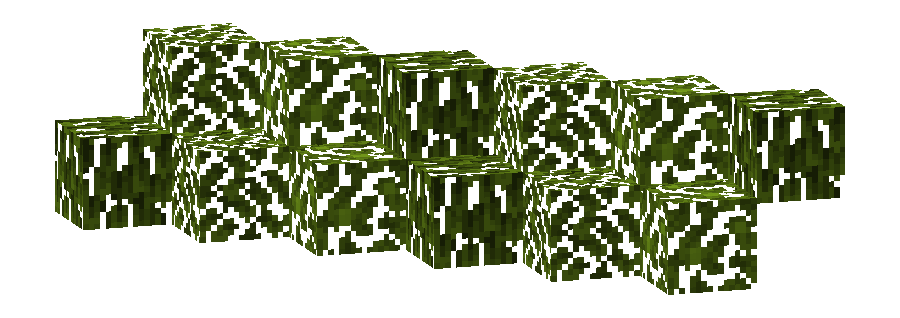
This pack changes the **Foliage colormap** so that it always matches the color of the **Stony Peaks biome(s)**.
The Stony Peaks uses the color `#82AC1E` in vanilla Minecraft.
List of biomes that use this color in vanilla Minecraft
## Limitations
Some biomes use hardcoded colors that cannot be overridden by resource packs.
This is a limitation of Minecraft itself, not of this pack.
## Installation
Download the pack and place it in your `resourcepacks` folder.
## About “Oh My Colormap!”
A collection of resource packs that change Minecraft’s colormaps.
### Rotgruengelb (Developer & Artist):
[](https://youtube.com/rotgruengelb)
[](https://github.com/rotgruengelb)
Stone Rooms
My social networks
—
## Description👀
**This datapack/mod adds 2 underground structures to your world, the first structure is for the upper parts of the caves (where the stone is), and the second structure is for the lower parts of the caves (where the deepslate is)**
**You can see screenshots of the rooms by going to the Gallery section**
—
## Useful Сommands🔧
– **Use /locate structure elysianfields:stone_rooms for see dungeon coordinates**
– **Use /place structure elysianfields:stone_rooms for spawn dungeon**
—
– **Use /locate structure elysianfields:stone_rooms_deepslate for see dungeon coordinates**
– **Use /place structure elysianfields:stone_rooms_deepslate for spawn dungeon**
—
Update Log⚒️
### Update V1.2:
* **Bug fix**
* **Balancing Enchantment**
* **Slightly reduced the chance of dungeon spawning**
**The texture pack has:**
– _6 invisible items (Pottery Sherds)_
– _A Darkness entity (that uses a Piglin as the base)_
– _Darkness Blockset (stairs, slabs, blocks and walls) [granite]_
– _5 colored light blocks (one for each base colored steve)_
– _Rainbow Stone_
– _A custom iron door texture_
**How to make the best Darkness entity:**
summon piglin ~ ~ ~ {IsImmuneToZombification:1,active_effects:[{id:regeneration,duration:200,amplifier:10,show_particles:0b}],HandItems:[{id:angler_pottery_sherd,count:1},{id:angler_pottery_sherd,count:1}],ArmorItems:[{id:angler_pottery_sherd,count:1},{id:angler_pottery_sherd,count:1},{id:angler_pottery_sherd,count:1},{id:angler_pottery_sherd,count:1}],HandDropChances:[0f,0f],ArmorDropChances:[0f,0f,0f,0f]}
**[Must be used inside of a command block.]**
Steak of Undying
Super simple texture pack that changes your Totem of Undying texture to a steak! For the time being, this works in any version of 1.21, and generally, this should work in any version from 1.14 to 1.21 (because in 1.14 they changed the item textures, and I’m not really sure if this the steak texture matches the one before 1.14). This pack is actually heavily inspired by Beppo’s Totem of Undying texture, so I decided to make that into an accessible for everyone pack! The translations for it are currently available in 30 of the most popular/common Minecraft languages.
StackDeobfuscator
# Stack Deobfuscator
> **WARNING**
> This mod is obsolete for all Minecraft versions newer than 1.21.11. It will still be maintained for older versions.
Discord: https://discord.gg/XSB7jn9
Web Version: https://stackdeobf.net/
See [wiki](https://github.com/booky10/StackDeobfuscator/wiki/Configuration) for configuration
## What does this mod do?
All errors displayed in the console and all crash reports will be remapped from unreadable production names (e.g.
`net.minecraft.class_310`) to readable mapped names (e.g. `net.minecraft.client.MinecraftClient`).
This allows mod developers to more easily identify issues in a non-development environment, as the errors are instantly
human-readable.
### Comparison
Before
“`
[23:13:08] [Render thread/ERROR]: Reported exception thrown!
net.minecraft.class_148: Manually triggered debug crash
at net.minecraft.class_309.method_1474(class_309.java:509) ~[client-intermediary.jar:?]
at net.minecraft.class_310.method_1574(class_310.java:1955) ~[client-intermediary.jar:?]
at net.minecraft.class_310.method_1523(class_310.java:1180) ~[client-intermediary.jar:?]
at net.minecraft.class_310.method_1514(class_310.java:801) ~[client-intermediary.jar:?]
at net.minecraft.client.main.Main.main(Main.java:237) ~[minecraft-1.19.4-client.jar:?]
at net.fabricmc.loader.impl.game.minecraft.MinecraftGameProvider.launch(MinecraftGameProvider.java:462) ~[fabric-loader-0.14.18.jar:?]
at net.fabricmc.loader.impl.launch.knot.Knot.launch(Knot.java:74) ~[fabric-loader-0.14.18.jar:?]
at net.fabricmc.loader.impl.launch.knot.KnotClient.main(KnotClient.java:23) ~[fabric-loader-0.14.18.jar:?]
at org.prismlauncher.launcher.impl.StandardLauncher.launch(StandardLauncher.java:88) ~[NewLaunch.jar:?]
at org.prismlauncher.EntryPoint.listen(EntryPoint.java:126) ~[NewLaunch.jar:?]
at org.prismlauncher.EntryPoint.main(EntryPoint.java:71) ~[NewLaunch.jar:?]
Caused by: java.lang.Throwable: Manually triggered debug crash
at net.minecraft.class_309.method_1474(class_309.java:506) ~[client-intermediary.jar:?]
… 10 more
“`
After (yarn/quilt mappings)
“`
[23:11:25] [Render thread/ERROR]: Reported exception thrown!
net.minecraft.util.crash.CrashException: Manually triggered debug crash
at net.minecraft.client.Keyboard.pollDebugCrash(Keyboard.java:509) ~[client-intermediary.jar:?]
at net.minecraft.client.MinecraftClient.tick(MinecraftClient.java:1955) ~[client-intermediary.jar:?]
at net.minecraft.client.MinecraftClient.render(MinecraftClient.java:1180) ~[client-intermediary.jar:?]
at net.minecraft.client.MinecraftClient.run(MinecraftClient.java:801) ~[client-intermediary.jar:?]
at net.minecraft.client.main.Main.main(Main.java:237) ~[minecraft-1.19.4-client.jar:?]
at net.fabricmc.loader.impl.game.minecraft.MinecraftGameProvider.launch(MinecraftGameProvider.java:462) ~[fabric-loader-0.14.18.jar:?]
at net.fabricmc.loader.impl.launch.knot.Knot.launch(Knot.java:74) ~[fabric-loader-0.14.18.jar:?]
at net.fabricmc.loader.impl.launch.knot.KnotClient.main(KnotClient.java:23) ~[fabric-loader-0.14.18.jar:?]
at org.prismlauncher.launcher.impl.StandardLauncher.launch(StandardLauncher.java:88) ~[NewLaunch.jar:?]
at org.prismlauncher.EntryPoint.listen(EntryPoint.java:126) ~[NewLaunch.jar:?]
at org.prismlauncher.EntryPoint.main(EntryPoint.java:71) ~[NewLaunch.jar:?]
Caused by: java.lang.Throwable: Manually triggered debug crash
at net.minecraft.client.Keyboard.pollDebugCrash(Keyboard.java:506) ~[client-intermediary.jar:?]
… 10 more
“`
After (mojang mappings)
“`
[23:04:12] [Render thread/ERROR]: Reported exception thrown!
net.minecraft.ReportedException: Manually triggered debug crash
at net.minecraft.client.KeyboardHandler.tick(KeyboardHandler.java:509) ~[client-intermediary.jar:?]
at net.minecraft.client.Minecraft.tick(Minecraft.java:1955) ~[client-intermediary.jar:?]
at net.minecraft.client.Minecraft.runTick(Minecraft.java:1180) ~[client-intermediary.jar:?]
at net.minecraft.client.Minecraft.run(Minecraft.java:801) ~[client-intermediary.jar:?]
at net.minecraft.client.main.Main.main(Main.java:237) ~[minecraft-1.19.4-client.jar:?]
at net.fabricmc.loader.impl.game.minecraft.MinecraftGameProvider.launch(MinecraftGameProvider.java:462) ~[fabric-loader-0.14.18.jar:?]
at net.fabricmc.loader.impl.launch.knot.Knot.launch(Knot.java:74) ~[fabric-loader-0.14.18.jar:?]
at net.fabricmc.loader.impl.launch.knot.KnotClient.main(KnotClient.java:23) ~[fabric-loader-0.14.18.jar:?]
at org.prismlauncher.launcher.impl.StandardLauncher.launch(StandardLauncher.java:88) ~[NewLaunch.jar:?]
at org.prismlauncher.EntryPoint.listen(EntryPoint.java:126) ~[NewLaunch.jar:?]
at org.prismlauncher.EntryPoint.main(EntryPoint.java:71) ~[NewLaunch.jar:?]
Caused by: java.lang.Throwable: Manually triggered debug crash
at net.minecraft.client.KeyboardHandler.tick(KeyboardHandler.java:506) ~[client-intermediary.jar:?]
… 10 more
“`
## Mappings Overview
Mappings are downloaded and parsed asynchronously. They are downloaded only once per version.
Yarn and Quilt refresh their version every 48 hours to check for updates.
## What’s Stackable Heads ?
**Stackable Heads** is a project to update players’ heads and therefore to be able to stack them.
> From what I understand, Mojang fixed this problem from Minecraft 1.21.9.
> This project therefore no longer needs to receive updates
## How does it work?
### Added the `refresh.mcfunction` and `launcher_refresh.mcfunction` functions
The `launcher_refresh` function launches the `refresh` function every tick for each head on the ground.
`refresh.mcfunction` refreshes the player’s heads and indirectly makes them stackable.
## How to use it?
To refresh a player’s head, you must drop it.
## Complementary
You can also use [Drop Head](https://modrinth.com/project/drop-head) and [Killer Head](https://modrinth.com/project/killer-head).
## Compatibility
**Stackable Heads** should work anywhere.
## Support me!
Join my Hardcore Minecraft server: `38.143.19.130:51965`
Squared Shadow
This is a Texture Pack, originally designed for “[Better Than Adventure!](https://www.betterthanadventure.net/)”, and consequentially Beta 1.7.3 (although it will work with ANY version of Minecraft that has a Shadow, since the location and filename has never changed, despite the outdated Resource Pack version warning), that gives the Entities a squared Shadow, instead of a circular one. Consistency, my beloved.
# CREDITS
– Shadow texture and “pack.png” made by AndreWharn.
– Do not use the assets without permission, please!
# Thanks for using this pack! 😀
Square Entity Shadows
Makes the Shadows under Entities Squares. How they should’ve been from the start!
## [Latest version: v2.0.0 — Made for Minecraft 26.1.2]
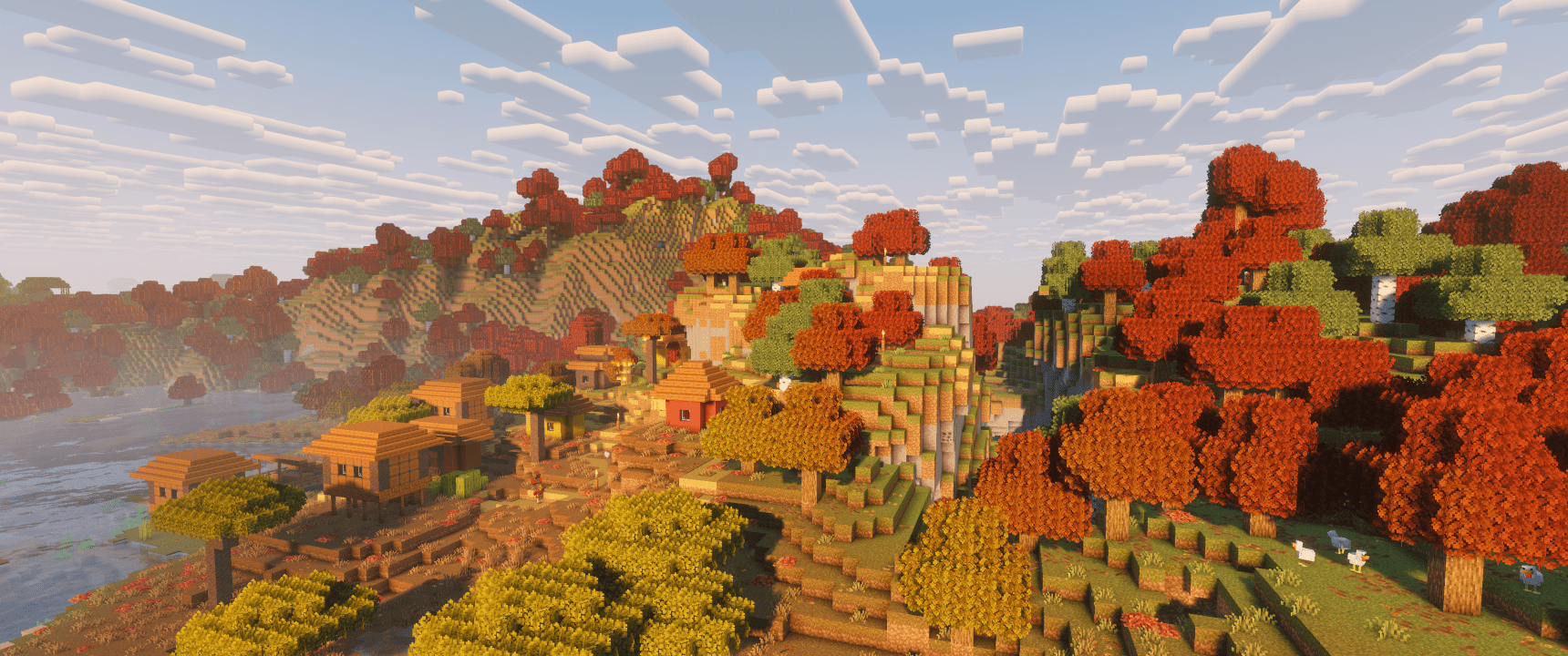
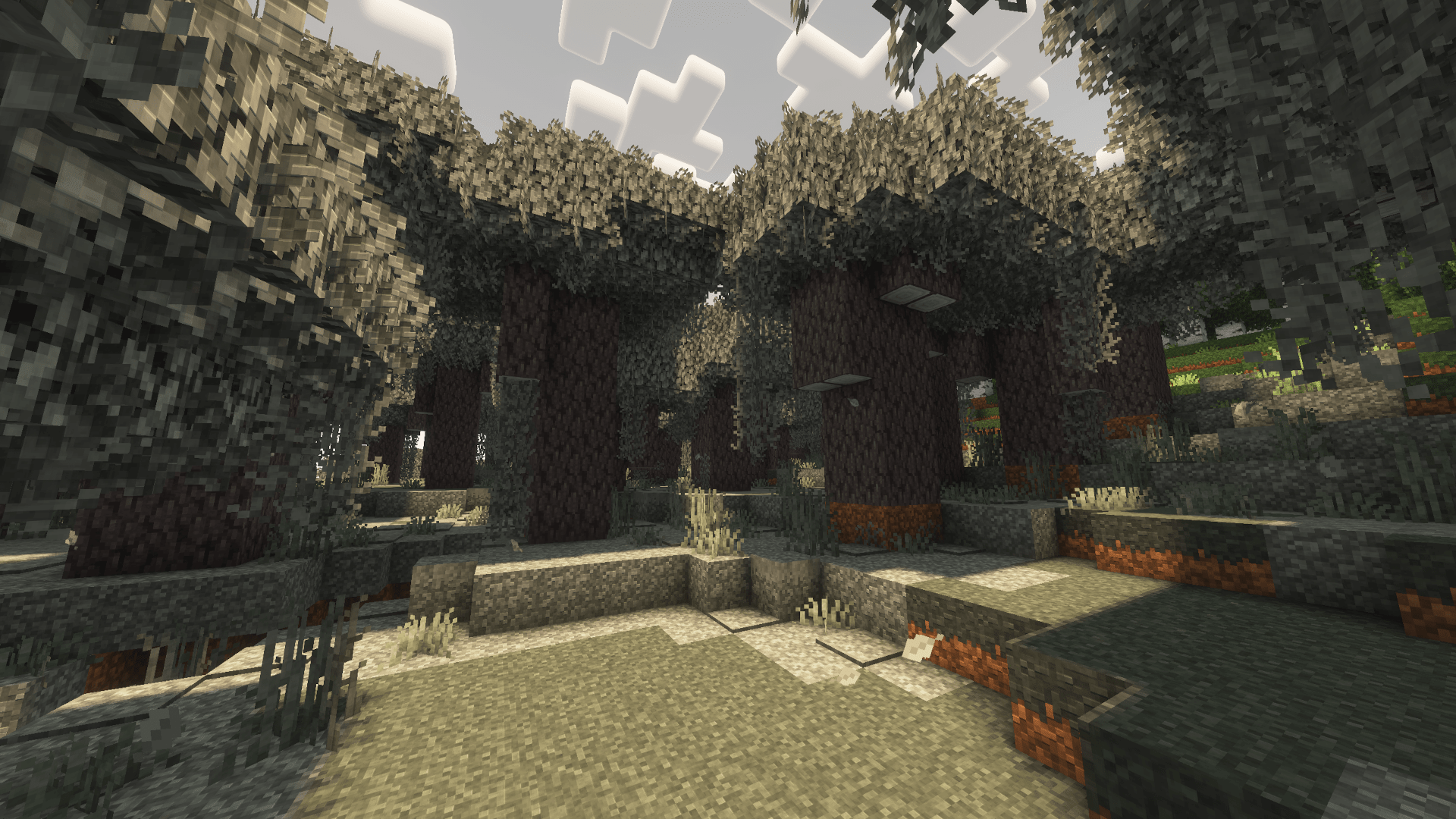
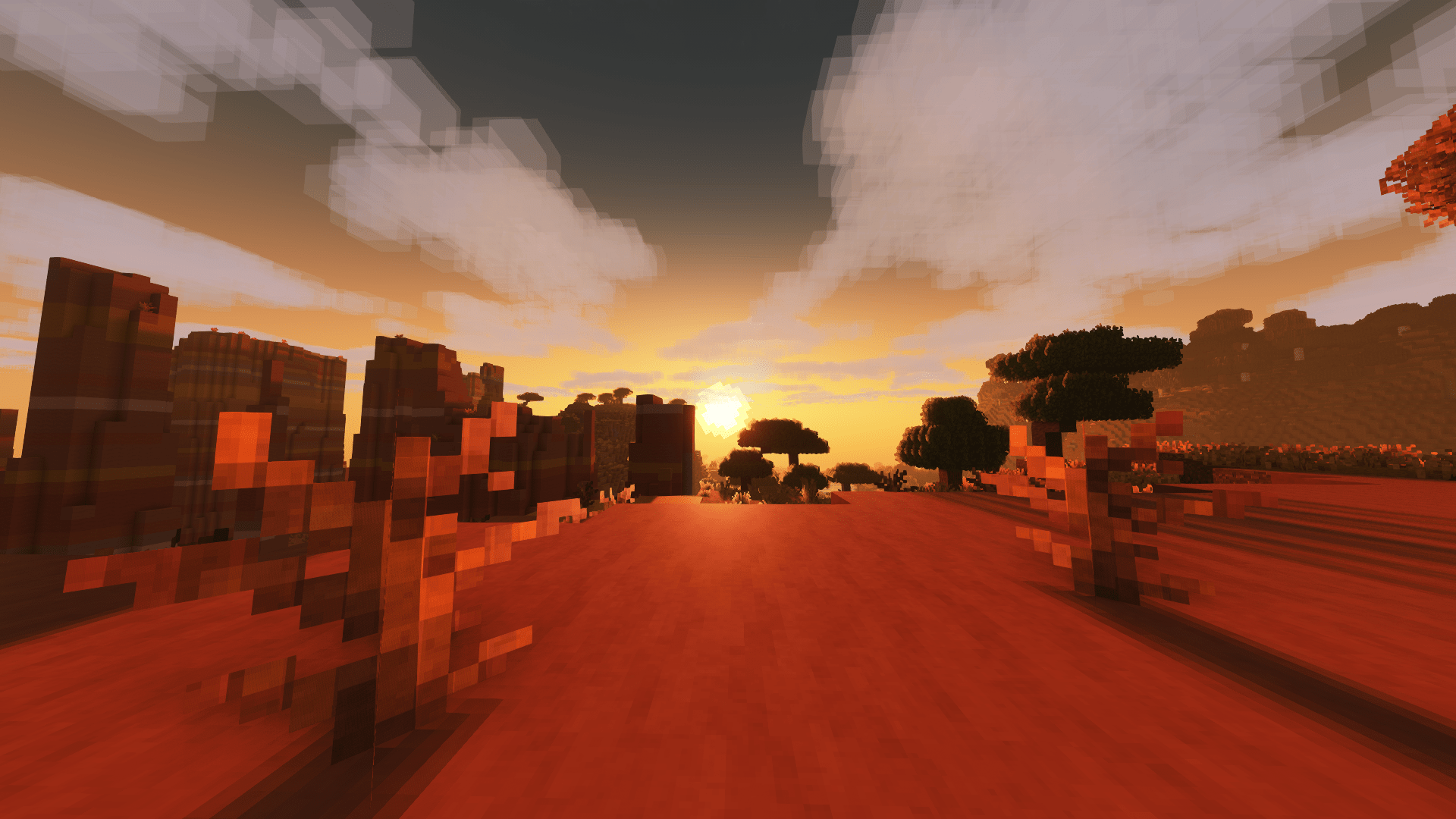
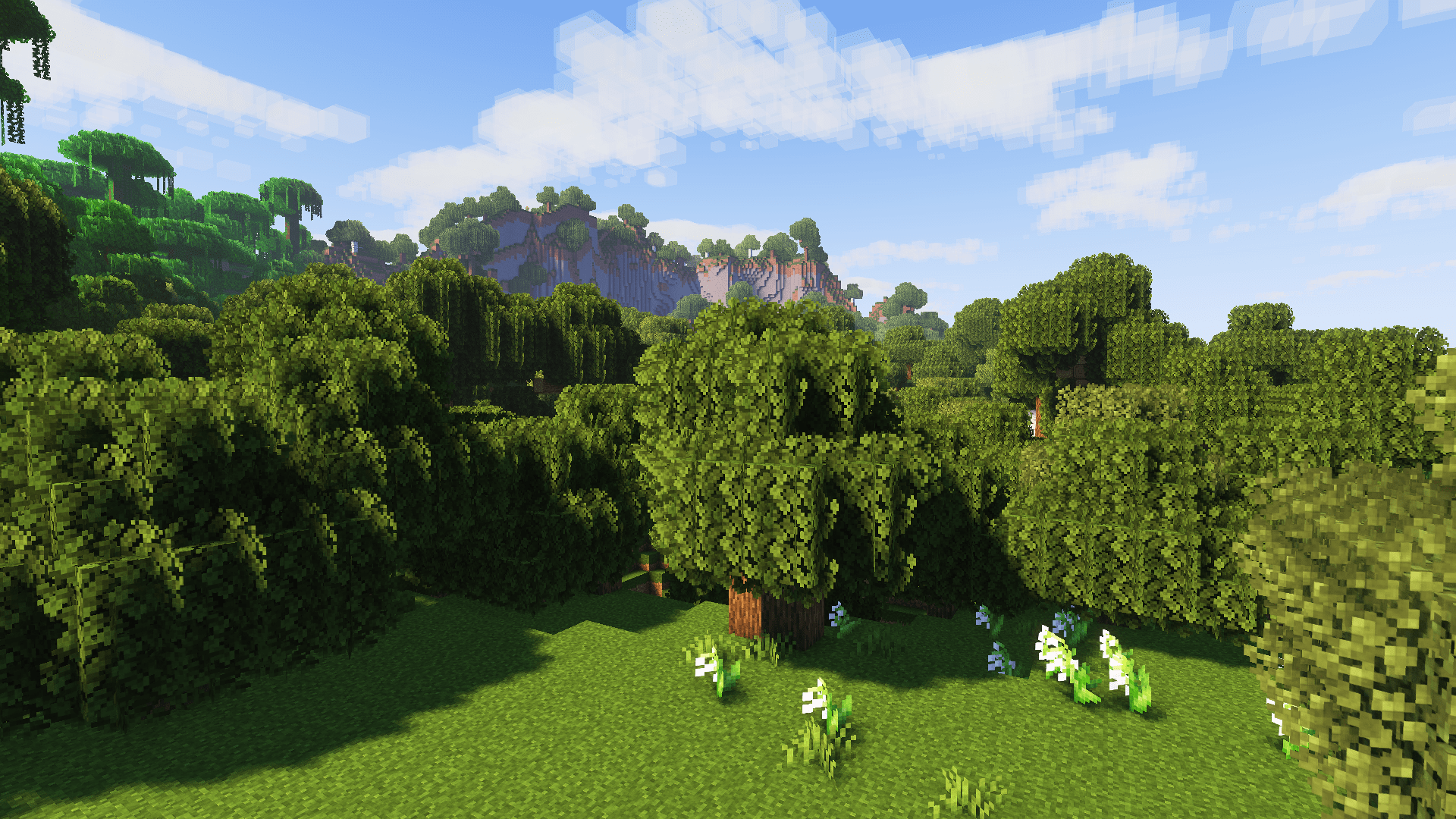
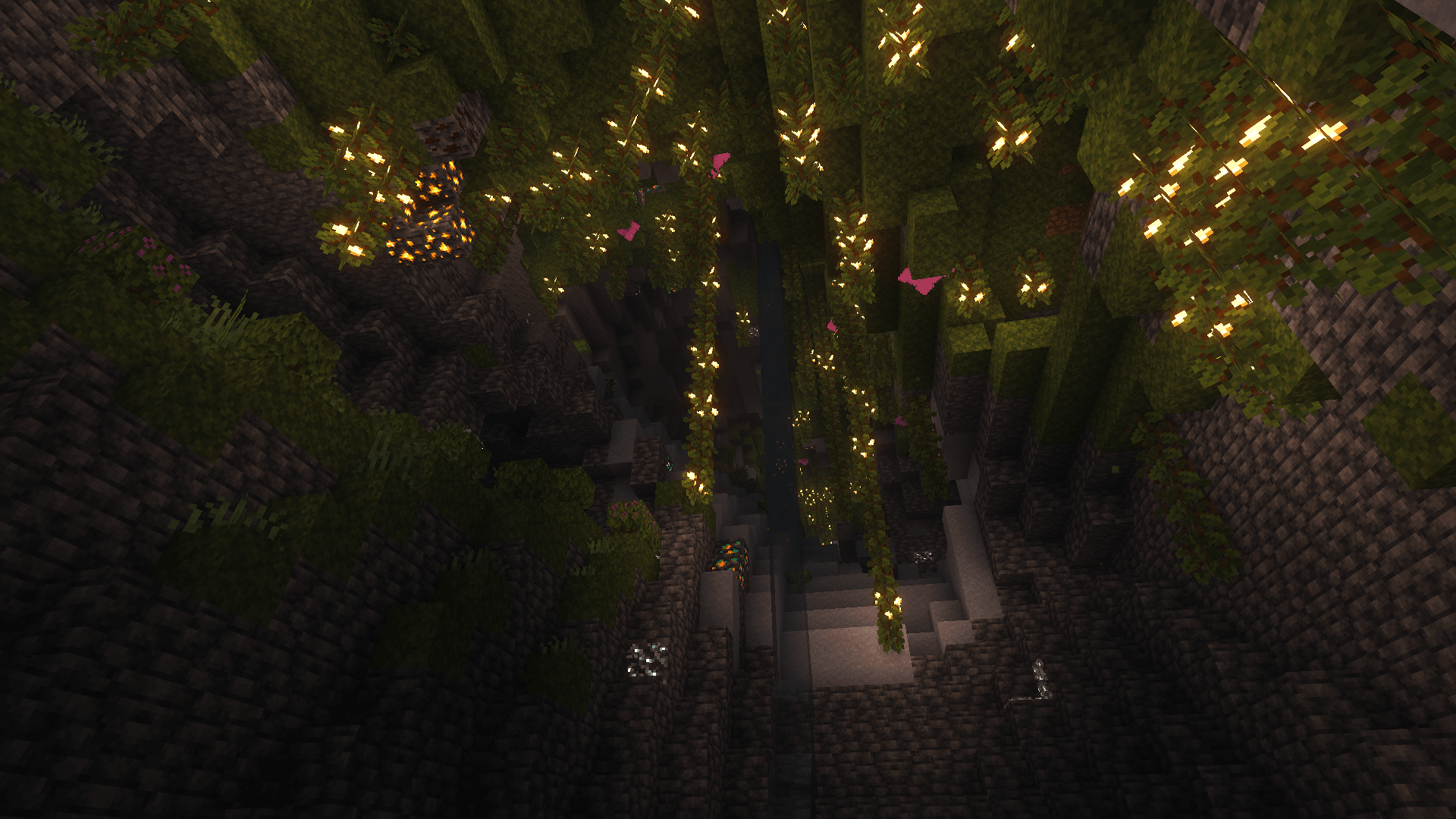
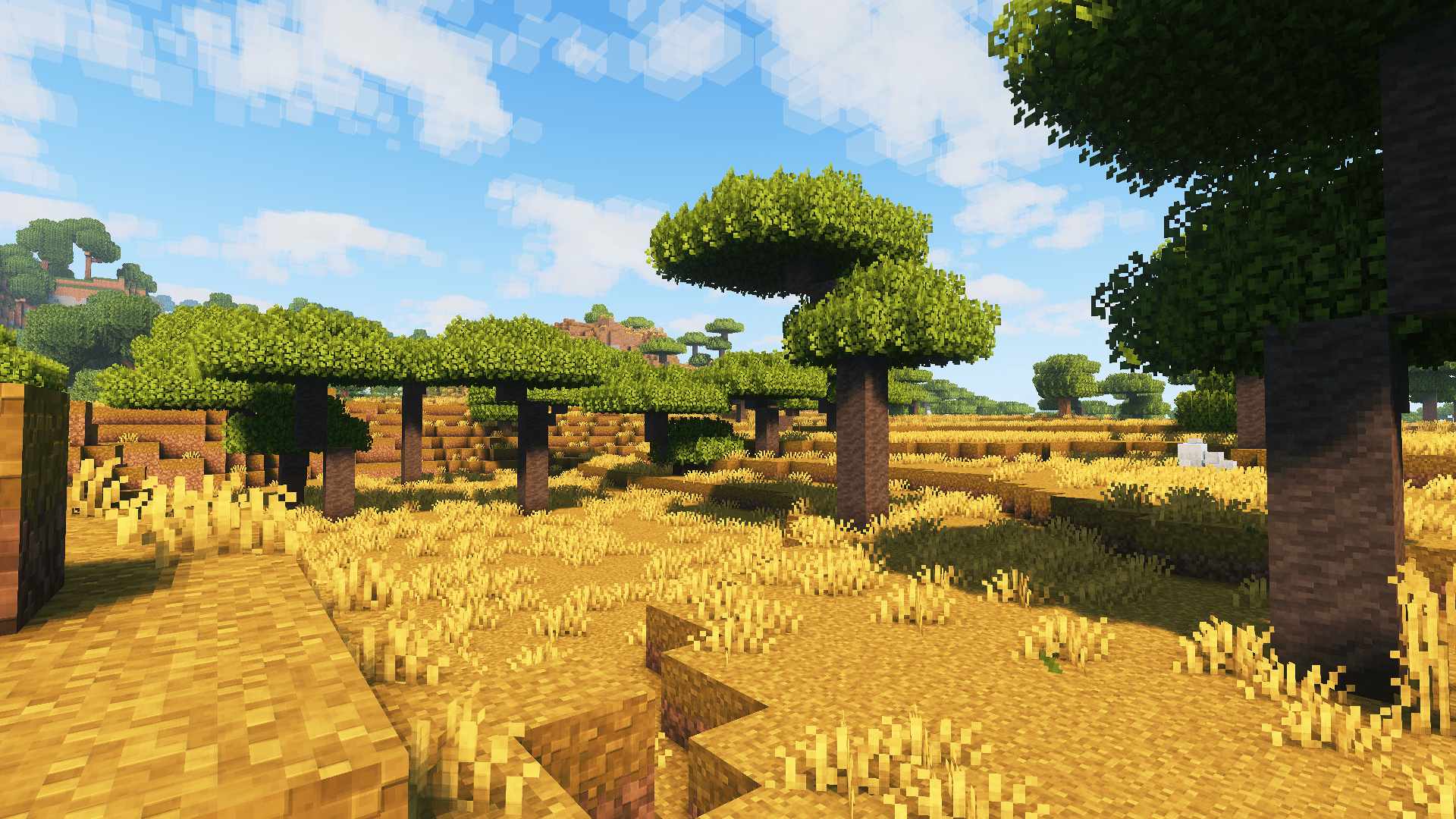
Introducing spook’s tweaks, which includes custom container UIs, dark UI, FreshAnimations v1.10.5 compatibility, & countless other tweaks and improvements to vanilla textures for blocks & items while still keeping the vanilla aesthetic.
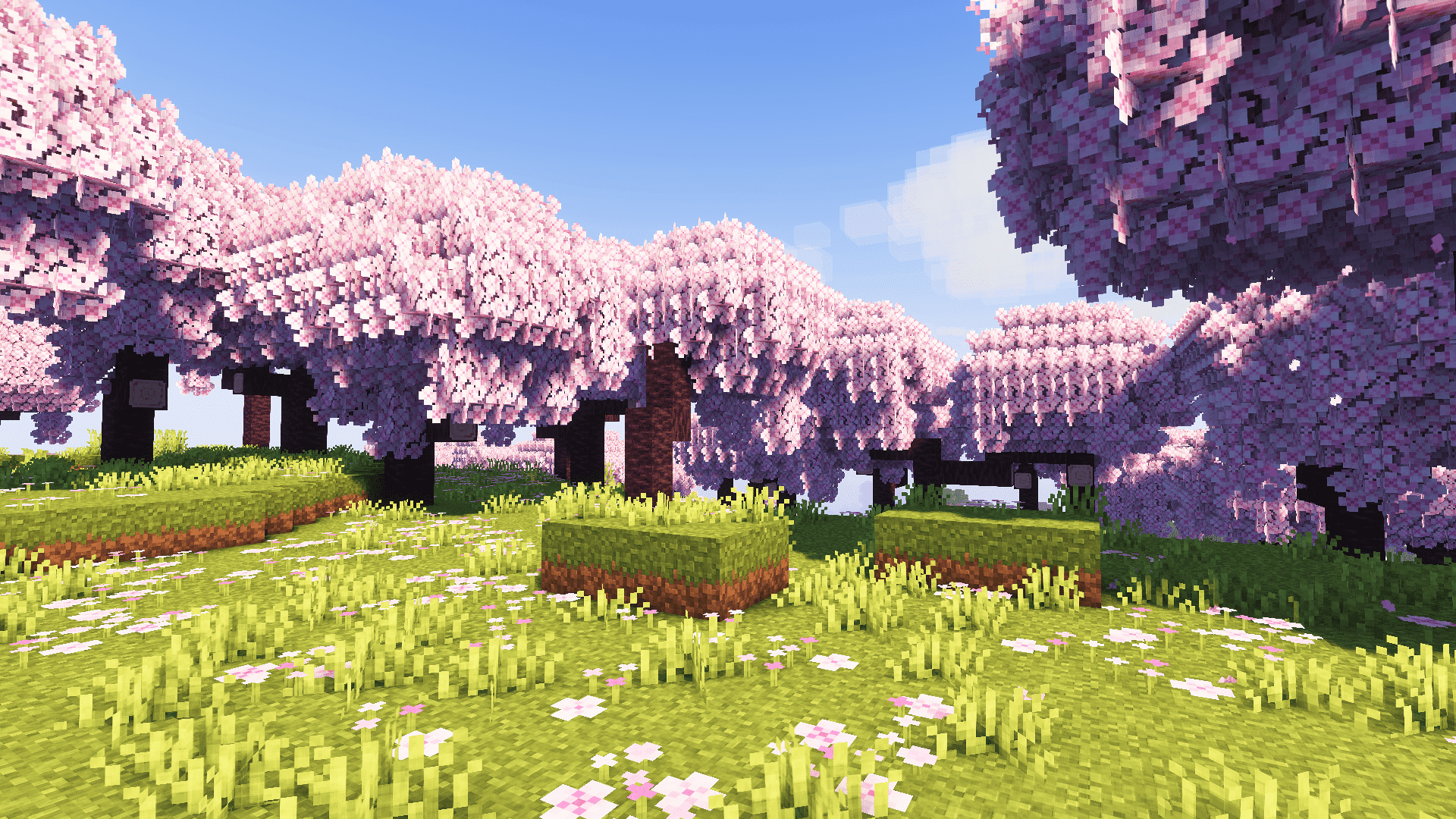
## (All below images screenshotted using Complementary Reimagined shaders, the recommended shaderpack to use with this resource pack. Screenshots without shaders available in gallery tab. :))
### Dependencies:
– Entity Model Features (EMF)
– Entity Texture Features (ETF)
– FreshAnimations v1.10.5 (put below Psora’s Tweaks in resource pack list)
### Recommended:
– [spook’s setup](https://modrinth.com/modpack/spooks-setup) modpack
– Complementary Reimagined shaderpack
– AmbientSounds mod
– Sound Physics Remastered mod
Spawn Animations
# Tschipcraft’s Spawn Animations
> A server-side data pack/mod for 1.14x-26.1x
Features
Hostile mobs dig out of the ground or poof into existence when they spawn.
This data pack/mod is designed to be as unintrusive as possible. Hidden entities including their worn armor and tools will only be invisible and silent.
Spawn Animations is completely server-side!
[-> For available settings and customization, take a look at the wiki <-](https://github.com/Tschipcraft/spawnanimations/wiki)
More sophisticated animations with Animated Java are planned for v2.0!
## Installation
Install either as:
* **Data Pack [DP]** ➜ Place `.zip` in your world's `datapacks` folder
* **Mod [Mod]** ➜ Drop into your `mods` folder and optionally install [MidnightLib](https://modrinth.com/project/codAaoxh) for a global config file and UI
For hiding entities with emissive layers in 1.20.4 or below, and generally smoother animations, you may additionally install [Pehkui](https://modrinth.com/project/t5W7Jfwy).
To manage settings, reset, or uninstall the pack, use the command `/trigger tschipcraft.menu` or `/function #tschipcraft:menu`.
## Demo GIFs
Click here to expand
## Compatibility
**Forge** is only natively supported until Minecraft 1.21.5.
For Minecraft 1.14, 1.15 or 1.16, you can use [a legacy version](https://github.com/Tschipcraft/spawnanimations/tree/master/other_editions).
For mod support, check out [Spawn Animations Compats by Fyoncle](https://modrinth.com/datapack/spawn-animations-compats).
## External Links
## Partner Offers
Want to buy **Hytale** or upgrade your edition? Use creator code `Tschipcraft` upon checkout for me to receive a commission! (The price for you stays the same)




 Features





