Transparent Buttons
Simple **transparent buttons** in menus, compatible with **older AND newer versions** of the game. So yes, it works in **1.8**, just **ignore the red Incompatible marker** in the pack selection screen.
Have any specific mods you would like me to add support for? Join the **discord**!
Transparent Bow
This small resource pack makes bows appear **transparent**.
> ### Check out my other packs!
> **All My Packs**
> **Visual Enchantments**
> **Transparent Items**
>
> ### And my Discord Server!
transparency – SMP Pack
# Description
_**transparency**_ is a clean and modern Minecraft resource pack made for **SMP** and **PVP** players who prefer a minimal, distraction-free experience. It keeps the vanilla style while improving visibility and refining the overall interface with a sleek glass and acrylic-inspired design.

The UI has been carefully reworked with transparent and soft blur effects, giving menus and inventories a smooth, professional look. The glassy design creates a lightweight and immersive atmosphere without affecting readability or performance.
## Features
Glass / transparent styled transparent UI
effects on menus
Reworked GUI elements
Reduced fire overlay (No Fire)
Side-positioned shield model
Small Totem of Undying
Small Golden Apple
Small Ender Pearl
3D End Crystal

Translations for Disable Dimensions
# Translations for Disable Dimensions
Official translations for the **Disable Dimensions** data pack/mod.
Contributions for additional languages are very welcome!
## Supported translations
– `Deutsch (Deutschland)` by @nwrenger (me)
## Adding a Translation
1. Go to the repository
2. Duplicate `resourcepack/assets/disable_dimensions/lang/de_de.json`
3. Rename it to your language code (e.g. `en_us.json`, `fr_fr.json`)
4. Translate the values appropiatly
5. Open a PR on the repository
## Key Reference
### General
| Key | Description |
| ———————————————- | ——————————————————— |
| `disable_dimensions.description.resource_pack` | Shown as the resource pack description |
| `disable_dimensions.description.data_pack` | Shown as the datapack description |
| `disable_dimensions.status.now` | Word for “now”, used inline in status messages |
| `disable_dimensions.enabled` | Word for “enabled” |
| `disable_dimensions.disabled` | Word for “disabled” |
| `disable_dimensions.title_by_author` | Header pattern — `%1$s` = pack name, `%2$s` = author name |
### About Screen
| Key | Description |
| —————————————– | ——————————————- |
| `disable_dimensions.about.other_projects` | Intro text before the author’s website link |
| `disable_dimensions.about.issue_prefix` | Intro text before the issue tracker link |
| `disable_dimensions.about.issue_link` | Clickable link label for the issue tracker |
| `disable_dimensions.about.config` | Intro text before the config command |
### Actions (buttons)
| Key | Description |
| —————————————- | ——————————————- |
| `disable_dimensions.action.add` | Label for add buttons |
| `disable_dimensions.action.edit` | Label for edit buttons |
| `disable_dimensions.action.toggle` | Label for toggle buttons |
| `disable_dimensions.action.toggle.hover` | Tooltip shown when hovering a toggle button |
| `disable_dimensions.action.reset` | Label for reset buttons |
| `disable_dimensions.action.replace` | Label for replace buttons |
| `disable_dimensions.action.remove` | Label for remove buttons |
### Config — General
| Key | Description |
| ————————————————– | ————————————— |
| `disable_dimensions.config.title` | Title of the config screen |
| `disable_dimensions.config.hover.add_dimension` | Tooltip for the add dimension button |
| `disable_dimensions.config.hover.reset_dimensions` | Tooltip for the reset dimensions button |
### Config — World Spawn
| Key | Description |
| —————————————————– | ———————————————- |
| `disable_dimensions.config.world_spawn.label` | Label shown before the world spawn coordinates |
| `disable_dimensions.config.world_spawn.hover.replace` | Tooltip for the replace spawn button |
### Config — Reset / Repair Notices
| Key | Description |
| ———————————————- | —————————————————————————————— |
| `disable_dimensions.config.reset.title` | Title shown when the config has been reset |
| `disable_dimensions.config.reset.description` | Description shown when the config was reset because it was missing, empty, or incompatible |
| `disable_dimensions.config.repair.title` | Title shown when the config has been updated |
| `disable_dimensions.config.repair.description` | Description shown when missing default fields were added |
### Config — Dimension Entry
| Key | Description |
| ———————————————————- | ——————————————————————————————————————————————————- |
| `disable_dimensions.config.dimension.hover.remove` | Tooltip for the remove dimension button |
| `disable_dimensions.config.dimension.status.label` | Label for the dimension status field |
| `disable_dimensions.config.dimension.status.pattern` | Status pattern — `%1$s` = dimension name, `%2$s` = “disable_dimensions.status.now”, `%3$s` = “disable_dimensions.enabled”/”disable_dimensions.disabled” |
| `disable_dimensions.config.dimension.message.label` | Label for the block message field |
| `disable_dimensions.config.dimension.message.hover.edit` | Tooltip for the edit message button |
| `disable_dimensions.config.dimension.conditions.label` | Label for the conditions list |
| `disable_dimensions.config.dimension.conditions.hover.add` | Tooltip for the add condition button |
### Config — Condition Entry
| Key | Description |
| —————————————————— | —————————————————————————————————————————————————– |
| `disable_dimensions.config.condition.hover.remove` | Tooltip for the remove condition button |
| `disable_dimensions.config.condition.status.label` | Label for the condition’s status override field |
| `disable_dimensions.config.condition.status.pattern` | Status pattern — `%1$s` = “disable_dimensions.config.condition.status.following”, `%2$s` = “disable_dimensions.enabled”/”disable_dimensions.disabled” |
| `disable_dimensions.config.condition.status.following` | Phrase used as `%1$s` in the condition status pattern |
| `disable_dimensions.config.condition.trigger.label` | Label for the trigger field |
| `disable_dimensions.config.condition.hover.edit` | Tooltip for the edit trigger button |
Trans Flag Spyglass
This is a small texture pack, making a 2d spyglass with trans flag colors! I initially made it for the Pirates Pride jam on Planet Minecraft, for Bedrock, but this is my attempt at a Java version! It’s also intended to remove the spyglass overlay, but this may be difficult if you’re using sodium :’D
Trade receive villager
changes vanilla villager trade GUI to the “Trade receive” meme guy style
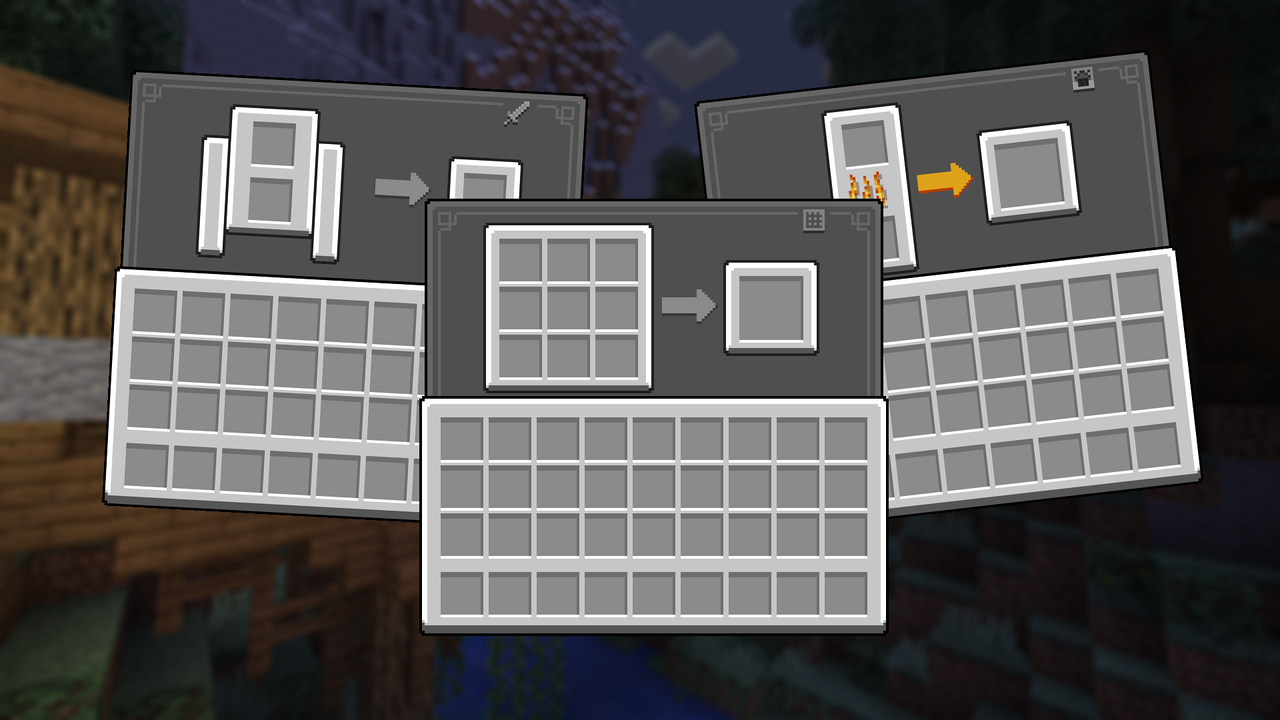
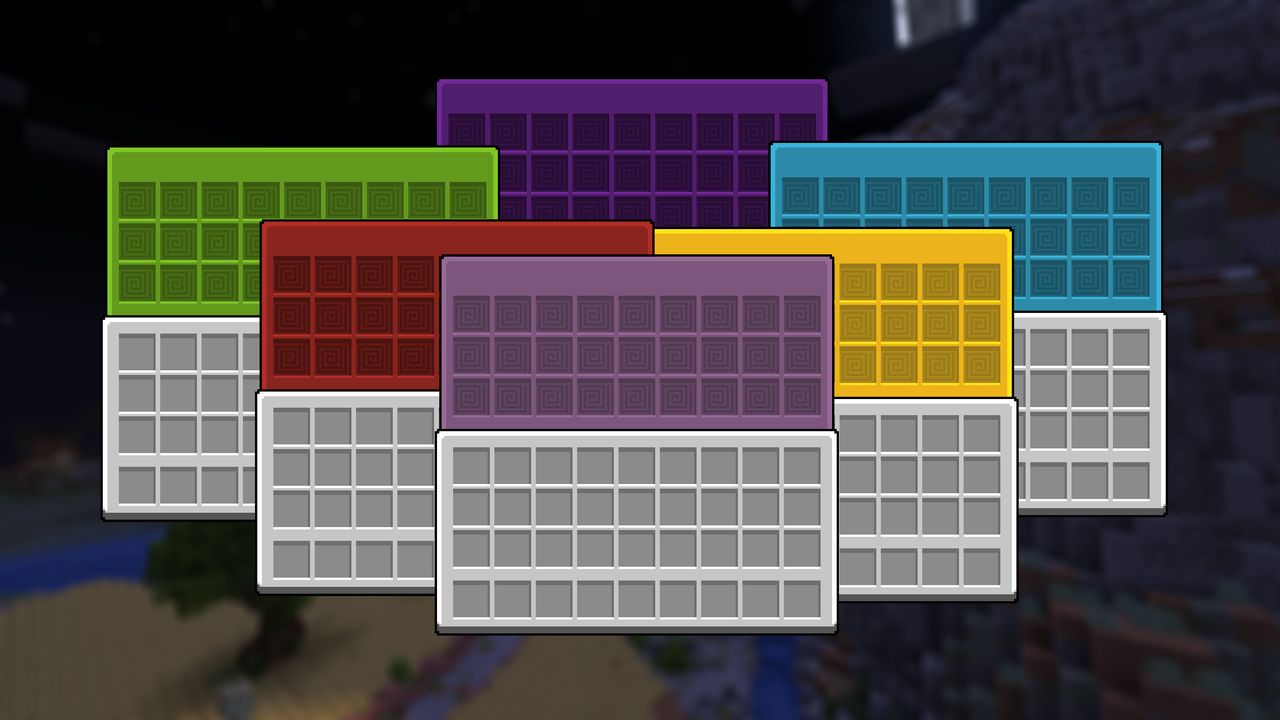
Touched UI
A transformative texture pack revamping inventory, buttons, icons, and resolving visual glitches for an immersive and polished gaming experience.
NOTE* Using Optifine or Optigui will grant you access to some add-ons, such as the colored shulker GUI and the various chest type GUIs
Visit my twitter profile to see news and leak about futures update
Touch Grass
# About
This Datapack is designed to make your life hard by making it where you have to touch grass or other green stuff to live
Blocks you can walk on
# BLocks You can step on (work in progress update)
– minecraft:air
– minecraft:grass_block
– minecraft:short_grass
– minecraft:tall_grass
– minecraft:fern
– minecraft:large_fern
– minecraft:dead_bush
– minecraft:moss_block
– minecraft:moss_carpet
– minecraft:farmland
– minecraft:water
– minecraft:kelp
– minecraft:kelp_plant
– minecraft:seagrass
– minecraft:tall_seagrass
– minecraft:snow
– minecraft:obsidian
– minecraft:end_gateway
– minecraft:end_portal
– minecraft:end_portal_frame
– minecraft:nether_portal
– minecraft:torch
– minecraft:soul_torch
– minecraft:tripwire
– minecraft:scaffolding
– minecraft:bamboo
– minecraft:sweet_berry_bush
– minecraft:small_dripleaf
– minecraft:big_dripleaf
– minecraft:big_dripleaf_stem
– minecraft:glow_lichen
– minecraft:oak_sapling
– minecraft:spruce_sapling
– minecraft:birch_sapling
– minecraft:jungle_sapling
– minecraft:acacia_sapling
– minecraft:dark_oak_sapling
– minecraft:mangrove_propagule
– minecraft:cherry_sapling
– minecraft:bamboo_sapling
– minecraft:white_carpet
– minecraft:orange_carpet
– minecraft:magenta_carpet
– minecraft:light_blue_carpet
– minecraft:yellow_carpet
– minecraft:lime_carpet
– minecraft:pink_carpet
– minecraft:gray_carpet
– minecraft:light_gray_carpet
– minecraft:cyan_carpet
– minecraft:purple_carpet
– minecraft:blue_carpet
– minecraft:brown_carpet
– minecraft:green_carpet
– minecraft:red_carpet
– minecraft:black_carpet
– minecraft:stone_button
– minecraft:oak_button
– minecraft:spruce_button
– minecraft:birch_button
– minecraft:jungle_button
– minecraft:acacia_button
– minecraft:dark_oak_button
– minecraft:mangrove_button
– minecraft:cherry_button
– minecraft:bamboo_button
– minecraft:crimson_button
– minecraft:warped_button
– minecraft:light_weighted_pressure_plate
– minecraft:heavy_weighted_pressure_plate
– minecraft:stone_pressure_plate
– minecraft:oak_pressure_plate
– minecraft:spruce_pressure_plate
– minecraft:birch_pressure_plate
– minecraft:jungle_pressure_plate
– minecraft:acacia_pressure_plate
– minecraft:dark_oak_pressure_plate
– minecraft:mangrove_pressure_plate
– minecraft:cherry_pressure_plate
– minecraft:bamboo_pressure_plate
– minecraft:crimson_pressure_plate
– minecraft:warped_pressure_plate
– minecraft:rail
– minecraft:powered_rail
– minecraft:detector_rail
– minecraft:activator_rail
– minecraft:redstone_wire
– minecraft:redstone_torch
– minecraft:lever
– minecraft:repeater
– minecraft:comparator
– minecraft:dandelion
– minecraft:poppy
– minecraft:blue_orchid
– minecraft:allium
– minecraft:azure_bluet
– minecraft:red_tulip
– minecraft:orange_tulip
– minecraft:white_tulip
– minecraft:pink_tulip
– minecraft:oxeye_daisy
– minecraft:cornflower
– minecraft:lily_of_the_valley
– minecraft:wither_rose
– minecraft:wheat
– minecraft:carrots
– minecraft:potatoes
– minecraft:beetroots
– minecraft:nether_wart
– minecraft:torchflower_crop
– minecraft:pitcher_crop
Totem of Yuri
## What it does?
Replaces the texture of totem of undying with quite popular animation of ship from genshin impact.
## Installation
Throw into resource packs and it should be good to go.
## Credits:
**Original animation author** – nomianims
Totem Of Bing Bong
this pack allows you to bring bing bong from peak into minecraft as a totem of undying by sonico.
enjoy!!
unknown support for:
hold my items
punchy
——
——
——
added in future:
bing bongs wife miriam
custom totem particles