Whimsical Weapons
This only works for 1.9 to 1.21.3, Requires the mod OptiFine or CIT Resewn if you are using Fabric.
**This Pack Adds:**
– Custom Weapons, Tools And Armour !
**Texture Pack Detail:**
– Ancient Blade ( Rename any Sword )
– Vine Shield ( Rename a Shield )
– Vine ( Rename any sword )
– Trunk ( Rename any sword )
– Valentine ( Rename any Sword )
– Mine ( Rename a Carved Pumpkin )
– Draconic Aether ( Rename a Carved Pumpkin )
> Most Items when in offhand show on the back of the player or on the side
_Dm me on discord (Tdxmisbatman) for any weapon ideas :D_
Wemmbu MACE ATTACK
This is just for fun, i was bored and i just made this. Just changes all of the mace hit sounds into the Wemmbu “MACE ATTACK!!!” voice line.
Weird and powerful weapons – Texture pack
**This ressource pack add custom textures on the items of the datapack [Weird and powerful weapons](https://modrinth.com/project/Jr3nq9JV)**
## Totem of protection
Weathered Books
A texture pack that re-textures paper in books to look more weathered/worn out
WearMe2
# Wear any item in your head with custom models!
With WearMe2 now you can wear your own custom models in your head easier than ever! **Goodbye pumpkins!**
You just need to have a renamed item in your offhand (the example comes with one), and your main item in your mainhand, then press [ Change Model ]. Then press [ Make wereable ] and you can use your new custom item!
## How to get started
First of all download the datapack and the example RP. **(the example RP is in the versions tab)**
Once everything is isntalled, in-game run the command “/trigger wearmetoo“ and then press any of the buttons you wanna use!
[ Change Model ]
– This button allows you to change the item’s model in you main hand with the name of the item in your offhand! In the example we have a model in “chimeradev:models/item/crown“ and the texture in “chimeradev:textures/item/crown.png“ so we need to rename our item to “chimeradev:crown“. Once we have the item ready, we put it on our offhand, and then get the item we want as a helmet in our main hand. Once that’s done, press “[ Change Model ]“ in the menu (accesible with “/trigger wearmetoo“)
[ Make weareable ]
– This button makes the item that you’re holding be able to be equipped in your head! It can also be triggered with “/trigger helmet“
[ Make unweareable ]
– This button makes the item that you’re holding not able to be equipped. It can also be triggered with “/trigger unhelmet“
## How do I add my own models? My old CustomModelData aren’t working!
In this new version, we have “Item Models”, this _wont_ work with old minecraft custom models, as they use a different format!
now custom items are in “/models/item/“, and their texture are in “/textures/item/ so the custom models are basically “:“
This means that your custom models don’t need to be tied to any specific item!
## Can i do this to armor?
Sadly as of the 24w26a we can only modify **texture** on armors, so not for now! If this changes, it will be added to the datapack ASAP 🙂
WaterPlayer
## WaterPlayer
🎶 Internet music player built into the client
[](/mod/alinlib)
[](https://youtube.com)
[](https://twitch.tv)
[](https://spotify.com)
[](https://music.yandex.ru)
[](https://soundcloud.com)
[](https://deezer.com)
[](https://music.apple.com/)

What platforms are supported?
* YouTube
* SoundCloud
* Spotify
* Yandex Music
* Deezer
* Apple Music
* Flowery TTS
* Twitch streams
* Bandcamp
* Vimeo
* HTTP(s) links
* MP3
* FLAC
* MP3
* Matroska/WebM (AAC, Opus or Vorbis codecs)
* MP4/M4A (AAC codec)
* OGG streams (Opus, Vorbis and FLAC codecs)
* AAC streams
* Stream playlists (M3U and PLS)
### Configuration
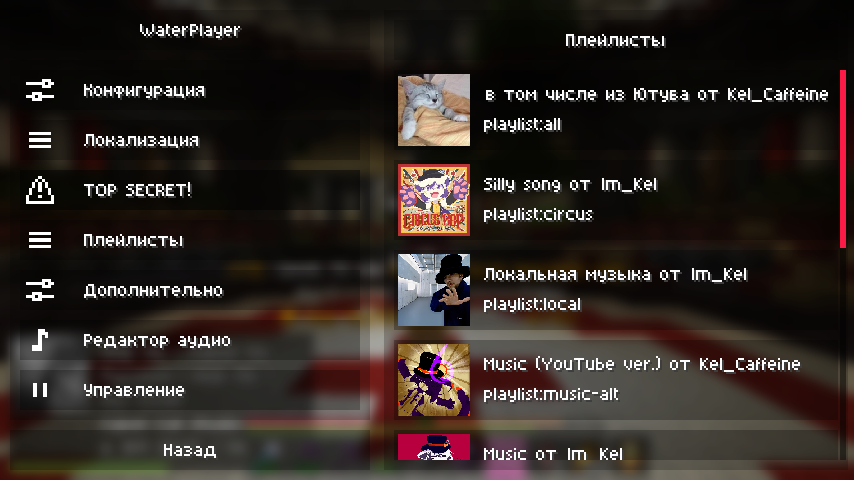
Go to the “TOP SECRET!” category, or `./config/WaterPlayer/config.json` to specify tokens.
For all supported urls and queries see [here](https://github.com/topi314/LavaSrc#supported-urls-and-queries)
To get your Spotify clientId & clientSecret go [here](https://developer.spotify.com/dashboard/applications)
*Countries code [here](https://gist.github.com/frankkienl/a594807bf0dcd23fdb1b)
To get your Apple Music api token go [here](https://github.com/topi314/LavaSrc#apple-music)
To get your Yandex Music access token go [here](https://github.com/topi314/LavaSrc#yandex-music)
Для игроков из РФ
WaterPlayer не будет стабильно работать с YouTube, прошу это учитывать и использовать аналоги, например: Локальные файлы или сервисы по типу Яндекс.Музыка и Bandcamp.
Если вам так нужен Ютуб, используйте разные штуки по типу [GoodbyeDPI](https://github.com/ValdikSS/GoodbyeDPI), прокси и VPN.
### Working with playlists
To create/edit a playlist, you need to run the command `/waterplayer playlist `
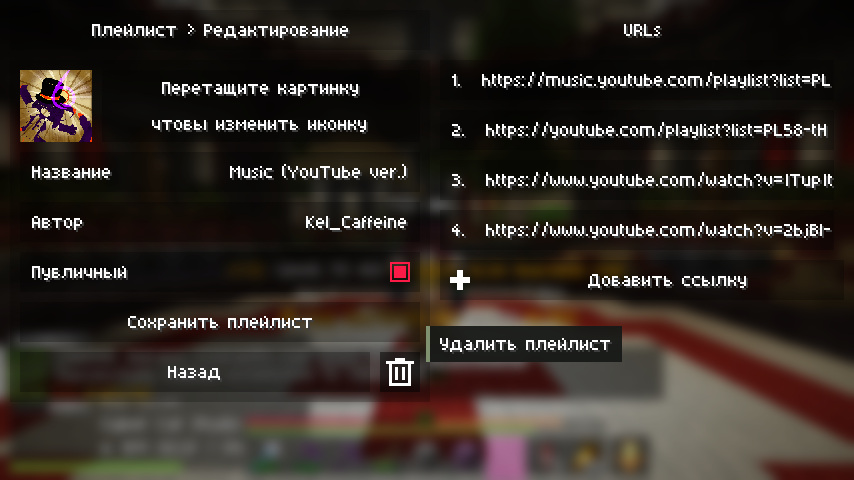
To load it into the queue, enter `playlist:name` in the track address
### Screenshots
#### Overlay
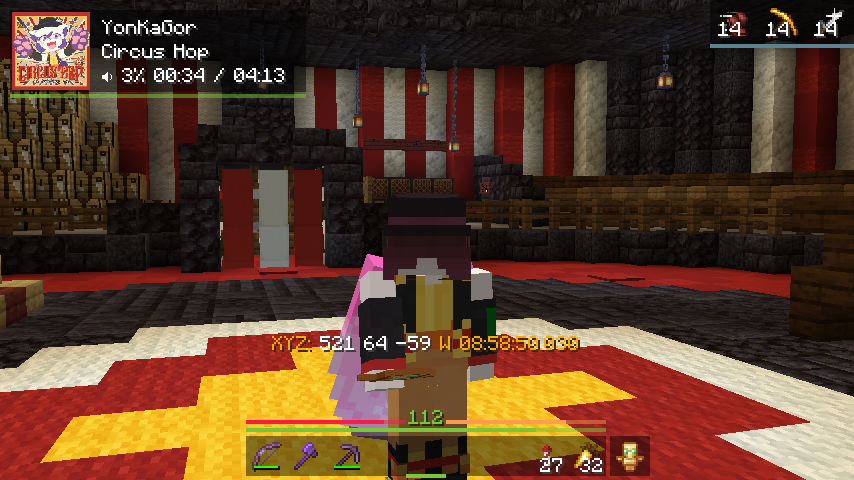
#### Pause & Notice
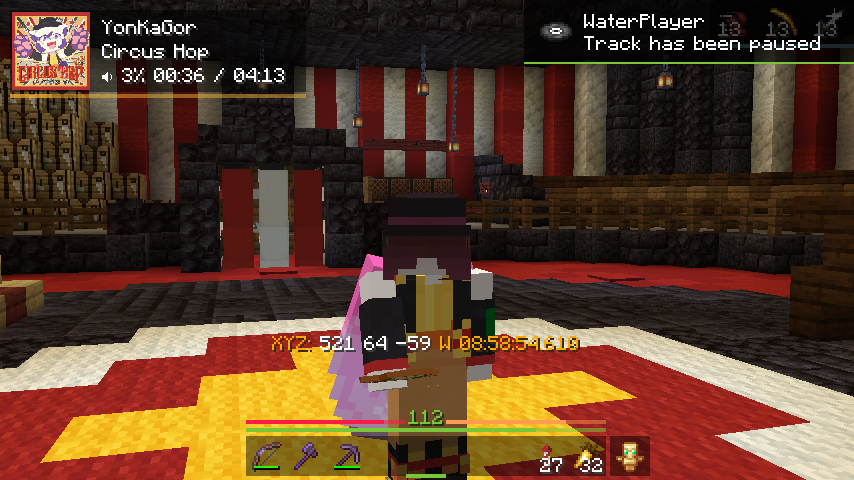
#### Control & Queue
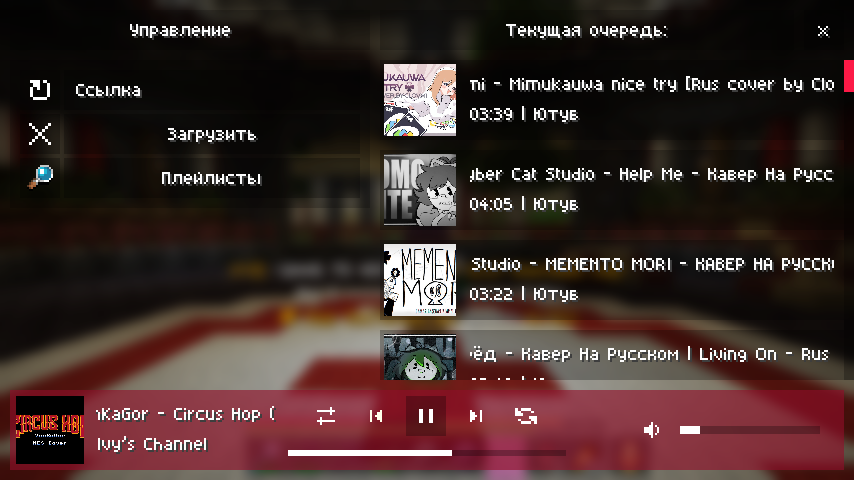
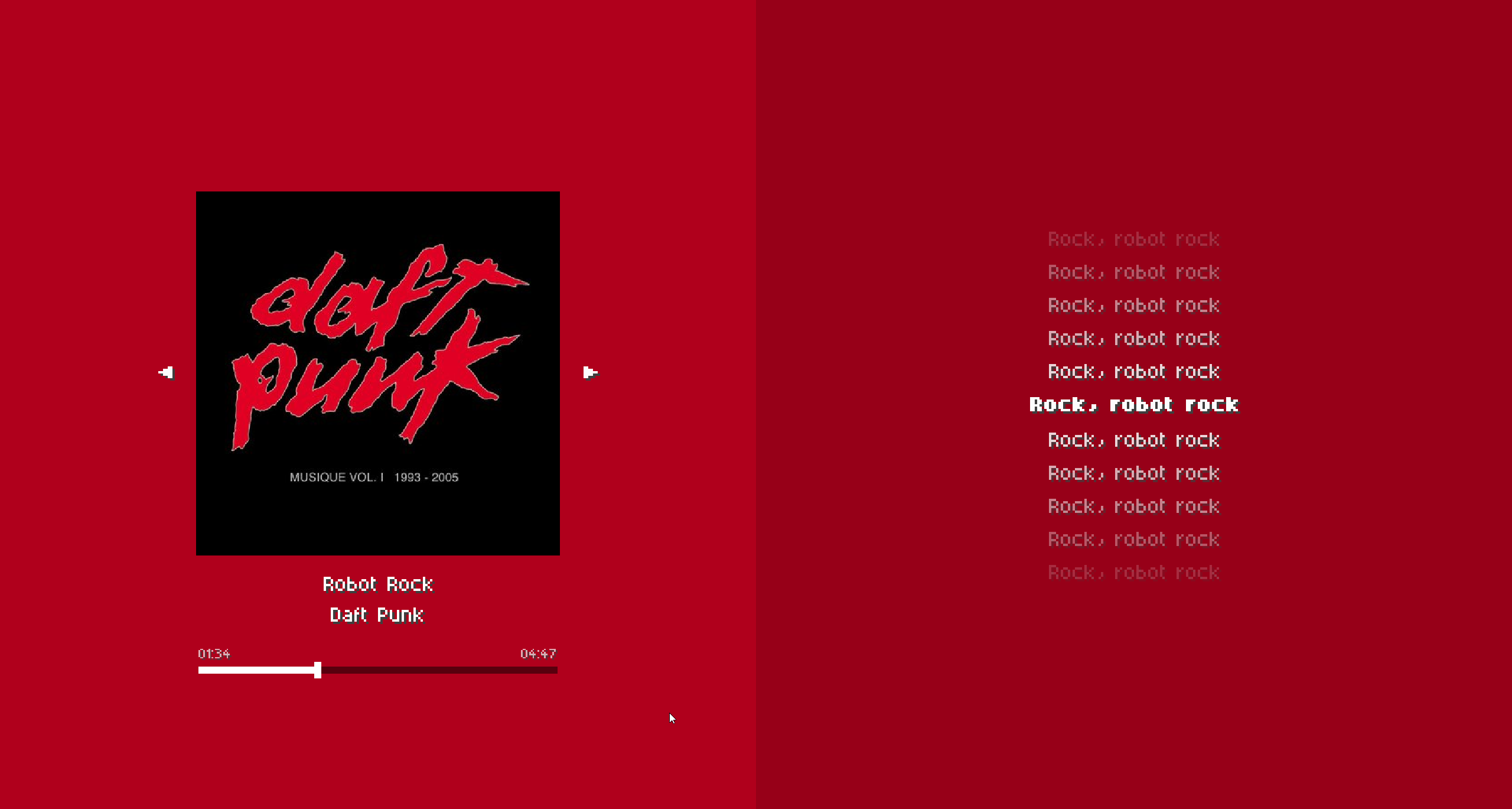
#### Live Track screen
#### Configuration
[](https://kelcu.ru)
Water World (Only Ocean)
## This data pack removes all land above sea level leaving only water and ocean biomes.
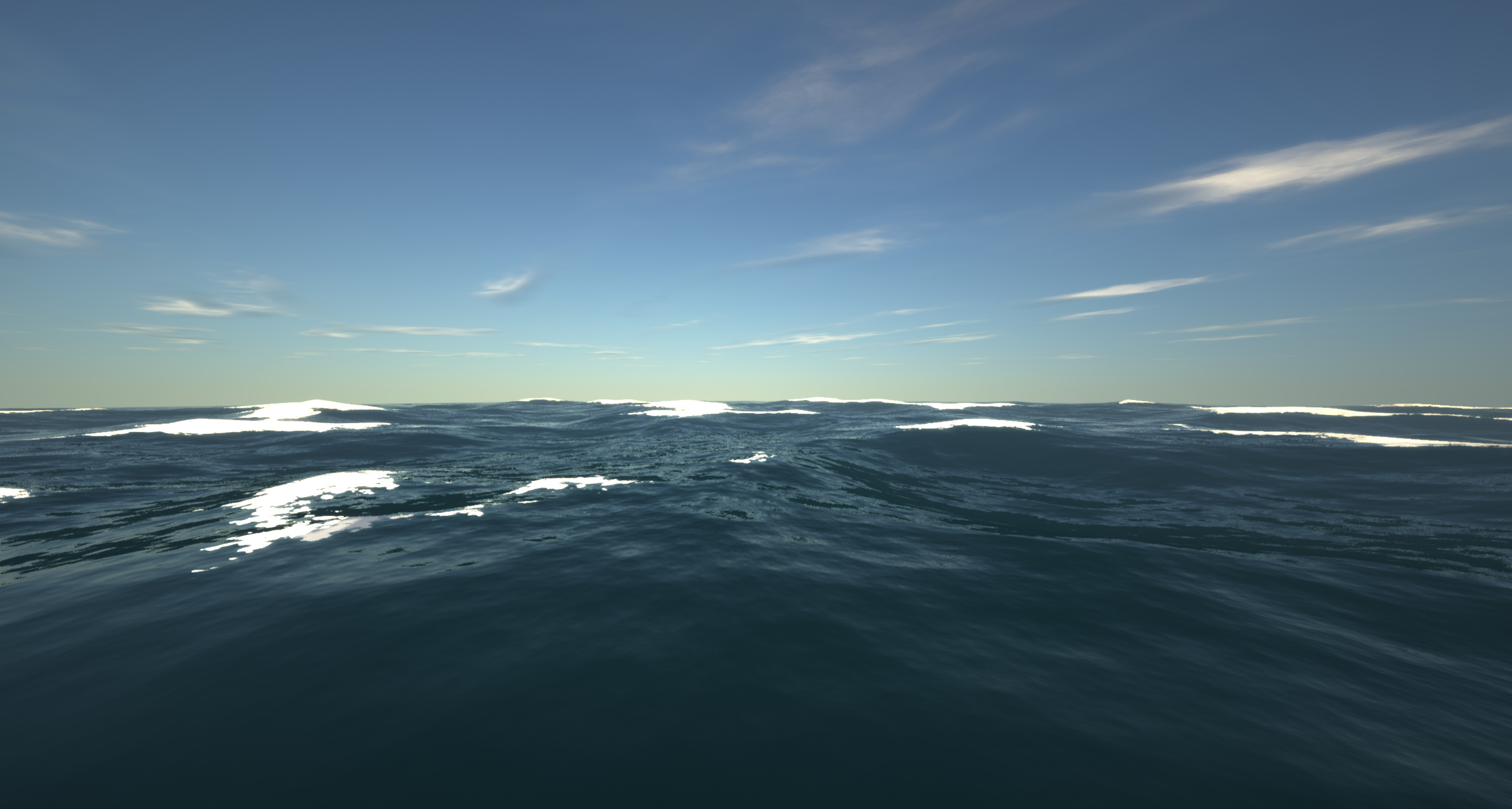
– It achieves this by setting the continentalness to -0.5.
– This is the only data pack/mod i’ve seen that turns the world into an ocean for all versions from 1.18.2 to 26.1.2
Originally from The Water World modpack!
Water Vision Transparent
## 🌊 Water Vision – Transparent Water Texture Pack
**Water Vision** is a clean and lightweight Minecraft texture pack that makes water highly transparent while preserving its natural color, flow, and vanilla appearance.
It greatly improves underwater visibility, allowing players to explore oceans, rivers, and caves with ease—no shaders required.
Designed for PvP, exploration, and survival players who want clarity without breaking the vanilla feel.
—
### ✨ Features
– Highly transparent water
– Keeps vanilla water color & animation
– Clear underwater visibility
– No shaders required
– Lightweight & performance-friendly
—
### 🎮 Best For
– PvP & Crystal PvP
– Ocean and cave exploration
– SMP & survival worlds
– Clean & minimal visuals
—


—
## ⚡ [ZEYRON CLOUD](https://www.zeyroncloud.com/)
Premium Game Hosting for Minecraft & Servers
## LINKS
**🌐 Website:**
https://zeyroncloud.com
**💬 DISCORD Server:**
https://discord.gg/QPSJzttKwn
Use code **OWNVERSE10** and get **10% OFF** on your **first month** of hosting!
### 📦 Compatibility
– Works with most Minecraft versions
– Compatible with popular clients
Warm Mojangles
This fontpack changes the color of the default font in Minecraft to be more pleasing to the eye.
To install it, make sure to select it in the resource packs screen and put it on top of other font packs.
# MY OTHER FONTS
– [Marga Font by SourAlien](https://modrinth.com/resourcepack/marga-font-by-souralien)
– [Paramita Font by SourAlien](https://modrinth.com/resourcepack/paramita-font-by-souralien)
– [PP Font](https://modrinth.com/project/pp-font)
– [Anicca Font by SourAlien](https://modrinth.com/resourcepack/anicca-font-by-souralien)
– [Tiny Bold Font](https://modrinth.com/resourcepack/tiny-bold-font)
– [SAS SMALL CAPS FONT](https://modrinth.com/resourcepack/sas-small-caps-font)
– [sas all lowercase font](https://modrinth.com/resourcepack/sas-all-lowercase-font)
– [Samsara Mono by SourAlien](https://modrinth.com/resourcepack/samsara-mono-font-by-souralien)
– [Ostrakon Font by SourAlien](https://modrinth.com/resourcepack/ostrakon-font-by-souralien)
– [Epsilon Font by SourAlien](https://modrinth.com/resourcepack/epsilon-font-by-souralien)
– [Alice Font](https://modrinth.com/resourcepack/alice-font)
– [Sleek DR](https://modrinth.com/resourcepack/sleek-dr)
– [Synesthete’s Dream](https://modrinth.com/resourcepack/synesthetes-dream)
– [HD B&W Font](https://modrinth.com/resourcepack/hd-bw-font)
Vanilla Shader
## Hello everyone!
I’m excited to share my **Vanilla Shader Project** with you all. I’m still a beginner in the world of programming, but it’s been an incredible journey learning how this works and seeing the results of many hours spent in front of the screen.

I’ve just released **Version 2 (V2)**. While it was technically “ready,” I felt it needed some extra polishing (and it still does!). Please keep in mind that there are still plenty of bugs, but I’m committed to fixing them as I learn.
> **Note:** Currently, it does not support Sodium, but I’m working hard to make that happen soon!
### 🟢 What’s New in V2
* **Toon/Retro Lighting:** Light sources now feature silhouettes for a stylized, classic game aesthetic.
* **Bouncing & Indirect Light:** New mechanics for light accumulation and bounce.
* **True Darkness:** Nights are now significantly darker and more atmospheric.
—
### 1) What this shader does
* **Enhanced Lighting:** Change global illumination and light.
* **Diferrent Visuals:** Tweaks colors and contrast.
* **Performance is not bad:** Designed to run on mid-range hardware.
### 2) Why you should try it
* **New Feel:** provide a “moody” atmosphere.
* **Plug & Play:** No complex installations—it’s a standard resource pack.
### 3) Critical Info & Compatibility
* **Visual Only:** This is a purely aesthetic pack; it does not change gameplay mechanics or add any “cheats.”
*
* **Feedback Welcome:** Since I’m learning, your feedback is incredibly valuable! Feel free to report bugs or share your thoughts.