Vuurwerkshow Panorama
English version of the description
This is a project for a Dutch server but if you are really interested you can read the translation in English here.
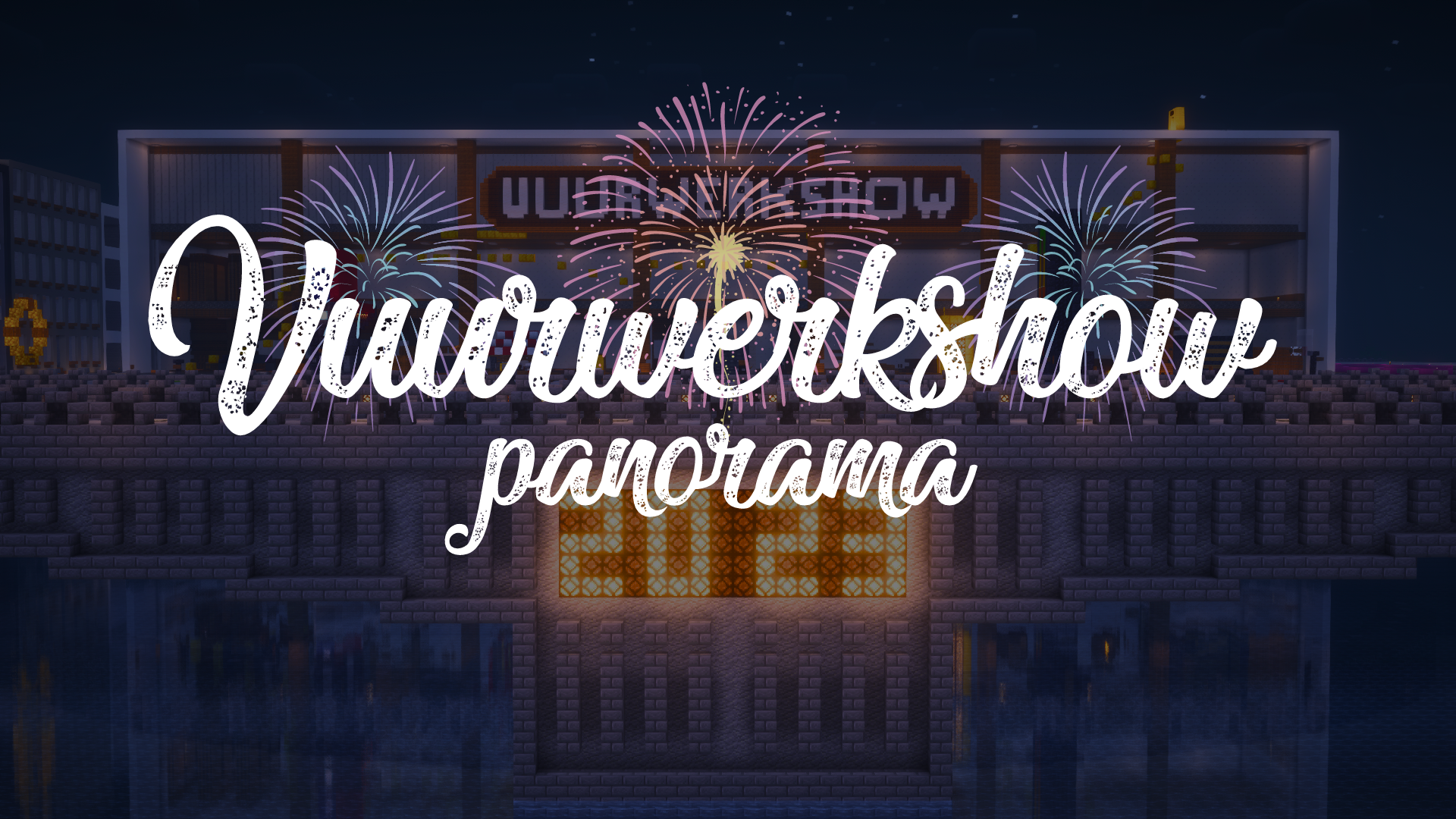
# Fireworks show panorama
A panorama resource pack for the 2023-2024 New Year’s Eve fireworks show on the Torchcraft server!
## Explanation
Every year we organize a fireworks show at the end of the year with a number of players on the Dutch server Torchcraft to celebrate New Year’s Eve together. We start the evening with a speech, followed by the fireworks show that lasts about 10 minutes. Afterwards we have lots of fun activities such as giveaways, checkers, 4 in a row and much more! This year the show will take place on 27/12, announcement will follow soon.
Announcement ➤ [https://torchcraft.nl/forums/topic/16285-🎇-vuurwerkshow-2023-2024/](https://torchcraft.nl/forums/topic/16285-🎇-vuurwerkshow-2023-2024/)
## Support
If you have any issues, ideas, or other feedback about this project, please contact me via Discord or email. You can contact me on Discord by sending a friend request so you can message me.
Discord: tibodp
Email: [email protected]
# Vuurwerkshow panorama
Een panorama resourcepack voor de vuurwerkshow van 2023-2024 met oud & nieuw op de Torchcraft server!
## Uitleg
Elk jaar organiseren we met een aantal spelers op de Nederlands server Torchcraft een vuurwerkshow op het einde van het jaar om samen oud & nieuw te vieren. We beginnen de avond met een toespraak waarop daarna de vuurwerkshow volgt die zo een 10 minuten duurt. Daarna hebben we tal van leuke activiteiten zoals giveaways, dammen, 4 op een rij en nog veel meer! De show vindt dit jaar plaats op 27/12, aankondiging volgt binnenkort.
Aankondiging ➤ [https://torchcraft.nl/forums/topic/16285-🎇-vuurwerkshow-2023-2024/](https://torchcraft.nl/forums/topic/16285-🎇-vuurwerkshow-2023-2024/)
## Support
Als je problemen, ideeën of andere feedback hebt over dit project, neem dan contact met mij op via Discord of e-mail. Je kunt contact met mij opnemen op Discord door een vriendschapsverzoek te sturen, zodat je mij een bericht kunt sturen.
Discord: tibodp
Mail: [email protected]
## 🌟 My other projects:
– [Torchcraft Lobby Panorama](https://modrinth.com/resourcepack/torchcraft-lobby-panorama)
– [The Ultimate Creator](https://modrinth.com/modpack/the-ultimate-creator)
– [Chromakey Blocks](https://modrinth.com/modpack/the-ultimate-creator)
– [No Worldborder](https://modrinth.com/modpack/the-ultimate-creator)
– [Vuurwerkshow Modpack](https://modrinth.com/modpack/the-ultimate-creator)
– [Vuurwerkshow Panorama](https://modrinth.com/modpack/the-ultimate-creator)
– [Vuurwerkshow Paintings](https://modrinth.com/resourcepack/vuurwerkshow-paintings)
_Please only join the server if you speak Dutch because it is a Dutch-speaking server._
Vuurwerkshow Paintings
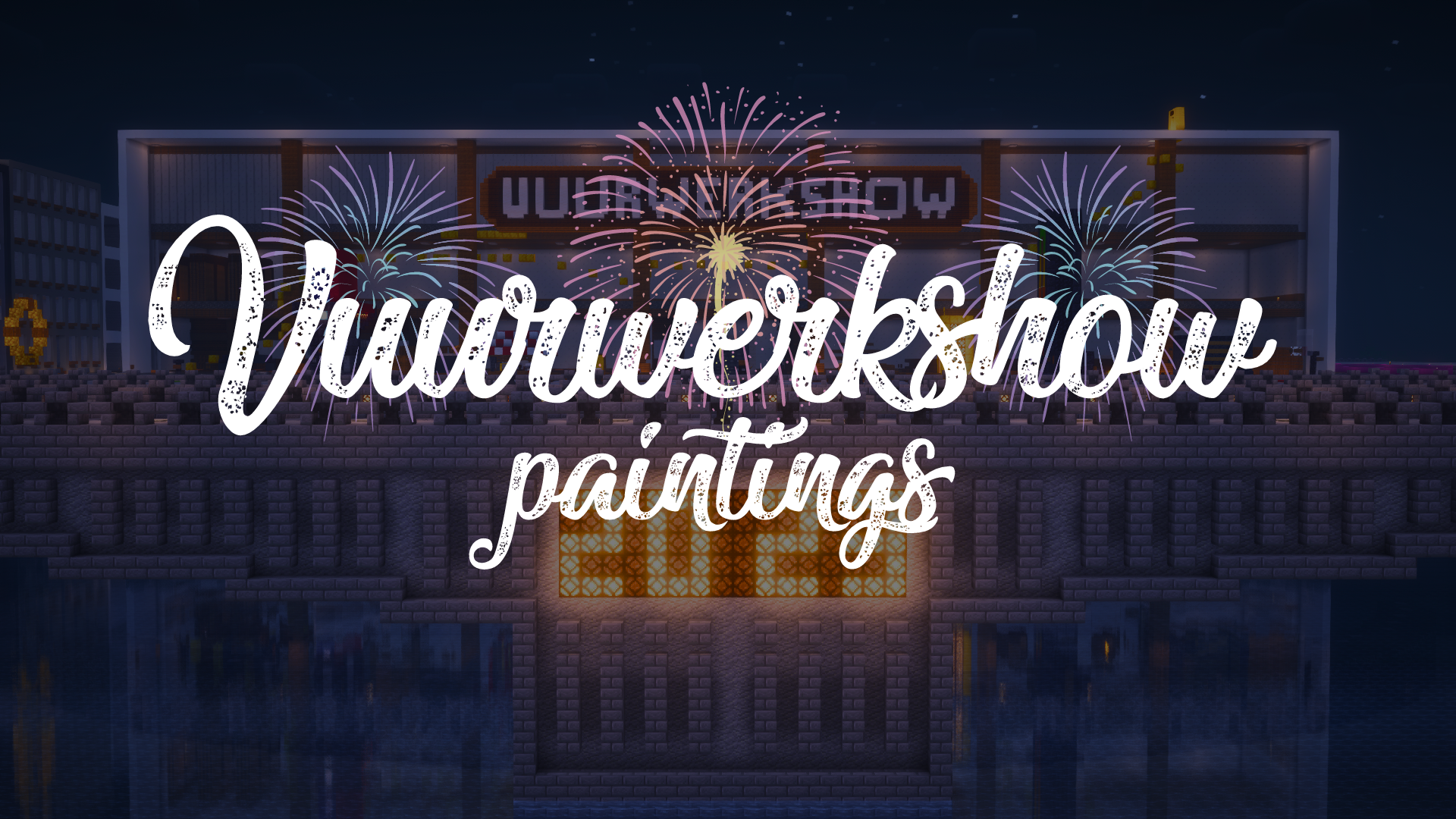
This resource pack turns all paintings into screenshots of the 2023-2024 fireworks show on the Dutch server Torchcraft.
## Support
If you have any problems, ideas, or other feedback about this project, please contact me via discord or email. You can contact me on Discord by sending a friend request, so you can send me a message.
Discord: tibodp
Mail: [email protected]
## 🌟 My other projects:
– [Torchcraft Lobby Panorama](https://modrinth.com/resourcepack/torchcraft-lobby-panorama)
– [The Ultimate Creator](https://modrinth.com/modpack/the-ultimate-creator)
– [Chromakey Blocks](https://modrinth.com/modpack/the-ultimate-creator)
– [No Worldborder](https://modrinth.com/modpack/the-ultimate-creator)
– [Vuurwerkshow Modpack](https://modrinth.com/modpack/the-ultimate-creator)
– [Vuurwerkshow Panorama](https://modrinth.com/modpack/the-ultimate-creator)
– [Vuurwerkshow Paintings](https://modrinth.com/resourcepack/vuurwerkshow-paintings)
_Please only join the server if you speak Dutch because it is a Dutch-speaking server._
VulkanMod Translations
# Unofficial Translations for VulkanMod

This hosts unofficial translations for [VulkanMod](https://github.com/xCollateral/VulkanMod), a fabric mod that introduces a brand new **Vulkan** based voxel rendering engine to **Minecraft Java**.
## Installation
All translations are available as a resource pack, which you can install like any other resource pack. Just drop it into your `resourcepacks` folder and you’re all set!
## FAQ
### Can I include this in my modpack?
Yes, you can do it without any permission.
### Translation is wrong or I need help
Please open [new issue](https://github.com/scully06/vulkanmod-translations/issues/new).
## VulkanMod links
| Discord server |
Ko-Fi |

|

|
Vanilla+ TPS
**Vanilla+ TPS** — это простой и удобный мод, разработанный для просмотра данных сервера в реальном времени. С его помощью игроки могут легко отслеживать производительность сервера, используя удобные команды и интерфейс.
### Основные функции:
– **Команды для просмотра данных:**
– **/vtps bossbar** — отображает информацию о TPS (количество тиков в секунду) в виде босс-бара, что делает мониторинг производительности ещё более наглядным.
– **/tps** — предоставляет краткую информацию о TPS и задержке (ping) в чате.
– **/vtps actionbar** — выводит данные о TPS и задержке в строке действий (action bar) для удобного мониторинга в реальном времени.
### Особенности:
– **Простота использования:** Мод не требует сложной настройки — достаточно установить и начать использовать команды.
– **Информативность:** Получайте важные данные о производительности сервера в удобном формате, включая наглядный босс-бар для TPS.
– **Гибкость:** Выбирайте, как именно отображать информацию — в чате, босс-баре или строке действий.
– **Лёгкий в установке:** Мод не требует дополнительных зависимостей и легко интегрируется в ваш игровой процесс.
– **Быстрое обновление:** Мы активно поддерживаем мод и быстро выпускаем обновления для новых версий Minecraft, чтобы вы всегда могли использовать последние функции.
### Статус мода:
– **Текущий статус:** Мод находится в **бета-версии**, что означает, что он стабилен и готов к использованию, но пока что не поддерживает настройку прав доступа для команд.
– **Будущие обновления:** В ближайших обновлениях планируется добавить систему прав доступа, что позволит ограничить использование команд **/vtps bossbar**, **/tps** и **/vtps actionbar** только для администраторов или других указанных групп игроков. После этого мод будет считаться **полноценным релизом**.
**Vanilla+ TPS** идеально подходит как для администраторов серверов, так и для обычных игроков, которые хотят лучше понять, как работает их сервер. Установите мод и наслаждайтесь прозрачностью и контролем над игровой средой!
**Vanilla+ TPS** is a simple and convenient mod designed to view server data in real time. With its help, players can easily monitor server performance using convenient commands and an interface.
### Key features:
– **Commands for viewing data:**
– **/vtps bossbar** – displays TPS (ticks per second) information in the form of a boss bar, which makes performance monitoring even more visual.
– **/tps** – provides brief information about TPS and latency (ping) in the chat.
– **/vtps actionbar** – displays TPS and latency data in the action bar for convenient monitoring in real time.
### Features:
– **Ease of use:** The mod does not require complex configuration – just install and start using commands.
– **Informative:** Get important server performance data in a convenient format, including a visual boss bar for TPS.
– **Flexibility:** Choose how you want to display information – in the chat, boss bar, or action bar.
– **Easy to install:** the mod does not require additional dependencies and easily integrates into your gameplay.
– **Fast update:** we actively support the mod and quickly release updates for new versions of Minecraft, so you always have the latest features.
### Mod status:
– **Current status:** the mod is in **beta**, which means that it is stable and ready for use, but does not yet support setting access rights for commands.
– **Future updates:** in future updates, we plan to add a permissions system that will limit the use of the **/vtps bossbar**, **/tps** and **/vtps actionbar** commands to admins or other specified groups of players. After that, the mod will be considered a **full release**.
**Vanilla+ TPS** is great for both server admins and casual players who want to better understand how their server works. Install the mod and enjoy transparency and control over your gaming environment!
VR Craft
# 🕶️ VR Craft
> Playing with an Adventure on VR? Then that pack is for you! Whatever you imagine on VR, there. Say goodbye to the Ugly Minecraft!
[](https://modrinth.com/resourcepack/vrc)
[](https://www.curseforge.com/minecraft/mc-resourcepacks/vrc)
[](https://github.com/AhmedACOnline-0/VR-Craft/tree/main)
[](https://sites.google.com/view/aclibraryx/notebooks/vr-craft)
—
## 🚀 About the Pack
**VR Craft** is a highly optimized, immersive visual pack designed specifically for players using VR headsets (like Vivecraft). This pack removes annoying screen clutter and focuses on pure, real-life immersion while standing inside the blocky world!
—
## 🎬 YouTube Video (pack review)
uhhh… it doesn’t exist! 🙁
—
## ✨ Features
### 🎯 Ultimate Immersion
### 🛠️ Future-Proof Design
– Built with a highly advanced, clean folder structure to prevent visual glitches and ensure smooth frame rates while rendering in a heavy virtual reality environment.
—
## 📦 How to Install
1. Download the `.zip` file from this page.
2. Open your Minecraft game directory and drop the zip into the `resourcepacks` folder.
3. Boot up your game (Works brilliantly with VR mods like Vivecraft), go to **Options** -> **Resource Packs**, and move **VR Craft** to the top of the active list!
Don’t forget to install Vivecraft too!
[](https://vivecraft.org)
And Fabric API!
—
## 🔨 How the resource pack was made
1. Invisible Crosshair
– By making the Crosshair invisible in the files (erasing the data inside).
2. Custom Splashes
– By changing the splashes.txt file to add new splashes.
3. Menu New Text
– By changing the lang folder to support almost every language to change the Menu’s Text.
4. Beautiful New Minecraft Title (VR Craft)
– By making the Title in Blockbench and then saving it as an image then putting it into `textures/gui/title`.
5. Different Enchantment Glint Color
– By downloading the pack from John Paul Inso for changing Enchantment Glint Colors and then choosing the pink (instead of purple).
– Credits to creator also!
Also, watch out for the Changelog since that’s where new features will come!
—
## 😡 BRUH ERRORS WHILE CONNECTING TO VR HEADSET
If you **installed Vivecraft** already and clicked the **VR: Off** button to turn it **on**, it may commonly give an error, why?
– Vivecraft requires you to have SteamVR so it can translate your real-life moves into the game.
### So how to fix this?
Simple!
1. Go to **Steam**
– **Tip:** If it requires you to sign in, just sign in!
2. Install **SteamVR**
3. Once it’s installed, **click the little VR icon** on whatever position on the Steam app
### Still?
If it still gives you errors, it may be maybe this reason:
**YOU DIDN’T CONNECT TO THE WIFI**.
1. Connect to the WiFi on both the **VR** (Headset) and your **Computer**
2. Once you’re done, if needed, do the settings the VR asks you (though optional maybe)
### I did all steps and still
It sounds like you may gave a Quest 3 VR. Try **connecting the port to the computer** (nothing required for this)
—
## 😵💫 But I’m spinning
If that happens, CHANGE YOUR SETTINGS IMMEDIATELY!!! There’s an option on some VRs which are an **IPD** (Interpupillary Distance) thing. Change it to something like **1** or **2**.
**HOWEVER**. If it’s a value that makes it very blurry, you will get Motion Sickness (feel dizzy)
—
## But isn’t playing VR easy?
It’s actually a bit hard if you’re trying to open GUIs or interact. So to help you out, check this official YouTube video:
> BEFORE YOU INSTALL THE VIVECRAFT MOD, INSTALL **FABRIC API** OR NOTHING WILL WORK ON THIS VIDEO!!! THE VR MOD NEEDS THE API TO WORK. AND INSTALL **STEAMVR** TOO AS INCLUDED IN THE VIDEO.
> And not our channel.
—
## Your tabs
FAQs
Your Frequently Asked Questions:
Q1. Does it work with Vivecraft?
A1. Yes. Also, you are required to install that mod while installing the resource pack.
Q2. Why does it have an invisble crosshair?
A2. Because we want to make VR look like reality.
Q3. Where can I manage the settings of the VR?
A3. You need to install Vivecraft.
Q4. What are Gogglers?
A4. Gogglers are little swimming glasses that makes you survive underwater. This is actually common for VR because it blocks the rest of the world. Emoji: 🥽.
Q5. Why is this resource pack made?
A5. Because we wanted to make VR look like reality in the past. (because VR stands for Virtual Reality lol)
**Submit/Open a new FAQ [here](https://github.com/AhmedACOnline-0/VR-Craft/issues/new?q=state%3Aopen+label%3A%22help+wanted%22)**
Rare bugs
1. Failing to render the 3D gogglers for the skin (Steve/Alex) in the game.
2. SteamVR crashing in a random time.
2.1. Computers can also have this random crash.
3. Mods making a BSOD (Blue Screen of Death) in the computer.
3.1. Another rare bug for this: an OoM (Out of Memory) error.
etc.
Credits & tools
**1. John Paul Inso:** creator of the resource pack that changes enchantment colors.
**2. Blockbench:** the tool used for the 3D Gogglers in-game.
—
## Recommended font (gonna be replaced later)
[Go here](https://github.com/AhmedACOnline-0/VR-Craft/blob/786c42e617168e1b938e63ff0c34dfe51c55f56f/AhmedHandmade.ttf)
If you can’t go to the link… wait for the later pack to change the font lol
—
VR Cratf lol
unofficial translation of voxy
unofficial translation of voxy .You can share and save it to other websites.更多语言[准确性不知道]More languages [Accuracy unknown]_(:з)∠)_
译者:F光荣进退有度![More languages [Accuracy unknown]](https://cdn.modrinth.com/data/cached_images/b0b09b24ca82a7d3b6f7519328dec90b3ede2426.png)
– af_za.json-Afrikaans
– ar_sa.json-اللغة العربية
– ast_es.json-Asturianu
– az_az.json-Azərbaycanca
– ba_ru.json-Башҡортса
– bar.json-Boarisch
– be_by.json-Беларуская
– bg_bg.json-Български
– br_fr.json-Brezhoneg
– brb.json-Braobans
– bs_ba.json-Bosanski
– ca_es.json-Català
– cs_cz.json-Čeština
– cy_gb.json-Cymraeg
– da_dk.json-Dansk
– de_at.json-Österreichisches Deitsch
– de_ch.json-Schwiizerdutsch
– de_de.json-Deutsch
– el_gr.json-Ελληνικά
– en_au.json-English (Australia)
– en_ca.json-English (Canada)
– en_gb.json-English (United Kingdom)
– en_nz.json-English (New Zealand)
– en_pt.json-Pirate Speak
– en_ud.json-ɥsᴉꞁᵷuƎ (uʍoᗡ ǝpᴉsd∩)
– en_us.json-English (US)
– enp.json-Anglish
– enws.json-Shakespearean English
– eo_uy.json-Esperanto
– es_ar.json-Español (Argentina)
– es_cl.json-Español (Chile)
– es_ec.json-Español (Ecuador)
– es_es.json-Español (España)
– es_mx.json-Español (México)
– es_uy.json-Español (Uruguay)
– es_ve.json-Español (Venezuela)
– esan.json-Andalûh
– et_ee.json-Eesti
– eu_es.json-Euskara
– fa_ir.json-فارسی
– fi_fi.json-Suomi
– fil_ph.json-Filipino
– fo_fo.json-Føroyskt
– fr_ca.json-Français québécois
– fr_fr.json-Français
– fra_de.json-Frängisch
– fur_it.json-Furlan
– fy_nl.json-Frysk
– ga_ie.json-Gaeilge
– gd_gb.json-Gàidhlig
– gl_es.json-Galego
– haw_us.json-ʻŌlelo Hawaiʻi
– he_il.json-עברית
– hi_in.json-हिन्दी
– hr_hr.json-Hrvatski
– hu_hu.json-Magyar
– hy_am.json-Հայերեն
– id_id.json-Bahasa Indonesia
– ig_ng.json-Igbo
– io_en.json-Ido
– is_is.json-Íslenska
– isv.json-Medžuslovjansky
– it_it.json-Italiano
– ja_jp.json-日本語
– jbo_en.json-la .lojban.
– ka_ge.json-ქართული
– kk_kz.json-Қазақша
– kn_in.json-ಕನ್ನಡ
– ko_kr.json-한국어
– ksh.json-Kölsch/Ripoarisch
– kw_gb.json-Kernewek
– la_la.json-Latina
– lb_lu.json-Lëtzebuergesch
– li_li.json-Limburgs
– lmo.json-Lombard
– lo_la.json-ລາວ(ປະເທດລາວ)
– lol_us.json-LOLCAT
– lt_lt.json-Lietuvių
– lv_lv.json-Latviešu
– lzh.json-文言(華夏)
– mk_mk.json-Македонски
– mn_mn.json-Монгол
– ms_my.json-Bahasa Melayu
– mt_mt.json-Malti
– nah.json-Mēxikatlahtōlli
– nds_de.json-Platdüütsk
– nl_be.json-Vlaams
– nl_nl.json-Nederlands
– nn_no.json-Norsk nynorsk
– no_no.json-Norsk Bokmål
– oc_fr.json-Occitan
– ovd.json-Övdalsk
– pl_pl.json-Polski
– pt_br.json-Português (Brasil)
– pt_pt.json-Português (Portugal)
– qya_aa.json-Quenya
– ro_ro.json-Română
– rpr.json-Дореформенный русскій
– ru_ru.json-Русский
– ry_ua.json-руснацькый
– sah_sah.json-Сахалыы(Cаха Сирэ)
– se_no.json-Davvisámegiella
– sk_sk.json-Slovenčina
– sl_si.json-Slovenščina
– so_so.json-Af-Soomaali
– sq_al.json-Shqip
– sr_cs.json-Srpski
– sr_sp.json-Српски
– sv_se.json-Svenska
– sxu.json-Säggs’sch
– szl.json-Ślōnskŏ
– ta_in.json-தமிழ்
– th_th.json-ภาษาไทย
– tl_ph.json-Tagalog
– tlh_aa.json-tlhIngan Hol
– tok.json-toki pona
– tr_tr.json-Türkçe
– tt_ru.json-Татарча
– uk_ua.json-Українська
– val_es.json-Català (Valencià)
– vec_it.json-Vèneto
– vi_vn.json-Tiếng Việt
– yi_de.json-ייִדיש
– yo_ng.json-Yorùbá
– zh_cn.json-简体中文(中国大陆)
– zh_hk.json-繁體中文(香港特別行政區)
– zh_tw.json-繁體中文(台灣)
– zlm_arab.json-بهاس ملايو
–
Voluminous Grass
### Before

### After <3

# Desc
### Questions
- **What does the RP change?**
- The resourcepack changes the Tall grass, Short grass and grass block models making them more bushy and green:)
- **What about FPS?**
- The resourcepack uses a minimum PC resources, but in a location with a lot of grass, performance can significantly decrease
### Recommendations
Only the cool shaders ;)
### support (any amount :D if you want):
- USDC SOL: **3WqgzkcMShFuB4yDRs3vbsFTqgSecNdu32phNaMjtnPJ**
- USDT TRC20: **TCNVcyQDeGA4C71wfWj5fJsWvVHppFKwPg**
VoiceChatX-Red
# VoiceChatX-Red
### 📖 About
– VoiceChatX-Red brings life to your Simple Voice Chat icons by adding smooth colors.
– It enhances visuals without changing the core look, making the icons feel more alife and engaging.
### ✨ Features
– Adds smooth color to the Simple Voice Chat mod
– Fully matches the theme aesthetic
– Keeps original item designs clean and simple
– Enhances visual feedback and immersion
– Lightweight and performance-friendly
### 🎯 Why Use This?
– Makes the icons have more color
– Improves overall visual experience
– Keeps a clean and consistent style
– Great for both survival and showcase worlds
– Adds detail without adding clutter
### ⚙️ Compatibility
– Designed for the Simple Voice Chat mod
– Works well alongside most other packs
– May conflict with packs that modify the same icons
– Safe to add or remove anytime
### 🤖 Info
🔗 Check out [All my resourcepacks](https://modrinth.com/user/Apenkont3000)
🐞 Report bugs in my [discord server](https://discord.gg/nf29GuwzRd)
VoiceChatX-Green
# VoiceChatX-Green
### 📖 About
– VoiceChatX-Green brings life to your Simple Voice Chat icons by adding smooth colors.
– It enhances visuals without changing the core look, making the icons feel more alife and engaging.
### ✨ Features
– Adds smooth color to the Simple Voice Chat mod
– Fully matches the theme aesthetic
– Keeps original item designs clean and simple
– Enhances visual feedback and immersion
– Lightweight and performance-friendly
### 🎯 Why Use This?
– Makes the icons have more color
– Improves overall visual experience
– Keeps a clean and consistent style
– Great for both survival and showcase worlds
– Adds detail without adding clutter
### ⚙️ Compatibility
– Designed for the Simple Voice Chat mod
– Works well alongside most other packs
– May conflict with packs that modify the same icons
– Safe to add or remove anytime
### 🤖 Info
🔗 Check out [All my resourcepacks](https://modrinth.com/user/Apenkont3000)
🐞 Report bugs in my [discord server](https://discord.gg/nf29GuwzRd)
VoiceChatX-Blue
# VoiceChatX-Blue
### 📖 About
– VoiceChatX-Blue brings life to your Simple Voice Chat icons by adding smooth colors.
– It enhances visuals without changing the core look, making the icons feel more alife and engaging.
### ✨ Features
– Adds smooth color to the Simple Voice Chat mod
– Fully matches the theme aesthetic
– Keeps original item designs clean and simple
– Enhances visual feedback and immersion
– Lightweight and performance-friendly
### 🎯 Why Use This?
– Makes the icons have more color
– Improves overall visual experience
– Keeps a clean and consistent style
– Great for both survival and showcase worlds
– Adds detail without adding clutter
### ⚙️ Compatibility
– Designed for the Simple Voice Chat mod
– Works well alongside most other packs
– May conflict with packs that modify the same icons
– Safe to add or remove anytime
### 🤖 Info
🔗 Check out [All my resourcepacks](https://modrinth.com/user/Apenkont3000)
🐞 Report bugs in my [discord server](https://discord.gg/nf29GuwzRd)