Variants cakes
# **Variants cakes**
**The texture pack adds 26 cake variants. Cake textures can be swapped using OptiFine or CIT Resewn.**
**Contents:**
Spoiler
1. 6 cakes with sweet berries on a milk glaze
1. 6 cakes with glow berries on a milk glaze
1. 6 cakes with sweet berries on a chocolate glaze
1. 6 cakes with glow berries on a chocolate glaze
1. 1 cake with milk glaze and no berries
1. 1 cake with chocolate glaze and no berries
**Renamings:**
Spoiler
1. Cake 2
1. Cake 3
1. Cake 4
1. Cake 5
1. Cake no berries
1. Cake with glow berries 1
1. Cake with glow berries 2
1. Cake with glow berries 3
1. Cake with glow berries 4
1. Cake with glow berries 5
1. Cake with one glow berry
1. Cake with one sweet berry
1. Choco cake 1
1. Choco cake 2
1. Choco cake 3
1. Choco cake 4
1. Choco cake 5
1. Choco cake no berries
1. Choco cake with glow berries 1
1. Choco cake with glow berries 2
1. Choco cake with glow berries 3
1. Choco cake with glow berries 4
1. Choco cake with glow berries 5
1. Choco cake with one glow berry
1. Choco cake with one sweet berry
Variable Spawner Hardness
Makes spawners take longer to destroy depending on your difficulty for a slight extra challenge.
Default spawner hardnesses
– Peaceful: Same hardness as vanilla (5F)
– Easy: Same as end stone (9F)
– Normal: Same as ender chests (22.5F)
– Hard: Same as ancient debris (30F)
– Hardcore: Same as obsidian (50F)
Unlike some of the blocks mentioned above, you can still destroy a spawner with any tool you want as long as you don’t use your bare hands.
Config
As of v1.3.0, the spawner hardnesses are configurable in the `variablespawnerhardness-common.toml` config file.
Sponsors
Thanks to the following [GitHub sponsors](https://github.com/sponsors/PaintNinja) for donating towards my modding efforts, who help motivate me to continue working on projects like Variable Spawner Hardness:
– (None at the moment)
Vanilla Notes
# Vanilla Notes
The texture pack makes minor but important changes to the vanilla look of Minecraft. All textures have been reworked while retaining the vanilla Minecraft palette.
Below are some examples of textures :3
#
### Blocks

Vanilla blocks

### Fences

Vanilla fences

### Flowers

Vanilla flowers

Vanilla Enhanced
[](https://discord.gg/XgH4EpyPD2)
***Bored of plain Minecraft? This will change everything.*** **[Support the project on Patreon →](https://patreon.com/lamapi)**

**Vanilla Enhanced — Minecraft, but better.**
Vanilla Enhanced is a **lightweight shaderpack** made to elevate the way Minecraft feels — not to remake it.
Cleaner light, richer color, and subtle motion make your world more immersive while keeping the classic look you love.
**What you’ll notice right away**
– **More presence:** Light and shadow add depth so environments feel tangible.
– **Natural movement:** Leaves, water, and reflections react smoothly to motion.
– **Focused polish:** Small details (grass, stones, torchlight) gain subtle realism.
– **No compromise:** Optimized to run well on modest systems.
### Highlights in action
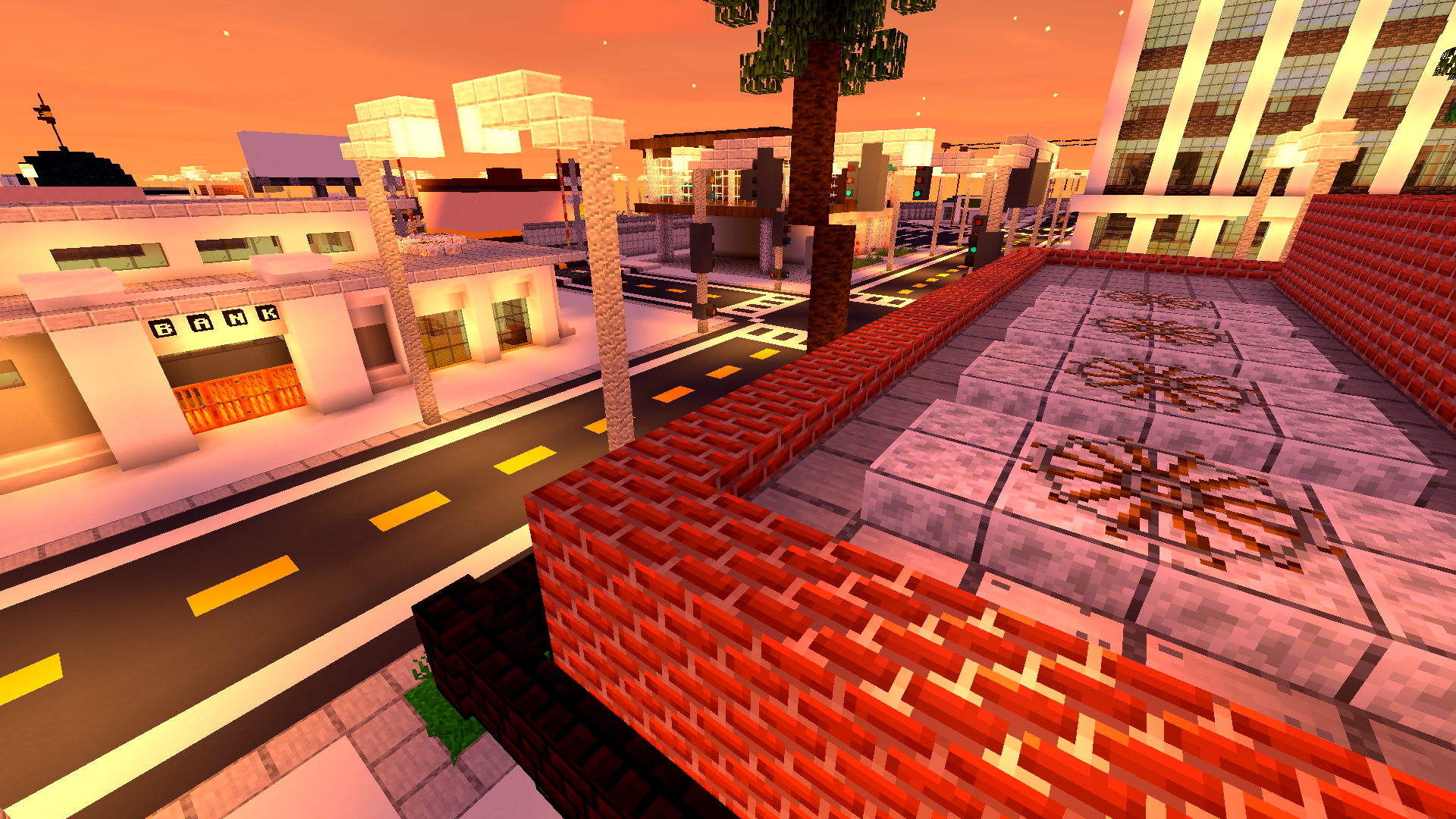
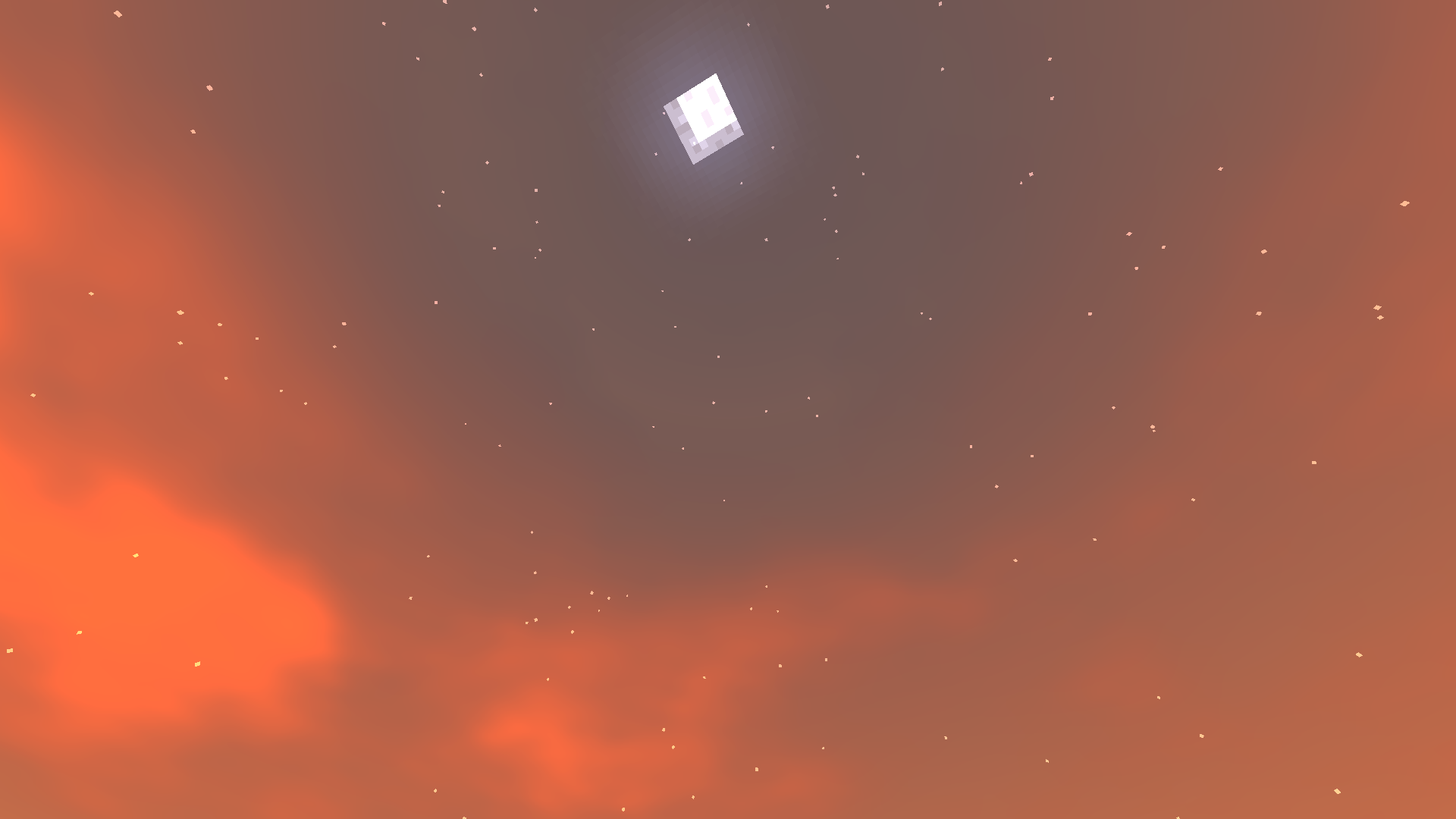
**Golden skies that sell the scene.**
Sunsets become a moment worth pausing for — gentle gradients, richer highlights, memorable horizons.
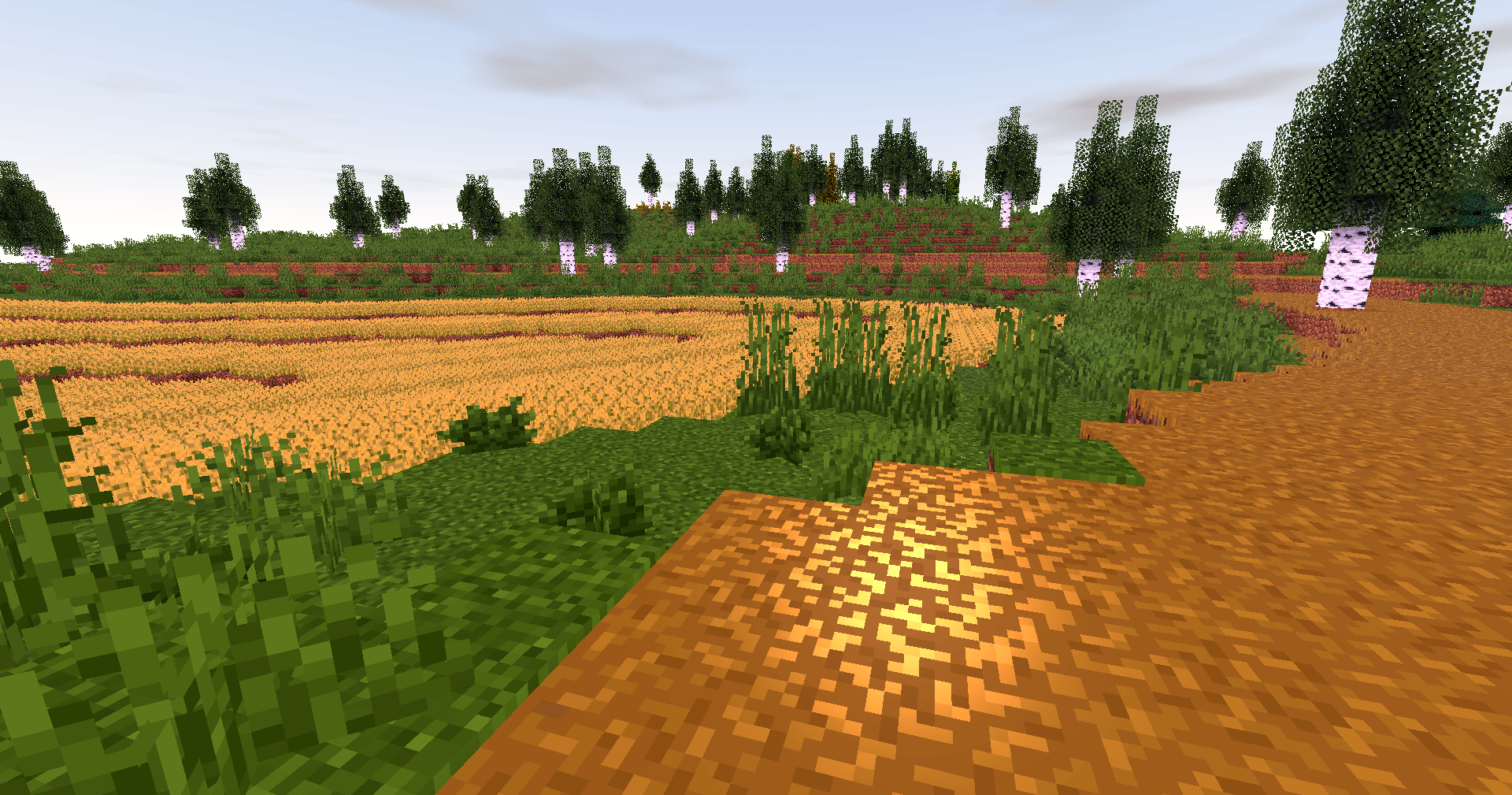
**Biomes with personality.**
Color grading and contrast are tuned so forests, mountains and plains feel distinct and cohesive.

**Caves that invite you in.**
Subtle glows and realistic shadowing turn spelunking into an atmospheric experience.

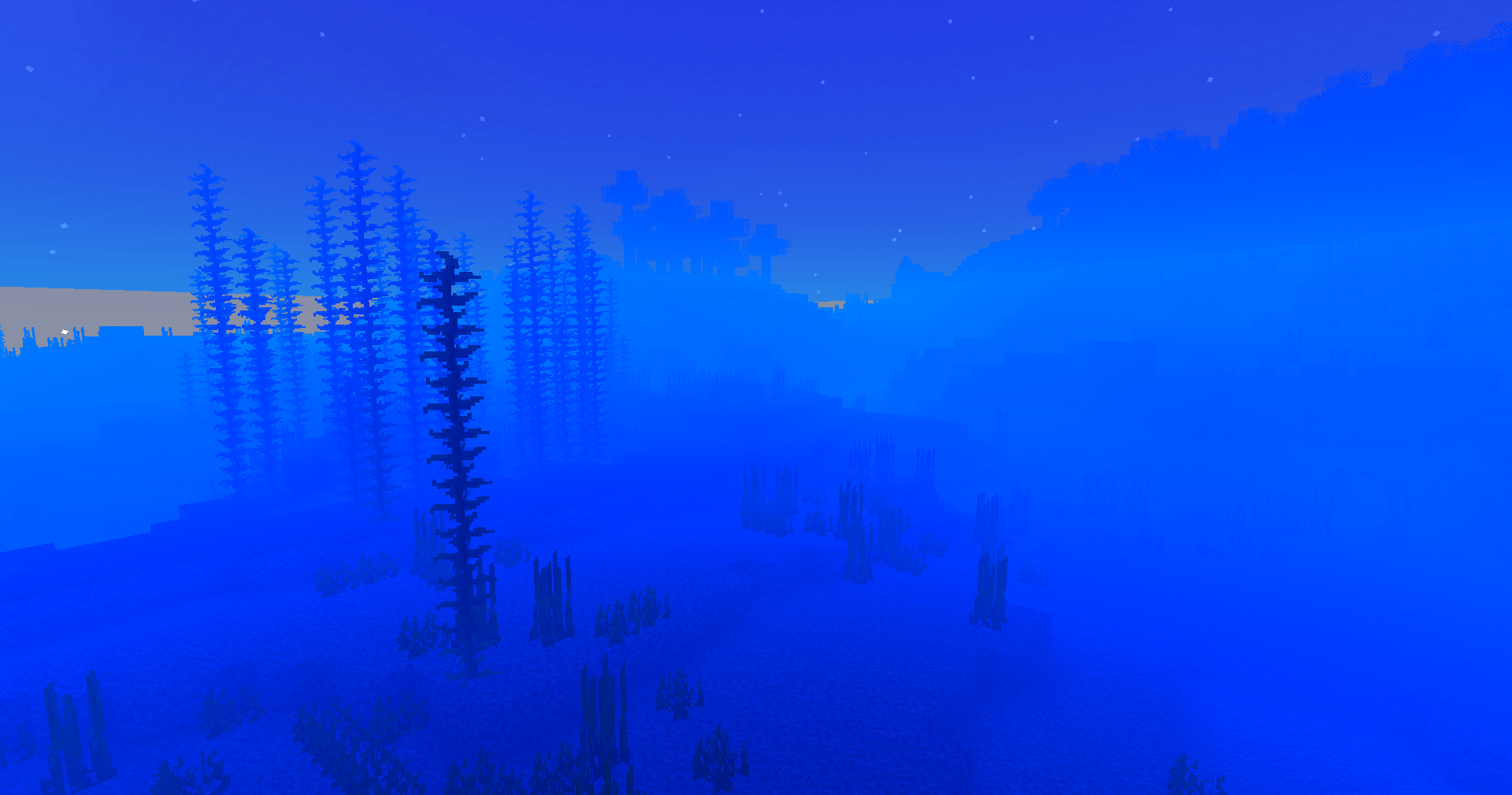
**Light that moves with you.**
Shadows soften and shift; reflections follow your motion — the world reacts, not just sits pretty.
—
### Why players love it
– **Feels faithful:** Keeps Minecraft’s identity intact while upgrading visuals.
– **Builds shine:** Your creations get natural highlights and better depth.
– **Exploration rewarded:** Every walk, dive or mine feels more cinematic.
– **Low overhead:** Designed to be light on performance so more players can enjoy it.

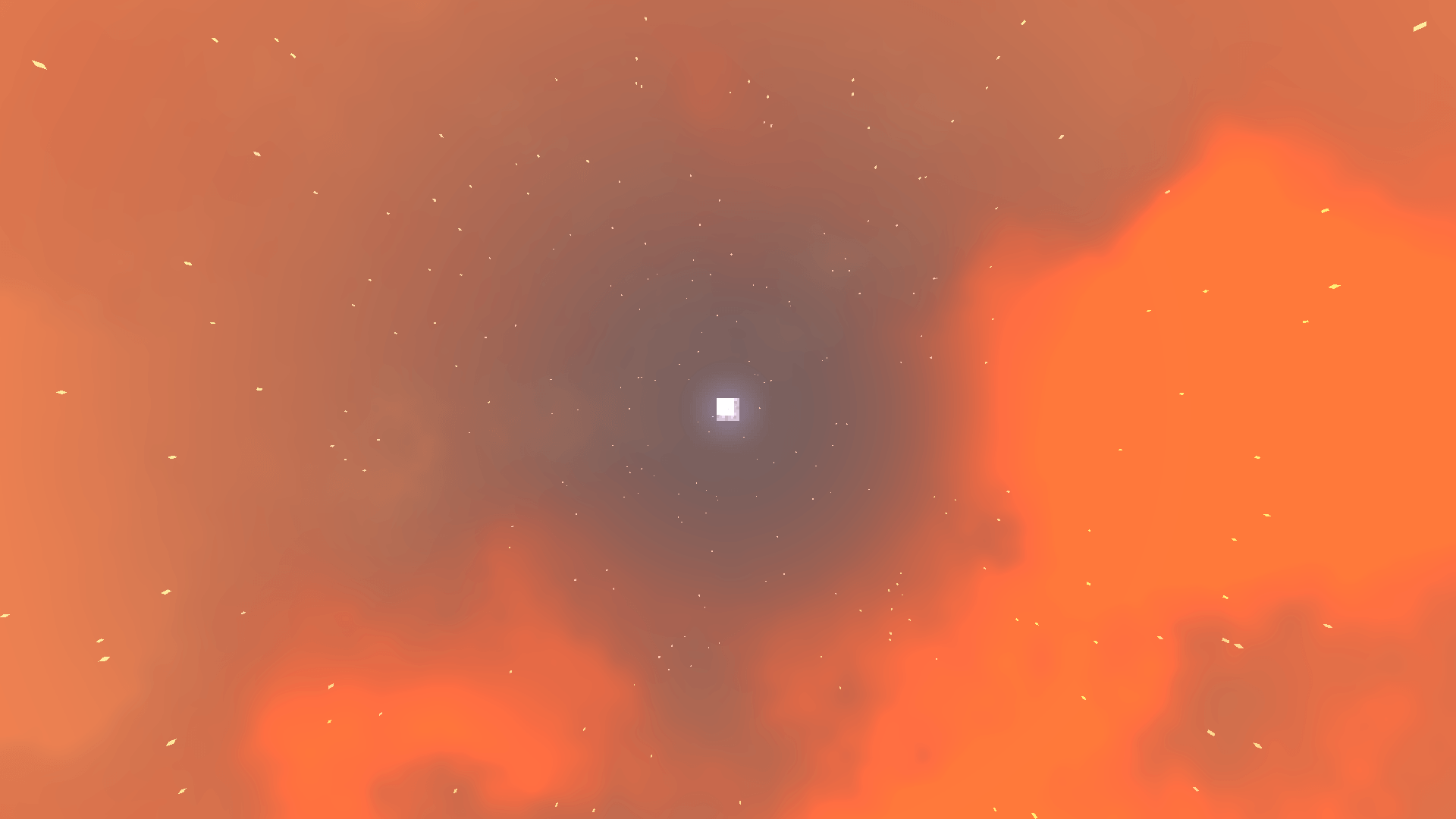
**Underwater wonder.**
Light refracts, caustics ripple, and water gains believable motion — diving finally looks the part.

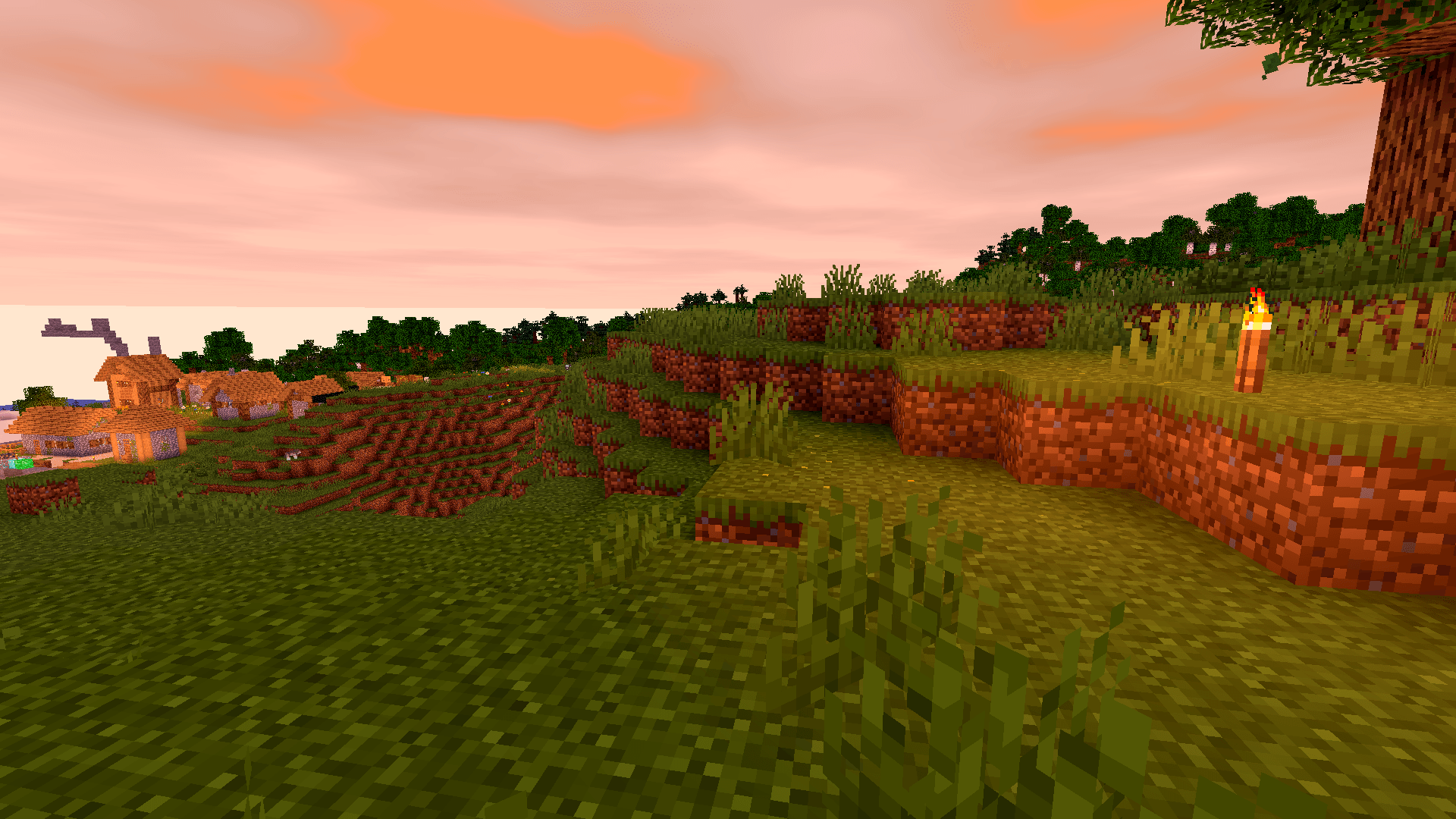
**A unified aesthetic.**
Everything from deserts to snow peaks shares a consistent, polished tone — your world looks like it belongs together.

**Ready to upgrade your game?**
**Download Vanilla Enhanced** and see Minecraft in a new light — subtle, smooth, and surprisingly magical.


**🧠 Lamapi: Open Source AI Company**
Pushing the boundaries of accessible intelligence. Whether you need lightweight efficiency or industrial-grade reasoning, the **Next Series** delivers.
**Why build with Lamapi?**
– ⚡ **High Efficiency:** From compact 1B models to powerful 70B reasoning engines.
– 🌍 **Multilingual Mastery:** Optimized for superior performance in English & Turkish.
– 🛠️ **Ready to Deploy:** State-of-the-art open weights available immediately.
**Explore our models and start building:**
🔗 https://huggingface.co/Lamapi

**🚀 KCB Hosting: Power Meets Reliability**
Looking for a host that takes your gaming experience as seriously as you do? We provide robust infrastructure ensuring smooth gameplay and enterprise-grade uptime.
**Why switch to us?**
– 💎 **7-Day Free Trial:** Experience the quality risk-free (No commitment).
– 🛡️ **99.9% Uptime SLA:** Your server stays online, guaranteed.
– ⏰ **24/7 Support:** Expert help whenever you need it.
🔥 Experience the difference with 25% off your first month,
Use code **XSORAS**
**Deploy your server now:**
🌐 [https://kcbhosting.com](https://kcbhosting.com/aff/xsoras)
💬 https://discord.gg/kcbhosting
[](https://kcbhosting.com/aff/xsoras)
Vanilla utils
Stay true to Minecraft’s original charm while optimizing for competitive gameplay. This pack maintains the classic 16x resolution but enhances visuals and clarity for PvP.
### If your gonna showcase/distrubute any of my packs anywhere e.g youtube, discord then you must use the modrinth link
## [Check out my other packs here!](https://modrinth.com/user/JJ_00_EPICS)
VSS|原版风平滑剑
A vanilla-style smooth sword, achieved by modifying the model, which causes almost no additional performance overhead.
**Vanilla Style**: The number of elements in the sword model is reduced to a minimum. Theoretically, this significant reduction in the number of model elements can also slightly boost the frame rate.
**_Flash Style_**: Compared to the Vanilla Style, it adds glowing outlines when enchanted—experience the flowing light!It can still display PBR effects in a light and shadow environment!
All versions feature 16x textures, identical to the vanilla game.
Additionally, this resource pack fixes the asymmetrical crosshair position in the vanilla game, and reduces the field of view obstruction when the player wears carved pumpkins to 15% of the vanilla intensity.
一款原版风格的平滑剑,通过修改模型实现,几乎不产生额外的性能消耗。
**香草风格**:剑模型的元素数精简至极少。理论上由于极大地减少了模型的元素数,也能微小地提高帧率。
**_灵动风格_**:相较于香草风格增加了附魔时的发光描边,感受流动的光线!在光影环境下还能呈现出PBR效果!
所有版本的纹理都是16x的,和原版一样。
此外,本资源包还修复了原版不对称的准星位置,并将玩家穿戴雕刻南瓜下的视野遮蔽修改为原版强度的15%。
Vanilla Seed Bags
## Vanilla Seed Bags
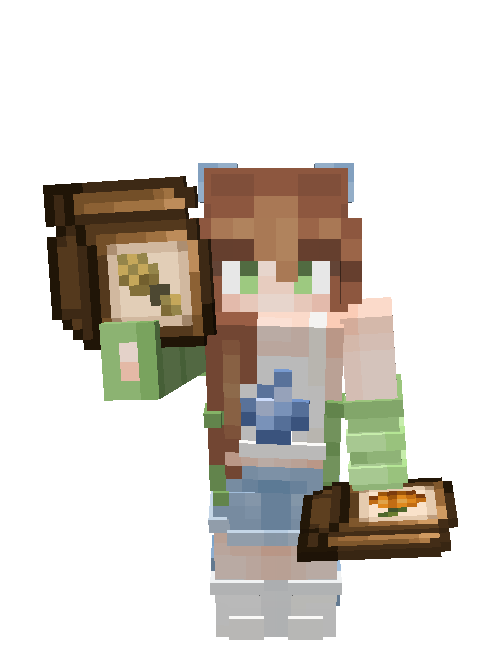
Retexture various crops and seeds for a more aesthetic, and less messy inventory.
Put those seeds in a pouch where they belong!
Supported Mods
– [Farmer’s Delight](https://modrinth.com/project/R2OftAxM)
This pack was made for the [Dew Drop](https://modrinth.com/collection/1jZQOrlw) project, if you’re here you probably like farming so you should check it out!
[](https://modrinth.com/user/coolbot100s)
[](https://www.curseforge.com/members/coolbot100s/projects)
[](https://mmcreviews.com/owner/coolbot100s/)
[](https://www.planetminecraft.com/collection/146032/all-garden-gals-content/)
[](https://discord.gg/qxRVkGDjdJ)
[](https://github.com/sponsors/coolbot100s)
[](https://modrinth.com/collection/1jZQOrlw)
Vanilla+
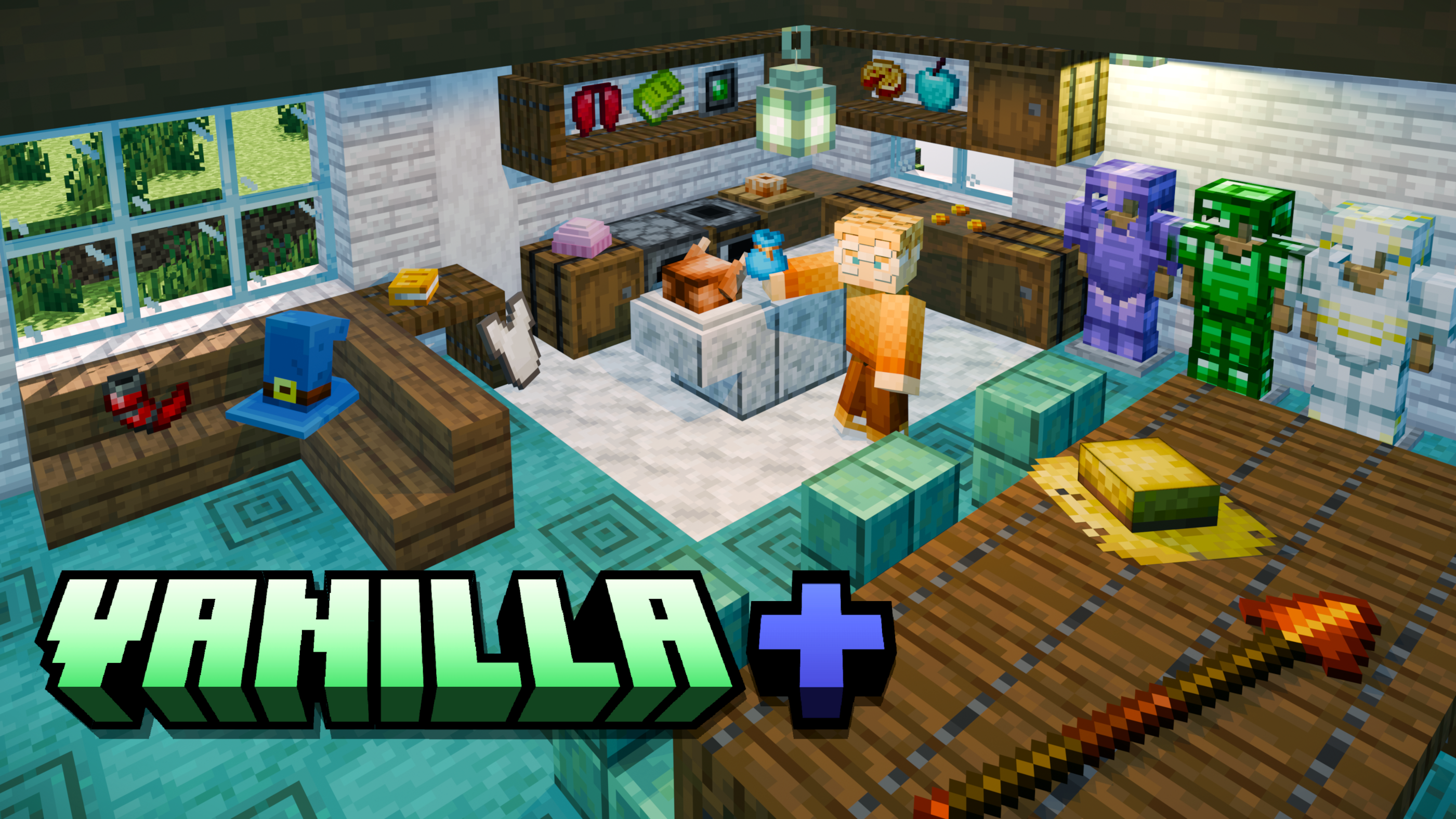
# A Minecraft Data Pack for 26.1.x and 1.21.x
### HEY! Check out my new expansion to Vanilla+ below!
It makes it non-functional for Realms, but in doing so adds structures and loot featuring custom items! [Check it out here!](https://modrinth.com/datapack/vanilla-plus-plus-data-pack)
### And if you don’t feel like reading everything listed below, here’s a YouTube video I made summarizing most features in Vanilla+ and Vanilla++ up to Version 21.0!
This data pack includes over 200 items that can be crafted or found! In my opinion, the best part about this is that it can be used on Minecraft Realms, unlike some more complex data packs. Be sure to include this whenever you and your friends start a new Realm! **_Additionally, if you use Mexican Spanish as your main language in-game, as of Version 18.0, everything will now be translated! Let me know if there are any mistakes, as I translated everything manually._** Oh, and don’t forget to download the **_REQUIRED RESOURCE PACK_** as well.
Here’s a list of all features below:
– **Custom Armor:** 9 sets of Armor that can be crafted using Lapis Lazuli, Resin, Redstone, Quartz, Emerald, Amethyst, and Nether Stars. Lapis is on the level of Iron, Quartz is on the level of Chainmail, Redstone and Resin are on the level of Gold, Emerald is on the level of Diamond, and Amethyst is on the level of Netherite (it is made by combining Amethyst Shards with Netherite Gear in a Smithing Table)! Nether Star Armor is built in a Smithing Table using either Netherite or Amethyst gear. You only need a Nether Star to transform the item. There is also a full set of Turtle Armor that has special buffs for underwater maneuvering! Finally, there is a unique armor set of Evocation Robes based on _Minecraft: Dungeons!_ Each piece gives a different unique effect when equipped.
– **Custom Tools:** 7 new toolsets that each correspond to 7 of the new Armor sets! Quartz’s tools are on the level of iron, since Chainmail does not have a toolset, while Amethyst and Nether Star tools are crafted the same way as their Armor Sets.
– **Custom Food:** Both simple and complex dishes that can be crafted for a wider variety of food! Many of them include special effects, and some even spawn naturally in either structure chests or from certain kinds of leaves. Picking up key ingredients from these dishes will unlock their crafting recipes! Additionally, renaming the food in an Anvil and adding either “Dish” or “Plato” (works only for the Spanish names) afterwards will make it 3D! A plate will be added that will cover up item frames, allowing you to display food better!
– **Dyeable Books:** 36 different color options for Book and Quills! These are ideal for multiplayer and having different colored diaries for each player. You can also try collecting them all!
– **Dyeable Elytra:** Following the same style as the Dyeable Books, Dyeable Elytra have 35 color options in addition to a “wings” option, crafted using a feather! However, I would recommend having extra Mending and Unbreaking books ready to put on the Elytra if you’re dyeing an existing set, I couldn’t figure out how to keep enchantments when dyeing them.
– **More Dyeable Bundles:** Although Vanilla _Minecraft_ has bundles in the 16 default colors, I’ve added the 20 extra colors seen in other dyeable items to the bundle as well!
– **New Weapons:** As of _Minecraft_ 1.21.11, Spears have been officially added to the game after I originally had my own versions of them in this data pack. Now, there are simply 4 extra spears that you can craft: Amethyst, Resin, Quartz, and Emerald! Additionally, there’s an Iron Hammer that can be used as a weapon and as a pickaxe! It has extra knockback as well!
– **Amulets:** As of _Minecraft_ 26.1, two new items inspired by _Minecraft: Dungeons_ have been added that only work when held in the Offhand: the Emerald Amulet and the Soul Healer! The Emerald Amulet is found rarely in the rare loot of Trail Ruins, and the Soul Healer can be found in suspicious sand near Desert Temples! When holding the Emerald Amulet in your offhand, you get passive Resistance, and the Soul Healer gives passive Regeneration. Both are low-level, and particles are generated, so it’s your choice on if the player prefers a Shield or constant passive effects when in fights.
– **Hats:** There are tons of different hat variants! Many are dyeable Beanies (the same color options as all other dyeable items), there are 3 that are based on different Villager accesories, and others are hats based on _Super Mario Bros._ and _The Legend of Zelda_! There are Toad hats and Yoshi heads from _Mario_, and a couple of Link’s caps from _Zelda_. There are also 4 wintery hats and 2 top hats. The recipes for almost all of these are unlocked when you pick up some leather; the Villager hat recipes are unlocked when you first pick up the corresponding job block.
– **Locked Blocks:** Locked Chests and Locked Barrels can now be crafted using a Chest/Barrel and Iron Bars! They can only be opened by using Keys, which generate in Stronghold libraries. Small Keys can be used to open the normal Locked Blocks, while there are 2 other Locked Block variants that can only be opened by using Big Keys.
– **Mushrooms:** Mushroom items that are based on the _Super Mario Bros._ series! These are mutated versions of fungi that are in the game by default. The Mutated Crimson Fungus makes you 5 blocks tall, the Mutated Red Mushroom makes you 3 blocks tall, the Mutated Brown Mushroom makes you 1 block tall, and the Mutated Warped Fungus makes you about 6 pixels tall. These must be equipped and give the appearance of having Mushroom caps on your head!
– **Advancements:** there are many new custom advancements; while most have to do with unlocking various crafting recipes, there are a few that are from the Achievement system of the old versions of _Minecraft_! While some have been adjusted, most are exactly how they were when they were removed.
Removed Features
**MEDALLIONS AND SCROLLS:**
These were used to unlock the recipes for different items; Medallions were for gear sets. The Copper Medallion is found in Dungeons, the Lapis Medallion is found in Shipwrecks, the Redstone Medallion is found in Mineshafts, the Resin Medallion is in Desert Temples, the Quartz Medallion is in the Nether Fortress, the Emerald Medallion is in Trial Chamber Pots, and the Amethyst Medallion is found in Treasure Bastions. Scrolls were found in Buried Treasure, Woodland Mansions, Pillager Outposts, and Underwater Ruins, and they unlocked food recipes. These items are now only found from Version 6.0 to Version 13.0.
**COPPER ARMOR AND TOOLS:**
These were found in the pack up until Version 20.0, which came out a week after Copper Armor and Tools were officially added to the game in the Java Edition 1.21.9 update. They were balanced a little differently than how they are in Vanilla, acting instead as a peer to Iron, albeit with less durability.
There is also a **_mod version of this project_**! It still has all the limitations of the data pack, but if you’d rather not have to download the resource pack or install the data pack on worlds individually, then maybe the mod is right for you!
If you have any suggestions for the pack, go to its [Planet Minecraft page](https://www.planetminecraft.com/data-pack/vanilla-a-data-pack-for-java-edition-1-21-3/) and leave a comment!
Please enjoy, follow, and share!
Vanilla Plus Crops
# Vanilla+ Crops
Vanilla+ Crops replaces every farm crop with original pixel art and custom block models that add depth and visual variety to your fields, without straying from Minecraft’s native aesthetic.

—
### Features
**Wheat** — Eight distinct growth stages with a full green-to-gold colour progression. Mature wheat uses taller 32×32 textures so fully grown fields have real visual weight. Three random variants at harvest stage prevent repeating patterns.

**Carrots** — Feathery foliage that grows progressively denser, with a subtle orange tip peeking through the soil at maturity. Three harvest-stage variants.
**Potatoes** — Broad-leaved bushes that develop small white flower buds when fully grown, matching the real plant. Three harvest-stage variants.
**Beetroots** — Deep red stems and visible beetroot crowns at the soil line. Three harvest-stage variants.
**Sugar Cane** — Segmented stalks with visible nodes and light highlights for a cleaner, more readable silhouette.
**Melon & Pumpkin Stems** — Reworked growing and attached stem textures.
**Seeds** — Matching seed item textures for wheat, beetroot, melon, and pumpkin.

—
### Models
All crops use a custom **bushy cross model** with 4–6 intersecting planes tilted at varying angles (±22.5° and ±45°), giving each plant a fuller, more three-dimensional look on farmland. Mature wheat uses an additional **tall crop model** that extends above the block boundary.
—
### Compatibility
Pack format 46 with `supported_formats` range 15–1024. No mods or dependencies required — works with vanilla Minecraft Java Edition.
Compatible with OptiFine, Sodium, and other performance mods. Safe to combine with resource packs that don’t modify crop assets.
—
### Installation
1. Download the `.zip` file.
2. Place it in your `.minecraft/resourcepacks` folder.
3. Enable it in **Options → Resource Packs**.
—
Vanilla Paxels
# Info
Since 24w12a introduced the abilty to allow any item have properties of a tool, I decided to make this datapack.
I wish Mojang will add a way to have the right click functionality of shovels / axes work on other items. This is what these paxels are missing. You can currently only use the shovel functionality (The item without the resourcepack is a shovel) to make path blocks. I will add the axe stripping wood functionality once it is implemented into the game.
Paxels are Pickaxes, Shovels, and Axes combined! You can break all of the blocks at the same speed as you would with the correct tool. You can make paxels out of any material using the same crafting recipe.
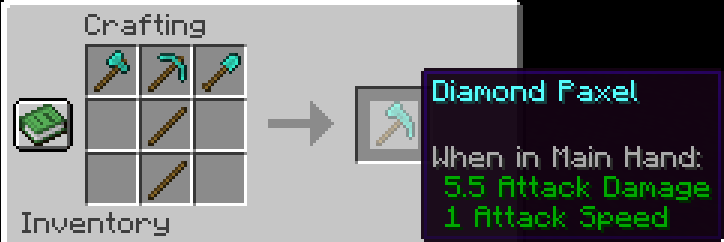
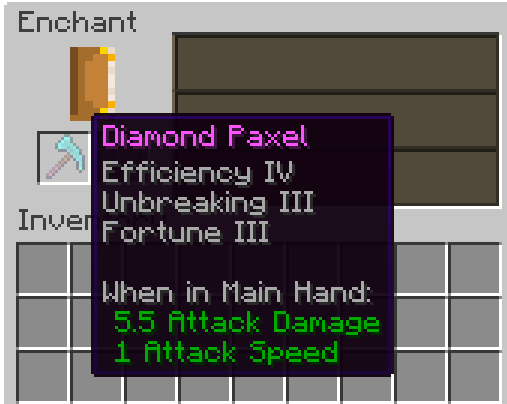
You can enchant Paxels just like any other tool!
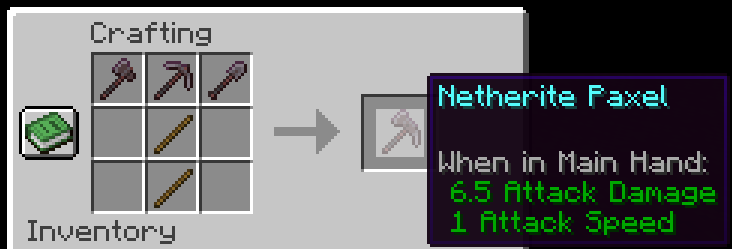
**I would recommend upgrading the Diamond Paxel to Netherite the way you normally upgrade a diamond tool. The recipe for the one below is a placeholder until Mojang adds custom components to crafting recipes.** One downside to this is it won’t have the right name and the right mining speed. (Fun Fact: Netherite has 1 more mining speed than diamond).
This is the Netherite Paxel recipe for now until Mojang adds custom components in Crafting recipes support:
**If you have any problems check the FAQ below and if that doesn’t help join the discord and ask**
# FAQ
Q: I get a missing texture when trying to use this how do I fix it?
A: Make sure to download the resourcepack
Q: Where can I download the resourcepack?
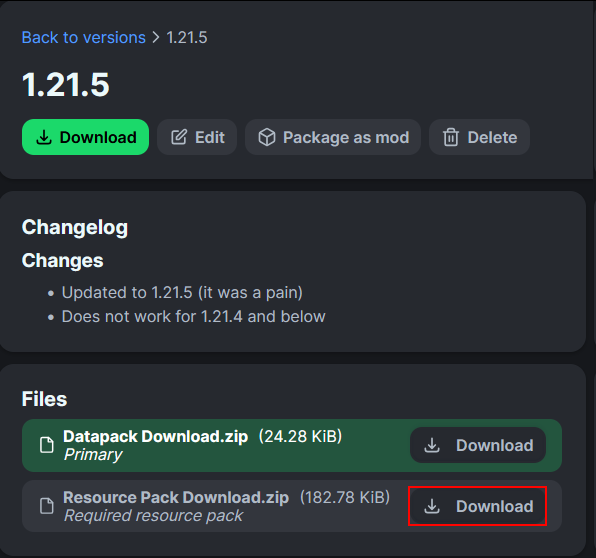
A: Those who click the big download button at the top of the screen are only prompted to download the datapack and not the resourcepack. Modrinth does not show both of them in that menu. You instead have to go to the versions tab.
Where to download the resourcepack
### First you have to go to the versions tab

### Then you go to the version you want
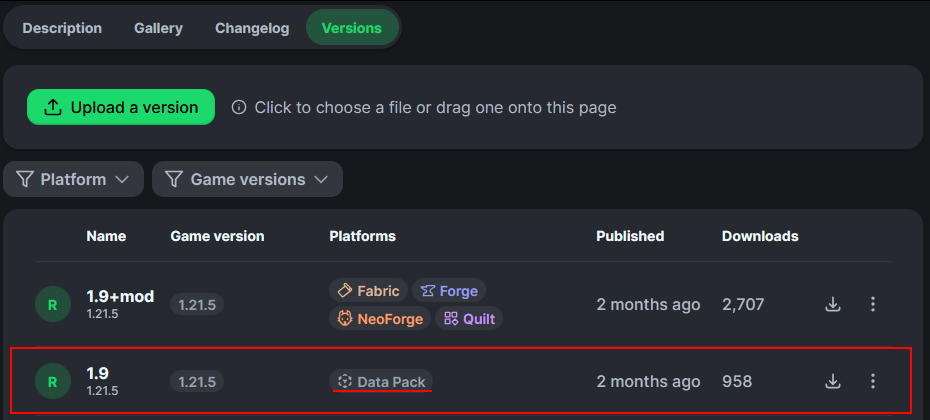
### Then underneath the datapack download is the resourcepack download