White Anime Girl Totem
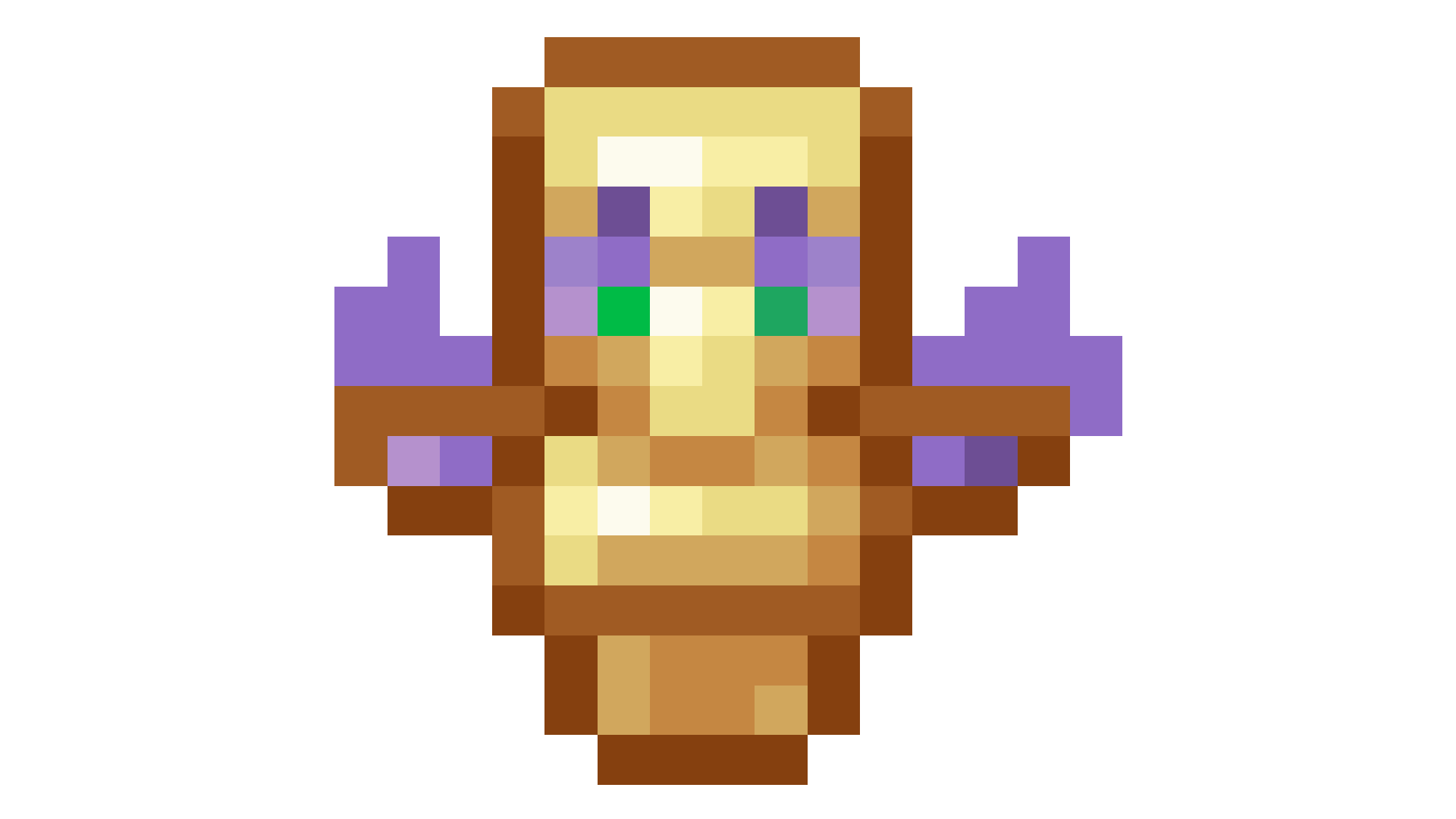
A clean and stylish Totem of Undying texture pack featuring a white-haired anime girl. This pack replaces the default Minecraft totem with a cute high-quality anime design while keeping the vanilla style smooth and lightweight. Perfect for PvP, survival, and aesthetic gameplay
Whimsical Weapons
This only works for 1.9 to 1.21.3, Requires the mod OptiFine or CIT Resewn if you are using Fabric.
**This Pack Adds:**
– Custom Weapons, Tools And Armour !
**Texture Pack Detail:**
– Ancient Blade ( Rename any Sword )
– Vine Shield ( Rename a Shield )
– Vine ( Rename any sword )
– Trunk ( Rename any sword )
– Valentine ( Rename any Sword )
– Mine ( Rename a Carved Pumpkin )
– Draconic Aether ( Rename a Carved Pumpkin )
> Most Items when in offhand show on the back of the player or on the side
_Dm me on discord (Tdxmisbatman) for any weapon ideas :D_
Weird and powerful weapons – Texture pack
**This ressource pack add custom textures on the items of the datapack [Weird and powerful weapons](https://modrinth.com/project/Jr3nq9JV)**
## Totem of protection
Weathered Books
A texture pack that re-textures paper in books to look more weathered/worn out
Water World (Only Ocean)
## This data pack removes all land above sea level leaving only water and ocean biomes.
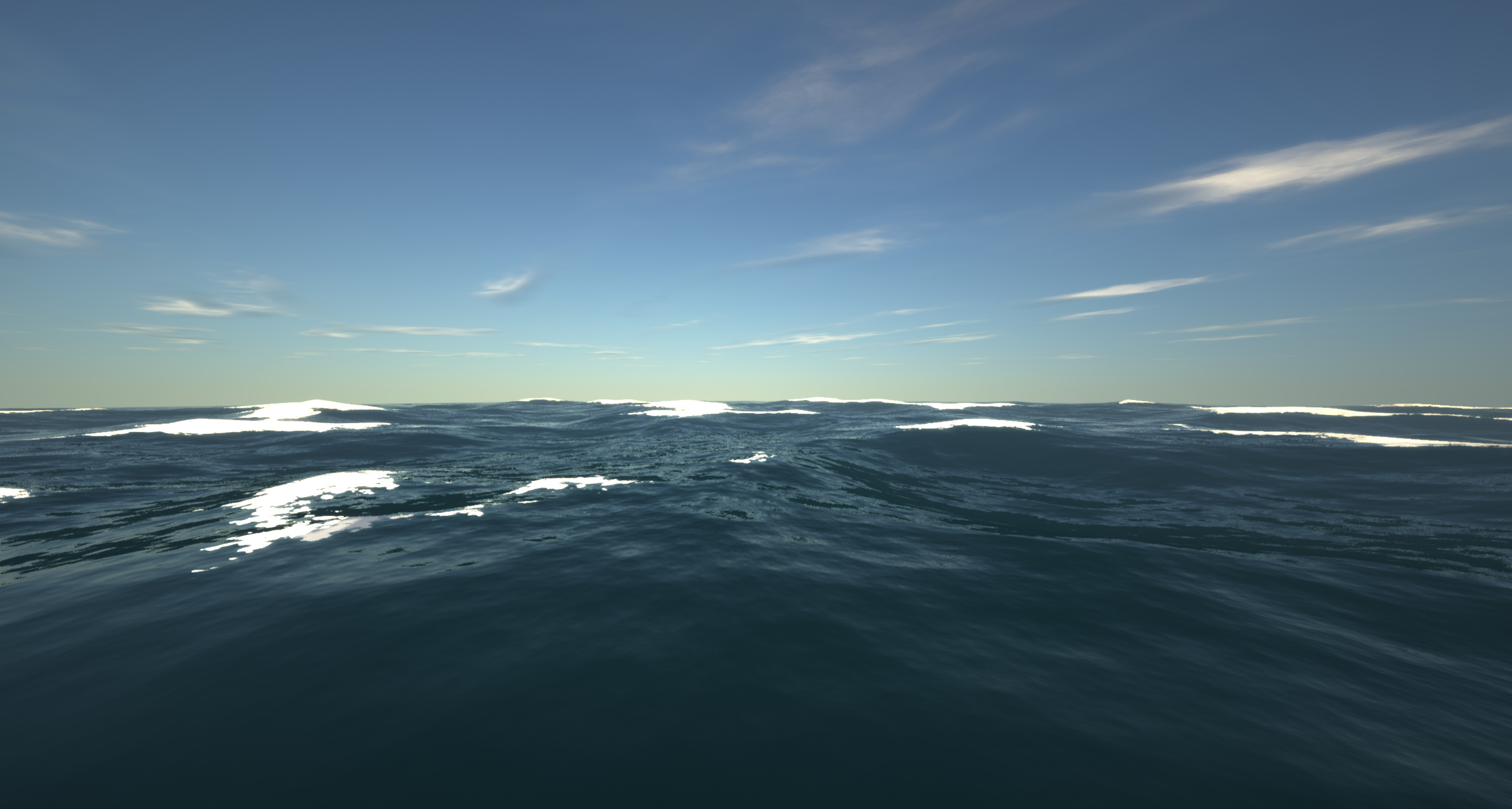
– It achieves this by setting the continentalness to -0.5.
– This is the only data pack/mod i’ve seen that turns the world into an ocean for all versions from 1.18.2 to 26.1.2
Originally from The Water World modpack!
Warp Portals ─ Portal teleportation
# Warp Portals
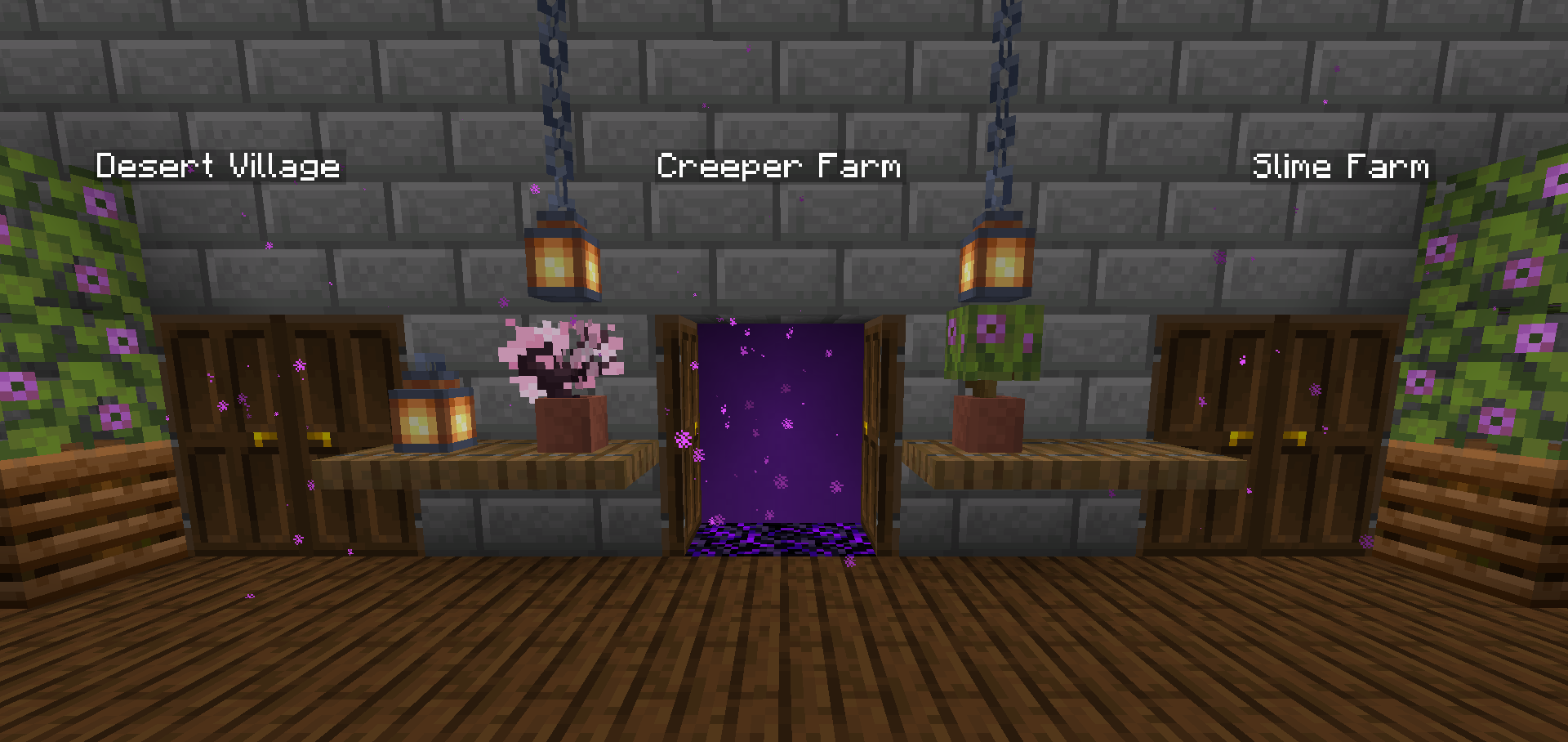
Create Warp Portals between your favorite locations. This datapack is made to be balanced, simple to use and lightweight.
Warp Portals supports Multiplayer and uses the best practices for datapacks to insure compatibility with other datapacks.
This datapack doesn’t use chunk loading, unlike most teleportation datapacks, which makes it lightweight no matter how many portals you have.
## Usage
### Forging the Portal Wand
To create a Warp Portal, you need to forge a Portal Wand. To do so, you need to drop an **Ender Pearl** in a **Crying Obsidian** block. They will turn into a portal and **and the Crying Obsidian will be the destination of the portal** created by the wand.
[](https://cdn.codetunnel.net/notnull/forge-wand-2.gif)
### Creating the Portal
To create a portal, you need to right-click above a **Crying Obsidian** block with the Portal Wand. The portal will be created and stepping into it will teleport you to the place where that Wand was forged. You can add more Crying Obsidian or Obsidian blocks around the portal to make it bigger, they will also teleport you when you step on them, you can use any shape, pads, rectangles, etc.
[](https://cdn.codetunnel.net/notnull/create-portal.gif)
### Destroying the Portal
To destroy the portal, simply break the **Crying Obsidian** block in the entrance (where you see the particles) and the portal will be destroyed. **The Ender Pearl used to create the wand will drop above**.
## Installation
After downloading the `Warp Portals vX.Y.Z.zip` file (vX.Y.Z is the version number), you can install it by one of the following methods:
– **New SinglePlayer World**: When creating a new world, in the `More` tab, click on `Data Packs`, and drop the `Warp Portals vX.Y.Z.zip` file. The datapack will appear in the `Available` list, click in the arrow to add it to the `Selected` list and click `Done`.
– **Existing SinglePlayer World**: Click `Edit` in the world selection screen, click `Open World Folder`, go to the `datapacks` folder and drop the `Warp Portals vX.Y.Z.zip` file.
– **Multiplayer Server**: Drop the `Warp Portals vX.Y.Z.zip` file in the `datapacks` folder inside the world folder.
## Uninstalling
To uninstall Warp Portals, execute the command `/function warp_portals:uninstall` in the world where you installed the datapack, then remove the `Warp Portals vX.Y.Z.zip` file from the `datapacks` folder.
Note that Minecraft doesn’t provide the necessary tools to actually remove the entirety of a datapack. This function will break (and drop the Ender Pearls) of all portals in currently loaded chunks.
Warm Mojangles
This fontpack changes the color of the default font in Minecraft to be more pleasing to the eye.
To install it, make sure to select it in the resource packs screen and put it on top of other font packs.
# MY OTHER FONTS
– [Marga Font by SourAlien](https://modrinth.com/resourcepack/marga-font-by-souralien)
– [Paramita Font by SourAlien](https://modrinth.com/resourcepack/paramita-font-by-souralien)
– [PP Font](https://modrinth.com/project/pp-font)
– [Anicca Font by SourAlien](https://modrinth.com/resourcepack/anicca-font-by-souralien)
– [Tiny Bold Font](https://modrinth.com/resourcepack/tiny-bold-font)
– [SAS SMALL CAPS FONT](https://modrinth.com/resourcepack/sas-small-caps-font)
– [sas all lowercase font](https://modrinth.com/resourcepack/sas-all-lowercase-font)
– [Samsara Mono by SourAlien](https://modrinth.com/resourcepack/samsara-mono-font-by-souralien)
– [Ostrakon Font by SourAlien](https://modrinth.com/resourcepack/ostrakon-font-by-souralien)
– [Epsilon Font by SourAlien](https://modrinth.com/resourcepack/epsilon-font-by-souralien)
– [Alice Font](https://modrinth.com/resourcepack/alice-font)
– [Sleek DR](https://modrinth.com/resourcepack/sleek-dr)
– [Synesthete’s Dream](https://modrinth.com/resourcepack/synesthetes-dream)
– [HD B&W Font](https://modrinth.com/resourcepack/hd-bw-font)
warden doesn’t ignored your armor
Warden doesn’t ignore armor and ranged attacks, and Tactics doesn’t kill you in a few hits with good armor.
Vanilla Shader
## Hello everyone!
I’m excited to share my **Vanilla Shader Project** with you all. I’m still a beginner in the world of programming, but it’s been an incredible journey learning how this works and seeing the results of many hours spent in front of the screen.

I’ve just released **Version 2 (V2)**. While it was technically “ready,” I felt it needed some extra polishing (and it still does!). Please keep in mind that there are still plenty of bugs, but I’m committed to fixing them as I learn.
> **Note:** Currently, it does not support Sodium, but I’m working hard to make that happen soon!
### 🟢 What’s New in V2
* **Toon/Retro Lighting:** Light sources now feature silhouettes for a stylized, classic game aesthetic.
* **Bouncing & Indirect Light:** New mechanics for light accumulation and bounce.
* **True Darkness:** Nights are now significantly darker and more atmospheric.
—
### 1) What this shader does
* **Enhanced Lighting:** Change global illumination and light.
* **Diferrent Visuals:** Tweaks colors and contrast.
* **Performance is not bad:** Designed to run on mid-range hardware.
### 2) Why you should try it
* **New Feel:** provide a “moody” atmosphere.
* **Plug & Play:** No complex installations—it’s a standard resource pack.
### 3) Critical Info & Compatibility
* **Visual Only:** This is a purely aesthetic pack; it does not change gameplay mechanics or add any “cheats.”
*
* **Feedback Welcome:** Since I’m learning, your feedback is incredibly valuable! Feel free to report bugs or share your thoughts.
Kid Named Finger Title Screen (Waltuh)
**Changes the Minecraft logo on the title screen (and the menu background) to a stupid shitpost I’ve had in my mind for a while.**
Two versions are available, one for 1.20 and up, and another for 1.19 and under. Make sure you download the correct version.
[](https://ko-fi.com/nanobuntv)
Special thanks to [Ewan Howell](https://ewanhowell.com) for making the [Blockbench plugin](https://www.blockbench.net/plugins/minecraft_title_generator) that made this possible.
This work is licensed under [CC BY-NC-SA 4.0](https://creativecommons.org/licenses/by-nc-sa/4.0)