Visual honey levels
**Visual Honey Levels** is a simple texture pack that adds clear visual indicators of honey levels in hives.
Now you can instantly tell when a hive is ready for harvesting without having to check it manually. This makes honey farms more convenient and beginner-friendly. :3
Visible Powder Snow and Cobwebs
A simple resource pack that makes Powder Snow and Cobwebs more visible by tinting them cyan.
Helps you avoid getting trapped, making it useful for both PvP and general gameplay.
Visible Particles
### What does this do?
This resource pack retextures potion particles to be visible. This is especially useful for finding invisible entities.
### How does it work?
It changes the the texture of the effect particle to 1 large pixel.
### What versions does this support?
This resource pack works for versions 1.14 (19w06a) and up.
Visibility toggle
This datapack simply allows you to toggle the visibility of an itemframe that you have placed by using the command:
“`
/trigger visibility
“`
### Installation
**If you get a message saying the pack is not supported in lower versions I have marked it as working in, ignore this as it will still work**
**Datapack installation:**
1. Locate the datapack folder for the specific world
2. Drag the Itemframes.zip file into the datapack folder
3. Enable the datapack with /datapack enable “file/Itemframes.zip”
**Mod installation:**
1. Follow the instructions on how to install your prefered modloader (be it Forge, Fabric, NeoForge or Quilt)
2. Drag the downloaded .jar file into (on windows) %appdata%.minecraftmods
3. Launch the world and start playing
**Please report any problems on my discord server.**
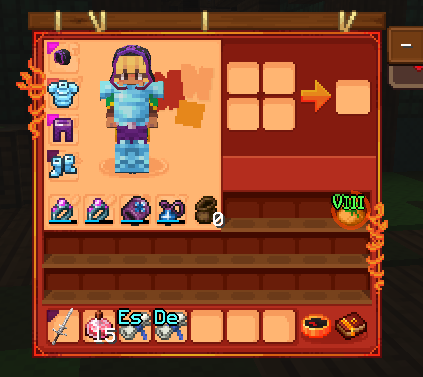
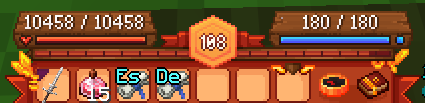
vi’s Wynn Edit

# A Red/Orange/Gold & Autumn Wynncraft GUI theme that also retextures the Wynntils GUI.
This pack was made mostly for personal use, apologies if some textures are not to your liking.
# Requirements
Requires “Server Pack Unlocker” to use on Wynncraft, place this pack above the default server resource pack.
Texture pack changes a bit more than the UI, some items are edited.
Inspired by brilliantknight’s Stone Tablet Theme. (deprecated)
IF YOU EXPERIENCE ISSUES WITH GUI ELEMENTS NOT APPEARING, TRY F3 + T FIRST.
If you encounter any issues, or would like to provide feedback, contact me on discord: @2four6
Vintage – Programmer Art Remade

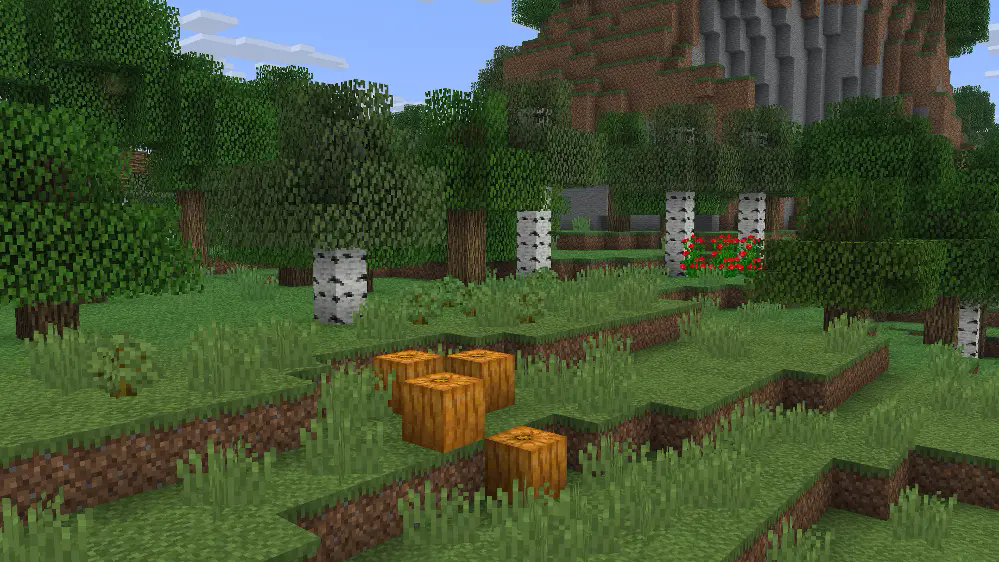
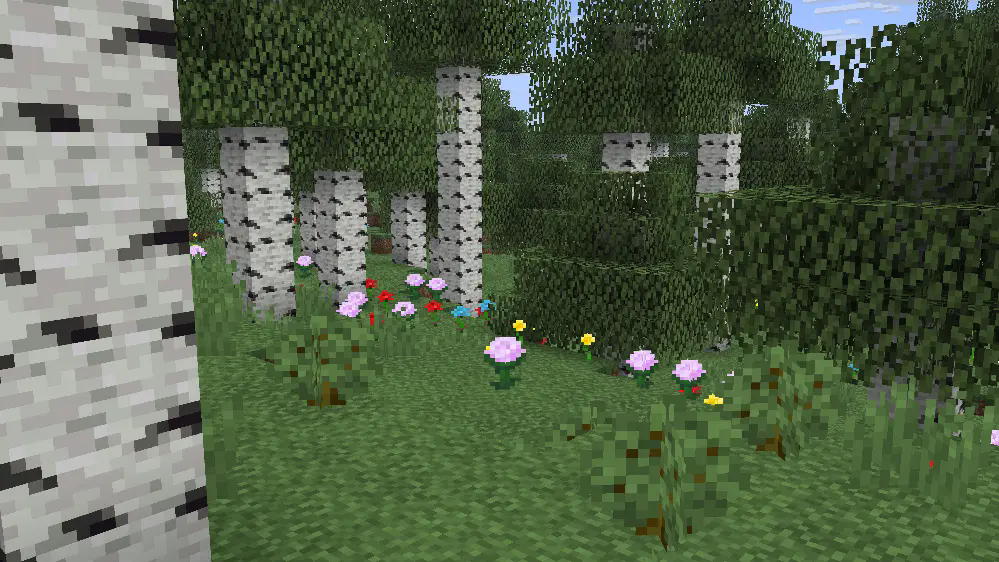
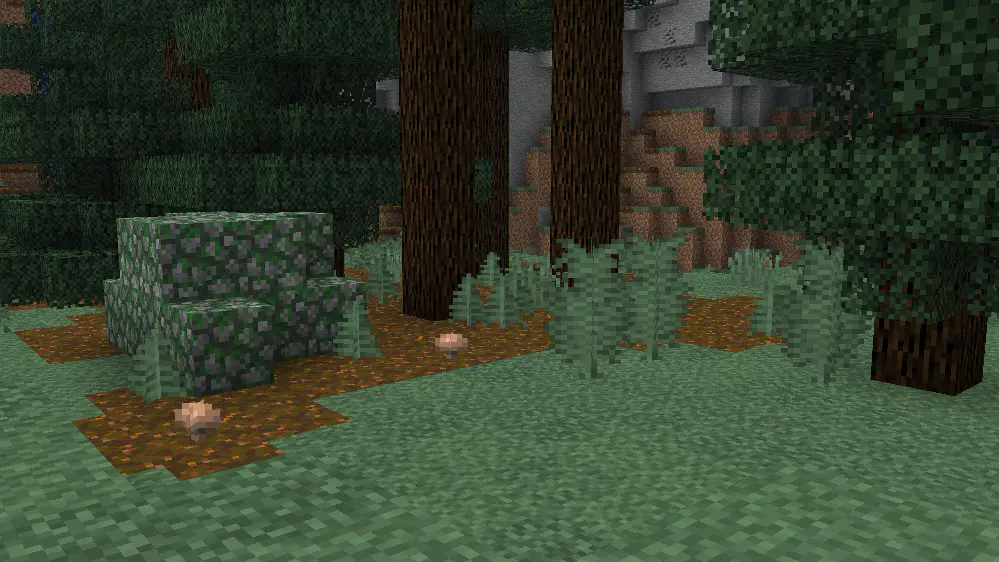
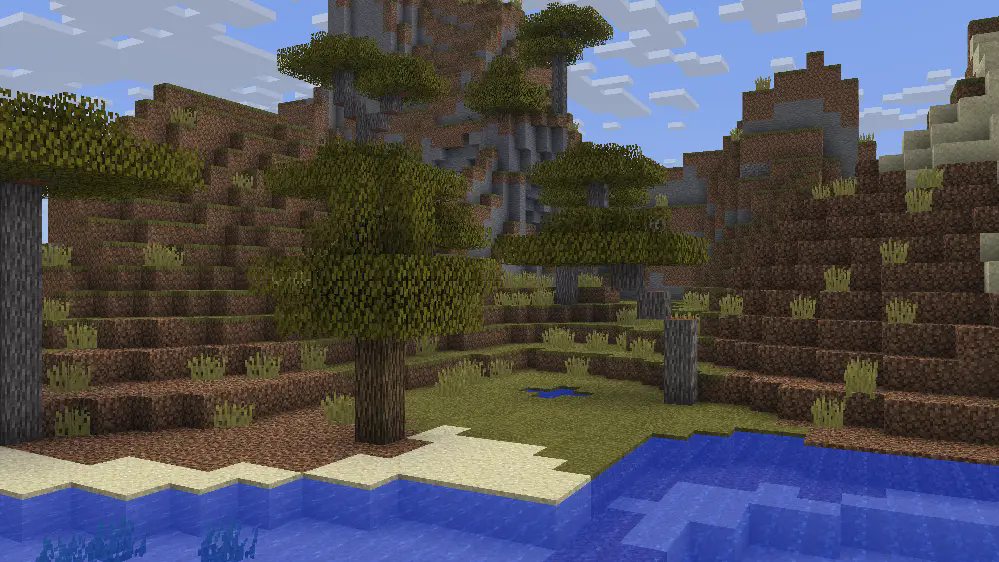
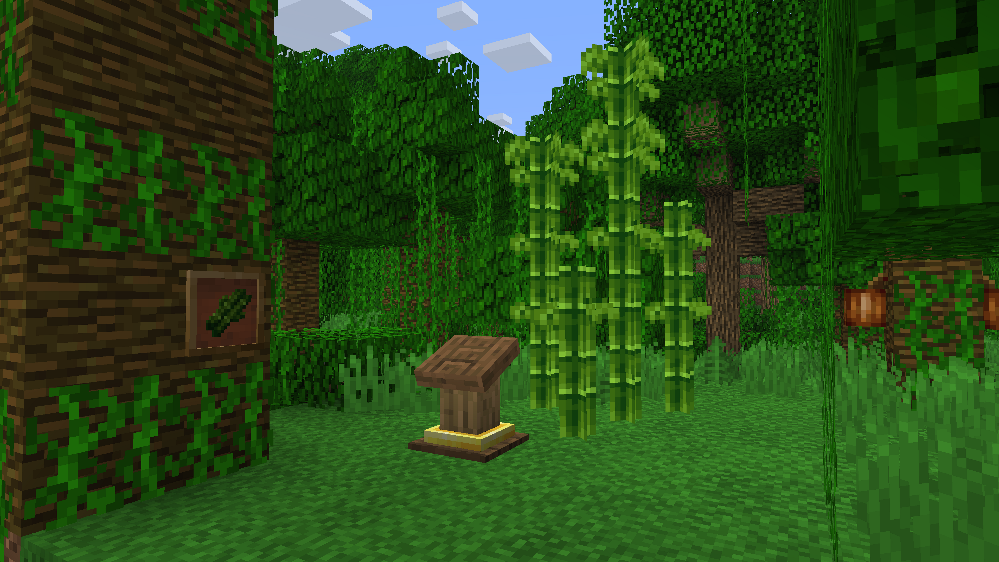
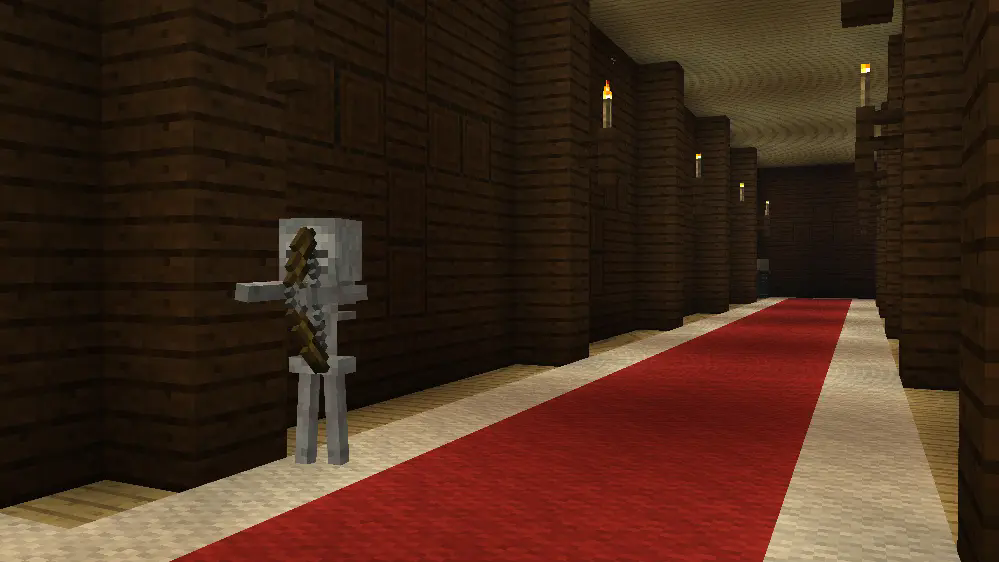
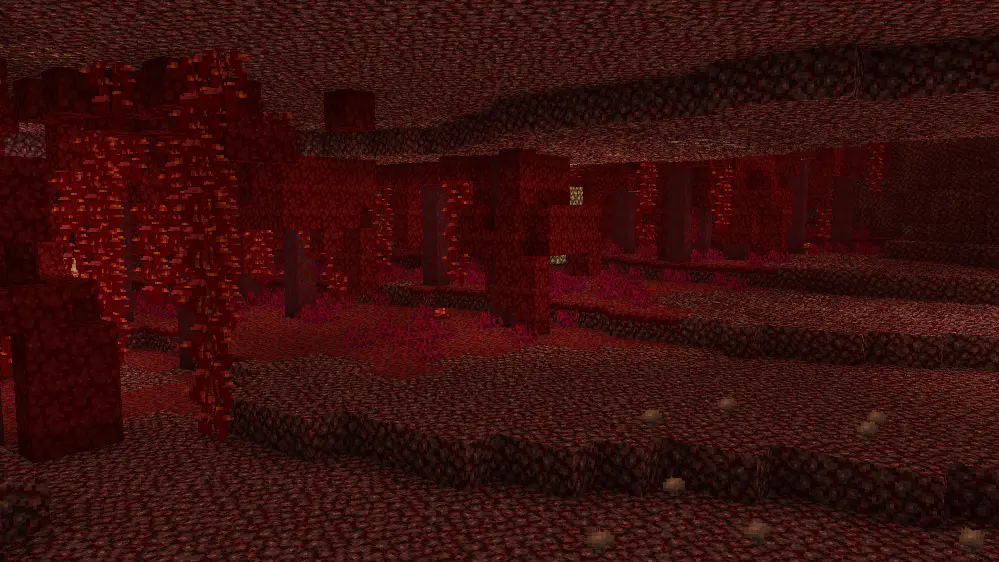
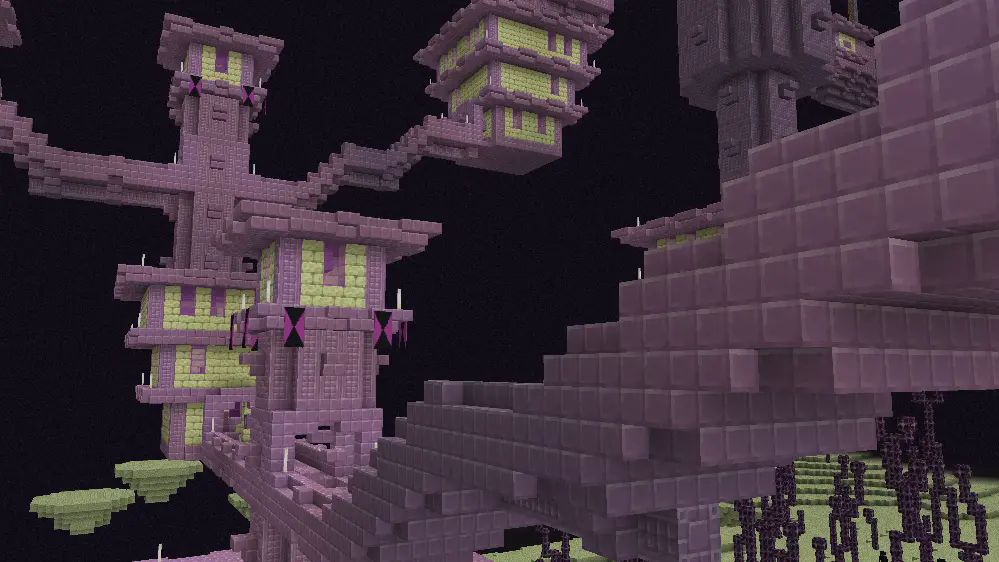
A pack that redesigns the game with a look inspired/based on classic textures, concept art, and cut features.
**This pack is best used with** [**Optifine**](https://optifine.net/home) **or Fabric** [**ETF**](https://modrinth.com/mod/entitytexturefeatures) **and** [**EMF**](https://modrinth.com/mod/entity-model-features) **mods!**
If you found any issues, please comment on the [PlanetMinecraft Page!](https://www.planetminecraft.com/texture-pack/vanilla-mix-w-i-p-preview)
#
More Screenshots
ㅤㅤㅤㅤㅤㅤㅤㅤㅤㅤㅤㅤㅤㅤㅤㅤㅤㅤㅤㅤㅤㅤㅤㅤㅤㅤㅤㅤㅤㅤㅤㅤㅤㅤㅤ [Vintage on Twitter/X](https://x.com/RedPierre01)
Terms of Use
If you wish to use a feature from Vintage in your own products, reach for permission and give credit.
## You are allowed to
– Promote or include the pack in videos, servers, etc. and link back to it.
– Use or modify one or more textures after receiving permission.
You are restricted from
–
– Redistributing the pack unofficially.
– Putting any feature under a paywall.
– Referring to it as your own work.
Vintage Resource Pack 2022 – 2026 RedPierre, Team UNNAMED.
Unused Minecraft Music by C418 from Alpha and Beta Albums.
Village Guards
Introduction:
This datapack aims to add Village Guards in vanilla minecraft and it supports minecraft versions 1.16.2 to 1.21.11.
Village Guard Stats:
- HP ♥️: 20 (10 hearts)
- AP 🛡️: 6 (3 armors)
- Attack Damage ⚔️: 11 (5.5 hearts)
- Ranged Attack Damage 🏹: 8-10 (4-5 hearts)
- Floats in water hence does not drown 🏊
- Hate 😡: All zombie types, all illagers, and creepers
- Heals overtime ➕
- Spawns : When villagers create their own iron golem
- Spawn count : 6
- Max Spawn 🔢: 10 per village (This value is changeable. See Admin Commands section.)
- Weapons ⚔️:
- Iron Sword(60% chance)
- Iron Axe(20% chance)
- Bow(20% chance)
- Loot Drop 💰: Current Weapon
- Builds light pole 💡 near villages. This feature can be disabled. See Admin Commands section.
- When on fire 🔥: Can put out fire faster.
Types of Players according to Village Guard:
- Bad Players 😈: These type of players are the players who have provoked the Village Guards. Provoking Village Guards is done in following ways:-
- Kill one of the protected entity.
- Hit a protected entity 3 times.
- Normal Players 😀: This type is assigned to every player by default.
- Heroes of the Village 👮♂️: These are the players who have “Hero of the Village” effect. Guards and Golems will protect these players.
- Protected Players 👨💼: Players, when they lose their “Hero of the Village” effect still remain protected by Guards and Golems.
Village Guard’s Behaviour towards every type of player:
- Bad Players 😈: Guards and Golems attack them on sight and forgive after one of them successfully kill that bad player.
- Normal Players 😀: Neutral. Passive to the players until provoked.
- Heroes of the Village 👮♂️: These players count as protected entities. With this effect, you can do whatever you want to do with anybody, guards and golems won’t fight back. Guards and Golems are always passive until you lose the “Hero of the Village” effect. After you lose the effect, you still remain a protected entity.
- Protected Players 👨💼: These players also count as protected entities. Guards and Golems are passive until a protected entity has been killed by this player.
How does protecting an entity works?
- If you are a Hero of the Village OR the Protected Player, you come under protected entities.
- Guards and Golems will not care about anybody you fight by yourself. They will stay neutral.
- Once a mob/player targets you or tries fighting back to you, they get angry on that mob/player and starts attacking them.
Extra Features:
- You can give following items to Village Guard and each item has a function:
- Any Weapon which is better than the one it is holding.
- Shield 🛡️: Absorbs 70% of damage dealt to Guard from anything.
- Banner 📜: Only works if a shield is already equipped.
- Totem of Undying 🗿: Gives an extra life to Guard but its not very useful since they do not know how to flee on low health.
- Any Tipped Arrow (Bow Guard only) 🎯: Gives the Guard unlimited Tipped Arrow.
- Spectral Arrow (Bow Guard only)🎯: Gives the Guard unlimited Spectral Arrow.
- Iron Axe (Axe Guard only)🪓: Gives the Guard the Double Axe Power = DOUBLE DAMAGE.
- Golden Apple🍏: Gives the Guard a chance to cure nearby zombie villagers, guard drops that apple if they find any of the above.
- If a village guard equips anything in its offhand, it will lock its weapons forever and will never change its mainhand weapon until the offhand weapon is destroyed.
- Village Guard will not attack a Zombie Villager unless and until Zombie Villagers are 3 blocks closer to protected entity and is about to attack.
Admin Commands:
-
/function give:vg/spawn_egg/village_guard
Obtain Village Guard Spawn Egg
-
/function summon:vg/village_guard
Summons Village Guard
-
/function toggles:village_guards
Here you can toggle datapack specific features if you want. They are:
- Maximum Village Guards : Set the maximum amount(limit) of Village Guards that are allowed to naturally spawn in a 256*256 blocks area. (Default = 10)
- Tutorial Messages : When Enabled, tutorial messages will appear.
- Speed : Controls the Speed of Village Guard.
- Guards construct light poles : When Enabled, guards will construct light poles at night where its too dark anywhere near village.
-
/function uninstall:village_guards
Starts the uninstallation process of this datapack.
Pros:
- Iron Golem is no longer lonely now.
- Villages are more safe from illager raids and zombie hordes.
- The effect Hero of the Village has REAL use now.
Cons:
- Its not easy to get your first iron ingots if you get those by killing the iron golem. You will be chased by a horde of village guards.
Known Bugs:
- You cannot sleep in the Village because of Village Guard unfortunately being a skeleton.
Fix:- You can build up 10 blocks and sleep peacefully. If you have a solution to this bug via datapack programs, please recommend me in comments section of my datapack page, I am always thankful to you.
- Village Guard will convert into stray mob when it freezes inside the powder snow block.
Fix:- It will now climb up automatically whenever it starts freezing.
My Socials:
- PlanetMinecraft Page
- Modrinth Page
- Discord Server
- Paypal Account
License:

This work is licensed under a Creative Commons Attribution-NonCommercial-NoDerivatives 4.0 International License.
Conditions that apply:
- You must give appropriate credit to the creator if you publicly showcase this work.
- You may not use this work for commercial/business purposes. (this does not include having the datapack installed in your server)
- You may modify this work, but may not distribute the modified work.
Installation:
Open your .minecraft directory. Put the datapack into the saves/world_name/datapacks directory.
vibrant rain
# 🌧️ vibrant Rain
A clean and minimal resource pack that makes Minecraft rain soft, transparent, and less distracting, while keeping a smooth and natural look.
## ✨ Features
🌫️ Smooth, blur-style rain streaks
👁️ Lower opacity for better visibility
💧 Subtle custom rain particles
🎯 Clean and minimal aesthetic
📦 What it changes
Rain visuals → softer and more transparent
Rain particles → lighter and less intrusive
### 🧠 Why use this?
Default rain can feel heavy and block your view.
This pack keeps the atmosphere while making rain lighter, smoother, and more cinematic.
### Modpack Usage:
You are free to include this resource pack in any modpack, whether hosted on Modrinth, CurseForge, or other platforms. No explicit permission is required, though credit is always appreciated!
**Made by duro_85** 😎
[especially made for vibrant experience!](https://modrinth.com/project/ECbnX2uw)
[join discord server!](https://discord.gg/cgDpVGXse6)
[try lighter version for clear view!](https://modrinth.com/project/GpVobbF8)
Vibrant Flowering Vines
A version of my [Multi-Color Flowering Vines](https://modrinth.com/resourcepack/multi-color-flowering-vines) pack with more vibrant and saturated colors!
The colors of flowers are:
– Orange
– Turquoise
– Pink
– White
– Red
– Yellow
– Cyan
You can change the amount of a certain color by altering the “weight” value inside the vine.json file in the blockstates folder of the pack
You may include a modified version of this pack in your modpacks if the change is to the “weight” value and nothing else.
Special thanks to [Hiveko](https://modrinth.com/user/Hiveko) for the idea and request!
[](https://www.planetminecraft.com/member/hippopotamoss/) [](mailto:[email protected]) [](https://www.paypal.com/paypalme/hippopotamoss)
Vertical Planks & Bricks
-}VERTICAL PLANKS & BRICKS{-
* What does this resource pack do?
It adds the ability to have vertical wooden planks and bricks in Minecraft
* How does it work?
If you place two slabs of any wooden plank, bricks, deepslate tiles, or quartz in the space of one block, you’ll see it vertical instead of the natural position.
* Do i need Optifine or forge/fabric to make it work?
No you don’t, it’s 100% vanilla!
* Can i use it with other resource packs?
Yes, you can use it with other resource packs, but you’ll need to do some tweaks, more info in the readme file!
* Can i distribute or share the modified pack?
No, any changes made to work with other resource packs cannot be uploaded to internet, only used for you. (This maintains a fair and respectful use of the work from other creators)
* Does this pack works with experimental features?
Yes, it works in 1.20.4 with Tuff slabs and I have plans keep this for future wood and bricks!