You Take the Moon and You Take the Sun
I will maybe update this description someday, but honestly, it’s literally just a sun and moon retexture. 🙂
I will maybe update this description someday, but honestly, it’s literally just a sun and moon retexture. 🙂
# YggdrasilProxy
When starting the game, the proxy in the device is automatically read to speed up Yggdrasil verification.
It extends Vanilla’s behavior and is more automated.
## Specific implementation
There is a setting in Windows, and its path is: “settings-> network-> proxy-> manual settings”.
YggdrasilProxy automatically reads them from the registry and verifies it, if it works, then use it immediately.
It basically works with network tools like Clash, you don’t need to proxy all traffic across the entire network card, you can easily connect to Yggdrasil Server through the proxy.
When registry data is not read, or is a non-Windows operating system, then YggdrasilProxy falls back to read environment variables (it does not need to be set in the JVM startup parameters, because they are annoying enough), it reads the following environment variables in the system and selects a valid variable to set to Proxy:
– http_proxy
– https_proxy
– no_proxy
## Defect
When the proxy server/tool is shut down, you may need to restart Minecraft.
Looking for a solution if I have time…
## Compatibility
Basically compatible with all operating systems.
Specially optimized for Windows.
## Which ModLoaders are supported?
– Fabric (Support, 1.18+)
– Quilt (Built with Fabric, 1.18+)
– Forge (Support, 1.19+)
– NeoForge (Support, 1.21.4+)
YggdrasilProxy is designed to be available for both Server and Client and is compatible with the most ModLoader and Minecraft versions.
If there is no compatibility, then I have not done it yet. If you’re in a hurry, join my DC server and send your ModLoader as well as Minecraft versions, I’ll be there soon.
## I want to use it in Plugin Server
Unfortunately, plugin servers are usually not compatible with mods, and I’m reluctant to use the Mixin framework to write them on the plugin server.
If you have relevant needs, please use two patches I made specifically for this, you only need to comply with GPL 3.0.
– [Patch 1](https://github.com/404Setup/Sewlia/blob/dev/1.21.4/sewlia-server/minecraft-patches/features/0005-Merge-YggdrasilProxy.patch)
– [Patch 2](https://github.com/404Setup/Sewlia/blob/dev/1.21.4/sewlia-server/paper-patches/features/0006-Merge-YggdrasilProxy.patch)
## For Modpack
If you comply with the license, you can use it freely for Modpack.
Modpacks that redistribute Minecraft game body (i.e. packages that package the entire Minecraft game including Mod files, Config, ShaderPacks, ResourcePacks, Library and launcher into a whole zip file) are not allowed to use this mod.
## License
This work has a restrictive license in addition to the original license to prevent some unexpected behavior,
see [404Setup Public License](https://github.com/404Setup/404Setup/blob/main/LICENSE.md)
EN: This resource pack makes powder snow yellow
RU: Этот ресурспак делает рыхлый снег жёлтым

This pack adds yellow-colored flowers randomly to vines!
It is a stand-alone pack from my [Multi-Color Flowering Vines](https://modrinth.com/resourcepack/multi-color-flowering-vines) pack that adds seven colors of flowers to vines 🙂
The other stand-alone versions for each color can be found on my profile page, or in my [Flowering Vines Collection](https://modrinth.com/collection/XT8u8F1c)
[](https://www.planetminecraft.com/member/hippopotamoss/) [](mailto:[email protected]) [](https://www.paypal.com/paypalme/hippopotamoss)
Changes the texture in minecraft/textures/block/cobweb.png to be yellow while keeping the three shades in the original cobweb texture.
Original shades:
– #FFFFFF (bright)
– #E4E9E9 (mid)
– #C4CED2 (dark)
New shades:
– #FFC700 (bright)
– #E7B400 (mid)
– #CC9F00 (dark)
## For correct work you need Optifine or [CITResewn](https://modrinth.com/mod/cit-resewn)
Rename your sword “Огрызок”, “Алмаз”, “Кроссовок”, “Пивас” to make it a skateboard.
If you hold the object in your other hand, it will be behind your back.
# What does this resource pack add?
This resource pack takes the font from a PvP resource pack called “Purple Haze” and puts it in a seperate resource pack.
Here is a showcase video of the resource pack “Purple Haze” by OmnicronGaming
## Other details.
– This resource pack just takes the font from an already existing resource pack, if you are using this somewhere and want to credit someone, credit TerribleChoices, the creator of “Purple Haze”.
– You can use this resource pack in a modpack without my permission, thats alright.
– This resource pack works on ANY version below 1.8.9, even snapshots.
# Hide In Grass
You can become invisible as long as you stand in tall grass, even tall flowers can be used!
Suitable for some small games. 🙂
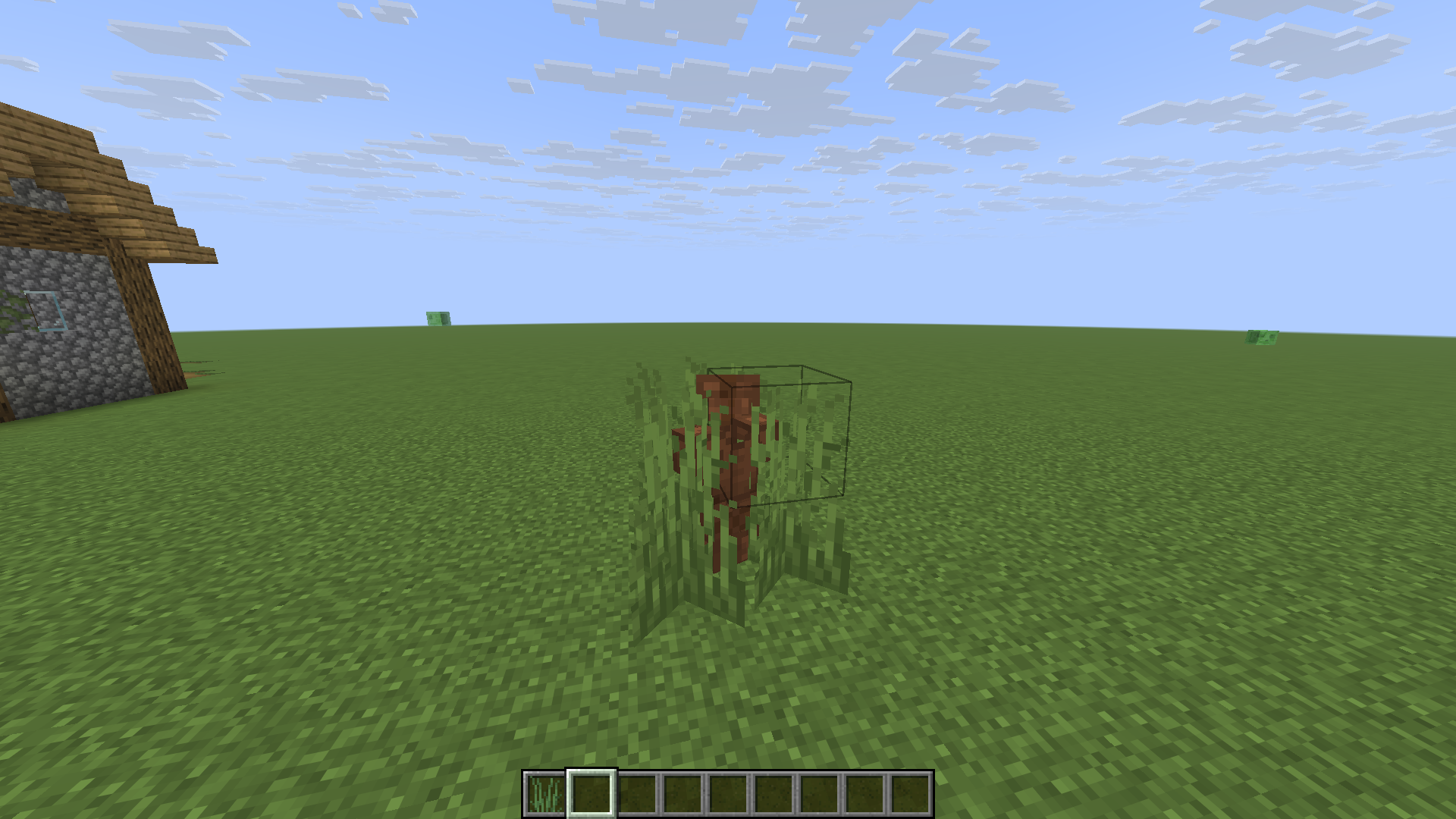
(This is my practice project while learning DataPack, so it’s a bit rough)
A texture pack that re-textures expierience orbs to be hearts!