Vuurwerkshow Paintings

This resource pack turns all paintings into screenshots of the 2023-2024 fireworks show on the Dutch server Torchcraft.
## Support
If you have any problems, ideas, or other feedback about this project, please contact me via discord or email. You can contact me on Discord by sending a friend request, so you can send me a message.
Discord: tibodp
Mail: [email protected]
## 🌟 My other projects:
– [Torchcraft Lobby Panorama](https://modrinth.com/resourcepack/torchcraft-lobby-panorama)
– [The Ultimate Creator](https://modrinth.com/modpack/the-ultimate-creator)
– [Chromakey Blocks](https://modrinth.com/modpack/the-ultimate-creator)
– [No Worldborder](https://modrinth.com/modpack/the-ultimate-creator)
– [Vuurwerkshow Modpack](https://modrinth.com/modpack/the-ultimate-creator)
– [Vuurwerkshow Panorama](https://modrinth.com/modpack/the-ultimate-creator)
– [Vuurwerkshow Paintings](https://modrinth.com/resourcepack/vuurwerkshow-paintings)
_Please only join the server if you speak Dutch because it is a Dutch-speaking server._
Vanilla+ TPS
**Vanilla+ TPS** — это простой и удобный мод, разработанный для просмотра данных сервера в реальном времени. С его помощью игроки могут легко отслеживать производительность сервера, используя удобные команды и интерфейс.
### Основные функции:
– **Команды для просмотра данных:**
– **/vtps bossbar** — отображает информацию о TPS (количество тиков в секунду) в виде босс-бара, что делает мониторинг производительности ещё более наглядным.
– **/tps** — предоставляет краткую информацию о TPS и задержке (ping) в чате.
– **/vtps actionbar** — выводит данные о TPS и задержке в строке действий (action bar) для удобного мониторинга в реальном времени.
### Особенности:
– **Простота использования:** Мод не требует сложной настройки — достаточно установить и начать использовать команды.
– **Информативность:** Получайте важные данные о производительности сервера в удобном формате, включая наглядный босс-бар для TPS.
– **Гибкость:** Выбирайте, как именно отображать информацию — в чате, босс-баре или строке действий.
– **Лёгкий в установке:** Мод не требует дополнительных зависимостей и легко интегрируется в ваш игровой процесс.
– **Быстрое обновление:** Мы активно поддерживаем мод и быстро выпускаем обновления для новых версий Minecraft, чтобы вы всегда могли использовать последние функции.
### Статус мода:
– **Текущий статус:** Мод находится в **бета-версии**, что означает, что он стабилен и готов к использованию, но пока что не поддерживает настройку прав доступа для команд.
– **Будущие обновления:** В ближайших обновлениях планируется добавить систему прав доступа, что позволит ограничить использование команд **/vtps bossbar**, **/tps** и **/vtps actionbar** только для администраторов или других указанных групп игроков. После этого мод будет считаться **полноценным релизом**.
**Vanilla+ TPS** идеально подходит как для администраторов серверов, так и для обычных игроков, которые хотят лучше понять, как работает их сервер. Установите мод и наслаждайтесь прозрачностью и контролем над игровой средой!
**Vanilla+ TPS** is a simple and convenient mod designed to view server data in real time. With its help, players can easily monitor server performance using convenient commands and an interface.
### Key features:
– **Commands for viewing data:**
– **/vtps bossbar** – displays TPS (ticks per second) information in the form of a boss bar, which makes performance monitoring even more visual.
– **/tps** – provides brief information about TPS and latency (ping) in the chat.
– **/vtps actionbar** – displays TPS and latency data in the action bar for convenient monitoring in real time.
### Features:
– **Ease of use:** The mod does not require complex configuration – just install and start using commands.
– **Informative:** Get important server performance data in a convenient format, including a visual boss bar for TPS.
– **Flexibility:** Choose how you want to display information – in the chat, boss bar, or action bar.
– **Easy to install:** the mod does not require additional dependencies and easily integrates into your gameplay.
– **Fast update:** we actively support the mod and quickly release updates for new versions of Minecraft, so you always have the latest features.
### Mod status:
– **Current status:** the mod is in **beta**, which means that it is stable and ready for use, but does not yet support setting access rights for commands.
– **Future updates:** in future updates, we plan to add a permissions system that will limit the use of the **/vtps bossbar**, **/tps** and **/vtps actionbar** commands to admins or other specified groups of players. After that, the mod will be considered a **full release**.
**Vanilla+ TPS** is great for both server admins and casual players who want to better understand how their server works. Install the mod and enjoy transparency and control over your gaming environment!
VCT – Voiid Countdown Timer

# Voiid Countdown Timer
As simple as the name implies. A customizable timer datapack & plugin.
[](https://ko-fi.com/maxxvoiid/donate)
[](https://modrinth.com/datapack/voiid-countdown-timer)
[](https://curseforge.com/minecraft/bukkit-plugins/voiid-countdown-timer-for-bukkit)
[](https://vctdocs.mintlify.app/)
[](https://github.com/Voiid-Studios/voiidstudios/blob/main/LICENSE.md)
[](https://github.com/Voiid-Studios/voiidcountdown)
[](https://crowdin.com/project/voiidcountdowntimer)


## ❓ What is VCT?
Voiid Countdown Timer (VCT) is a fully customizable timer for Minecraft.
It works in two different versions:
– 📦 **Datapack** → The Lite version of VCT, ideal for single-player worlds or realms.
– 🔌 **Plugin** → The full version of VCT, perfect for multiplayer servers with Spigot/Paper.
With both versions, you can:
– 🎨 Create visual timers with a progress bar.
– 🖌️ Customize color styles.
– 🛠️ Run custom events when the timer starts or ends.
## ✨ Features
Voiid Countdown Timer includes:
– 🎨 Custom Colors Styles
– ⚙️ Quick and easy setup
– ⏳ Progressive Time Bar
– 🎈 Custom Events
– 👥 SinglePlayer and Multiplayer Compatible
– 💻 Open Source and constantly updated
## 📋 Requirements
### 📦 Datapack
– Version: `1.15+`
### 🔌 Plugin
– Version: `1.13+`
– Server: Spigot, Paper, or Purpur (not CraftBukkit)
## 🚀 Installation
### 📦 Datapack
1. Download the [latest version here](https://modrinth.com/datapack/voiid-countdown-timer/versions?c=release&l=datapack)
2. Place the downloaded `.zip` file in the `datapacks` folder of your world.
3. Enter the world and you will receive a message confirming the installation! 🎉
### 🔌 Plugin
1. Download the [latest version here](https://modrinth.com/datapack/voiid-countdown-timer/versions?c=release&l=spigot)
2. Place the downloaded `.jar` file in the `plugins` folder of your server.
3. Restart the server and the plugin will be ready. ⚡
## 📖 How to use it
### 📦 Datapack
– Execute the command `/function vct:book` to receive the configuration book.
– From the book you will be able to:
– ⏰ Set time
– 🎛️ Timer controls
– 🌈 Customize style of colors
– 🗣️ Change language
– ❌ Uninstall
### 🔌 Plugin
– Configuration using commands and configuration files (`config.yml`)
– To see all available commands, use `/vct help`.
– In `config.yml`, you can customize various timer options; all of them are detailed in the [official documentation.](https://vctdocs.mintlify.app/)
## [📚 Plugin Documentation](https://vctdocs.mintlify.app/)
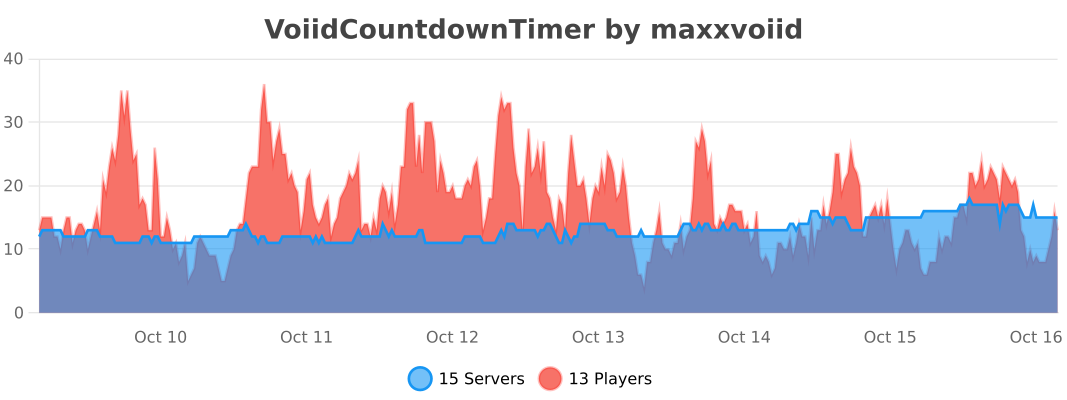
## 🔥 bStats


Void Particles
# Minecraft’s unOfficial Void Particles
This datapack brings back the void fog from Minecraft 1.8
When a player crosses Y=-47, the fog of the void will begin to cover their vision; and when crossing Y=-59, the player will suffer Blindness, as they get very close to the edge of the world.
This datapack executes the commands (particles & blindness) for each player within the area of effect (Y=-47 downwards). This could cause performance issues when multiple players are in the area of effect.
To learn the basic commands of this datapack, the operator should use the following command:
`/function void_fog:help`
This data pack belongs to the [Minecraft unOfficial Project](https://modrinth.com/collection/hB55ZXtF).
—
### License
This project is licensed under the GNU General Public License (GPL).
You are free to use, copy, modify, and distribute this project.
However, if you distribute modified versions, you must also release
the source code and keep the same GPL license.
This ensures that the project and all its derivatives remain free
and open for everyone.
Vixmoyy’s No Particles
A simple resource pack that removes all particles from the game using core shaders, _even modded ones!_
—
### • How?
> Instead of overwriting particle textures, this pack simply tells the game not to render them at all. This results in better performance and a true no particle experience.
### • Sodium?
> You can use this resource pack with Sodium if you have the [Sodium Core Shader Support](https://modrinth.com/project/G8yJPRdl) mod installed; it may display a warning stating that it may be incompatible, although it should work just fine.
### • >1.17?
> No, it is not possible to port this to pre 1.17 versions because core shaders could not be modified through resource packs before that.
—
particle.fsh & particle.vsh
### particle.fsh
“`
#version 330
void main()
{
discard;
}
“`
### particle.vsh
“`
#version 330
void main()
{
gl_Position = vec4(0.0, 0.0, 0.0, 0.0);
}
“`
##### You may not redistribute this resource pack anywhere without proper permission, the only official download page for this resource pack is on modrinth.
Visible Particles
### What does this do?
This resource pack retextures potion particles to be visible. This is especially useful for finding invisible entities.
### How does it work?
It changes the the texture of the effect particle to 1 large pixel.
### What versions does this support?
This resource pack works for versions 1.14 (19w06a) and up.
Visibility toggle
This datapack simply allows you to toggle the visibility of an itemframe that you have placed by using the command:
“`
/trigger visibility
“`
### Installation
**If you get a message saying the pack is not supported in lower versions I have marked it as working in, ignore this as it will still work**
**Datapack installation:**
1. Locate the datapack folder for the specific world
2. Drag the Itemframes.zip file into the datapack folder
3. Enable the datapack with /datapack enable “file/Itemframes.zip”
**Mod installation:**
1. Follow the instructions on how to install your prefered modloader (be it Forge, Fabric, NeoForge or Quilt)
2. Drag the downloaded .jar file into (on windows) %appdata%.minecraftmods
3. Launch the world and start playing
**Please report any problems on my discord server.**
Village Guards
Introduction:
This datapack aims to add Village Guards in vanilla minecraft and it supports minecraft versions 1.16.2 to 1.21.11.
Village Guard Stats:
- HP ♥️: 20 (10 hearts)
- AP 🛡️: 6 (3 armors)
- Attack Damage ⚔️: 11 (5.5 hearts)
- Ranged Attack Damage 🏹: 8-10 (4-5 hearts)
- Floats in water hence does not drown 🏊
- Hate 😡: All zombie types, all illagers, and creepers
- Heals overtime ➕
- Spawns : When villagers create their own iron golem
- Spawn count : 6
- Max Spawn 🔢: 10 per village (This value is changeable. See Admin Commands section.)
- Weapons ⚔️:
- Iron Sword(60% chance)
- Iron Axe(20% chance)
- Bow(20% chance)
- Loot Drop 💰: Current Weapon
- Builds light pole 💡 near villages. This feature can be disabled. See Admin Commands section.
- When on fire 🔥: Can put out fire faster.
Types of Players according to Village Guard:
- Bad Players 😈: These type of players are the players who have provoked the Village Guards. Provoking Village Guards is done in following ways:-
- Kill one of the protected entity.
- Hit a protected entity 3 times.
- Normal Players 😀: This type is assigned to every player by default.
- Heroes of the Village 👮♂️: These are the players who have “Hero of the Village” effect. Guards and Golems will protect these players.
- Protected Players 👨💼: Players, when they lose their “Hero of the Village” effect still remain protected by Guards and Golems.
Village Guard’s Behaviour towards every type of player:
- Bad Players 😈: Guards and Golems attack them on sight and forgive after one of them successfully kill that bad player.
- Normal Players 😀: Neutral. Passive to the players until provoked.
- Heroes of the Village 👮♂️: These players count as protected entities. With this effect, you can do whatever you want to do with anybody, guards and golems won’t fight back. Guards and Golems are always passive until you lose the “Hero of the Village” effect. After you lose the effect, you still remain a protected entity.
- Protected Players 👨💼: These players also count as protected entities. Guards and Golems are passive until a protected entity has been killed by this player.
How does protecting an entity works?
- If you are a Hero of the Village OR the Protected Player, you come under protected entities.
- Guards and Golems will not care about anybody you fight by yourself. They will stay neutral.
- Once a mob/player targets you or tries fighting back to you, they get angry on that mob/player and starts attacking them.
Extra Features:
- You can give following items to Village Guard and each item has a function:
- Any Weapon which is better than the one it is holding.
- Shield 🛡️: Absorbs 70% of damage dealt to Guard from anything.
- Banner 📜: Only works if a shield is already equipped.
- Totem of Undying 🗿: Gives an extra life to Guard but its not very useful since they do not know how to flee on low health.
- Any Tipped Arrow (Bow Guard only) 🎯: Gives the Guard unlimited Tipped Arrow.
- Spectral Arrow (Bow Guard only)🎯: Gives the Guard unlimited Spectral Arrow.
- Iron Axe (Axe Guard only)🪓: Gives the Guard the Double Axe Power = DOUBLE DAMAGE.
- Golden Apple🍏: Gives the Guard a chance to cure nearby zombie villagers, guard drops that apple if they find any of the above.
- If a village guard equips anything in its offhand, it will lock its weapons forever and will never change its mainhand weapon until the offhand weapon is destroyed.
- Village Guard will not attack a Zombie Villager unless and until Zombie Villagers are 3 blocks closer to protected entity and is about to attack.
Admin Commands:
-
/function give:vg/spawn_egg/village_guard
Obtain Village Guard Spawn Egg
-
/function summon:vg/village_guard
Summons Village Guard
-
/function toggles:village_guards
Here you can toggle datapack specific features if you want. They are:
- Maximum Village Guards : Set the maximum amount(limit) of Village Guards that are allowed to naturally spawn in a 256*256 blocks area. (Default = 10)
- Tutorial Messages : When Enabled, tutorial messages will appear.
- Speed : Controls the Speed of Village Guard.
- Guards construct light poles : When Enabled, guards will construct light poles at night where its too dark anywhere near village.
-
/function uninstall:village_guards
Starts the uninstallation process of this datapack.
Pros:
- Iron Golem is no longer lonely now.
- Villages are more safe from illager raids and zombie hordes.
- The effect Hero of the Village has REAL use now.
Cons:
- Its not easy to get your first iron ingots if you get those by killing the iron golem. You will be chased by a horde of village guards.
Known Bugs:
- You cannot sleep in the Village because of Village Guard unfortunately being a skeleton.
Fix:- You can build up 10 blocks and sleep peacefully. If you have a solution to this bug via datapack programs, please recommend me in comments section of my datapack page, I am always thankful to you.
- Village Guard will convert into stray mob when it freezes inside the powder snow block.
Fix:- It will now climb up automatically whenever it starts freezing.
My Socials:
- PlanetMinecraft Page
- Modrinth Page
- Discord Server
- Paypal Account
License:

This work is licensed under a Creative Commons Attribution-NonCommercial-NoDerivatives 4.0 International License.
Conditions that apply:
- You must give appropriate credit to the creator if you publicly showcase this work.
- You may not use this work for commercial/business purposes. (this does not include having the datapack installed in your server)
- You may modify this work, but may not distribute the modified work.
Installation:
Open your .minecraft directory. Put the datapack into the saves/world_name/datapacks directory.
Vertical Bobbing
# Vertical Bobbing


Brings back vertical view bobbing from Minecraft<=1.13.2 ([MC-225335](https://bugs.mojang.com/browse/MC-225335)).
Mojang removed it for no reason in 1.14 Pre-Release 2 so I added it back.
Version Detector
Version Detector is a proof of concept that more is possible with datapacks than you’d think, and also an API for datapacks to detect what version they’re running.
It doesn’t do much on its own, but can be useful for other datapacks.
Note: when adding the datapack to a world, if you’re using a game version older than 1.20.2, Minecraft will warn you that the pack was made for an older version of Minecraft. Ignore this warning, I can’t do anything about it on versions older than 1.20.2 as the feature of pack.mcmeta that allows me to add a range of supported versions instead of having just 1 was added in 1.20.2.
Questions/Issues? Post them in my discord as they are more likely to get seen there. Find it on the sidebar.
This pack uses the fact that Minecraft completely removes functions with invalid syntax when loading a datapack, for example “execute if entity @e[type=pillager]” is invalid syntax in 1.13, because Pillagers don’t exist yet, causing the whole function to get removed in 1.13, but the function will load successfully and will exist in 1.14 and later because there is no more invalid syntax because Pillagers were added, and the command was written correctly. Each function sets a number in a scoreboard objective to a number and runs the next function, which has a different syntax to the previous one, for example “execute if entity @e[type=bee]” instead of “execute if entity @e[type=pillager]” when moving from the 1.14 function to the 1.15 function, checking for a different feature. If at any point the chain stops, the number stops changing, which matches your version of Minecraft.
The ID is stored in a score for “MinecraftVersion” in the “VersionInfo” objective. It goes from 0 (1.13) up to whatever the latest detectable version is.
This pack also has NeoForge and Forge detection. Fabric and Quilt are currently undetectable, as there is nothing I can detect that fabric or quilt (without mods installed) adds to the game.
## To Modpack Creators:
I permit the use of this datapack/mod in your modpacks. You can include it in modpacks without the need to ask me about it. However, notifying me if it is being included in your modpack would be nice.
## Versions Detected
List of versions detected, in order from oldest to newest, starting at ID 0 (1.13) and going up (if a version isn’t in this list it is grouped with the newest version from before the version, example 1.21.3 is grouped with 1.21.2):
## Releases/Snapshots
0. 1.13
1. 1.13.1
2. 1.14
3. 1.14.3
4. 1.14.4
5. 1.15
6. 1.15.2
7. 1.16
8. 1.16.2
9. 1.17
10. 1.18
11. 1.18.2
12. 1.19
13. 1.19.3
14. 1.19.4
15. 1.20
16. 1.20.2
17. 1.20.3
18. 1.20.5
19. 1.21
20. 1.21.2
21. 1.21.4
22. 25w02a
23. 25w03a
24. 25w04a
25. 25w05a
26. 25w06a
27. 25w07a
28. 25w08a
29. 25w09a
30. 25w10a
31. 1.21.5
32. 25w15a
33. 25w20a
34. 1.21.6
35. 1.21.7-1.21.8
36. 25w31a
37. 25w32a
38. 25w34a
39. 25w35a
40. 25w36a
41. 1.21.9-1.21.10
42. 25w41a
43. 25w42a
44. 25w43a
45. 25w44a
46. 1.21.11
47. 26.1 Snapshot 1 (Yay new versioning system)
48. 26.1 Snapshot 2
49. 26.1 Snapshot 3
50. 26.1 Snapshot 4
51. 26.1 Snapshot 5
52. 26.1 Snapshot 6 – Snapshot 7 (Don’t you DARE say it)
53. 26.1 Snapshot 8 – Snapshot 9
54. 26.1 Snapshot 10
55. 26.1 Snapshot 11
56. 26.1
### April Fools Snapshots:
1001. 20w14infinite
1002. 22w13oneBlockAtATime
1003. 23w13a_or_b
1004. 24w14potato
Currently no 25w14craftmine yet, been too lazy to add that