Tree trimmer
This datapack allows you to break one of the logs in a tree multiple times. If a tree is 10 block tall, you can now chop down that tree by breaking that block 10 times. The datapack will make sure to drop the correct items, thus it work even if the tree is stripped.
**Datapack installation:**
**If you get a message saying the pack is not supported in lower versions I have marked it as working in, ignore this as it will still work**
1. Locate the datapack folder for the specific world
2. Drag the Tree_trimmer.zip file into the datapack folder
3. Enable the datapack with /datapack enable “file/Tree_trimmer.zip”
**Mod instalation:**
1. Follow the instructions on how to install your prefered modloader (be it Forge, Fabric, NeoForge or Quilt)
2. Drag the downloaded .jar file into (on windows) %appdata%.minecraftmods
3. Launch the world and start playing
**Please report any problems on my discord server.**
Tree Seeds
# Features
✔️Textures of saplings in inventory are now changed to corresponding tree seed

✔️Saplings on the ground are looking just the same
✔️Names of the saplings are changed to “Seed” (English)
🎨Compatible with most other resource packs

Credits to ferreusveritas owner of Dynamic Trees mod for beautiful textures :3
(https://www.curseforge.com/minecraft/mc-mods/dynamictrees The resource pack in under MIT licence because it uses textures from “Dynamic Trees” mod!)
If you have feedback or request write them in the comments and I will try to help you.
TrapFix

TrapFix removes trapdoor handles and corrects some patterns for cleaner, more consistent visuals—perfect for builders who care about detail.
– Easy drop-in install – no mods needed
– Updated patterns for better symmetry and visual clarity
– Updated for Minecraft **1.21.11**
👤 Created by Avrok
© 2025 Avrok. All rights reserved.
Transparent Totem
This small resource pack makes Totems of Undying appear **transparent**.
> ### [Check out my other packs!]()
> [**All My Packs**]()
> [**Visual Enchantments**]()
> [**Transparent Items**]()
>
> ### And my [Discord Server]()!
transparent tools
# TRANSPARENT TOOLS
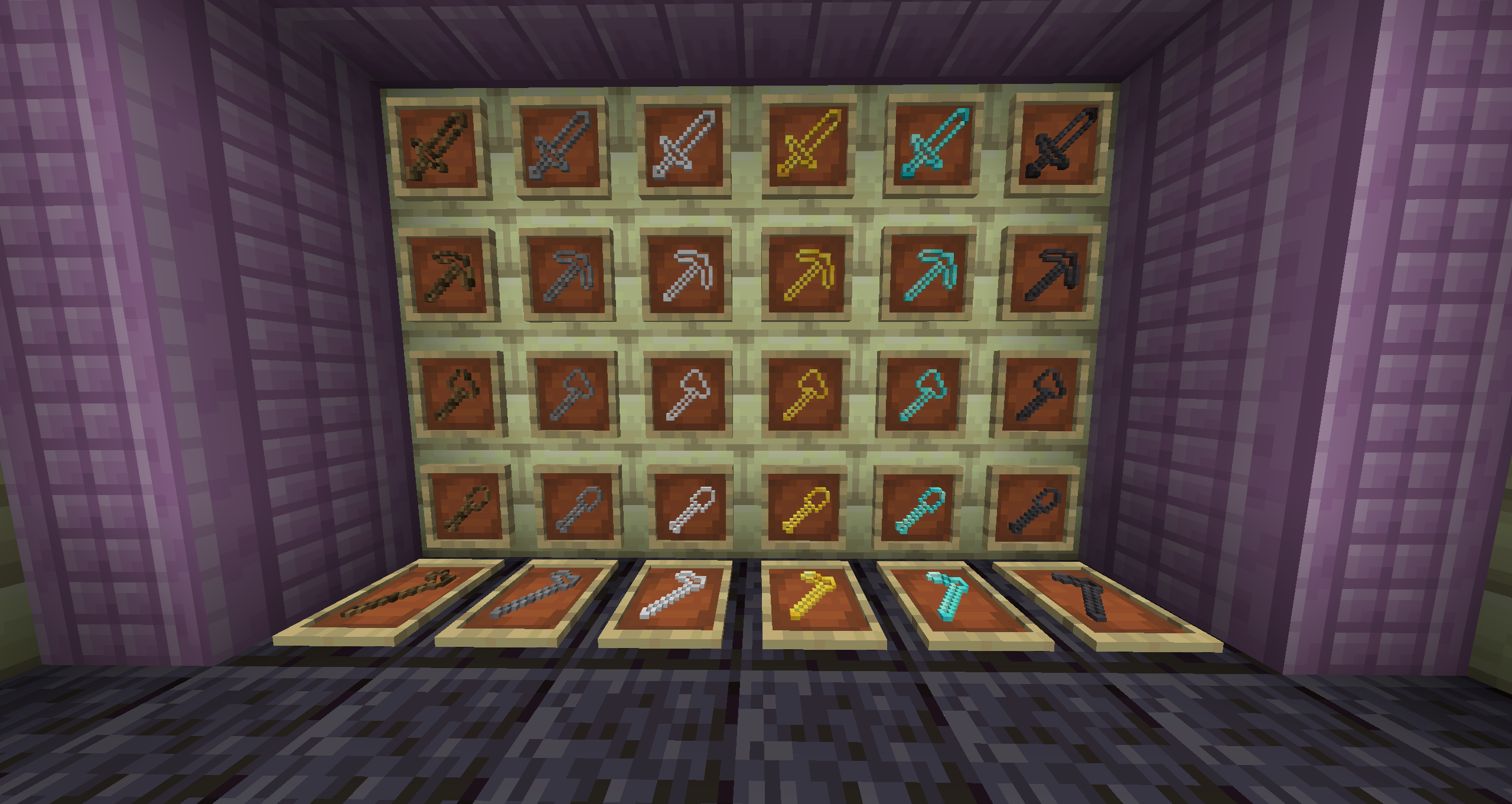
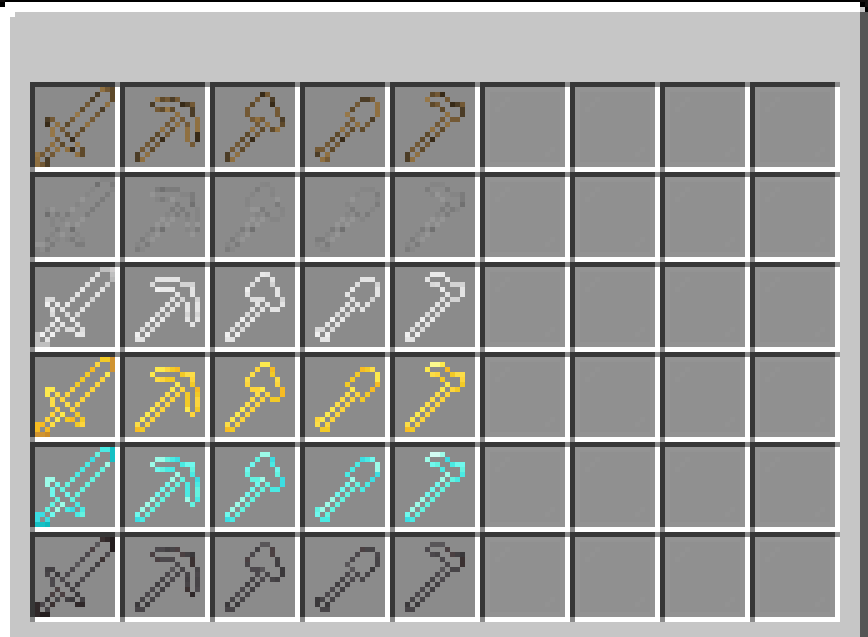
**This resoursepack making tools (like swords, axes, pickaxes…) TRANSPARENT!**
Transparent Tools
This small resource pack makes all tools appear **transparent**.
**Even with the new copper tools!**
> ### [Check out my other packs!]()
> [**All My Packs**]()
> [**Visual Enchantments**]()
> [**Transparent Items**]()
>
> ### And my [Discord Server]()!
Transparent Swords
This small resource pack makes all swords appear **transparent**.
**Even with the new copper swords!**
> ### [Check out my other packs!]()
> [**All My Packs**]()
> [**Visual Enchantments**]()
> [**Transparent Items**]()
>
> ### And my [Discord Server]()!
Transparent Potions
This small resource pack makes all potions appear **transparent**.
> ### [Check out my other packs!]()
> [**All My Packs**]()
> [**Visual Enchantments**]()
> [**Transparent Items**]()
>
> ### And my [Discord Server]()!
Transparent Nether Portals
### Consider joining the Discord server for updates!
**Ever wanted to actually see the world behind your Nether Portal?**
This resource pack makes Nether portals transparent, so you can look straight through instead of staring into the usual whirly purple void.
_Basically just turns “woooah void” into “window”_
[](https://discord.com/invite/TeUhG8Ty3a)
[](https://github.com/Ennismore0/Transparent-Nether-Portals)
[](https://www.curseforge.com/minecraft/texture-packs/transparent-nether-portals)
[](https://modrinth.com/resourcepack/tiny-tweaks-ennismore)
Transparent GUI
This texture pack makes **all GUIs transparent**, this allows for **better visibility** while in the inventory menu or in any GUI. as far as i know this **isn’t banned** in any major PVP servers or competitions. this is mainly made to help **competitive** players and for **convenience**.
and also compatible with Modmenu