Cobweb outline
This resourcepack adds an outline to cobwebs!
———————————————
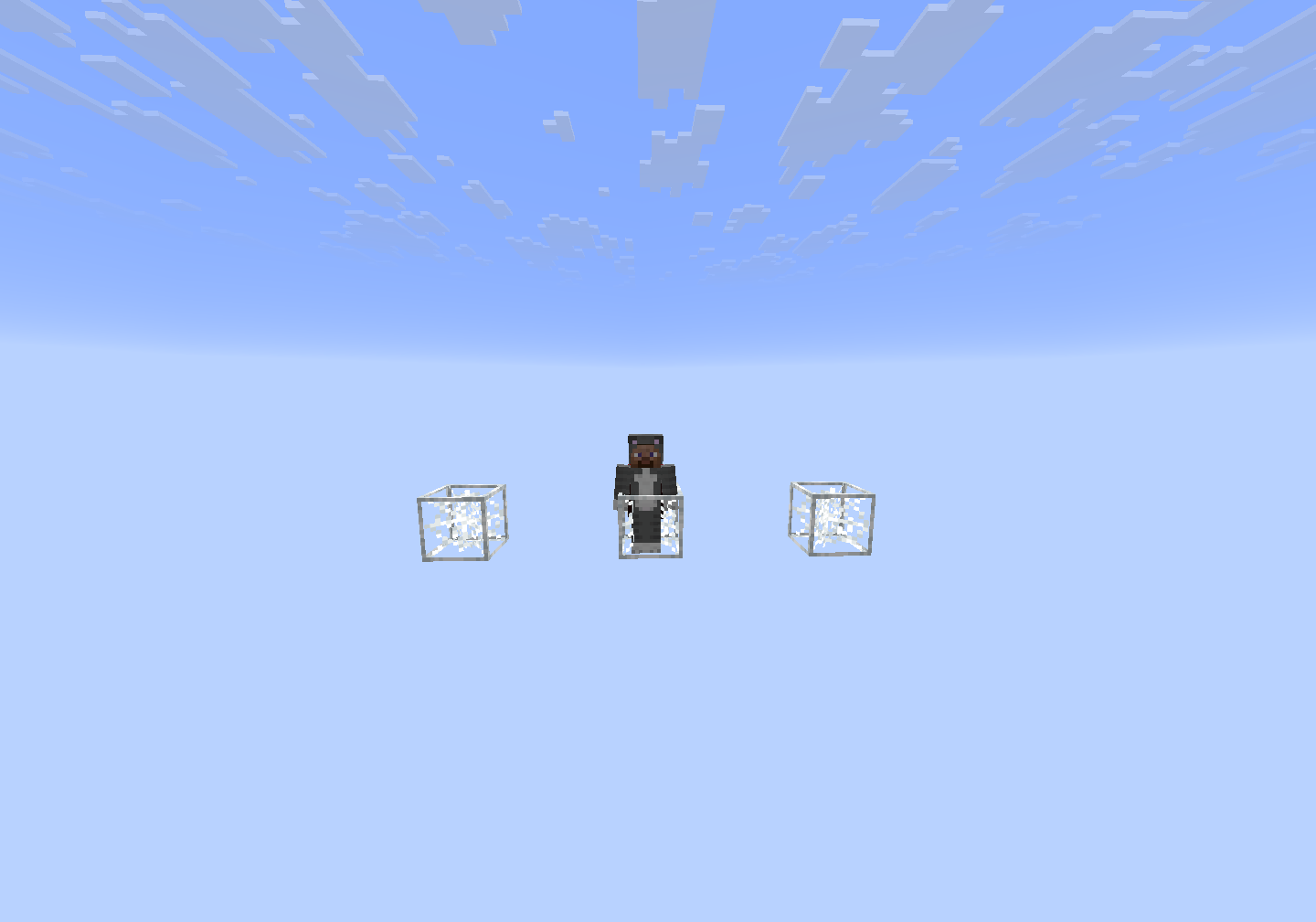
This resourcepack adds an outline to cobwebs!
———————————————

Changes leaves to have a **white, snowy color** in snowy biomes above sea level. The textures are inspired heavily by the snowy leaves in Bedrock Edition.
– Oak, Birch, Jungle, Acacia, Dark Oak, and Mangrove Leaves are now snow-white in snowy biomes above y=63.
– Spruce Leaves are only 25% whiter in snowy biomes above y=63. This is so that such snowy biomes do not all become white blobs.
– Either OptiFine or Continuity + Polytone is **REQUIRED** for this pack!
##
### MintRefresh:
YouTube | Planet Minecraft | Modrinth
TikTok | Twitter | Bluesky | Reddit
Join my Discord server here!
A resource pack that removes every sniffer sound, except for it’s death.
### Version support
– Every version after 1.20 is supported. As the sniffer was released that version.
**If you have any issues, please contact me through Discord.**
@zemewtf


## Description
**Welcome a challenge?**
This resource pack makes creepers disguise as farm animals when they spawn on _non-stone blocks_, this means you’ll still find normal creepers in caves and in certain biomes that don’t spawn farm animals.
Certain biomes only spawn one or two different farm animals, and creepers know! For example: in meadows, creepers will always be sheep!
They will also blend in with the **warm and cold variants** using their respective biome tags! (only 1.21.5+)
## Compatabilities
– Warm and cold variants spawn correctly in the bigger biome mods such as **Biomes O’ Plenty**, and **Oh the Biomes We’ve/You’ve Gone**. Untested in any other biome mods but it should work as long as the mod uses biome tags correctly.
– Unfortunately, **Fresh Animations** overrides this entire pack, Fresh Creepers and Sneaky Creepers _do not mix_.
– This pack will detect if the client is on 1.21.5 or higher to spawn warm and cold variants, you won’t see mob variants if you’re playing before the Spring to Life update, despite any installed backport mods.
– Ensure **EMF** and **ETF** are both installed _and_ updated, it _won’t_ work on older versions of **EMF** or **ETF**!
# Sneaky
**⚠️ Versions 1.0.11 to 1.0.13 have an oversight allowing unwhitelisted or banned players to still see MOTD and player list.** This only affects servers with whitelist on. I made a mistake in adding players to the allowed list too early in the signin process. It’s unlikely that this was abused on a wide scale as it still required successful authentication with Mojang (on Online-Mode servers). 1.0.14.1 is available for all affected Minecraft versions
Sneaky anonymises your server from server scanners like Copenheimer, Shodan or ServerSeeker by only showing server info to players who have previously joined.
Sneaky has other options to protect your server including disabling logs for unauthorised players, and ratelimiting the creation of new connections.
## Configuration
The configuration is stored in config/sneakyserver/config.properties
`hide-server-ping-data`: (Default: true) Only sends server ping data to known players
`hide-player-list`: (Default: false) Sends server ping data to unknown players, but doesn’t send a user list. Only works when “hide-server-ping-data” is false.
`dont-log-unauthed-client-disconnects`: (Default: false) Prevents the server from logging failed offline-mode player logins. Prevents logs when the client closes the connection. Example of a server being spammed with offline mode logins: https://www.reddit.com/r/Minecraft/comments/12ip3gd/who_is_shepan/
`dont-log-unauthed-server-disconnects`: (Default: false) Prevents the server from logging failed offline-mode player logins. Prevents logs when the server closes the connection
`rate-limit-new-connections`: (Default: true) Enables a rate limit for clients creating new connections.
`new-connection-rate-limit`: (Default: 7) Connection limit over 15 seconds. If a client exceeds this limit new connections will be closed.
`disable-query-until-login`: (Default: false) shows the server as offline before the first time a player joins
`disable-legacy-query`: (Default: true) disables legacy ping used by clients older than Minecraft 1.6
`disable-connections-from-banned-ips`: (Default: false) closes connections from banned IPs before reaching login logic. May be incompatible with BungeeCord or Velocity
## Hiding ping data
Sneaky hides server info by keeping a list of IP addresses of known players and their last join date, only allowing known players to receive the real server info, and appearing as an unconfigured server with no player activity to server scanners and players who have never joined. this feature is meant to be a no compromise alternative to vanilla’s `hide-online-players` feature, allowing members of a server to see relevant information without leaking that information to scanners or un-whitelisted players (in the case of a whitelisted server)
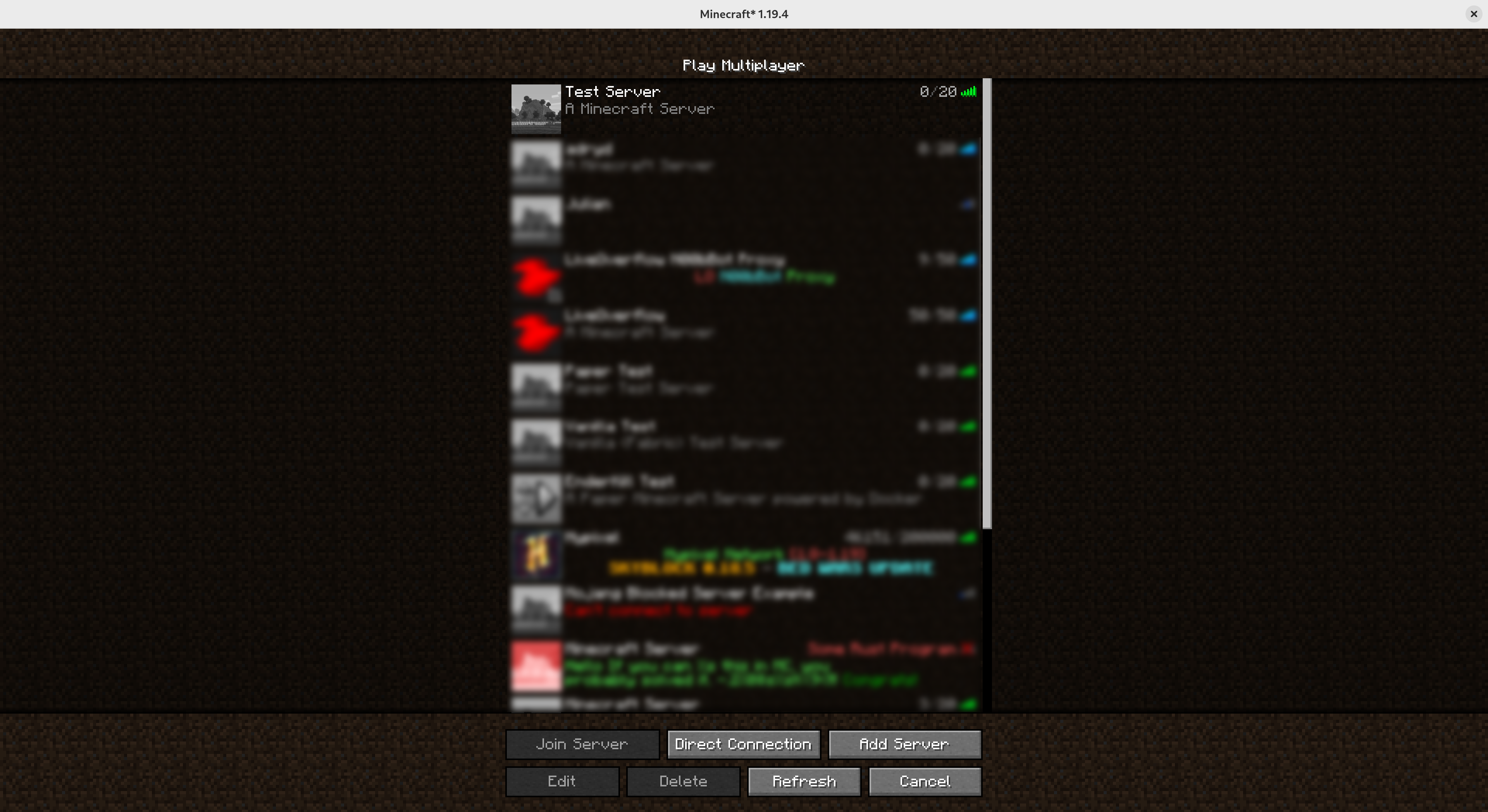
### Before joining
Before first joining, players and server scanners see a generic, unconfigured server with no player activity
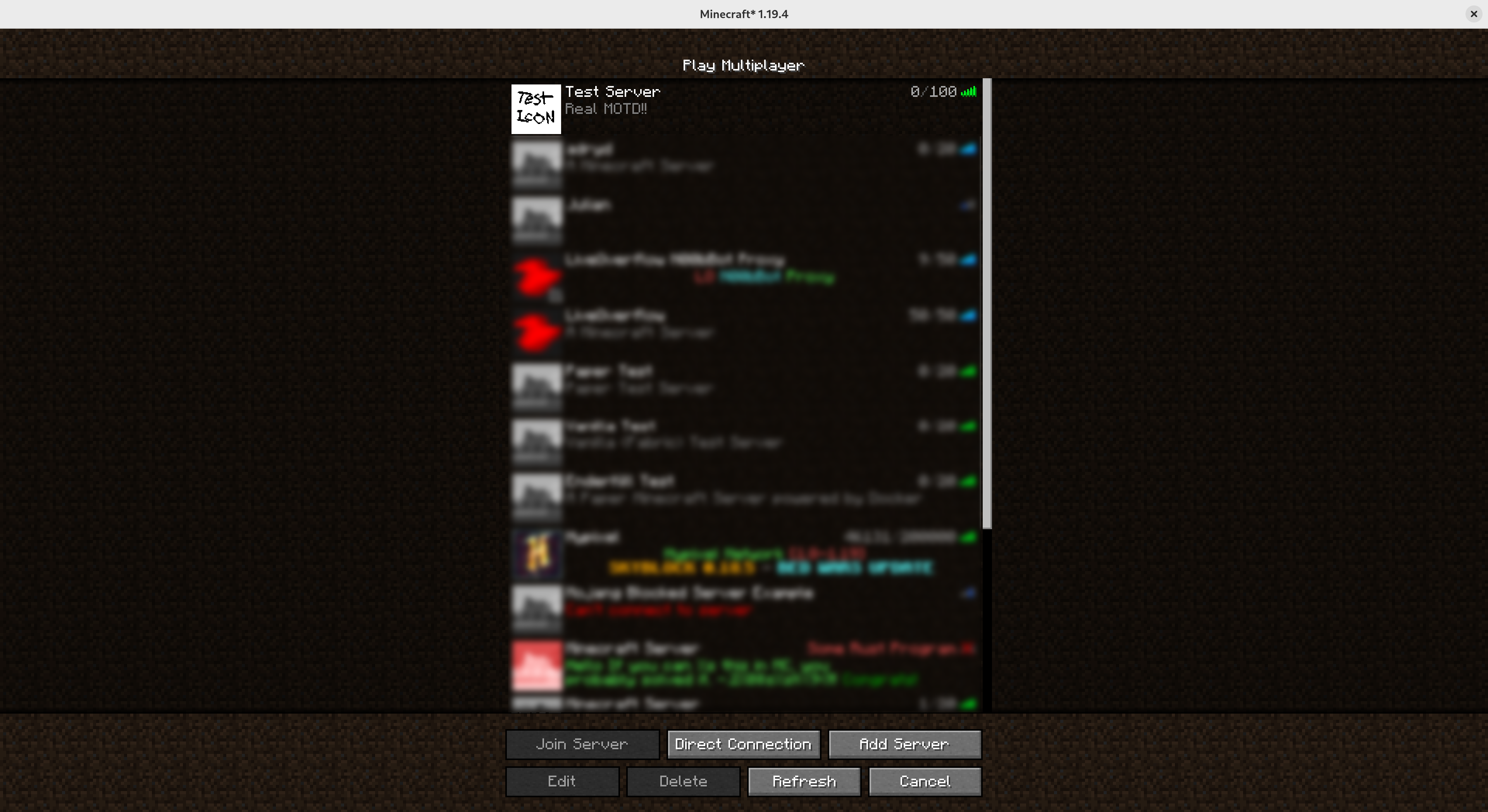
### After joining
After their first join, players will see the real MOTD, server icon, and online players list
This is a perfect texture pack for peoples who pvp and play smps.
Some features include :-
-Transparent inventory
-Vanilla textures
-Smaller Utilities
-Small totem and shield
-No pumpkin blurr
-Visible Powdered snow
-All the pvp things you need in a pack
This pack adds a subtle and smooth outline to wool, similarly to Outlined Wool
**❓ What’s the difference between this pack and Outlined Wool ?**
_The outlines of this pack have a solid color, while Outlined Wool have multi-colour outlines._
✏️ Made with **Live Texture Editor** by Zee
⬆️ **UPDATES**: supports 26.1 and above, ignore the “_outdated resource pack_” toast when loading
Removes the ugly and noisy pixels from widget buttons and makes highlited widgets green like Bedrock or Barebones.
⚠️ This pack only affects widget buttons and slider buttons
✏️ Created with Live Texture Editor by Zee
💯 Dark Mode coming at 100 downloads


This resourcepack simply modifies Faithful 32x’s font by adding targeted colored shading to the lower parts of its characters, giving the game a more refreshing/visually appealing look! Supports **11,000+** characters, various languages, many symbols and is available for a wide range of game versions!
_**Note:** This pack has various (former) shading styles, check them out in the gallery! Only the latest release style is showcased here._

**All of Faithful 32x’s font is currently supported and shaded, consisting of:**
– **ascii.png**: Most-used characters and some other symbols
– **ascii_sga.png**: Standard Galactic Alphabet used for enchanting
– **asciillager.png**: Secret characters only illagers may understand (pre v16)
– **accented.png**: Versions of letters with accents, diacritics, ligatures and circled numbers/letters
– **nonlatin_european.png**: Accented characters, miscellaneous symbols, some non-european characters, latin script characters
**Beyond that, the latest releases also added:**
– **8,500+** shaded glyphs across 37 unicode pages
– **Extensive** language & symbol support
– **Vanilla fixes** for incorrect glyph widths like for “▚”
– Support for popular servers like **Hypixel** (symbols) and **Wynncraft** (tooltips)

**Q1**: May I use this for my modpack?
**A1**: Feel free to include it in your modpacks on Curseforge and Modrinth! If you are using it as a content creator, giving credit by linking to this project’s page in your content’s description is highly appreciated!
***
**Q2**: What are editions?
**A2**: Editions were used to group game versions, indicated by a letter at the end of the pack’s name, ex.: (C) for Copper Edition, supporting MC 1.18+, including the files shown in the table of editions (gallery). **v10+ no longer uses editions** as there is only one file for MC 1.16+ now.
***
**Q3**: What are shading styles?
**A3**: Shading styles used to provide variety in the font’s appearance. v9.2 needs the Respackopts mod to access all styles (pair with Sinytra Connector if on forge). Standalone versions for each style, ex.: “Rose” (pink tint) are also available, not needing any mods. **v10+ no longer has multiple shading styles** nor needs any mods.
***
**Q4:** How do I tell **Der’s Shaded Font** apart from other shaded fonts?
**A4:** Last time I checked, this one was the only vanilla shaded font that supported anything other than just ascii.png characters (see features section for details). Symbols, accented characters and otherwise special characters with shading are most likely from here as well as any of the exclusive colored shading styles.
***
**Q5**: Why do a few special characters/symbols look double-struck when bold?
**A5**: Those (usually thin) characters appear as double-struck/outline due to Minecraft applying the same bolding method (duplicating and shifting by two pixels) across the board. Resourcepacks are limited in this regard as they cannot adjust said method. It is best to avoid using such characters in “**bold**” for now. Only a handful are affected.
***
Click here for a 16x version! / Submit feedback
add biome blending to moss block, donesnt work with moss carpet unfortunatly.
/! NEEDS either continuity OR optifine to work as it use theyre CTM feature /!
smoothing also need continuity or optiphine as it was not intentional at firs, i will have to remake the texture in the plain for everyone one day but for now, everything in this pack need continuity or optifine