Timer for Speedrun
## Description
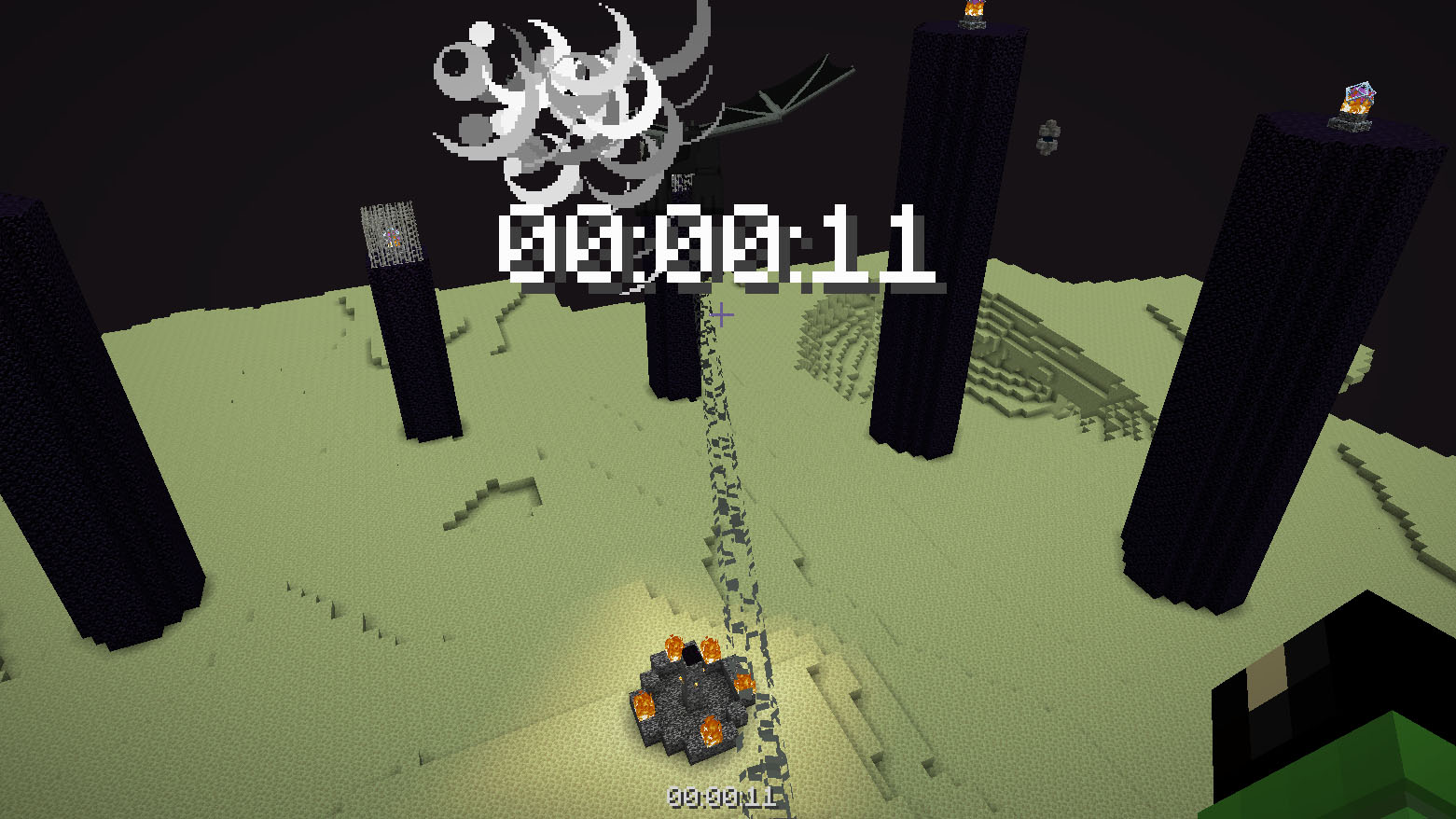
Datapack or mod adds an automatic timer for speedrunning.
## How to use
The timer is activated automatically when you enter the world. The timer stops when you enter the end portal.
## Dependencies
– Fabric loader requires [Fabric API](https://modrinth.com/mod/fabric-api)
Time Adjustment
Time Adjustment


A simple mod/datapack that allows the player to change how long the Minecraft daylight cycle lasts.
It supports daylight cycle lengths 1 minute and longer.
🕹 Installation
Time Adjustment can be installed multiple ways. The simplest is through Modrinth, while Github can offer experimental versions.
Modrinth
Datapack
- Download the correct version of the datapack
- Follow this guide to complete installation
Mod
- Download the correct version of the mod
- If using the Modrinth app, you’re done. Otherwise, move the mod into your mods folder
Github
Releases
- Navigate to Github Releases
- Find the version of Time Adjustment you want
- In Assets, find and click the zip that has the version of Minecraft you’re playing on
- Follow this guide to complete installation
Continuous Updates
- Install Git
- Open a terminal in your datapacks folder (follow step 4 in Releases if you need help)
- In the terminal, enter
git clone https://github.com/Team-NPM/Time-Adjustment.git
- In the terminal, enter
git checkout $(VERSION), replacing $(VERSION) with the datapack version you want (run git branch -l to see all branches)
- If the datapack ever updates, open a terminal in your datapacks folder and run
git pull to update it quickly!
🎛 Running
When the datapack is installed, a message will appear in chat informing all users of the successful installation.
To begin using it, run /function config:timeadjust or /function timeadjust:.config to open the configuration menu.

- Day Length
- The length of the day shown in hours and minutes
- Daylight Cycle
- Easily enable or disable the daylight cycle (do not use
/gamerule doDaylightCycle or /gamerule advance_time in version below 26.1)
- Presets
- A set of preset daylight cycle lengths
- Manual Adjust
- A set of buttons to quickly adjust the time to the users liking. Clicking on the text in the middle allows the user to enter exact values
- Update Datapack
- A button to quickly run the update functionality for the pack and list update notes
- Uninstall Datapack
- A button that removes all datapack data from the world and gives instructions on how to finish cleanup
🖫 Updating
To update the datapack, simply enter the config and click the update option. It’ll automatically prepare the datapack for updating and will provide a set of instructions on how to finish updating. NOTE: Updating the datapack without running this option may cause problems during large update jumps.
🗑 Uninstalling
To uninstall the datapack, either enter the config and click the uninstall button, run /function uninstall:timeadjust, or run /function timeadjust:uninstall. Doing any of these options will remove all data from the world and give instructions on how to finish uninstallation.
🖇 Compatibility
For Minecraft 1.21.11 and below, most datapacks that rely on the default daylight cycle may not work as this datapack requires it to not run. If there are any problems with running other datapacks alongside this one, please follow the Reporting Issues section below.
🖂 Reporting Issues
Have a problem? Report it! There are 2 ways to report issues.
Github Issues
Head to https://github.com/Team-NPM/Time-Adjustment/issues and create an issue. You can also make suggestions there as well!
Discord
Join the Discord and make a bug report in the correct channel. Once it’s seen, a Github Issue will be created and linked.




Tick Stasis
# **Tick Stasis**
[](https://git.sr.ht/~arm32x/tick-stasis/tree/master/item/LICENSE)
Pauses your Minecraft server when no players are online and seamlessly
resumes it when a player joins.
While the server is paused:
– No updates will occur in the game world, including block updates,
entity movement, and random ticks.
– In-game time will be paused, which prevents your world’s [local
difficulty][] from increasing.
– Server CPU usage will be reduced to 0% or near-0% (version 1.1.0+).
Commands you enter into the server console will continue to work.
## Version compatibility
Tick Stasis is built to be compatible with the following Minecraft
versions, including snapshots and April Fools’ updates.
| Tick Stasis version | Minecraft version |
|:——————–|:———————————————-|
| 1.1.1 (latest) | 19w11a or later (including 1.14+) |
| 1.1.0 | 19w11a or later (including 1.14+) |
| 1.0.0 | 19w04a through 23w51b (including 1.14–1.20.4) |
## FAQ
#### Can you update this to a newer version of Minecraft?
Try using the latest version of the mod, even if Modrinth doesn’t list
the Minecraft version as supported. If you find a version that isn’t
compatible (due to a crash or other issue), please let me know on the
[mailing list][].
#### Can you port this to an older version of Minecraft?
This would likely require porting to a different mod loader. See the
next question.
#### Can you port this to Forge/Bukkit/Paper/Spigot?
I might port this to other mod/plugin loaders at some point if I feel
like it, but please *don’t ask about it*. In the meantime, the mod is
open source and permissively licensed, so you can try porting it
yourself.
[local difficulty]: https://minecraft.fandom.com/wiki/Difficulty#Regional_difficulty
[mailing list]: https://lists.sr.ht/~arm32x/public-inbox
Thorough Keybindings
For as many Minecraft versions as possible, this mod makes the keybindings of usually fixed mappings rebindable. This is a client side mod.
For example, this lets you remap Escape and F3 in-game, even in versions before F3 was made rebindable. Also adds rebinding options for Shift, Control, Alt as well as the digits to navigate the profiling pie chart. Furthermore, backports mappings to earlier game versions, like rebinding F5 or hotbar slot keys.
For versions 1.14 to 1.21, this mod uses [Fabric](https://fabricmc.net/) and requires the [Fabric API](https://modrinth.com/mod/fabric-api) to run.
For versions beta 1.0 to release 1.13, this mod uses [Ornithe](https://ornithemc.net/) with Fabric and requires the [Ornithe Standard Libraries](https://modrinth.com/mod/osl) to run.
Thigh Highs
# Thigh Highs
This is a resource pack that adds thigh-highs in black, blue, pink, red, and yellow instead of armor.
—

The Cake is a lie
Since 1.12, achievements have been replaced by progression, and some achievements have disappeared.
There’s a well-known meme, “The Cake Is a Lie” from Portal, and in this datapack, I’d like to add it back.
自从1.12开始,我们很熟悉的一个来自传送门的梗《蛋糕是个谎言》就已经被删除了
在这个数据包中,我希望能将它再次加回来
日本語は私の友人が担当しています,句読点をつけないようにと言うのを忘れました,だから1.20以前の日本語版には問題があった,I’m Sorry!
The White Pumpkin
this is **inspired by Minecraft story mode (a telltale games creation) episode 6**, this is what happened on that episode:
In **Minecraft Story mode** (mcsm) season 1 episode 6, jesse goes on a journey and stubles apon a mansion in one of the dimentions he was exploring to find his way home, on his way to enter the mansion, he spots a figure with a white pumpkin. apon entering the mansion to get sheltered from hords of zombies, he and his friends meet another group of people who are popular minecraft youtubers, but they one by one get trapped, killed and more. jesse and his gang finds out “the white pumpkin” was up to all these traps. they go after him/her to kill the white pumpkin, they discover one of the other group of friends who were in the mansion (cassie rose) was the white pumpkin, they go on to defeat her leaving her trapped in her dimention while they continue their journey.
please try to give me feedback on what to do to make this texture pack better
Tetris
So….. ive put the tetrmino to minecraft resource pack…
Anyways, Why i made this?
why i put yapping readme file
Terrestria

Terrestria is a detailed and vibrant biomes mod for Minecraft running on the Fabric mod loader. Terrestria enhances gameplay through the addition of 17 major biomes supported by 24 component biomes, 9 new wood types, as well as a healthy selection of foliage – providing a refreshing new selection of terrain.

Terrestria requires Fabric Loader and Fabric API
Check out the Terraformers Discord Server to chat about Terrestria and other Fabric mods!
Visit the Terrestria Wiki to learn more about each biome
The goal of Terrestria is to be the most polished and visually appealing biomes mod available for Minecraft, and to this end there has been intense focus on selecting, detailing, and refining the biomes until they look absolutely amazing. Rather than add tons of different biomes, focus has been put into adding a rather small amount of biomes and then populating them with large amounts of detail and component biomes. This overall results in a more cohesive experience compared to existing biome mods.
Biomes:
v1.0.0 – Initial Release
v2.0.0 – The Dry Update
Some biomes contain variants to increase variety
Images of the biomes can be found on the Images page.
Other Mods by Terraformers:
Check out Terrestria’s sister mod, Traverse:

Traverse works well alongside Terrestria if you are looking for a set of biomes that are closer to the Vanilla+ ideal. Traverse has a lot of unique, colorful biomes that embrace the simple vanilla aesthetic instead of trying to overshadow it.
Check out the Terraformers Nether biome expansion, Cinderscapes:
Cinderscapes complements Terrestria by providing an expansion to the nether, much like Terrestria does to the overworld. Cinderscapes brings more life and beauty to the nether, while also keeping it frightening.
Campanion, your camping companion:

Campanion adds various tools and utilities to help improve your adventures away from your home. Campanion also works well alongside Terrestria in order to make the exploration of the biomes even more fun.
Terrestria is a mod for Fabric, and there are no plans to port this mod to Forge.
Timo Translations
This is a Translation Pack for my project [Timo](https://modrinth.com/datapack/timo_11).
When using mods like [Coordinates Display](https://modrinth.com/mod/coordinates-display) it displays **”biome.timo.rich”** without this Pack but with this pack **”Rich”**
Supported Languages:
“`
English (United States)
ɥsᴉluƎ(uʍop ǝpᴉsd∩)
“`