ReProgrammer
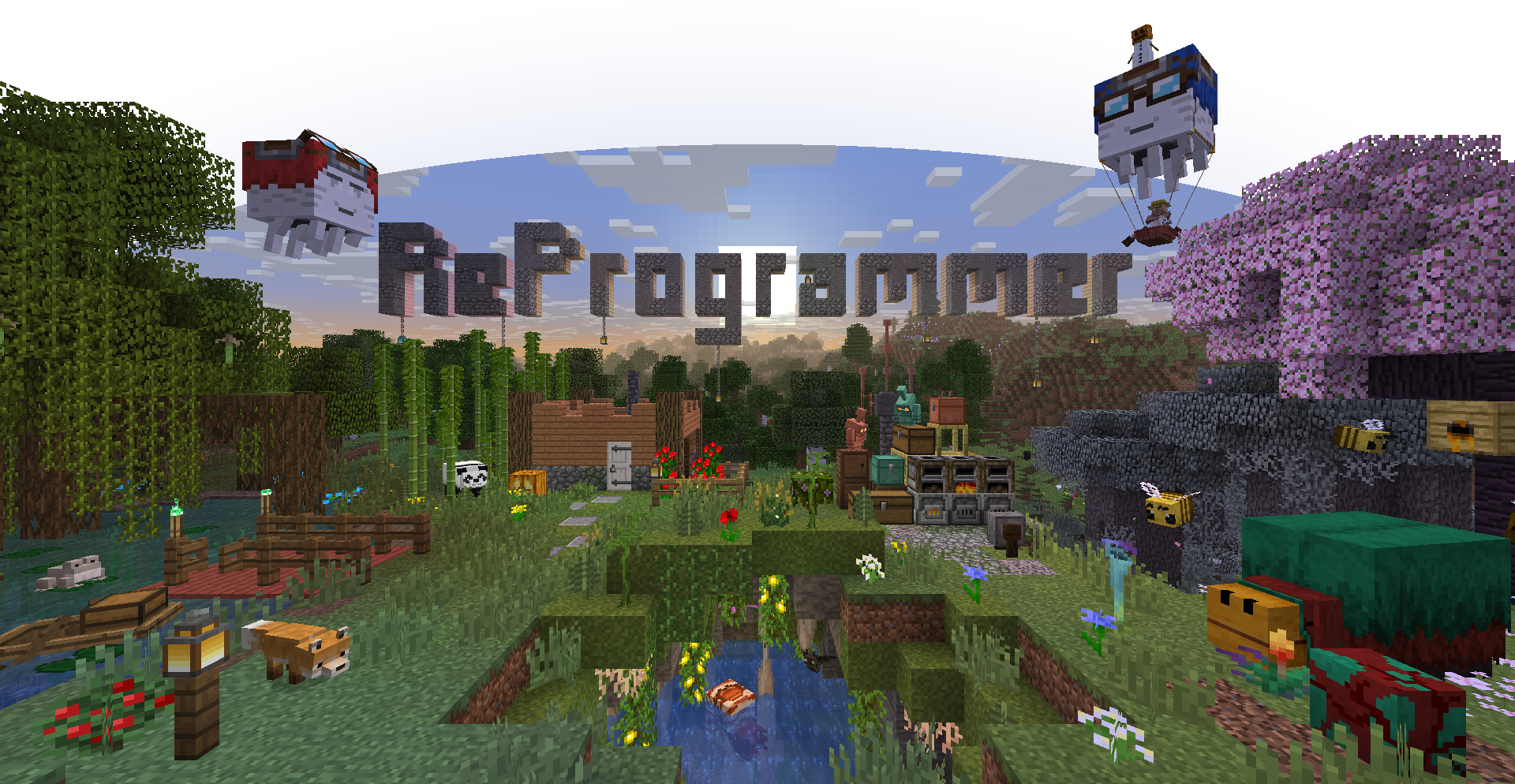
# Breathing new life into an old style
**This resource pack acts as an extension of Programmer Art, and is meant to be placed above it in the resource pack menu!** If the Programmer Art resource pack is absent, or is placed above ReProgrammer instead, some textures will be incorrect!
ReProgrammer imagines what the original art style would look like in modern versions; consistency is maintained between old and new features by giving rougher, simpler textures to modern sprites, while some pre-existing programmer art sprites have been touched up a little.
(2.0.0+) Also features overlays for a wide range of support and a panorama that changes between multiple recreations based on the version
## Extras
You can find some extra goodies in the `extras` folder, such as extra panoramas and behind-the-scenes art i used while making textures, if you want to see my process for some reason
Repottery
**Repottery** is a resource pack that gives new life to pots in Minecraft. Pots are now divided into categories: flat (saplings, azalea, fern, dead bush, bamboo, cactus, roots and mushrooms), vases (tulips), small (all small flowers) and big pots (wither roses and torchflowers). All pots have a simple 360 degree rotation. **Repottery** also adds a new look to decorated pots, including the ones added in 23w12a snapshot.
#
**This pack does not require OptiFine or any of its alternatives to work.**
#
Also available on Planet Minecraft: https://www.planetminecraft.com/texture-pack/repottery/
Reload Feedback
This data pack adds a very basic feedback message to the `/reload` command without leaving behind any data

***
**Make sure you download the correct file for your minecraft version**
**This project is supposed to be compatible with all minecraft versions, if the game gives you a version warning, ignore it**
***
If you make content using my data packs, please give me proper credit
If you enjoy this project, please consider supporting me with a donation or some kind words
Also check out my other projects on [Planet Minecraft](https://www.planetminecraft.com/member/b1bu) while I procrastinate posting them here
***
Join my Discord server to get support, submit suggestions, stay up to date with my projects, or just chat

Reimagined
### Want early access to new updates, behind the scenes content or some extra goodies while supporting me and Reimagined’s development? Consider donating to my [Patreon!](https://www.patreon.com/cw/Reijvi) <3

### Reimagined, a love letter to Minecraft
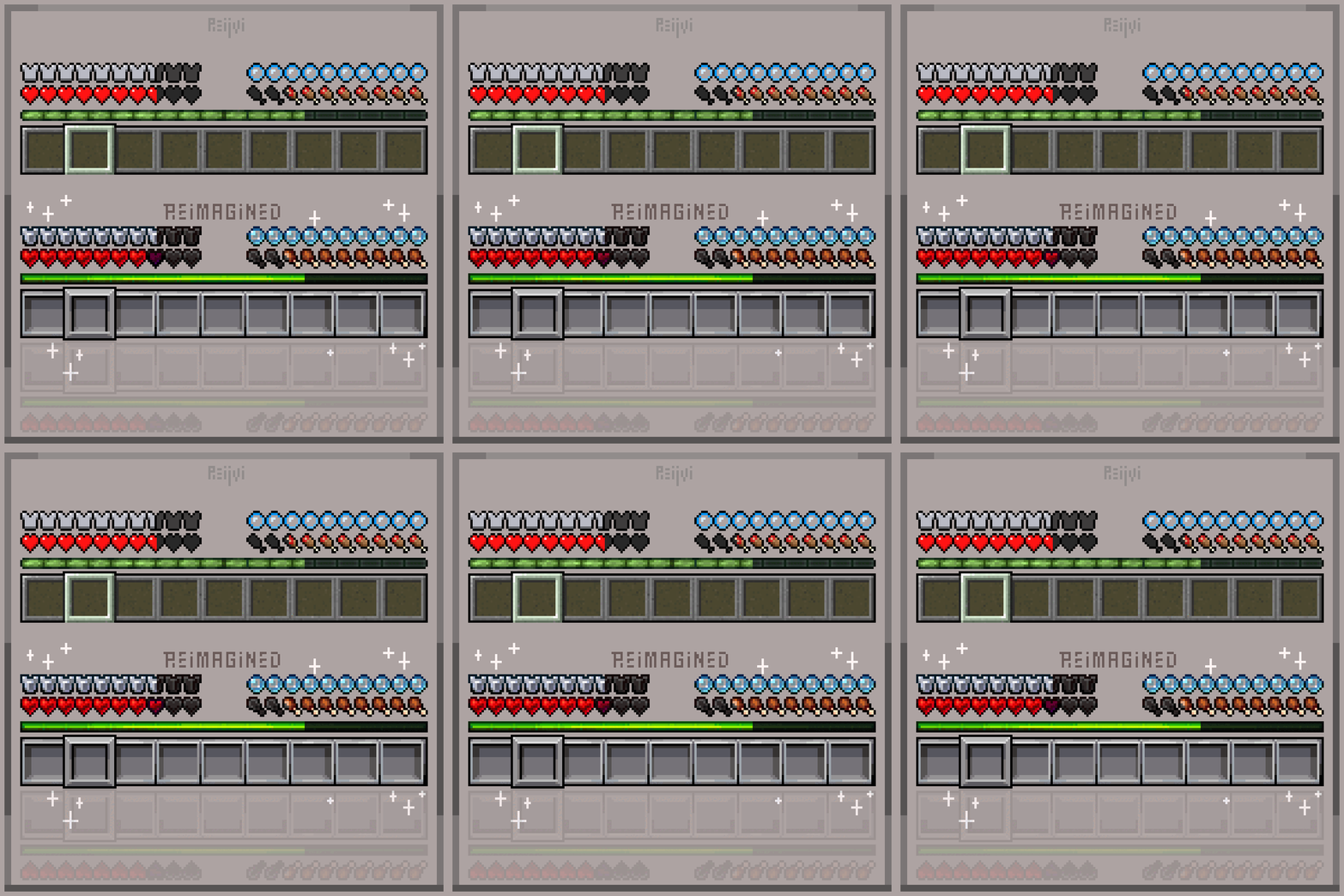
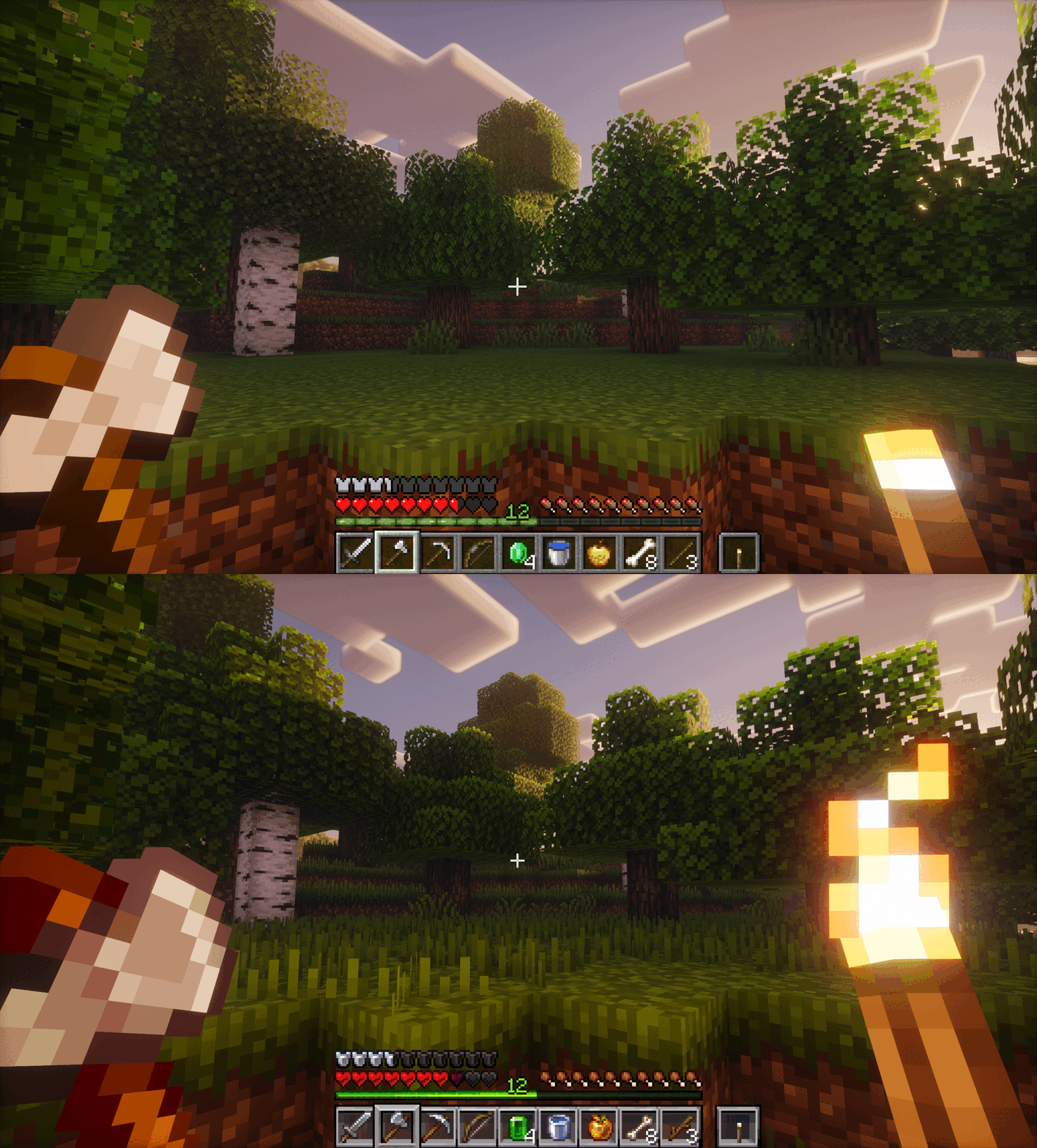
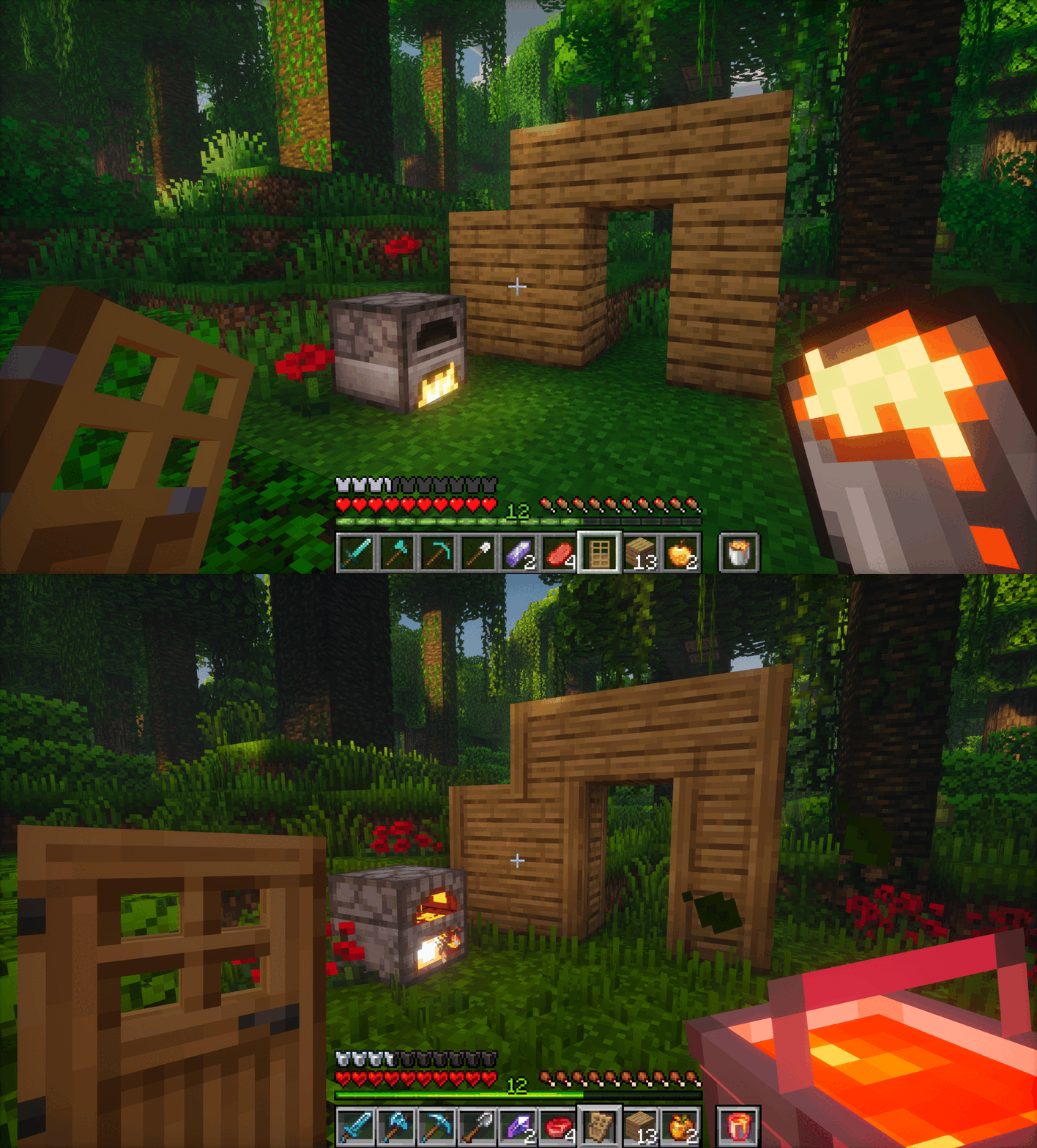
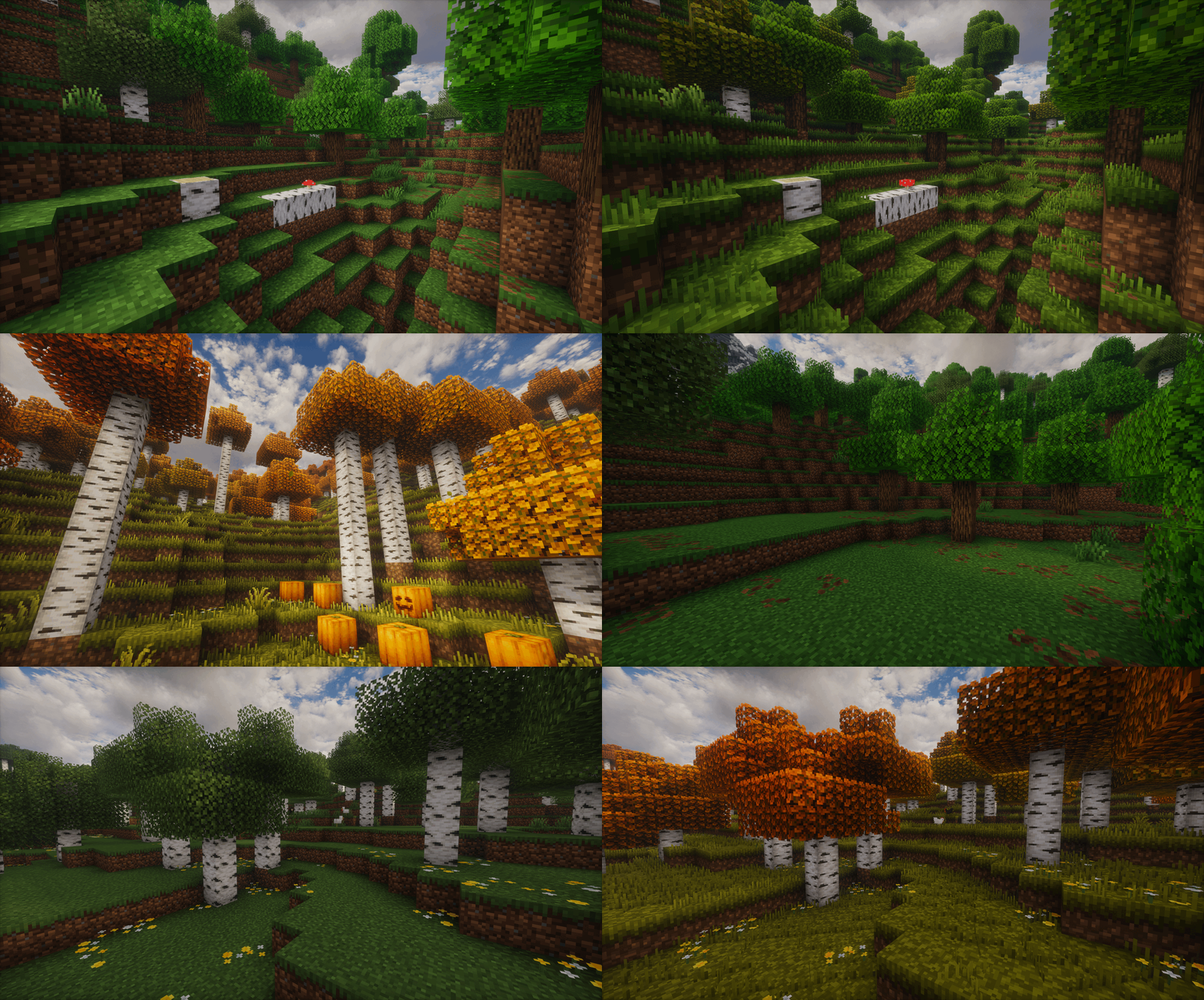
Reimagined is a constant work in progress which is an extensive overhaul changing as much as possible in big and subtle ways. From hundreds of new block variants, completely new remade guis, new sounds, animations, biome colors, mobs, particles and so on! Reimagined should hopefully have a bit of everything people can enjoy.
It'll hopefully will give your pixel world a bit more of an immersive feel, while keeping that cozy familiar Minecraft charm.

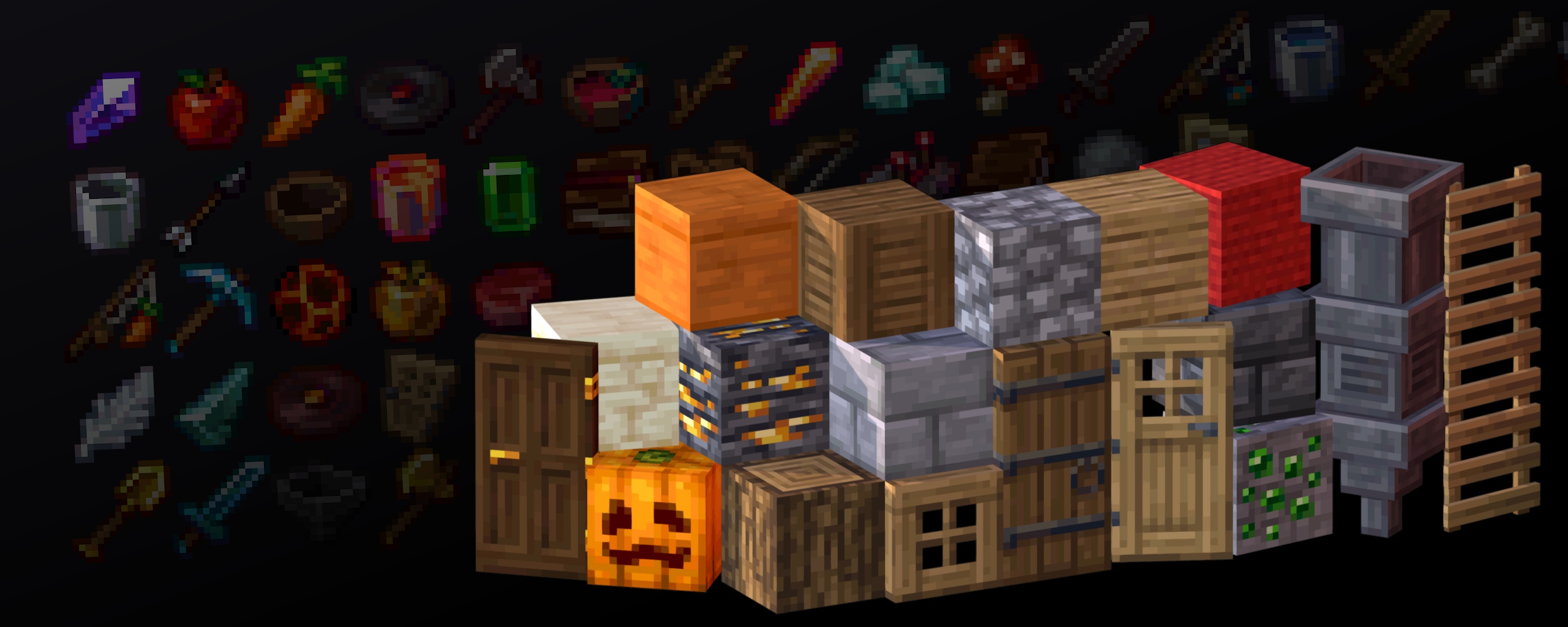

### TO GET ALL OF THE REIMAGINED FEATURES, PLEASE USE THESE MODS:
Mod List
Required mods for the full Reimagined experience, Pack may or may not break if missing any of these:
[EMF](https://modrinth.com/mod/entity-model-features/) & [ETF](https://modrinth.com/mod/entitytexturefeatures)
Needed for custom Mob models
[POLYTONE](https://modrinth.com/mod/polytone)
Used for a better colormap, better sodium parity and so on (Villager GUI for pre-1.21.6 versions)
[CONTINUITY](https://modrinth.com/mod/continuity)
Used for Connected Textures, like plank borders, carpet ctm, grass overlays, etc
[RESPACKOPTS 1.21+](https://modrinth.com/mod/respackopts)
Used to further customise Reimagined with in-game settings. This one is needed currently for improved grass or bushy leaves since it’s enabled via a setting.
If you want Grassy Grass without Respackopts, be sure to use the [Grassy Grass Addon](https://modrinth.com/resourcepack/grassy-grass)
[MODEFITE PRE-1.21.4](https://modrinth.com/mod/modefite-item-definition-backport)
Needed to backport features from newer versions, this includes stuff like 3D buckets or items when held in hand. This one isn’t needed if you’re on 1.21.4+

Recommended mods for a smoother, more optimised Reimagined experience:
[SODIUM](https://modrinth.com/mod/sodium)

## Features

Show Features
# A couple of notable features:
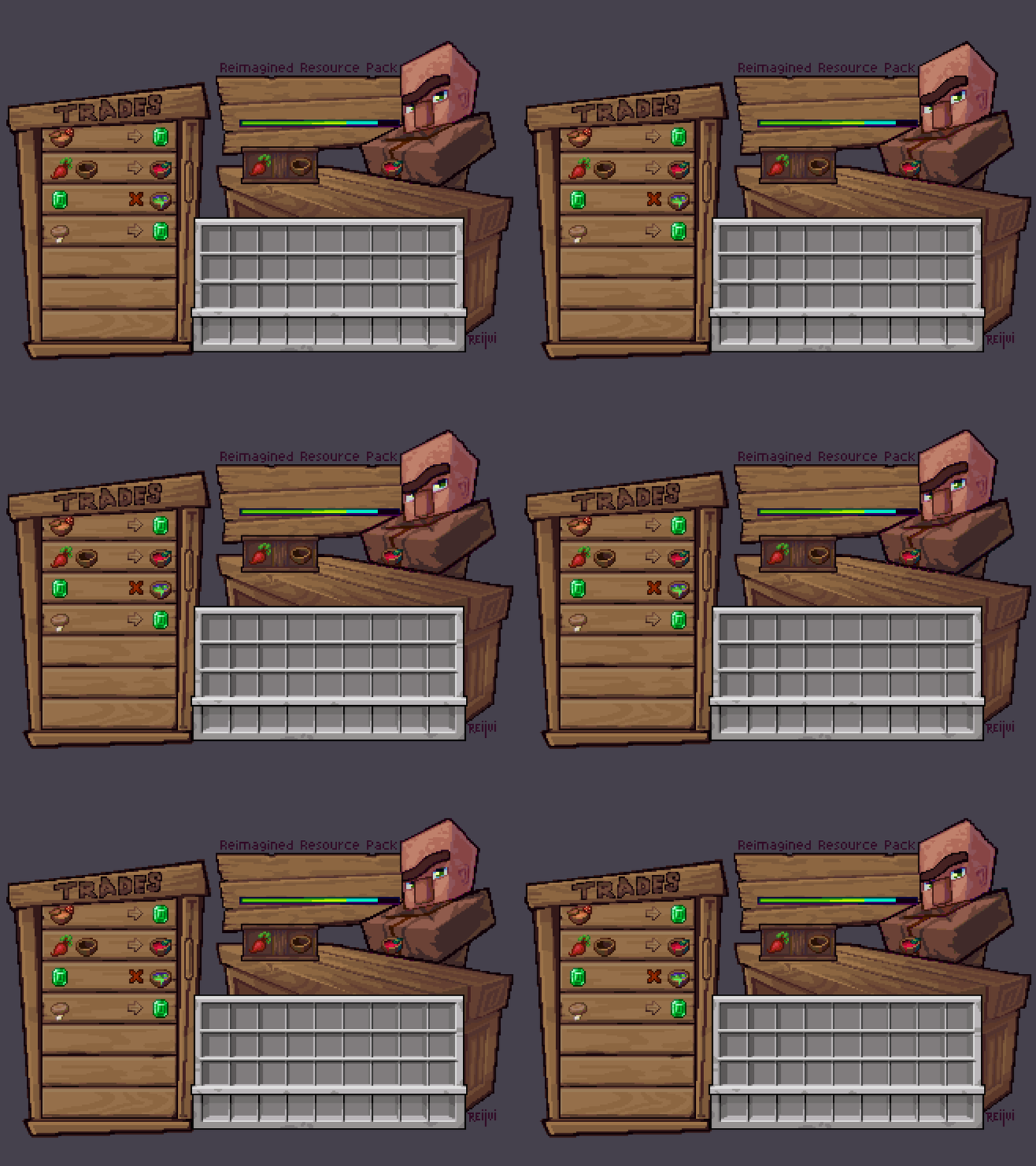
## A new Reimagined GUI
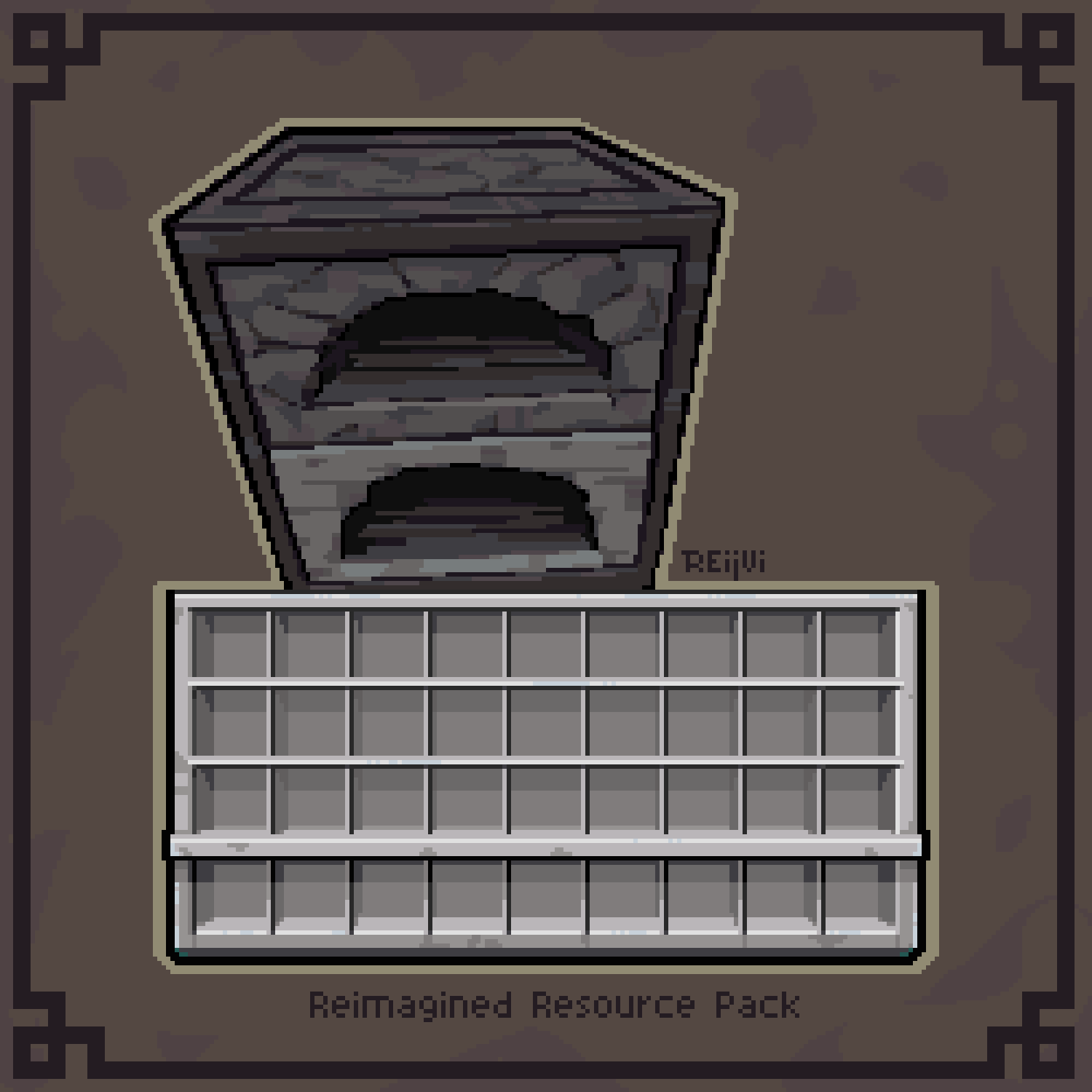

## Animated Features


# An Immersive World

# New Foliage
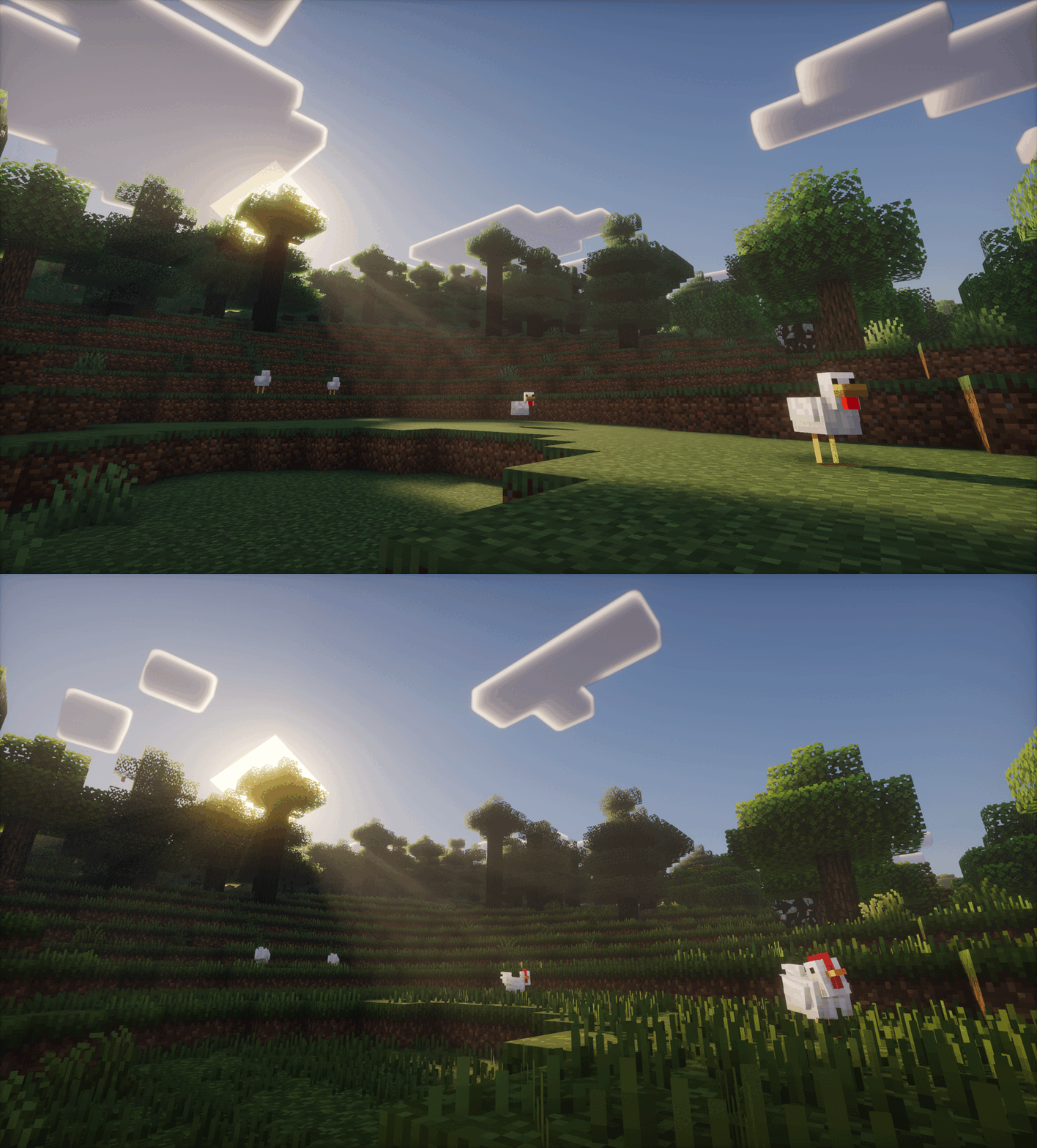

# Mob Variation
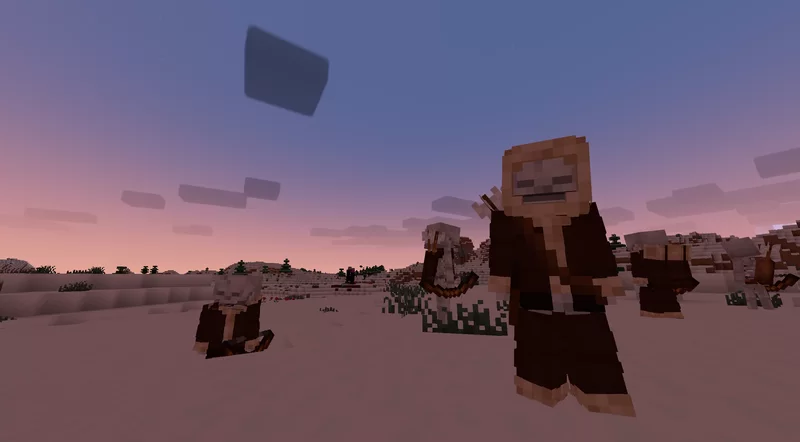
# And much, much more!


Show Addons
Official Addons:
[Fresh Animations Compatibility Patch](https://www.curseforge.com/minecraft/texture-packs/reimagined-fresh-animations-patch)

Unofficial Addons:
[Healthbars (Spryzeen’s Health bars compatibility addon)](https://www.curseforge.com/minecraft/texture-packs/spryzeens-health-bars/files/4072909)
[Emissive Ores](https://www.planetminecraft.com/texture-pack/emissive-ores-fore-mc-reimagined-by-reijvi/)
[Darkmode GUI](https://www.planetminecraft.com/texture-pack/minecraft-reimagined-dark-mode-gui/)

It is recommended to play on the US English language, since I’ve renamed and modified a few text colors and names, some of which affect the gui!

CREDITS
-un_roman [(PMC)](https://www.planetminecraft.com/member/un_roman/) for being super kind and creating the Reimagined text logo!
-RickyMemester [(PMC)](https://www.planetminecraft.com/member/rickymemester/) for letting me borrow a few of his original ore texture variants which I’ve previously used in my older “Randomize It” and modified quite a bit.
-DartCat25 [(PMC)](https://www.planetminecraft.com/member/dartcat25/) for letting me borrow his “Menus – Enchanted”, as well as his “Rotating Items” shader for some of Reimagined’s features to work.
-Godlander [(PMC)](https://www.planetminecraft.com/member/godlander/) for letting me borrow his “Animated Skin” shader for some of Reimagined’s features to work.
-Cosmoman, [(PMC)](https://www.planetminecraft.com/member/cosmoman_476/) has helped and contributated with loads of textures, porting deepslate ores, consistency changes and so on.
-ShrimpSnail, [(PMC)](https://www.planetminecraft.com/member/shrimpsnail/) let me borrow and repurpose their enchanting book cem animation from their The Great Shrimpsby pack.
-EwanHowell, [(PMC)](https://www.planetminecraft.com/member/ewanhowell5195/) has helped me with honestly more than I can count, biggest reason I even know how to make resource packs
-Complementary Reimagined for being the go to screenshot shader (ironic I know)

[](https://discord.gg/rstmkrGeFJ)

[](https://partners.shockbyte.com/reimagined)
Want to support Reimagined? For no extra cost, I get a part of the revenue via the purchases made through [this](https://partners.shockbyte.com/reimagined) link
Refined Font
This resource pack changes the default Minecraft font, making it more aesthetically pleasing and attractive. It applies to all aspects of the game and supports both Cyrillic and Latin characters, as well as some UTF characters.
Refined Advancements

# About
Aims to better connect the advancements in the “Minecraft” progression with several changes in parent advancements and the addition of new ones. This project also adds some new goal and challenge advancements to the other advancement tabs.
Show Features
**New “Minecraft” tab Advancements**
– Create a crafting table
– Obtain an ender pearl
– Enter the Deepslate cave layer
– Craft a diamond pickaxe
– Eat food
– Kill the Enderdragon
– Reach Level 30
– Encounter phantoms
– (moved) Sleep in a Bed
– (cloned) Blaze Rod
– (cloned) Monster Hunter
– (cloned) Enderdragon
**New Advancements**
– Obtain all overworld ores
– Find an amethyst geode
– Enter an Ancient City
– Kill a hostile mob with an arrow while riding and moving on a mount
– Ride one mount on a journey of 5,000 blocks and travel back home
– Home is considered 64 blocks within a bed
– Fly above world height with your elytra
– Ignite a creeper and use its explosion to kill a group of mobs
– Swim over magma
– Swim over soul sand
– Enter the deepslate cave layer
– Bucket clutch
– Create a conduit
– Play a disc
– Enter the ocean
– Loot a structure chest
– Loot a Buried Treasure Chest
– Find a Monster Spawner
– Use a sponge
– Sneak with the Swift Sneak enchantment
– Trade for mending
– Obtain a shulker box
– Use bone meal on a plant
– Use a goat horn
– Plant a carrot, wheat seed, beetroot seed and potato
– Attack a zombified piglin
– Obtain a netherite ingot
**New Challenge Advancements**
– Max enchant your armor with the highest level enchantments
– Perform a bucket clutch from 60 blocks high
– Kill 10 mobs without touching the ground or water using elytra
– Get a charged creeper to explode on a mob to receive its head
– if the explosion kills the player, the advancement isnt given
– Obtain all wool colors
– Obtain all wood logs
– Go Above the Nether Roof
**Advancement Changes**
– Combat advancements from the adventure tab are now in their own new tab, Combat
– When killing the Ender Dragon, all players within 128 blocks of the player who killed the dragon also get the advancement for it.
– The Minecraft tab root advancement is now granted immediately when entering the world rather than after collecting wood
– Major changes to the order and parents of advancements in the Minecraft progression tab and other tabs
– All hidden advancement descriptions have aqua description text now
– Allay advancement is no longer hidden
– Sniffer advancement is no longer hidden
***
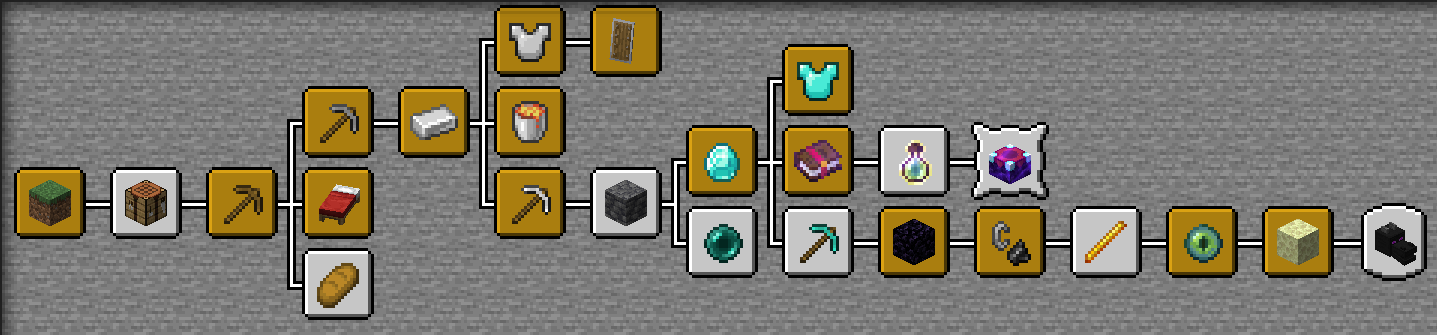
*The improved “Minecraft” tab. Advancements with a white filling in the image are the newly added ones*
***
[](https://discord.gg/XZVARKkjwt)
Join the Discord Server to chat, discuss, and get help with my mods!
https://discord.gg/XZVARKkjwt
[](https://ko-fi.com/limesplatus/tiers)
Help support the making of my datapacks with memberships or donations on Ko-fi!
https://ko-fi.com/limesplatus/tiers
Red Shield
# Red Shield
This resource pack replaces the default shield with a custom 3D model.
The design uses a red theme.
No OptiFine required. Vanilla compatible.
## More Shield Themes
– [Black](https://modrinth.com/project/noire-shield)
– [Blue](https://modrinth.com/project/blue-shield)
– [Creeper](https://modrinth.com/project/creeper-shield)
– [Dark Red](https://modrinth.com/project/dark-red-shield)
– [Mirror](https://modrinth.com/project/mirror-shield)
– [Navy Blue](https://modrinth.com/project/navy-blue-shield)
– [Rabbit](https://modrinth.com/project/rabbit-shield)
Red Iron Golem Flowers
This resourcepack recolors the **flowers on the iron golem** so that they have the **same red colors as poppies** do.
It is inspired by the **[Vanilla Tweaks](https://vanillatweaks.net/picker/resource-packs/)** resourcepack “Red Iron Golem Flowers”, although the flowers in this pack are **slightly darker**.
Works with [Fresh Animations](https://modrinth.com/resourcepack/fresh-animations).
Check out the
(https://modrinth.com/project/red-irongolem-flowers/gallery) to see what it looks like.
Red Creepers
Are you tired of not seeing a creeper in the middle of a grass field? Just use this pack for more contrast between the creeper and the blocks around it.
– This [version](https://modrinth.com/resourcepack/red-creepers/version/1.0.0) is for [Fresh Animations](https://modrinth.com/project/50dA9Sha) and is not suitable for Vanilla Minecraft.
– This [version](https://modrinth.com/resourcepack/red-creepers/version/1.0.1) is for Vanilla Minecraft and is not suitable for [Fresh Animations](https://modrinth.com/project/50dA9Sha).
Recycling
# Descontinued
Now You Can Only Download The Mod(**[Click Here](https://modrinth.com/mod/recycling_mod)**) All The Versions In This Page are Outdated.
Feel Free To Copy, Distribute, Personal Use And Commercial use.
## But If I Want To Download The Datapack
You Can But You’ll Are Not Able To Download A Datapack With The Content Of The Latest Version.
## Compatbility
See The Table Below To See If You Can Download The Datapack Or You Have To Download The Mod
| Version | Datapack Support | Mod Support |
| :—: | :—: | :—: |
| 0.0.1-alpha | ✅ | ✅ |
| 0.0.2-alpha | ✅ | ✅ |
| 0.0.3-alpha | ✅ | ✅ |
| 0.0.4-alpha | ✅ | ✅ |
| 0.0.5-alpha | ✅ | ✅ |
| 0.0.6-alpha | ❌ | ✅ |
| 0.0.7-alpha | ❌ | ✅ |
This Version Is Only Going To Receive A Few Updates And/or Previews
# Recycling
A Datapack That Adds Some Recipes To Recycle
This Data Pack Was Made To Avoid Waste
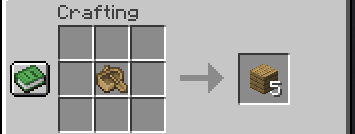
With This Data Pack You Can Transform Objects That Are No Longer Used In An Item Or Craft An Item That You Will Not Use You Can Uncraft Them And Craft The Needed Item
Example: I Have An Oak Boat But I Don’t Need It anymore So, I Transform Them In Five Oak Planks
**Looking For The Latest Mod Version? [Click Here](https://modrinth.com/mod/recycling_mod)**
# Support
To Get Support Join Our DIscord Server(**[Click Here](https://discord.gg/d37HptpeeZ)**)
**DO NOT Send Direct Menssages For Me(@arthurarakaki)!!!**
# Important:
**By Downloading The Mod In version 0.0.5-alpha Your World Can Be Corrupt!**
# Links
[Discord](https://discord.gg/d37HptpeeZ)
[Wiki](https://github.com/DEMnetwork/Recycling/wiki)
