JPG Screenshot
## JPG Screenshot has a new look!
  
New icon, same old two-mixin mod. Now updated for 26.1!
## Why save screenshots as jpg?
### Save disk space!
Minecraft saves screenshots as ~2MB png files at 1080p. This mod changes it to ~400KB high quality jpg files which look almost indistinguishable.
Perfect if you:
– Take lots of screenshots
– Can’t let them go
– Don’t want to buy another harddisk
**Small downside:** saving the screenshot is slightly longer, although the screenshot itself is instantaneous. Taking many screenshots in succession may cause the game to stutter.
## Can I still take png screenshots?
Yes, just hold **Left CTRL Key** while taking a screenshot. You can change this key in the game’s Key Binds setting.
### About older versions
Prior to version 2.0.0, the default modifier key was Left Alt Key. Also, the jpg quality used to be worse.
## Issues
If you find an issue, feel free to open an issue here.
### Other things
Fabric API is required to properly display the keybind label and modmenu description.
No Java Edition Branding – Remove from Start-Title Screen
Removes the Java Edition Text under The “Minecraft” Logo from the Title Screen!


Also works for with other resourcepacks!


Japanese Title
This resource pack changes Minecraft title screen logo to unused official Japanese logo “マインクラフト”, the Japanese Katakana for “Minecraft”.
Originally sourced from the official website of a design company that created this logo for Mojang. but it was never officially used. For more information check the Minecraft Wiki logo page.
Version 1 replaces the main logo with “マインクラフト” and removes the subtitle.
Version 2 keeps the original main logo and changes the subtitle to “マインクラフト”.
Previews gallery
I do not own this.
日本語:
元は、Mojangのためにこのロゴをデザインしたデザイン会社の公式ウェブサイトからのものですが、公式には使用されませんでした。詳しくはMinecraft Wikiのロゴページをご覧ください。
バージョン1 は、メインロゴを「マインクラフト」に置き換え、サブタイトルを削除しています。
バージョン2 は、元のメインロゴを維持し、サブタイトルを「マインクラフト」に変更しています。
プレビューギャラリー
これは私の所有物ではありません。
Jane Doe ZZZ Title Screen Background
Replace the main menu background with Jane Doe (Zenless Zone Zero).
Item Sweep
# 🧹 Item Sweep
**Automatic item clearing for Minecraft. Choose your format.**
**Minecraft 自动清理工具,提供两种形式。**
—
## ✨ Features / 特点
* **Two Formats / 两种形式**:
* **Fabric Mod / 模组版**: Configure the cleanup interval **in-game** with `/gamerule sweepintervalseconds <秒数>`. / 可在**游戏内**用 `/gamerule sweepintervalseconds <秒数>` 配置清理间隔。
* **Vanilla Datapack / 数据包版**: No mod loader needed. Configure by **editing a number in a file**. / 无需模组加载器,通过**编辑文件中的一个数字**来配置。
* **Automatic / 自动**: Cleans up item entities every 120 seconds by default. / 默认每120秒清理一次掉落物。
* **Lightweight / 轻量**: Minimal performance impact. / 对性能影响极小。
—
## 🚀 Installation & Configuration / 安装与配置
### For the **Fabric Mod** / **安装模组版**
1. **Install / 安装**: Get the `.jar` from “Files” tab, put it in `mods` folder.
从 “Files” 标签页获取 `.jar` 文件,放入 `mods` 文件夹。
2. **Configure (Optional) / 配置 (可选)**:
* In your world, run: `/gamerule sweepintervalseconds `
在你的世界中运行:`/gamerule sweepintervalseconds <秒数>`
* Example: `/gamerule sweepintervalseconds 300` for 5-minute intervals.
例如:`/gamerule sweepintervalseconds 300` 设置5分钟间隔。
### For the **Vanilla Datapack** / **安装数据包版**
1. **Install / 安装**: Get the `.zip` from “Files” tab, put it in your world’s `datapacks` folder.
从 “Files” 标签页获取 `.zip` 文件,放入世界存档的 `datapacks` 文件夹。
2. **Configure (Optional) / 配置 (可选)**:
* **Locate the file / 找到文件**: Inside the datapack, open `data/item_sweep/functions/load.mcfunction`.
在数据包内,打开 `data/item_sweep/functions/load.mcfunction` 文件。
* **Edit / 编辑**: Find the line `scoreboard players set @a INTERVALSWEEP 120` and change `120` to your desired interval (in seconds).
找到 `scoreboard players set @a INTERVALSWEEP 120` 这一行,将 `120` 改为你想要的间隔秒数。
* **Reload / 重载**: Run `/reload` in-game.
在游戏中运行 `/reload`。
—
## ❓ Support / 支持
Report issues or view source code on GitHub.
在 GitHub 报告问题或查看源代码。
Item Frame Color
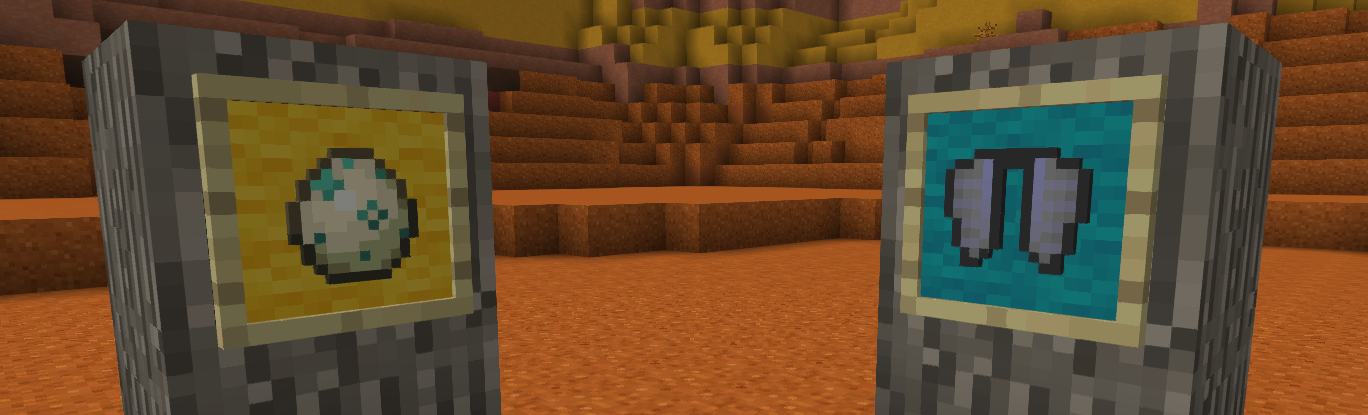
# **Color your item frame!**
Add 16 wool color on item frame
**To color:**
Before v3.0:
Sneak right click with dye on item frame
On v3.0
Craft item frame and glow item frame with dye
**To clear color**
Before v3.0:
Sneak right click with water bucket on item frame
Or break item frame
On v3.0
No clear, juste break
## Warning
**Older item frame was not compatible with v3.0**
Invisible Item Frames

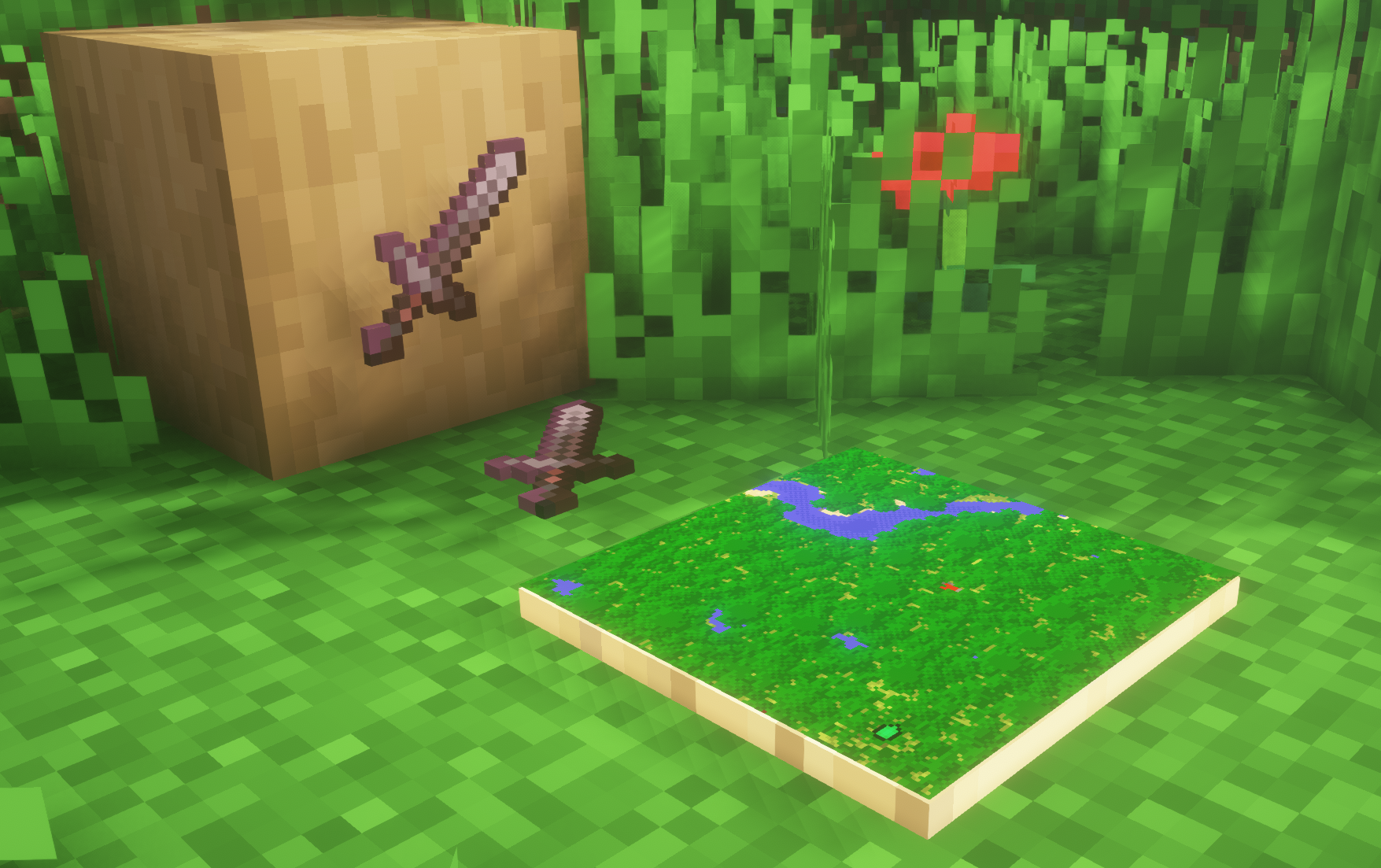
**A simple resource pack that makes item frames invisible**.
—
## Need a Minecraft Server? (Sponsor)

Get **25% off your first month** with Sparked Host.
—
## Quick info
– **Versions:** 1.4+ (full invisibility from 1.8+)
– **Works with almost all mods (Sodium/Iris and OptiFine too)**
– **No mods or commands required**
– **Additional files for invisible glow item frames and invisible map frames**
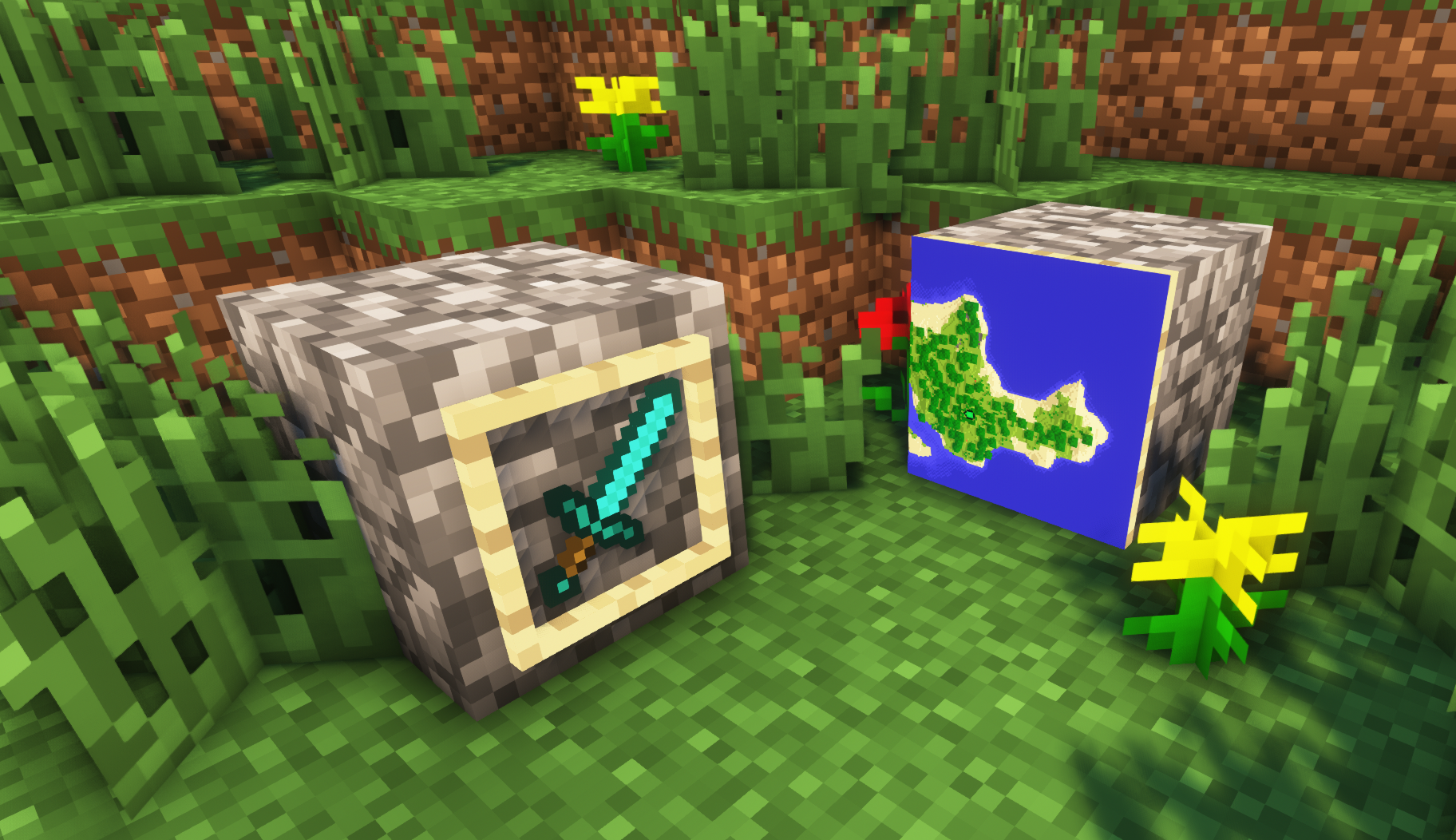
– **Versions below 1.8 will only have the center of the frame invisible (view images below for more info)**
—
## Showcase
**1.8+**
1.4-1.7.10
—
FAQ
**Can I use this with other packs?**
> Yes, but place this pack in a **higher priority (above other packs)**.
**How do I remove item frames?**
> Enable debug hitboxes using **F3 + B** and break the frame.
**Can I use this pack in my modpack or server?**
> Yes you are free to use it, as long as you don’t claim this pack as your own.
**Why is my map/glow item frame not invisible?**
> You have to install those separately. They are available under **additional files** or the buttons near the top of this page.
**Does this make the game slower?**
> This pack actually slightly **improves the client-side framerate** in scenes with lots of item frames.
—
## Additional Files
– Download Invisible Glow Item Frames
– Download Invisible Map Item Frames
—
## Need a Minecraft Server? (Sponsor)

Use code **MattyWalker** for 25% off your first month.
Instant Respawn Always
## Instant Respawn Always
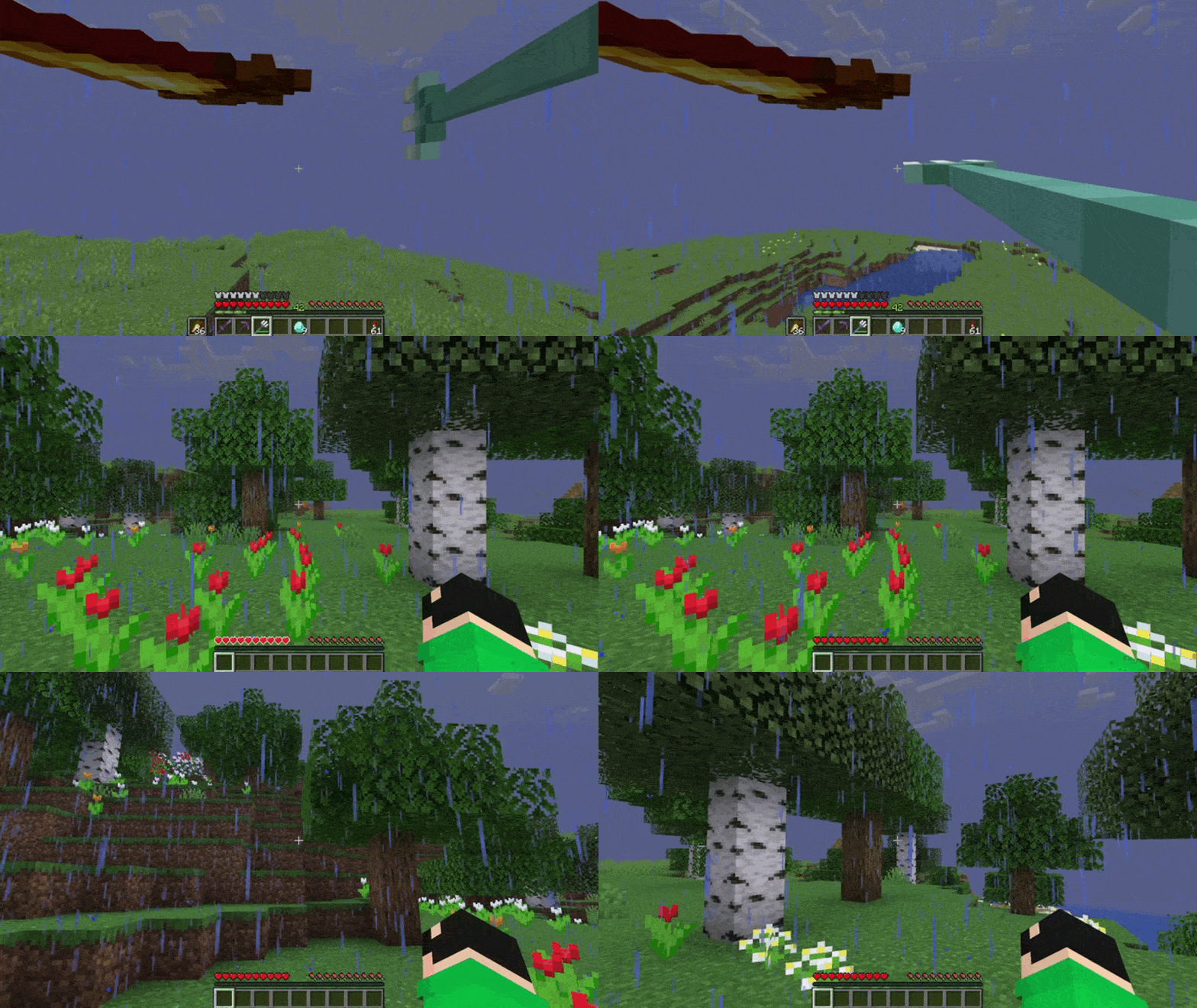
Skip the death screen in each world, like in short videos, so you don’t have to waste time on settings.
## Dependencies
– Fabric loader requires Fabric API
Illusioner Awakener
Introduction:
Illusioner is a raider mob which exists in minecraft game files but never actually spawns in minecraft. This datapack aims to add illusioner mob back to minecraft with some interesting features. It supports minecraft versions from 1.16.2 to 1.21.11.
In addition, this datapack also adds 1 to 2 arrows to Pillager’s Death loot. This feature can be disabled too (see Admin Commands).
Working:
Illusioner mob has a small chance to spawn in minecraft wherever pillager spawns, like, for example, outposts. During raids, Illusioner has higher chance to spawn.
Illusioner has some extra features:
- Bow Enchantments:
- Power I (30% chance)
- Power II (20% chance)
- Punch I (20% chance)
- Infinity (5% chance)
- A 10% chance to spawn as Patrol Leader.
- A 5% chance to spawn riding a ravager (only in raids).
- Illusioner(Rider) cannot turn invisible and, hence cannot create clones. This feature was added exclusively for making the raids, less complicated and less harder than it was supposed to be.
- Death Loot Table:
- 1 or 2 Arrows
- 1 Potion of Invisibility (no looting enchantment) (only for non-rider)
Admin Commands:
-
/function summon:illusioner
Summons Illusioner.
-
/function summon:illusioner/rider
Summons Illusioner Rider.
-
/function give:spawn_egg/illusioner
Gives Illusioner Spawn Egg.
-
/function toggles:illusioner_awakener
Using this, you can toggle datapack specific features. They are:
- Illusioner’s Blindness : When Enabled, Illusioners will blind the player in Hard difficulty.
- Illusioner Clone Removal when neutral : When Enabled, Illusioners will delete their clones when they are not attacking any entity.
- Modify Pillager’s Death Loot : When Enabled, Pillagers will drop 1 or 2 arrows upon death.
- Illusioner’s Speed : Toggles Illusioner’s movement speed.
-
/function uninstall:illusioner_awakener
Uninstalls Illusioner Awakener Datapack removing all features.
My Socials:
- PlanetMinecraft Page
- Modrinth Page
- Discord Server
- Paypal Account
License:

This work is licensed under a Creative Commons Attribution-NonCommercial-NoDerivatives 4.0 International License.
Conditions that apply:
- You must give appropriate credit to the creator if you publicly showcase this work.
- You may not use this work for commercial/business purposes. (this does not include having the datapack installed in your server)
- You may modify this work, but may not distribute the modified work.
Installation:
Open your .minecraft directory. Put the datapack into the saves/world_name/datapacks directory.
Illuminated Shields
# Illuminated Shields
See in the dark while holding a shield.
**This resource pack REQUIRES LambDynamicLights**