TP Utils


# **TP Utils**
This is a client side teleport utility mod that should greatly benefit creative players, making it much easier to get around. It includes, but is not limited to, improved and custom versions of the WorldEdit teleports (/thru & /jumpto). The teleports have a super high range and are extremely precise.
**Important:**
– This mod requires you to have cheats enabled in single player (default on a creative world) or to have permission to use TP commands in multiplayer.
– If you play on a multiplayer server make sure to set the right TP method in the config settings, many servers use `/tppos` instead of `/tp`
## **Teleports**
**TP Through**
*Usage:* `Keybind` *or* `/tpu through` *or* `/tpu thru`
Teleport through walls or pretty much anything else that’s in your way. It’ll teleport you to the exact opposite side of the obstacle without forcing you to the ground.
**TP on Top**
*Usage:* `Keybind` *or* `/tpu top`
Teleport to the first available free space above the block you’re looking at.
**TP Forward**
*Usage:* `Keybind` *or* `/tpu forward`
Teleport a certain amount of blocks into the direction you’re looking, including up- and downwards. This teleport however doesn’t let you through blocks and will either teleport you to the full configured distance away or right in front of the first obstacle that’s in your way.
**TP Ground**
*Usage:* `/tpu ground`
Teleport to first block below you, no matter the height you’re at.
**TP Up & Down**
*Usage:* `/tpu up` or `/tpu down`
Teleport a floor up or down, it’ll always put you on the ground.
**Chunk TP**
*Usage:* `/tpu chunk `
Teleport to the coordinates of the entered chunk.
**TP Back**
*Usage:* `Keybind` *or* `/tpu back`
Teleport back to your previous location. This only works when you used a teleport method from this mod.
## **Configuration (File / Mod Menu)**
All configuration options
**TP Method**
*Default: /tp*
The tp method the mod should use to teleport you.
Any method that uses should work. (For example `/tp` or `/tppos`)
It’s also possible to change this using this command: `/tpu method `
**TP Through Range**
*Default: 256 (blocks)*
From how far should the mod be able to detect the block you’re looking at to teleport you through.
**TP on Top Range**
*Default: 256 (blocks)*
From how far should the mod be able to detect the block you’re looking at to teleport you on top.
**TP Forward Range**
*Default: 100 (blocks)*
How far should the mod try to teleport you forward.
**Allow Crawling**
*Default: False*
Allow the mod to teleport you into a 1 block high space.
**Allow Lava**
*Default: False*
Allow the mod to teleport you into lava.
**Set Bedrock Limit**
*Default: True*
Stop the mod from teleporting you below bedrock / the bottom world limit.
## **Versions & Dependencies**
1.19+
**Required**:
[Fabric API](https://modrinth.com/mod/fabric-api)
[Cloth Config API](https://modrinth.com/mod/cloth-config) (Is needed to make the config work)
**Optional:**
[Mod Menu](https://modrinth.com/mod/modmenu) (This mod allows you to edit the configs in game)
1.16 – 1.18
**Required**:
[Fabric API](https://modrinth.com/mod/fabric-api) (0.31.0 or later)
**Optional:**
[Mod Menu](https://modrinth.com/mod/modmenu) (This mod allows you to edit the configs in game)
**Already included/embedded:**
[Cloth Config API](https://modrinth.com/mod/cloth-config) (Is needed to make the config work)
1.14 – 1.15
**Required:**
[Fabric API](https://modrinth.com/mod/fabric-api) (0.14.0 or later)
**Optional:**
[Mod Menu](https://modrinth.com/mod/modmenu) (This mod allows you to edit the configs in game)
**Already included/embedded:**
[Auto Config Updated API](https://github.com/shedaniel/AutoConfig) (Is needed to make the config work)
[Cloth Config API](https://modrinth.com/mod/cloth-config) (Required for Auto Config)
[Cotton Client Commands](https://github.com/CottonMC/ClientCommands) (Is needed to make any of the commands work)
Totem Da Capoeira
Just a simple Totem of Undying animation, technically a Capoeira movement:
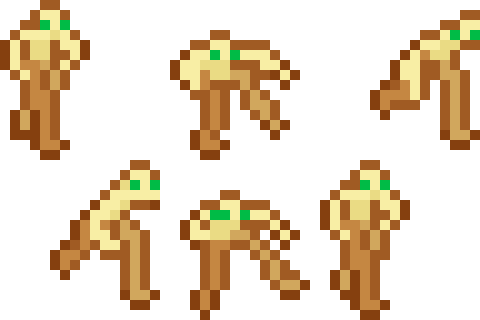
Of course, the inspiration.
