ZZZ Weapons
## NOTE: This project is fan-made
And is not affiliated with or endorsed by HoYoverse.
# How to Use
To turn a weapon into a ZZZ weapon, use an anvil.
Currently available weapons:
Swords:
– Qingming Sword
– Ye Shiyuan Sword
– Ye Shunguang Sword
– Tailless
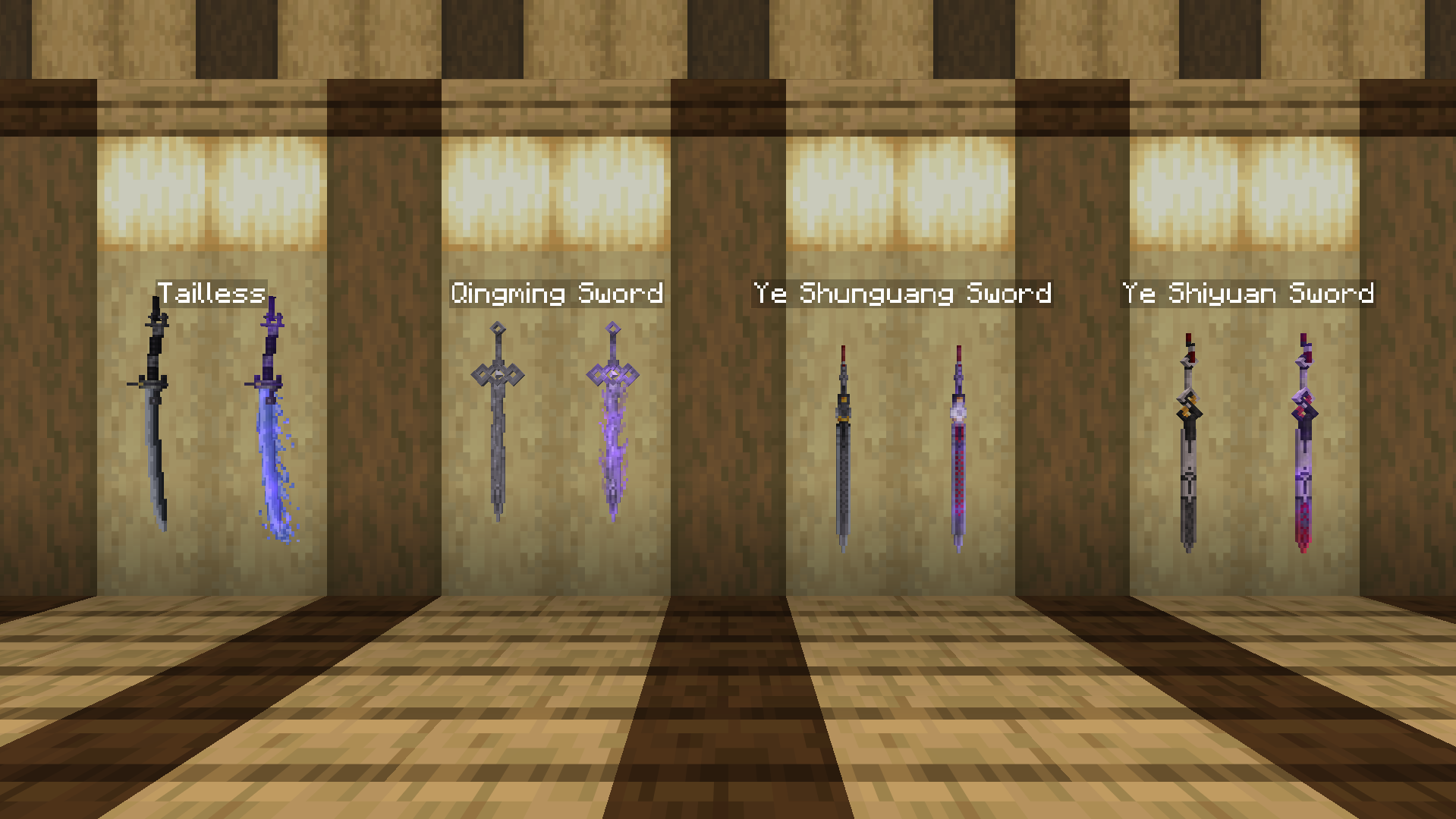
All weapons have enchanted variants!
# Dependencies
For Minecraft 1.21.5 and below, please install [Optifine](https://optifine.net/downloads) or [CIT Reforged (Forge)](https://modrinth.com/mod/citreforged) or [CIT Resewn (Fabric)](https://modrinth.com/mod/cit-resewn) for the pack to work.
ZZZ Mobs
## NOTE: This project is fan-made
And is not affiliated with or endorsed by HoYoverse.
## How to use
To turn a mob into a ZZZ character, use a nametag renamed on an anvil.
Currently available mobs and characters:
**Fox:**
– Into Hoshimi Miyabi:
– “Miyabi” for normal version, has a chance to have long ears;
– “Miyaaaaabi” for long ears version
– Into Ye Shunguang:
– “Shunguang/Xiao’Guang” for normal version, has a chance to wear pink outfit, turns into alter form if snowy fox is used.
– Into Ye Shiyuan:
– “Shiyuan” for normal version, turns into alter form if snowy fox is used.
**Bat:**
– Into Vivian Banshee:
– “Vivian” for normal version, has a chance to wear swimsuit.
– Into Hugo Vlad:
– “Hugo” for normal version, has a chance to wear hat.
## This resource pack only works with
– OptiFine Custom Entity Models (CEM) feature:
https://optifine.net/downloads
or
– Entity Model Features + Entity Texture Features:
https://modrinth.com/mod/entity-model-features
https://modrinth.com/mod/entitytexturefeatures
Zume
# IMPORTANT LICENSE NOTICE
By using this project in any form, you hereby give your “express assent” for the terms of the license of this project (see [LICENSE](https://github.com/Nolij/Zume/raw/master/LICENSE)), and acknowledge that I (the author of this project) have fulfilled my obligation under the license to “make a reasonable effort under the circumstances to obtain the express assent of recipients to the terms of this License”.
# Zume
An ~~over-engineered~~ simple zoom mod.
This mod adds a keybind which zooms in your FOV while it’s held down, allowing you to see further away, and keybinds
for increasing and decreasing the zoom level.
# FAQ
#### Q: Where is the config?
A: You’ll find the config at `.minecraft/global/zume.json5` (note that this is the default `.minecraft` folder, not
the instance `.minecraft`). You can modify the file while the game is running, and the config will be automatically
reloaded. On platforms which have mod menus (such as Forge, and Fabric with [Mod Menu](https://modrinth.com/mod/modmenu)
installed), the config button for Zume will open this file in your system text editor.
#### Q: discord where
A: https://discord.gg/6ZjX4mvCMR
#### Q: What version is this for?
A: Zume supports the following platforms:
– Fabric: Any version supported by Fabric Keybinding API v1 (currently 14.4+)
– NeoForge: 20.4+ (requires NeoForge 20.4.195+)
– LexForge: 14.4 – 20.5 (requires MixinBootstrap before 16.1) (there are currently no plans to support 20.6+)
– Legacy Fabric: Any version supported by Legacy Fabric Keybinding API v1 (currently 7.10 – 12.2)
– Babric (Fabric for Minecraft Beta): Any version supported by Station API (currently b7.3)
– Vintage Forge: 8.9 – 12.2 (requires MixinBooter or UniMixins)
– Archaic Forge: 7.10 (requires UniMixins)
#### Q: Can you add support for ?
A: Every platform I intend to add support for myself is already supported. PRs are welcome for other platforms **if
the following conditions are met**:
– Must not break single-jar compatibility with any already supported platform (obviously).
– Must not be for a platform that has a 1st-party compatibility layer for an already supported platform – explicit
Quilt support will not be accepted so long as Quilt maintains a Fabric compatibility layer; it’d be a waste of CI
time. [Sinytra Connector](https://github.com/Sinytra/Connector) is a 3rd-party compatibility layer, so explicit
Forge support will be provided.
– Must not manually maintain overridden game options; implementations that look like
[Mooz’s](https://github.com/embeddedt/Mooz/blob/92570f7449a7e71c1c0b988788027b10c00f1346/src/main/java/org/embeddedt/mooz/ClientProxy.java#L35-L56)
will not be accepted – no offense [embeddedt](https://github.com/embeddedt). Direct ASM is fine as long as functionality is similar enough.
– Must make a reasonable effort to be maximize compatibility with existing mods on target platforms – see use of
Neo/LexForge API over mixins in Neo/LexForge implementations, and use of `@WrapWithCondition` and
`@ModifyExpressionValue` and such from MixinExtras over `@Redirect` in most implementations.
– Must follow existing format – add a Unimined subproject for each newly supported platform.
– Must not have exclusive features without significant justification – if you’re adding a feature, add it to every
version.
#### Q: What kind of weird license is this?
A: OSL-3.0 is the closest equivalent to a LAGPL I could find. AGPL and GPL are incompatible with Minecraft, and LGPL
doesn’t protect network use. OSL-3.0 protects network use and is compatible with Minecraft.
#### Q: Why though? It’s so strict!!!!
A: This is, and will remain, free, copyleft software. Any requests to change the license other than to make it even
stronger will be denied immediately (unfortunately GPL and AGPL aren’t compatible with Minecraft due to linking
restrictions, as much as I’d like to use them). Even in situations where I use parts of other projects with more
“permissive” licenses, I will treat them as copyleft, free software.
## License
This project is licensed under OSL-3.0. For more information, see [LICENSE](https://github.com/Nolij/Zume/raw/master/LICENSE).
## Need a Minecraft server? Consider CreeperHost!

Yggdrasil Proxy
# YggdrasilProxy
When starting the game, the proxy in the device is automatically read to speed up Yggdrasil verification.
It extends Vanilla’s behavior and is more automated.
## Specific implementation
There is a setting in Windows, and its path is: “settings-> network-> proxy-> manual settings”.
YggdrasilProxy automatically reads them from the registry and verifies it, if it works, then use it immediately.
It basically works with network tools like Clash, you don’t need to proxy all traffic across the entire network card, you can easily connect to Yggdrasil Server through the proxy.
When registry data is not read, or is a non-Windows operating system, then YggdrasilProxy falls back to read environment variables (it does not need to be set in the JVM startup parameters, because they are annoying enough), it reads the following environment variables in the system and selects a valid variable to set to Proxy:
– http_proxy
– https_proxy
– no_proxy
## Defect
When the proxy server/tool is shut down, you may need to restart Minecraft.
Looking for a solution if I have time…
## Compatibility
Basically compatible with all operating systems.
Specially optimized for Windows.
## Which ModLoaders are supported?
– Fabric (Support, 1.18+)
– Quilt (Built with Fabric, 1.18+)
– Forge (Support, 1.19+)
– NeoForge (Support, 1.21.4+)
YggdrasilProxy is designed to be available for both Server and Client and is compatible with the most ModLoader and Minecraft versions.
If there is no compatibility, then I have not done it yet. If you’re in a hurry, join my DC server and send your ModLoader as well as Minecraft versions, I’ll be there soon.
## I want to use it in Plugin Server
Unfortunately, plugin servers are usually not compatible with mods, and I’m reluctant to use the Mixin framework to write them on the plugin server.
If you have relevant needs, please use two patches I made specifically for this, you only need to comply with GPL 3.0.
– [Patch 1](https://github.com/404Setup/Sewlia/blob/dev/1.21.4/sewlia-server/minecraft-patches/features/0005-Merge-YggdrasilProxy.patch)
– [Patch 2](https://github.com/404Setup/Sewlia/blob/dev/1.21.4/sewlia-server/paper-patches/features/0006-Merge-YggdrasilProxy.patch)
## For Modpack
If you comply with the license, you can use it freely for Modpack.
Modpacks that redistribute Minecraft game body (i.e. packages that package the entire Minecraft game including Mod files, Config, ShaderPacks, ResourcePacks, Library and launcher into a whole zip file) are not allowed to use this mod.
## License
This work has a restrictive license in addition to the original license to prevent some unexpected behavior,
see [404Setup Public License](https://github.com/404Setup/404Setup/blob/main/LICENSE.md)
Yellow PvP Pack
Incomplete for now
Yellow PvP Pack
Current Functionalities:
- Changed hotbar style
- Changed GUI colours (incomplete for now)
- Lowers shield
- Custom Elytras, totems and golden apples
- Custom Rails
To be added in future:
- Loud Shield Breaking Sounds
- Smaller Mace
- Outlined Ores
- Fewer Explosions Particles
- Smaller Totems
Yellow powder snow
EN: This resource pack makes powder snow yellow
RU: Этот ресурспак делает рыхлый снег жёлтым

Yamakashi skateboards
## For correct work you need Optifine or [CITResewn](https://modrinth.com/mod/cit-resewn)
Rename your sword “Огрызок”, “Алмаз”, “Кроссовок”, “Пивас” to make it a skateboard.
If you hold the object in your other hand, it will be behind your back.
yadoomi’s Purple Haze Font
# What does this resource pack add?
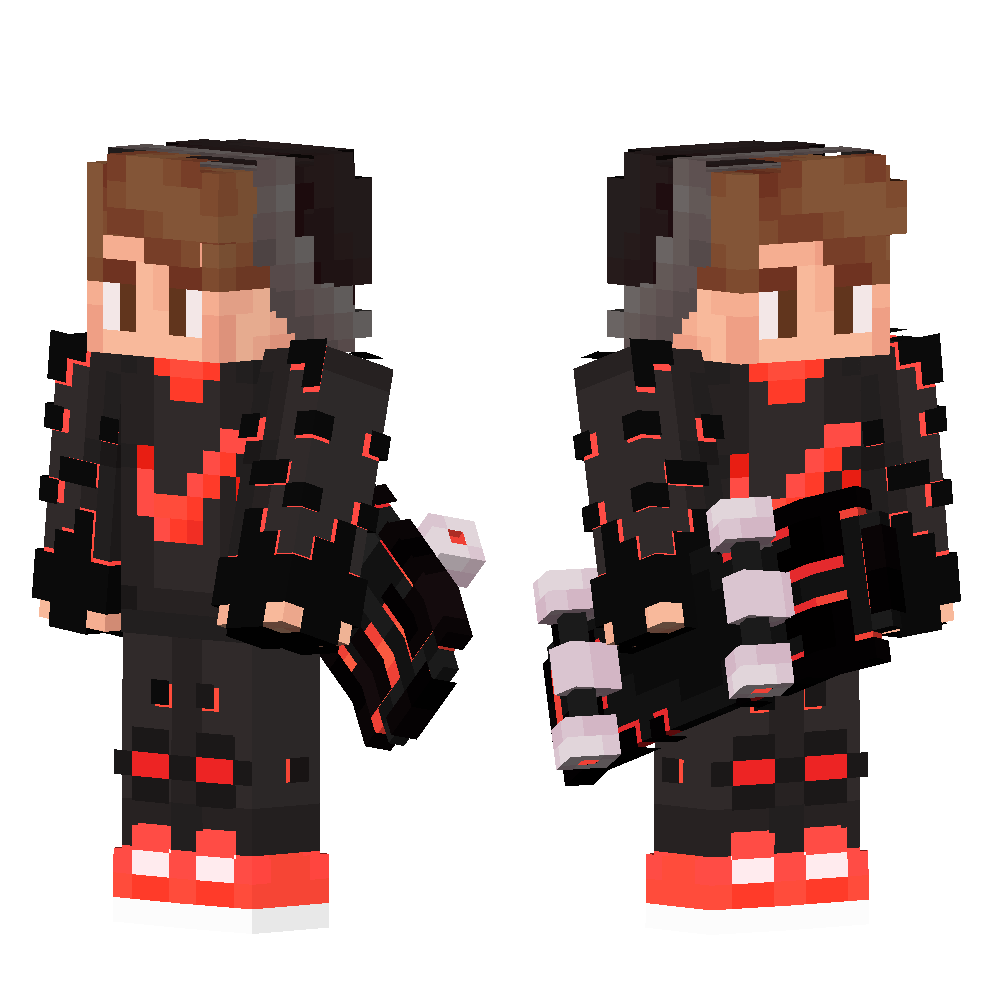
This resource pack takes the font from a PvP resource pack called “Purple Haze” and puts it in a seperate resource pack.
Here is a showcase video of the resource pack “Purple Haze” by OmnicronGaming
## Other details.
– This resource pack just takes the font from an already existing resource pack, if you are using this somewhere and want to credit someone, credit TerribleChoices, the creator of “Purple Haze”.
– You can use this resource pack in a modpack without my permission, thats alright.
– This resource pack works on ANY version below 1.8.9, even snapshots.
Hide In Grass
# Hide In Grass
You can become invisible as long as you stand in tall grass, even tall flowers can be used!
Suitable for some small games. 🙂
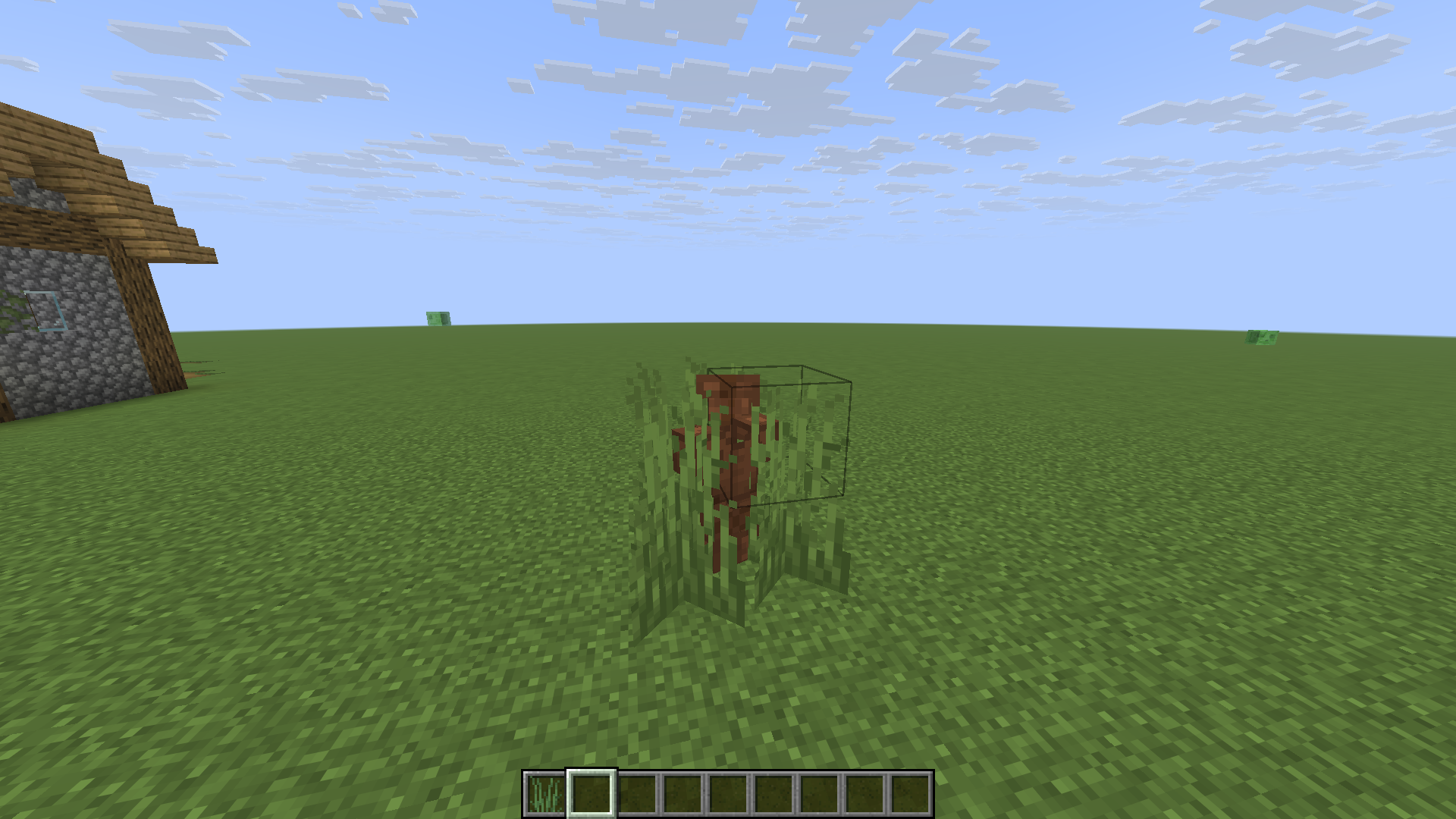
(This is my practice project while learning DataPack, so it’s a bit rough)
X Ray (no cheats)
## X Ray
Mod/Datapack that removes stone and other blocks to keep ores visible. Also works in the nether.
X-Ray is a powerful mod that radically changes the way you explore the world of Minecraft. It allows you to see through ordinary blocks, highlighting valuable resources, structures, and objects.
To use it, you need to take a filled map in any hand.

## Usage
The mod is activated automatically and requires no additional settings. However, if you want to temporarily disable the mod, use the command “`/trigger bizcub.x_ray.t“`. Information about the mod’s current status will then appear in the chat.
## Dependencies
– Fabric loader requires [Fabric API](https://modrinth.com/mod/fabric-api)