Summit


> ### **THIS RESOURCE PACK REQUIRES THESE MODS TO FUNCTION:**
> 1. **[ETF](https://modrinth.com/mod/entitytexturefeatures)**
> 2. **[EMF](https://modrinth.com/mod/entity-model-features)**
> 3. **[Continuity](https://modrinth.com/mod/continuity)**
> 4. **[Polytone](https://modrinth.com/mod/polytone)**
# Summit: Minecraft At Its Peak
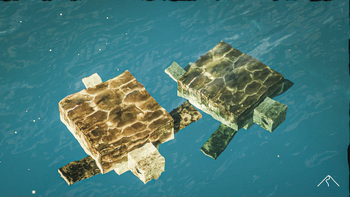
**Summit** is a realistic texture pack for Minecraft, designed to enhance your game with a touch of natural beauty. It’s subtle, refined, and compatible with a range of systems.
## Summit 64x is now free!




## Features:
– **Varied Resolutions:** Choose from 16x to 64x to match your system.
– **Balanced Realism:** Enhanced textures that feel right at home in Minecraft.
– **Optimized Performance:** Smooth and efficient gameplay experience.
**Rediscover Minecraft with Summit!**
[Patron]: https://patreon.com/Summitmc?utm_medium=clipboard_copy&utm_source=copyLink&utm_campaign=creatorshare_fan&utm_content=join_link
[1]: https://i.imgur.com/vZ1vIat.png
[2]: https://www.optifine.net/home “Redirect to Optifine”
[3]: https://i.imgur.com/a7UsCgN.png
[4]: https://irisshaders.dev/ “Redirect to Iris”
[5]: https://i.imgur.com/XCZiKxy.png
[6]: https://patreon.com/Summitmc?utm_medium=clipboard_copy&utm_source=copyLink&utm_campaign=creatorshare_fan&utm_content=join_link “Redirect to Patreon”
StreamlineCore

MUST HAVE:
– LuckPerms. [**[ FOUND HERE ]**](https://luckperms.net/download)
– BukkitOfUtils (__For Bukkit / Spigot / Paper ONLY__). [**[ FOUND HERE ]**](https://www.spigotmc.org/resources/118276/)

Please join the Streamline Hub Discord in order to get updates and for me to fully assist you with bugs, questions, or suggestions.
Discord: [**click here**](https://dsc.gg/streamline)
[**Download Modules for Streamline Here (Click)**](https://storage.drak.gg/share/75RJ__vUBVQrC_PRfuHeTg)
# Introduction to Streamline
### What is Streamline?
Streamline is a Minecraft plugin that adds limitless functionality to Minecraft servers through what is known as **Modules**. These Modules are downloadable content that you insert into the Streamline plugin’s “modules“ folder to enhance your server.
Streamline Modules can do many things and even allow server admins and developers to make their own with a very nice framework.
The currently made modules add functionality such as:
– Redirecting players from one server to another when that server goes down. (**StreamlineRedirect Module**)
– Network staff chat, whispering, and friends. (**StreamlineMessaging Module**)
– Discord to Minecraft and Minecraft to Discord. (**StreamlineDiscord Module**)
– Logging messages to your Discord server with only webhooks. (**SimpleLogger Module**)
– Aliases, buildable functions, online list (per server, per group, or network wide), cross-network tpa, cross-network homes, cross-network teleporting, and more. (**StreamlineUtilities Module**)
– Data-Driven event-based protection for proxy and backend servers. (**ProxProtect Module**)
– Send resourcepacks to players on join. (**ResourcePackUtils Module**)
– Cross-network quests system with limitless potential. (**StreamQuests Module**)
– TAB (the plugin) integration, adding support for Streamline placeholders in TAB configurations. (**TAB-SL Module**)
– Simple and easily configured MOTD system like that of MiniMOTD. (**StreamlineMOTD Module**)
– *More.*
**NOTE**: Not seeing a feature you want? Ask Drak to add it on his Discord! – [**click here**](https://dsc.gg/streamline)
### What makes Streamline special?
Streamline allows for **universal cross-platform capabilities** with its Modules.
This essentially means you can run the same modules on a BungeeCord proxy that you would on a Velocity proxy (or even your backend servers). This, with the addition of **Modularized features** means that server admins and owners can choose *exactly* what they want in their server without bloatware.
This also makes it very easy for server admins to use a specific module across different servers. Or even for Developers to develop modules for servers (or the community).
### What exactly is Streamline capable of?
Literally *anything*. Seriously.
#### Supported Proxies:
> – Velocity
> – BungeeCord
> – Waterfall
> – FlameCord
> – Travertine
> – XCord
> – Etc.
#### Supported Backend Servers:
> – Spigot.
> – Paper.
> – Folia.
> – Purpur.
> – Tuinity.
> – ImmanitySpigot.
> – FlamePaper.
> – Mohist / Banner / Youer.
> – Etc.
#### Natively-Supported Plugins:
> – Luckperms. (Required.)
> – BukkitOfUtils. (Required on Bukkit-like servers.)
> – Geyser / Floodgate. (Everything work the same for Bedrock players as would Java players!)
> – PlaceholderAPI.
> – CMI. (With Utils module.)
> – EssentialsX. (With Utils module.)

Follow the Discord setup guide [**[ FOUND HERE ]**](https://github.com/Streamline-Essentials/StreamlineWiki/wiki/Discord-Setup) to set up the discord module.
# What can I do with the `Discord Module`?
– Link **Discord to Minecraft** and **Minecraft to Discord** with `Routes`.
– Available link types:
– Natively (Without other Modules):
– **Proxy local chat** `<->` **Discord Text Channel**
– **Proxy global chat** `<->` **Discord Text Channel**
– **All online players with specific permission** `<->` **Discord Text Channel**
– **Discord Text Channel** `<->` **Discord Text Channel**
– Groups (With `StreamlineGroups` Module):
– **Guild chat** `<->` **Discord Text Channel**
– **Party chat** `<->` **Discord Text Channel**
– Messaging (With `StreamlineMessaging` Module):
– **Local Room chat** `<->` **Discord Text Channel**
– **Global Room chat** `<->` **Discord Text Channel**
– **Custom Room chat** `<->` **Discord Text Channel**
– Message formats are completely customizable.
– Avatar with player’s skin will pop up when their message is sent to Discord.
– Link player’s Discord profile with your server.
– Players can chat using their StreamlineUser profile from Discord.
– All Discord messages can be configured to be sent as completely customized Discord embedded messages

More information is found on our wiki: [**FOUND HERE**](https://wiki.plas.host/streamline)
### NOTICE ABOUT COMMANDS, PERMISSIONS, AND MESSAGES.
***All commands are completely customizable in their `.yml` file. Including permissions and message outputs!***

1. Install dependencies.
– “BukkitOfUtils“ if on Bukkit / Spigot / Paper / Forks.
– “LuckPerms“ for all platforms.
2. Download the plugin file.
3. Drop it into your server’s plugins folder.
4. Start and stop your server.
5. Fill out the configs where necessary.
– Configurations for the streamline plugin can be found in your `plugins` folder, under `StreamlineCore`.
6. Add desired modules.
– Modules can be downloaded from here: [**click here**](https://wiki.plas.host/modules)
7. Start and stop your server again.
8. Fill out module configs where necessary.
– Module files can be found in your `plugins` folder, under `StreamlineCore`, under `module-resources`.
9. Start your server again.
More information can be found on our wiki: [**click here**](https://wiki.plas.host/streamline)

1. Look on the wiki: [**click here**](https://wiki.plas.host/streamline)
2. Get in touch on the Streamline Discord: [**click here**](https://dsc.gg/streamline)
3. Submit a bug on the issue tracker (this is rarely checked): [**click here**](https://github.com/Streamline-Essentials/StreamlineCore/
# BStats
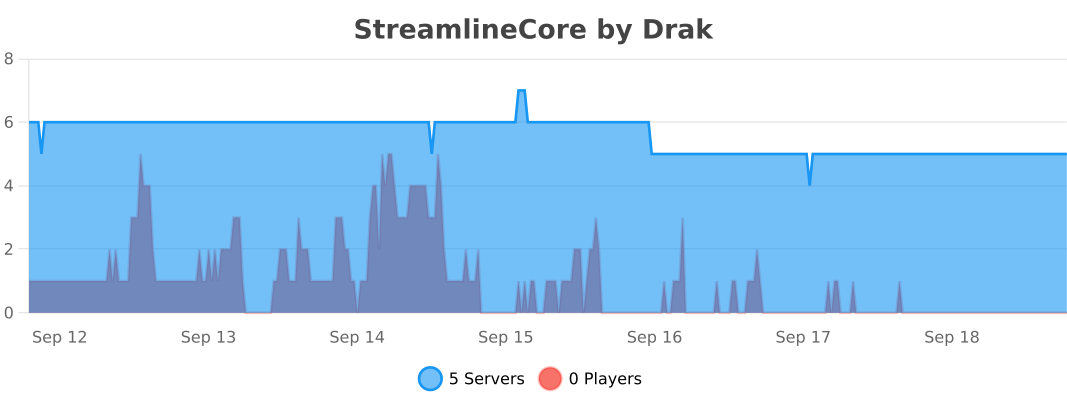
**Bukkit**
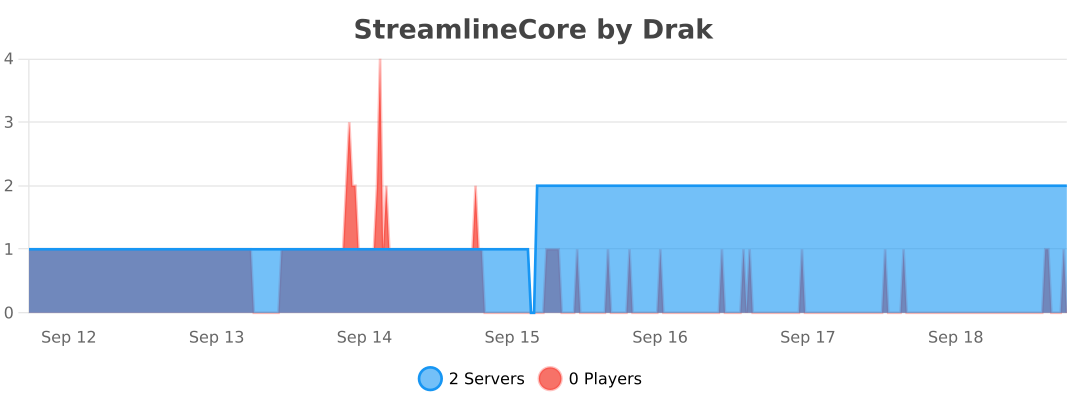
**BungeeCord**
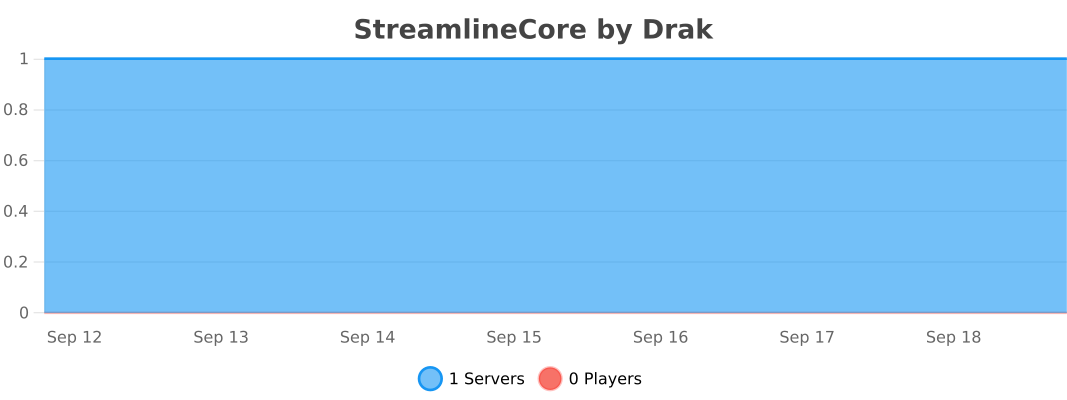
**Velocity**
Stillagers
I created a datapack which helps with villager lag in trading halls.
If you name tag a villager with “Stillager” or “stillager” they will stop moving and path finding altogether. This is done by setting the “NoAI” tag of the villager to 1. This typically eliminates restocks, so I have a function to manually restock all trades at 8:00 AM and 2:00 PM. This is mostly consistent with vanilla behavior, villagers restock twice a day at slightly random times, but their 4 phases of the day (work, gather, wander, and sleep) can be divided into 4 segments which is the logic behind the restock times.
If you want to disable this, you tag the villager with “Moveager” or “moveager” and the name disappears and their AI is restored.
This is particularly useful for trading halls where villagers are locked in 1×1 spaces. In my test world where I have a trading hall with ~150 villagers, it took the tps from 15 to 20, the MSPT from ~65 to ~50, and the FPS to ~30 to ~60 (where I have it capped). This has tremendous lag reduction impacts without the headache of doing double-carpet tricks, and is completely optional so villagers in mob farms or those that are naturally spawned are completely unaffected; this is opt-in.
The only mobs impacted by this are villagers. If you name another mob “Stillager” or “Moveager” it will be unaffected.
Special thanks to the VanillaTweaks team; this was made using their “SilenceMe” and “Track Raw Statistics” datapacks as templates.
This is my first datapack, so feedback is welcome.
Sticks n’ stones [Woodcutter]

# Sticks n’ Stones
This datapack is meant to be an extension to [my Woodcutter datapack](https://modrinth.com/datapack/wood_cutter), but you can use this as a standalone pack, if you for some reason want to cut all wooden blocks down to sticks.
## Recipes
| item | crafting cost | output | plank cost per item | stick cost per item (what you get) |
| — | — | — | — | — |
| stairs | 6 | 4 | 1.5 | 3 |
| slab | 3 | 6 | 0.5 | 1 |
| fence | 5 | 3 | 5/3 | 10/3 -> 3 |
| fence_gate | 4 | 1 | 4 | 8 |
| door | 6 | 3 | 2 | 4 |
| trapdoor | 6 | 2 | 3 | 6 |
| pressure_plate | 2 | 1 | 2 | 4 |
| button | 1 | 1 | 1 | 2 |
| sign | 6.5 | 3 | 13/6 | 13/3 -> 4 |
| planks | — | — | 1 | 2 |
| log | — | — | 4 | 8 |
| stripped_log | — | — | 4 | 8 |
| wood | — | — | 4 | 8 |
| stripped_wood | — | — | 4 | 8 |
> The numbers varie a bit with Bamboo Blocks, because you only get 2 Bamboo planks from a Bamboo Block.
Stickless Tools
I got rid of stick on everything with a stick in it. What did you expect?
The Steve Series Pack
**The texture pack has:**
– _6 invisible items (Pottery Sherds)_
– _A Darkness entity (that uses a Piglin as the base)_
– _Darkness Blockset (stairs, slabs, blocks and walls) [granite]_
– _5 colored light blocks (one for each base colored steve)_
– _Rainbow Stone_
– _A custom iron door texture_
**How to make the best Darkness entity:**
summon piglin ~ ~ ~ {IsImmuneToZombification:1,active_effects:[{id:regeneration,duration:200,amplifier:10,show_particles:0b}],HandItems:[{id:angler_pottery_sherd,count:1},{id:angler_pottery_sherd,count:1}],ArmorItems:[{id:angler_pottery_sherd,count:1},{id:angler_pottery_sherd,count:1},{id:angler_pottery_sherd,count:1},{id:angler_pottery_sherd,count:1}],HandDropChances:[0f,0f],ArmorDropChances:[0f,0f,0f,0f]}
**[Must be used inside of a command block.]**
Steak of Undying
Super simple texture pack that changes your Totem of Undying texture to a steak! For the time being, this works in any version of 1.21, and generally, this should work in any version from 1.14 to 1.21 (because in 1.14 they changed the item textures, and I’m not really sure if this the steak texture matches the one before 1.14). This pack is actually heavily inspired by Beppo’s Totem of Undying texture, so I decided to make that into an accessible for everyone pack! The translations for it are currently available in 30 of the most popular/common Minecraft languages.
Steak = Cooked Beef
Makes steak called cooked beef because it makes more sense and it will make a friend of mine happy because he likes beef!
It’s very simple, does nothing else, just this!
(And maybe a little easter egg, try to find it 😀 )
StackDeobfuscator
# Stack Deobfuscator
> **WARNING**
> This mod is obsolete for all Minecraft versions newer than 1.21.11. It will still be maintained for older versions.
Discord: https://discord.gg/XSB7jn9
Web Version: https://stackdeobf.net/
See [wiki](https://github.com/booky10/StackDeobfuscator/wiki/Configuration) for configuration
## What does this mod do?
All errors displayed in the console and all crash reports will be remapped from unreadable production names (e.g.
`net.minecraft.class_310`) to readable mapped names (e.g. `net.minecraft.client.MinecraftClient`).
This allows mod developers to more easily identify issues in a non-development environment, as the errors are instantly
human-readable.
### Comparison
Before
“`
[23:13:08] [Render thread/ERROR]: Reported exception thrown!
net.minecraft.class_148: Manually triggered debug crash
at net.minecraft.class_309.method_1474(class_309.java:509) ~[client-intermediary.jar:?]
at net.minecraft.class_310.method_1574(class_310.java:1955) ~[client-intermediary.jar:?]
at net.minecraft.class_310.method_1523(class_310.java:1180) ~[client-intermediary.jar:?]
at net.minecraft.class_310.method_1514(class_310.java:801) ~[client-intermediary.jar:?]
at net.minecraft.client.main.Main.main(Main.java:237) ~[minecraft-1.19.4-client.jar:?]
at net.fabricmc.loader.impl.game.minecraft.MinecraftGameProvider.launch(MinecraftGameProvider.java:462) ~[fabric-loader-0.14.18.jar:?]
at net.fabricmc.loader.impl.launch.knot.Knot.launch(Knot.java:74) ~[fabric-loader-0.14.18.jar:?]
at net.fabricmc.loader.impl.launch.knot.KnotClient.main(KnotClient.java:23) ~[fabric-loader-0.14.18.jar:?]
at org.prismlauncher.launcher.impl.StandardLauncher.launch(StandardLauncher.java:88) ~[NewLaunch.jar:?]
at org.prismlauncher.EntryPoint.listen(EntryPoint.java:126) ~[NewLaunch.jar:?]
at org.prismlauncher.EntryPoint.main(EntryPoint.java:71) ~[NewLaunch.jar:?]
Caused by: java.lang.Throwable: Manually triggered debug crash
at net.minecraft.class_309.method_1474(class_309.java:506) ~[client-intermediary.jar:?]
… 10 more
“`
After (yarn/quilt mappings)
“`
[23:11:25] [Render thread/ERROR]: Reported exception thrown!
net.minecraft.util.crash.CrashException: Manually triggered debug crash
at net.minecraft.client.Keyboard.pollDebugCrash(Keyboard.java:509) ~[client-intermediary.jar:?]
at net.minecraft.client.MinecraftClient.tick(MinecraftClient.java:1955) ~[client-intermediary.jar:?]
at net.minecraft.client.MinecraftClient.render(MinecraftClient.java:1180) ~[client-intermediary.jar:?]
at net.minecraft.client.MinecraftClient.run(MinecraftClient.java:801) ~[client-intermediary.jar:?]
at net.minecraft.client.main.Main.main(Main.java:237) ~[minecraft-1.19.4-client.jar:?]
at net.fabricmc.loader.impl.game.minecraft.MinecraftGameProvider.launch(MinecraftGameProvider.java:462) ~[fabric-loader-0.14.18.jar:?]
at net.fabricmc.loader.impl.launch.knot.Knot.launch(Knot.java:74) ~[fabric-loader-0.14.18.jar:?]
at net.fabricmc.loader.impl.launch.knot.KnotClient.main(KnotClient.java:23) ~[fabric-loader-0.14.18.jar:?]
at org.prismlauncher.launcher.impl.StandardLauncher.launch(StandardLauncher.java:88) ~[NewLaunch.jar:?]
at org.prismlauncher.EntryPoint.listen(EntryPoint.java:126) ~[NewLaunch.jar:?]
at org.prismlauncher.EntryPoint.main(EntryPoint.java:71) ~[NewLaunch.jar:?]
Caused by: java.lang.Throwable: Manually triggered debug crash
at net.minecraft.client.Keyboard.pollDebugCrash(Keyboard.java:506) ~[client-intermediary.jar:?]
… 10 more
“`
After (mojang mappings)
“`
[23:04:12] [Render thread/ERROR]: Reported exception thrown!
net.minecraft.ReportedException: Manually triggered debug crash
at net.minecraft.client.KeyboardHandler.tick(KeyboardHandler.java:509) ~[client-intermediary.jar:?]
at net.minecraft.client.Minecraft.tick(Minecraft.java:1955) ~[client-intermediary.jar:?]
at net.minecraft.client.Minecraft.runTick(Minecraft.java:1180) ~[client-intermediary.jar:?]
at net.minecraft.client.Minecraft.run(Minecraft.java:801) ~[client-intermediary.jar:?]
at net.minecraft.client.main.Main.main(Main.java:237) ~[minecraft-1.19.4-client.jar:?]
at net.fabricmc.loader.impl.game.minecraft.MinecraftGameProvider.launch(MinecraftGameProvider.java:462) ~[fabric-loader-0.14.18.jar:?]
at net.fabricmc.loader.impl.launch.knot.Knot.launch(Knot.java:74) ~[fabric-loader-0.14.18.jar:?]
at net.fabricmc.loader.impl.launch.knot.KnotClient.main(KnotClient.java:23) ~[fabric-loader-0.14.18.jar:?]
at org.prismlauncher.launcher.impl.StandardLauncher.launch(StandardLauncher.java:88) ~[NewLaunch.jar:?]
at org.prismlauncher.EntryPoint.listen(EntryPoint.java:126) ~[NewLaunch.jar:?]
at org.prismlauncher.EntryPoint.main(EntryPoint.java:71) ~[NewLaunch.jar:?]
Caused by: java.lang.Throwable: Manually triggered debug crash
at net.minecraft.client.KeyboardHandler.tick(KeyboardHandler.java:506) ~[client-intermediary.jar:?]
… 10 more
“`
## Mappings Overview
Mappings are downloaded and parsed asynchronously. They are downloaded only once per version.
Yarn and Quilt refresh their version every 48 hours to check for updates.
| Mappings | Compatible Minecraft Versions | Download Size (zipped¹)² | Cached Size (gzipped)² |
|———-|———————————————|—————————————-|————————————-|
| Yarn | 18w49a (1.14 snapshot) or higher | `1.4 MiB` | `1.4 MiB` |
| Quilt | 1.18.2 or higher | `1.4 MiB` (+`1.1 MiB` below 1.19.2) | `1.4 MiB` (+`1.1 MiB` below 1.19.2) |
| Mojang | 1.14.4 and 19w36a (1.15 snapshot) or higher | `9.0 MiB` (uncompressed) + `559.1 KiB` | `1.3 MiB` + `558.6 KiB` |
¹: Mojang mappings are not compressed
²: Sizes as of 12th May 2024 (1.20.6 is latest)
Speedometer
### Speedometer
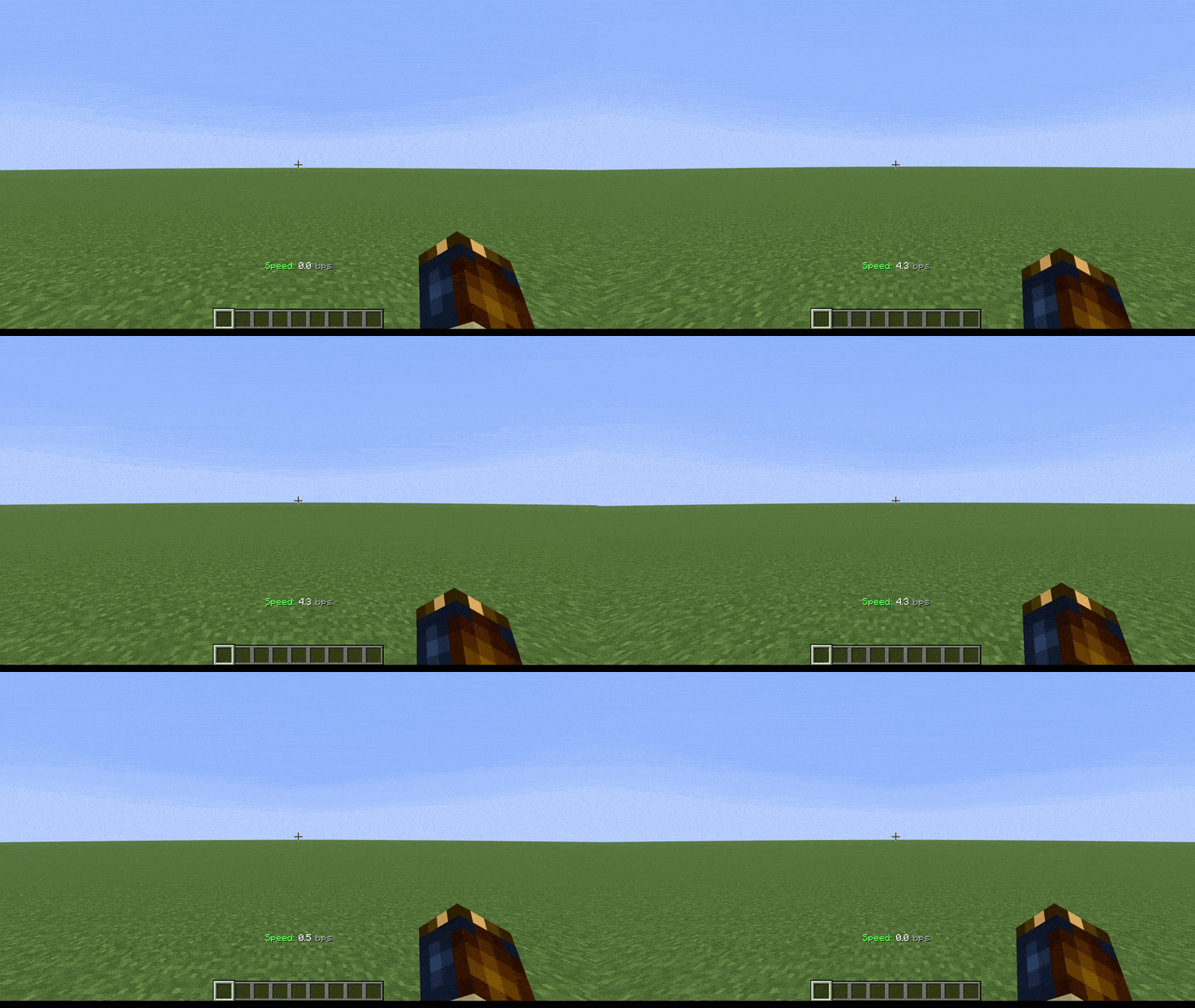
**This datapack displays your current movement speed in bps (blocks per second).**
Depending on your speed, the speedometer changes color; first to white, then to yellow, and finally to red
## Command
– **/function speedometer:on**
> To turn on the speedometer
– **/function speedometer:off**
> To turn off the speedometer
– **/function speedometer:toggle**
> Allows you to change the style.