Customizable Timer
I made a simple timer data pack with some customization!
# Commands
– /function timer:settings -> Change settings like color and style
– /function timer:pause -> Pause the timer
– /function timer:resume -> Start or resume the timer
– /function timer:reset -> Reset and pause the timer.
Cursed View

# **Cursed View is not your typical shaderpack.**

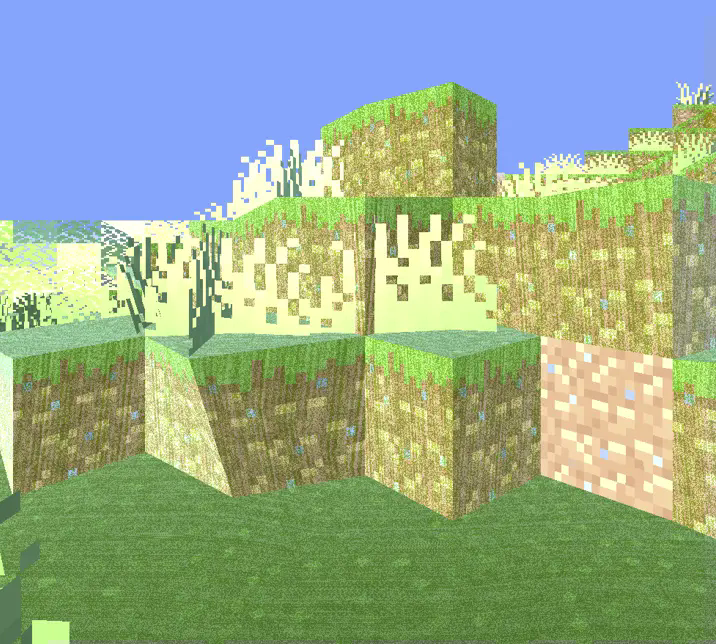
This shader was created to intentionally break the visual norms of Minecraft.
Instead of aiming for beauty or realism, it dives headfirst into chaos, distortion, and discomfort.

With Cursed View, you’ll experience:
* Overexposed lighting that burns your world in light
* Colors that look like they’re fighting each other
* Shadows that don’t behave like they should
* Blocks and entities that feel off, distorted, or almost corrupted
* A surreal atmosphere that turns peaceful villages into cursed zones
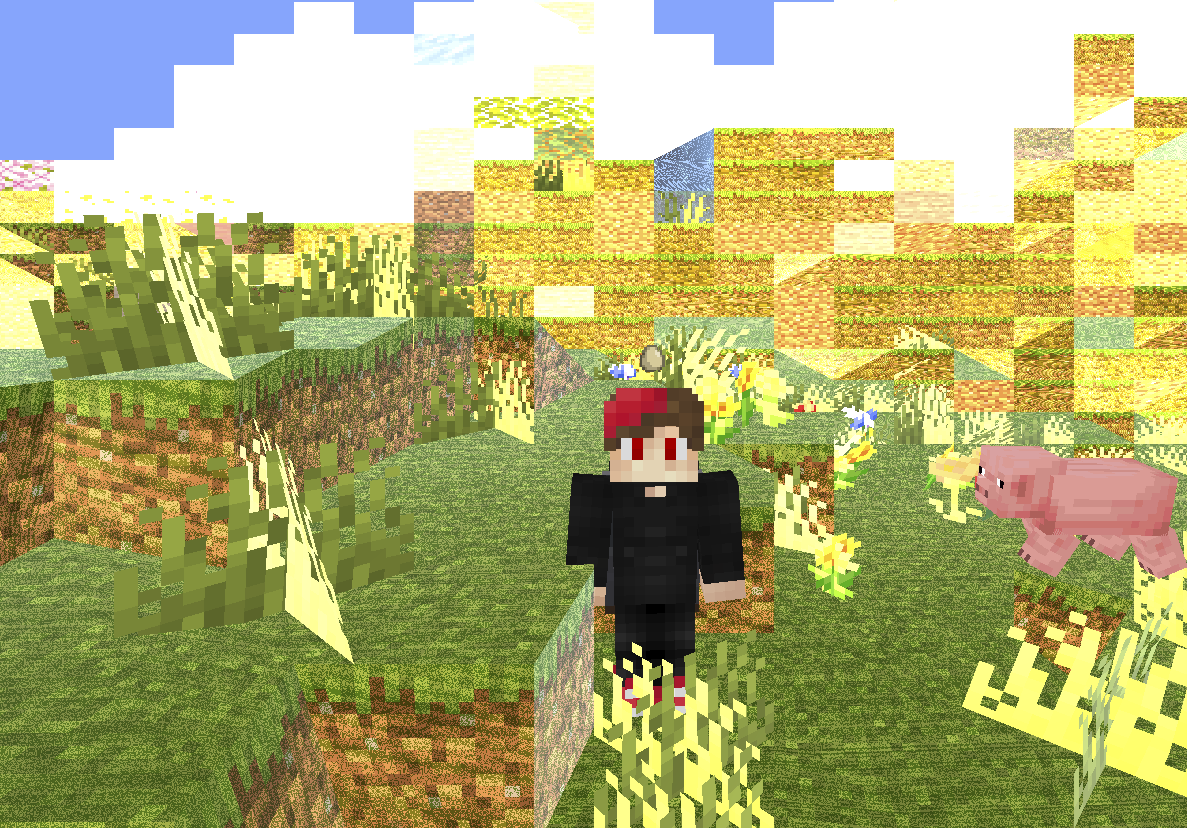
The goal is simple: make Minecraft look _wrong_ — and weirdly fascinating.
Whether you’re exploring glitchcore builds, recording cursed videos, or just want to mess with your perception,
Cursed View delivers an experience that no “normal” shader would dare attempt.
It doesn’t aim to be pretty.
It doesn’t aim to be playable.
It exists to disturb, confuse, and sometimes even amuse.
**Recommended FOV: Quake Pro** — to fully embrace the madness.
If you’ve ever asked,
**_”What if a shader hated you?”_** — this is your answer.


**🧠 Lamapi: Next-Gen Open Source AI**
Pushing the boundaries of accessible intelligence. Whether you need lightweight efficiency or industrial-grade reasoning, the **Next Series** delivers.
**Why build with Lamapi?**
– ⚡ **High Efficiency:** From compact 1B models to powerful 70B reasoning engines.
– 🌍 **Multilingual Mastery:** Optimized for superior performance in English & Turkish.
– 🛠️ **Ready to Deploy:** State-of-the-art open weights available immediately.
**Explore our models and start building:**
🔗 https://huggingface.co/Lamapi

**🚀 KCB Hosting: Power Meets Reliability**
Looking for a host that takes your gaming experience as seriously as you do? We provide robust infrastructure ensuring smooth gameplay and enterprise-grade uptime.
**Why switch to us?**
– 💎 **7-Day Free Trial:** Experience the quality risk-free (No commitment).
– 🛡️ **99.9% Uptime SLA:** Your server stays online, guaranteed.
– ⏰ **24/7 Support:** Expert help whenever you need it.
🔥 Experience the difference with 25% off your first month,
Use code **XSORAS**
**Deploy your server now:**
🌐 https://kcbhosting.com
💬 https://discord.gg/kcbhosting

# **_Welcome to the chaos._**
Curios Dark Mode
This is a resource pack to retexture the Curios API GUI. It is intended to work in complement with the Vanilla Tweaks dark GUI resource pack.
If you have any suggestions/feedback/issues you can dm me on discord, my username is
`bitcyber`
Planned features:
– ✅ ~~Charm of Undying Compatability~~
– ✅ ~~Elytra Slot Compatability~~
– ✅ ~~Shulker Box Slot Compatability~~
– ✅ ~~Update to 1.21~~
CRSS Resource Pack
# CRSS Resource Pack
This was the resource pack used in CRSS’ modpack, which has a panorama of the spawn area in ROP.
## CRSS Resource Pack is no longer being updated
I don’t really see a reason to keep updating this resource pack as the modpack is also discontinued.
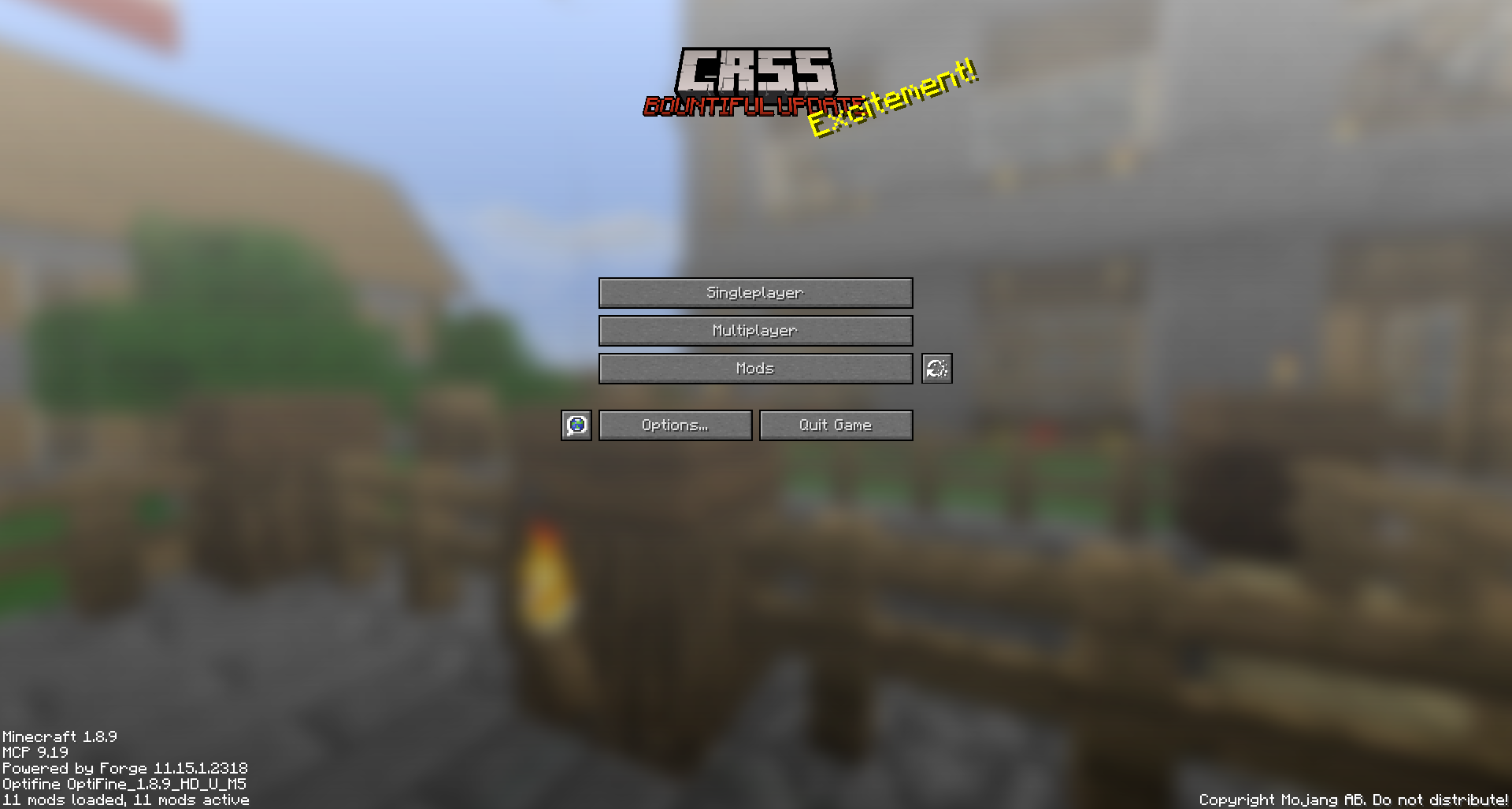
CRSS by Blryface is marked with CC0 1.0

Creeper Shield
# Creeper Shield
This resource pack replaces the default shield with a custom 3D model.
The design uses a creeper theme.
No OptiFine required. Vanilla compatible.
## More Shield Themes
– Black
– Blue
– Dark Red
– Mirror
– Navy Blue
– Rabbit
– Red
Creeper Ores
### What does this do?
This resource pack retextures all ores to resemble the face of a creeper.
### What versions does this support?
This resource pack works for versions 1.13 (1.13-pre3) and up.
Crazy Tool Models
Welcome to the CrazyToolModels texture pack for Minecraft! This unique texture pack provides a fresh perspective on the tools in your Minecraft world. Instead of focusing on traditional textures, this pack introduces a completely new dimension by overhauling the model rendering for tools.
Crafting
—
## 
## 
## 
## 
—
—
## 🧩 Crafting – More Recipes, More Possibilities!
Crafting is a simple but powerful mod that adds new crafting recipes, items, and structures to enhance your Minecraft gameplay.
If you ever felt limited by vanilla crafting, this mod expands your world with fresh creations and new ways to progress.
—
## ✨ Features
## 🛠️ New Crafting Recipes
Adds multiple new recipes to improve early and late-game progression
Unlocks new crafting combinations inspired by survival and adventure gameplay
Designed to stay balanced while adding more options
## 📦 New Items
Introduces unique custom items
Items can be used for crafting, tools, building, or survival
—
## 🔧 Technical
Mod Loader: Fabric / NeoForge / Forge / (Quilt
)
Minecraft Versions: 1.20.x → 26.x
Environment: Client & Server compatible
Lightweight and optimized for all systems
—
## 🎮 Why Use This Mod?
Keeps the game fresh without breaking vanilla balance
Perfect for survival worlds
Compatible with most other mods
Ideal for modpacks
—
## 📥 Getting Started
1. Install the mod
2. Launch your world
3. Start crafting the new recipes!
—
## 📝 Future Plans
More items
More crafting recipes
Custom blocks
More world-gen structures
Configurable options
—
## 💬 Feedback
If you find bugs or have suggestions, feel free to share them!
Your feedback helps improve the mod.
## Report
—
Craftable Uncraftable Objects [CUO]
A Minecraft Project that adds crafting recipes for normally uncraftable items in Survival mode, along with custom advancements for a more rewarding experience.
**✨ Features**
* **New Crafting Recipes**: Craft items like the Enchanted Golden Apple, Totem of Undying, Trident, Horse Armors, Chainmail Armors, and more.
* **Custom Advancements**: Unique rewards for crafting special items.
* **Wide Compatibility**: Supports Minecraft Java Edition from version 1.13.x up to the latest snapshots.
**🏆 Advancements** & **📜 Recipes**
Advancements
Not Enough Recycling!

You will get this Advancement when you craft all **Recycling** recipes.
Who Enchanting Armor Those Days?

You will get this Advancement when you craft or have an **Enchanted Golden Apple**.
Forget Die.

You will get this Advancement when you craft or have a **Totem of Undying**.
Water Weapon.

You will get this Advancement when you craft or have a **Trident**.
It’s Time to Take a Horse.

You will get this Advancement when you craft or have a **Saddle**.
WoW!

You will get this Advancement when you craft or have an **Experience Bottle**.
Recipes
Bell

Chainmail Armors
Chainmail Helmet

Chainmail Chestplate

Chainmail Leggings

Chainmail Boots

Cobweb

Crying Obsidian (1.17 or newer)

Debug Stick

Recommended to Use **Tweaker Stick Data Pack** to able to use it with full functionality or instead use Creative mode to able to use it until I add an update that fix this problem.
Elytra

Enchanted Golden Apple

Experience Bottle

Gunpowder


It will take 30 seconds to give you 1 **Gunpowder**.
(Only works on Furnace)
Horse Armors
Diamond Horse Armor

Golden Horse Armor

Iron Horse Armor

Copper Horse Armor (1.21.9 or newer)

Leather Horse Armor

(Only works on Furnace)
Leather

It will take 10 seconds to give you 1 **Leather**.
(Only works on Furnace)
Name Tag (1.21.11 or older)

Nautilus Armors (1.21.11 or newer)
Diamond Nautilus Armor

Golden Nautilus Armor

Iron Nautilus Armor

Copper Nautilus Armor

Nautilus Shell

Recycling Recipes
Recycling Amethyst Block (1.17 or newer)

Recycling Chainmail Boots

Recycling Chainmail Chestplate

Recycling Chainmail Helmet

Recycling Chainmail Leggings

Recycling Cobweb

Recycling Crying Obsidian

Recycling Packed Ice

Recycling Quartz Block

Saddle

Totem of Undying
~~~~
Trident
**Trident (1.21 or newer)**

**Trident (1.20.6 or older)**

**🗒️ News & Updates**
To see the latest News about my Projects:
Telegram Channel
Patreon
Discord: (Coming Soon..)
**📂 Source Code & Issues**
To see the Source Code of the Project:
GitLab
Report about a problem or tell a suggestion:
GitLab
**🗂️ Installation**
Linux:
World that already exists:
1. Go to this location “~/.minecraft/saves/” (Make sure you are showing the Hidden Folders and Files by pressing Left Ctrl + H).
2. Choose the world folder you want to put the Data Pack in it.
3. Open datapacks folder, then put the data pack.zip in the datapacks folder.
4. Reload the world by /reload command or by Quit the world and rejoin it.
New World:
1. Open Minecraft, then click on “Singleplayer”.
2. Click on “Create New World”, then click “More World Options…”.
3. Click on “Data Packs” button, then drag the data pack file into Minecraft.
4. Click “Done” and “Create New World”.
———————————————-
MacOS:
World that already exists:
1. Go to this location “~/Library/Application Support/minecraft”.
2. Choose the world folder you want to put the Data Pack in it.
3. Open datapacks folder, then put the data pack.zip in the datapacks folder.
4. Reload the world by /reload command or by Quit the world and rejoin it.
New World:
1. Open Minecraft, then click on “Singleplayer”.
2. Click on “Create New World”, then click “More World Options…”.
3. Click on “Data Packs” button, then drag the data pack file into Minecraft.
4. Click “Done” and “Create New World”.
———————————————-
Windows:
World that already exists:
1. Press Win + R, then type %appdata%, then press Enter.
2. Open “Roaming” folder, then “.minecraft” folder, then open “saves” (Make sure you are showing the Hidden Folders and Files by pressing Left Ctrl + Left Shift + . (period)).
4. Choose the world folder you want to put the Data Pack in it.
5. Open datapacks folder, then put the data pack.zip in the datapacks folder.
6. Reload the world by /reload command or by Quit the world and rejoin it.
New World:
1. Open Minecraft, then click on “Singleplayer”.
2. Click on “Create New World”, then click “More World Options…”.
3. Click on “Data Packs” button, then drag the data pack file into Minecraft.
4. Click “Done” and “Create New World”.
Enjoy.
# Important Thing!
I know this is a Minecraft Project and this project has Minecraft things but because my project is an open source, I will talk about this.
Starting September 2026, a silent update, nonconsensually pushed by Google, will block every Android app whose developer hasn’t registered with Google, signed their contract, paid up, and handed over government ID.
For more information: https://keepandroidopen.org/.
Controlify (Controller support)





A mod that adds the best **controller support** for Minecraft: Java Edition.
# SPLITSCREEN!
(Advertisement)
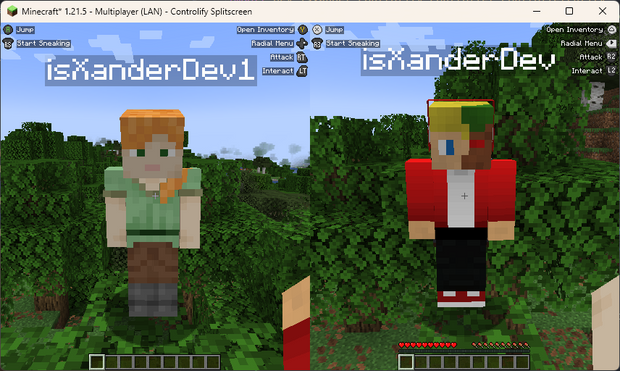
Controlify Splitscreen is a **separate mod in development** that adds splitscreen support to the game! JARs are currently only available on Patreon!

## Wiki
Read up on the Controlify Wiki for more information on how to use Controlify, how to configure it, and how to develop for it.
## What is Controlify?
Controlify is the best controller support mod for Minecraft: Java Edition. It exceeds the first-party Bedrock Edition controller support in every way possible. It is feature-complete, with support for vibration, gyroscope, HD haptics, and more.
Controlify supports *all* controllers, thanks to its usage of the SDL3 library, which is the most advanced cross-platform input library available.
Controlify is designed to be both user-friendly and feature-rich. It has sensible defaults, with default sensitivity matched to Bedrock Edition for easy transition, and a simple yet informative settings screen that allows you to tweak your experience to your liking.
## Feature overview
– **Vibration support**; Controlify vibrates your controller upon events such as taking damage, breaking blocks, lightning strikes.
– **Gyroscope support**; Controlify can use the gyroscope in your controller for precise aiming.
– **Vendor-specific input support**; Controlify supports reading paddles, mute buttons (and their LEDs), touchpads, and more, on some controllers including Xbox, DualSense and Steam Deck.
– **GUI operation**: Controlify allows you to navigate all Minecraft GUIs with your controller, without needing a mouse or keyboard. This includes the inventory, out-of-game menus, and modded GUIs. It features cursor snapping in inventory screens, allowing you to use your controller without needing to be precise with your cursor movements.
– **DualSense/DualShock support**; Controlify does not require any additional software for PlayStation controllers, even on Windows.
– **Controller identification**; Controlify has bespoke button glyphs for many controller models, including Xbox, Playstation, Nintendo Switch, Steam Deck, and more.
– **On-screen keyboard**; Controlify includes a fully functional on-screen keyboard that allows you to type with your controller – truly no keyboard needed!
– **Radial menu**; Controlify features a configurable menu that allows you to bind less-used actions to a radial menu, saving up buttons.
– **DualSense HD haptics** support; Controlify allows for advanced vibration effects on DualSense controllers.
– **DualSense adaptive triggers support**; Controlify allows for advanced trigger effects on DualSense controllers.
– **Data-driven design**; Controlify allows resource packs to change default bindings, theme button glyphs, on-screen button guides, on-screen keyboard layouts, add more controller models, and more.
– **Steam Deck support**
– **Mod compatibility**; Controlify has led the efforts to make controller support work seamlessly with mods like Sodium, Iris, Simple Voice Chat, Do A Barrel Roll, and more.
– **Cross-platform and multi-version**; Controlify works on Fabric and NeoForge, and actively supports and updates for Minecraft versions 1.21.1 and above.
– **Quick to update**; Controlify is updated even for Minecraft snapshots, although snapshot builds are only available to patreon members.
– **Joystick support**; Controlify supports flight sticks, racing wheels, and other non-standard joysticks. Users of such devices have the option between mapping the joystick to a standard gamepad, or creating their own custom bindings and defaults and glyphs for the joystick, allowing for a fully-featured experience.
## Who uses Controlify?
The following is actual feedback I have received from users of Controlify, and I’m very proud to have been able to help them enjoy Minecraft in a way they couldn’t before:
– Couch gamers who want to sit back and relax playing their favourite edition of Minecraft.
– First-time modded players who have previously played Minecraft on a console and don’t want to learn how to use a keyboard and mouse.
– People with accessibility requirements who cannot use a keyboard and mouse and/or requires an adaptive controller.
– Parents who want to expose their kids to modded Minecraft in an accessible manner.
– People who just prefer using a controller over a keyboard and mouse.
– People who want to play local multiplayer with their friends and family using the companion Splitscreen Mod
– Hopefully you!
## Features
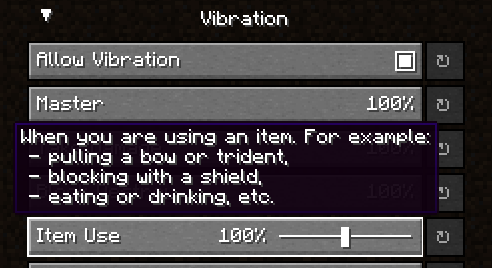
### Controller vibration
Controlify supports controller vibration, which has not been seen before for PC versions of Minecraft,
including Bedrock Windows 10 Edition. Configure the intensity of each vibration source, with
complex vibration patterns for lots of aspects of the game (e.g. when you take damage).
### Radial menu

To save up some buttons on your controller, dedicate some less-used actions to the radial menu.
It is fully customizable through the settings and intuitive to use. Any modded keybind is
compatible with this menu.
### Gyro support
Controlify has built-in support for controller gyroscopes, allowing you to make fine movements in-game
with your controller. This can be combined with flick stick to be able to use a controller without
the compromise.
### Container cursor
Just like in bedrock edition, you can move a cursor across your inventory, and interact
with it in a controller-friendly way. With dedicated buttons for quick move, dropping etc. Controlify also comes with cursor snapping, so you don’t need to be so precise with cursor movements.
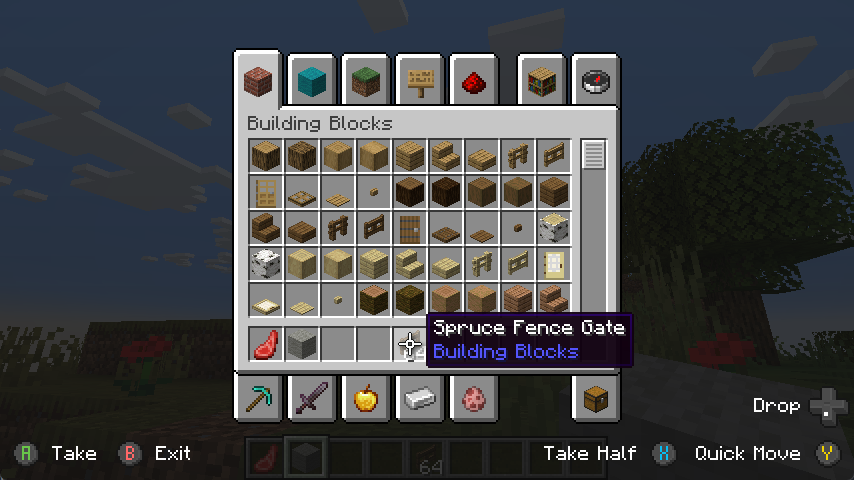
### Controller identification
Controlify has the ability to identify the make and model of your controller automatically,
and displays relevant button textures for your controller. This is also extendable by resource packs, changing up the button textures in a different style and adding some of your own, more niche controller identifiers.
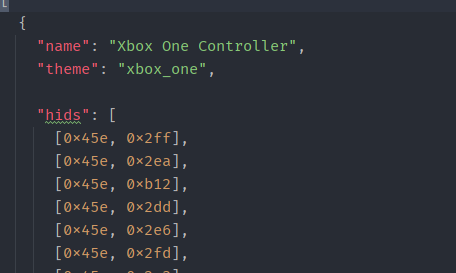
### Joystick support
You can connect any joystick to the mod and map it with your own names and textures, with an unlimited amount of inputs per controller.
### Button guide
There is a simple overlay in-game that displays the buttons you can press
based on your player’s state and look direction. This is useful for new players, who
have not yet memorised the controls.
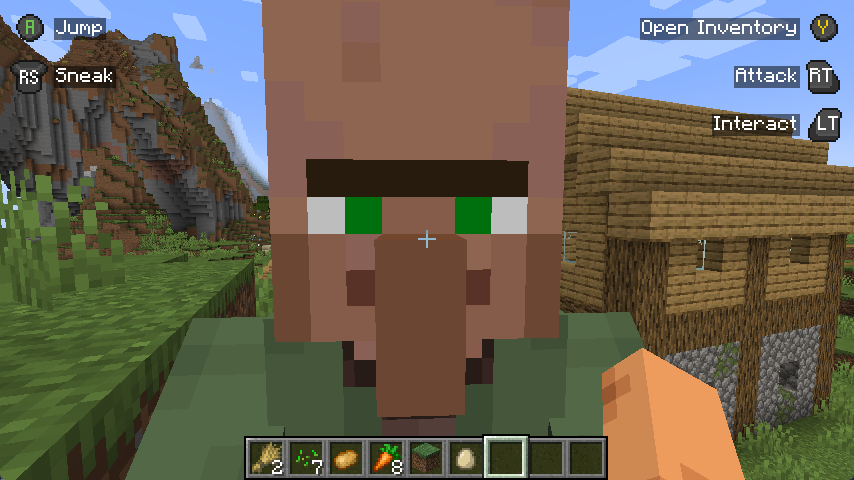
Also, some GUIs display controller buttons on elements that have a controller shortcut, to easily navigate with a controller like you should be able to.

### Containerised Controllers
This mod is built around the fact that each controller is completely separate, with it’s own configuration, bindings etc.
This means it will be trivial to add support for split-screen play in the future.
### Built for mod compatibility
GUI operation has been abstracted into a simple API, which allows other mods to easily add support for their own GUIs,
without convoluted support throughout the whole mod’s codebase, making it difficult for third parties to integrate.
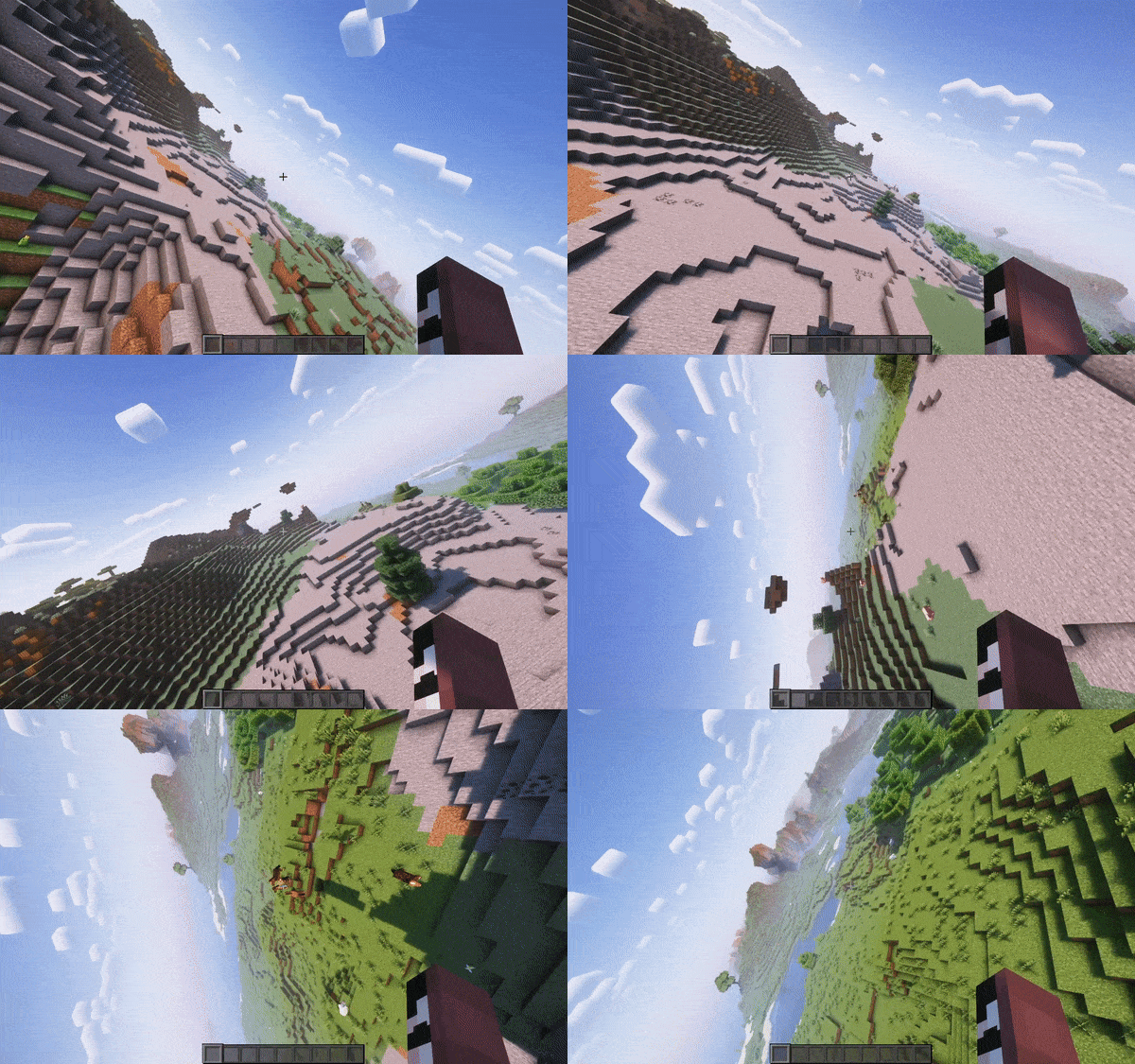
*Video recorded using do-a-barrel-roll with a Thrustmaster HOTAS flightstick*
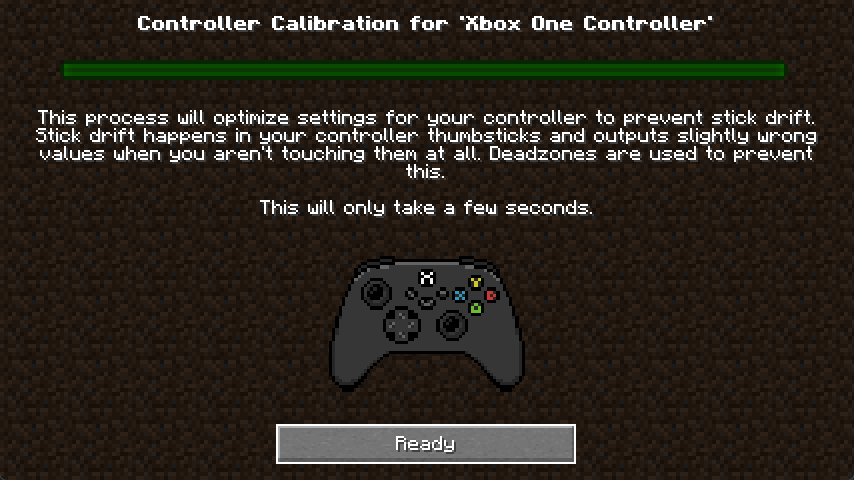
### Automatic controller deadzone calibration
The deadzone values of your controller are automatically calibrated,
meaning you don’t have to worry about it.
## Backports?
This mod is only and will only be available for **1.19.4** and above, this is because in 1.19.4, Mojang
introduced arrow key navigation which was easily ported to controller, below 1.19.4, this is not possible.