The White Pumpkin
this is **inspired by Minecraft story mode (a telltale games creation) episode 6**, this is what happened on that episode:
In **Minecraft Story mode** (mcsm) season 1 episode 6, jesse goes on a journey and stubles apon a mansion in one of the dimentions he was exploring to find his way home, on his way to enter the mansion, he spots a figure with a white pumpkin. apon entering the mansion to get sheltered from hords of zombies, he and his friends meet another group of people who are popular minecraft youtubers, but they one by one get trapped, killed and more. jesse and his gang finds out “the white pumpkin” was up to all these traps. they go after him/her to kill the white pumpkin, they discover one of the other group of friends who were in the mansion (cassie rose) was the white pumpkin, they go on to defeat her leaving her trapped in her dimention while they continue their journey.
please try to give me feedback on what to do to make this texture pack better
The Immortals
This time I present you “The Immortals” pack.
This is a data pack
after applying this data pack all mobs in the game become more stronger
there get extra 1024 health.
that make them harder to kill
every single mobs have this feature.
there protection feature make them harder to deal.
even ender dragon got extra 1024 health protection.
72 mobs present in minecraft, all have this protection feature.
all entities are-
1)Allay
2)Axolotl
3)Bat
4)Bee
5)Blaze
6)Camel
7)Cat
8)Cave Spider
9)Chicken
10)Cod
11)Cow
12)Creeper
13)Dolphin
14)Donkey
15)Drowned
16)Elder Guardian
17)Ender Dragon
18)Enderman
19)Endermite
20)Evoker
21)Fox
22)Frog
23)Ghast
24)Giant
25)Goat
26)Guardian
27)Hoglin
28)Horse
29)Husk
30)Illusioner
31)Iron Golem
32)Llama
33)Mule
34)Panda
35)Parrot
36)Phantom
37)Pig
38)Piglin
39)Piglin Brute
40)Pillager
41)Polar Bear
42)Pufferfish
43)Rabbit
44)Ravager
45)Salmon
46)Sheep
47)Shulker
48)Silverfish
49)Skeleton
50)Skeleton Horse
51)Slime
52)Sniffer
53)Snow Golem
54)Spider
55)Stray
56)Strider
57)Tropical Fish
58)Turtle
59)Vex
60)Villager
61)Vindicator
62)Wandering Trader
63)Warden
64)Witch
65)Wither
66)Wither Skeleton
67)Wolf
68)Zoglin
69)Zombie
70)Zombie Horse
71)Zombie Villager
72)Zombified Piglin
This pack is supported both single player world and multiplayer servers.
version supported
form- 1.16 TO Latest version
make sure you check the file version before downloading the pack
all versions have separate files.
Enjoy the “The Immortals” Data Pack.
THANKS FOR DOWNLOAD.
Tetris
So….. ive put the tetrmino to minecraft resource pack…
Anyways, Why i made this?
why i put yapping readme file
Tectonic
Welcome to **Tectonic**, a world generation project that aims to transform how terrain is shaped.
## Important Notes
Tectonic’s supported versions right now are **1.21.1** and **26.1**. Other versions will not have issues fixed on them.
Biome Mod Compatibility
**Most Biome Mods (BOP, RU, NS, BWG)**
Tectonic is compatible with mods that rely on Terrablender or Biolith to add their biomes to worldgen. This includes Biomes O Plenty, Regions Unexplored, Nature’s Spirit, and more.
**Terralith**
Tectonic has a special version with Terralith compatibility. This version is shipped in the mod version of Tectonic, but it is available as a standalone datapack [here](https://modrinth.com/datapack/terratonic).
**CliffTree**
On 1.20, Tectonic and Clifftree are **not** compatible.
On 1.21, Tectonic needs some small tweaks to work with CliffTree. These tweaks are shipped with the mod version of Tectonic, but they are available as a datapack [here](https://modrinth.com/datapack/clifftree-tectonic).
## Features
The mod version of Tectonic has a config for editing many of the following features. Tectonic v3 has a config screen, making it easier than ever to know what certain fields do and to configure them in-game.
—
### Continents and Islands
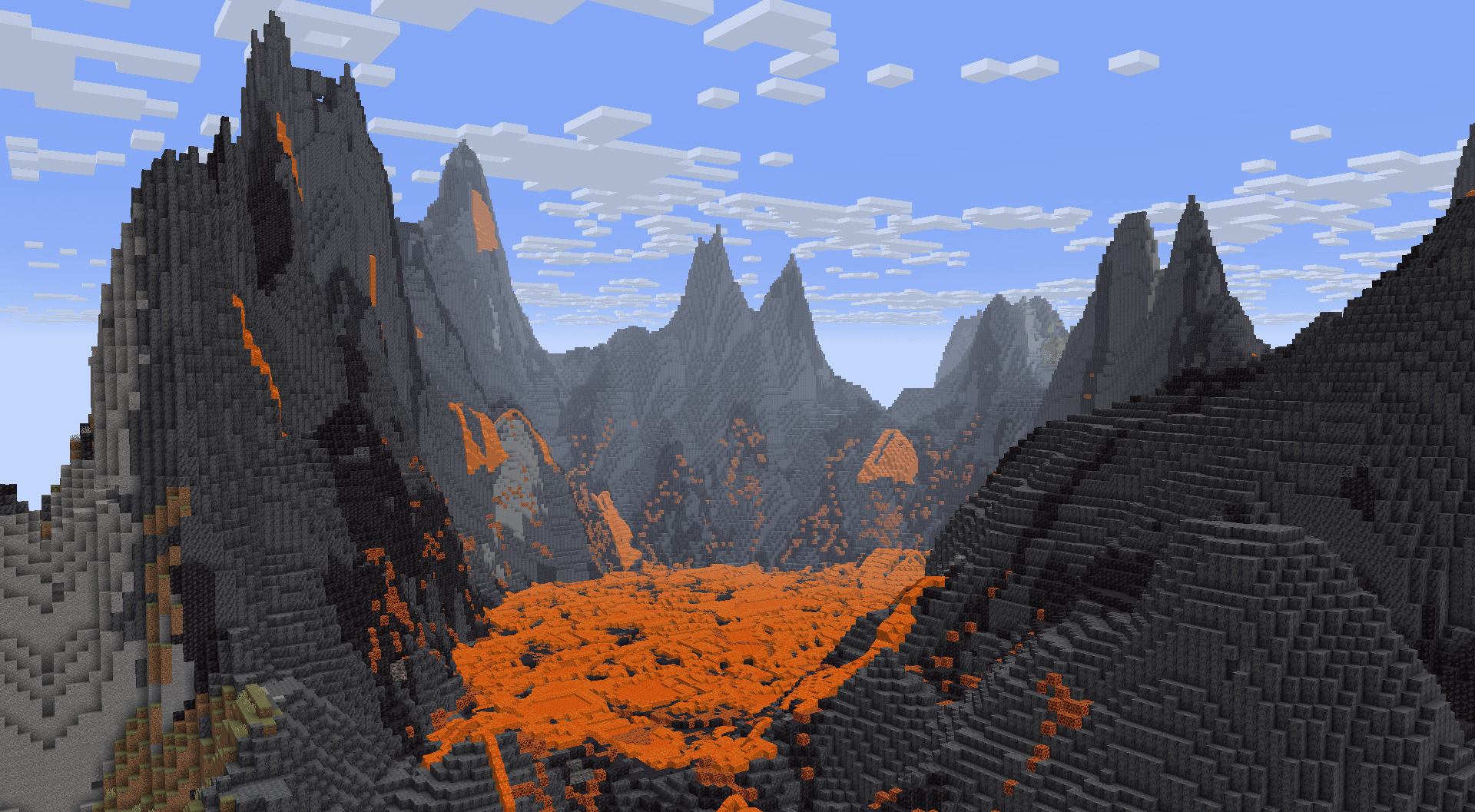
In Tectonic v3, terrain forms into continent-like landmasses. Continents will generate thousands to tens of thousands of blocks wide, tailored to account for the project’s massive mountain ranges and new terrain types.
In the oceans between continents you’ll find relatively smaller “islands”, ranging up to around a thousand blocks across. These islands use vanilla’s mountain terrain shaping, now making it possible to find traditional mountain rings.
With Terralith installed, these islands spawn Calderas and Volcanoes!
—
### Deeper Oceans
Oceans are much deeper than they are in vanilla, with deep oceans even extending into the deepslate layer! Deep oceans in particular have more varied terrain, featuring overhangs and valleys.
If the mod version is installed, vanilla Ocean Monuments will generate deeper to compensate for the deeper oceans.
—
### Mountain Ranges
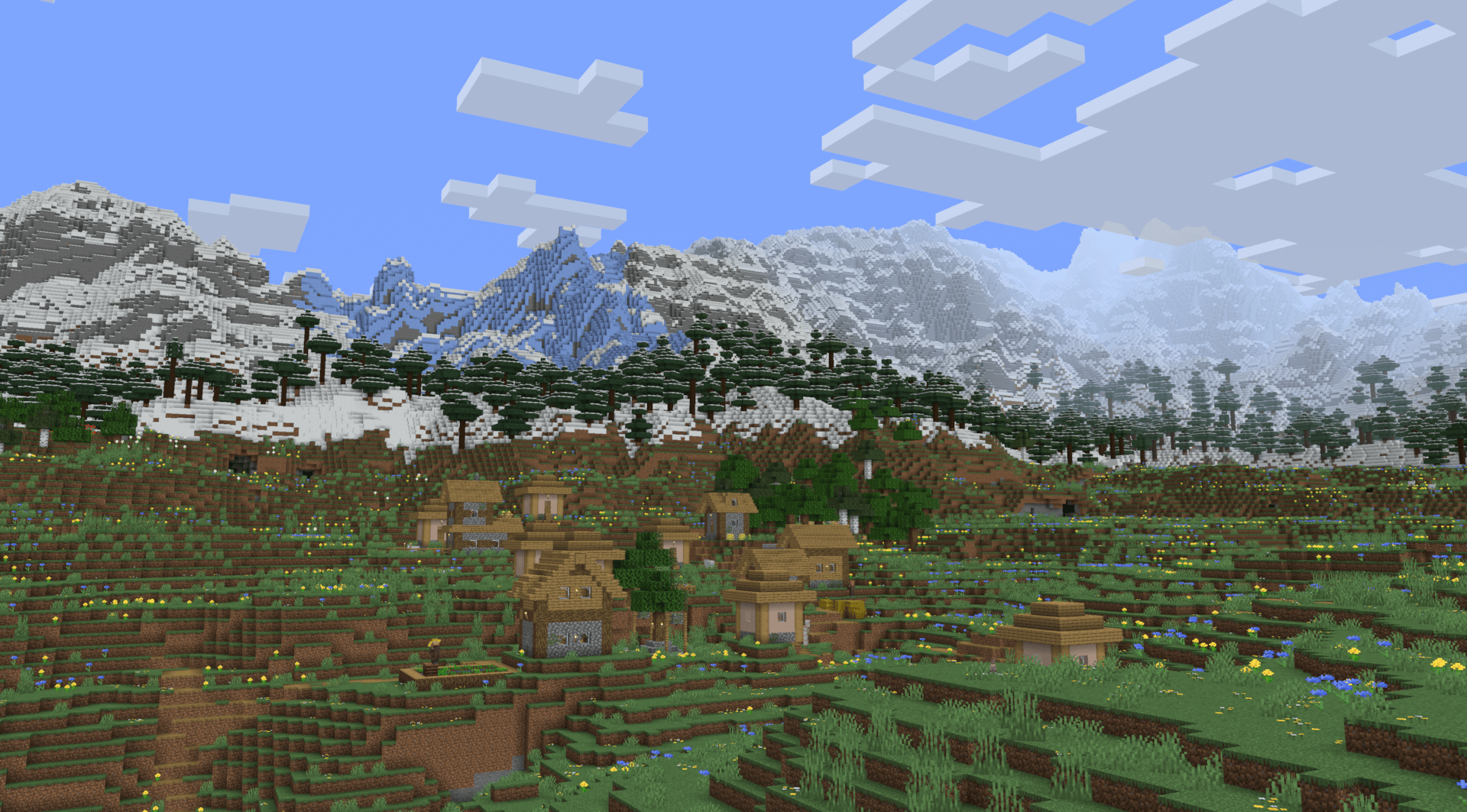
The biggest highlight of Tectonic’s terrain is the massive mountain ranges. They can stretch for tens of thousands of blocks, going high enough to approach the build limit!
—
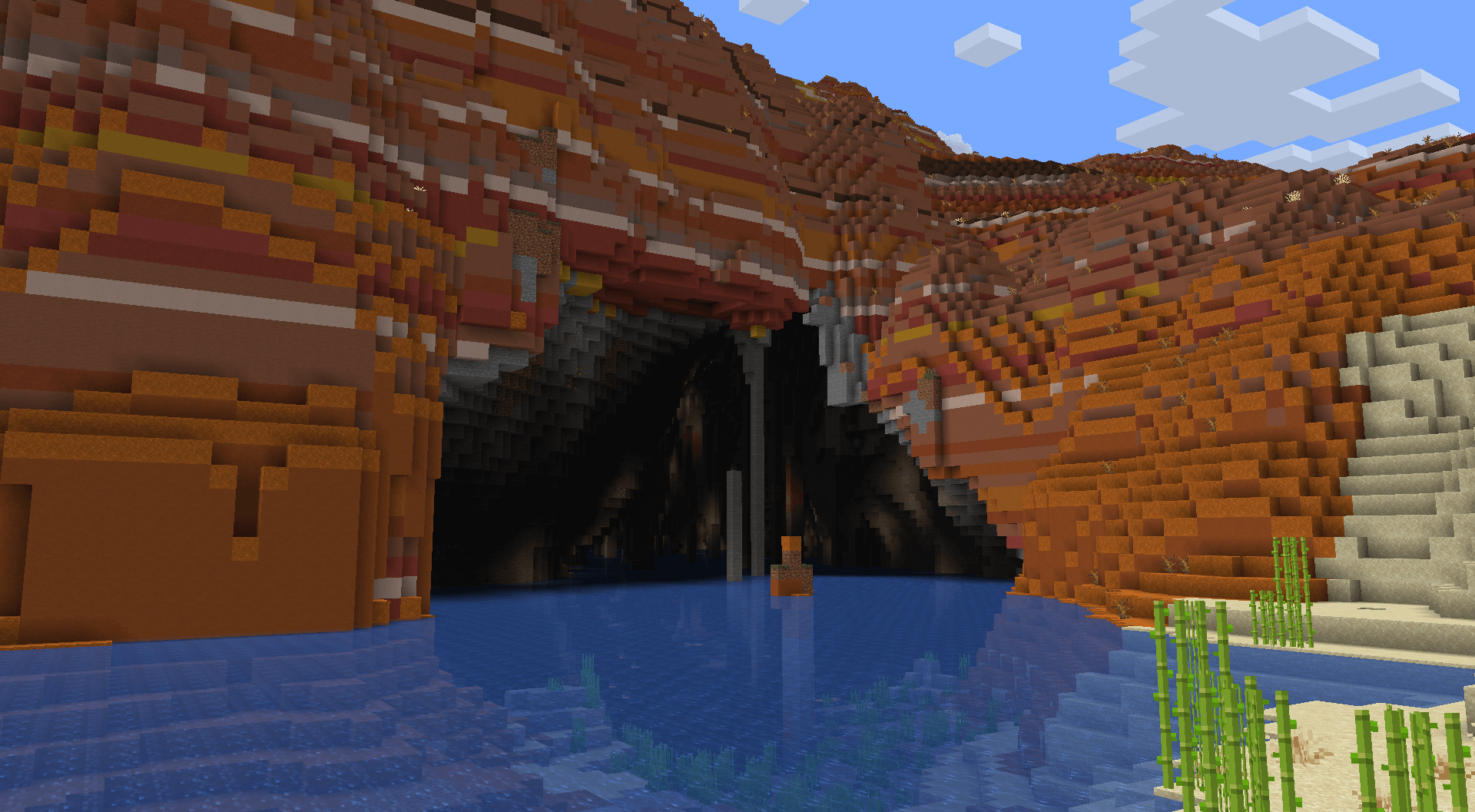
### Underground Rivers
In mountainous terrain that is too towering to allow regular river generation, terrain gets carved for rivers to continue underground. These link right up to the regular rivers, so there’s no interruption in exploring along rivers. These rivers vary vastly in size and shape.
If the mod version is installed, these will have increased glow lichen and rare areas with lanterns!
—
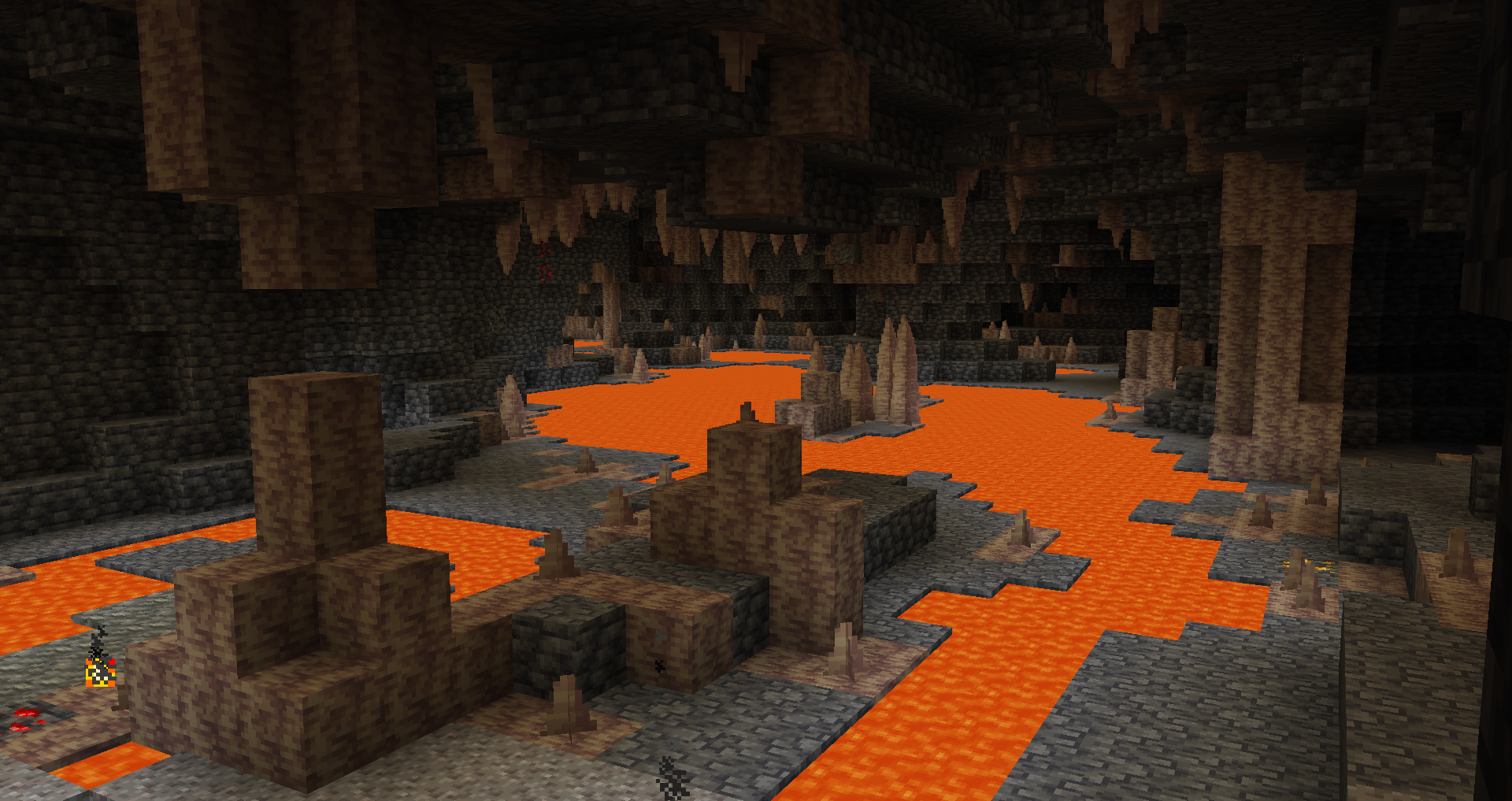
### Lava Tunnels
*Very* deep underground, you can find a deeper variant of underground rivers with different shaping and lava instead of water.
—
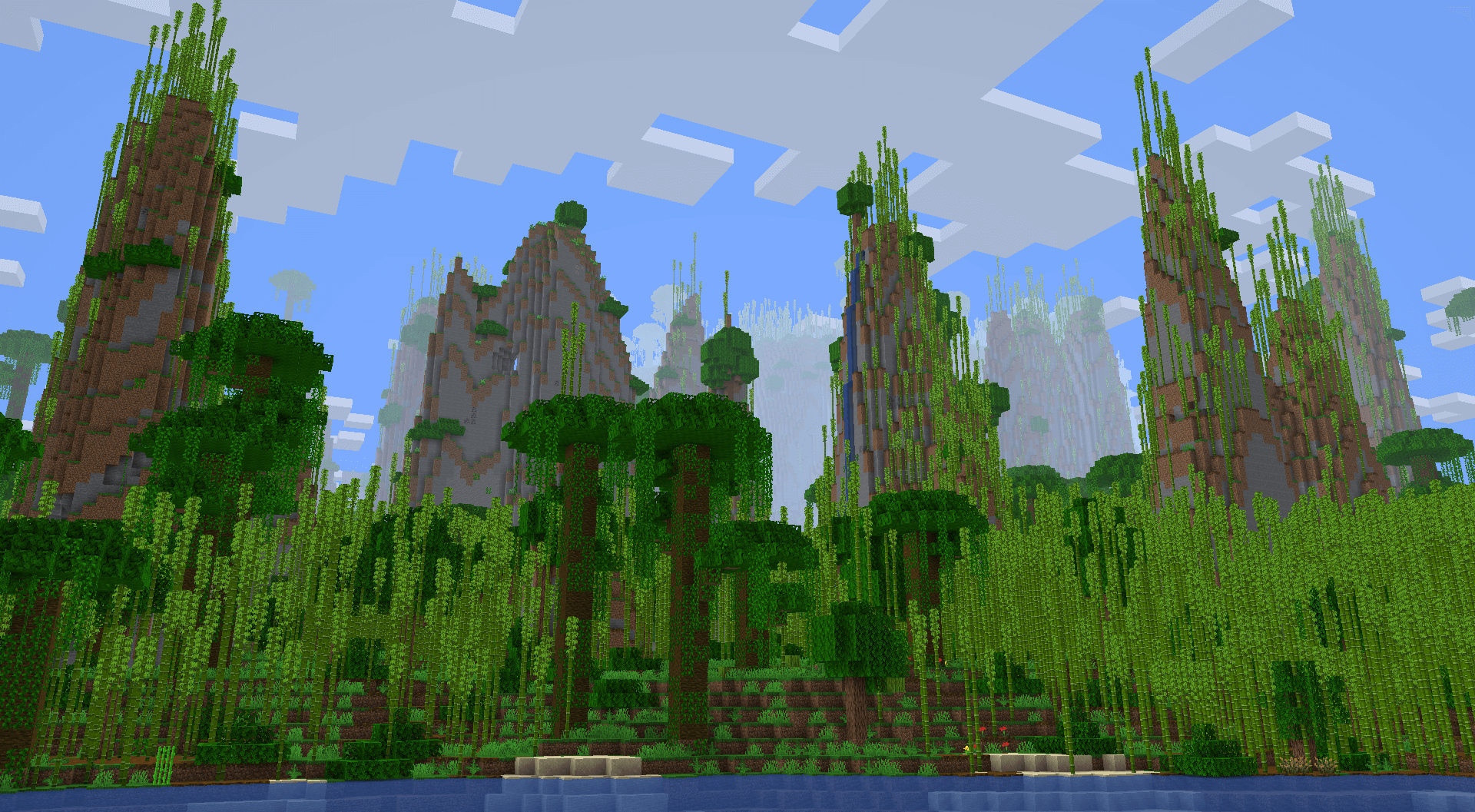
### Jungle Pillars
Some jungles feature massive pillars that can extend upwards of a hundred blocks tall!
—
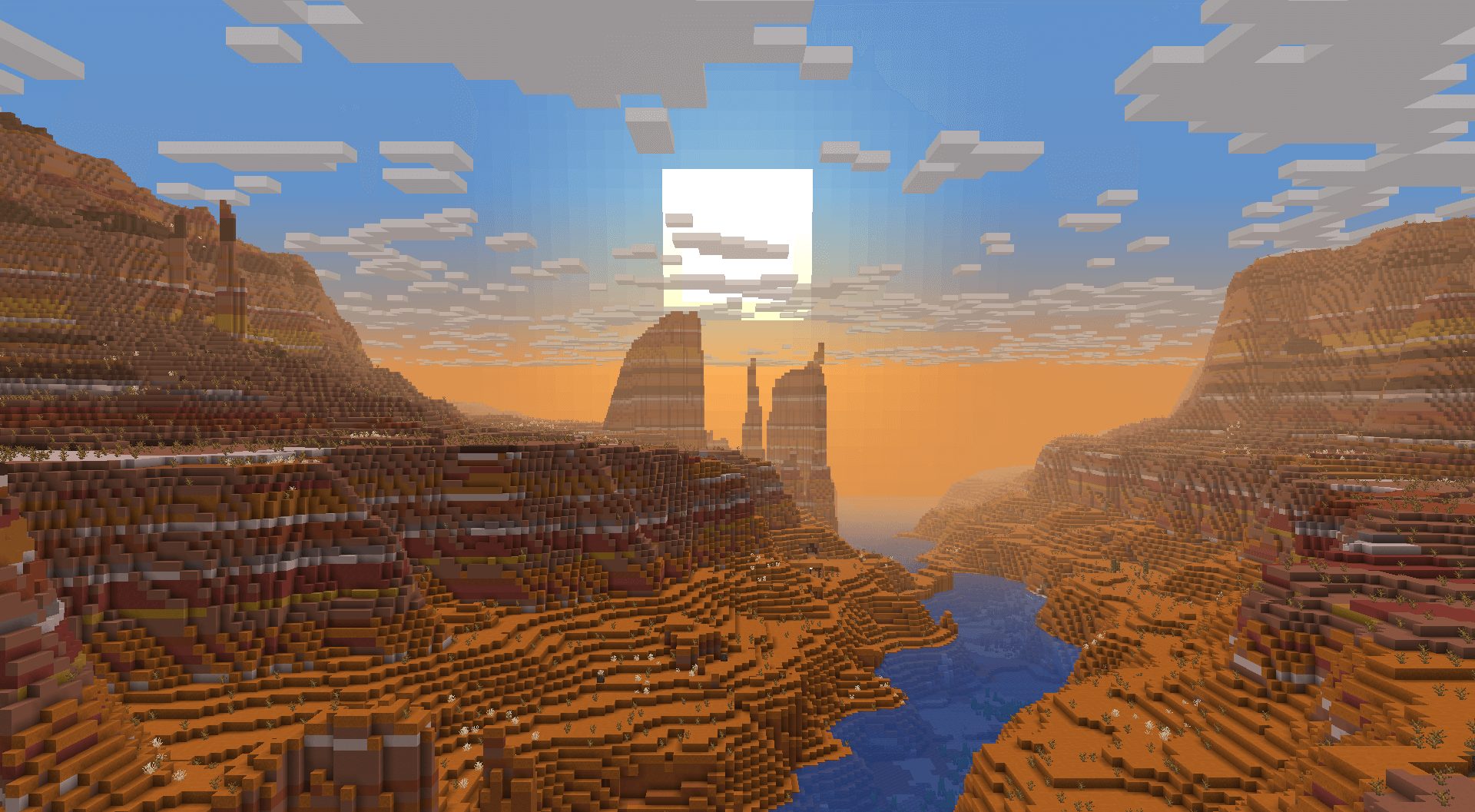
### Canyons
Some badlands will generate *very* large canyons, making them a spectacle to find and travel through.
—
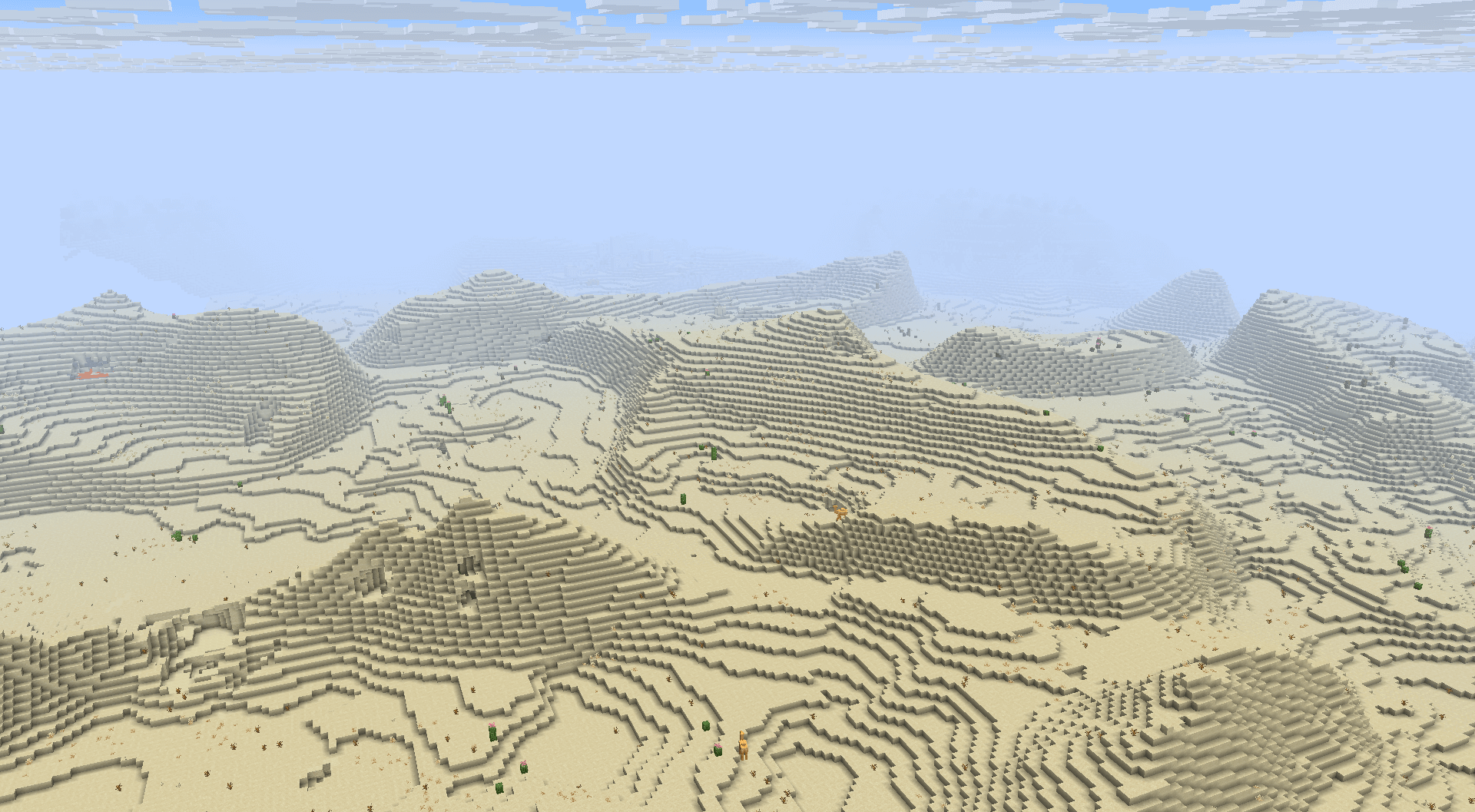
### Dunes
Most deserts will generate smooth, rolling dunes.
—
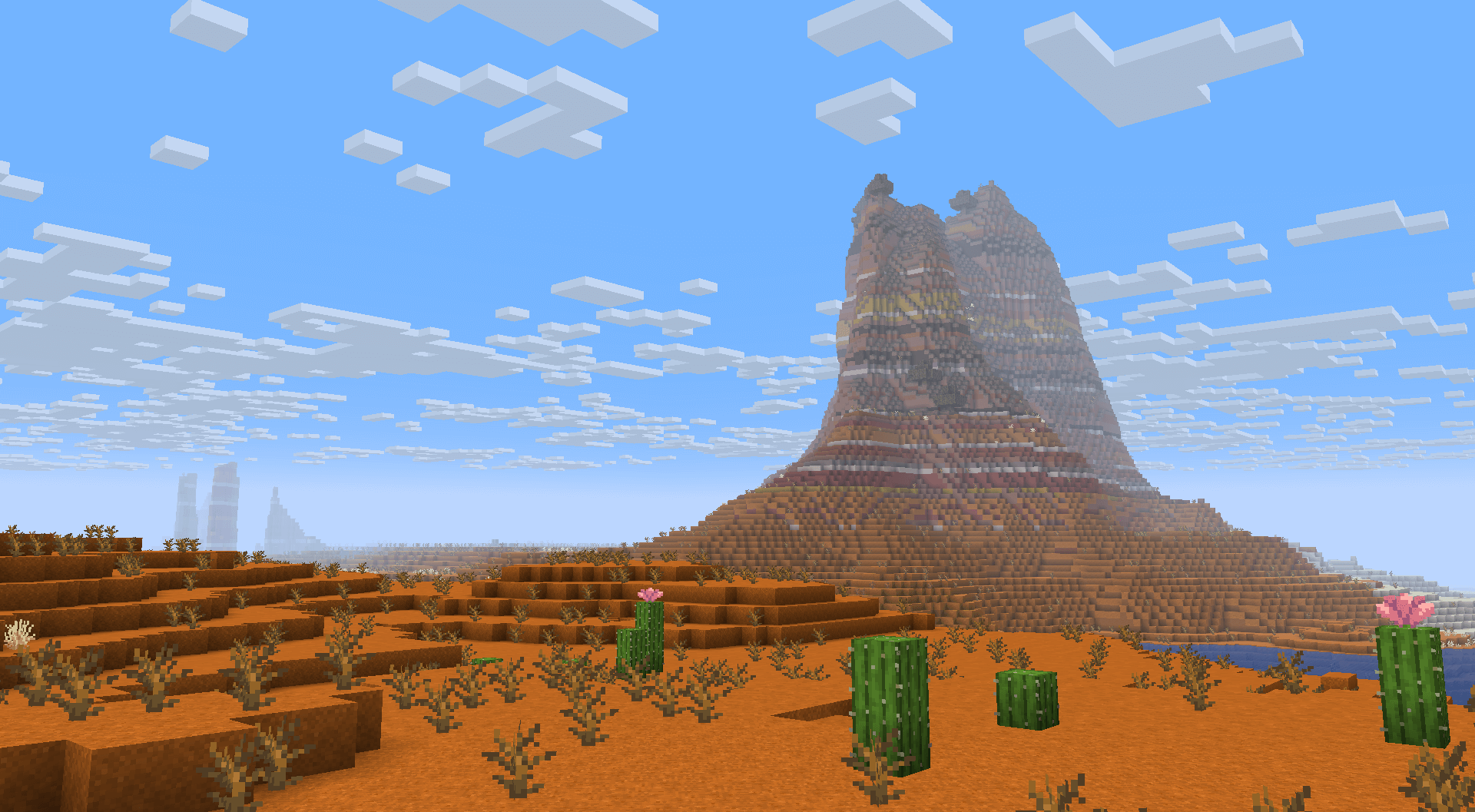
### Plateaus
In some areas, towering 2-3 tiered plateaus will generate. These plateaus will sometimes have smoother “ramps” to make exploration in survival more accessible.
Badlands also feature isolated plateaus, not directly bound to nearby rivers.
—
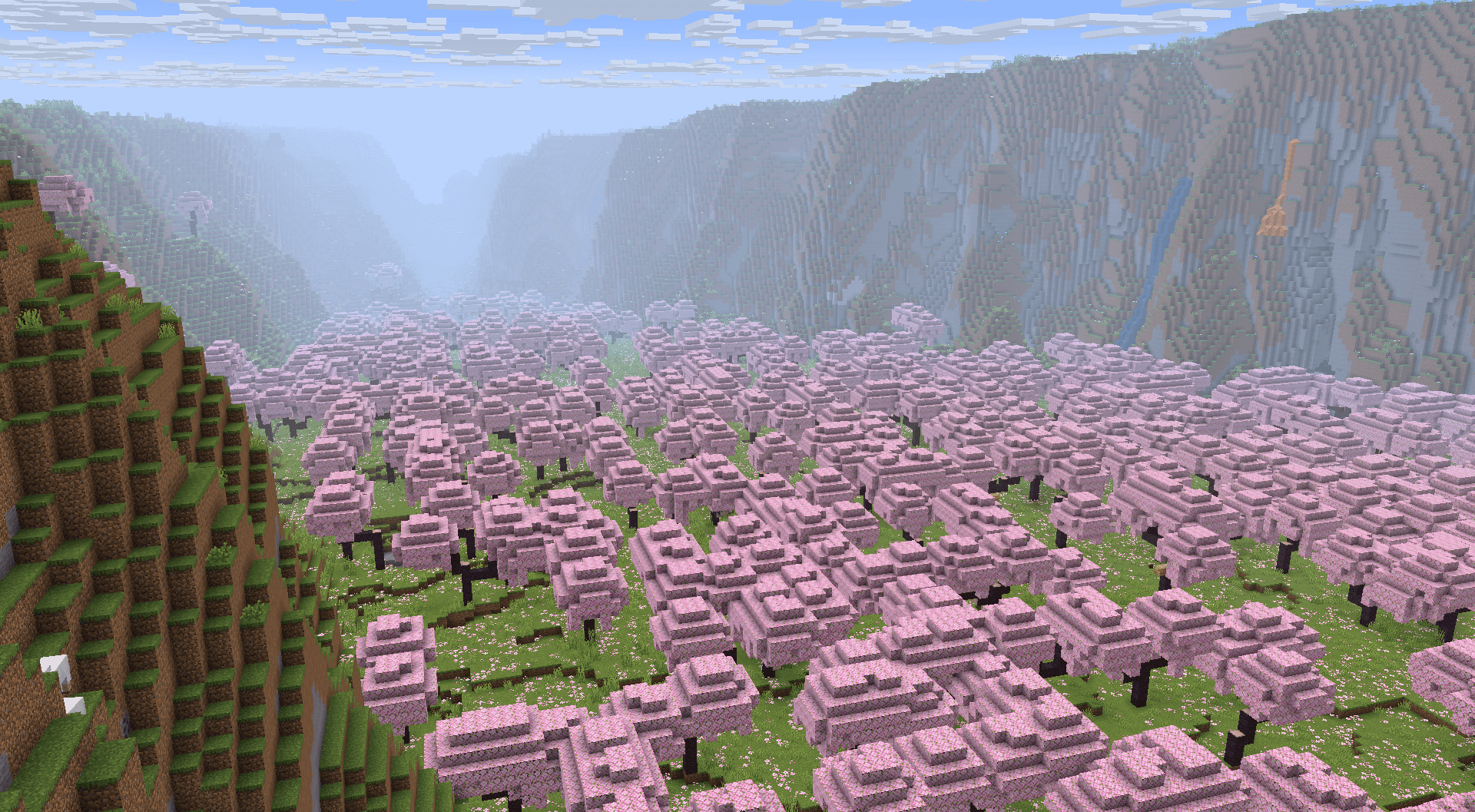
### Valleys
While plateaus usually elevate plateau biomes, some Cherry Groves and Pale Gardens have the plateaus surround the biome, turning the biome into a valley.
—
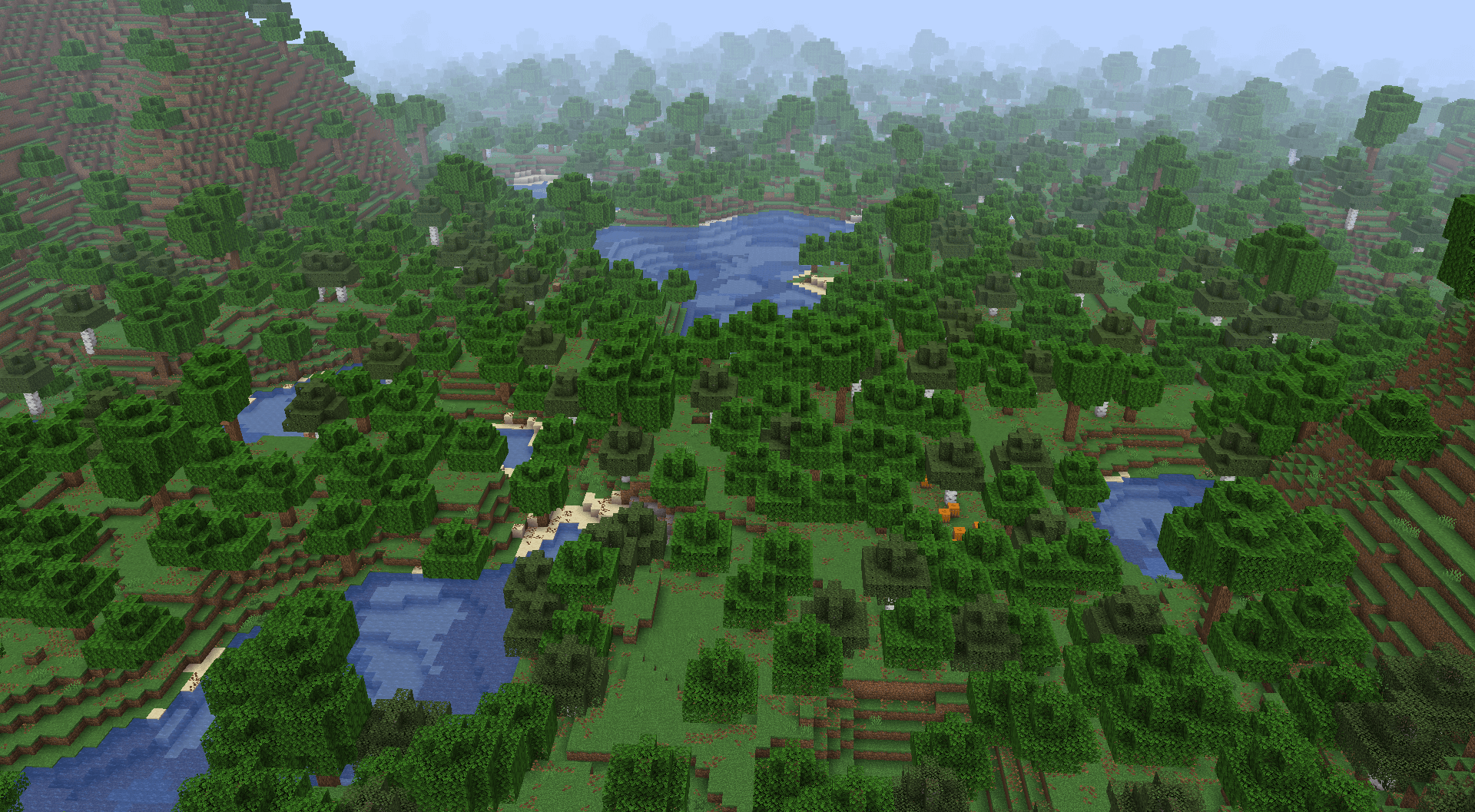
### Wetlands
Some forest, jungle and taiga biomes generate very close to sea level and generate frequent ponds and lakes.
—
Timo Translations
This is a Translation Pack for my project [Timo](https://modrinth.com/datapack/timo_11).
When using mods like [Coordinates Display](https://modrinth.com/mod/coordinates-display) it displays **”biome.timo.rich”** without this Pack but with this pack **”Rich”**
Supported Languages:
“`
English (United States)
ɥsᴉluƎ(uʍop ǝpᴉsd∩)
“`
Swords To Scythes


## 📚 | ABOUT
• Change the appearance of your sword into a scythe! Whether you play in singleplayer or multiplayer, this resource pack works on almost all game versions (1.8 – 1.21+). 💎✨
## 🏷️ | CREDITS
• Resource pack created by t2rtle (ARR) ©️✨
## 📦 | MODPACKS & VIDEOS
• You may freely use this resource pack in any modpack as long as the download remains hosted within the Modrinth ecosystem. ☕✨
• You are also free and welcome to create video/stream content (YouTube, Twitch, TikTok, etc.), and it is not necessary to give credits or link to this page. However, if for any reason you want to provide the download to your viewers, you must link to this page and not distribute the download outside the Modrinth ecosystem. 📽️✨
## 📮 | QUESTIONS
• 01. Can I distribute your resource pack? 📌
> R: **No**. Do not distribute my projects anywhere. 📌
Sus Sand
This resource pack is designed to make suspicious sand and gravel even more suspicious.
Enjoy

(Edit July 6th 2023): Is this going to be my legacy? An among us meme? XD
Supernova (Original Music Pack)
an original album made as a tribute to C418 in his signature style, made into a custom music pack:
this pack features 6 tracks:
– 1 title track: jang
– 2 creative tracks: albeit, burning konkrete
– 3 survival tracks: rose field, cliff hanger, supernova
this resourcepack should be compatible with versions 1.7.2 and above. newer versions may complain about it being broken or incompatible, ignore that.
there are two versions of the pack: one that replaces the vanilla music and one that does not. the one that replaces the original soundtrack doesn’t seem to do so on 1.7.2, but the music should still be added to the pool.
you may use this music in your own resource/data/mod-packs only if it’s ENTIRELY FREE. this music may NOT be resold or used for COMMERICAL PURPOSES.
[https://aurigrave.org/audio/release/supernova](https://aurigrave.org/audio/release/supernova)
Super Apple
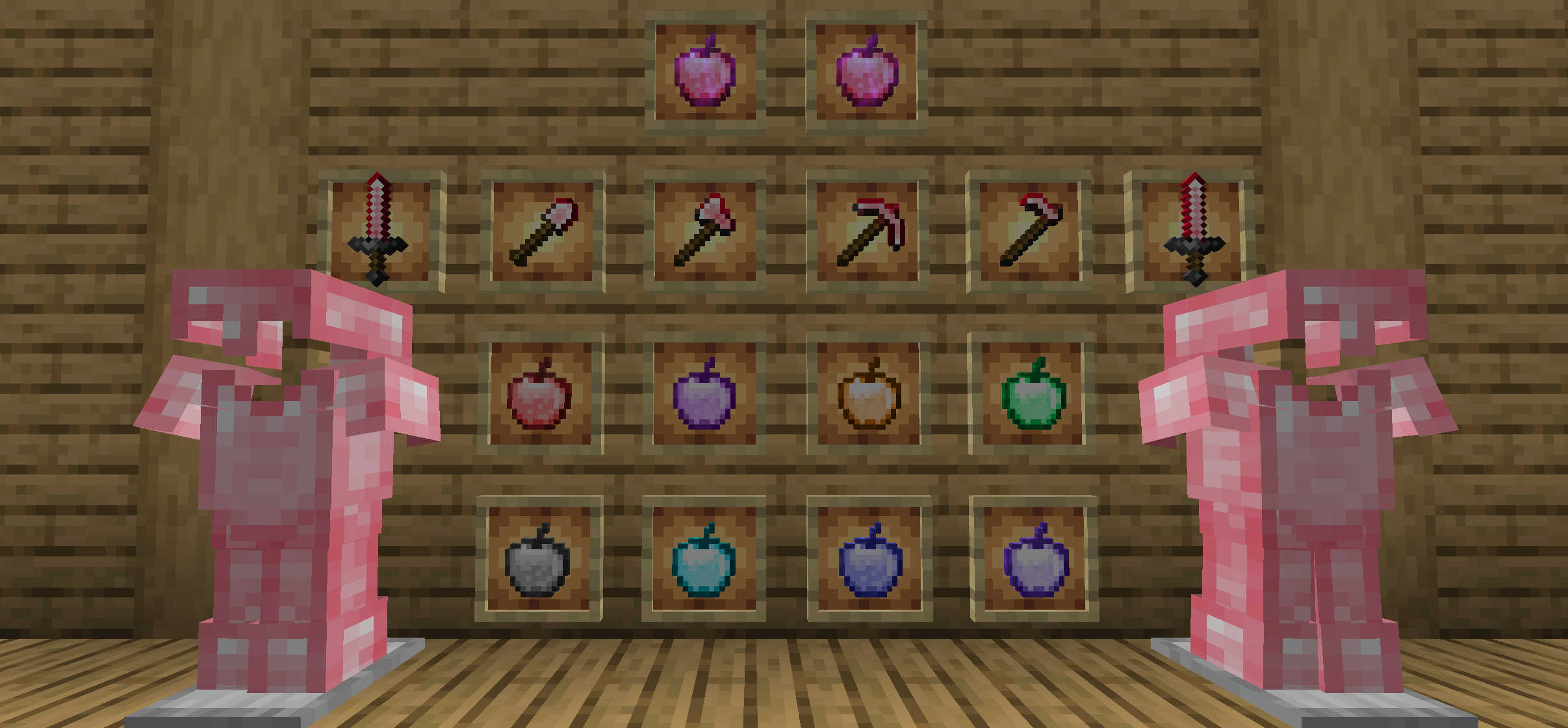
#### This mod is the extend contents of the original edition contents, such as the extra apples, the level of the enchantments, and ruby.
#### Recipes could see gallery.(1.18+)
#### Super Apple for 1.14+ requires Fabric Loader, Fabric API.
#### Translation
Submitting translations for Super Apple can be done via our [Crowdin](https://crowdin.com/project/super-apple) page. Consider helping us out if you’re fluent in any language at all! Alternatively, translations can still be submitted via pull requests.
#### New Apples
We establish 9 extra apples, respectively are haste apple, strength apple, speed apple, health boost apple, village hero apple, fire resistance apple, night vision apple, jump boost apple, suspicious apple and super apple.
Suspicious apple(fabric only) same like suspicious stew,but it is easy to crafting. It only use a apple and a flower.(2.1.0+)
Super Apple can give player 1-5 minutes buff like haste,health_boost,jump_boost,speed,strength and resistance.
#### New Ore(Only Minecraft 1.16+)
We add the ruby, which is the main material of the super apple.
Ruby use to compound Haste Apple and Super Apple.
#### New enchantment(1.3.8+)
We upgrade the up line of the enchantment levels. By doing that, you might have the better felling when you playing.
#### New Armour and tools(2.2.0+)
Ruby Armour and tools strenstrength and durability between diamond and Netherite.The enchantment performance better than gold. It’s also support smithing template.(Minecraft1.20+ And Super Apple 2.3.0+).

#### New tree(3.0.0+)
Adding effect apples’s fruit tree(No Super Apple Tree), the saplings only need to be composed of oak saplings and any effect apple, and the fruiting leaves will not disappear after the mature fruits has been picked.

#### For the detailed information, please read the minute contents below. THANKS!!!
StreamlineCore

MUST HAVE:
– LuckPerms. [**[ FOUND HERE ]**](https://luckperms.net/download)
– BukkitOfUtils (__For Bukkit / Spigot / Paper ONLY__). [**[ FOUND HERE ]**](https://www.spigotmc.org/resources/118276/)

Please join the Streamline Hub Discord in order to get updates and for me to fully assist you with bugs, questions, or suggestions.
Discord: [**click here**](https://dsc.gg/streamline)
[**Download Modules for Streamline Here (Click)**](https://storage.drak.gg/share/75RJ__vUBVQrC_PRfuHeTg)
# Introduction to Streamline
### What is Streamline?
Streamline is a Minecraft plugin that adds limitless functionality to Minecraft servers through what is known as **Modules**. These Modules are downloadable content that you insert into the Streamline plugin’s “modules“ folder to enhance your server.
Streamline Modules can do many things and even allow server admins and developers to make their own with a very nice framework.
The currently made modules add functionality such as:
– Redirecting players from one server to another when that server goes down. (**StreamlineRedirect Module**)
– Network staff chat, whispering, and friends. (**StreamlineMessaging Module**)
– Discord to Minecraft and Minecraft to Discord. (**StreamlineDiscord Module**)
– Logging messages to your Discord server with only webhooks. (**SimpleLogger Module**)
– Aliases, buildable functions, online list (per server, per group, or network wide), cross-network tpa, cross-network homes, cross-network teleporting, and more. (**StreamlineUtilities Module**)
– Data-Driven event-based protection for proxy and backend servers. (**ProxProtect Module**)
– Send resourcepacks to players on join. (**ResourcePackUtils Module**)
– Cross-network quests system with limitless potential. (**StreamQuests Module**)
– TAB (the plugin) integration, adding support for Streamline placeholders in TAB configurations. (**TAB-SL Module**)
– Simple and easily configured MOTD system like that of MiniMOTD. (**StreamlineMOTD Module**)
– *More.*
**NOTE**: Not seeing a feature you want? Ask Drak to add it on his Discord! – [**click here**](https://dsc.gg/streamline)
### What makes Streamline special?
Streamline allows for **universal cross-platform capabilities** with its Modules.
This essentially means you can run the same modules on a BungeeCord proxy that you would on a Velocity proxy (or even your backend servers). This, with the addition of **Modularized features** means that server admins and owners can choose *exactly* what they want in their server without bloatware.
This also makes it very easy for server admins to use a specific module across different servers. Or even for Developers to develop modules for servers (or the community).
### What exactly is Streamline capable of?
Literally *anything*. Seriously.
#### Supported Proxies:
> – Velocity
> – BungeeCord
> – Waterfall
> – FlameCord
> – Travertine
> – XCord
> – Etc.
#### Supported Backend Servers:
> – Spigot.
> – Paper.
> – Folia.
> – Purpur.
> – Tuinity.
> – ImmanitySpigot.
> – FlamePaper.
> – Mohist / Banner / Youer.
> – Etc.
#### Natively-Supported Plugins:
> – Luckperms. (Required.)
> – BukkitOfUtils. (Required on Bukkit-like servers.)
> – Geyser / Floodgate. (Everything work the same for Bedrock players as would Java players!)
> – PlaceholderAPI.
> – CMI. (With Utils module.)
> – EssentialsX. (With Utils module.)

Follow the Discord setup guide [**[ FOUND HERE ]**](https://github.com/Streamline-Essentials/StreamlineWiki/wiki/Discord-Setup) to set up the discord module.
# What can I do with the `Discord Module`?
– Link **Discord to Minecraft** and **Minecraft to Discord** with `Routes`.
– Available link types:
– Natively (Without other Modules):
– **Proxy local chat** `<->` **Discord Text Channel**
– **Proxy global chat** `<->` **Discord Text Channel**
– **All online players with specific permission** `<->` **Discord Text Channel**
– **Discord Text Channel** `<->` **Discord Text Channel**
– Groups (With `StreamlineGroups` Module):
– **Guild chat** `<->` **Discord Text Channel**
– **Party chat** `<->` **Discord Text Channel**
– Messaging (With `StreamlineMessaging` Module):
– **Local Room chat** `<->` **Discord Text Channel**
– **Global Room chat** `<->` **Discord Text Channel**
– **Custom Room chat** `<->` **Discord Text Channel**
– Message formats are completely customizable.
– Avatar with player’s skin will pop up when their message is sent to Discord.
– Link player’s Discord profile with your server.
– Players can chat using their StreamlineUser profile from Discord.
– All Discord messages can be configured to be sent as completely customized Discord embedded messages

More information is found on our wiki: [**FOUND HERE**](https://wiki.plas.host/streamline)
### NOTICE ABOUT COMMANDS, PERMISSIONS, AND MESSAGES.
***All commands are completely customizable in their `.yml` file. Including permissions and message outputs!***

1. Install dependencies.
– “BukkitOfUtils“ if on Bukkit / Spigot / Paper / Forks.
– “LuckPerms“ for all platforms.
2. Download the plugin file.
3. Drop it into your server’s plugins folder.
4. Start and stop your server.
5. Fill out the configs where necessary.
– Configurations for the streamline plugin can be found in your `plugins` folder, under `StreamlineCore`.
6. Add desired modules.
– Modules can be downloaded from here: [**click here**](https://wiki.plas.host/modules)
7. Start and stop your server again.
8. Fill out module configs where necessary.
– Module files can be found in your `plugins` folder, under `StreamlineCore`, under `module-resources`.
9. Start your server again.
More information can be found on our wiki: [**click here**](https://wiki.plas.host/streamline)

1. Look on the wiki: [**click here**](https://wiki.plas.host/streamline)
2. Get in touch on the Streamline Discord: [**click here**](https://dsc.gg/streamline)
3. Submit a bug on the issue tracker (this is rarely checked): [**click here**](https://github.com/Streamline-Essentials/StreamlineCore/
# BStats
**Bukkit**
**BungeeCord**
**Velocity**